MB to GB: Decimal 1,000 vs Binary 1,024 Explained
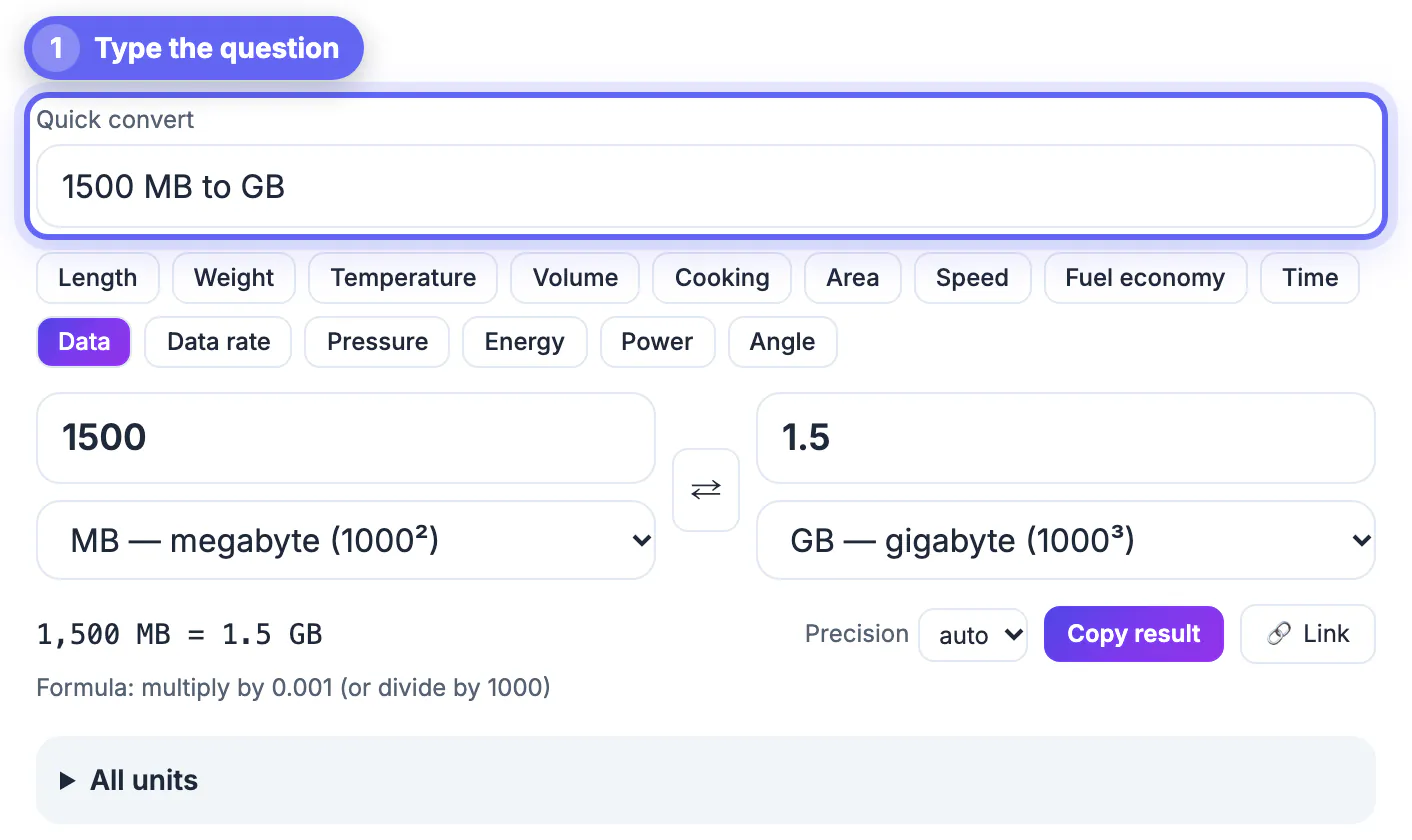
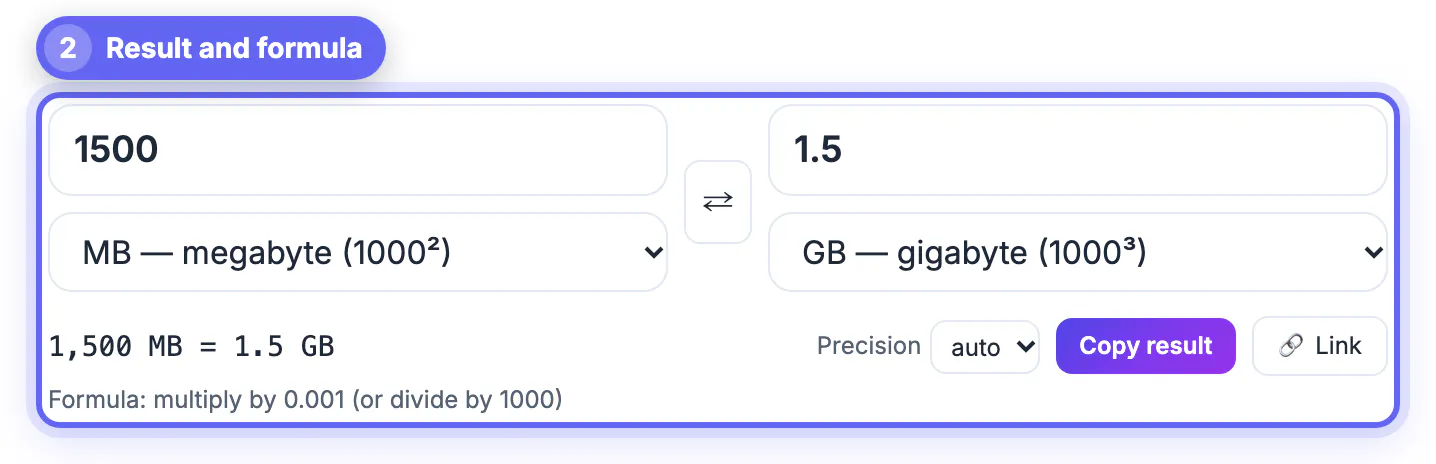
To convert MB to GB, divide by 1,000: 1,500 MB is 1.5 GB in the decimal system that drive makers, macOS and iOS use. Windows and RAM sizes use binary units that are really MiB and GiB, where you divide by 1,024 instead, so 1,500 MiB is 1.465 GiB. Below: both systems side by side, why a new 1 TB drive shows 931 GB in Windows, how bits differ from bytes in internet speeds, and how GrabCast's free Unit Converter shows decimal and binary units together so you never have to guess.
📏 Try Unit Converter now — freeOpen →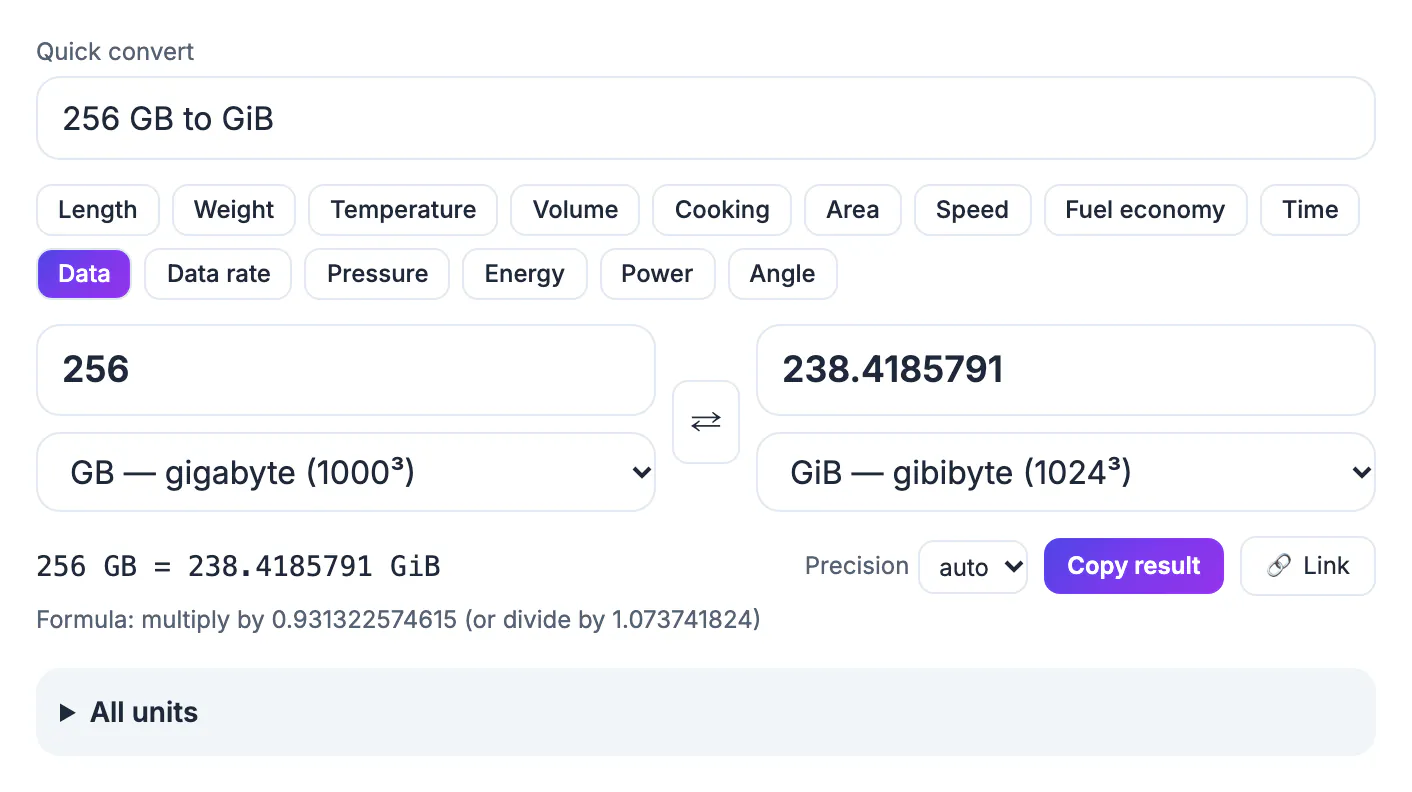
Early computer engineers borrowed kilo, mega and giga from the metric system even though memory came in powers of two, and 1,024 was close enough to 1,000 to share a name. The gap grows with every prefix: 2.4 percent at kilo, 4.9 percent at mega, 7.4 percent at giga and 10 percent at tera. In 1998 the IEC introduced kibi, mebi, gibi and tebi, written KiB, MiB, GiB and TiB, for the binary sizes, but many programs still print GB when they mean GiB. That habit is behind storage complaints, support tickets and even class-action lawsuits over drive sizes. Knowing which system a figure uses settles most of those disputes within seconds, before anyone opens a ticket.
MB to GB in decimal and binary
Decide which system your figures are in first; after that, the conversion is a single division.
- Decimal: 1 GB = 1,000 MB = 1,000,000,000 bytes, used by drive and phone makers, macOS, iOS and network speeds.
- Binary: 1 GiB = 1,024 MiB = 1,073,741,824 bytes, used for RAM and by Windows, which labels it GB.
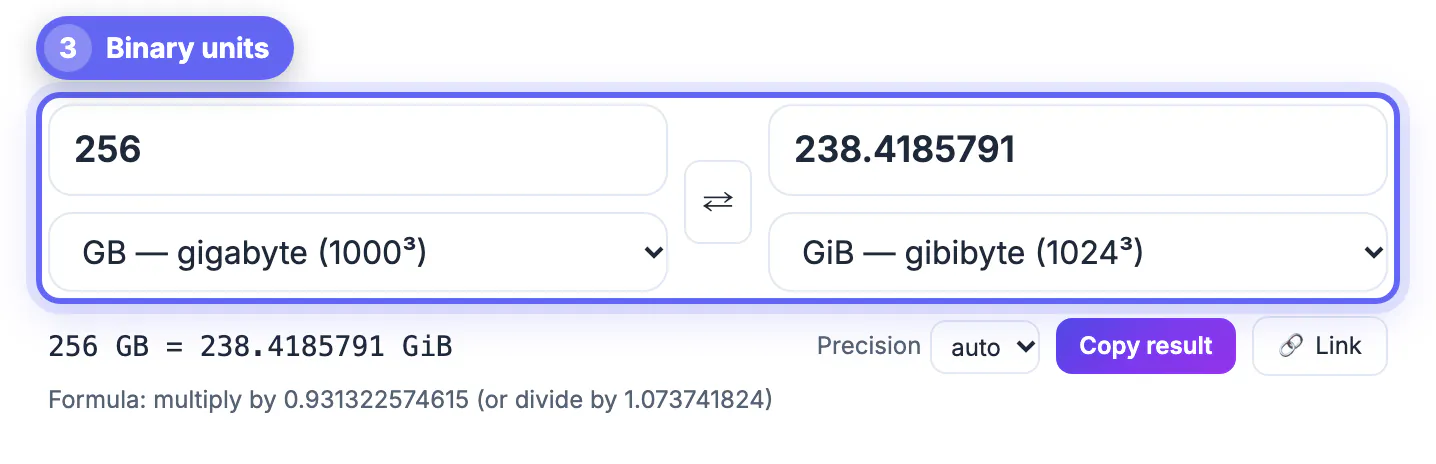
- Crossing systems: 1 GiB = 1.073741824 GB, and 1 GB = 0.931323 GiB.
- Example: 1,500 MB = 1.5 GB = 1.397 GiB, while 1,500 MiB = 1.465 GiB.
The error from mixing systems is modest at small sizes and large at big ones. A 4.7 GB DVD holds 4.38 GiB, a 6.9 percent gap. A 2 TB backup drive shows up in Windows as 1.82 TB, so a photo library that Windows reports as 1.9 TB will not fit even though the box says 2. When a spec sheet, a cloud plan or a school assignment gives sizes without saying which system, assume decimal for anything sold or transmitted and binary for memory, then confirm in the fine print.
Why a 1 TB drive shows 931 GB in Windows
A drive sold as 1 TB contains 1,000,000,000,000 bytes. Windows divides that by 1,073,741,824 per gigabyte and reports 931 GB, while still using the decimal label. Nothing is missing.
- 64 GB USB stick: 59.6 GiB, reported by Windows as 59.6 GB.
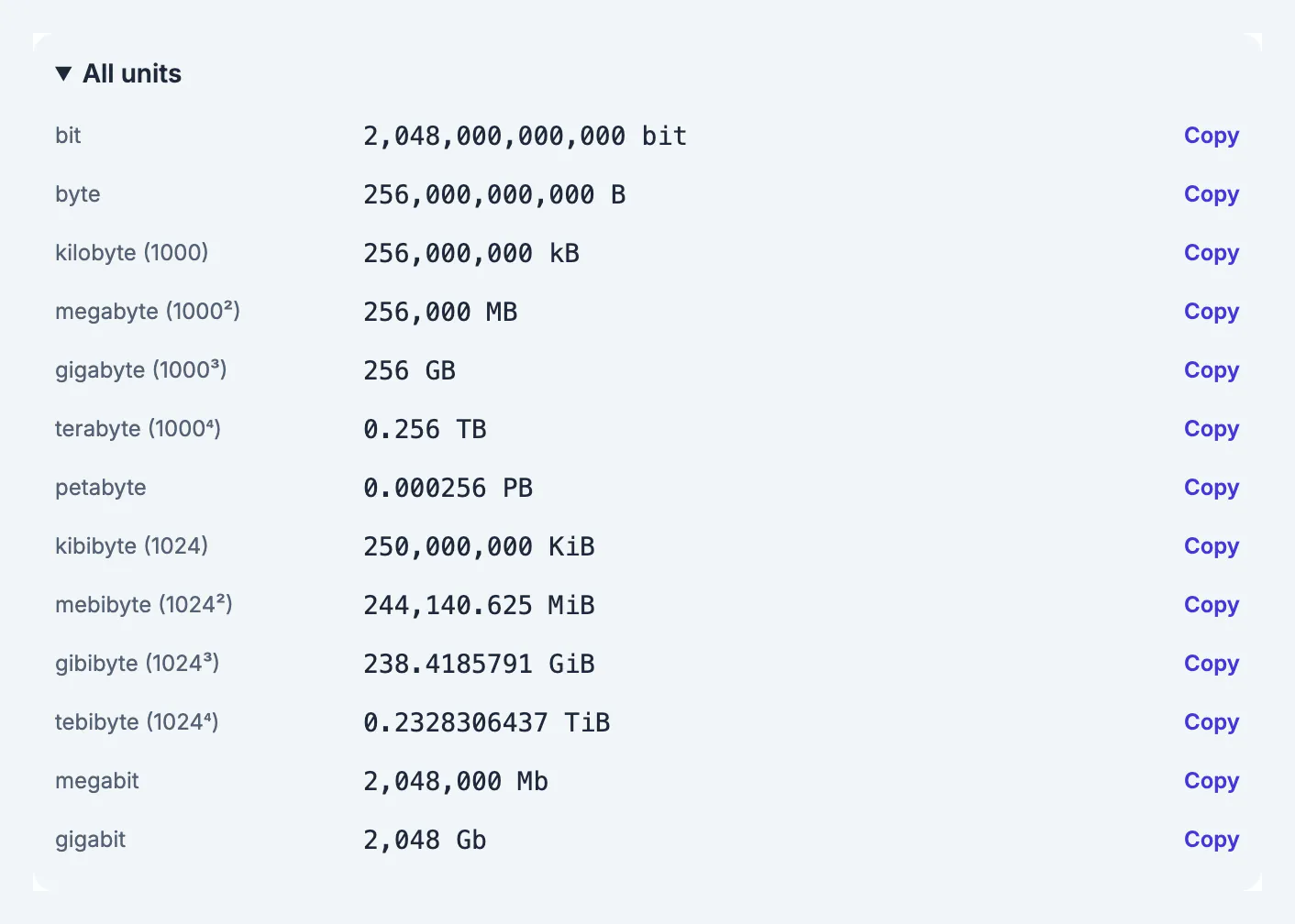
- 256 GB phone or SSD: 238.4 GiB before the operating system takes its share.
- 500 GB drive: 465.7 GiB; 1 TB: 931.3 GiB; 2 TB: 1.82 TiB.
- 16 GB of RAM: truly 16 GiB, because memory chips are built in powers of two.
Apple switched Finder to decimal units in Mac OS X 10.6 in 2009, so a Mac shows the same drive as roughly 1 TB. Linux tools vary: df -h prints binary sizes and df -H prints decimal ones. Real free space is a little lower on every system because the file system, recovery partitions and preinstalled software take room. If a new drive shows roughly 7 percent less than its label per gigabyte, or 9 percent per terabyte, the drive is fine; a much larger gap points to hidden partitions or a counterfeit device.
MB vs Mb: bytes, bits and download speeds
Internet speeds are quoted in megabits per second, Mbps, with a lowercase b. File sizes use megabytes, MB, with a capital B. One byte is eight bits, so the speed on your plan is eight times the number of megabytes you move each second.
- 100 Mbps = 12.5 MB/s, or 11.92 MiB/s as many download managers show it.
- 300 Mbps = 37.5 MB/s; 1 Gbps = 125 MB/s.
- A 1 GB file on a 100 Mbps line takes at least 80 seconds, since 1 GB is 8,000 megabits.
- A 10 GB versus 10 GiB data allowance differs by 737,418,240 bytes, about 737 MB.
Real transfers are slower than the theoretical minimum because of protocol overhead, Wi-Fi conditions, server limits and sharing the line with other devices, so plan for extra time on large uploads and backups. Carriers and cloud providers define their own quotas, so check whether a plan's 50 GB means decimal or binary if you routinely run close to the cap.
Convert MB to GB with GrabCast's Unit Converter
The Data tab lists decimal and binary units as separate entries: kB, MB, GB, TB and PB in powers of 1,000, and KiB, MiB, GiB and TiB in powers of 1,024, plus bits, megabits and gigabits. It opens on GB to GiB, the comparison most people are after, with a formula line of multiply by 0.931322574615.
- Quick convert understands phrases such as 1 TB to GiB or 1500 MiB to GiB.
- The Data rate tab converts Mbps, Gbps and kbps to MB/s, GB/s or MiB/s; try 100 Mbps to MB/s.
- All units shows one value in every decimal and binary unit at once, each row with Copy.
- Precision can be set to 2 decimals for a spec sheet or left on auto for full detail.
The Quick convert box respects capitalization for exact symbols, so 100 Mb to MB returns 12.5 MB and 100 MB to Mb returns 800 Mb. If you are unsure how a phrase will be read, pick megabit (Mb) or megabyte (MB) from the menu and check the equation line. Results can be copied with Copy result, and the Link button copies a URL that reopens the same conversion, handy in a support reply explaining why a customer's drive looks small. Everything is calculated in your browser tab.
Need to shrink something that is too big for an upload? See how to diagnose a PDF that is too big or extract just the audio from a video.
Step-by-step
Common mistakes to avoid
Pro tips
Frequently asked questions
Is 1 GB 1,000 MB or 1,024 MB?
Strictly, 1 GB is 1,000 MB, and 1,024 MiB make a GiB. Windows and RAM use the binary sizes while still printing GB, which is where the confusion comes from.
Why does my 64 GB USB stick show 59.6 GB?
It holds 64 billion bytes. Windows divides by 1,073,741,824 per gigabyte and shows 59.6, and formatting takes a little more space.
How much does the difference matter on a data plan?
On a 10 GB allowance the gap between the two definitions is about 737 MB. Carriers and cloud services set their own rules, so the fine print decides.
How long does a 1 GB download take on 100 Mbps?
At least 80 seconds for a decimal gigabyte, since 1,000 MB times 8 is 8,000 megabits. Overhead and Wi-Fi usually make it slower.
Which system does the GrabCast converter use?
Both. MB, GB and TB are decimal, MiB, GiB and TiB are binary, and the Data rate tab handles bits per second versus bytes per second.
Divide by 1,000 for MB to GB and by 1,024 for MiB to GiB, and decide which system a number uses before doing anything else. A drive showing 7 to 9 percent less than its label is normal, internet speeds need a divide-by-8, and a converter that lists both systems removes the guesswork.
Related guides
Browse more: all calculator guides · Unit Converter