Improve Your Writing With AI and Keep Your Own Voice
The fastest way to improve your writing with AI is to use it as an editor, not an author: paste a draft you already wrote, ask for one kind of fix at a time, and accept only the changes you can explain. That keeps your ideas and voice while the machine catches grammar slips, clunky sentences, and paragraphs that wander. This guide gives you a four-pass editing routine that works in any AI tool, shows how to compare versions so nothing sneaks in unnoticed, and is honest about the weak spots, including invented facts, flattened personality, and privacy. The examples come from everyday writing: a cover letter, a landlord email, a class essay, and a product description for a small online store.
✨ Try the AI Writer tool now — freeOpen →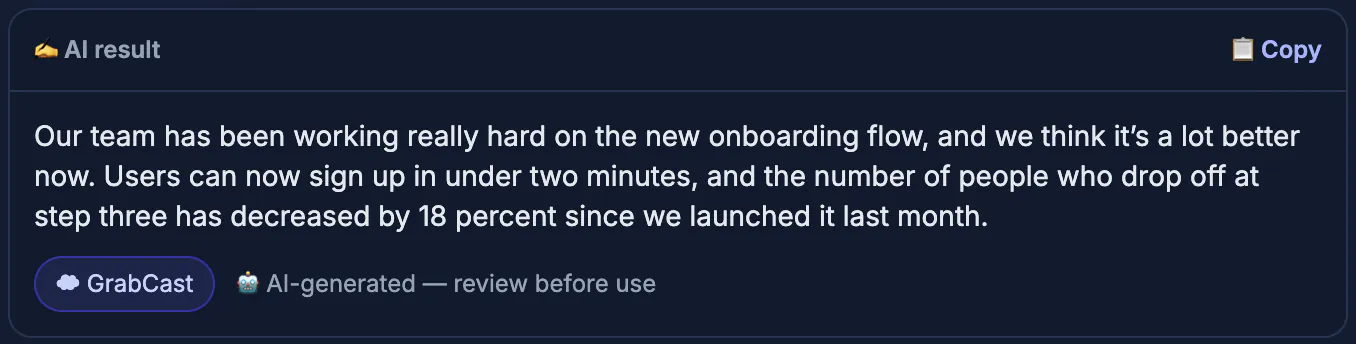
Text generated from a one-line request tends to sound like everyone else's: smooth, generic, and padded with phrases no real person uses. Readers notice, and so do hiring managers and teachers. When you start from your own draft, the substance is yours, the examples are specific, and the AI's job shrinks to something it genuinely does well, which is spotting mechanical problems and offering tighter phrasing. You also learn faster. Seeing that the model keeps splitting your 45-word sentences or cutting the word very tells you what to watch for next time. Over a few weeks the edits get smaller, which is the real sign your writing is improving rather than just being outsourced.
A four-pass routine to improve writing with AI
Asking for everything at once produces a rewrite you cannot evaluate. Run separate passes instead, each with a narrow goal, and review between them.
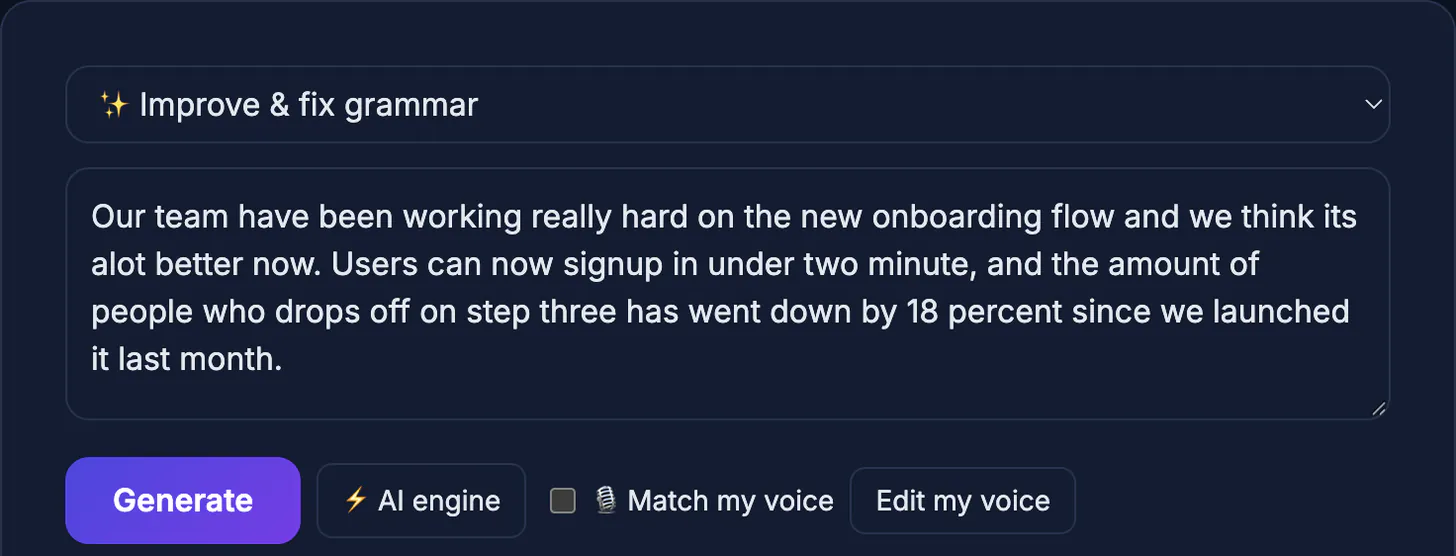
- Pass one, correctness: grammar, spelling, punctuation, and agreement. In GrabCast's AI Writer this is the Improve and fix grammar mode, which is told to keep your meaning and return only the corrected text.
- Pass two, clarity: find sentences over about 30 words and ask for a simpler version, or use the Paraphrase mode on a single paragraph that feels tangled.
- Pass three, structure: read only the first sentence of each paragraph. If they do not tell the story on their own, reorder before polishing further.
- Pass four, voice: read the result aloud. Anything you would never say out loud, restore to your own wording.
Once the draft reads well, a final proofreading pass catches typos, and the Word Counter confirms it fits the length you need.
Decide which edits to accept
A suggestion is not an improvement just because it sounds polished. Judge each change against three questions: is it correct, is it clearer, and does it still sound like you?
- Accept: fixed typos, subject-verb agreement, missing commas in long sentences, and splitting sentences that run past two lines.
- Question: swapped vocabulary. If plain words like use or help became leverage or facilitate, change them back.
- Reject: any new fact, number, date, or claim that was not in your draft. Models sometimes add plausible details that are simply untrue.
- Compare, do not skim. Paste the original and the edit into a text-diff checker, such as GrabCast's Text Diff, to see every changed word highlighted.
Examples: the same draft, better
Small, targeted edits make the biggest difference in real documents. None of the examples below needed a single new idea from the machine; each one kept the writer's facts and reshaped the order, length, or wording so a busy reader gets the point in seconds. That is the pattern to copy in your own work.
- Cover letter: an opening line such as I am writing to apply for the position of became I would like to bring five years of retail scheduling experience to your team. The draft already had the fact; the edit moved it up front.
- Landlord email: a 180-word complaint was trimmed to 90 words with the request, the date of the problem, and the photo attachment in the first two sentences.
- Class essay: a paragraph that repeated its thesis three ways was cut to one clear claim plus the student's own evidence. Check your school's policy on AI help before submitting anything.
- Product description: long feature lists became two benefit-led sentences followed by bullet specs the owner verified against the label.
Limits and privacy of free AI writing tools
Be clear-eyed about what these tools are. GrabCast's AI Writer is free and needs no signup, but it is a cloud service: your text is sent to a server and processed by a third-party AI model, so it is not private in the way GrabCast's in-browser PDF or image tools are.
- Do not paste passwords, medical details, client contracts, unreleased financials, or anything covered by an NDA.
- The free service can be busy at peak times; if a request fails, wait a moment and try again, or work on a shorter section.
- Long documents work better a few paragraphs at a time, which also keeps each round of edits reviewable.
- AI detectors are unreliable in both directions, so the best protection is a draft that is genuinely yours plus visible, deliberate edits.
Step-by-step
Common mistakes to avoid
Pro tips
Frequently asked questions
Can AI make my writing sound less formal?
Yes, but the AI Writer's improve mode focuses on correctness and clarity. For a specific tone, ask in a chat-style assistant where you can give instructions, then edit the result back toward your own voice.
Will teachers or employers know I used AI?
Detection tools are unreliable, but heavily generated text often reads as generic. Follow your school or company policy, disclose AI help when it is required, and make sure the ideas and examples are yours.
Is my text private in the AI Writer?
No. It is sent to a cloud AI service to be processed. Keep sensitive or confidential material out of it.
Does AI fix facts as well as grammar?
No, and it can introduce errors. Treat any new name, number, or claim in the output as unverified until you check it yourself.
How long can the text be?
Shorter is more reliable. Working a few paragraphs at a time gives better edits and keeps changes easy to review.
AI improves writing best as a second pair of eyes: you supply the thinking and the examples, it catches mechanical errors and tangled sentences, and you decide what stays. Run narrow passes, compare versions word by word, reject anything invented, and keep sensitive text out of cloud tools. Your writing ends up clearer and still unmistakably yours.
Related guides
Browse more: all AI guides · the AI Writer tool