Best AI Writing Tools: What Each One Does Well
The best AI writing tools in 2026 depend on the job: a general chat assistant such as ChatGPT, Claude or Gemini for drafting and thinking through ideas, a grammar editor such as Grammarly or LanguageTool for polishing, and a free no-signup writer when you just need a quick summary, rewrite or reply. No single tool wins every task, and the gap between them matters less than how you brief and edit the output. This review groups the main options by what they are good at, explains the free-tier trade-offs honestly, and gives you a short test to run before you commit to any subscription. Plans, prices and model names change every few months, so treat anything about limits as at the time of writing and check each provider's current plan page before you pay.
📝 Try the AI Writer tool now — freeOpen →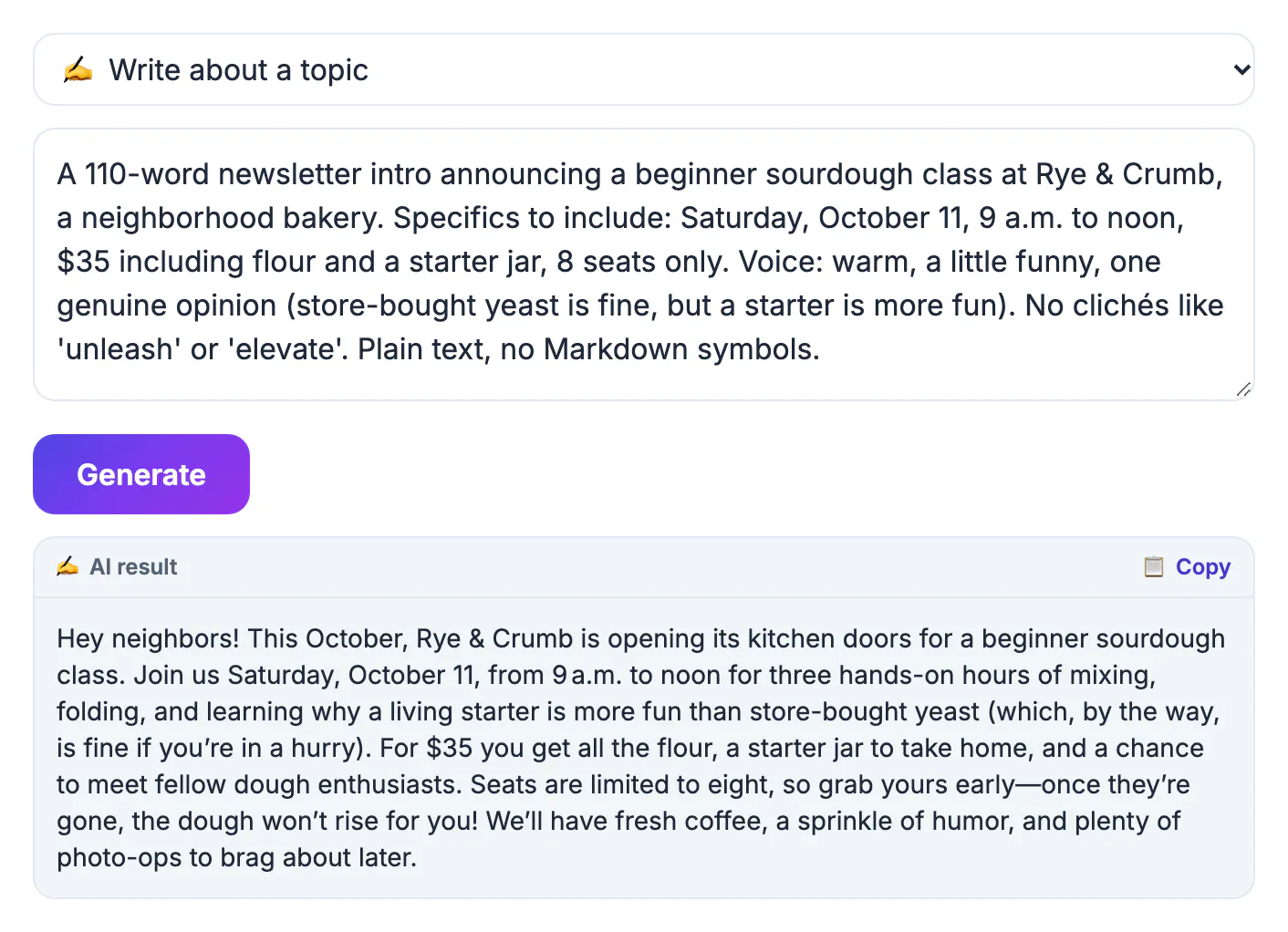
Most comparisons rank tools by how impressive a single demo looks. A better test is how much editing the output needs for the writing you actually do every week. Six criteria cover almost every case. Access: can you start without an account, and does the free tier block real use with tiny limits or watermarks? Range: can it draft, summarize, rewrite, fix grammar and brainstorm, or only one of those? Quality: does the draft need light edits or a rewrite? Context: can it read a long document or remember earlier turns of a conversation? Privacy: where does your text go, and can you opt out of it being used for training? Fit: does it live where you write, such as your browser, email client or office suite? Score two or three candidates against these six and the right choice is usually obvious.
Best AI writing tools for drafting: chat assistants
General assistants handle the widest range of writing because you can talk them through a task, paste in source material and ask for revisions. All four below have free tiers with usage limits at the time of writing; paid plans typically raise limits and unlock newer models.
- ChatGPT (OpenAI): the broadest ecosystem, with file uploads, custom instructions and a large library of add-ons. Strong for first drafts across almost any format.
- Claude (Anthropic): well regarded for long documents and a natural prose style, and useful when you need to work from a lengthy report or transcript.
- Gemini (Google): convenient if you live in a Google account, with integrations into Gmail and Docs on eligible plans.
- Microsoft Copilot: available in Edge and Windows, and inside Word and Outlook on qualifying Microsoft 365 plans, which suits office-heavy teams.
Editing and rewriting tools
If you already write well and want a second pair of eyes, a dedicated editor often beats a chat assistant because it works inline, in the text box you are already typing in, and flags specific problems instead of rewriting everything.
- Grammarly: grammar, clarity and tone suggestions through a browser extension and desktop apps, with generative features on top. The free plan covers core corrections.
- LanguageTool: a multilingual grammar and style checker, handy if you write in English plus German, French, Spanish or other European languages.
- QuillBot: best known for its paraphraser with several rewrite modes, plus a grammar checker and summarizer. The free tier limits input length and some modes.
- Pair any of these with a readability check so edits actually make the text easier to read, not only more correct.
Free no-signup writers: where GrabCast fits
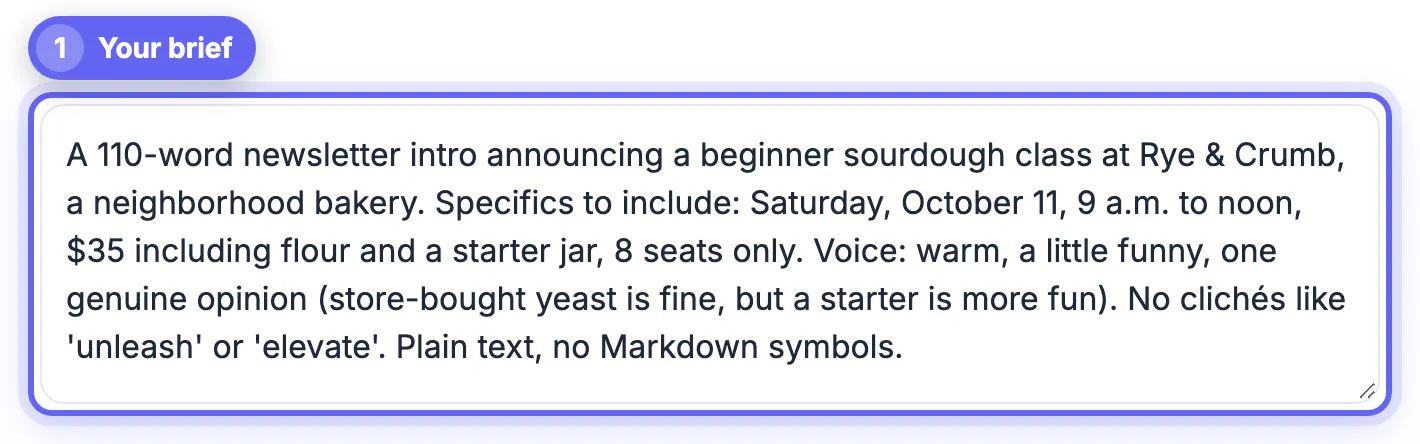
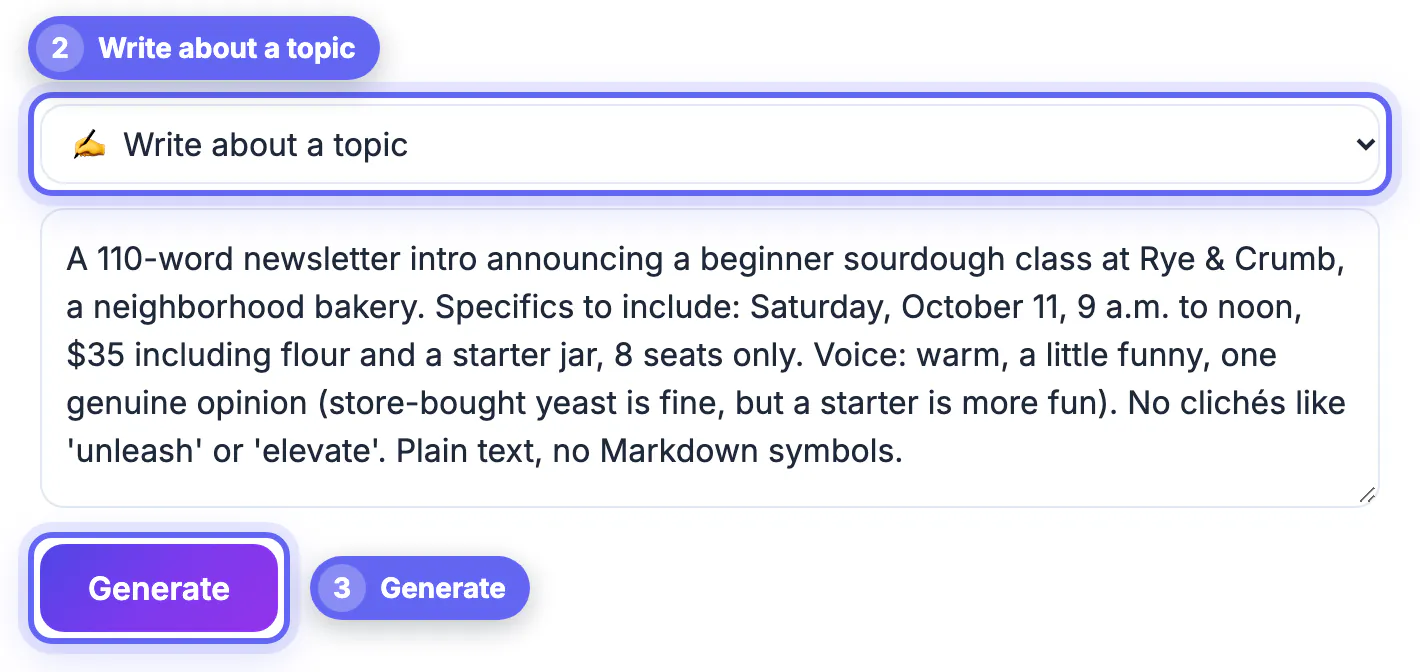
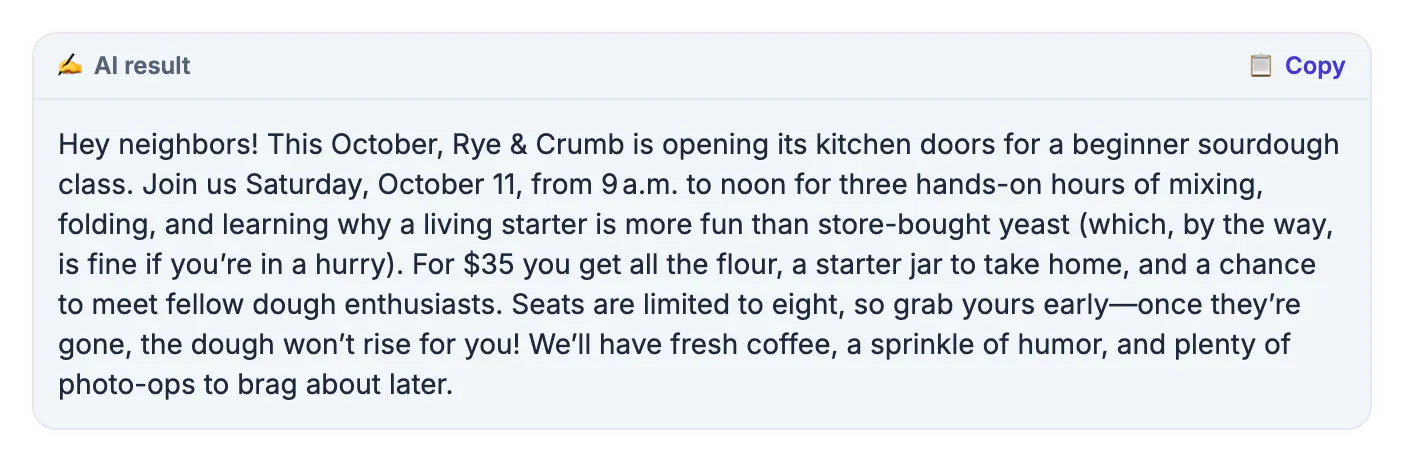
Sometimes you need a quick summary, a reworded paragraph or a reply without creating yet another account. The GrabCast AI Writer covers six jobs from one menu: write about a topic, summarize, paraphrase, improve and fix grammar, brainstorm ideas, and write a reply or email. There is no login and no watermark on the text.
- Limits: each request can be about 8,000 characters, and the shared service allows about 12 requests per minute and 300 per day per IP address.
- It is single-shot rather than a chat: no conversation memory and no file upload, so you paste everything it needs each time.
- Privacy: text goes to the GrabCast server and on to an AI provider (Groq, with Pollinations as a backup), cached in memory for about 30 minutes. Keep confidential material out.
- For email specifically, the separate AI Email Reply Writer adds six tone presets and an optional note field.
What separates good AI writing from generic filler
Two people using the same tool get very different results, because the model's default output is the average of what it has read. The tool gets you a draft; your edit decides whether it is any good. Run every draft through three tests before you publish or send it.
- Specific: it contains at least one number, name, example or detail that only fits this situation.
- Human: sentence length varies, there is a clear point of view, and nothing sounds like a press release.
- Accurate and useful: every fact is checked against a source, and the reader's real question is answered near the top.
- If a draft fails a test, add the missing detail yourself instead of switching tools; a better model rarely fixes a vague brief.
Whichever tool you pick, finish with a proofread so generic phrasing and small errors do not slip through.
Step-by-step
Common mistakes to avoid
Pro tips
Frequently asked questions
Which AI writing tool is the best overall?
There is no single winner. Chat assistants such as ChatGPT, Claude and Gemini are strongest for drafting, grammar editors are better for polishing, and a no-signup writer is fastest for small jobs. Test on your own tasks.
Are free AI writing tools good enough?
For most everyday writing, yes. Free tiers handle drafting, summarizing, paraphrasing and grammar well. You mainly pay for higher limits, newer models, longer context and team or privacy features.
What should a good free AI writer offer?
No forced signup, several modes such as write, summarize, paraphrase and fix grammar, output without watermarks, reasonable limits, and a clear explanation of where your text is sent.
Is my text private in AI writing tools?
It varies. Most tools send text to cloud servers, and some consumer plans may use it for training unless you opt out. Business plans often exclude training. Avoid pasting confidential data into free tools.
Is the GrabCast AI Writer free?
Yes, with no account. It allows about 12 requests a minute and 300 a day per IP address, and each request can be about 8,000 characters. It is single-shot, with no chat memory or file upload.
The best AI writing tools in 2026 are the ones matched to the job: a chat assistant for drafting, a grammar editor for polish, and a no-signup writer for quick rewrites and replies. Judge them on your own recurring tasks, check how each handles your data, and remember that a specific brief and a careful edit matter more than the logo. Try the free GrabCast AI Writer for small jobs, and keep your subscription money for the work that really needs it.
Related guides
Browse more: all AI guides · the AI Writer tool