Bilingual Scanned PDFs: OCR English and Spanish Together
To OCR a bilingual scanned PDF, select every language printed on the page before you start, for example English plus Spanish, so the engine can recognize both alphabets and word lists in one pass. GrabCast's OCR PDF lets you combine up to three of its 20 languages and adds a searchable, invisible text layer while the scan keeps its look. We tested it on a fictional community pool notice printed in English and Spanish, and the accents mostly survived, with one telling exception in a capitalized heading.
🔎 Try OCR PDF now — freeOpen →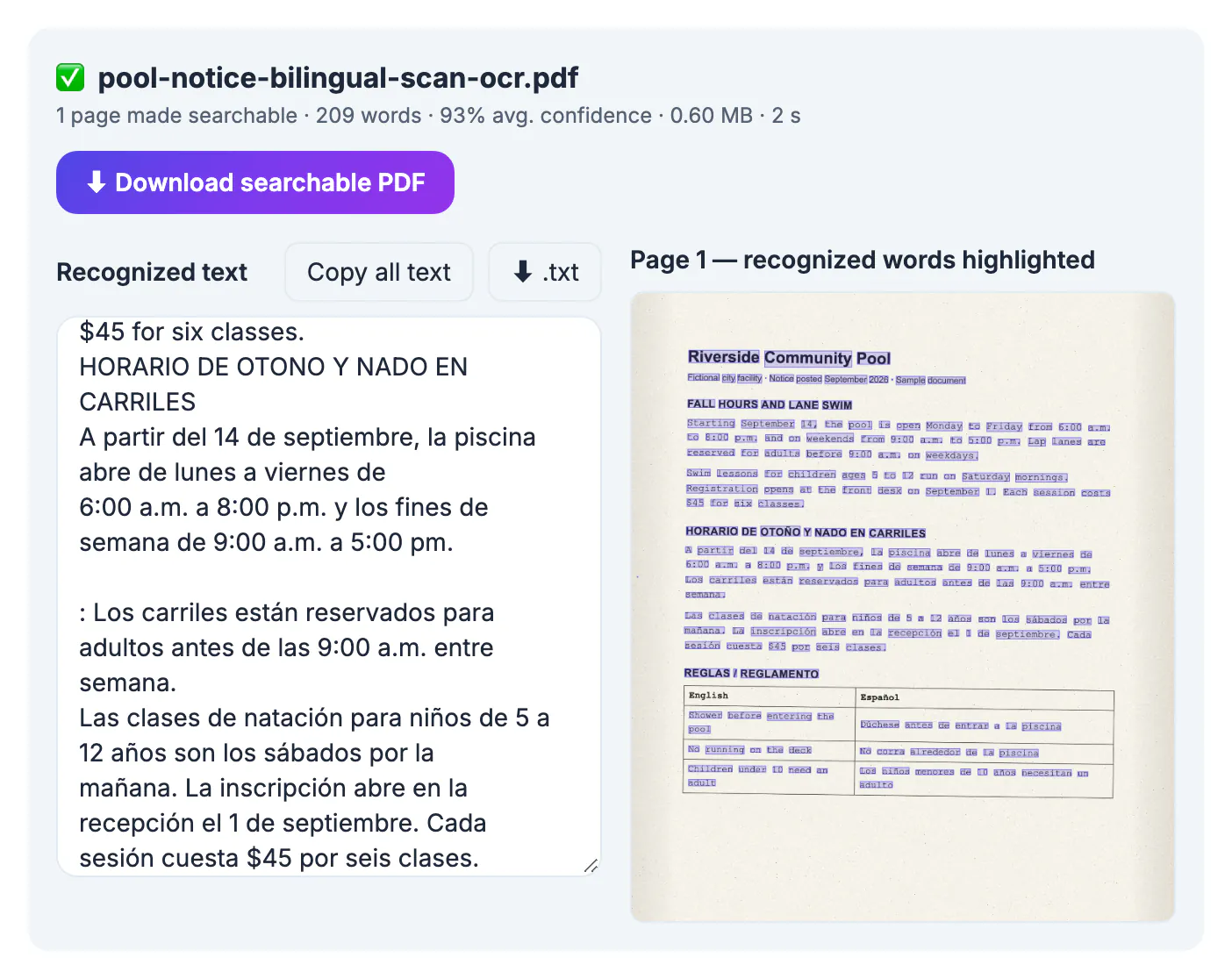
OCR engines do not just match shapes; they lean on a language model to decide between look-alike letters and to rebuild whole words. With only English loaded, Spanish words lose their accents and tildes, and words like sábados or inscripción often come back misspelled or split. Across the US, city notices, school letters, leases and medical intake forms are routinely printed in two languages, and a searchable archive is only useful if both halves can be found.
Setting up OCR for a bilingual scanned PDF
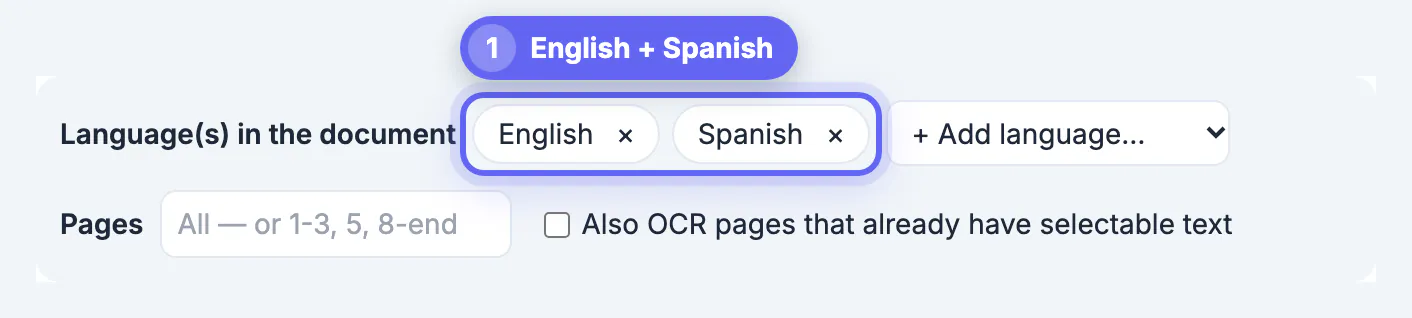
The language chips sit above the drop zone. English is preselected; choose Spanish from the + Add language menu and both chips appear side by side. Your choice is remembered in this browser for the next file.
- Up to three languages can be combined, such as English, Spanish and Portuguese for a regional health notice.
- Supported languages include English, Spanish, French, German, Italian, Portuguese, Dutch, Polish, Swedish, Turkish, Russian, Ukrainian, Arabic, Hindi, Chinese in Simplified and Traditional script, Japanese, Korean, Vietnamese and Indonesian.
- Each extra language means another data file to download the first time, so the first bilingual run starts a little slower.
- Add only languages that really appear; extra ones give the engine more wrong guesses to choose from.
What matters most is that every language actually printed on the pages is selected before you drop the file, because the choice cannot be changed halfway through a run.
What the bilingual OCR test got right, and one miss
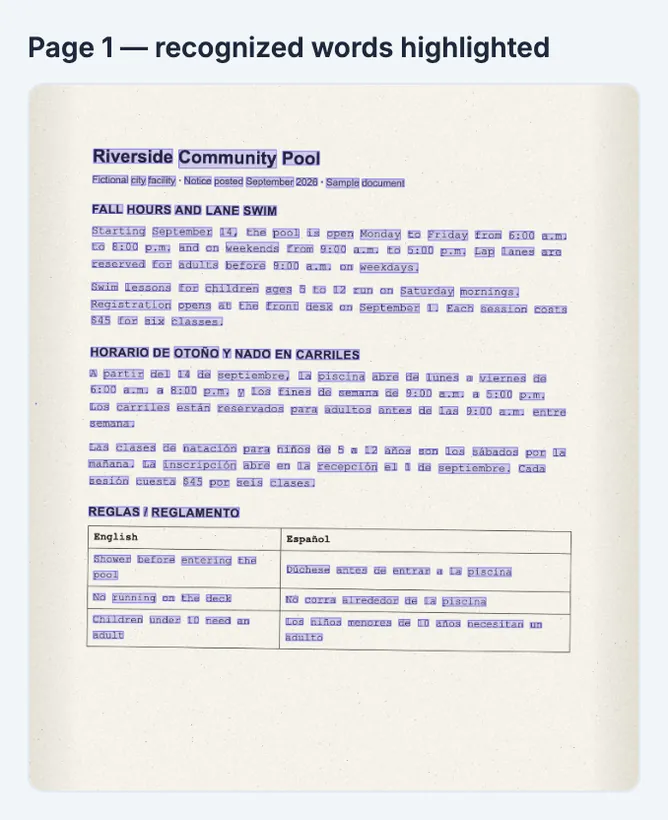
The pool notice is one scanned page with an English section, a Spanish section and a two-column rules table. With English and Spanish selected, the tool reported 1 page made searchable, 209 words and 93% average confidence.
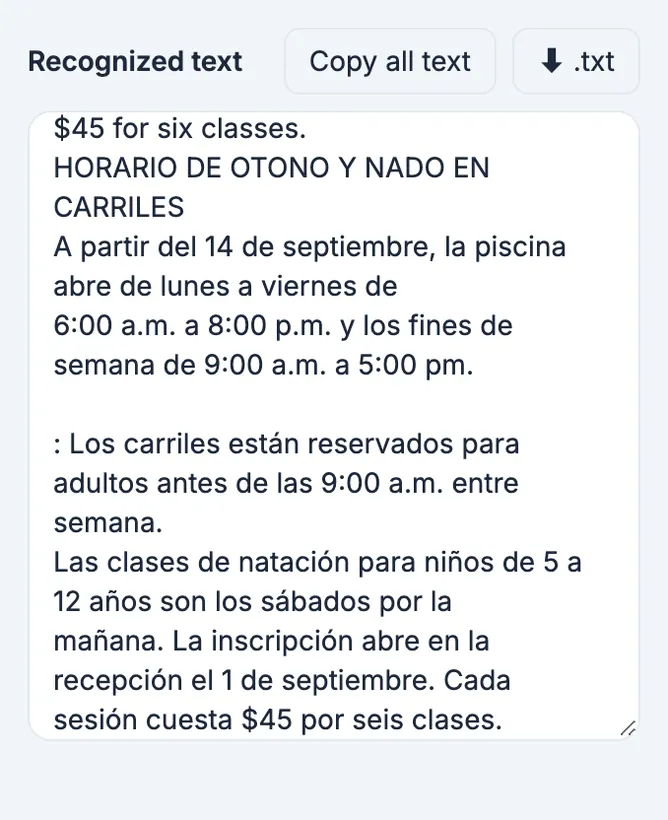
- Lowercase accents came through intact: niños, años, sábados, mañana, inscripción and sesión were all spelled correctly.
- The capitalized heading Horario de otoño came back as HORARIO DE OTONO, losing the tilde; accents on capital letters are small and easily merged with the letter below.
- The table rows here were recognized in both columns, while typed tables in our English-only vet record test were skipped, so table results vary from page to page.
- A stray colon appeared at the start of one Spanish line, a leftover from a speck of scanner noise.
For search, the lost tilde matters: someone typing otoño will not find that heading, while otono will. It is a good reason to proofread headings and names, which are often capitalized, and to search both spellings when you rely on the archive.
Documents that commonly need bilingual OCR
Bilingual paperwork is everywhere in the US, and much of it arrives as a paper copy that later needs to be found again.
- School letters, permission slips and enrollment forms sent home in English and Spanish.
- Leases, house rules and move-in checklists from property managers.
- Clinic intake forms, consent sheets and discharge instructions.
- City and county notices, utility letters and community center schedules.
- Church bulletins, nonprofit flyers and union notices printed side by side in two languages.
In each case a searchable PDF lets staff or families find a date, a fee or a rule by typing a word in either language instead of paging through a stack of scans. Office staff answering the same question in two languages every week save real time when the answer is one search away, and families who kept only a phone photo of a notice can find it again by keyword once it has been turned into a searchable PDF.
Tips for cleaner bilingual scanned PDF results
- Scan at 300 DPI; accents and tildes are only a few pixels tall at 150 DPI and vanish easily.
- Keep the page straight and evenly lit; the tool handles slight tilt, but shadows swallow small marks.
- If the low confidence warning appears, check that every language on the page is selected before blaming the scan.
- Copy the recognized text into a spell checker set to Spanish to spot missing accents quickly.
- When a document mixes a Latin script with Arabic, Hindi, Chinese, Japanese or Korean, select both; those scripts are recognized only when their language is loaded.
The output keeps the original scan on top, so readers always see the correct accents in the image even when the hidden text lost one. The text layer is for finding the page; the image remains the authoritative copy.
After recognition, the AI Translator helps with the other language, and this document translation guide covers longer files.
Step-by-step

Common mistakes to avoid
Pro tips
Frequently asked questions
How many languages can I combine?
Up to three per document, chosen from 20 supported languages, for example English + Spanish or English + French + German.
Does adding a second language slow OCR down?
The first run downloads one more language file, and recognition does a little more work per page. Our one-page bilingual test still finished in about three seconds.
Will Spanish accents be searchable?
Usually yes. In our test, lowercase accents were kept, but a capitalized heading lost its tilde, so proofread headings and names.
Is the bilingual document uploaded?
No. The OCR runs in your browser with Tesseract.js; only the engine and language data are downloaded, and the PDF stays on your device.
Can it OCR Chinese or Arabic mixed with English?
Yes, when both languages are selected. Scripts such as Chinese, Japanese, Korean, Arabic and Hindi are only recognized when their language is loaded.
Select every language printed on the page before you OCR, and English plus Spanish documents come out searchable in both halves. Expect lowercase accents to survive and capitalized ones to need a check, and keep the scan image as the reference whenever a word matters.
Related guides
Browse more: all PDF guides · OCR PDF