Redact a PDF Permanently: Find, Mark and Remove Text
To redact a PDF permanently, mark every sensitive string, burn solid boxes into the page, and save a new file in which the words under those boxes no longer exist. GrabCast's free Redact PDF does that in your browser: it finds Social Security numbers, emails, US phone numbers, card numbers and dates in one click, lets you draw boxes over anything else, and checks the saved copy to prove the marked text is gone. This guide walks through a real example, a fictional two-page new hire record, from opening the file to verifying the output.
⬛ Try Redact PDF now — freeOpen →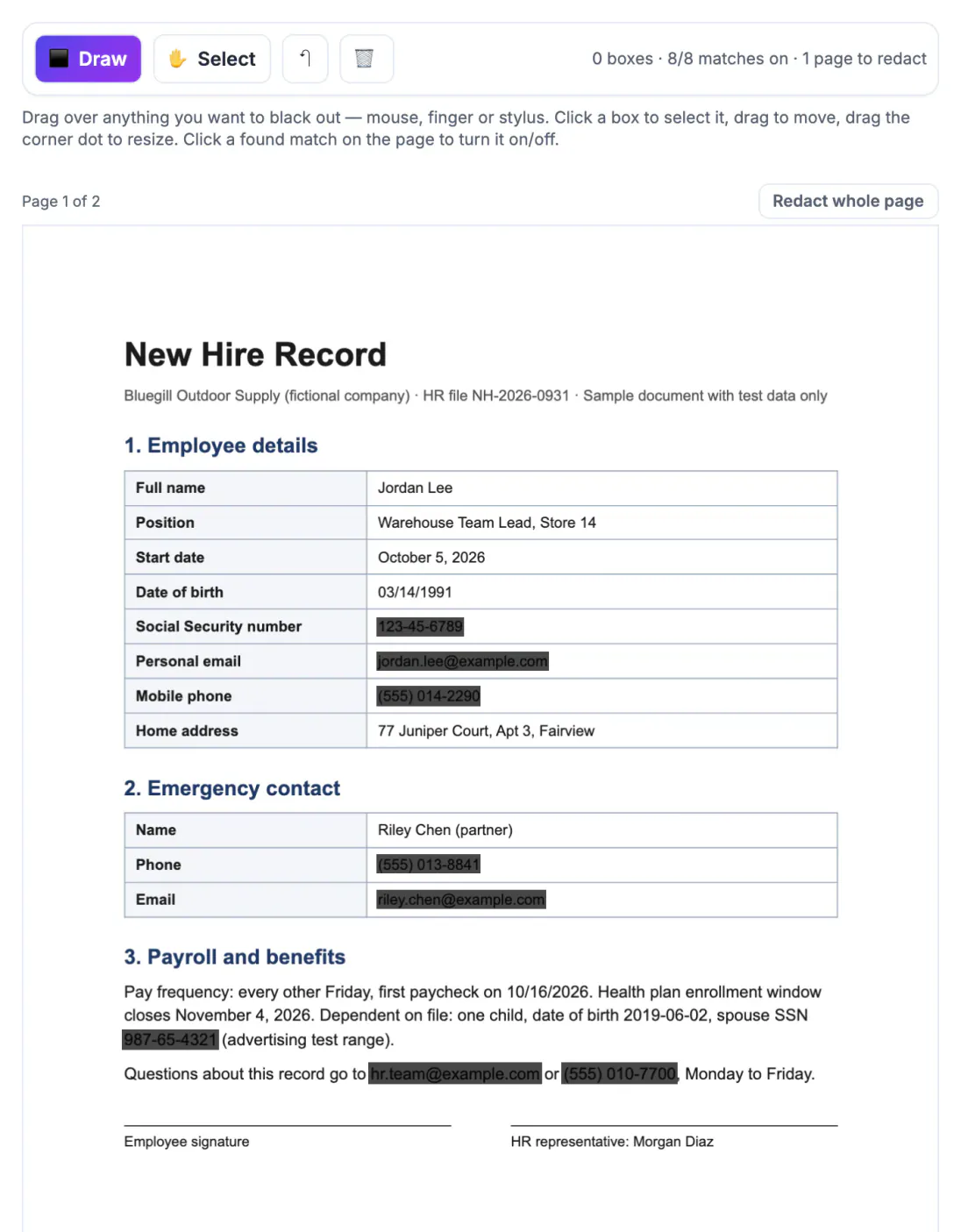
Most PDF viewers let you draw a filled shape or highlight in black. That shape is an annotation sitting on top of the page, and the original characters stay in the content stream underneath. Anyone can select the area, copy it into a text editor, or delete the annotation and read everything. Court filings, HR files and insurance claims have leaked exactly this way. Real redaction removes the underlying text, images and metadata, so there is nothing left to uncover.
What happens when you redact a PDF with GrabCast
The tool opens your file with PDF.js, the same engine Firefox uses to display PDFs, and reads the text layer of every page. When you export, each page that carries at least one mark is rendered to an image at the quality you choose, the boxes are painted into those pixels, and that image replaces the original page in a brand-new PDF built with pdf-lib.
Because the new page is a picture, there is no text object left for the redacted words to hide in. Pages without any mark are copied across unchanged, so in a 30-page contract where only page 4 mentions a salary, the other 29 pages keep selectable, searchable text.
- Metadata is dropped: title, author, subject, keywords, creator, producer and XMP data do not carry over to the new file.
- Bookmarks and file attachments are removed, since either can repeat names or embed an unredacted copy.
- Form fields are flattened into the page, or removed entirely if you tick the option to strip annotations, comments, links and fields.
- Links that point to other pages are dropped so no stray reference pulls hidden content along.
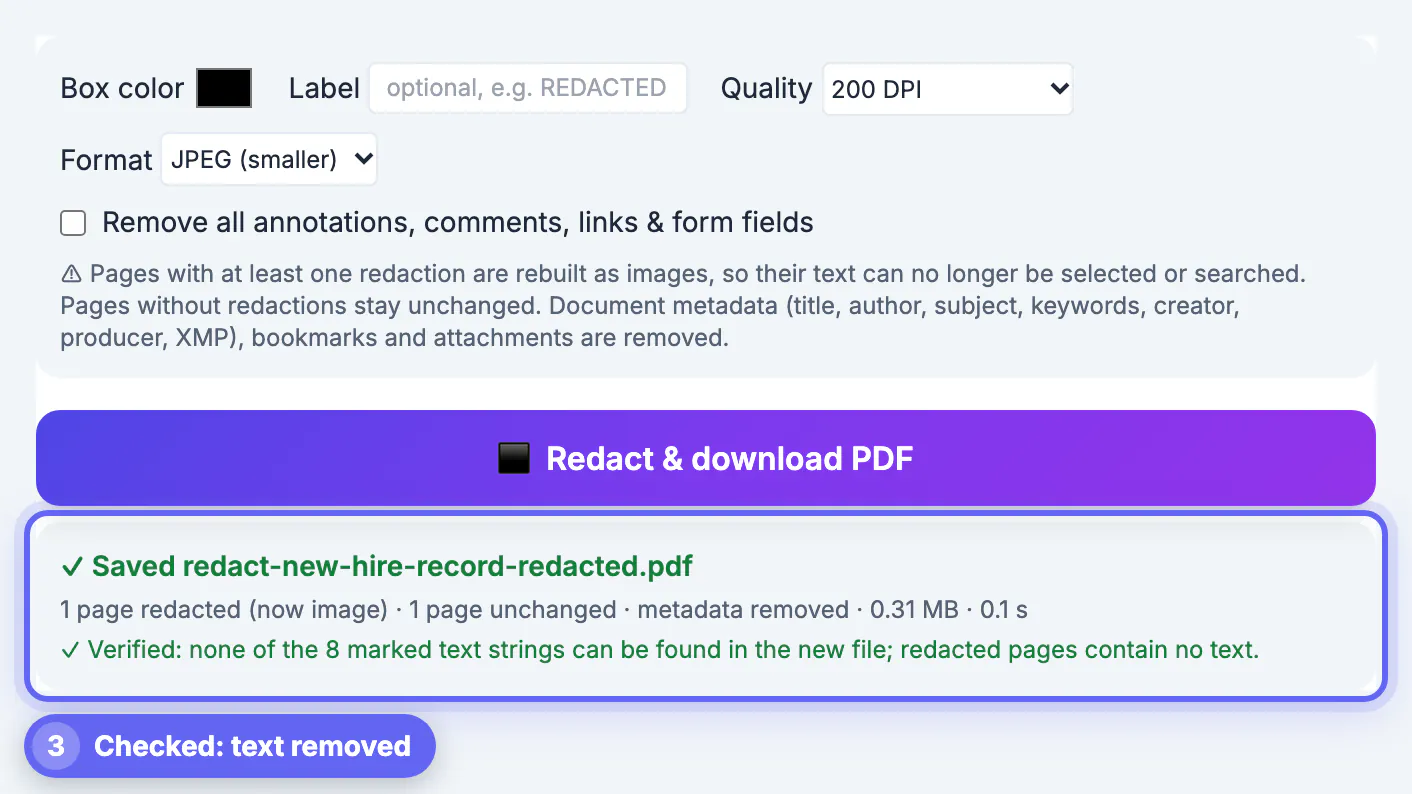
After saving, the tool reopens the result and searches it for every string you marked. In our test it reported that none of the 8 marked strings could be found and that the redacted page contained no text at all.
Finding sensitive data before you redact the PDF
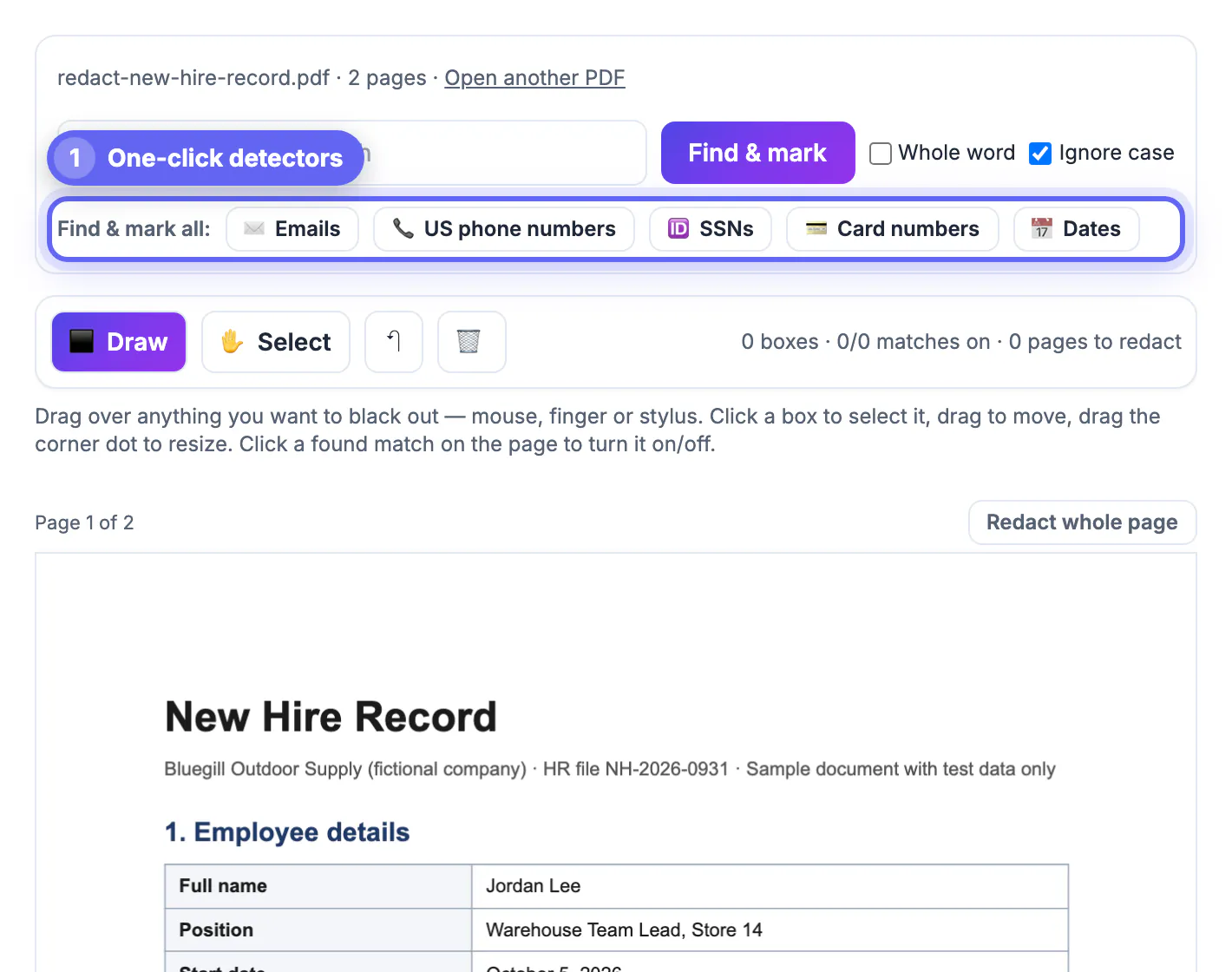
Manual scanning misses things, especially in dense forms. The one-click detectors work on the text layer and list every hit with its page number so you can review them in one place.
- Emails: any address pattern, such as jordan.lee@example.com in our sample record.
- US phone numbers: formats like (555) 014-2290, 555-014-2290 or +1 555 014 2290.
- SSNs: nine digits written as 123-45-6789 or with spaces between the groups.
- Card numbers: 13 to 19 digits that pass the Luhn checksum, which filters out most invoice and order numbers.
- Dates: 01/15/2024, 2024-01-15 and January 15, 2024 styles, useful for birth dates.
- Your own terms: type a name, account label or project code, and choose Whole word or Ignore case.
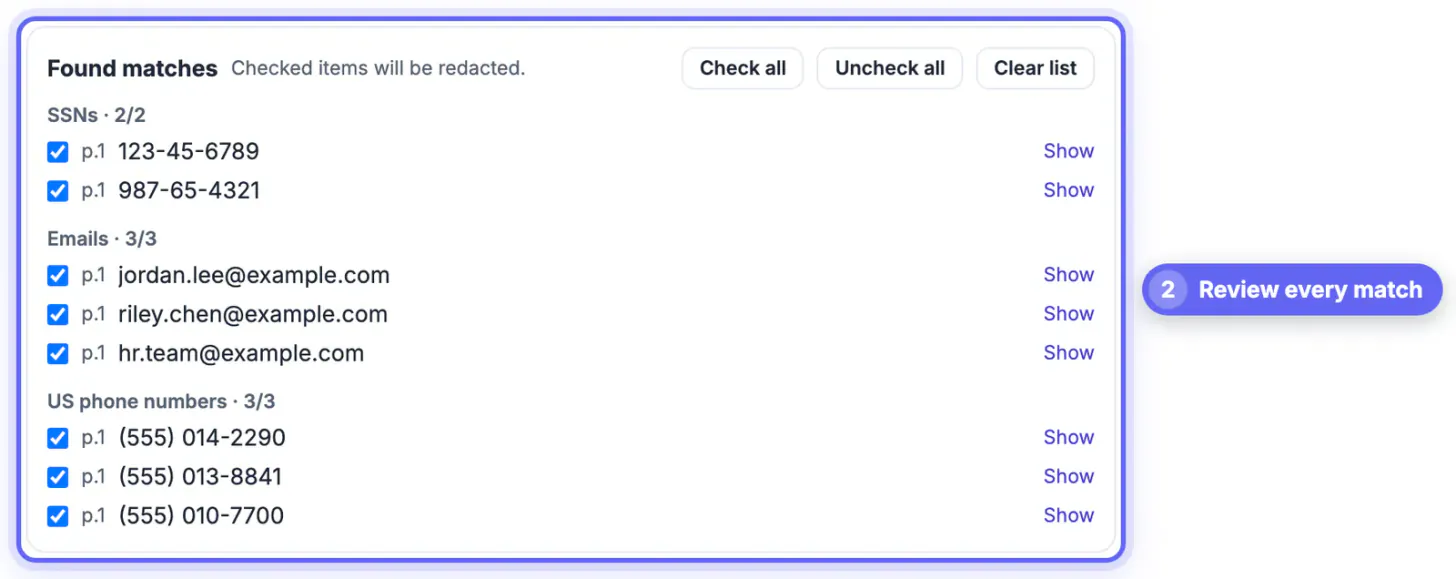
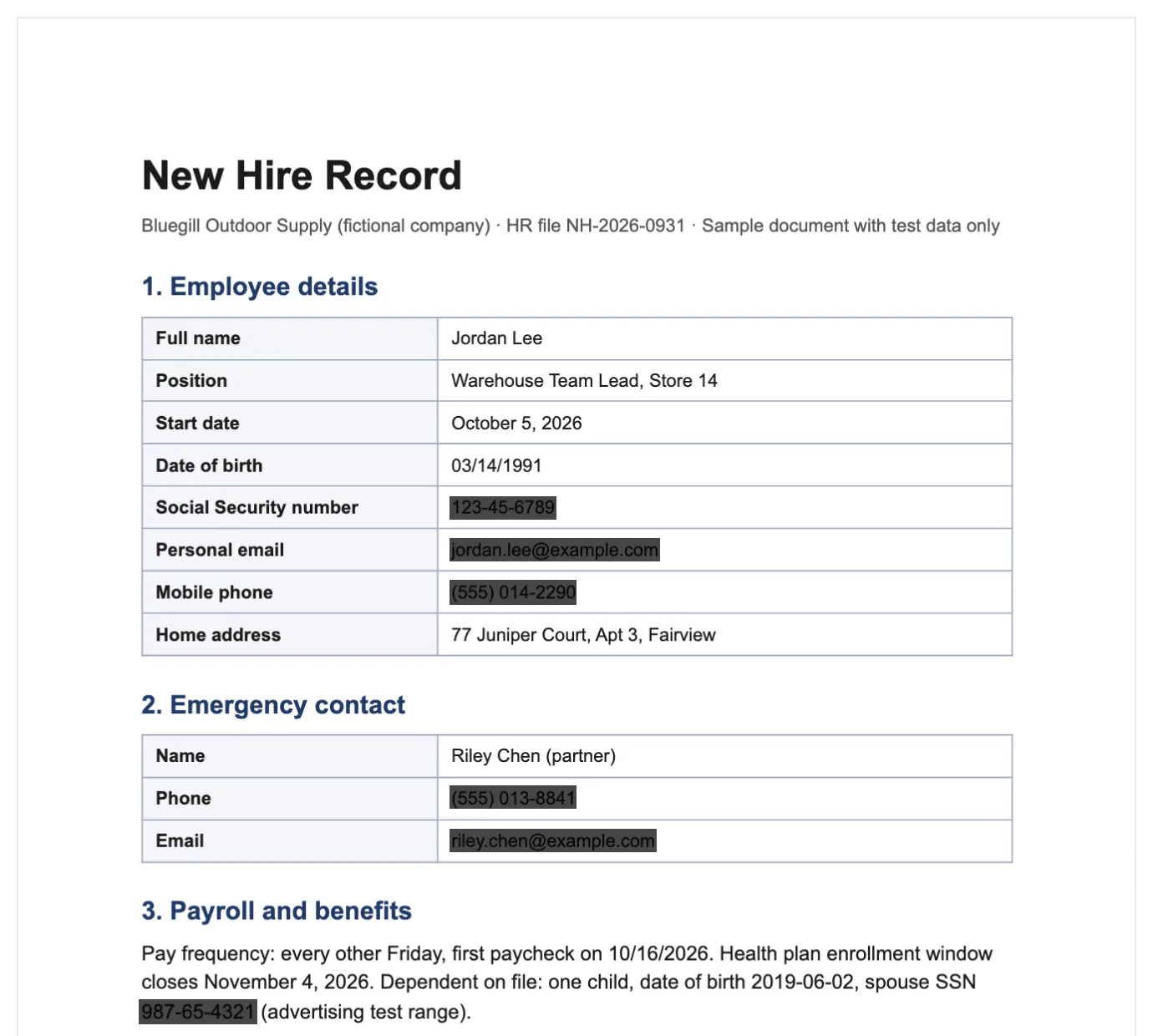
On the sample record the three buttons found two SSNs, three email addresses and three phone numbers, eight items in total, including a spouse SSN buried in a paragraph that is easy to skip when you skim. Untick anything that should stay visible, such as a company switchboard number you are happy to publish.
Choosing quality, format and box style
Since redacted pages become images, the export settings decide how readable they stay and how big the file gets.
- 200 DPI JPEG is the default and suits most office documents; our two-page sample came out at 0.31 MB.
- 300 DPI with PNG keeps small print and thin table lines crisp, at the cost of a larger file.
- 150 DPI is fine for plain letters that will only be read on screen.
- Box color defaults to black; a label of up to 40 characters, such as REDACTED or the legal reason code your office uses, is printed on every box.
The on-screen marks are deliberately translucent so you can see what sits underneath and adjust them. The exported boxes are solid, and the text below them is not in the file at all.
Limits worth knowing before you share a redacted PDF
- Scanned pages have no text layer, so search and the detectors cannot see them. The tool warns you which pages have no selectable text; draw boxes over those by hand, or use Redact whole page.
- Redacted pages lose selectable text. If a recipient needs to search them, run the output through OCR PDF afterwards; the covered words will not come back, because they are no longer in the image.
- Files over 200 pages need to be split first, and password-protected files must be unlocked with the password you already know.
- Detectors follow patterns, not meaning. A name, a street address or a medical condition only gets marked if you search for it or draw a box.
Keep the original somewhere safe and send only the copy ending in -redacted.pdf. Open that copy, press Ctrl+F or Cmd+F, and search for one of the removed values yourself before it leaves your hands.
After redacting, lock the file with the Protect PDF tool before you share it.
Step-by-step
Common mistakes to avoid
Pro tips
Frequently asked questions
Can someone recover text I redacted with this tool?
Not from the redacted pages. Each one is rebuilt as an image with the boxes painted into the pixels, and the original text, fonts and objects of that page are not copied into the new file. The tool then searches the result to confirm the marked strings are absent.
Is my PDF uploaded anywhere?
No. PDF.js displays and searches the pages and pdf-lib writes the new file, both inside your browser tab. The document stays on your computer or phone.
Why is the redacted file bigger than the original?
Text is compact, while a page image at 200 or 300 DPI takes more bytes. Choose JPEG and 150 or 200 DPI for a smaller file, or redact only the pages that need it so the rest stay as compact text.
Does it find names automatically?
No. Names have no fixed pattern, so type them into the search box. The one-click detectors cover emails, US phone numbers, SSNs, card numbers and dates.
Can I redact a scanned PDF?
Yes, by drawing boxes or using Redact whole page. Search cannot see scanned pages because they carry no text layer, and the tool tells you which pages those are.
Real redaction means the covered words are gone from the file, not hidden behind a shape. Use the detectors and a name search to find everything, draw boxes for the rest, export, and trust the Verified line only after a quick search of your own in the -redacted copy.
Related guides
Browse more: all PDF guides · Redact PDF