GDPR Checklist for Online Document Tools and Converters
This GDPR checklist for online document tools helps EU and UK teams decide whether a converter, compressor or PDF editor is safe to use with customer files. Uploading a document that contains personal data to an online service is processing under the GDPR, and the service usually becomes your processor, which brings contract, transfer and retention duties. In-browser tools change that picture. This is general information, not legal advice; confirm specifics with your data protection officer.
⬛ Try Redact PDF now — freeOpen →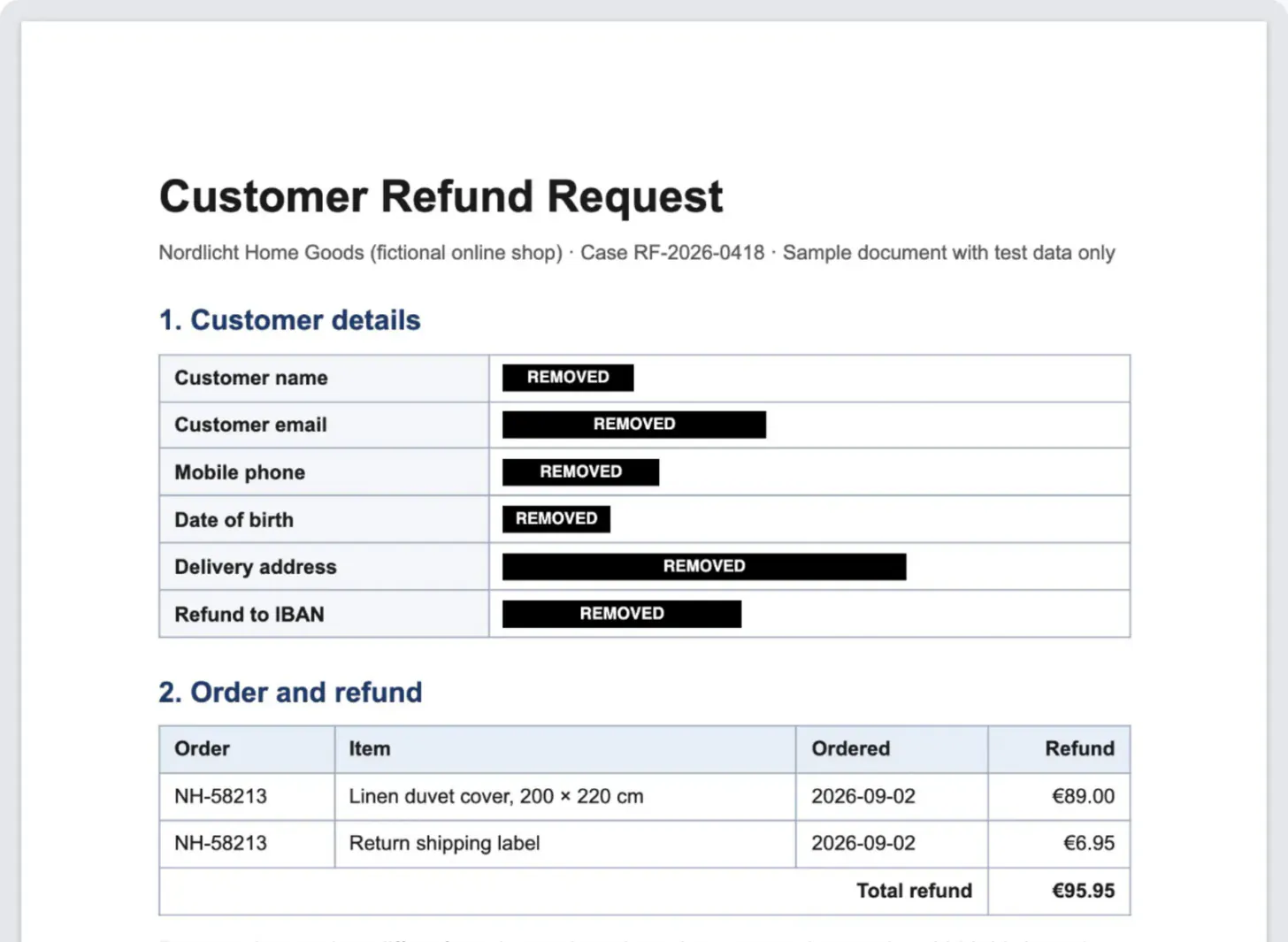
Data protection programmes cover the CRM and payroll platforms, then miss the free converter an employee uses on a scanned ID. Each upload of an invoice, CV or medical note sends personal data to a company you have never assessed, sometimes outside the European Economic Area. That is your responsibility as controller, and a short, repeatable check closes the gap.
When an online converter becomes your processor
Under the EU GDPR and the UK GDPR, if your business decides why and how customer data is handled, you are the controller. A service that handles that data on your behalf, such as converting or storing a file you upload, is normally a processor.
- Article 28 requires a written contract, usually called a data processing agreement (DPA), with every processor. Many free tools offer none.
- If the service stores files on servers outside the EEA or UK, transfer rules apply: an adequacy decision or safeguards such as standard contractual clauses.
- Special category data, such as health information, needs extra care under Article 9, and may call for a data protection impact assessment.
A PDF, spreadsheet or passport photo all count if they identify a person.
A practical GDPR checklist for document tools
Run this for every tool staff use with customer, employee or patient documents, and keep the answers in a register.
- Data path: is the file uploaded to a server, or processed on the user’s device?
- Contract: is there a DPA or processor terms you can accept, and a list of sub-processors?
- Location: where are files stored and processed, and what transfer mechanism covers it?
- Retention: how long are uploads kept, and can users delete them immediately?
- Security: encryption in transit and at rest, access controls, breach notification commitments.
- Secondary use: do the terms allow using uploads to train models or improve services?
- Links: are files shared through public links?
- Decision: approved, approved for non-personal files only, or blocked, with a named owner and review date.
Data minimisation: redact before you share
Article 5 limits personal data to what is necessary, yet most shared documents carry more: dates of birth, account numbers, signatures.
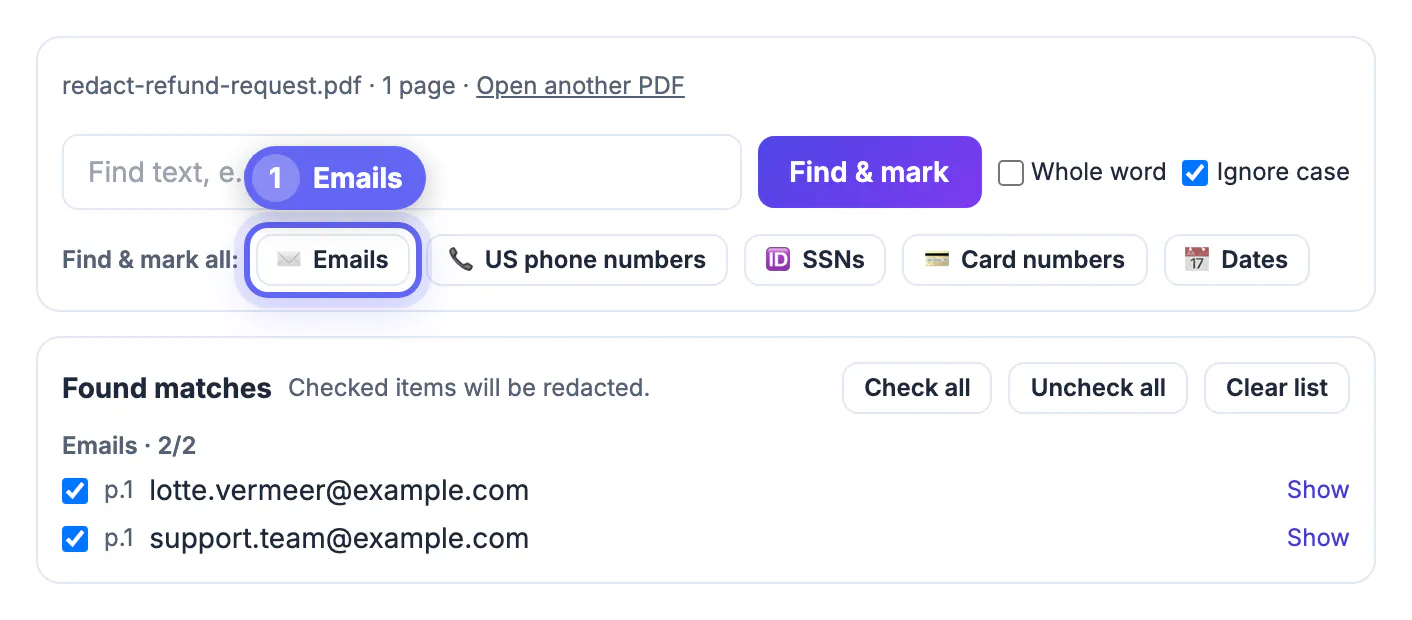
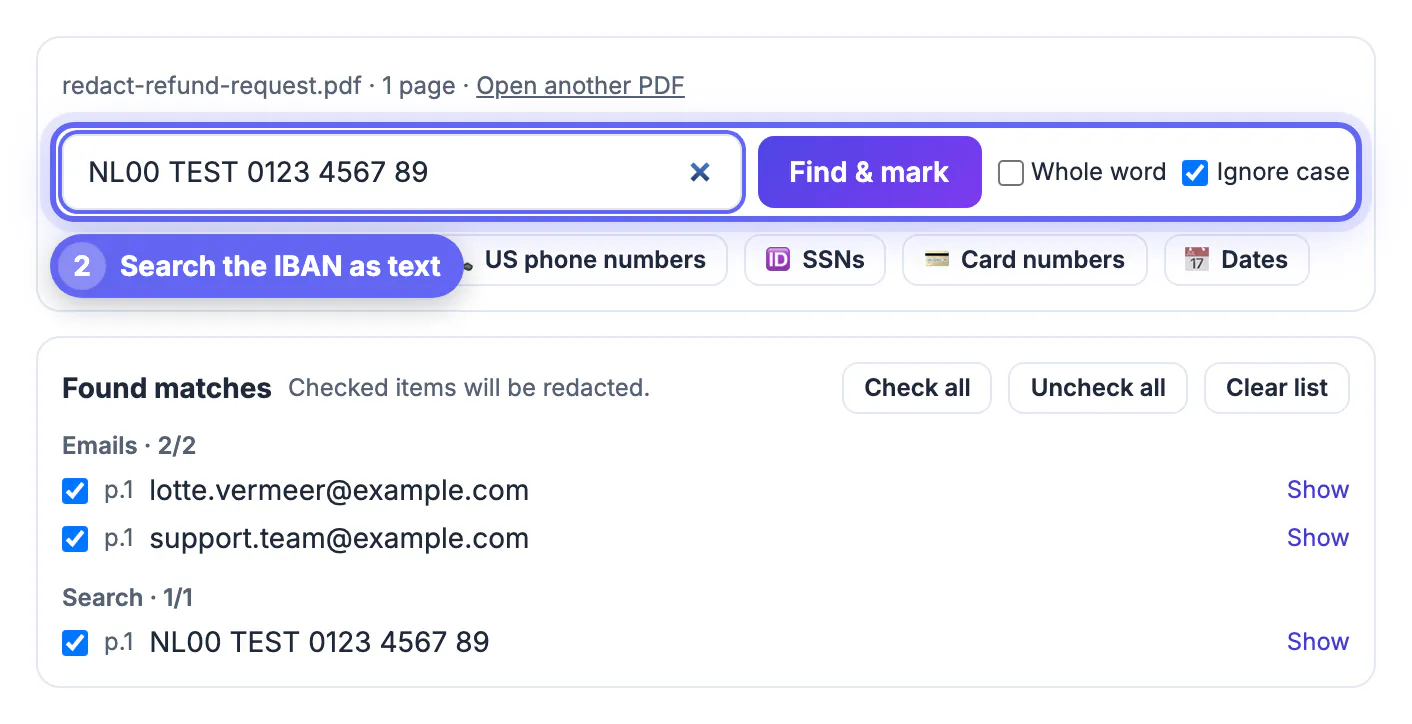
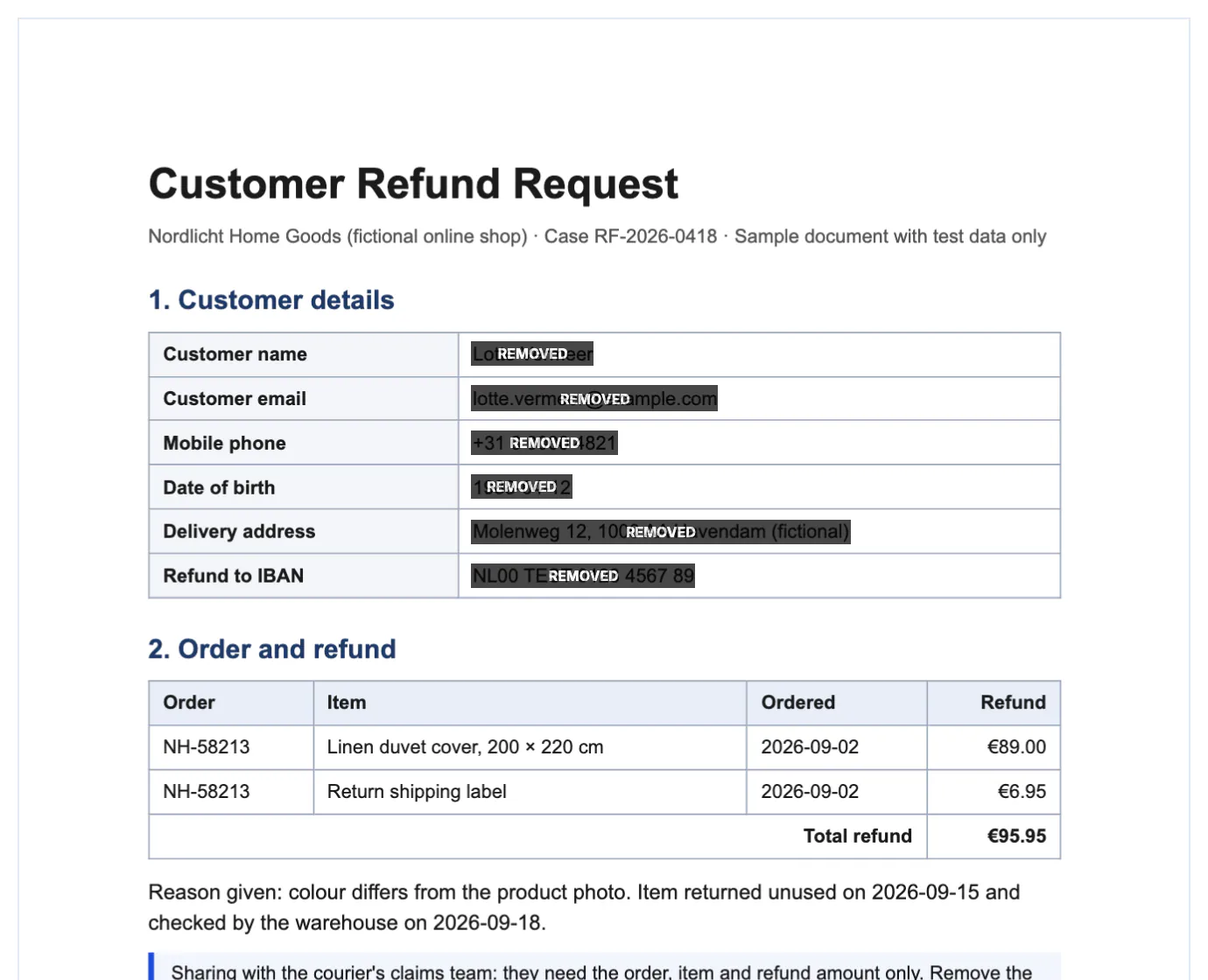
GrabCast’s Redact PDF works locally in the browser. It finds typed text, emails, US-format phone numbers, SSNs, checksum-valid card numbers and common dates, and you can draw boxes over anything else.
- UK and EU phone numbers, IBANs and national insurance numbers are not auto-detected, so search for them as text or draw boxes.
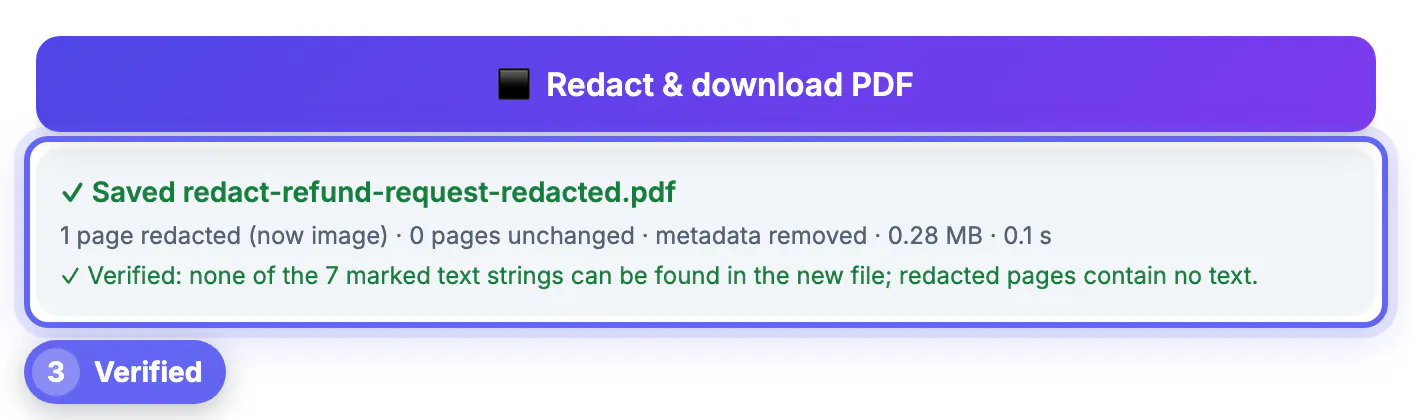
- Pages with redactions are rebuilt as images, so the hidden text is really removed, not just covered.
- Metadata, bookmarks and attachments are removed; annotations and form fields optionally too.
- Scanned pages have no text layer, so mark them by hand. Files up to 200 pages open; locked files must be unlocked first.
How in-browser processing changes the picture
If a tool processes the file inside the browser and never receives it, the provider does not handle that personal data, so the processor questions largely fall away for that file.
- Verify it: load the page, disconnect from the network, and run a file. A local tool keeps working; an upload tool fails.
- Or watch the Network tab in developer tools for an upload the size of the file.
- Local tools still download code libraries when the page opens; your document is not sent.
- Check each tool separately. On GrabCast, the PDF tools run locally, while AI features send the text you submit to an AI service, so they need a separate assessment.
Your other duties remain: the result sits on a laptop that needs encryption and a retention rule.
Records to keep for each tool
Accountability means being able to show your reasoning later. For each tool, keep a short record that someone else could understand.
- The name of the tool, the team using it and the types of documents involved.
- Whether files leave the device, and the evidence for that answer.
- The legal basis, any data processing agreement and the retention period.
- The date of the last review and the person responsible.
When a document must be shared, password protecting a PDF with AES-256 adds a layer of protection, and a safe routine for sending confidential documents covers delivery. This checklist is general information, not legal advice; ask a qualified adviser about your own situation.
Training staff to use tools safely
Most incidents come from habits, not malware. Remind staff to check which tool they are using, avoid uploading unnecessary documents, and report mistakes quickly so that deadlines for notifying authorities can be met. A one-page guide with approved tools and a contact for questions works better than a long policy nobody reads.
Step-by-step
Common mistakes to avoid
Pro tips
Frequently asked questions
Is uploading a PDF to a converter a GDPR issue?
If the PDF contains personal data, yes. It is processing, and the service is usually your processor, which requires a contract and appropriate safeguards.
Does the UK GDPR work differently?
The core rules closely match the EU GDPR, alongside the Data Protection Act 2018, with UK transfer mechanisms. See the ICO’s current guidance.
Are in-browser tools automatically compliant?
No tool is compliant on its own. Local processing removes third-party processing, but you still need security, retention and a lawful basis.
What does GrabCast Redact PDF detect automatically?
Typed text you search for, emails, US phone numbers, SSNs, valid card numbers and common dates. Other identifiers need a text search or a drawn box.
Is this legal advice?
No. It is a practical starting point. Confirm your obligations with your data protection officer or a qualified adviser.
Treat every online document tool as a potential processor until you know otherwise. Check the contract, location and retention for upload services, prefer tools that work locally for sensitive files, and redact what the recipient does not need before anything leaves your hands.
Related guides
Browse more: all PDF guides · Redact PDF