Crop PDF Margins for Tablet Reading: Bigger Text
To make a PDF easier to read on a tablet, crop its white margins: open GrabCast Crop PDF, click Trim white margins, check the result with Preview result, and download the cropped copy. The text column then fills the screen, which makes the words noticeably larger without pinching and zooming on every page. This helps most with documents designed for print, such as course readers, manuals, papers and guides with generous margins, which look tiny on a 10-inch or 11-inch screen. The example below uses a fictional two-page trail guide whose text column is only about 4 inches wide on a Letter page, and walks through the automatic trim, how to fine-tune it, and where margin cropping stops helping.
✂️ Try Crop PDF now — freeOpen →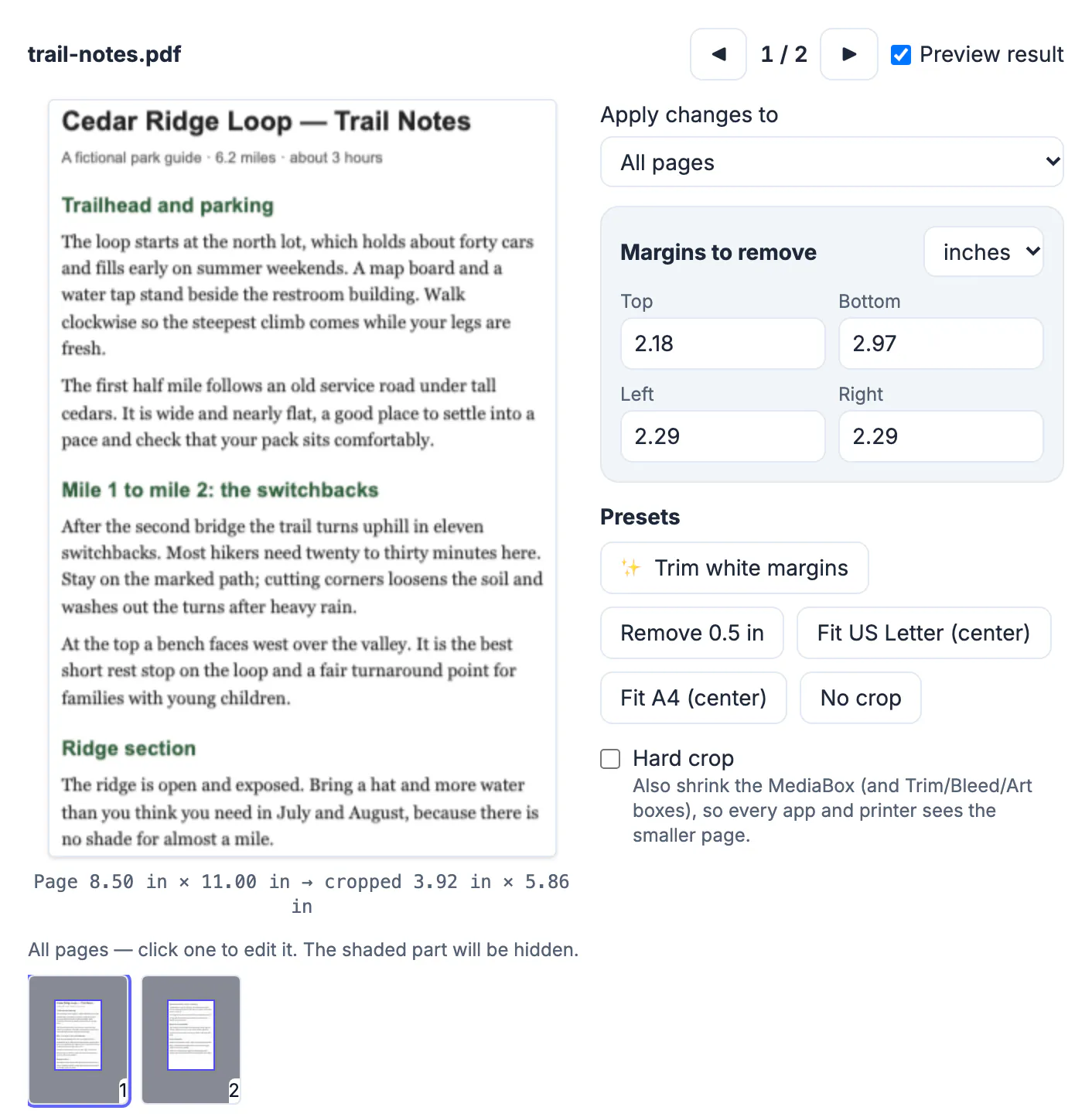
A reading app fits the whole page to the screen. On a Letter page with 2-inch side margins, roughly half the width is empty paper, so the text is drawn at about half the size it could be. On a tablet held upright, that is the difference between comfortable reading and squinting, and zooming in means panning back and forth for every line. Cropping changes what the reader considers the page: once the visible area is just the text block, fit-to-screen makes the text as large as the screen allows, and page turns go back to a single swipe. Because cropping only changes which part of the page is shown, the text is still real text, sharp at any zoom, searchable and selectable, unlike a screenshot or an image export. It is also reversible, since the trimmed margins are hidden rather than deleted, so the same file still prints normally if you undo the crop later.
Trim white margins on a real document
The sample is a two-page park trail guide printed on Letter paper with very wide margins, a common layout for handouts meant to be annotated by hand.
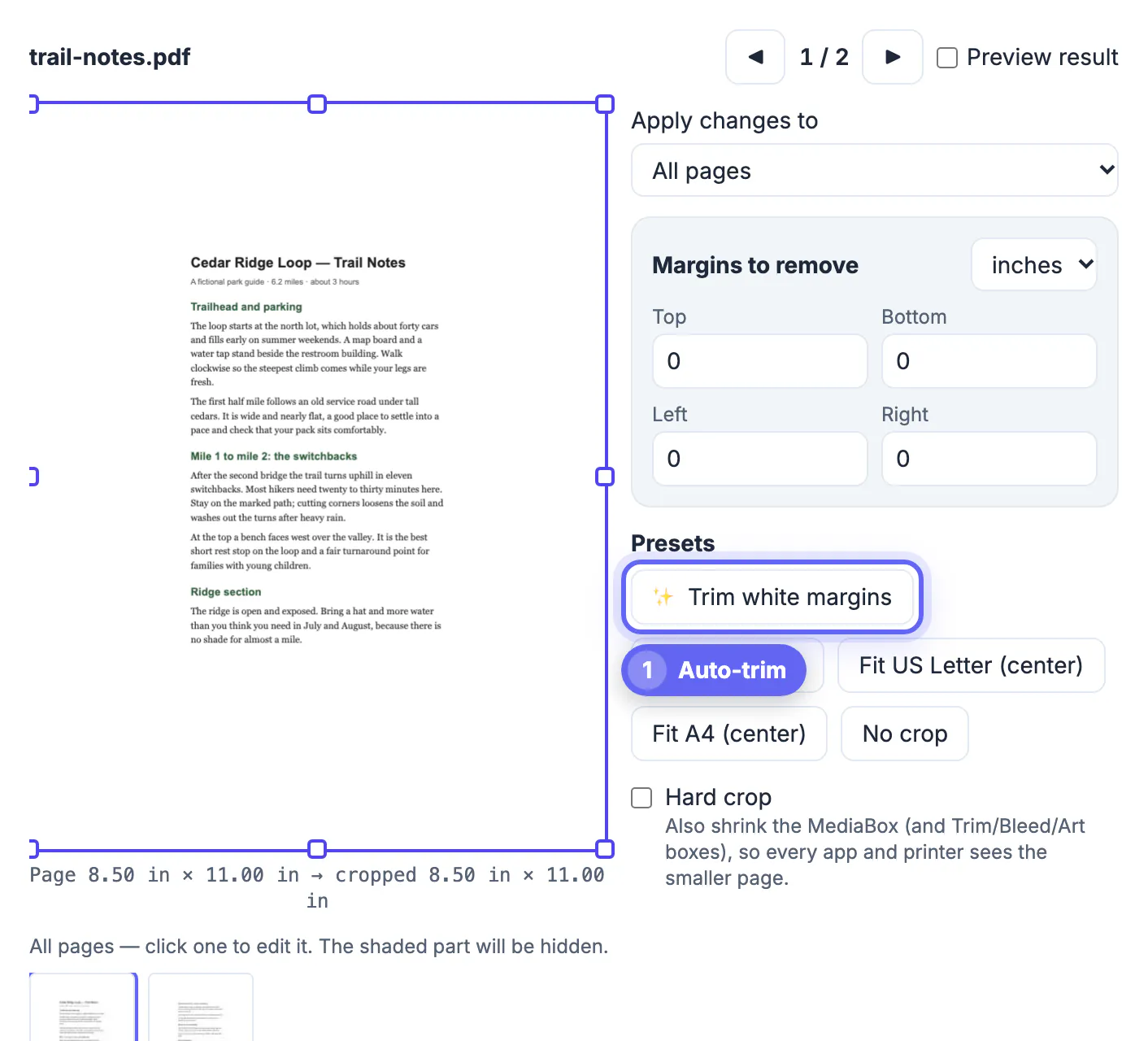
- On opening, the editor shows page 1 with the crop box around the whole 8.50 by 11.00 inch page.
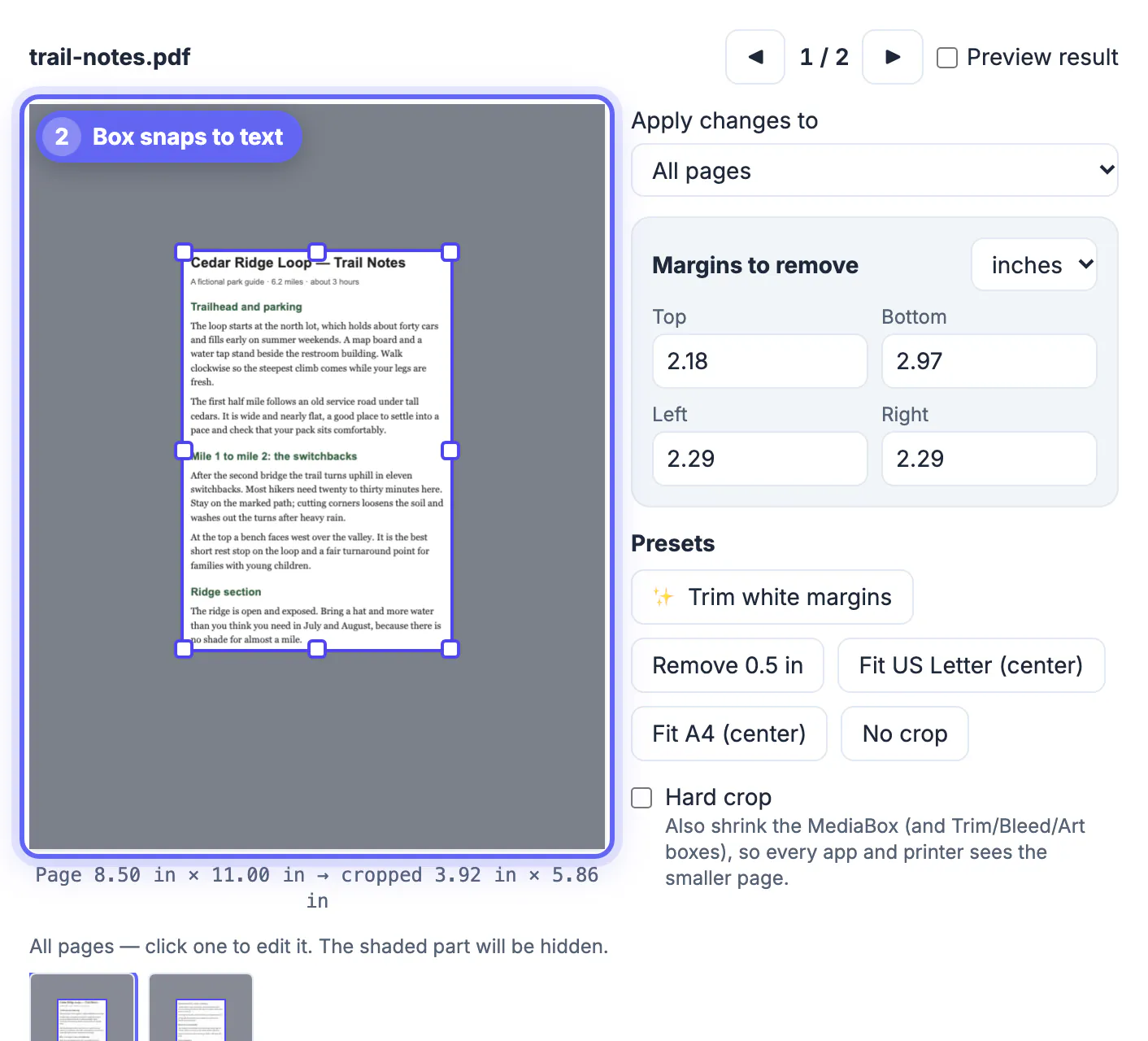
- Clicking Trim white margins scans the pages in the selected range, finds the first non-white pixels on each side, and pulls the box in to the text with a small 6-point border.
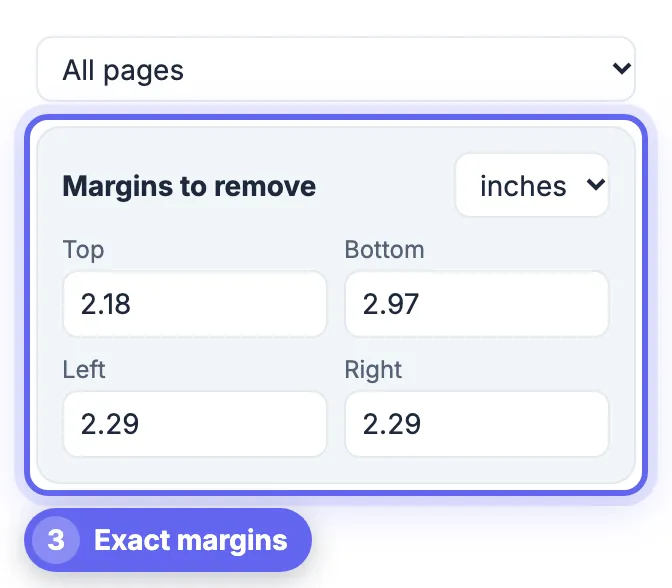
- The margin fields fill in automatically: Top 2.18, Bottom 2.97, Left 2.29 and Right 2.29 inches.
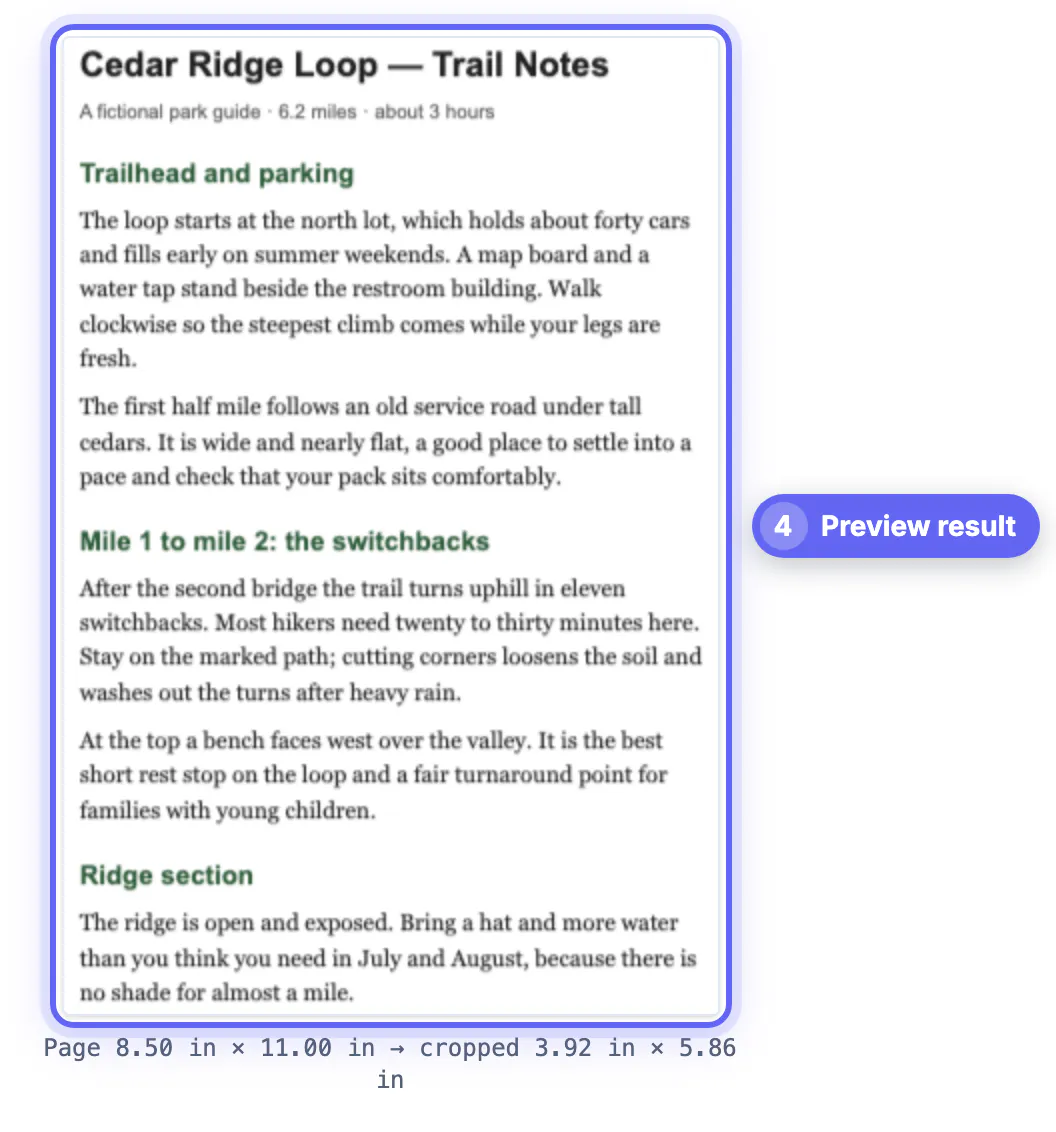
- The size line now reads cropped 3.92 in by 5.86 in, and Preview result shows the page as a reading app will.
Crop & download saved trail-notes-cropped.pdf with 2 pages cropped. On a tablet the body text now appears roughly twice as large as on the uncropped page.
How the automatic trim decides where to cut
Trim white margins is predictable once you know its rules.
- It renders each page in the chosen range and treats any pixel noticeably darker than white as content.
- It keeps a 6-point border, about a twelfth of an inch, so letters never touch the edge.
- With several pages selected, it uses the smallest margin found on each side, so the page with the widest text still fits and every page gets the same crop.
- Page numbers, running headers and footer lines count as content, so they keep the box larger than the body text alone.
That last point matters. If a guide has a page number far below the text, the bottom margin stays large. Type a bigger Bottom value by hand to cut the number off if you do not need it while reading.
Fine-tuning the crop by hand
The automatic result is a starting point; the controls let you adjust it precisely.
- Drag the box or any of its eight handles on the page preview to move or resize it.
- Type exact values in Margins to remove, in inches, millimeters or points, and switch units at any time.
- Limit changes with Apply changes to: all pages, the current page, odd or even pages, or a range such as 1-3, 7.
- Click a thumbnail in the strip below to jump to that page; the shaded area shows what will be hidden.
- Use No crop to reset the margins for the pages in the current scope.
For books and course packs, check a page with a wide table or figure before downloading. A single crop that suits text pages can clip a diagram on another page, and Current page only lets you give that page a looser box.
When cropping margins is not enough
Cropping enlarges text by removing empty space. Some documents need a different fix.
- Two-column papers stay two columns; on a small phone the text may still be small. Reading in landscape often works better.
- Scanned books with dark edges will not trim automatically, because dark borders count as content. Type the margins instead.
- Documents with text in the margins, such as side notes, lose those notes if you crop tightly.
- Very long files are easier to handle in parts; split them, crop each, and keep them in one folder.
If you only need the words, not the layout, PDF to Text or PDF to Word gives you reflowable text that any e-reader app can size freely.
Step-by-step

Common mistakes to avoid
Pro tips
Frequently asked questions
How do I crop the margins of a PDF for free?
Open GrabCast Crop PDF, click Trim white margins or type the margins you want to remove, preview the result, and click Crop & download. It is free, adds no watermark, and runs in your browser.
Does cropping make the text blurry?
No. Cropping changes only the visible area of each page. The text remains vector text, so it stays sharp at any zoom level and can still be searched and selected.
Is the cropped margin deleted from the PDF?
No. The margin is hidden, not removed, and can be restored by changing the page boxes again. That makes cropping safe for reading copies, but it is not a way to remove private information.
Can I crop only some pages?
Yes. Set Apply changes to Current page only, odd pages, even pages, or a page range such as 1-3, 7, then crop. Other pages keep their current margins.
Will the cropped PDF still print?
Yes, but it prints at the smaller cropped size, so a printer may scale it up to fill the paper. Keep the original for printing and use the cropped copy for screen reading.
Wide print margins are why PDFs look tiny on tablets. Trimming them lets fit-to-screen do its job, so text grows without zooming and stays sharp because it is still real text. Use Trim white margins for a fast start, adjust by hand for headers, footers and wide figures, preview, and keep the uncropped original for printing.
Related guides
Browse more: all PDF guides · Crop PDF