A4 vs US Letter: Paper Sizes, Scaling and Cut-Off Edges
A4 vs US Letter comes down to shape: A4 is 210 × 297 mm (8.27 × 11.69 in), while US Letter is 8.5 × 11 in (215.9 × 279.4 mm), so A4 is about 6 mm narrower and 18 mm taller. Printing one on the other either cuts off the edges or needs scaling: about 94% to fit A4 on Letter and about 97% to fit Letter on A4.
✂️ Try Crop PDF now — freeOpen →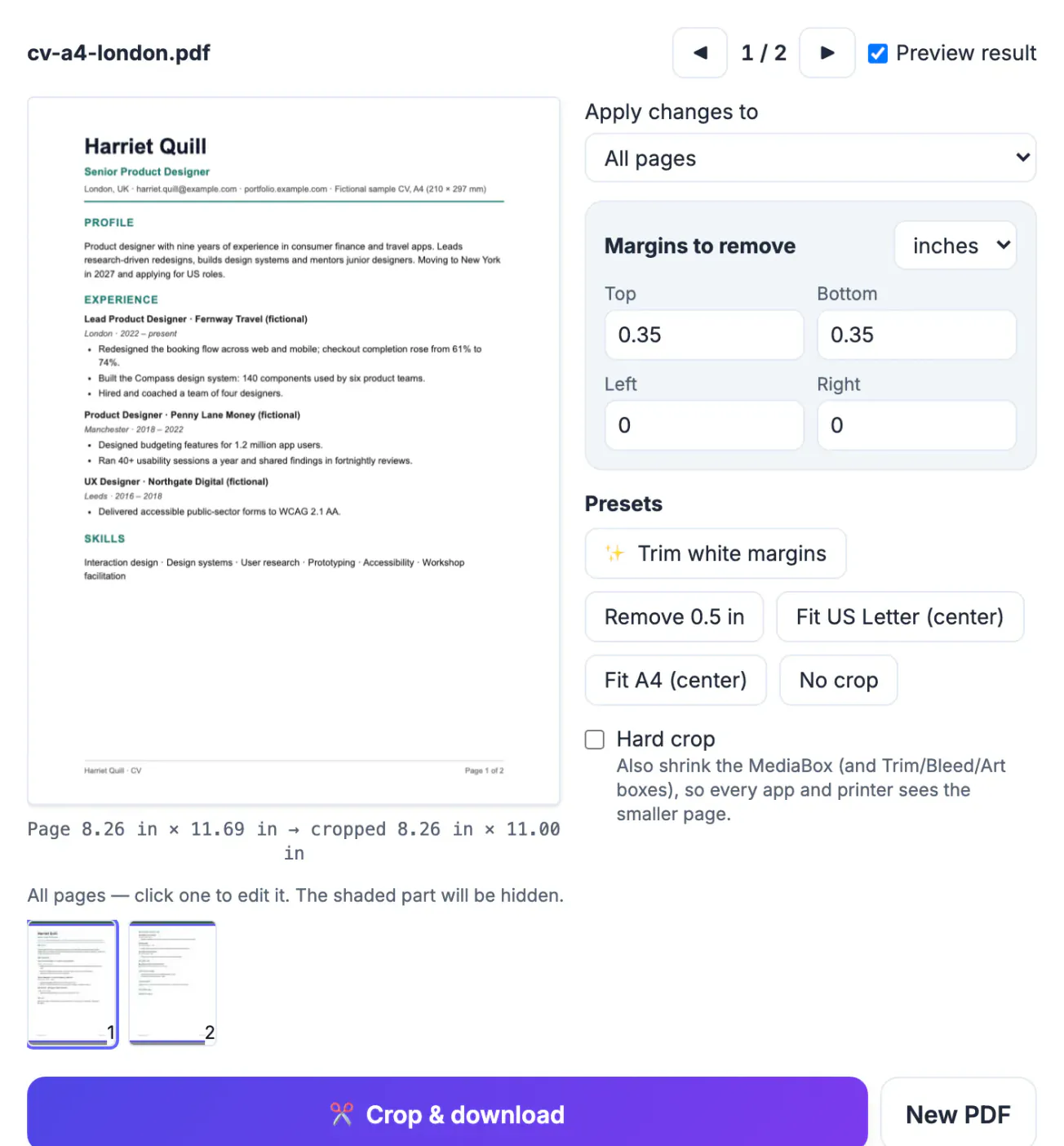
The US and Canada use Letter; almost everywhere else uses A4. A New York contract, a European visa form or a London CV sent to a US recruiter all cross the line. On screen nobody notices, but a printer loaded with the other paper either stops with a paper-size warning or prints at 100% and drops a footer or signature line off the edge.
A4 vs US Letter dimensions compared
The two sizes side by side, in the units each side of the Atlantic uses:
- A4: 210 × 297 mm, 8.27 × 11.69 in, 595 × 842 PDF points.
- US Letter: 215.9 × 279.4 mm, 8.5 × 11 in, 612 × 792 PDF points.
- Width: Letter is 5.9 mm (0.23 in) wider.
- Height: A4 is 17.6 mm (0.69 in) taller.
- Shape: A4 is 1:1.414, so halving it gives A5 with the same proportions; Letter is 1:1.294.
A4 belongs to the international ISO 216 series; Letter is the North American standard, with US Legal (8.5 × 14 in) as its longer relative.
Printing a US document in Europe, and the reverse
What happens at 100% scale, with the page centered:
- Letter on A4 paper: about 3 mm is lost from each side and blank bands appear top and bottom; normal margins absorb it.
- A4 on Letter paper: about 8.8 mm (0.35 in) is lost from the top and the bottom, or the full 17.6 mm from the bottom if the printer aligns to the top edge. Footers and page numbers are the usual casualties.
Print dialogs offer scaling, labeled Fit to page, Shrink oversized pages or Scale to fit. It scales to the limiting side: 279.4 ÷ 297 = 94% for A4 on Letter, and 210 ÷ 215.9 = 97% for Letter on A4. Text shrinks slightly, which is fine for reading but not for forms or labels that must print at exact size.
Cut-off margins and PDFs that must change page size
Print scaling is a per-print fix. If someone will print your PDF on the other size, change the file instead:
- Re-export from the source with the other page size, so text reflows.
- Crop the PDF: trim what would not fit, so it prints at 100%. This works when margins are blank.
- Check the bottom 9 mm of A4 pages first; if a footer lives there, re-export instead.
Cropping hides content but does not redact it; trimmed margins stay inside the file.
Fitting PDF pages to A4 or Letter with Crop PDF
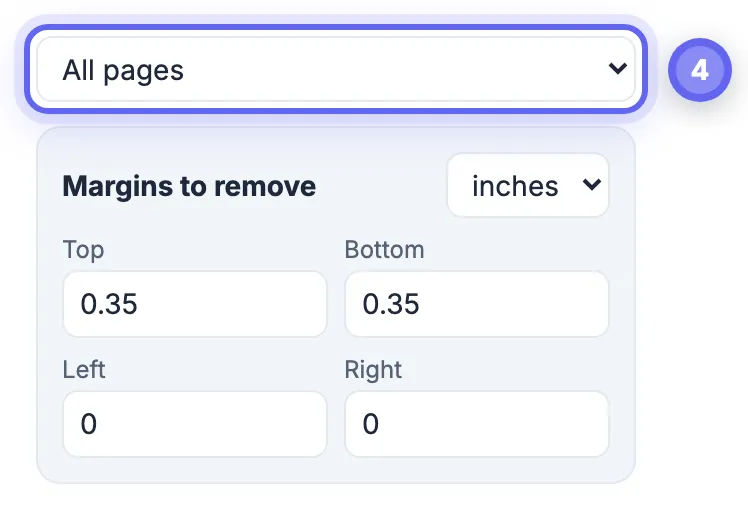
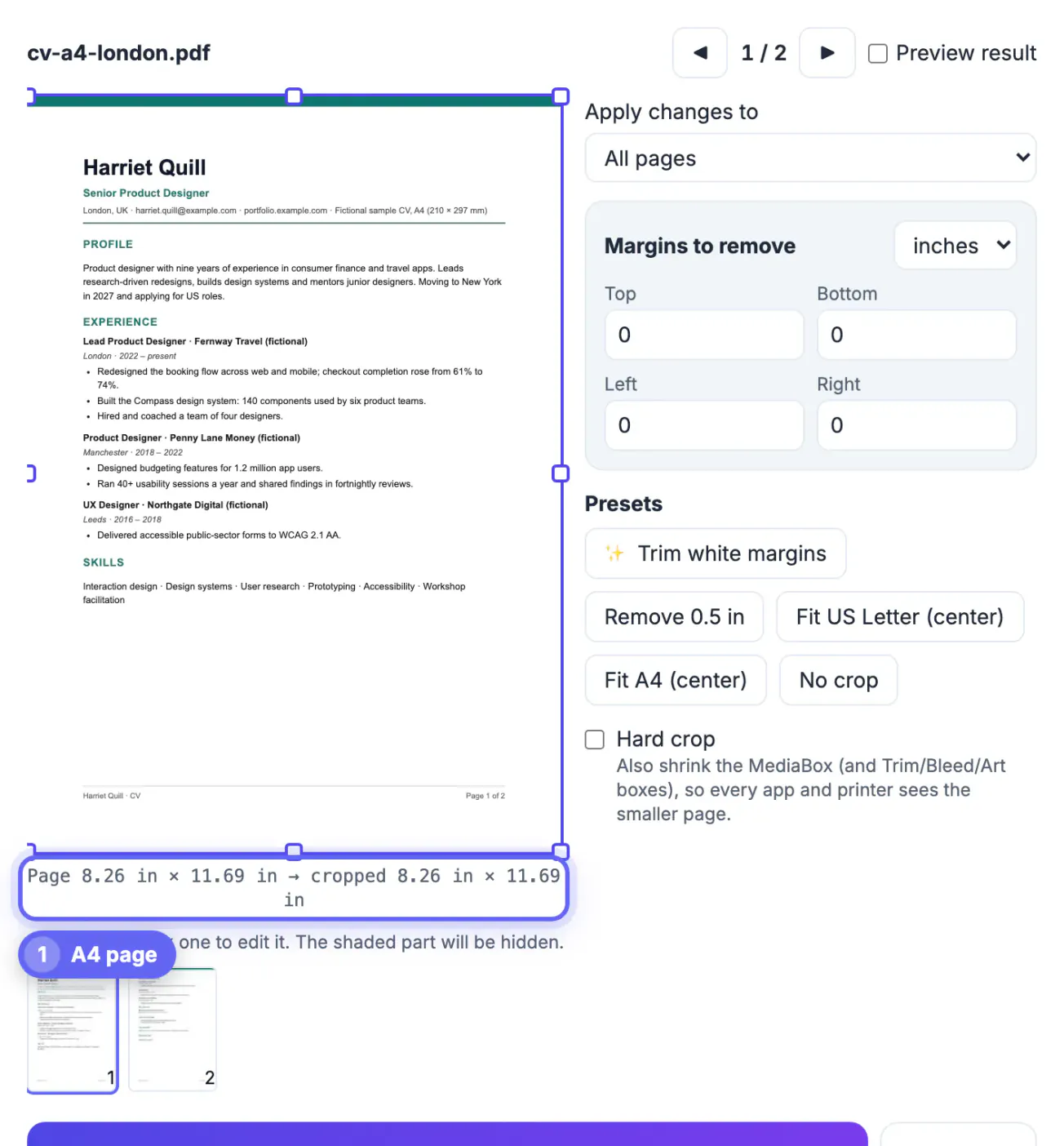
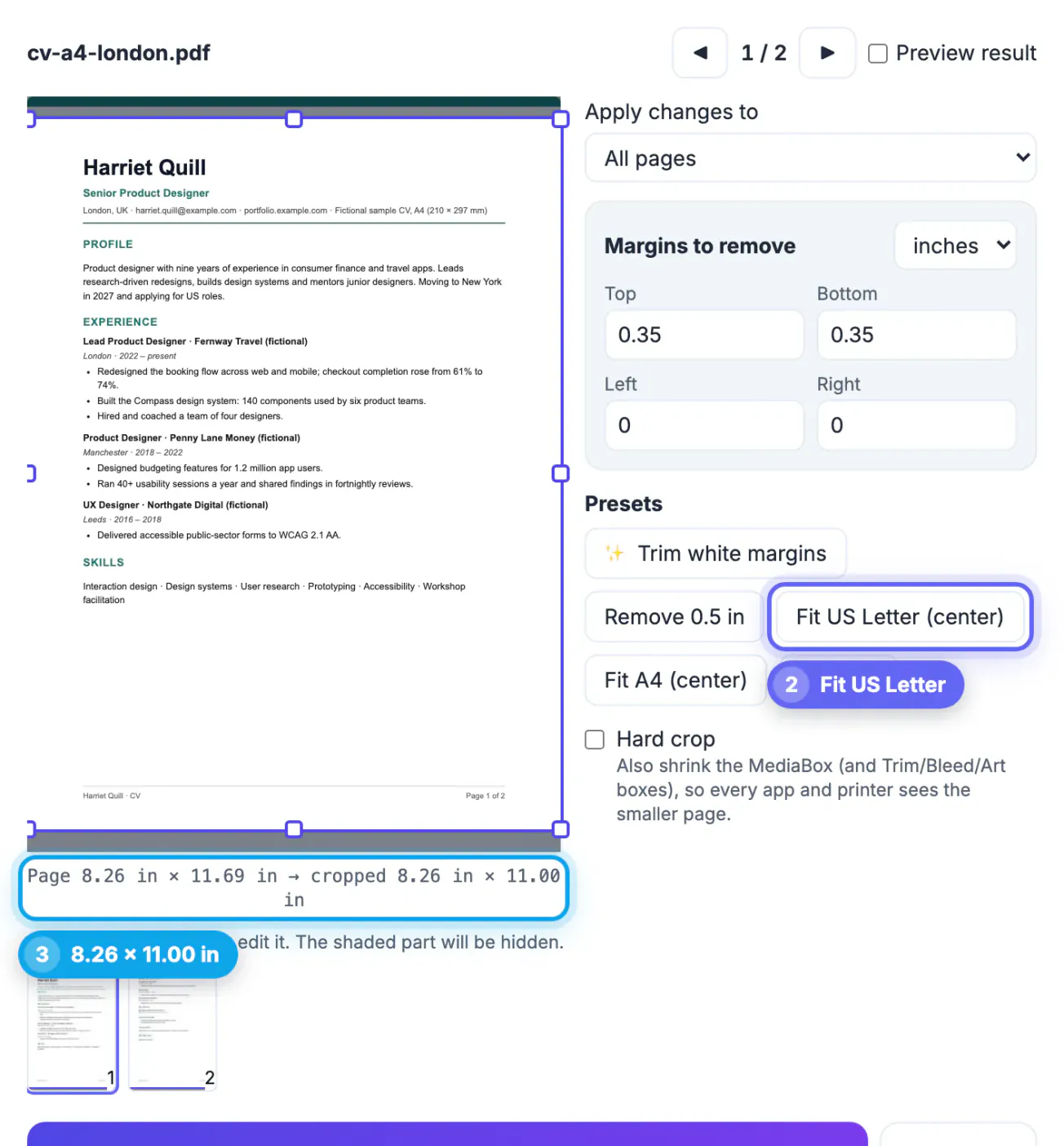
GrabCast's Crop PDF has two presets for this: Fit US Letter (center) and Fit A4 (center). They center each page on the chosen sheet and trim only what overflows; they do not scale content or add blank space.
- An A4 page with Fit US Letter loses about 25 points (8.8 mm) from the top and the bottom and becomes 8.27 × 11 in, which prints on Letter at 100%.
- A Letter page with Fit A4 loses about 8 points (3 mm) from each side and becomes 8.27 × 11 in, which prints on A4 at 100%.
- Pages already smaller are left alone; landscape pages get a landscape sheet.
- Apply to all, odd, even or a page range; Hard crop also shrinks the MediaBox for apps that ignore the crop box.
The PDF is processed in your browser with pdf.js and pdf-lib and is not uploaded. If you have the original document instead, Word to PDF and Excel to PDF both let you choose US Letter or A4 before converting.
Choosing the right size for your audience
Set the page size at the start of a document, because changing it later reflows text, images and page breaks. Use US Letter for documents going to the US, Canada and parts of Latin America, and A4 for almost everywhere else. If a document will be read on screen only, either size works, but keep margins generous so it prints acceptably on both.
- Set margins of at least 1 cm or 0.4 inch beyond printer limits.
- Avoid placing content within 5 mm of the page edge.
- Test print one page on the other size before a large run.
- In Word and Google Docs, check the page setup after copying from another file.
If you need to adjust a finished file, the Crop PDF tool centres pages on A4 or Letter, and splitting a PDF by ranges and merging PDF files help when you combine documents of different sizes.
Other paper sizes you may meet
US Legal is 8.5 by 14 inches, Tabloid 11 by 17, and the ISO series runs from A3 at 297 by 420 mm to A5 at 148 by 210 mm. Business cards, envelopes and photographs have their own standards, so confirm the size with the printer before you design.
Practical tips for printing and sharing
Ask the recipient which size they use before you send a file that must print exactly. Choose margins of at least two centimetres, avoid placing items near the edge and use fit to page only for drafts, since scaling changes font sizes. For booklets and posters, set up the document in the correct size from the start, and save a PDF so layout stays fixed on any device. If a document will be used in both regions, a design with generous margins prints acceptably on either size.
Step-by-step

Common mistakes to avoid
Pro tips
Frequently asked questions
Is A4 bigger than Letter?
A4 is 17.6 mm taller but 5.9 mm narrower; its area is about 3% larger.
What scale should I use to print A4 on Letter?
About 94%, which is what Fit to page usually picks. Letter on A4 needs about 97%.
Why is the bottom of my page cut off?
You are probably printing an A4 file on Letter paper at 100%. Turn on Fit to page, or crop the PDF to Letter height first.
Does Crop PDF resize the content to fit?
No. It trims the overflow and keeps the content at full size. To scale instead, use the Fit to page option when printing.
Is my PDF uploaded?
No. Crop PDF renders and edits the file in your browser; only the open-source libraries are downloaded.
A4 is narrower and taller than Letter. For a one-off print, use Fit to page (94% or 97%). For a file that will be printed on the other size, re-export from the source or crop the pages to fit, after checking the edges.
Related guides
Browse more: all PDF guides · Crop PDF