Scan Receipts to PDF for Expense Reports, One File
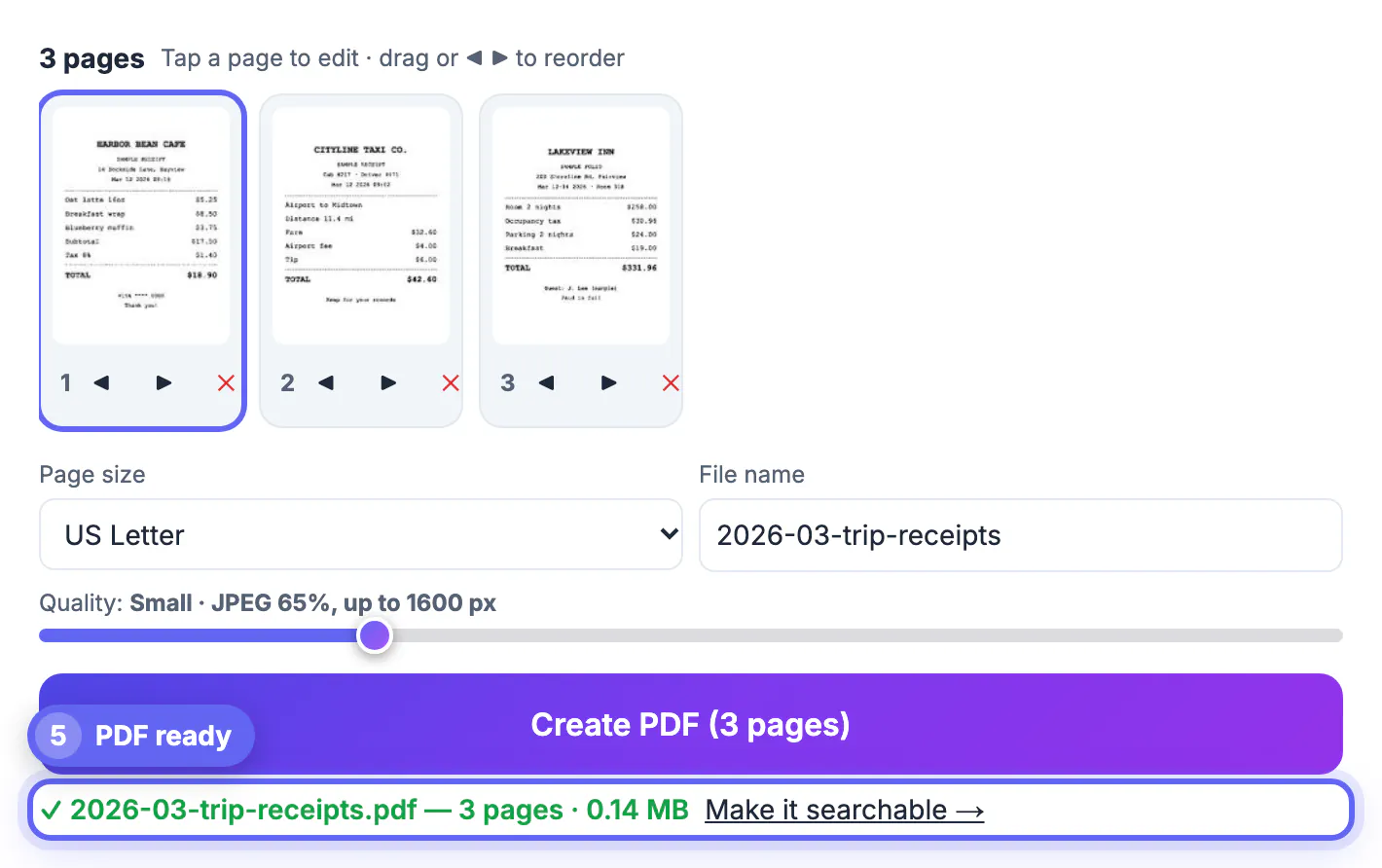
To scan receipts to PDF for an expense report, photograph each receipt on a dark surface, add all the photos to GrabCast Scan to PDF at once, apply the B&W filter to every page, put them in date order and create one multi-page file. Our three-receipt test trip (a cafe breakfast, a taxi from the airport and a two-night hotel folio) became a 3-page US Letter PDF of 0.14 MB, small enough for any expense portal or email. The whole job runs in your browser, so card digits, hotel folios and addresses never go to a server. This guide covers the capture habits that make thermal paper readable, the settings that keep the file small, how to name and order pages so an approver finds each amount quickly, and what the tool will not do for you, such as reading totals into a spreadsheet.
📷 Try Scan to PDF now — freeOpen →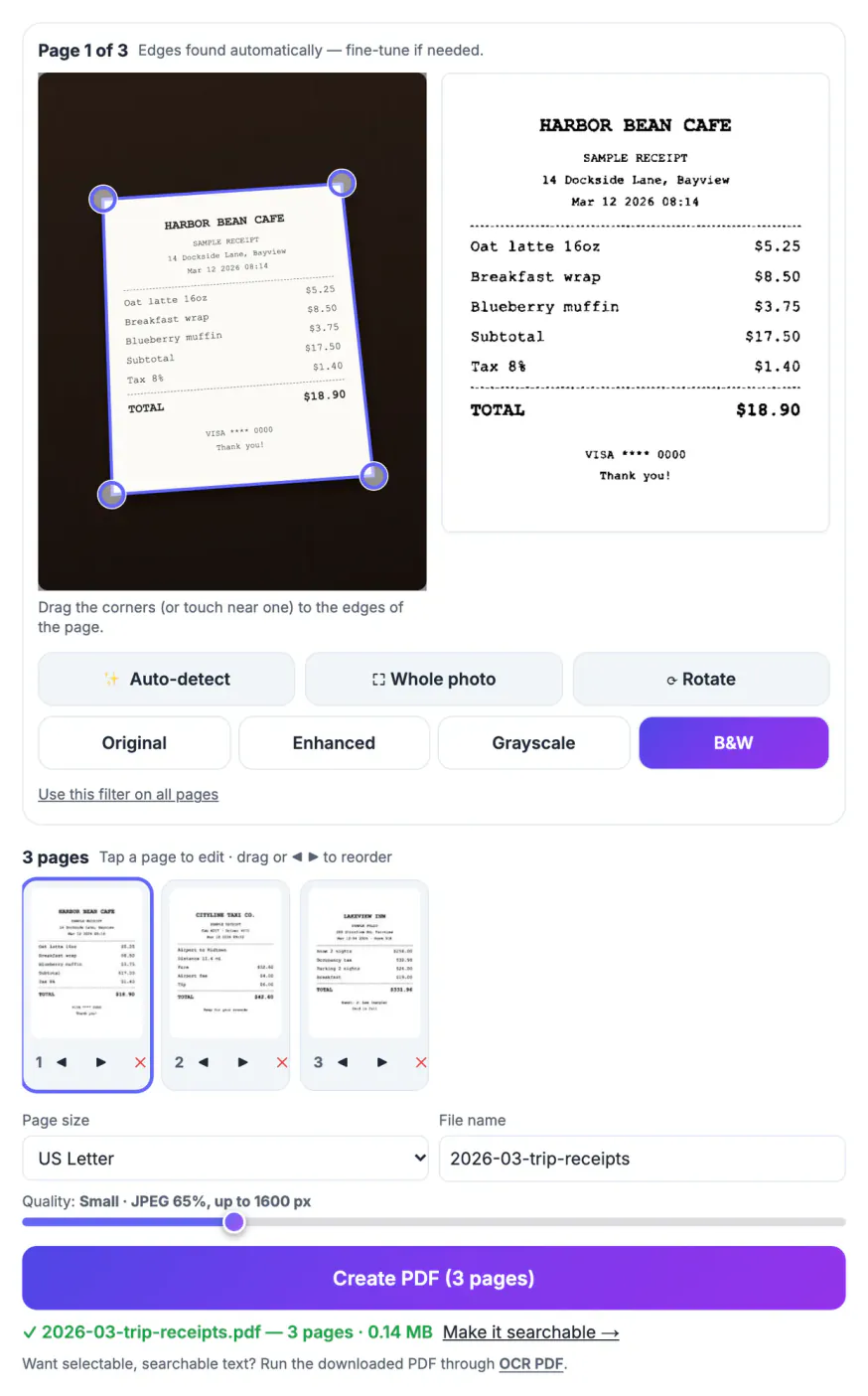
Most expense systems accept attachments, but a folder of twelve phone photos, each tilted, shadowed and half desk, slows everyone down. Approvers have to zoom and rotate to find the total, finance teams bounce claims that are hard to read, and a missing page is easy to overlook when the images are loose. One PDF with a page per receipt, flattened, cropped to the paper and in date order, reads like a paper packet. It also travels better: a single attachment of a fraction of a megabyte fits portal limits that a batch of full-resolution photos often breaks. Thermal receipts fade, so a clean scan made during the trip is also the copy you will still be able to read when an audit question arrives months later.
Shoot receipts so the scanner can find them
Automatic edge detection looks for a bright page against a darker background. Receipts are narrow, curly and often faint, so a few habits matter more than the phone you use.
- Lay each receipt flat on a dark table, a folder or a notebook cover. A white receipt on a white desk gives the scanner no edge to find.
- Flatten curled thermal paper under a book for a minute; a wavy strip still looks wavy after perspective correction.
- Hold the phone roughly parallel to the paper and fill most of the frame. A small tilt is fine, because the four corners are pulled back into a rectangle.
- Use daylight or a bright room and keep your own shadow off the paper. Turn the flash off if it creates a hot spot on glossy folios.
- Photograph long hotel folios or itemized bills page by page instead of zooming out until the print is tiny.
Scan receipts to PDF in one pass
GrabCast Scan to PDF takes every photo you choose in one go, so a whole trip goes in together.
- Tap Choose photos and select all the receipts; JPG, PNG and iPhone HEIC files work. On a phone you can also tap Scan with camera, shoot each receipt and tap Done.
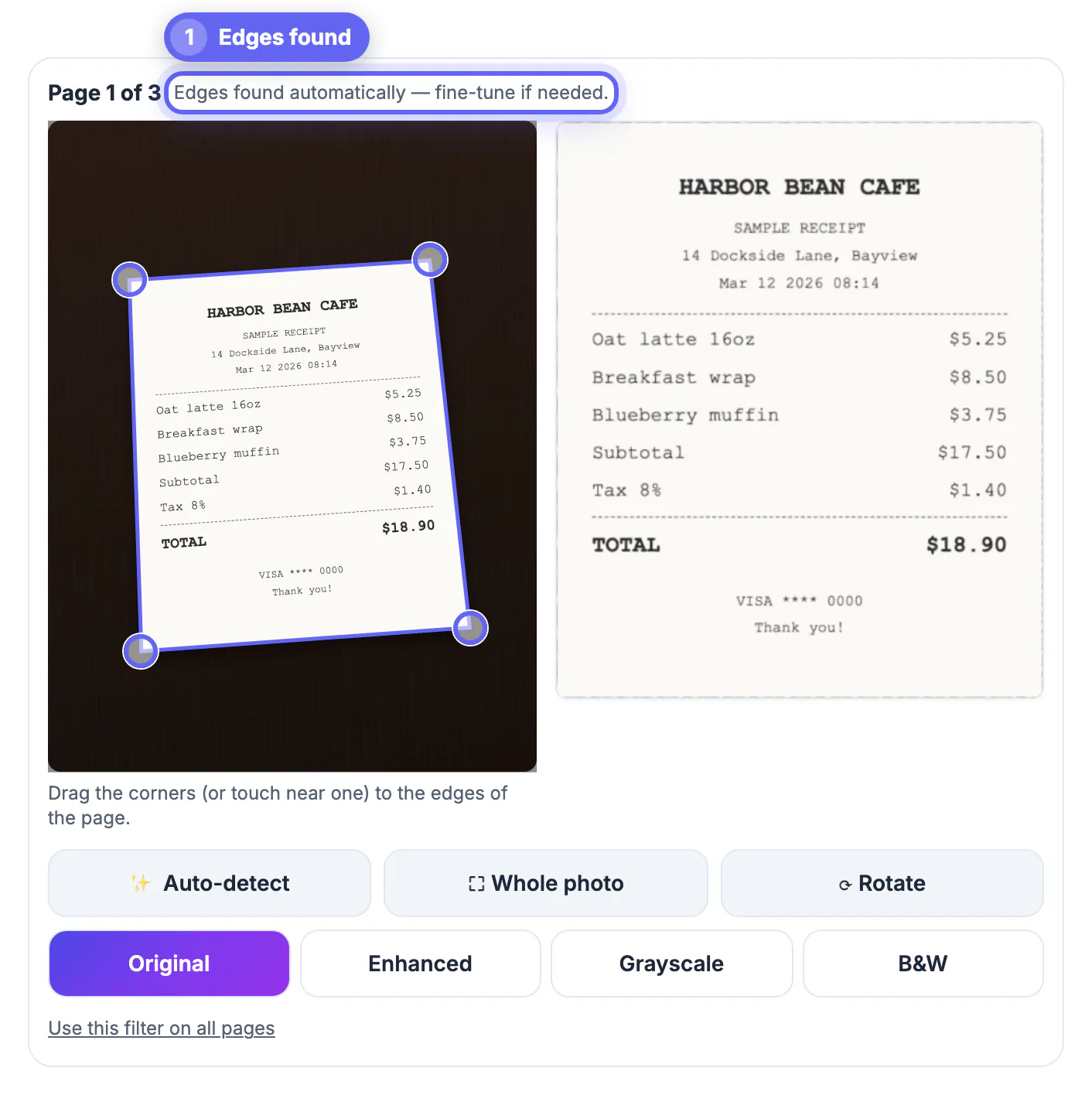
- Each photo is analyzed as it loads. When the page is found you will see Edges found automatically above the photo; if not, drag the four corner handles onto the paper or tap Whole photo.
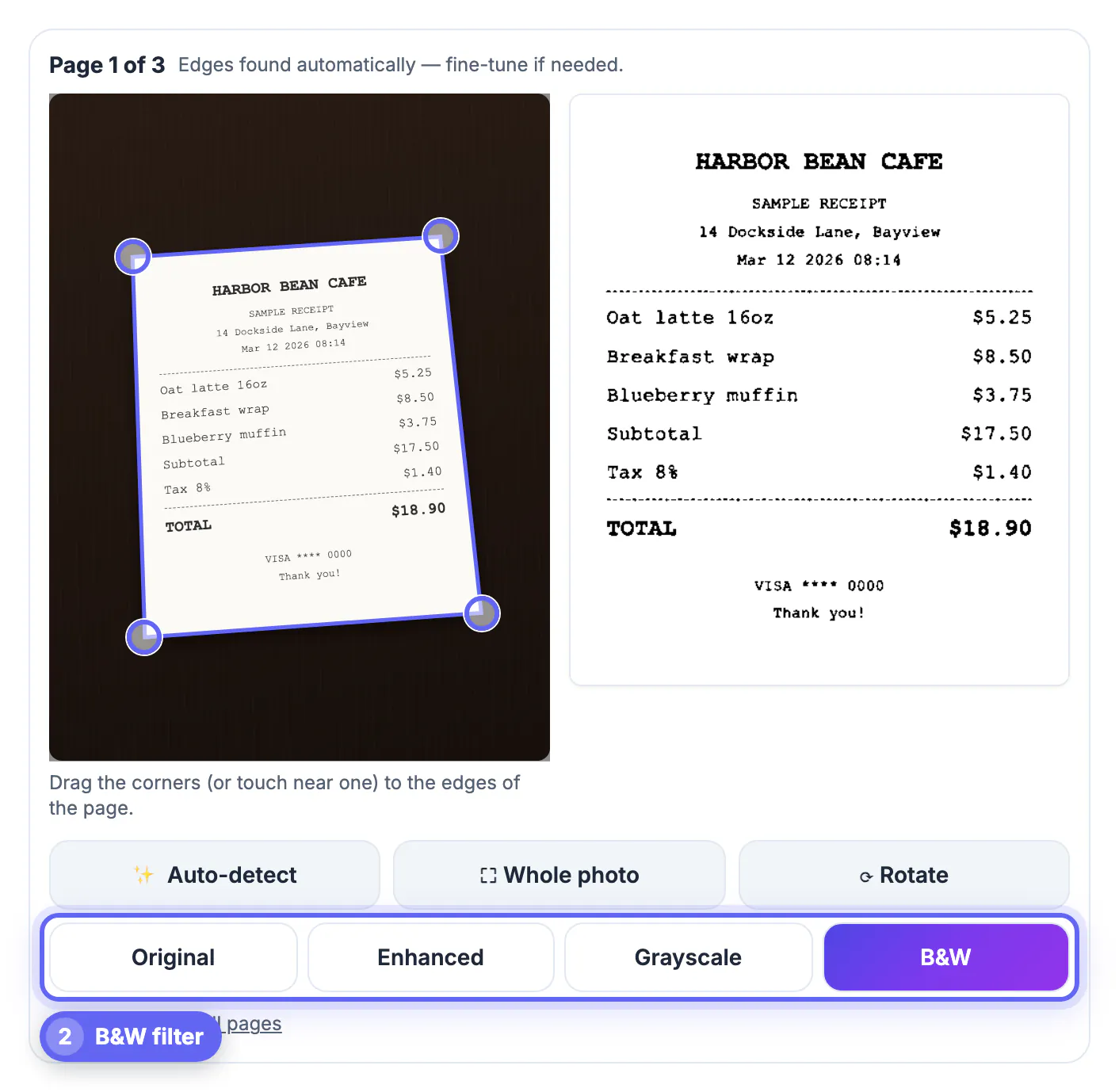
- Pick B&W for the first receipt and tap Use this filter on all pages. Thermal print turns into solid black text on white, which is the easiest version for an approver to read.
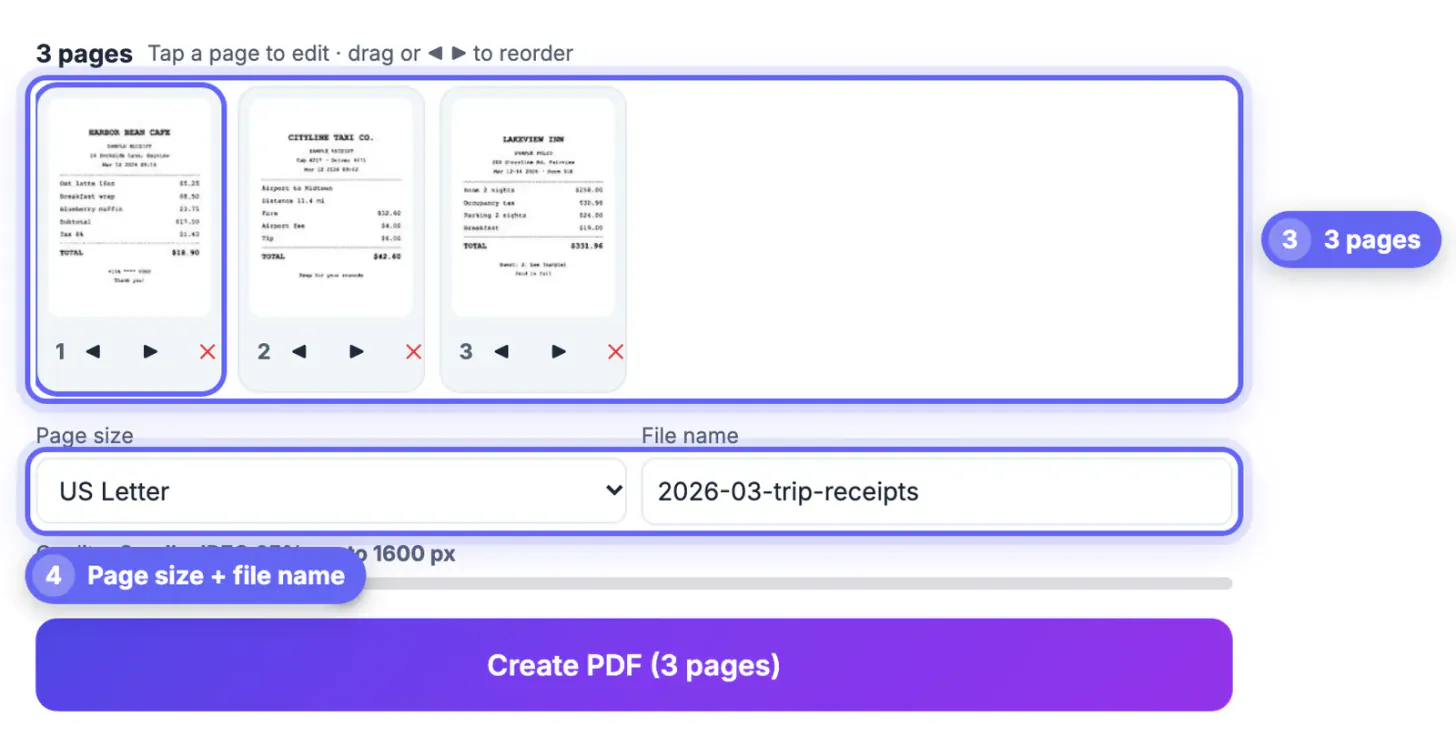
- In the page strip, use the arrows or drag the thumbnails so the receipts run in date order, and delete duplicates with the red cross.
Settings that keep the file small but readable
Expense portals often cap attachments, and inboxes do too. The quality slider has five steps, from Smallest file (JPEG 55%, up to 1300 px) through Balanced (JPEG 75%, up to 2000 px) to Best (JPEG 92%, up to 3200 px).
- Small (JPEG 65%, up to 1600 px) was plenty for our receipts: three pages came to 0.14 MB, and the $18.90 cafe total stayed crisp.
- Choose US Letter or A4 if your company prints claims or merges them into a larger report, so every page has the same shape. Auto sizes each page to the scan itself, which suits a narrow receipt viewed on screen.
- Move up to Balanced or High when a receipt has tiny print, faded ink or a handwritten tip that must be legible.
- Give the file a name that sorts well, such as 2026-03-trip-receipts, rather than scan.pdf; the name box sits next to the page size menu.
Limits worth knowing before you submit
The scanner produces a clean image PDF. It is not an accounting app, and a few jobs happen elsewhere.
- Pages are stored as images, so totals are not searchable or copyable. Run the finished file through OCR PDF if your team searches claims by vendor or amount.
- Nothing is read into a spreadsheet. Type amounts into your expense system yourself and use the PDF as the proof.
- B&W can drop very light marks such as a pale pencil note. Switch that one page to Enhanced if a detail disappears.
- Keep the originals for as long as your employer or tax rules require; a scan often supplements paper rather than replacing it.
Receipts often show card numbers, and the Redact PDF tool can cover them before you submit the report.
Step-by-step
Common mistakes to avoid
Pro tips
Frequently asked questions
Can I scan several receipts into one PDF at once?
Yes. Choose all the photos in one go or shoot them one after another with Scan with camera. Each receipt becomes its own page, and Create PDF saves them as a single multi-page file.
Which filter is best for thermal receipts?
B&W usually works best because it turns faint gray print into solid black text on white. If a logo, stamp or handwritten note vanishes, switch that page to Enhanced or Grayscale.
How big will the receipt PDF be?
It depends on the number of pages and the Quality setting. Our three receipts on Small came to 0.14 MB; Balanced or High produce larger files with finer detail.
Are my receipts uploaded anywhere?
No. Edge detection, filters and PDF creation run in your browser. Only the open-source PDF library is downloaded when you create the file.
Can my expense system read the amounts from the PDF?
Not directly, because each page is an image. Run the file through OCR PDF to add a text layer, and still type the amounts into the claim yourself.
Photograph receipts on a dark surface, load the whole trip at once, apply B&W to every page, sort by date and save on Small or Balanced. You get one light, readable PDF that an approver can check in seconds, made without sending a single receipt to a server.
Related guides
Browse more: all PDF guides · Scan to PDF