ATS-Friendly Resume Builder, Free With PDF Export
An ATS-friendly resume is one that an applicant tracking system can read top to bottom and split correctly into your name, contact details, job titles, employers, dates and skills. The fastest way to get there is a plain one-column layout with standard section headings and real, selectable text, which is exactly what the GrabCast resume builder produces as a PDF. Fancy templates with sidebars, icons, tables and text inside images are the usual reason a strong candidate gets parsed as a jumble. This guide explains what tracking software such as Workday, Greenhouse, Lever and iCIMS actually extracts, how to fill the builder so each field lands in the right place, and where keywords belong without stuffing.
📄 Try Resume Builder now — freeOpen →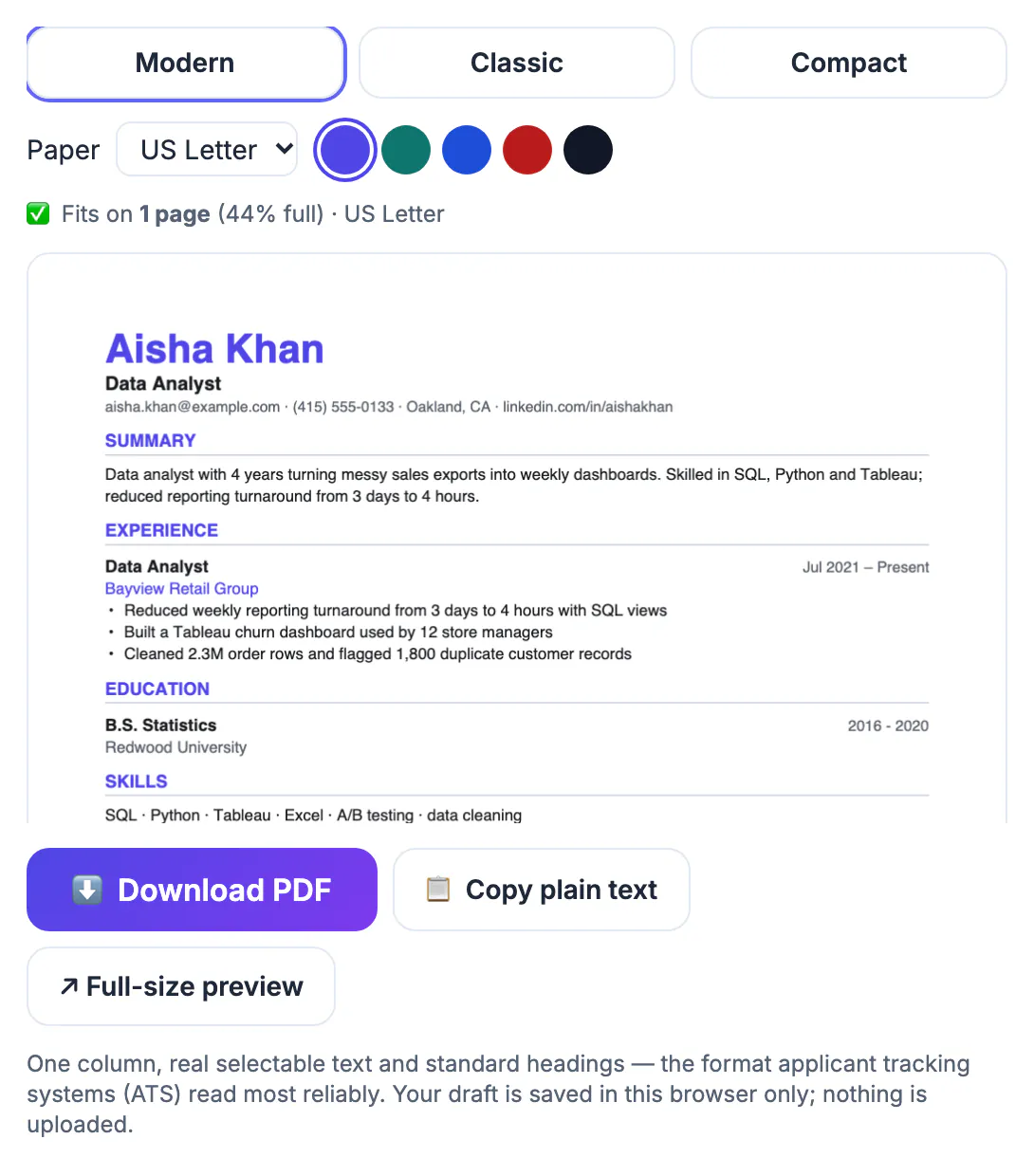
Most mid-size and large employers in the US route applications through tracking software. The system converts your file to text, maps it into fields, and recruiters then search and filter those fields by title, skill or years of experience. If a two-column design makes the parser read across both columns, your 2019 job title can end up glued to a skill list, and a search for project manager may simply miss you. Humans still make the decision, but they only review what the software surfaces. A clean, predictable structure is not about pleasing a robot; it is about making sure the facts you wrote arrive intact on the screen of the person hiring.
What an ATS-friendly resume layout looks like
Tracking systems handle simple documents best. The builder deliberately outputs one column in each of its three templates (Modern, Classic and Compact), clear section headings in capitals, and your dates aligned to the right of each role. There are no tables, text boxes, icons or header graphics for a parser to trip over.
- Name at the top in large type, then your target job title directly beneath it.
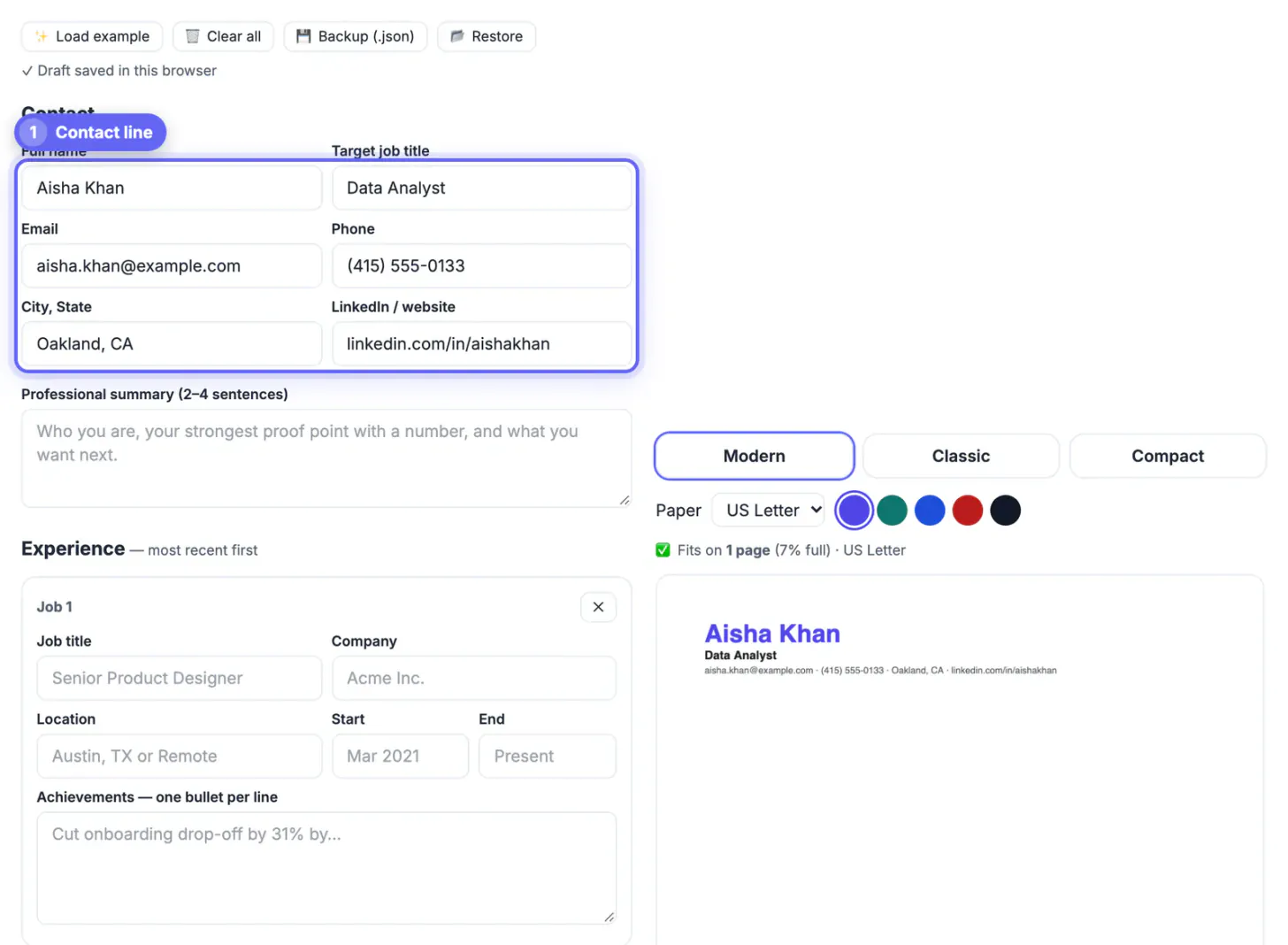
- One contact line with email, phone, city and LinkedIn URL separated by dots.
- Standard headings: Summary, Experience, Education and Skills, which every major parser recognizes.
- Real text in the PDF, so you can select and copy every word, which is also what the ATS reads.
Test any resume the same way: open the PDF, select all, copy and paste into a plain text editor. If the order still makes sense, a parser will follow it too.
Fill each field so the parser maps it correctly
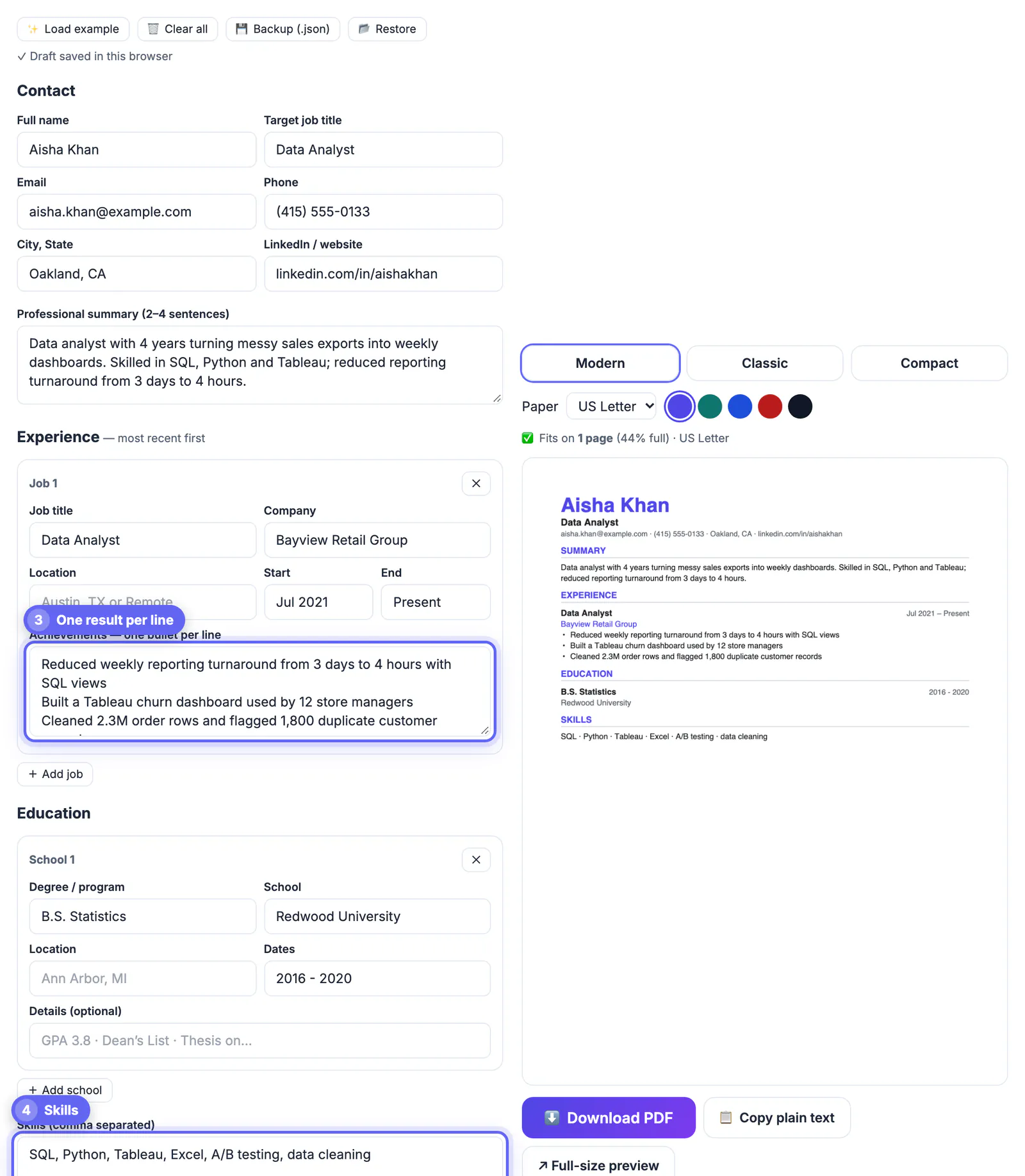
Each job gets its own card with fields for title, company, location, start and end dates, plus an achievements box where each line becomes a bullet. The builder turns that into a bold title, the employer and location on their own line, dates on the right and the bullets beneath. Keeping this order consistent is what lets a tracking system tie each date range to the right employer.
- Write titles the way employers post them, such as Senior Data Analyst, not a creative internal nickname.
- Use a consistent date style like 2021 to Present or Mar 2021 to Jun 2024 on every line.
- Education follows the same idea: degree, school, location and dates in their own fields.
- Skills go in one comma-separated line, which prints as a clean dotted list.
Lead each description with a result and a number where you can, for example cut invoice processing time 40 percent across 3 regions, because recruiters skim that line first.
Match keywords from the job post without stuffing
Recruiters search the ATS with terms lifted from their own job description. If the posting asks for SQL, Tableau and stakeholder management, those exact phrases should appear in your skills line and inside the achievements where you used them. Synonyms help humans, but a filter looking for Tableau will not match data visualization tools.
- Paste the posting into a notepad and highlight hard skills, tools and certifications that appear twice or more.
- Mirror the exact spelling, including acronyms and full forms, such as Search Engine Optimization (SEO).
- Place each important term in context in your experience, not just in a long list.
- Skip hidden white text and keyword blocks; modern systems flag them and recruiters notice.
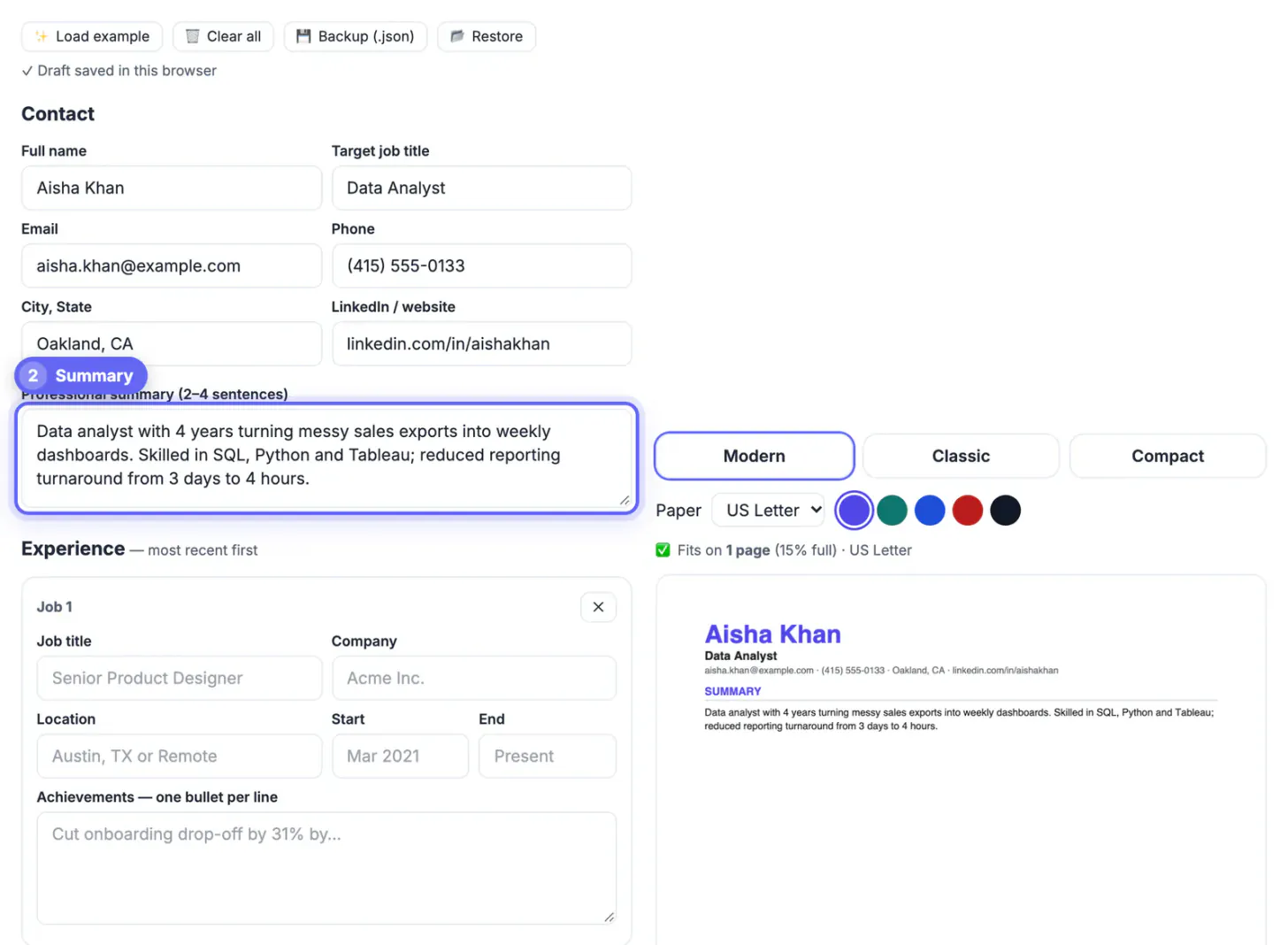
Tailor the summary and skills for each application, which takes ten minutes once your base resume is built.
Honest limits of this free resume builder
The builder is intentionally minimal, and it is worth knowing where that shows. It exports US Letter by default, or A4 if you apply abroad, and the live preview shows the page count before you download. When your text includes letters outside basic Latin, such as Vietnamese, Polish or Cyrillic, it switches to the open-source Noto font so names print correctly.
- There is no photo field, which is also the norm for US applications.
- Styling stays simple, three templates and five accent colors, with no columns by design, because those hurt parsing.
- Your draft autosaves in this browser only, not on a server, so keep a Backup (.json) or a copy in a document.
- The PDF is generated in your browser, so your phone number and address are not uploaded.
If an application portal specifically asks for a Word file, paste the same content into a simple .docx; the structure you built here transfers directly.
Pair the resume with a thank-you email after the interview, and check that the exported PDF still lets you copy text from the PDF, which is a quick test of whether it is machine-readable.
Step-by-step
Common mistakes to avoid
Pro tips
Frequently asked questions
What makes a resume ATS-friendly?
A single column, standard headings, real selectable text, consistent dates and keywords that match the job post. Avoid tables, text boxes, icons, images of text and columns.
Is a PDF or a Word document better for ATS?
Modern tracking systems read text-based PDFs well, and a PDF keeps your layout stable. Use Word only when the employer specifically requests it.
Is this ATS-friendly resume builder really free?
Yes. You can build and download as many versions as you want with no account, no watermark and no paid template gate.
Does the builder upload or store my personal details?
No. The PDF is created in your browser, so nothing is sent to a server. Your draft autosaves only in this browser, so use Backup (.json) to keep a copy you can move.
Will accented or non-Latin letters print correctly in the PDF?
Yes. When your text contains letters the standard PDF fonts lack, such as Polish, Vietnamese or Cyrillic characters, the builder switches to the open-source Noto font; still check names and places in the preview before sending.
An ATS-friendly resume wins by being boring in structure and specific in content. Build it in one column with standard headings, give every role a consistent title, company and date line, mirror the exact keywords from each posting, and confirm the PDF pastes cleanly as plain text. The builder handles the layout for free; the tailored substance is where your time pays off.
Related guides
Browse more: all business guides · Resume Builder