Best Resume Builders: Free vs Paywalled Downloads
The best resume builders in 2026 split into four money models, and knowing which one you are in before you type a word saves frustration: truly free tools such as GrabCast, Google Docs and Word templates; freemium builders like Novoresume, Kickresume and Canva; build-then-pay services such as Zety and Resume.io; and job-search platforms like Teal. GrabCast's Resume Builder is free with no account and creates a clean, single-column PDF in your browser, with three single-column templates and a live preview, but no DOCX export, photo field or built-in AI writing. This comparison explains what each group does well, where the paywalls usually sit, and how to judge applicant tracking system friendliness yourself. We describe plans qualitatively because prices, trials and free-tier limits change frequently; check current terms before you start typing.
📄 Try the Resume Builder tool now — freeOpen →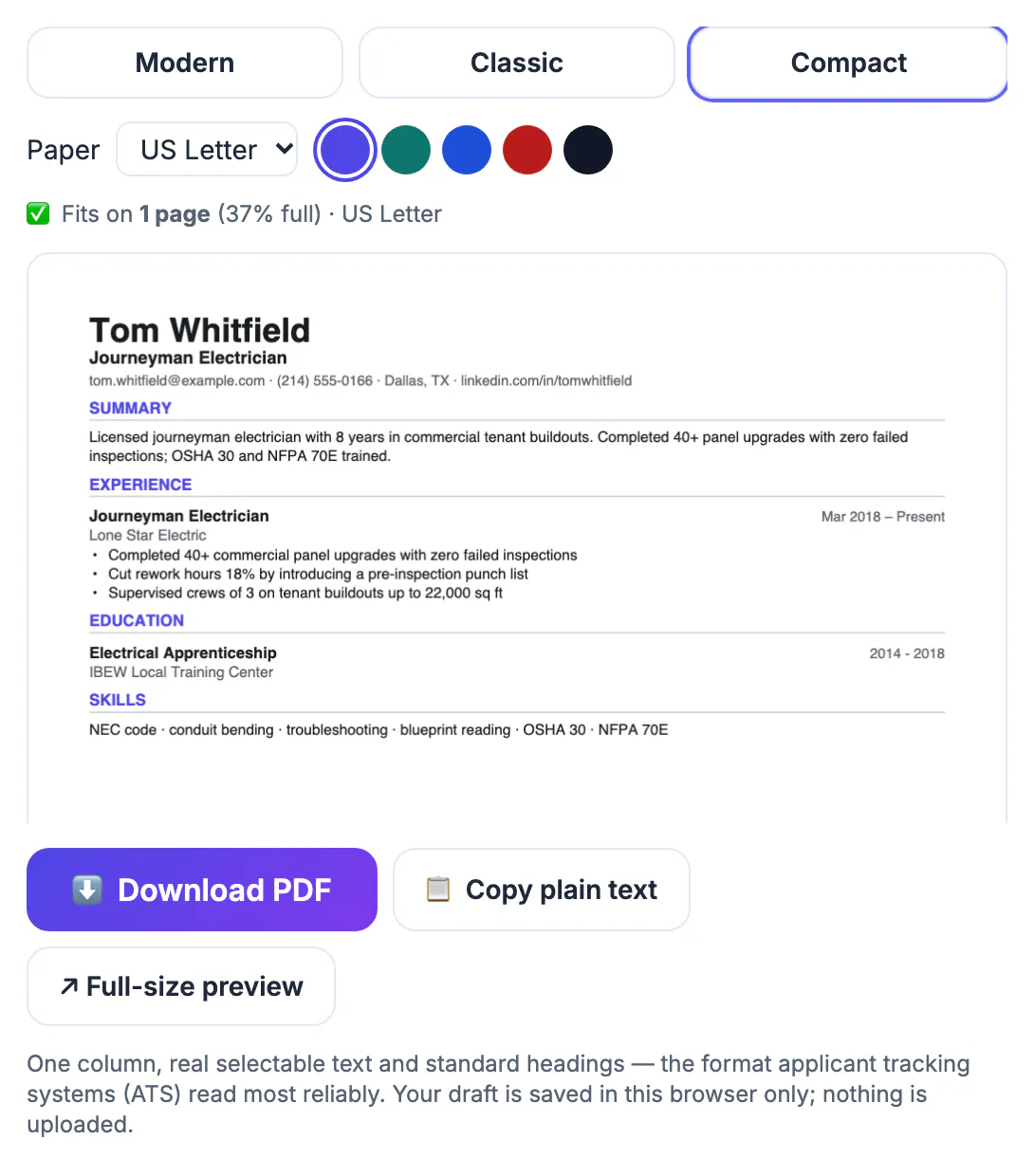
Most people choose a builder by scrolling template galleries, then discover the business model at the worst moment: after an hour of typing, at the download button, the night before an application closes. Some services let you build freely but require a paid plan or trial for a PDF, and some trials renew into recurring subscriptions unless you cancel. Freemium tools are more transparent but may reserve extra templates, extra pages or AI writing help for paying users. Free tools remove the surprise but usually offer less design choice and no guidance. None of this makes paid products bad; guided content suggestions and cover letter matching genuinely help some job seekers. The point is to decide deliberately. Knowing the money model up front lets you compare what you actually get for it, and lets you keep your content somewhere portable in case you switch tools mid-search.
Truly free: GrabCast, Google Docs and Word templates
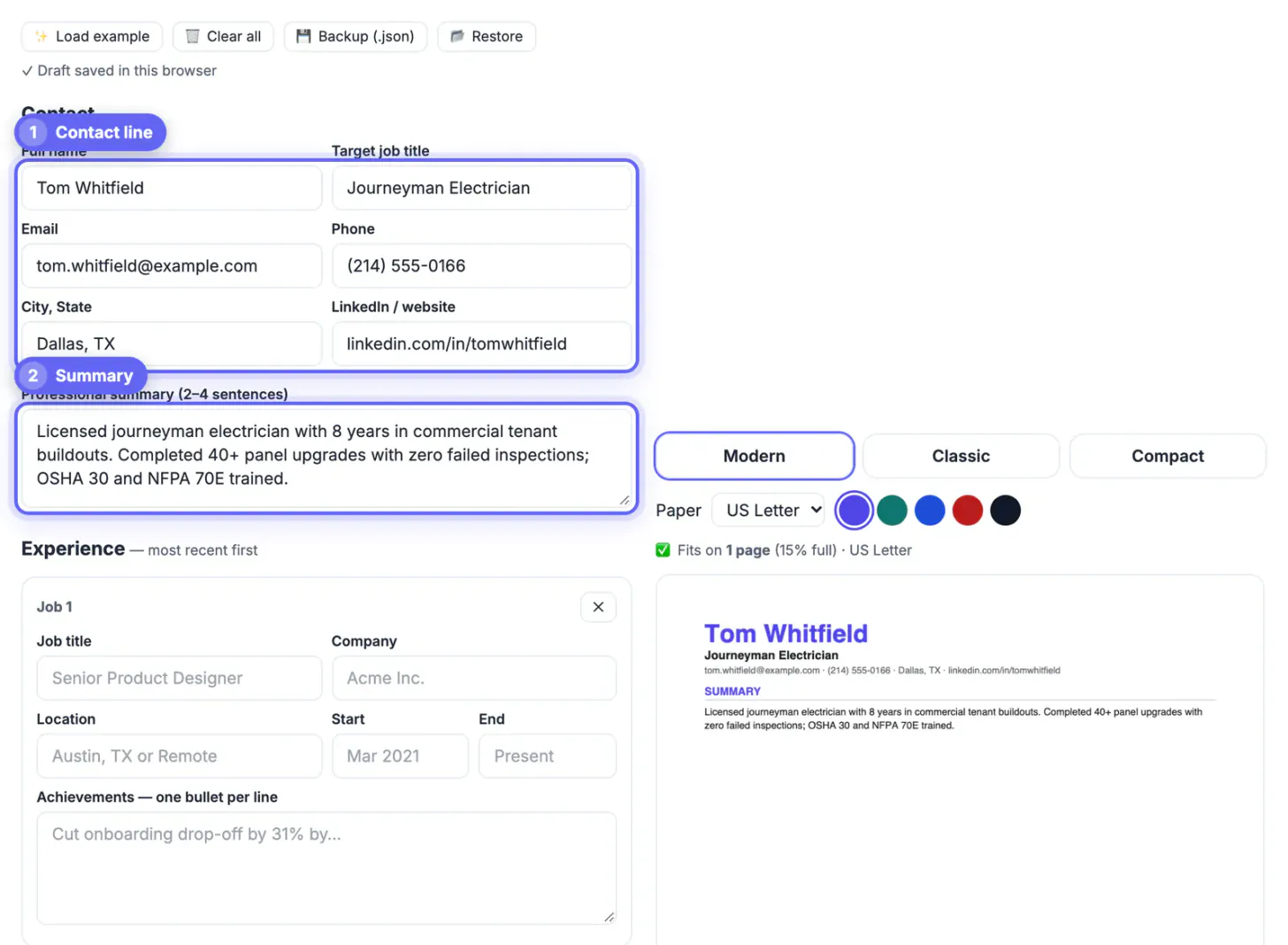
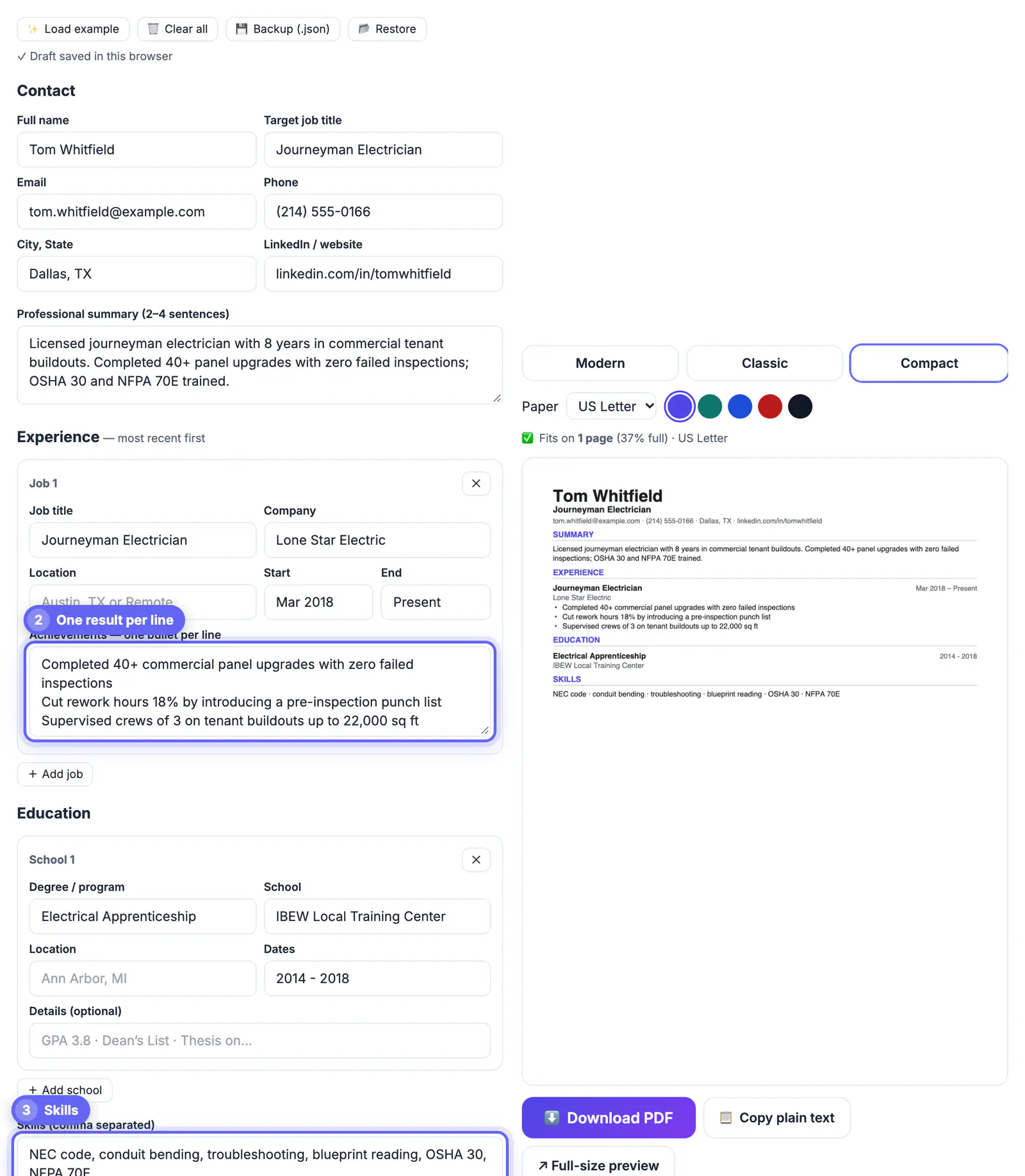
GrabCast's resume builder is a structured form, not a design canvas. You enter your contact details and target job title, a short summary, one card per job with dates and one achievement per line, education, comma-separated skills and optional sections such as Certifications. A live preview renders a single-column PDF in one of three templates (Modern, Classic or Compact), with right-aligned dates and automatic extra pages if your history runs long. It is generated in your browser, and your draft autosaves in that browser so a refresh does not wipe it.
The trade-offs are real, so weigh them before relying on it:
- Three single-column templates only; no two-column or graphic designs.
- US Letter by default or A4, with a page count and one-page check above the preview.
- Letters outside basic Latin switch to the open-source Noto font, but there is no photo field.
- No DOCX export and no built-in AI suggestions, though Copy plain text helps with online forms.
Google Docs and Microsoft Word both include free templates with full editing control and DOCX export, which some application portals prefer. They take more formatting effort but never hold your document hostage.
Freemium resume builders: Novoresume, Kickresume and Canva
Freemium builders let you download something without paying and charge for extras. Novoresume is known for modern, clean layouts with a basic free version; premium unlocks more customization and additional pages. Kickresume offers polished templates and AI writing help, with the richer features on paid plans. Canva has a large library of free templates and a drag-and-drop editor that designers love.
Design freedom has a cost with automated screening. Multi-column layouts, text inside graphics, icons for contact details and skill bars can confuse applicant tracking systems, which read the file as plain text. Canva in particular makes it easy to build something beautiful that parses badly. If you use a visual template, test it as described in the steps below.
Build-then-pay services: Zety and Resume.io
Zety and Resume.io are among the best-known guided builders. They walk you through each section, suggest pre-written bullet points by job title, check formatting and offer matching cover letters. For people who stall on a blank page, that guidance is valuable.
The catch is the download. These services commonly require a paid plan or a low-cost trial to export a PDF, and trials can convert into a recurring subscription. Neither practice is hidden, but both are easy to miss when you are in a hurry. Read the pricing and cancellation page first, set a reminder before any trial ends, and keep a copy of your content elsewhere.
- Best for: first-time job seekers who want wording suggestions.
- Watch for: auto-renewing trials and templates that depend on the subscription.
- Tip: paste your final text into a document you own once you are done.
Job-search platforms: Teal and LinkedIn
Teal pairs a builder with a job tracker and keyword matching: paste a job description and it highlights terms your document is missing. The core tools are free, with more advanced matching on its paid tier. It suits people applying to many roles who want to tailor each version.
LinkedIn can export your profile as a PDF through the More menu on your profile. It is fast but generic, and it prints everything, including sections a recruiter does not need. Use it as a starting outline, then tailor the result in a proper builder.
A strong profile helps whichever builder you choose, so see how to write a LinkedIn summary with AI and make a clean photo with the Professional Headshot Maker.
Step-by-step
Common mistakes to avoid
Pro tips
Frequently asked questions
Is there a completely free resume builder with no watermark?
Yes. GrabCast's builder, Google Docs templates and Word templates all export without a watermark or paywall. GrabCast needs no account and produces the PDF in your browser, with three single-column templates.
Why do some builders charge only at download?
It is a common subscription model: the building experience is the sales demo and the PDF is the product. It is legitimate, but check the pricing and cancellation terms before investing time.
Are Canva resumes bad for ATS?
Not automatically, but many Canva templates use columns, graphics and icons that tracking systems can misread. Pick a simple single-column template and test the PDF by copying its text into a plain editor.
Can GrabCast write my bullet points with AI?
The Resume Builder itself does not. You can draft bullets with GrabCast's separate AI Writer, which runs on cloud AI, then paste the edited text into the builder.
Does GrabCast support US Letter size or other languages?
Yes. US Letter is the default with A4 as an option, and when your text contains letters outside basic Latin, such as Vietnamese, Polish or Cyrillic, the builder switches to the open-source Noto font so they print correctly.
Choose by money model before design. For a free, no-account, single-column PDF, GrabCast's Resume Builder is quick and private, within its limits of three single-column templates and PDF-only export. Google Docs and Word give free control with DOCX. Novoresume, Kickresume and Canva add design on freemium terms, Zety and Resume.io add guidance at a price, and Teal helps tailor many applications.
Related guides
Browse more: all business guides · the Resume Builder tool