Make a Resume Free: Sections, Wording and a Clean PDF
To make a resume, list your contact details, a two or three sentence summary, your work history with results, your education and your key skills, then export it as a clean, text-based PDF. Recruiters often spend well under a minute on a first pass, and many employers screen applications with software first, so a plain one-column layout with clear headings and measurable achievements beats a colorful template. This guide covers what goes in each section, how to write bullets that show impact, how to fill in GrabCast's free Resume Builder line by line, and the honest limits of a simple builder so you know when to reach for something else.
📄 Try the Resume Builder tool now — freeOpen →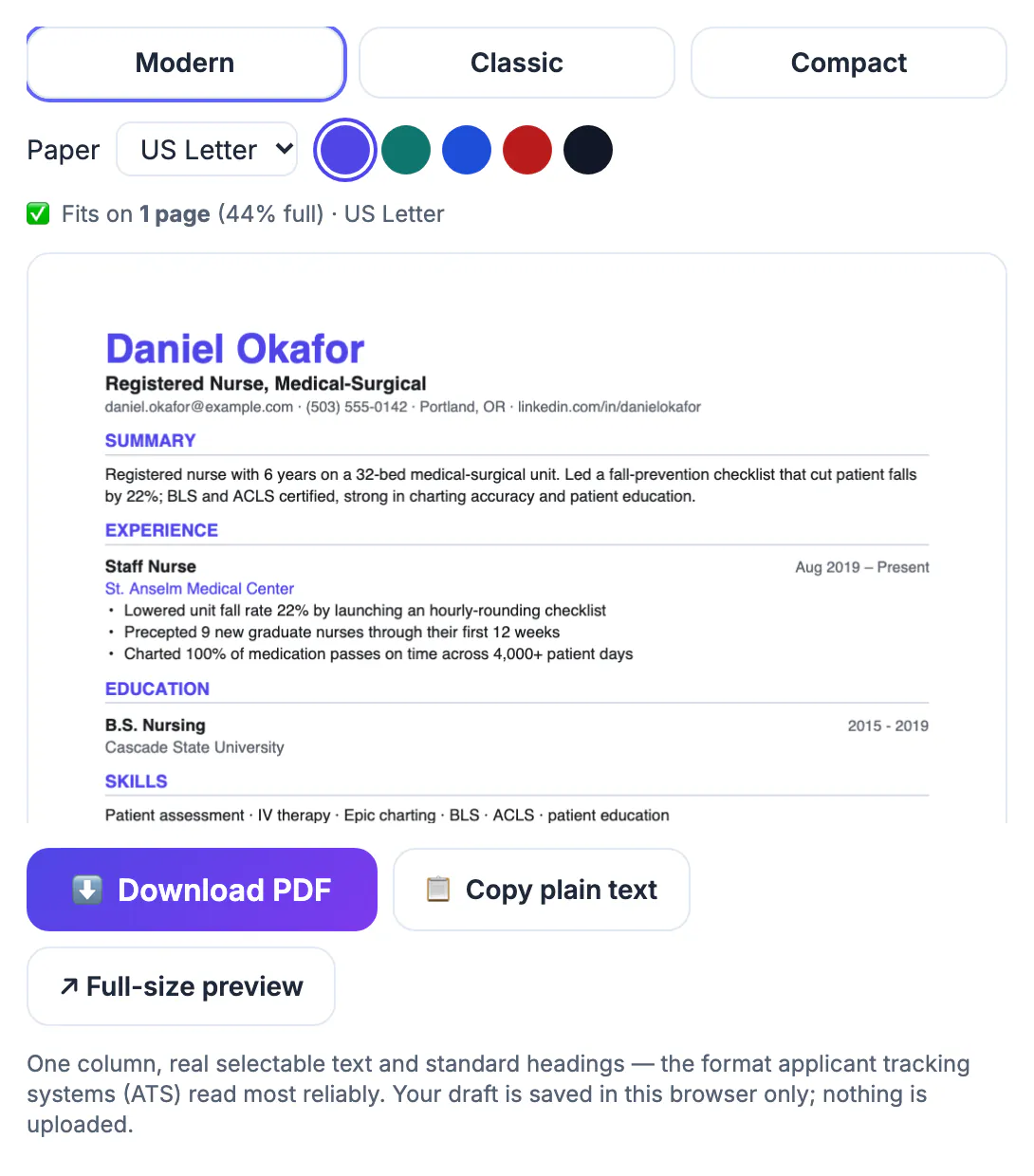
Applicant tracking systems such as Workday, Greenhouse and Lever read your file into a database before a person ever sees it. Tables, text boxes, icons, photos and two-column designs can scramble that parsing, so your job title lands in the wrong field or your skills vanish. A single column with standard headings like Experience and Education survives almost any system and is also what a hurried recruiter scans most easily. The builder produces exactly that: a selectable-text PDF with your name, title, contact line and four standard sections, which is a safe default for most office, tech, healthcare and retail roles in the US.
What goes in each section
Keep the order predictable. Recruiters look for the same things in the same places:
- Header: full name, the job title you are targeting, and one contact line with email, phone, city and state, and a LinkedIn URL. Skip your full street address, date of birth and photo, which US employers do not expect.
- Summary: two or three sentences that match the role, such as Customer success manager with six years in B2B SaaS, keeping renewal rates above 95 percent.
- Experience: most recent job first, with title, company, dates and results. Go back about 10 to 15 years.
- Education: degree, school and year; add certifications such as PMP or CompTIA here or in Skills.
- Skills: 8 to 12 specific tools and abilities that appear in the job posting, such as Salesforce, SQL, Figma or bilingual Spanish.
One page is right for most people with under ten years of experience; two pages are fine for senior roles when every line earns its place.
Write bullets that prove impact
Duties describe the job; achievements describe you. A reliable formula is action verb, what you did, and a measurable result:
- Weak: Responsible for social media. Strong: Grew Instagram followers from 4,000 to 19,000 in 12 months with a three-post weekly calendar.
- Weak: Handled customer tickets. Strong: Resolved 45 tickets a day with a 96 percent satisfaction score, top 10 percent of a 30-person team.
- Weak: Helped with budgets. Strong: Cut vendor spend 12 percent, saving $84,000 a year, by consolidating three suppliers.
- No hard numbers? Use scale and scope: trained 8 new hires, managed a 40-location rollout, supported a $2 million project.
Mirror the posting's wording where it is true for you. If the ad says stakeholder management and you wrote managed relationships, use their phrase; screening software and recruiters both search for it.
Fill in the builder line by line
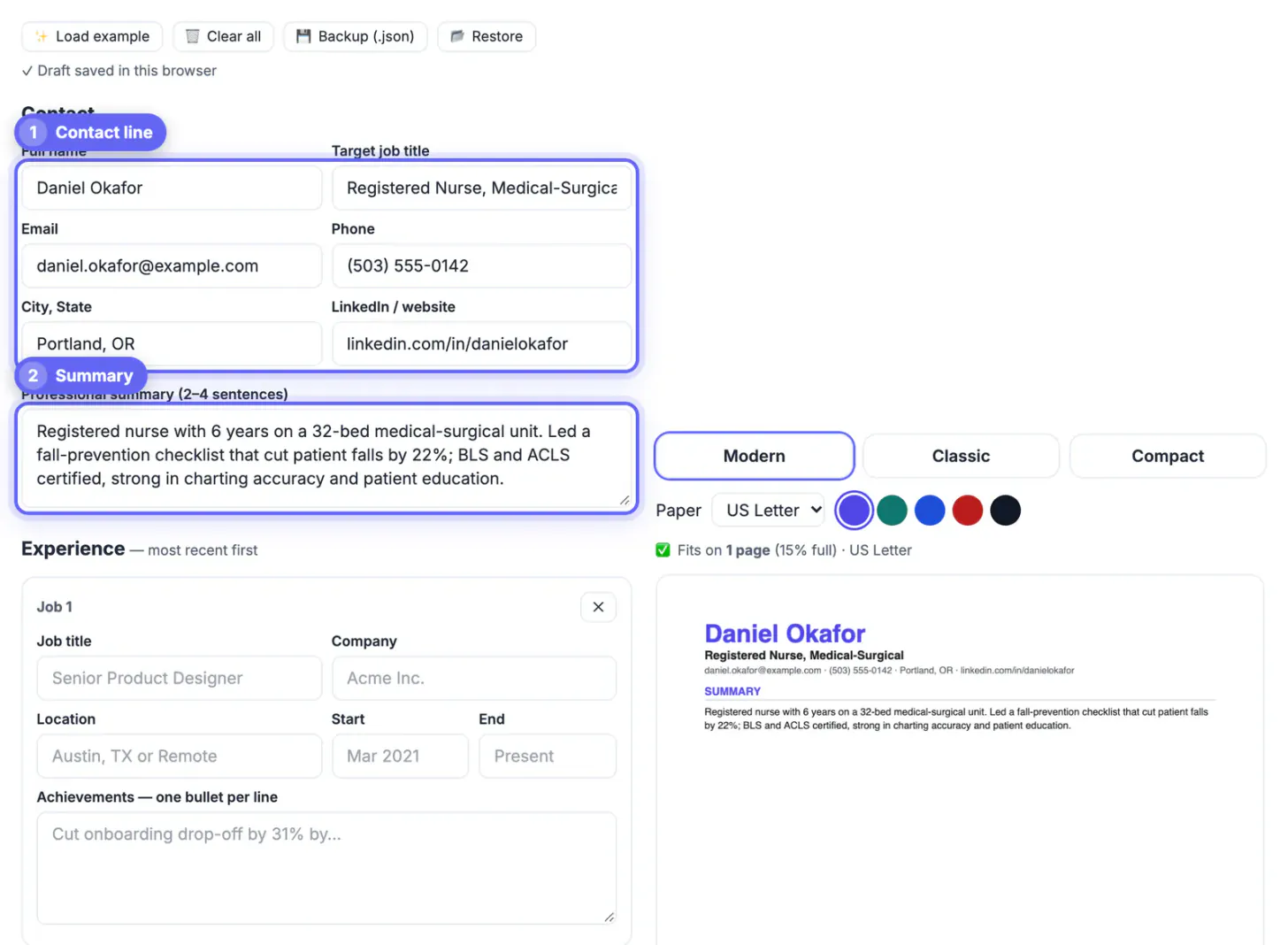
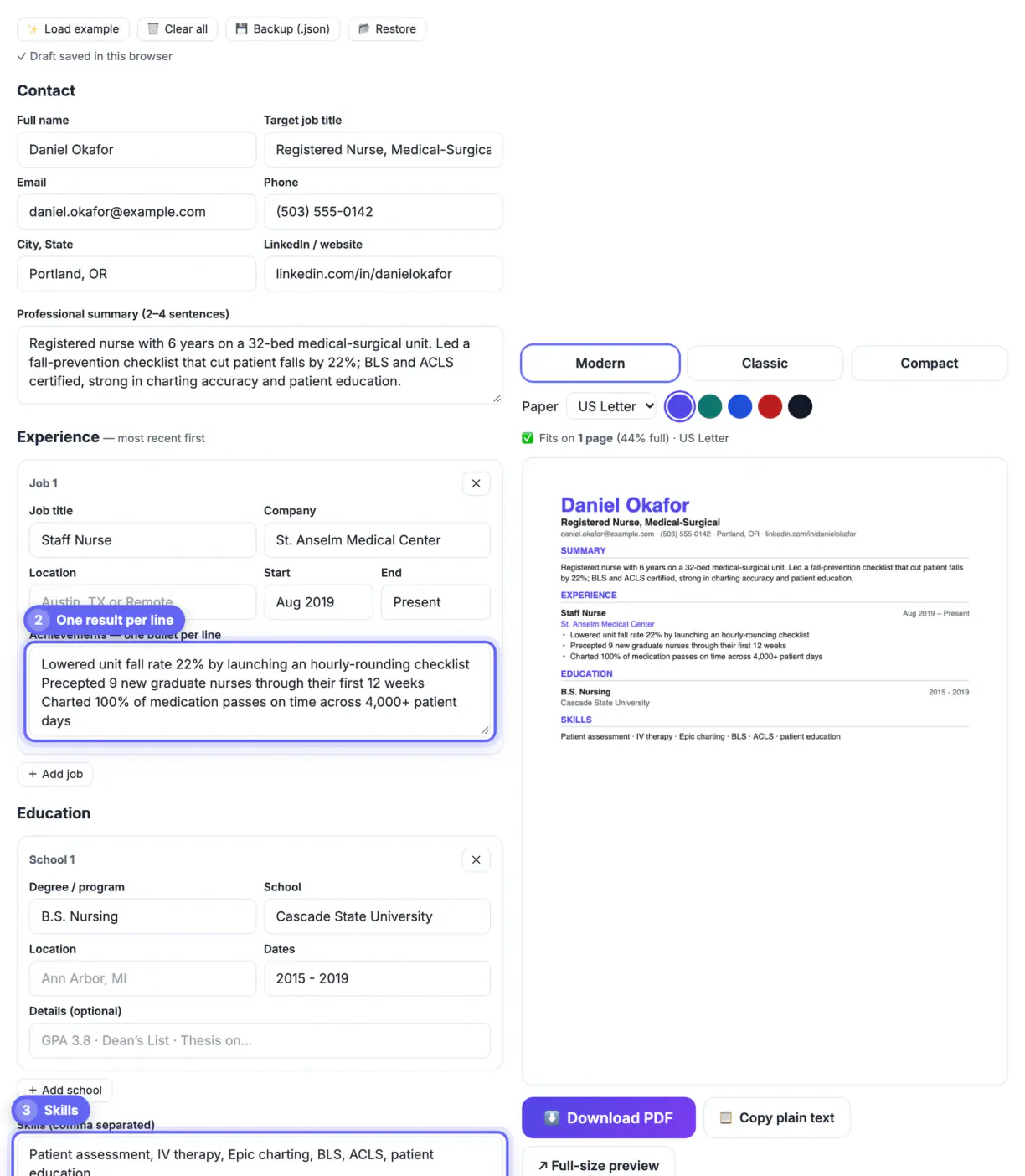
The Resume Builder is a structured form. Contact details go at the top (full name, target job title, email, phone, city and state, and a LinkedIn or website link), followed by the summary box. Each job gets its own card with Job title, Company, Location, Start and End fields and an Achievements box where every line becomes one bullet, for example Senior Designer at Acme Inc, Mar 2021 to Present, with the bullet Led a redesign that lifted sign-ups 18 percent.
- Education cards take degree, school, location, dates and optional details such as GPA.
- Skills are comma separated and print as one row divided by dots.
- Optional sections such as Certifications, Projects or Languages can be added, removed and reordered.
- The live preview shows the page count and how full page one is, and the download is a PDF with selectable text.
- The file is named after you, such as Jordan-Lee-Resume.pdf, so recruiters can find it.
Draft your wording in a notes app or document first, then paste it in; that way you keep a master copy to tailor for each application.
Honest limits of a free resume builder
The builder is deliberately focused, which suits most applications, but know what it does and does not do:
- Three single-column templates: Modern, Classic and Compact, with five accent colors; there are no two-column or graphic designs.
- Paper size: US Letter by default, or A4 for jobs in the UK, Europe or Australia.
- Saving: the draft autosaves in this browser only, so use Backup (.json) to move it to another device.
- Fonts: when your text has letters outside basic Latin, such as Polish ł or Cyrillic, it switches to the open-source Noto font so they print correctly.
- No DOCX export, no photo field and no AI writing inside the tool; Copy plain text covers application forms that want pasted text.
If you need a design-heavy portfolio page, a creative layout or a Word file, a word processor template is the better tool. For a fast, readable document that survives screening software, this is enough.
Once the resume is done, you can shrink the PDF for email if a portal or inbox rejects the file size. A matching LinkedIn summary helps the story stay consistent.
Step-by-step
Common mistakes to avoid
Pro tips
Frequently asked questions
How do I make a resume for free?
Draft your sections in a document, then paste them into a free builder such as GrabCast's Resume Builder and download the PDF. There is no sign-up, watermark or paywall on the download.
Should my resume be one page or two?
One page for most people with under ten years of experience. Two pages are acceptable for senior, technical or academic roles when every line is relevant.
Is a PDF resume ATS-friendly?
A text-based PDF with a single column and standard headings parses well in most systems. Scanned images, tables and text boxes are what cause problems.
Does the builder save my information?
Yes, in this browser only: the draft autosaves locally and is never uploaded. Use Backup (.json) to keep a copy or move it to another device, and keep your master content in a document too.
What paper size does the PDF use?
US Letter by default, with A4 as an option for jobs in the UK, Europe or Australia. You can switch at any time and the layout reflows.
A strong resume is a clear one-column document with a targeted summary, achievement-based bullets with numbers, education and job-specific skills. Draft in a document, mirror the posting's language, then paste it into the free builder to get a clean, text-based PDF that recruiters and screening software can read. Know its limits, single-column templates only and no DOCX or photo, and keep a master copy you tailor for every application.
Related guides
Browse more: all business guides · the Resume Builder tool