Resume Recruiters Finish: Scan-Proof Layout and Bullets
A resume gets read when the first quick skim answers three questions: what job you do, at what level, and what you achieved with numbers. One widely cited eye-tracking study by the job site Ladders put the first pass at about seven seconds, so the top third of the page decides whether anyone continues. This guide shows how to build that top third, how to turn duties into results-first bullets, which layout choices keep applicant tracking systems parsing your details correctly, and how GrabCast's free Resume Builder lays out those sections as a clean, single-column PDF with real, selectable characters. The examples use common US hiring conventions; adjust them for your field and country.
📄 Try the Resume Builder now — freeOpen →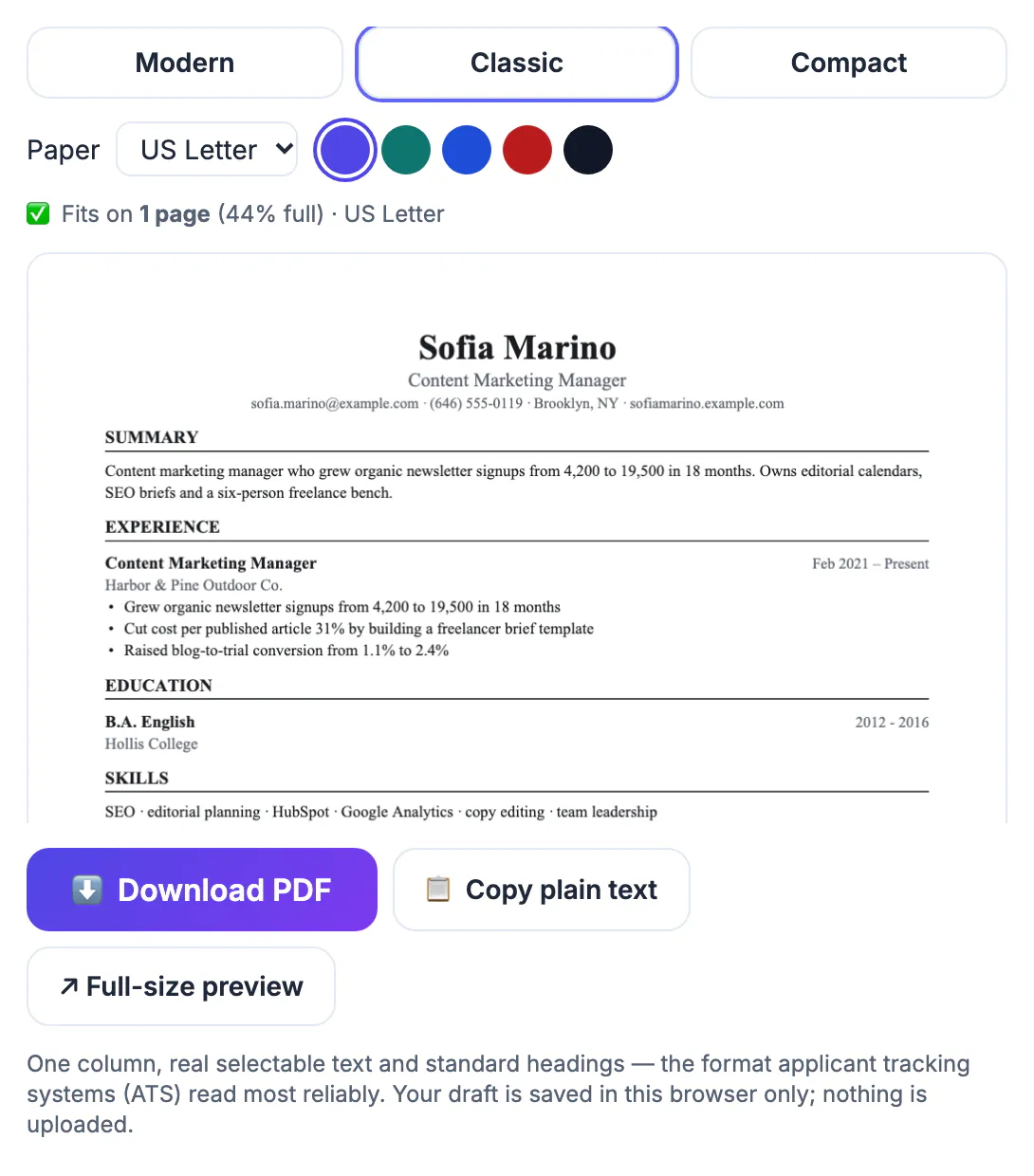
Recruiters and hiring managers often handle dozens or hundreds of applications for a single opening, and many first pass through an applicant tracking system that extracts your name, titles, employers and dates into a database. A resume that buries the job title in a paragraph, lists duties instead of outcomes, or uses a layout the software cannot parse loses on both fronts: the machine misfiles it and the person scanning the summary finds nothing to hold on to. The fix is not decoration. It is order and evidence. A clear title line, a two-sentence summary aimed at the posting, and bullets that start with a result give a reviewer a reason to keep going. Getting this right once pays off across every application you send, because the structure stays the same and only the emphasis changes.
Win the top third of the page
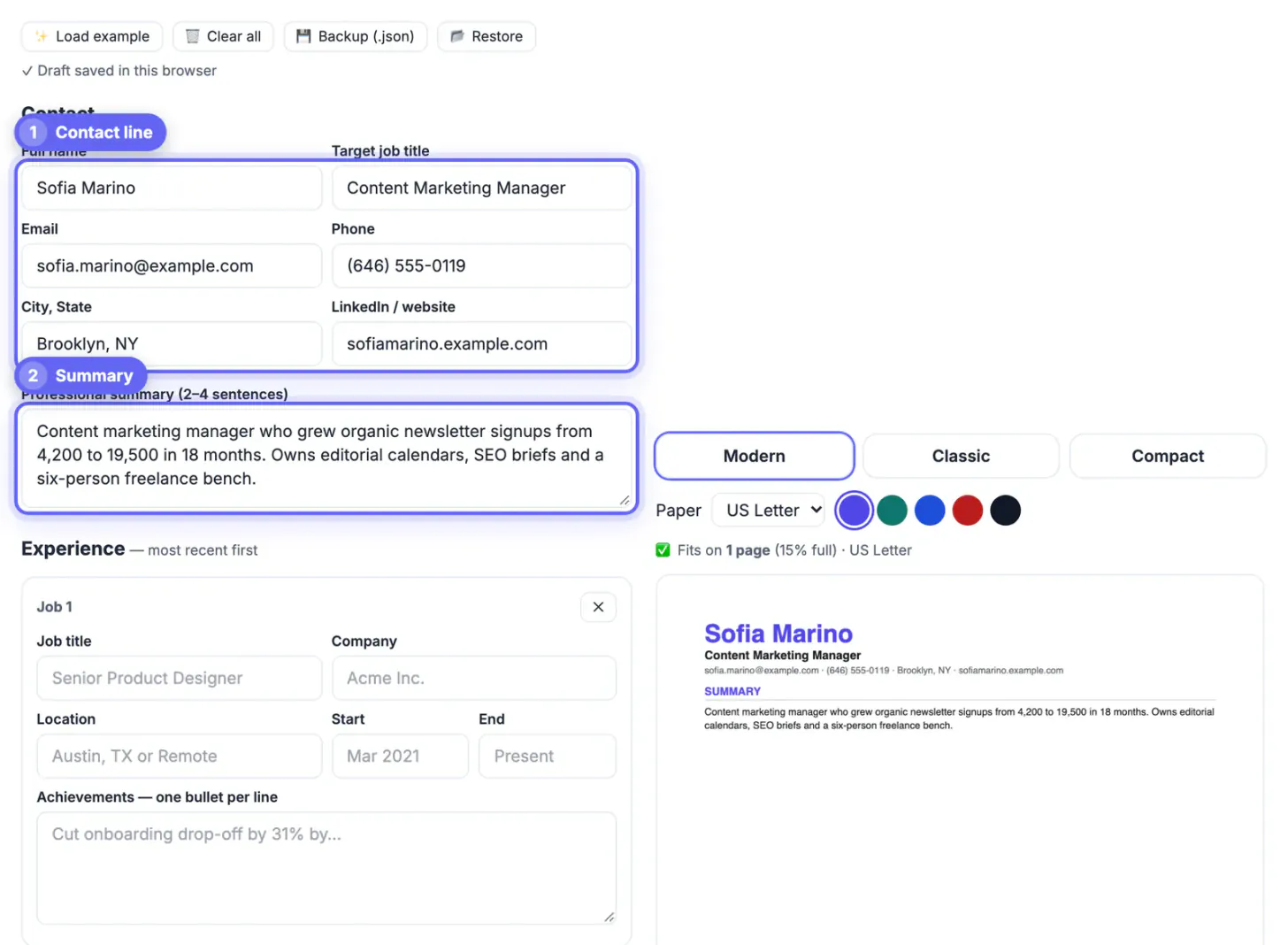
The name, target title and summary sit where the eye lands first. Make each line do work:
- Title line: the role you want, matching the posting, such as Senior Product Designer, not a vague label like Creative Professional
- Contact line: email, phone, city and state, and a LinkedIn or portfolio link; a full street address is no longer expected
- Summary: two or three sentences with years of experience, your specialty and one measurable highlight
- Example summary: Product designer with 7 years in B2B SaaS; led a checkout redesign that lifted conversion 18 percent
Bullets built on results, not duties
A duty says what you were responsible for; a result says what changed because you were there. Lead each line with an action verb, add scope, then the outcome with a number where you honestly have one.
- Weak: Responsible for social media accounts
- Strong: Grew Instagram followers from 4,000 to 21,000 in 12 months with a weekly short-video series
- Weak: Handled customer tickets
- Strong: Resolved 60 support tickets a day at a 94 percent satisfaction score, training three new hires
If you lack hard numbers, use scale instead: budget size, team size, number of clients, or turnaround time. Never invent figures; interviews test them.
Resume layout choices that survive ATS parsing
Tracking software reads text in order. Two-column designs, text inside images, and headers or footers holding contact details are the most common reasons a parser scrambles or skips information.
- Use one column and standard section names: Summary, Experience, Education, Skills
- Keep dates in a consistent format, such as 2021 to Present or 03/2021 to 06/2024
- Save as a PDF with real, selectable characters, not a scanned image
- Mirror exact phrases from the posting where they truthfully apply, such as SQL or project management
What the free resume builder produces
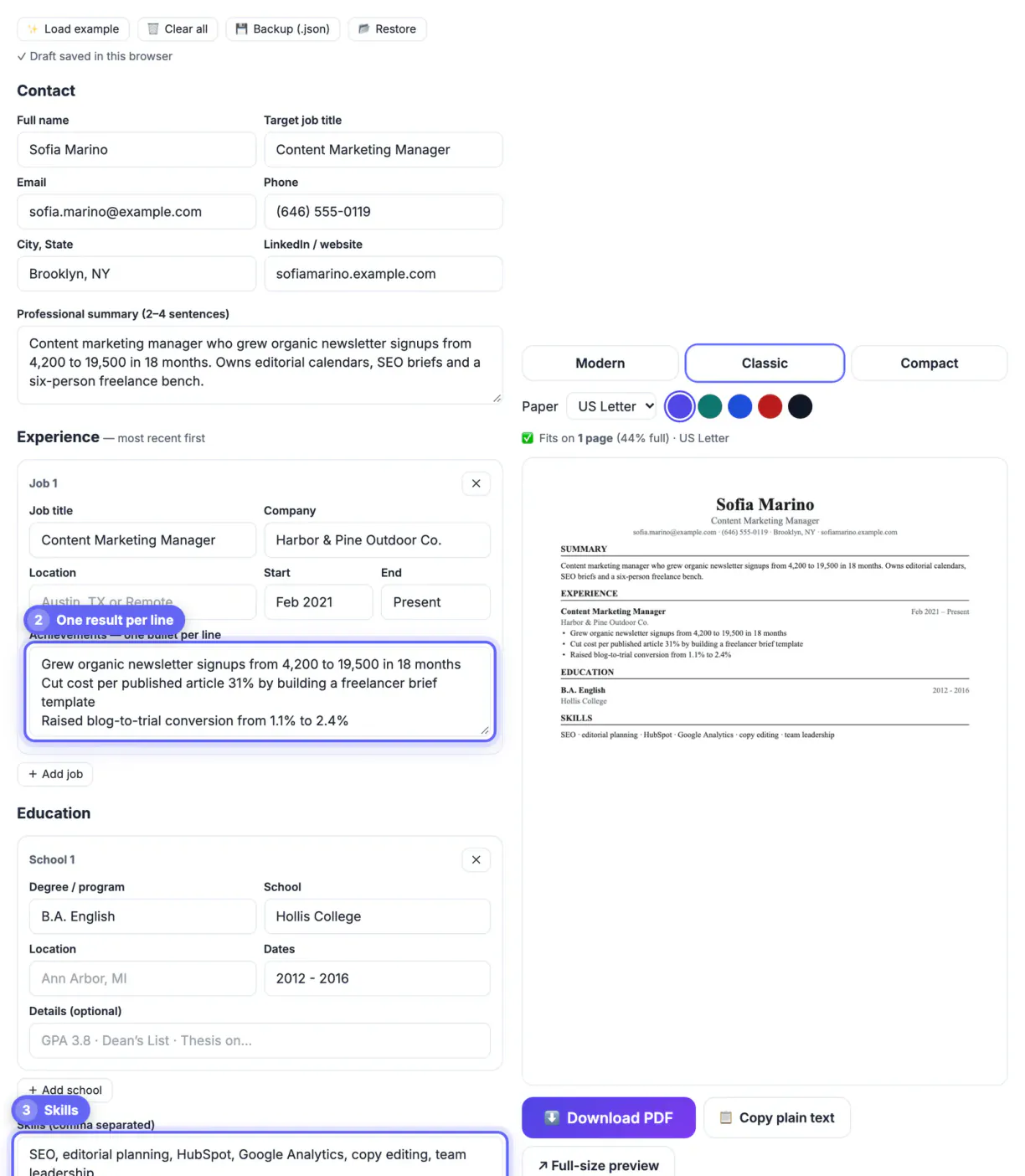
GrabCast's Resume Builder is a structured form, not a design gallery. You fill in your full name, target job title, contact details, a professional summary, one card per job with title, company, location, start and end dates and one achievement per line, education cards and comma-separated skills. A live preview draws a single-column PDF with section headings, a thin divider under each, dates aligned right, and a new page when content runs long.
- Choose Modern, Classic or Compact and US Letter or A4; the status line shows the page count and how full page one is
- Each achievement line becomes its own bullet, so keep two or three tight results per role
- Letters outside basic Latin switch the PDF to the open-source Noto font, so accented and non-Latin names print correctly
- Your draft autosaves in this browser only, so keep a Backup (.json) or a master copy in a document
After the resume, a thank-you email after the interview and a polished LinkedIn summary round out the application.
Step-by-step
Common mistakes to avoid
Pro tips
Frequently asked questions
How long should a resume be
One page suits most people with under about ten years of experience, and two pages are normal for senior, technical or academic roles where the detail is relevant. Length matters less than the first third of page one, which is where reviewers decide whether to keep going.
Is the GrabCast resume ATS friendly
The output uses a single column, standard headings and real selectable characters, which are the layout traits parsing software handles best. No tool can guarantee how every ATS will parse a file, so also match the posting's wording and keep dates consistent.
Can I use the builder for a US Letter resume
Yes. US Letter is the default, and you can switch to A4 for employers in the UK, Europe or Australia; the layout reflows automatically and the preview shows the page count.
Should I include a photo, age or full address
In the US and Canada, most guidance says no photo, no date of birth and no full street address, to reduce bias and privacy risk. City, state, email, phone and a LinkedIn link are enough. Norms differ in some European and Asian countries, so follow local practice.
Does the builder save my resume
It autosaves your draft in this browser only, and nothing is uploaded. Use Backup (.json) to move it to another device, and keep your content in a document too so you can tailor it for the next application.
A resume gets read when the top third names your role and level, the summary states one measurable highlight, and each bullet leads with a result. Keep the layout single column with standard headings, tailor the wording to each posting, and use the builder to turn that content into a clean PDF.
Related guides
Browse more: all business guides · the Resume Builder