Professional Invoice Wording: Lines That Get Paid Fast
A professional invoice is one an accounts payable clerk can approve without emailing you a single question. That comes down to wording: line items that say what was delivered and when, terms stated once in plain English, and a layout that looks like it came from an established business. Most payment delays are not about money; they are about a bill that confuses someone two desks away from the person who hired you. This guide focuses on the words and presentation, with before-and-after rewrites from two very different sellers: Dana, a freelance copywriter billing a software company, and Luis, who runs a small wedding florist. The mechanics are handled by the free GrabCast Invoice Generator, which builds the PDF in your browser with your logo, your brand color and no third-party branding, so the only thing left is what you write.
🧾 Try the Invoice Generator now — freeOpen →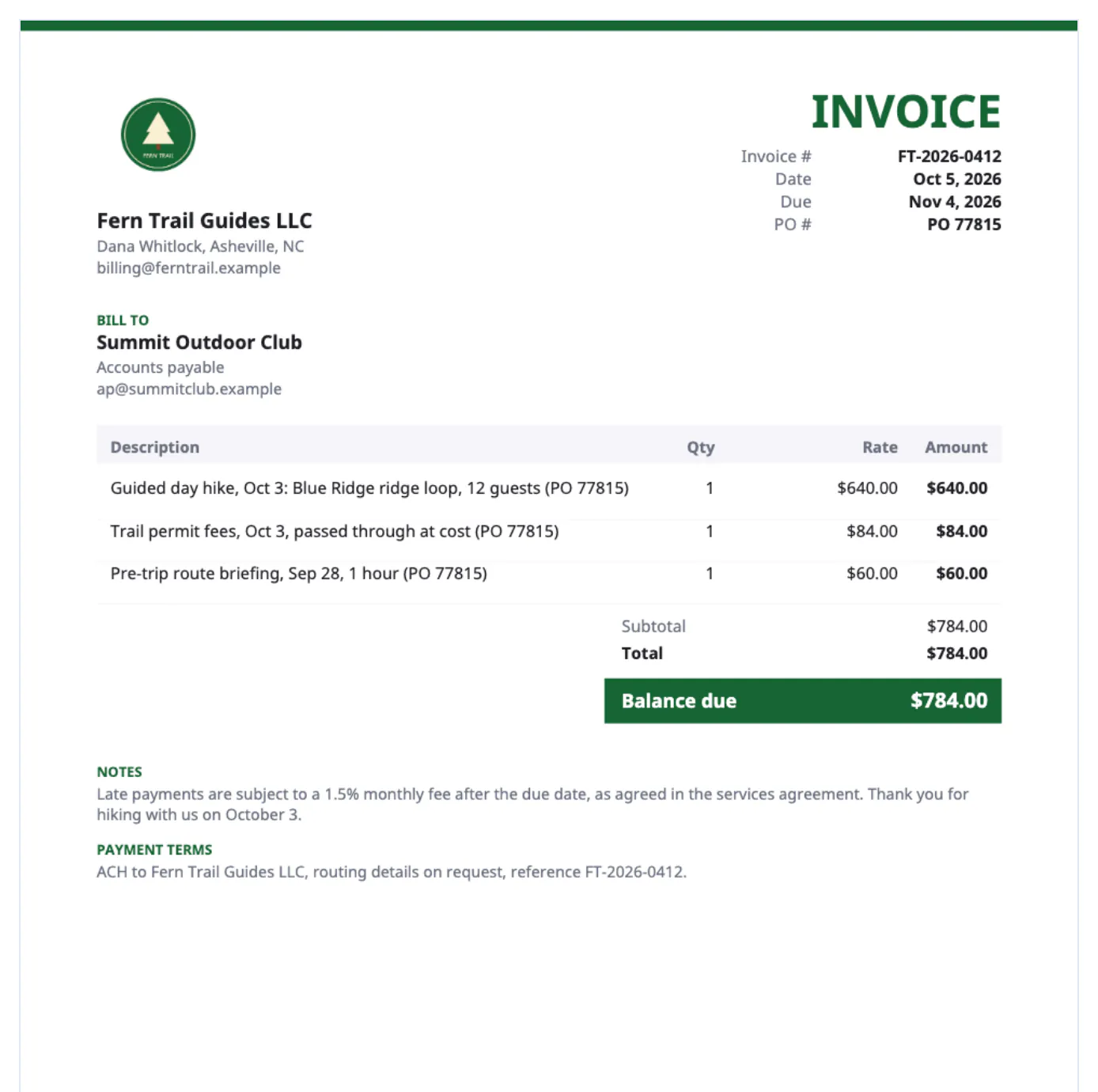
In most mid-size companies the person who hired you never pays you. Your PDF goes to a shared inbox, gets matched to a purchase order, and needs a manager to approve it. Every vague phrase adds a round trip: what does Services mean, which month, whose budget. Each round trip can cost a week. Clear wording also protects you. When a client disputes a charge months later, a line that names the deliverable, the date and the agreement usually settles it in one reply. A polished look matters too, because a bill with a consistent logo, color and structure signals a business that tracks its receivables and will follow up. None of this needs expensive software, just a few minutes of deliberate writing each time.
Line items a stranger can approve
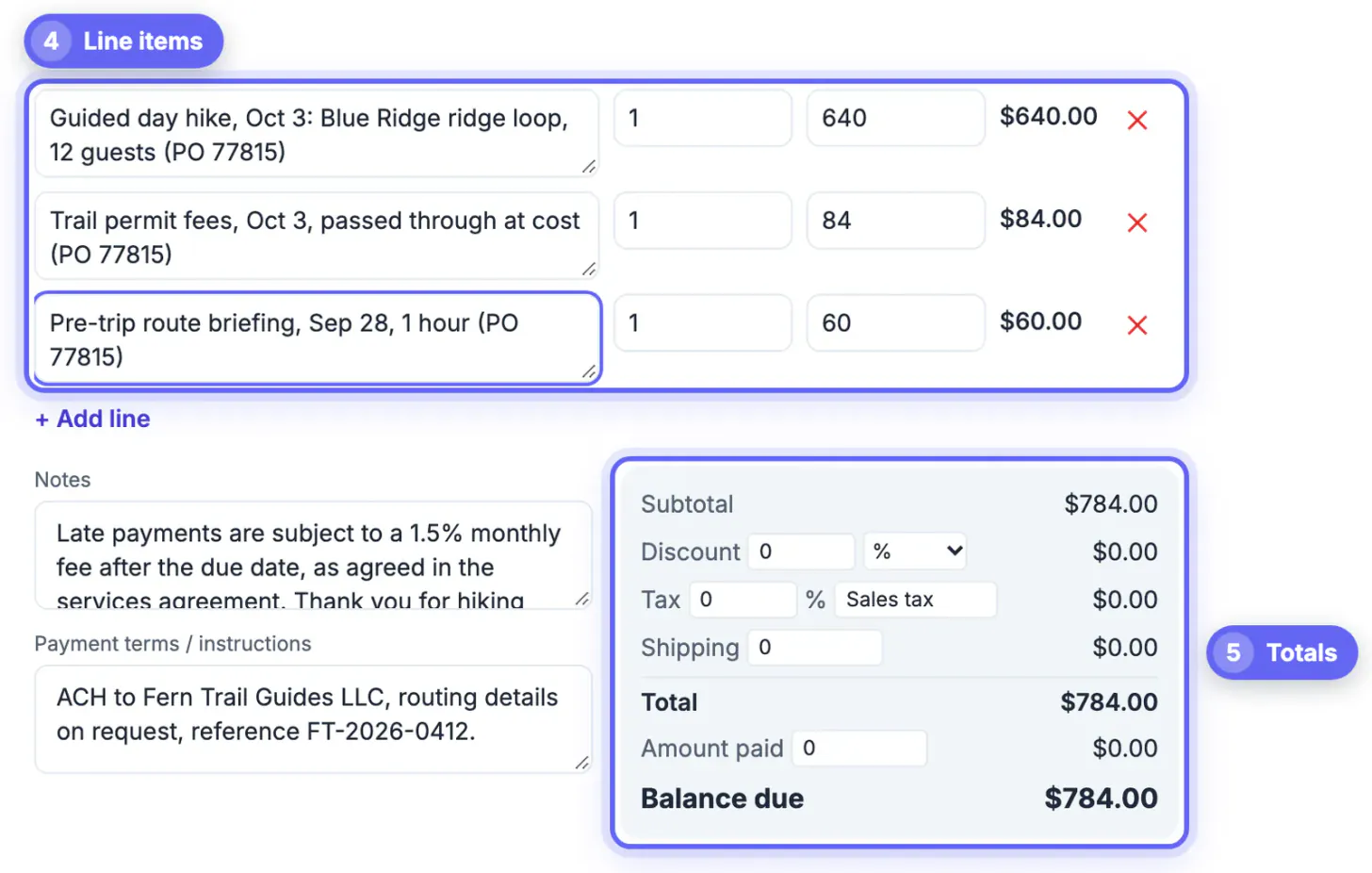
Each description should answer three questions for someone who never met you: what was delivered, for which period or project, and under which agreement. Compare these rewrites.
- Before: Copywriting. After: Product launch email sequence, 5 emails, approved Sept 12, per SOW dated Aug 20.
- Before: Consulting, 6 hrs. After: Messaging workshop prep and facilitation, Sept 4, 6 hours at $120.
- Before: Flowers. After: Bridal bouquet, garden roses and ranunculus, Oct 18 ceremony, delivered 11 a.m.
- Before: Misc. After: Two extra revision rounds requested Sept 15, billed per clause 4 of the agreement.
Keep one deliverable per line. Bundling everything into a single Project fee line looks tidy but invites the question of what exactly is included, and it makes partial approval impossible when a client accepts four items and queries a fifth. Dates belong inside descriptions because they are what reviewers check against calendars and timesheets.
Payment terms written without friction
Terms are where many bills turn stiff or apologetic. Aim for calm, specific and short, stated in the notes and payment instructions boxes rather than in a long email.
- Name the due date as a calendar date. The generator calculates it from Net 7, 15, 30, 45 or 60, and printing Due Oct 31 beats Net 30 on its own.
- Give one or two ways to pay, with every detail needed: bank name and routing for ACH, a Zelle email, or a payee name for checks.
- State any late fee in neutral language, such as Balances unpaid after 30 days incur 1.5% monthly, per our agreement. Only include it if the client agreed in writing, and check your state's rules on late charges.
- End with one human line. Thank you for choosing us for your Oct 18 wedding reads as warmer than a generic Thanks for your business.
Avoid phrases like Please pay ASAP or Kindly remit at your earliest convenience. The first sounds anxious and the second has no deadline. A professional tone is simply precise.
Presentation: making a professional invoice look the part
Clients judge the business by the page before they read a number. Small presentation choices do most of the work.
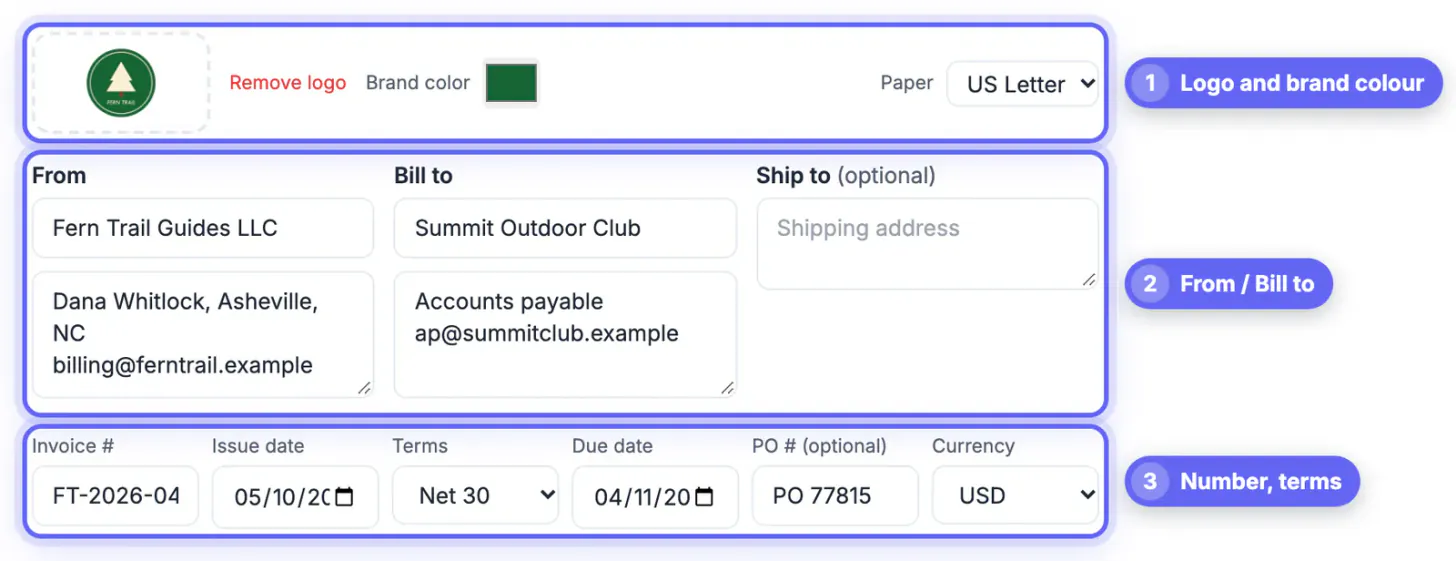
- Upload the same logo you use on your website, and set the brand color to match it; the generator uses it for headings and accents.
- Pick US Letter for American clients and A4 for European ones, so the page prints without odd margins in their office.
- Use a numbering pattern with meaning, such as DANA-2026-014, and never reuse a number, even on a cancelled bill.
- Add the client's PO number in its own field when they issue one; many finance teams reject bills that lack it.
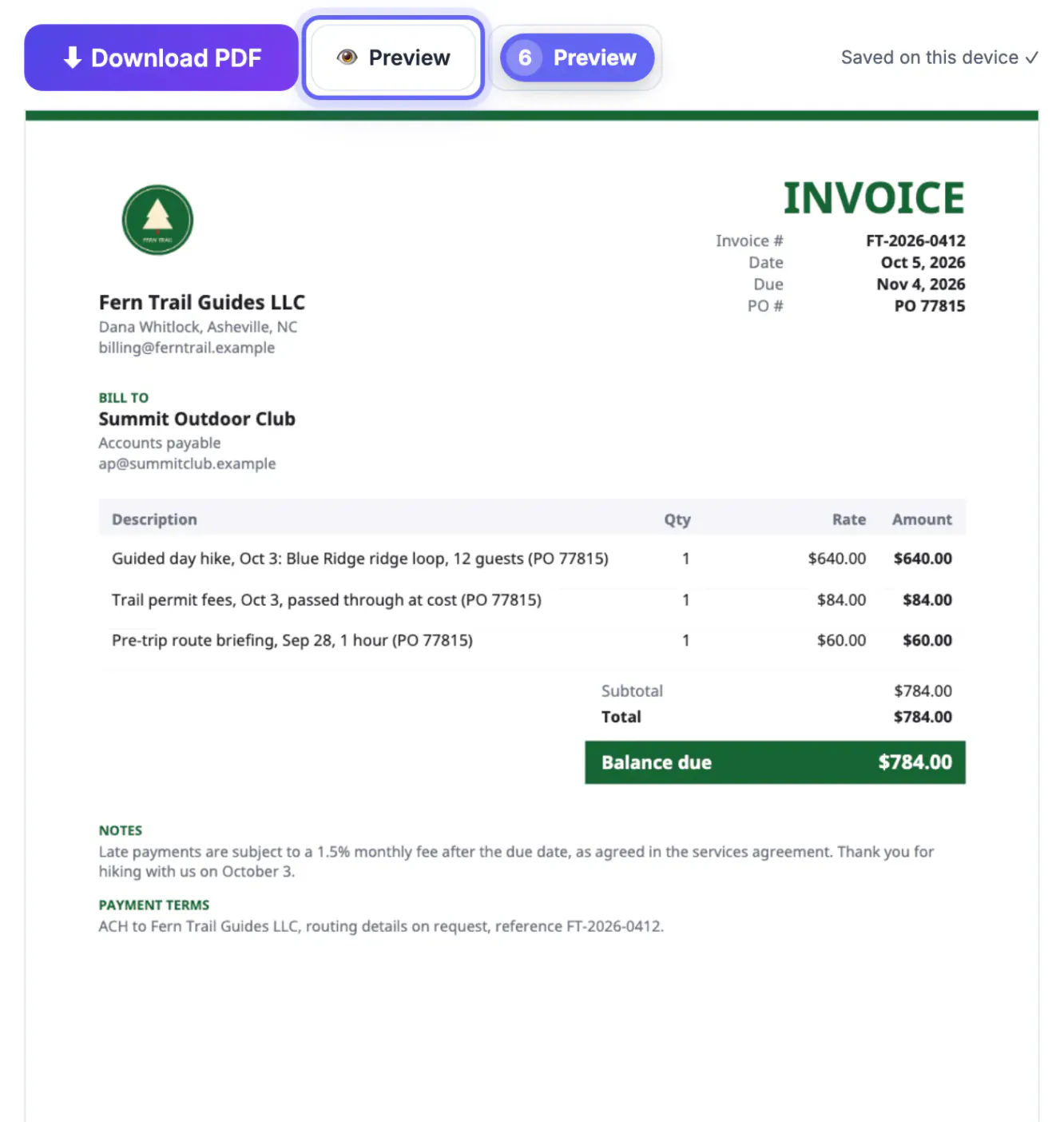
- Check the Preview before downloading; long descriptions wrap, and longer bills flow onto extra pages marked Page 1 of 2.
Accented names such as José print in the standard font, and when text needs letters it cannot draw, such as Nguyễn or a Cyrillic address, the generator embeds a Unicode font automatically. There is no watermark or GrabCast line on the page.
Follow-up emails that stay polite and firm
Wording does not stop at the PDF. The email that carries it, and the reminders after, shape how quickly it moves through the queue.
- Sending: subject DANA-2026-014, launch emails, $3,000, due Oct 31. Body: two sentences naming the attachment and the due date.
- Three days before due: a one-line heads-up that it is coming due, with the PDF attached again so nobody has to search for it.
- One week late: ask whether anything is holding it up, such as a missing PO or a W-9, and offer to resend what is needed.
- Three weeks late: restate the amount, the original due date and the late-fee clause from your agreement, and ask for a payment date.
Keep every reminder in the same email thread. It gives finance a full history in one place and shows you are organized rather than irritated.
You can draft the reminder email with AI, and shrink the invoice PDF for email if it is large.
Step-by-step
Common mistakes to avoid
Pro tips
Frequently asked questions
What makes an invoice look professional?
Consistent branding, a unique number, clear dates, specific line items, stated terms and complete payment details. Fancy design matters far less than being easy to approve.
Should I include a late fee on every invoice?
Only if your contract includes one. Restating an agreed clause is professional; inventing one on the bill is not, and state laws may limit late charges.
How detailed should descriptions be?
Detailed enough that someone who never met you can match each line to an agreement, a date and a deliverable. One or two lines per item is usually right.
Can I add my logo and brand color?
Yes. Upload a PNG, JPEG or WebP logo and pick a color; both appear on the PDF, and nothing about GrabCast is printed on the page.
Is it better to email the PDF or paste the invoice into the email body?
Attach the PDF. Finance teams file and forward attachments, and a PDF keeps the layout fixed. Put only a short summary in the email body.
A professional invoice is precise rather than fancy: one deliverable per line with dates and references, terms stated calmly, complete payment details and a consistent look. Let the free generator handle layout, totals and due dates, spend your minutes on the wording, and follow up in the same thread on a steady schedule.
Related guides
Browse more: all business guides · the Invoice Generator