Invoices for Tutors and Coaches: Sessions and Packages
Tutors and coaches can bill a month of lessons, a prepaid package or a late cancellation in one tidy PDF with the free GrabCast invoice generator: list sessions by date, apply a sibling discount with the percent Discount box, record any prepayment in Amount paid, and put your cancellation policy under the totals. There is no account, no watermark, and the student names you type stay in your browser. This guide is for private math and reading tutors, test-prep instructors, music teachers, sports trainers and career or executive coaches, whose billing is small, recurring and personal. It walks through a monthly statement for a family with two children, how to sell and track packages, how to state a cancellation rule that feels fair, and when employers or schools need extra details before they reimburse a coaching bill.
🧾 Try Invoice Generator now — freeOpen →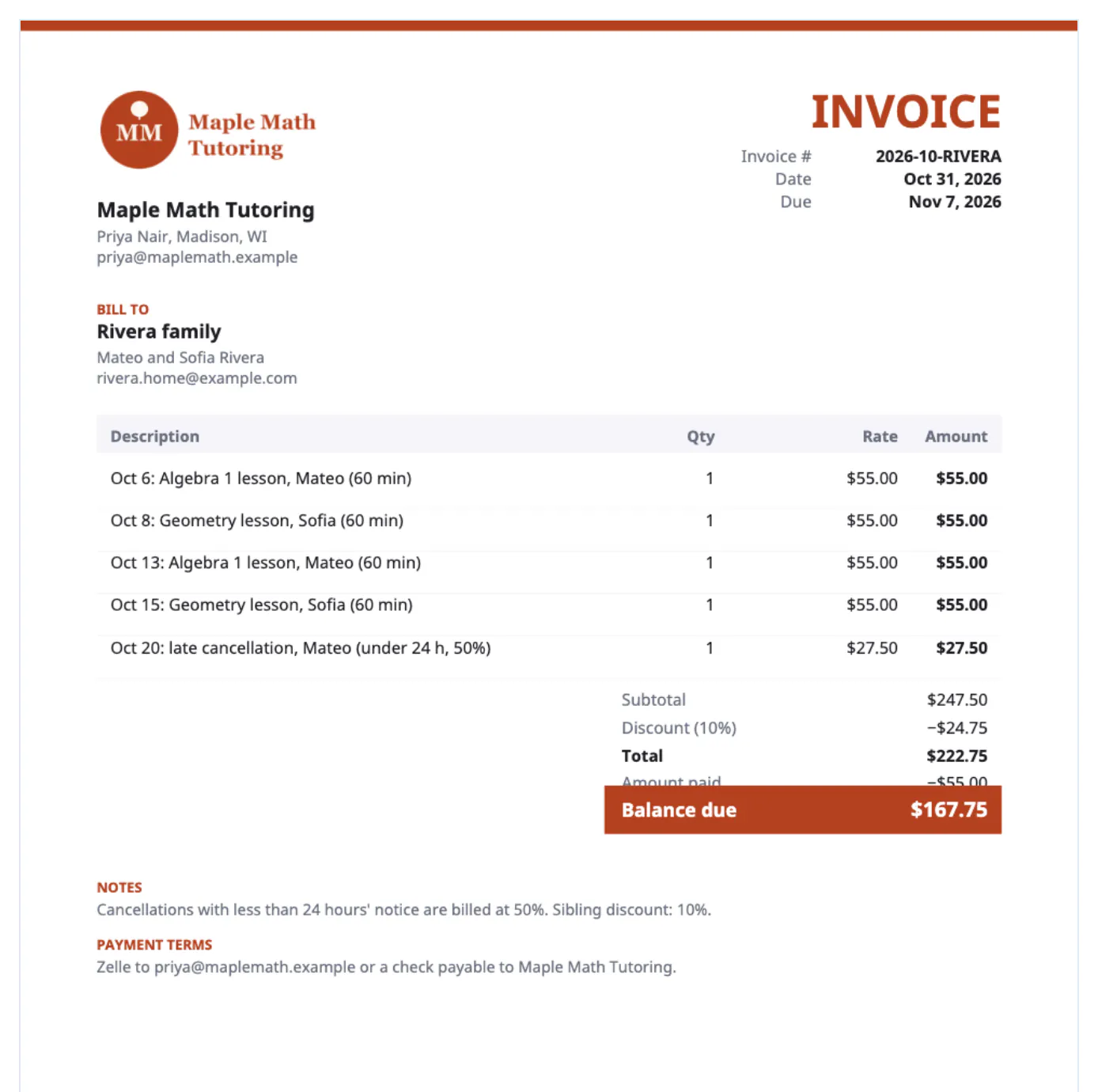
Private lessons run on trust and small recurring payments, so billing is easy to let slide until a parent asks which sessions they already paid for. A monthly statement listing each date answers that before it becomes awkward, and it makes a missed-lesson conversation factual instead of emotional. Families juggling several activities appreciate one predictable document on the same day each month. Coaches with corporate clients have an extra reason: employers and professional-development budgets usually reimburse only against an itemized invoice with dates and a purchase order. And because tutoring and coaching income is taxable, a folder of numbered PDFs doubles as your income record for the year.
Monthly statements from a tutor's invoice generator
Most tutors bill in arrears at the end of the month. Two layouts work, and the right one depends on how the family checks bills.
- One line per lesson: Algebra 2, Maya, Tue Sept 2, 60 min, 1 at $60. Parents can tick each line against their calendar.
- Grouped: SAT math prep, Leo, Sept 3, 10, 17 and 24, quantity 4 at $75. Shorter, and still dated.
- Two children, one bill: start each description with the child's name so one total covers the household.
- Online and in-person rates differ? Say so in the description, such as Chemistry, online, so the price difference explains itself.
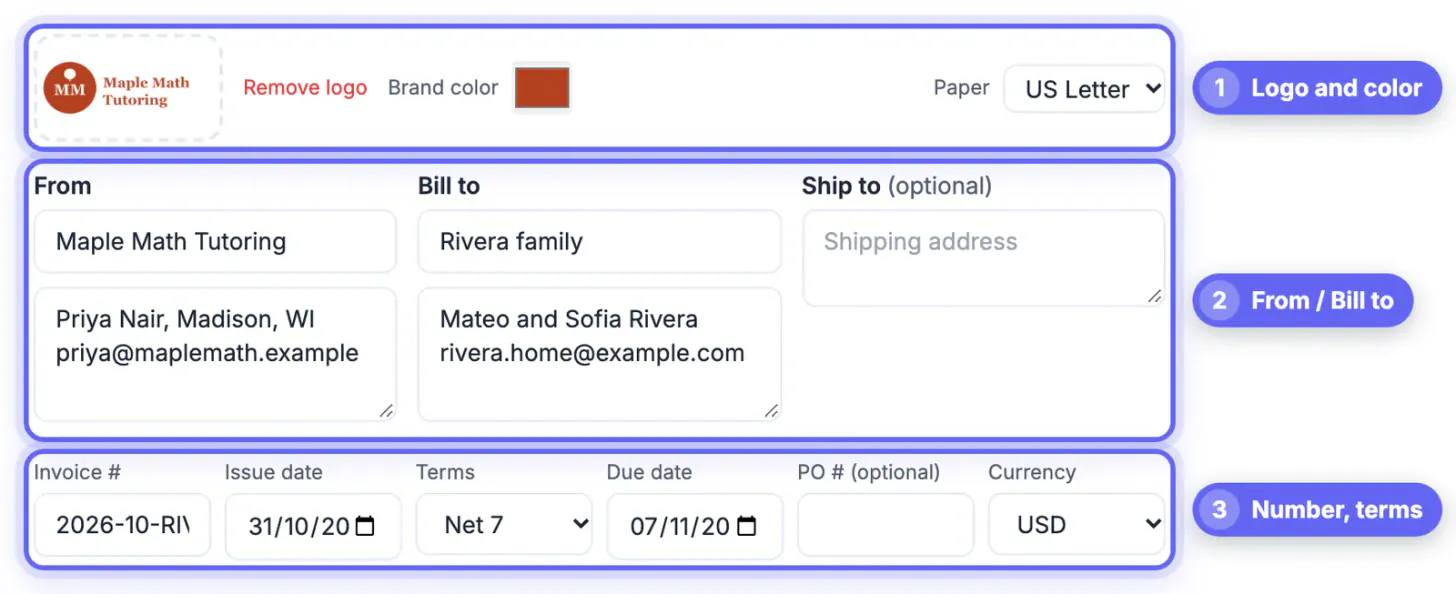
Use a number that encodes the month and family, such as 2026-09-PATEL, and choose Net 7, Net 15 or a custom due date. Your details and logo carry over when you click New invoice, so the next family's bill starts half filled. The draft saves automatically on the laptop you use.
Packages, prepayments and sibling discounts
Selling a block of sessions up front improves attendance and smooths income across school breaks. The generator now handles the math directly.
- Package: 10-session coaching package, valid six months from Oct 1, quantity 1 at $900.
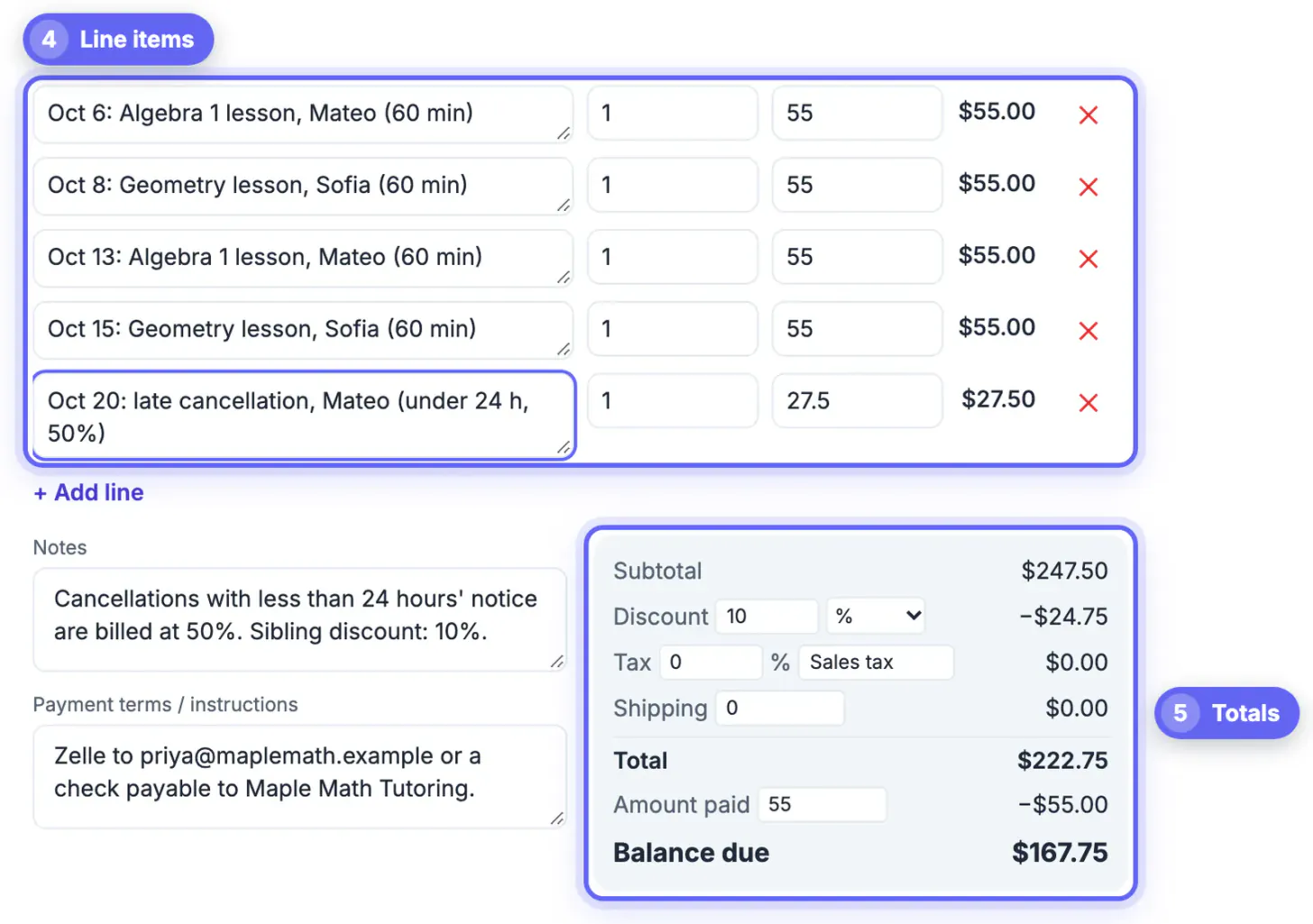
- Sibling discount: with Maya at $300 and Leo at $300, set the Discount box to 10 percent and the $60 reduction appears as its own line.
- Deposit on a package: if a family paid $450 up front, enter it in Amount paid and the PDF shows a balance due of $450.
- Package balance: add a note such as 4 of 10 sessions remain after this month, and send the renewal bill when two remain.
The discount applies to the whole bill, not a single line. If only one child's lessons are discounted, describe that line with the reduced rate instead, for example Leo, sibling rate, 4 at $67.50.
Cancellation policies coaches can enforce kindly
Late cancellations cause more tension than any other billing question for tutors and coaches. Put the policy in the signed agreement and repeat it in the notes of every bill.
- State the window: lessons cancelled with less than 24 hours' notice are billed at the full rate.
- Bill it as a dated line: Late cancellation, Thu Sept 18, 1 at $60, so there is no surprise in the total.
- Name the exceptions, such as illness with a same-day message or school emergencies, which makes the rule feel fair.
- Apply it consistently; charging one family and waiving it for another is how disputes start.
Group coaches should bill each family only for their own child, for example Saturday skills clinic, 4 sessions, Liam, so no one sees another household's details. A piano teacher billing a 12-week term or a youth soccer trainer running clinics can use the same dated-block format.
Reimbursement, taxes and the tool's limits
Coaching paid by an employer or a scholarship fund needs a little more detail than a parent's bill.
- Ask for the purchase order number before the first session and enter it in the PO field.
- Expect a W-9 request from US companies paying you as a contractor; it is routine and the form is free from the IRS.
- Most states do not tax tutoring or coaching, but rules vary, so leave the tax rate at 0 unless your state says otherwise. Canadian coaches can relabel the tax line GST or HST if they are registered.
- Names such as Nguyễn or Łukasz print correctly, since a Unicode font is embedded when needed.
Limits to know: the tool does not send monthly bills automatically, keep a list of families or accept card payments. It saves only the current draft on this device, so your downloaded PDFs and an attendance log are the real record. For a tutor with a dozen students, that is a few minutes a month and no subscription.
Payment reminders are easier with a draft, so see how to write a professional email with AI, and shrink the PDF for email if the attachment is large.
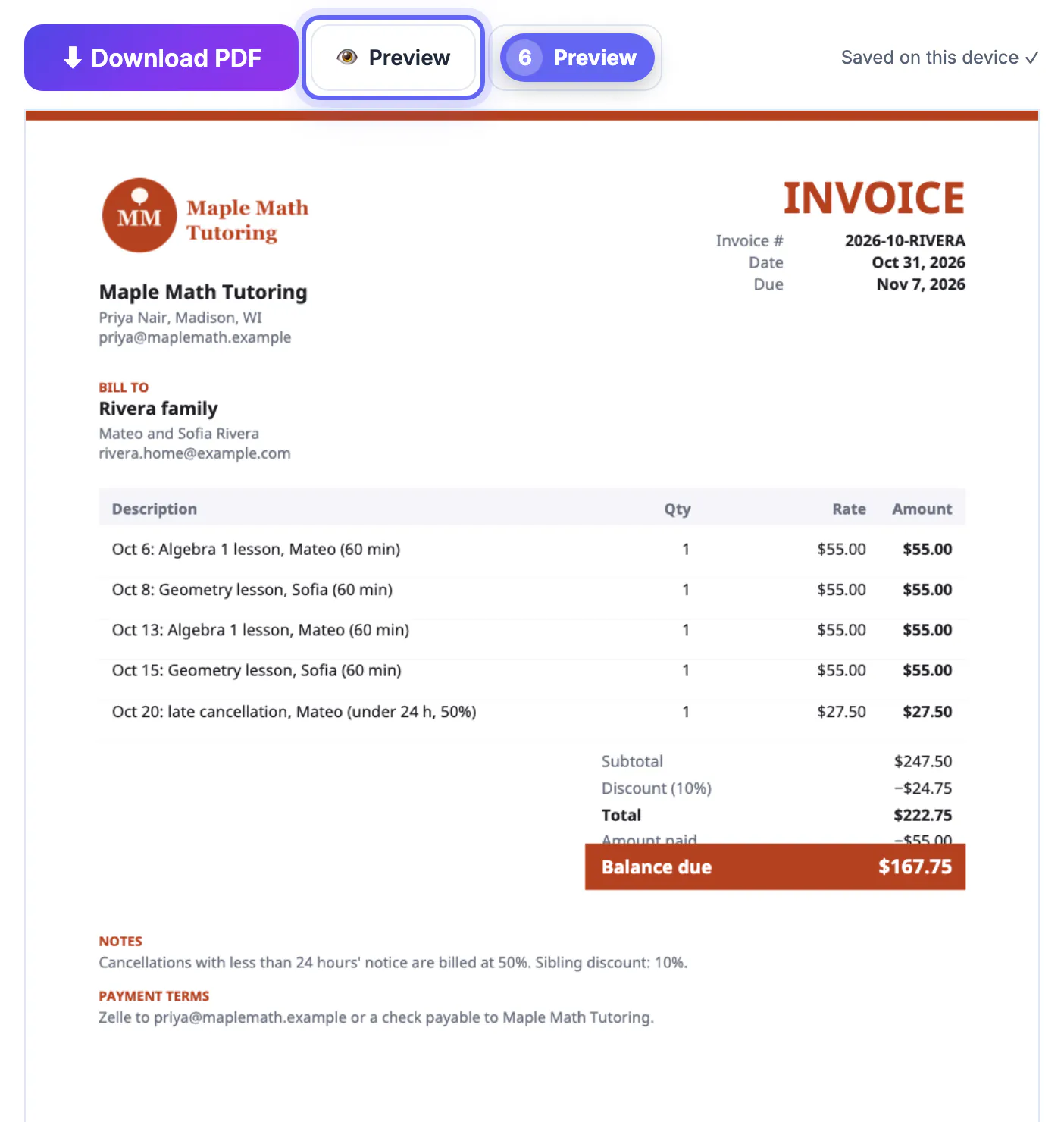
Step-by-step
Common mistakes to avoid
Pro tips
Frequently asked questions
Can I bill two children from one family on one invoice?
Yes. Start each line with the child's name; the bill totals everything together and the family pays once.
How do I add a sibling discount?
Set the Discount box to a percentage or a fixed amount. It appears as its own line and reduces the total before any tax.
How do I show a package the family prepaid?
Enter the amount they already sent in Amount paid. The PDF shows the total, the payment and the balance due.
Do tutors charge sales tax?
Usually not, since most states do not tax tutoring or coaching, but rules differ. Leave the tax rate at zero unless your state requires it.
Is student information saved online?
No. The invoice is built in your browser and the draft stays on your device. Keep each downloaded PDF as your record.
Bill every lesson, package and late cancellation with dates and names, repeat your policy on each bill, and send it on the same day every month. The free generator now handles sibling discounts, prepayments and your logo directly, so a tutor or coach can finish a family's statement in about five minutes.
Related guides
Browse more: all business guides · Invoice Generator