Facebook and Instagram Ads for Small Business: Basics
Facebook and Instagram ads for small business all run through one system, Meta's Ads Manager, and a first campaign needs only a handful of decisions: the goal, the budget, who should see it, the creative, and how you will know whether it worked. Most small businesses waste money on the last point, not the others, because they cannot tell which sales came from the ad. This guide explains the basics in plain English, from the difference between boosting a post and building a campaign, through objectives, budgets and audiences, to ad sizes and tracking links you tag with GrabCast's free UTM Builder. The running example is a fictional garden center, Maple Row Garden, promoting a fall bulb sale to people within a short drive.
🔗 Try the UTM Builder now — freeOpen →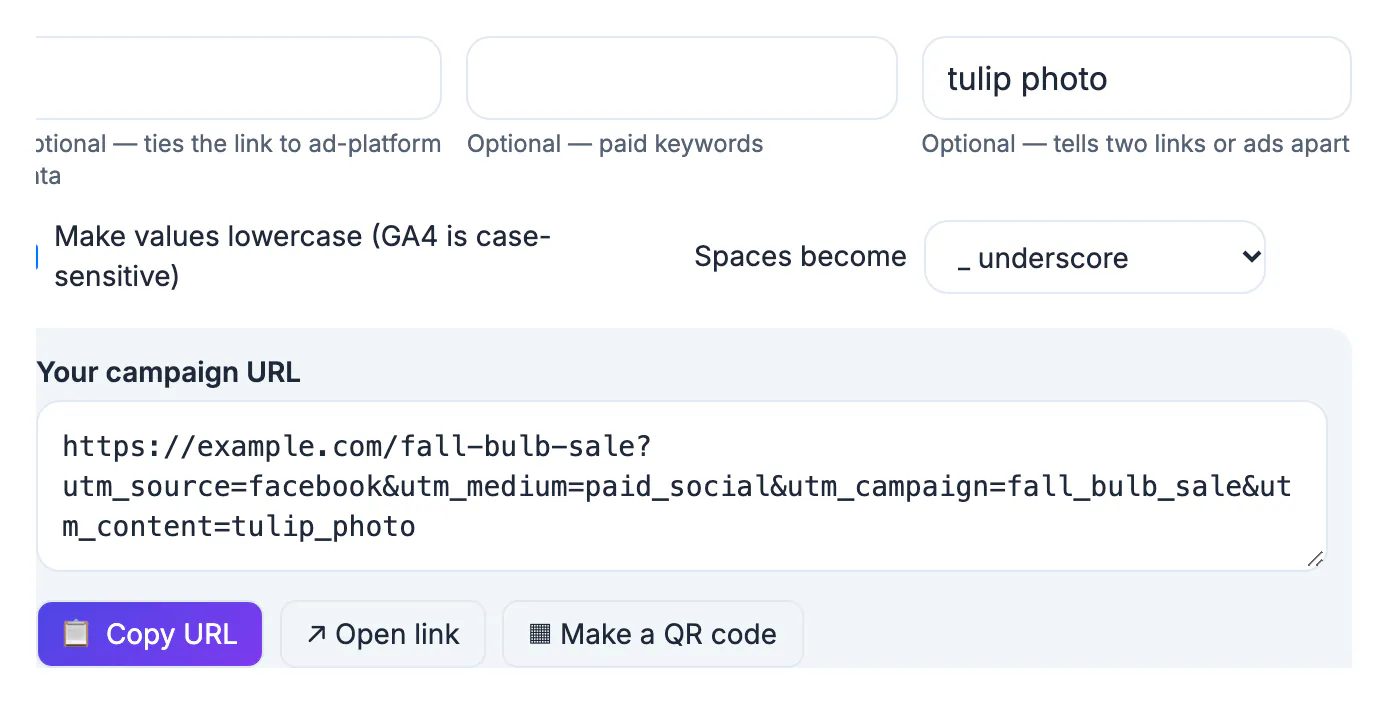
Meta's delivery system does a lot of the optimizing for you, so the biggest wins for a small budget come from the choices you make before launch, not from settings buried in menus. A campaign with the wrong objective will be optimized hard toward the wrong result: an Engagement campaign finds people who like posts, not people who buy bulbs. A budget spread across too many ad sets never gathers enough data to learn. An audience drawn too narrow costs more per person reached. And a campaign without tracking cannot be judged at all, which is how small businesses end up with a vague feeling that ads do not work. Getting these five basics right is also cheap: they cost time, not money, and they carry over to every campaign after the first.
Boost a post or build a campaign in Ads Manager
Boosting a post from your Page or Instagram professional account is the quickest way to spend money: pick an audience, a budget and a duration, and an existing post gets extra reach. Ads Manager is the full tool: it separates the goal, the audience and the creative and lets you test versions.
- Boost when a post is already doing well organically and you want more people to see it, such as an event announcement.
- Use Ads Manager when you want a specific result such as website visits, messages, leads or purchases, or want to test two images against each other.
- Either way, the ad is reviewed by Meta before it runs, and the payment method on your ad account is what Meta charges.
A campaign in Ads Manager has three levels: the campaign holds the objective; the ad set holds the audience, budget, schedule and placements; the ad holds the image or video, text, link and call to action.
Choose the objective and budget for Facebook ads for small business
Meta groups objectives into six at the time of writing: Awareness, Traffic, Engagement, Leads, App promotion and Sales. Choose the one that matches the action you want, because delivery is optimized for it.
- Awareness: reach many people nearby, for example a new store opening.
- Traffic: send people to a web page; pair it with UTM tags so you see what they did next.
- Engagement: messages, video views or post engagement; good for conversations, weak for sales.
- Leads: a form inside Facebook or Instagram, or on your site, such as a free design consultation.
- Sales: purchases on your website, which needs the Meta Pixel or Conversions API set up.
For budget, choose a daily or lifetime amount you are comfortable losing while you learn, and run it for at least a week. Meta notes that on a given day it may spend up to 75 percent more than a daily budget, while keeping each week within seven times the daily amount. It also describes a learning phase that most ad sets leave after about 50 optimization events in a week, which is a reason to use one or two ad sets rather than ten small ones. Maple Row chose Traffic, one ad set, and a seven-day budget.
Audiences, placements and creative that fit
Small businesses usually win with location first: people within a realistic driving or delivery radius, with a broad age range, and let Meta find the likely buyers inside that area.
- Location: a radius around your store or the areas you deliver to.
- Detailed interests: optional; broad audiences often perform as well as narrow ones on small budgets.
- Custom audiences: people who visited your site or engaged with your Page, if you have enough of them.
- Special ad categories: ads about credit or financial products, employment, housing, and social issues or politics have extra rules and limited targeting; declare them when they apply.
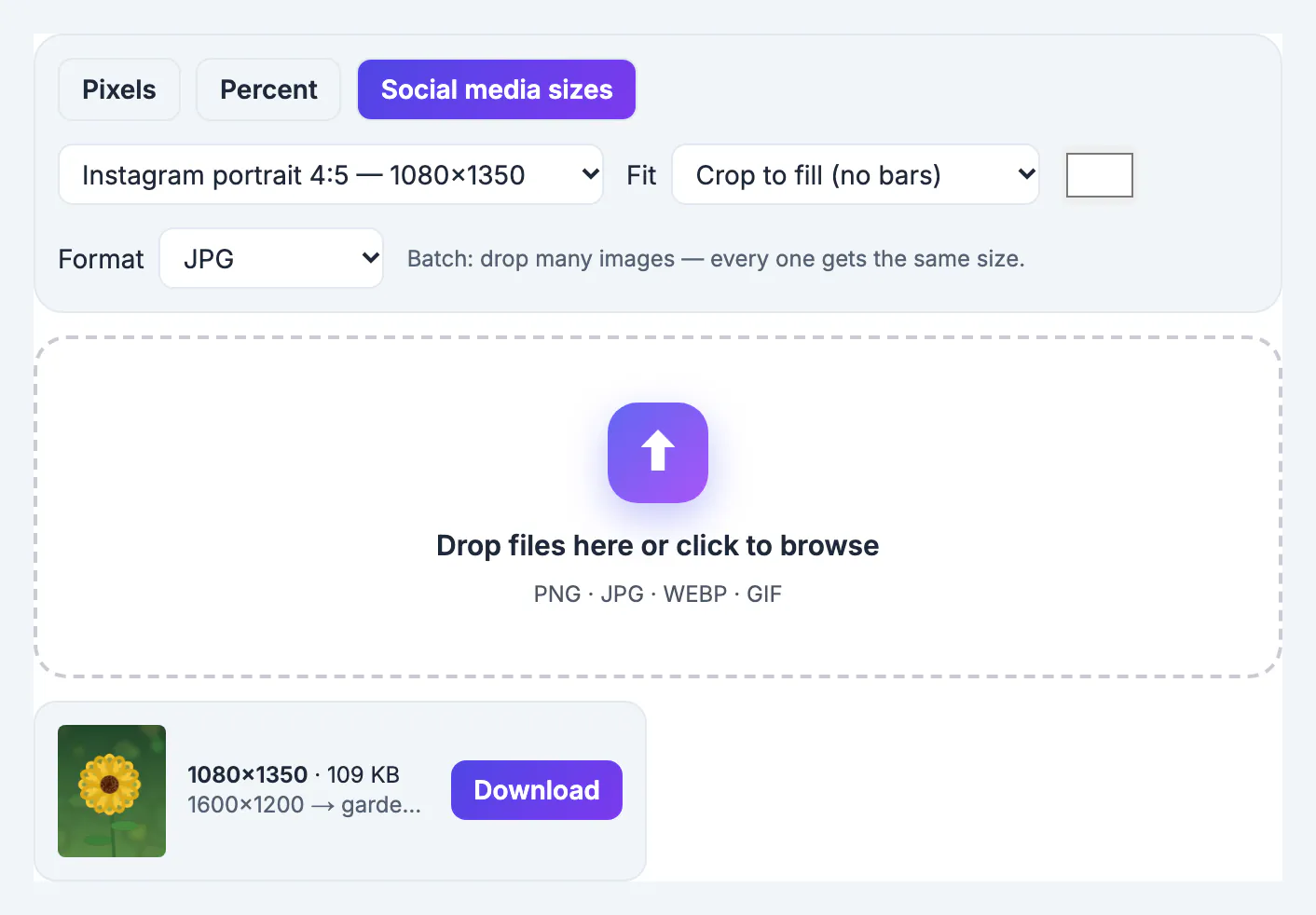
Placements decide the shapes you need. Feed placements work best with 1:1 (1080 by 1080) or 4:5 (1080 by 1350) images, and Stories and Reels with 9:16 (1080 by 1920). Resize Image has presets for these, and the image sizes cheat sheet lists the rest. Keep text on the image short and put the offer in the first line of the ad text.
Track results with UTM links you can trust
Meta reports clicks and its own conversions, but your website analytics tell you what those visitors did. Tag every ad link with UTM parameters so Google Analytics can separate paid social from everything else.
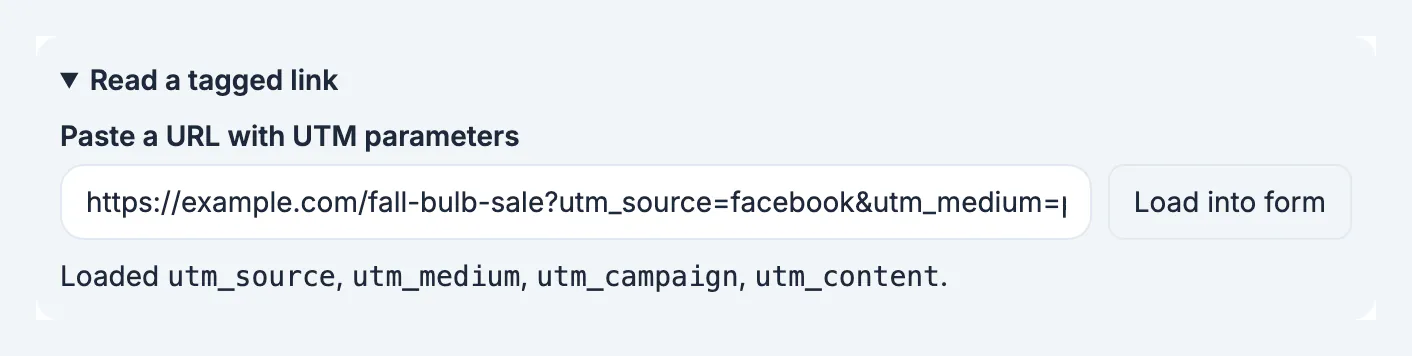
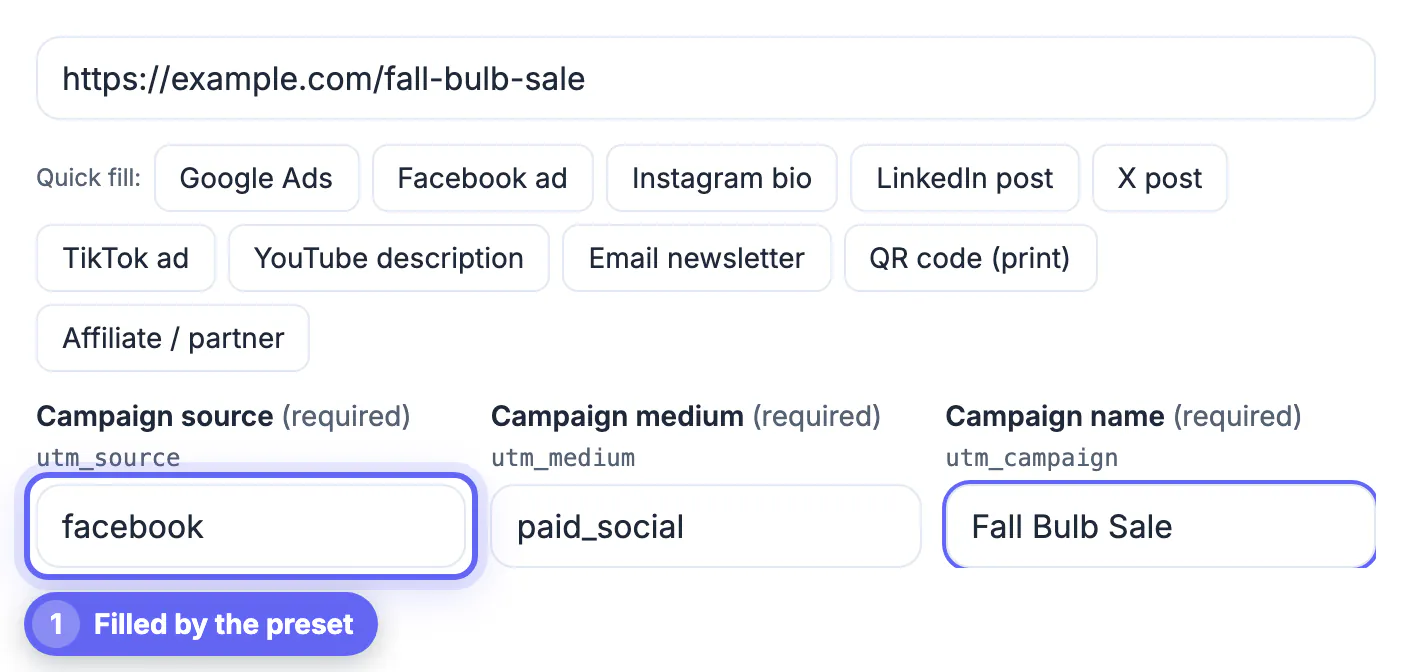
- Open the UTM Builder, paste the landing page URL and click the Facebook ad quick-fill.
- Name the campaign in lowercase with underscores, such as fall_bulb_sale, and keep the same name in Meta.
- Use utm_content to tell ad versions apart, such as tulip_photo and daffodil_video.
- Paste the tagged link into the ad's website URL field. Meta's URL parameters field also accepts dynamic values such as the campaign and ad names, if you prefer them filled in automatically.
After the campaign, compare Meta's cost per click with the visits, sign-ups or sales GA4 attributes to paid social. If you also post organically, the Social Media Analytics Dashboard shows whether the ads lifted your regular posts. The text and developer guides cover UTM naming in more detail.
Step-by-step
Common mistakes to avoid
Pro tips
Frequently asked questions
How much should a small business spend on Facebook ads?
Start with an amount you can afford to learn with, run it for at least a week, and judge it by cost per result from your own tracking. There is no universal right number.
Is boosting a post the same as running an ad?
A boost is a simplified ad built from an existing post. Ads Manager offers more objectives, audience controls and testing, and both are billed by Meta.
Do Facebook ads also run on Instagram?
Yes. Ads Manager can place the same ad on Facebook, Instagram, Messenger and Meta's partner network, depending on the placements you choose.
What image size should I use for Meta ads?
1080 by 1080 or 1080 by 1350 for feeds and 1080 by 1920 for Stories and Reels. Provide both shapes so each placement looks right.
Does GrabCast run ads for me?
No. This guide uses Meta's own Ads Manager. GrabCast's free tools help with the parts around it: UTM links, image sizes and reading your social analytics.
A first Meta campaign needs five sound decisions: one objective that matches the result you want, a budget you can learn with, a realistic local audience, creative in the right shapes, and tracking you trust. Build it in Ads Manager, tag every link with consistent UTM names, review after a week, and let the numbers, not a hunch, decide the next campaign.
Related guides
Browse more: all business guides · the UTM Builder