UTM Parameters for Social Media Links: A Naming Guide
UTM parameters are short tags added to a link, such as utm_source=instagram&utm_medium=social&utm_campaign=spring_menu, that tell Google Analytics where a visit came from. Without them, many visits from apps show up as direct or as a vague referral, and you cannot tell whether your Instagram bio, a LinkedIn post or a TikTok profile brought the customer. This guide explains which UTM parameters to use for social media links, a naming system that keeps reports clean, examples for each network, and how to tag a whole batch of links at once with GrabCast's free UTM Builder. The example is a fictional cafe, Corner Table, tagging the links for its new autumn menu.
🔗 Try the UTM Builder now — freeOpen →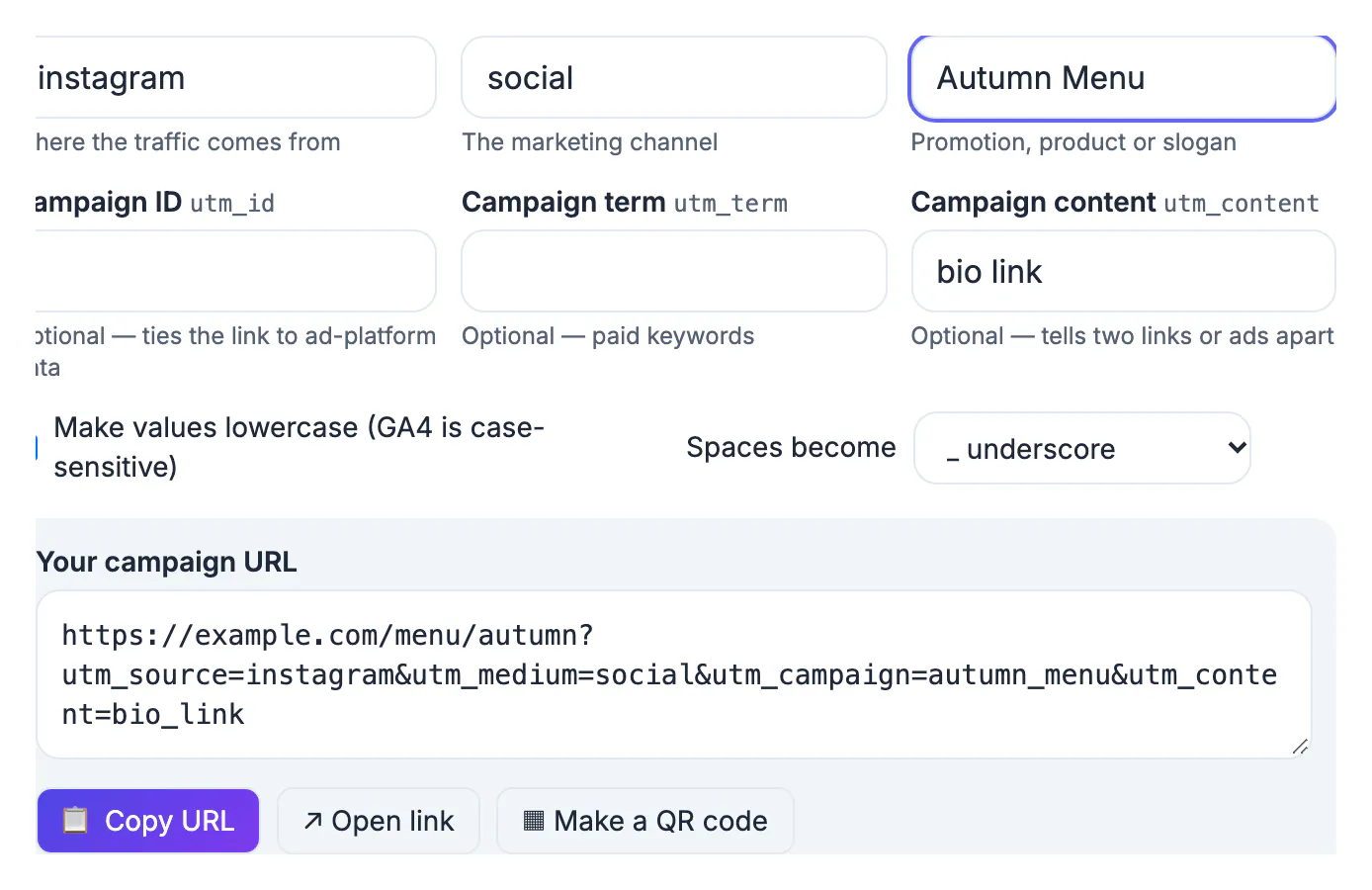
Social apps often open links in their own in-app browsers, and those do not always pass on where the visitor came from. The result in Google Analytics is a large pile of direct traffic and scattered referrals from domains such as l.instagram.com or lm.facebook.com, which are hard to group and impossible to split by post. UTM tags fix that because they travel inside the link itself. They also let you separate things the referrer never could: organic posts from paid ads, your bio link from a Story link, and one campaign from another. The only cost is discipline. Tags written inconsistently, Instagram in one link and instagram in another, split your reports into fragments, so a simple naming rule matters as much as the tags themselves.
The UTM parameters for social media, and what to put in each
Three parameters are required for clean reporting; the rest are optional.
- utm_source: the platform, in lowercase: instagram, facebook, tiktok, youtube, linkedin, threads, bluesky, x.
- utm_medium: the type of traffic. Use social for organic posts and profile links, and paid_social for ads, values GA4's default channel groups recognize.
- utm_campaign: what you are promoting, such as autumn_menu or holiday_hours.
- utm_content: which link or version, such as bio_link, story_link or post_0914. Use it to tell two links in one campaign apart.
- utm_term and utm_id: mostly for paid search keywords and imported cost data; social links rarely need them.
GA4 treats values as case-sensitive, so Instagram and instagram become two sources. The UTM Builder lowercases values by default and turns spaces into underscores, hyphens or %20 as you choose.
A naming system that keeps reports clean
Write the rules down once and share them with anyone who posts for you.
- Lowercase everything and use underscores between words.
- Source is always the platform name, never the account name or a person.
- Medium is social or paid_social for social links; if you give YouTube its own medium, video, use it every time.
- Campaign names match the promotion, and the same name is used on every platform.
- Content names say where the link sits: bio_link, story_link, first_comment, pinned_post.
With that system, Corner Table's autumn menu produced links like instagram / social / autumn_menu / bio_link and linkedin / social / autumn_menu / post_0915, which group neatly in GA4's Traffic acquisition report by source, medium and campaign.
Examples for each network
Instagram and TikTok bios
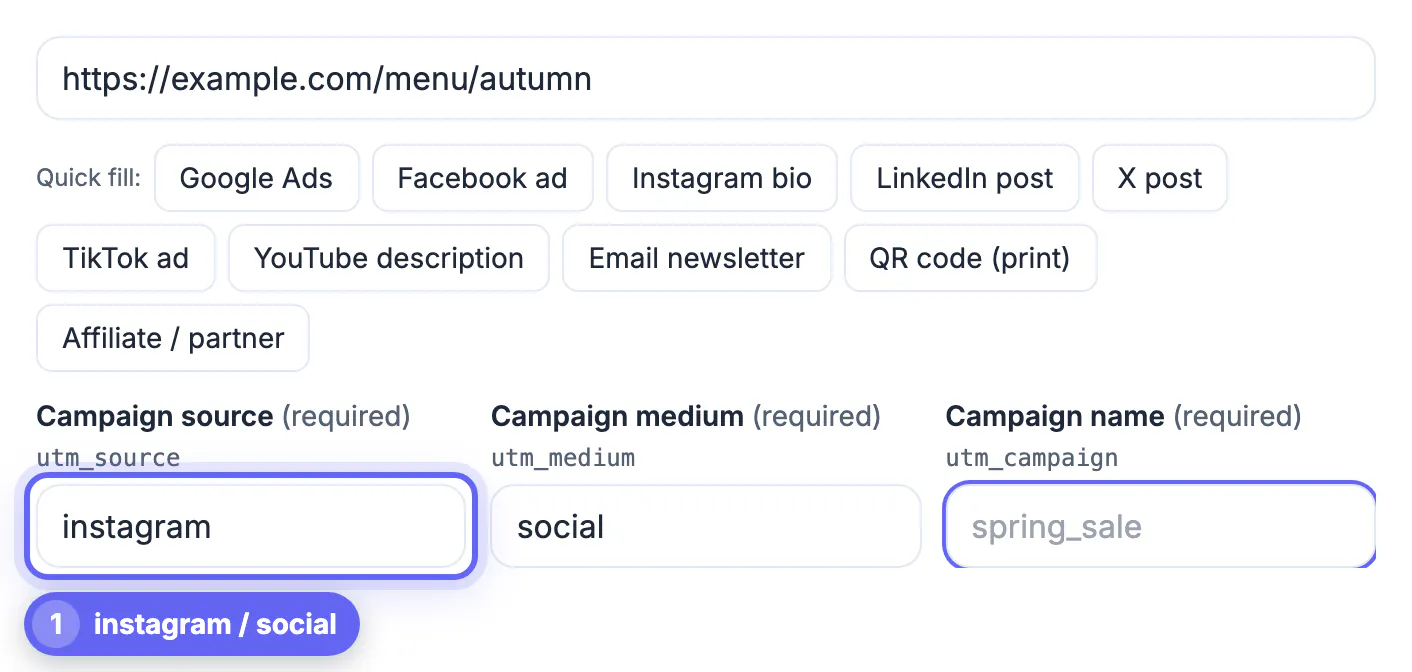
Bio links stay up for weeks, so give them a campaign that describes the season or the page, and utm_content=bio_link. The Instagram bio quick-fill in the builder sets the source and medium for you.
Facebook, LinkedIn, Threads and Bluesky posts
Links in posts are clickable, so tag each post's link with the platform as source and a content value for the post. On LinkedIn, the LinkedIn post quick-fill gives linkedin and social.
YouTube descriptions
The YouTube description quick-fill uses youtube as source and video as medium, which GA4 groups as Organic Video; social works too. Pick one for YouTube, write it into your rules and keep it, and use the video topic as utm_content.
Ads
Switch the medium to paid_social, or use the Facebook ad and TikTok ad quick-fills. The business guides explain how ad links fit into a campaign.
Tag links in bulk and inside your scheduler
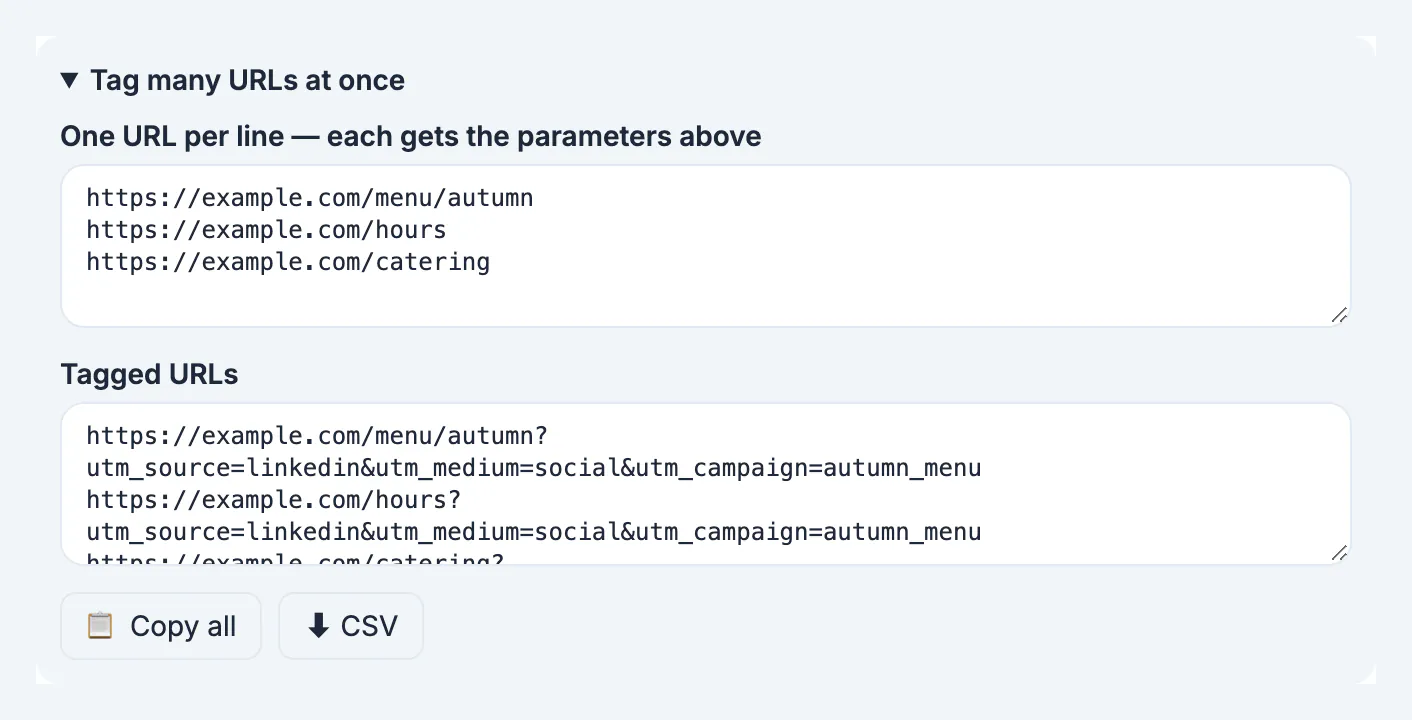
Tagging one address at a time is fine for a bio. For a campaign with many pages, use Tag many URLs at once: paste one URL per line, set the source, medium and campaign above, then copy the results or download a CSV.
- Read a tagged link decodes an existing URL, which is handy for checking a colleague's link.
- Recent links are kept on this device only, so you can copy yesterday's link again.
- Make a QR code sends the tagged link to the QR code generator, for printed menus and flyers.
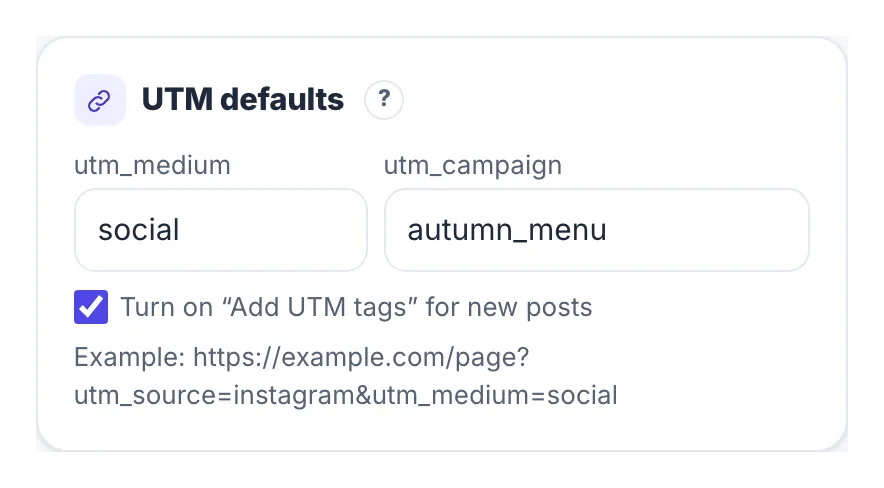
- In the Social Media Scheduler, Settings, Workspace has UTM defaults, and Add UTM tags on a post's link sets utm_source per platform automatically.
Never add UTM tags to links between pages of your own website. Doing so starts a new session and overwrites the visitor's real source, which corrupts exactly the data you were trying to collect. For printed QR codes with tracking, see website QR codes with UTM tracking.
Checking your tagged address before you post
Paste the finished address into a private window and confirm the page loads, the tags are still in the address bar and no redirect drops them. Then open the analytics report a day later and look for the campaign name you chose in the acquisition view. If it is missing, the usual causes are a typing error in the key names, a redirect that strips the query, or a consent setting that blocks measurement. Keep a shared sheet listing every tag you create, who made it and when it was used, so that reports stay tidy across a team and old campaigns can be understood months later.
Step-by-step
Common mistakes to avoid
Pro tips
Frequently asked questions
What UTM parameters should I use for Instagram?
utm_source=instagram, utm_medium=social (or paid_social for ads), a campaign name, and utm_content for where the link sits, such as bio_link or story_link.
Are UTM parameters case-sensitive?
Yes. GA4 treats Facebook and facebook as different sources. Use lowercase everywhere; the builder does it by default.
Do UTM tags affect SEO or break links?
No. Websites ignore parameters they do not use, and the builder keeps existing query parameters and anchors. Just avoid tagging internal links.
Which medium should social posts use?
social for organic posts and profile links, paid_social for ads. GA4's default channel groups recognize both.
Can I tag many links at once?
Yes. Paste one URL per line in Tag many URLs at once, copy the tagged list or download it as a CSV.
UTM tags turn vague social traffic into clear answers: which platform, which campaign, which link. Keep everything lowercase, use the platform as source and social or paid_social as medium, name campaigns once and reuse them everywhere, and use utm_content to tell links apart. Tag in bulk for campaigns, never tag internal links, and check GA4 the day after you launch.
Related guides
Browse more: all business guides · the UTM Builder