How Many Hashtags to Use on Each Social Network
Most posts need fewer hashtags than people think: three to five relevant ones on Instagram and TikTok, one topic tag on Threads, a couple on Bluesky and LinkedIn, and often none on Facebook. The days of 30 hashtags are over; Instagram now caps posts at five, and every major platform ranks content mainly on what people watch and engage with. This guide explains how many hashtags to use on each network, the hard limits at the time of writing, how to pick tags that help rather than hurt, and how to save reusable hashtag groups in GrabCast's free Social Media Scheduler so you stop retyping the same set. The example is a fictional ski-rental shop, Summit Street Rentals, preparing its first-snow post.
📅 Try the Social Media Scheduler now — freeOpen →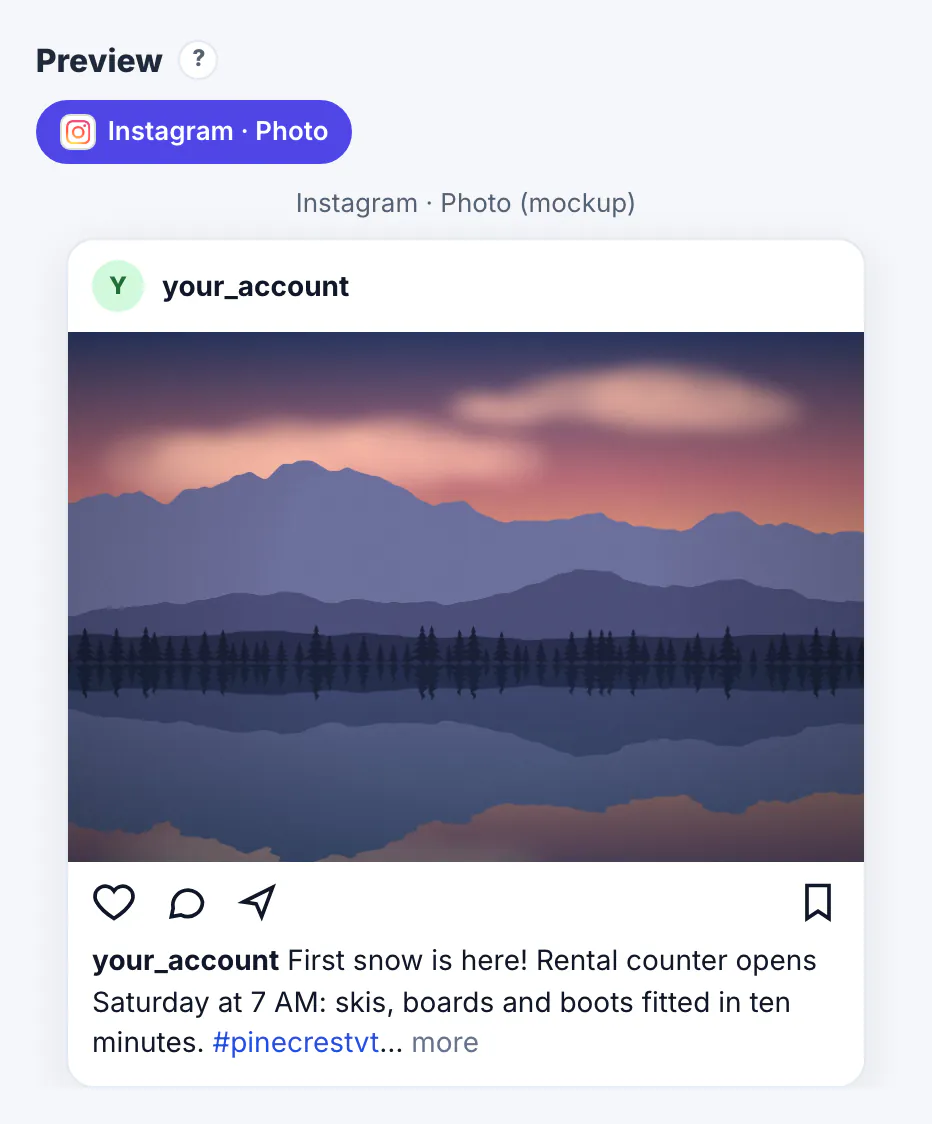
Hashtags used to be the main way people found posts. Today recommendation systems read the video, the caption, the audio and how viewers respond, so a hashtag is a small hint about the topic, not a ticket to reach. Too many tags dilute that hint and make a caption look like spam; on Instagram, anything over the cap is a problem in itself. Relevant tags still help in specific cases: people follow some hashtags, search results surface them, events use them to collect posts, and on Threads a topic tag places a post in a browsable topic. The goal is therefore precision. Three tags that describe what the post is really about, including one specific to your niche or place, do more than a wall of broad ones.
How many hashtags to use on each network
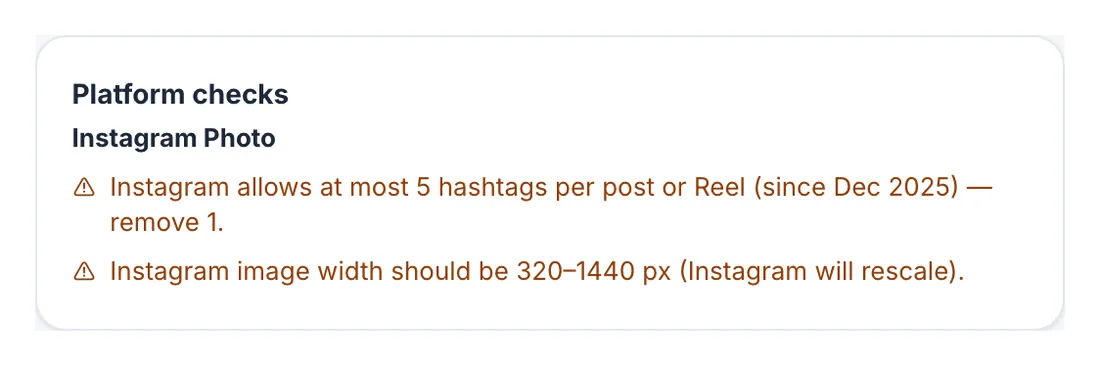
Use three to five. At the time of writing Instagram allows at most 5 hashtags per post or Reel, counting the caption and comments, a limit it announced in December 2025 after years at 30.
TikTok
Three to five relevant tags is a common, sensible range. The caption limit is generous, but tags are a small signal next to the video itself.
YouTube and Shorts
A few in the description is plenty, and YouTube may show some of them next to the title. YouTube's own policy says a video with more than 60 hashtags has all of them ignored.
Threads, Bluesky and Mastodon
Threads uses one topic tag per post. On Bluesky one or two tags are plenty inside 300 characters. On Mastodon, hashtags are the main way posts are found across servers, so a few specific ones help; write them in CamelCase, such as #SkiRental, so screen readers read them correctly.
LinkedIn and Facebook
Two or three on LinkedIn, placed at the end. On Facebook they rarely add reach; skip them or use one branded tag.
How to choose hashtags that actually help
Pick tags the way a person would search, not the way a slogan reads.
- One topic tag that describes the content, such as #skiing.
- One niche tag your real audience uses, such as #backcountryskiing or #skirental.
- One local or event tag when place matters, such as the name of your town or a festival.
- Optional: one branded tag you use consistently, so customers can find each other's posts.
- Skip broad filler tags such as #love or #instagood, which say nothing about the post.
Search each tag in the app before using it. If the top posts have nothing to do with your content, the tag will not reach your audience, and some tags are restricted or used mostly by spam accounts.
Save hashtag groups and let the counter keep you honest
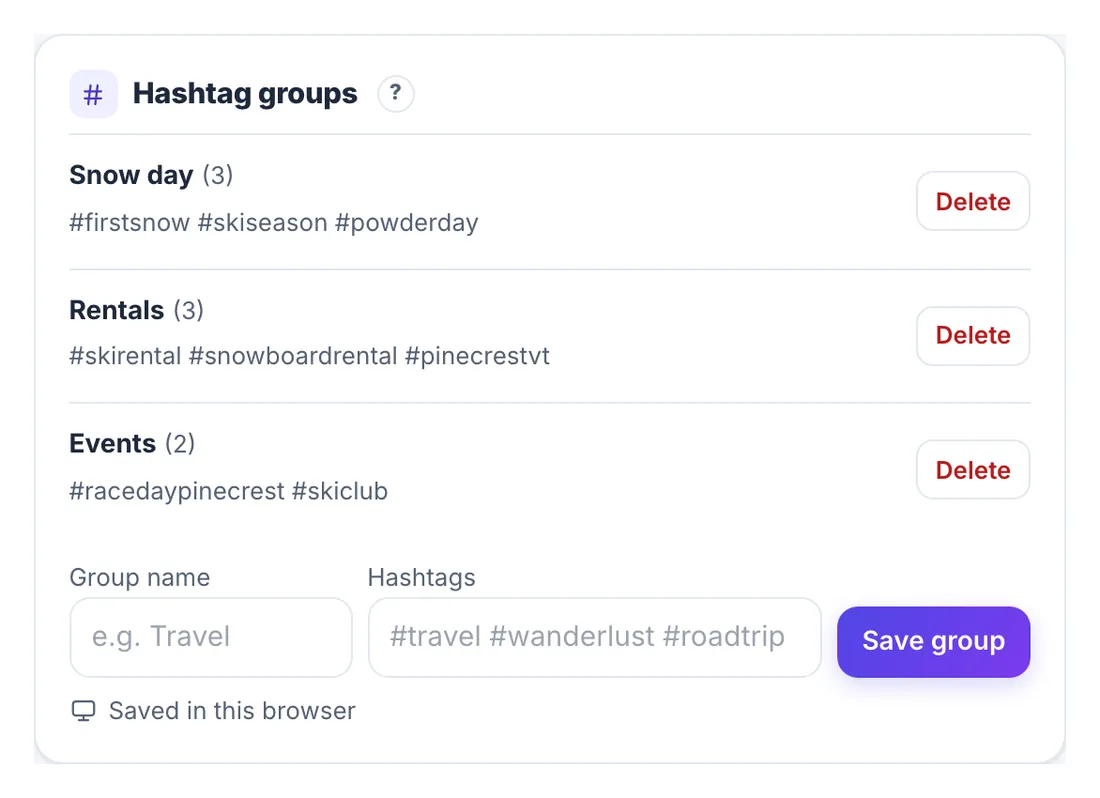
In the Social Media Scheduler, open Settings, then the Workspace section, and find Hashtag groups. Give each set a name, paste the tags, and click Save group. Groups are stored on this device, and synced to your account when you are signed in and the feature is available.
- Insert a group from the composer's # Hashtag groups menu; tags already in the caption are not added twice.
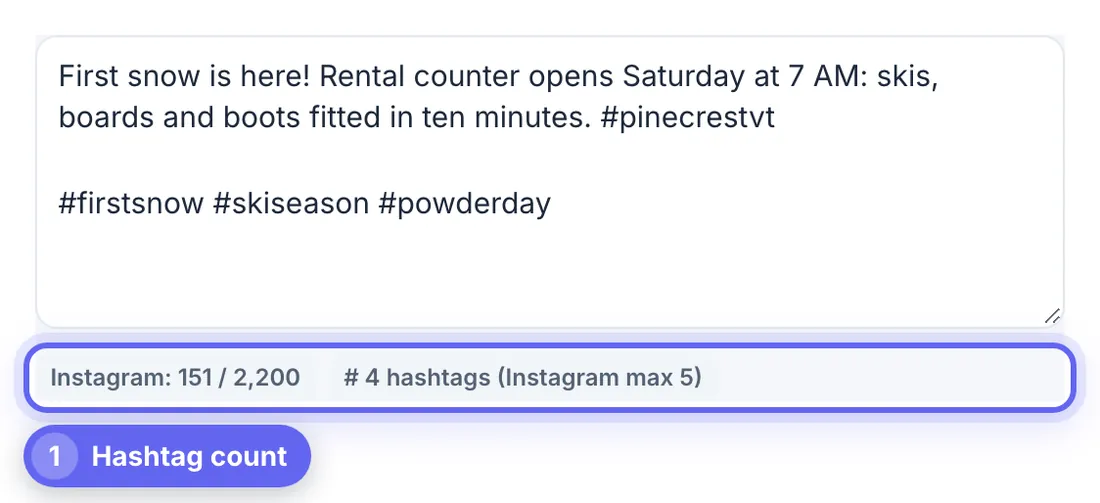
- The caption counter reads, for example, # 4 hashtags (Instagram max 5), and turns into a warning when you go over.
- The Instagram check lists how many to remove before the post can pass.
- Per-platform captions let the Instagram version keep its tags while the Threads version carries a single topic tag.
Summit Street saved three groups: Snow day with three weather and ski tags, Rentals with its niche and town tags, and Events for race weekends. The first-snow post used Snow day plus the town tag, four in total.
Placement, rotation and common myths
Where the tags go matters less than which tags you choose, but a few habits keep captions readable.
- Put tags at the end of the caption or in a natural phrase, not in the first line, which is your hook.
- On Instagram, tags in the first comment count toward the same limit of five.
- Rotate groups by topic rather than pasting one master list on every post.
- Myth: hidden hashtags or tags in the first comment get extra reach. They count the same, and hiding them helps nobody.
- Myth: more tags equal more reach. On most platforms, past a handful they add nothing.
If you write captions with AI help, the AI writer can suggest tags, but check each one in the app before using it.
Step-by-step
Common mistakes to avoid
Pro tips
Frequently asked questions
How many hashtags should I use on Instagram?
Three to five. At the time of writing Instagram allows at most five per post or Reel, including hashtags in comments.
How many hashtags should I use on TikTok?
Three to five relevant tags is a sensible range. The video content and viewer behavior matter far more than the number of tags.
Do hashtags still work?
They help with topic signals, followed hashtags, search and events, but they are a small factor next to the content itself. A few precise tags beat many broad ones.
Should hashtags go in the caption or the first comment?
Either works on Instagram, and both count toward the same limit. Captions are simpler because the tags stay with the post everywhere it appears.
How do I reuse hashtag sets without retyping?
Save them as hashtag groups in the scheduler's Settings, Workspace section, then insert a group from the composer. Duplicate tags are skipped automatically.
Use a few precise hashtags, not many broad ones: up to five on Instagram, three to five on TikTok, one topic tag on Threads, one or two on Bluesky and LinkedIn, and few or none on Facebook. Choose tags people really search, save them as groups by topic, and let a counter warn you before you go over a limit.
Related guides
Browse more: all business guides · the Social Media Scheduler