Freelance Invoice Generator: Deposits and Late Fees
Freelancers can bill a project three ways with the free GrabCast Invoice Generator: a deposit before work starts, milestone payments as deliverables are approved, or hourly totals from a time log. Each takes a few minutes, and the Amount paid field shows what the client already sent, so the PDF always ends with an exact balance due. It runs in your browser with no account, supports 19 currencies from US dollars to Swiss francs and Japanese yen, and prints your own logo with no GrabCast branding. This guide is for designers, developers, writers and consultants who work under a contract or statement of work. It covers structuring deposits and milestones, wording late-fee terms that hold up, billing clients abroad, and the US tax forms you are likely to meet, with the honest caveat that tax rules change and a professional should confirm your situation.
🧾 Try Invoice Generator now — freeOpen →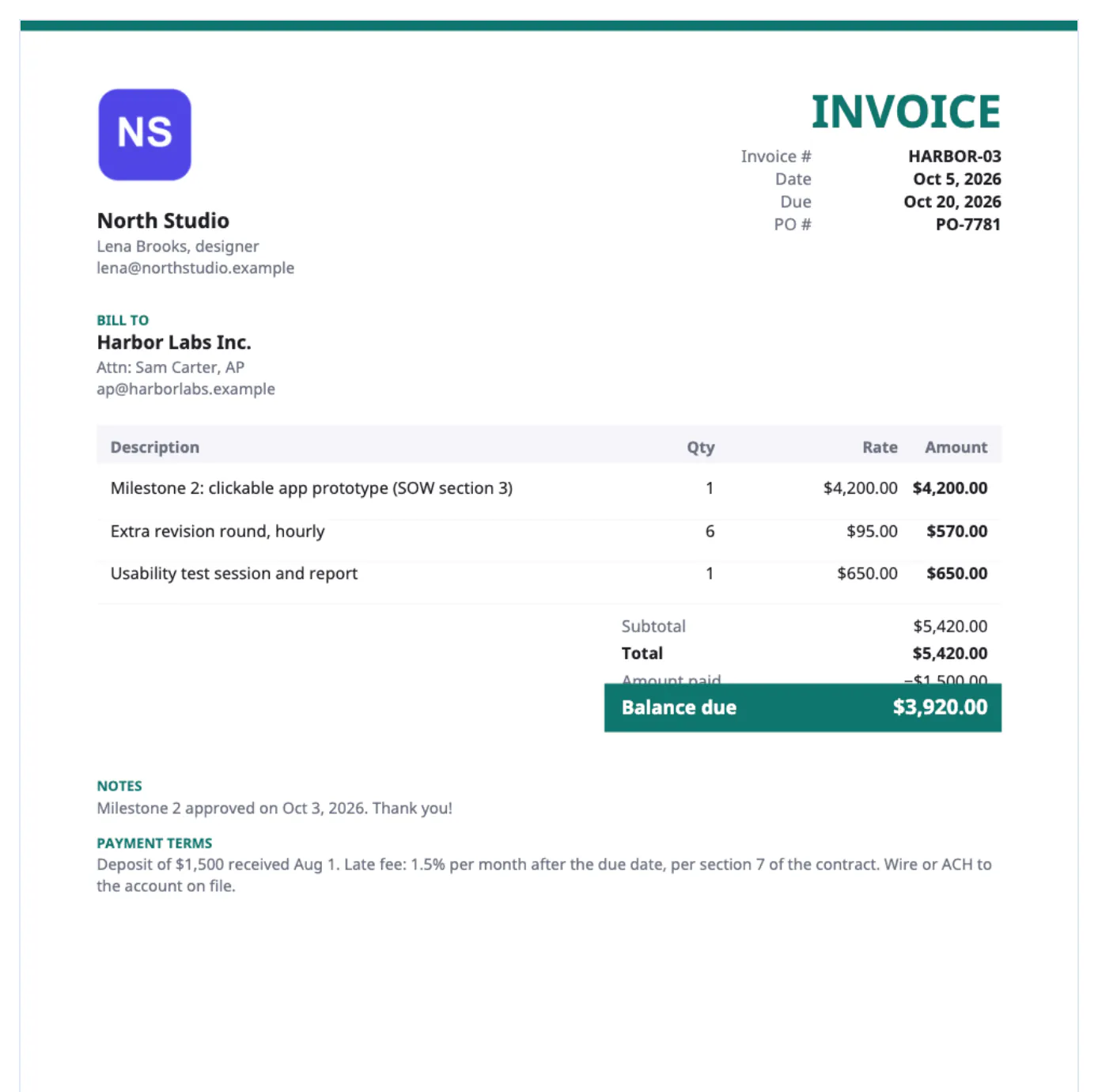
Surveys of independent workers regularly find that most have been paid late and a meaningful share have had a client never pay. Many of those cases trace back to paperwork that did not mirror the agreement: no deposit before work began, no due date, no link between the bill and the signed scope. When every bill names the contract, the milestone and the date it was approved, a finance team has nothing to query and you have a clean paper trail if a dispute ever reaches small claims court. The same records matter at tax time, because self-employed people report all their income whether or not a client sends a tax form. A free generator is enough for this as long as you keep the PDFs and a simple log of what was paid.
Deposit, milestone or hourly: shaping the bill
Pick the structure your contract uses and keep it for the whole project. Put the contract or SOW name in every description.
- Deposit: many designers and developers ask for 30 to 50 percent before starting. Line: Brand identity project, 40% deposit per proposal of Sept 2, 1 at $2,400.
- Milestones: tie each payment to a deliverable, such as Logo concepts approved, $1,800, and Final files delivered, $1,800.
- Hourly: bill tasks per week, for example Copy edits, week of Sept 15, 12.5 hours at $85; decimal quantities give $1,062.50.
- Retainer: a flat monthly line such as October retainer, up to 20 hours, with overage billed as a separate hourly line.
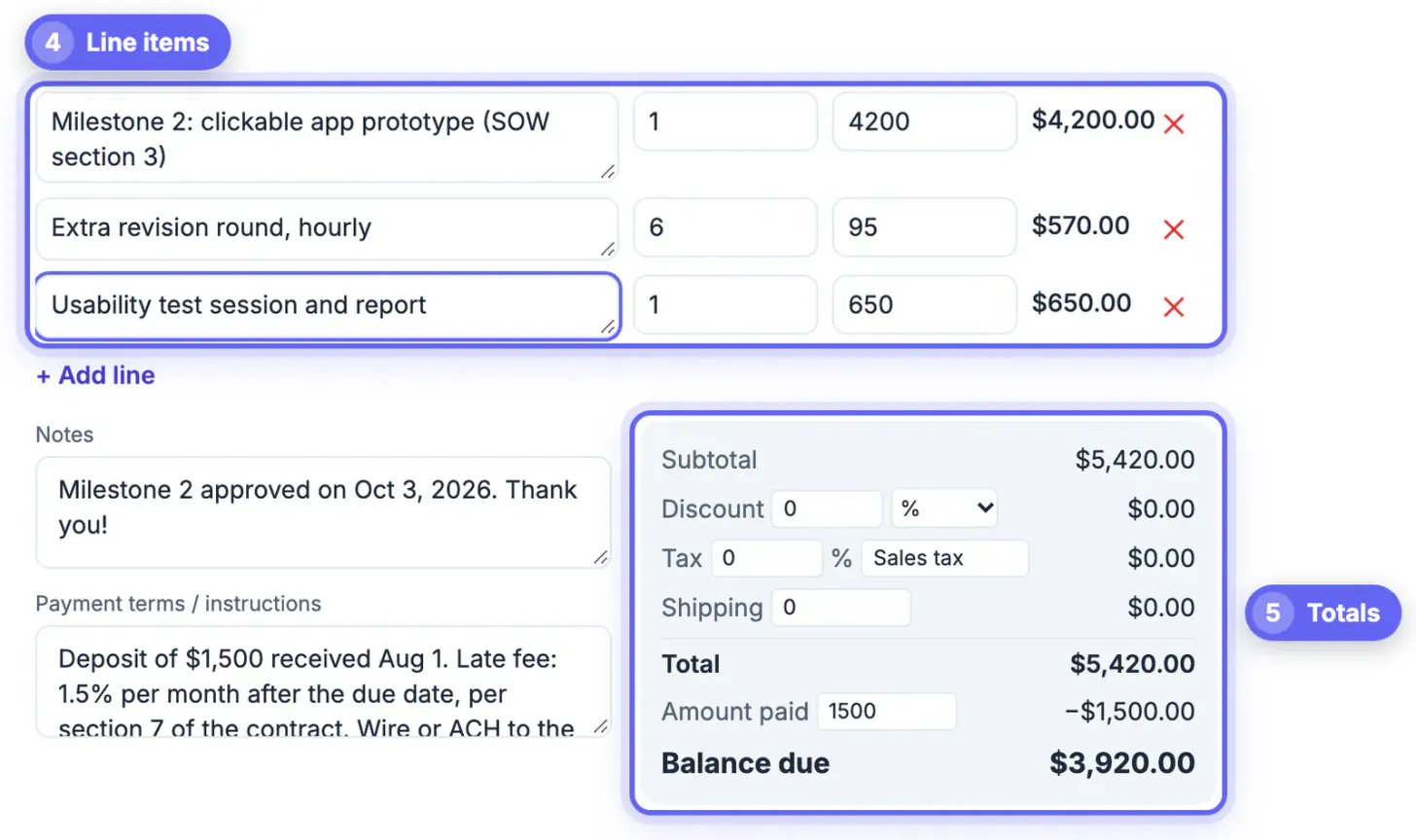
For the final bill of a fixed-fee project, some freelancers prefer one statement-style document: list the full $6,000 scope plus $150 of extra revisions, enter $4,200 in Amount paid for the deposit and first milestone, and the PDF shows a balance due of $1,950. The client's finance team can then reconcile the whole project from a single page.
Late fees and terms freelancers can defend
Terms live in two places: the contract the client signs, and the payment instructions on every bill. The bill restates; it does not create new obligations.
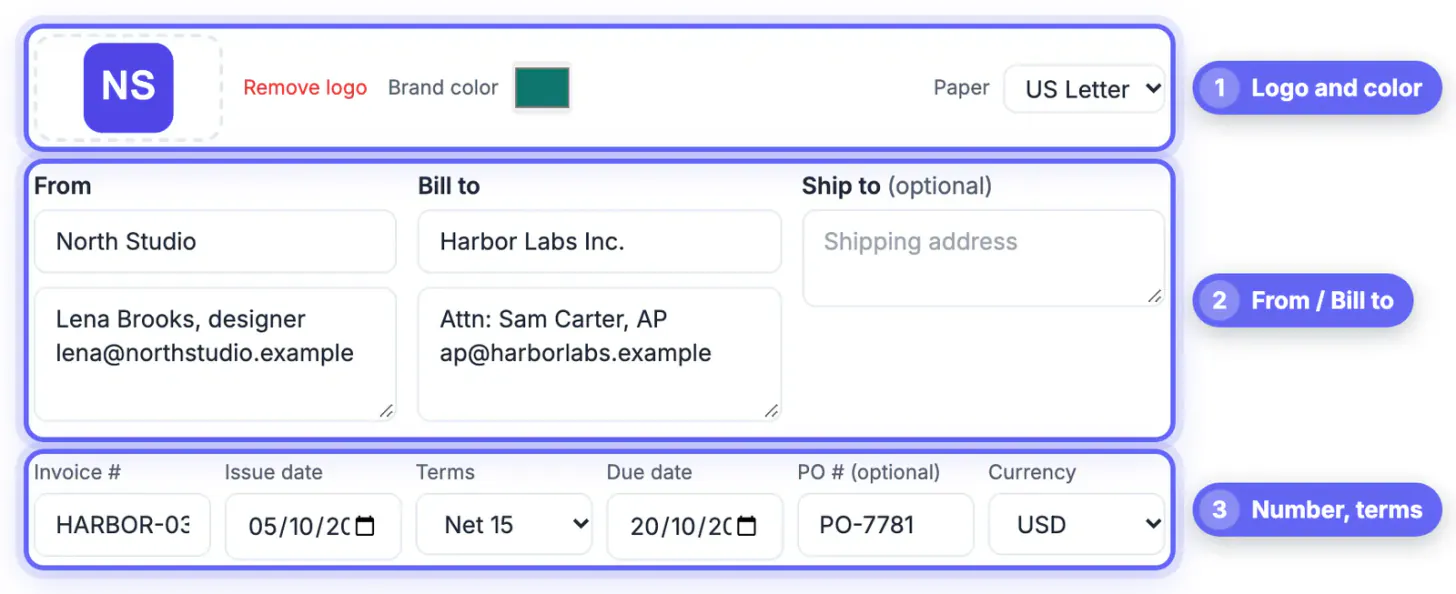
- Terms: choose Net 15 or Net 30 to match the contract; the generator calculates the due date from the issue date.
- Late fee: a common clause is 1.5 percent per month on overdue balances, but states cap interest and some restrict late charges, so check your state and keep the clause in the contract.
- Ownership: Final files and usage rights transfer on receipt of full payment gives you leverage without threats.
- Payment: list ACH details, a Wise or PayPal address, or a card payment link; the tool has no built-in pay button.
A realistic reminder rhythm is a note three days before the due date and another the day after it passes. Most late payers are disorganized rather than unwilling, and a calm second message with the PDF attached usually resolves it. Consider applying the late fee only after a written warning that cites the clause.
Following up on a late payment is easier with a draft: see how to write a professional email with AI, and compress the invoice PDF for email if needed.
Billing clients abroad from a freelance invoice generator
The currency menu sets symbols and formatting with the browser's standard currency rules, so euros show as €, pounds as £, and yen appear without decimals as clients in Japan expect.
- The tool does not convert amounts. Agree the price in the client's currency in the contract, or quote in USD and let them handle conversion.
- Choose A4 paper for European and Asian clients; US Letter looks slightly off when printed in their offices.
- Client names and addresses in Polish, Greek, Cyrillic or Vietnamese print correctly, because a Unicode font is embedded automatically when needed.
- Put the client's VAT number in the Bill to box when they give you one, and use the tax label field if you are VAT-registered anywhere.
A US freelancer who is not VAT-registered usually does not add VAT when billing a business in the EU or UK; under reverse-charge rules the business customer generally accounts for any VAT itself. The details depend on the service and both countries, so confirm with an accountant before your first cross-border bill.
US tax paperwork every freelancer meets
None of this is tax advice, but these forms show up in almost every freelance career in the United States.
- W-9: new US clients usually request one before the first payment so they can report what they paid you. The form is free from the IRS.
- 1099-NEC: a client that pays you above the reporting threshold in a year generally sends one in January. The threshold was $600 for years and legislation passed in 2025 raised it to $2,000 for payments made from 2026, so check current IRS instructions.
- Estimated taxes: self-employed people often pay quarterly estimates, because no employer withholds income or self-employment tax for them.
- Records: keep bills, payment records and expenses; the IRS generally advises keeping records at least three years, longer in some situations.
Whether or not a 1099 arrives, all freelance income is reportable. Your yearly folder of PDFs, plus a log of paid dates, is the simplest way to reconcile what clients report with what you earned.
Step-by-step
Common mistakes to avoid
Pro tips
Frequently asked questions
Can I bill partial hours?
Yes. Quantities accept decimals, so 7.25 hours at $90 calculates to $652.50 automatically.
How do I show a deposit the client already paid?
Enter it in the Amount paid field. The PDF lists the total, the amount paid and the balance due, so nobody has to do the subtraction.
Does the generator convert currencies?
No. It formats the amount in the currency you choose but does not change the numbers, so agree prices in the client's currency first.
Is client information stored online?
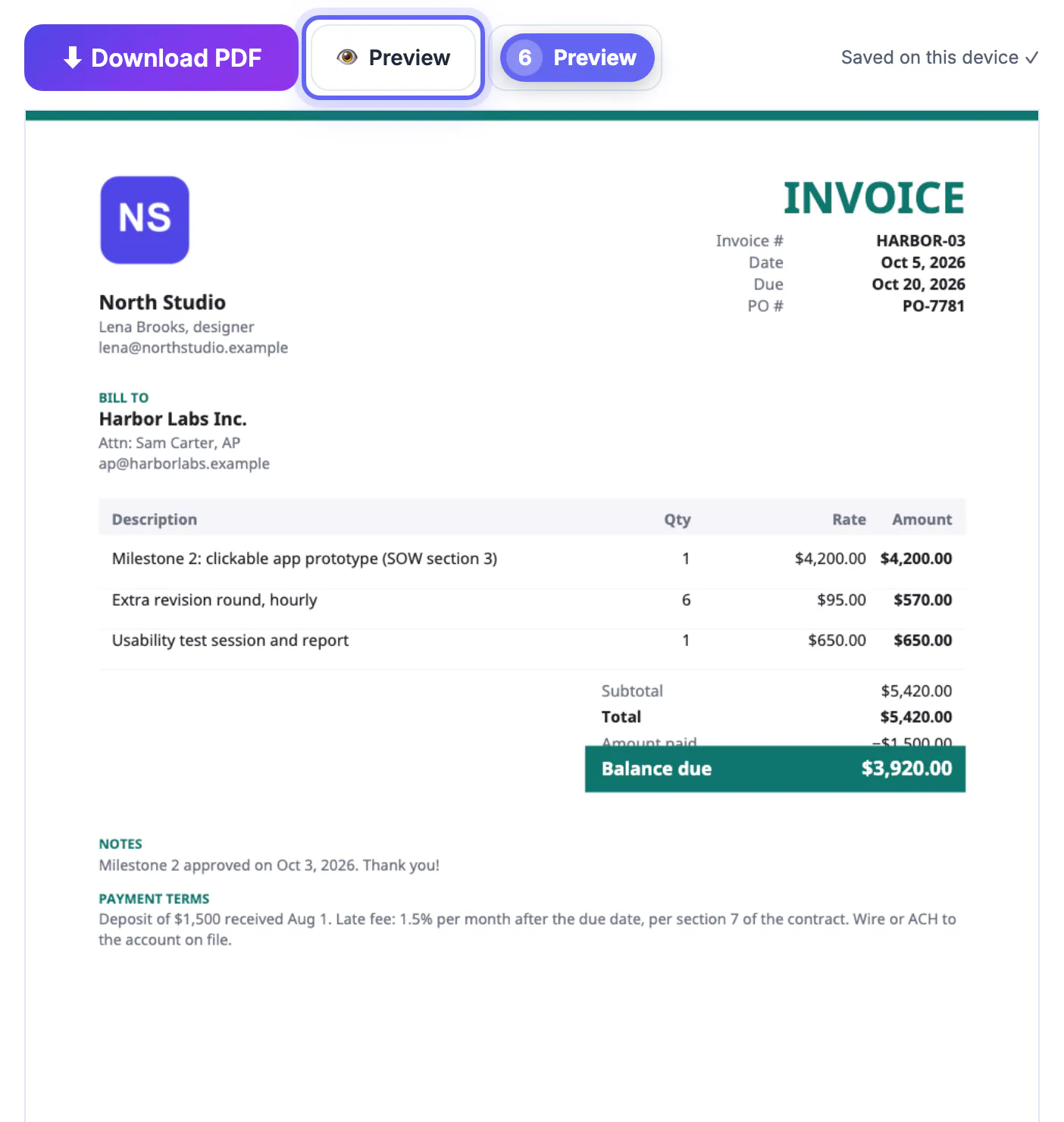
No. The PDF is built in your browser and the draft is saved only on your device, so keep your own copy of each file.
Do freelancers have to charge sales tax?
Many creative and professional services are not taxable, but some states tax specific services. Leave the tax rate at zero unless your state's rules say otherwise.
Mirror the contract on every bill: deposit first, milestones when approved, hourly lines from a real time log, and Amount paid to keep the balance honest. The free generator handles 19 currencies, your branding and due dates in the browser; you keep the PDFs, restate only agreed late fees, and confirm tax questions with a professional.
Related guides
Browse more: all business guides · Invoice Generator