Sign PDF Online Free vs Paid E-Signature Services
You can sign a PDF online free, with no printing, scanning or faxing, whenever you are the only person who needs to put a mark on the document and the other side simply wants a completed copy back. GrabCast Sign PDF handles that case in your browser: draw, type or upload your autograph, add initials, the date and short text, and download. Paid platforms such as DocuSign, Adobe Acrobat Sign and Dropbox Sign solve a different problem, routing one document to several people and recording who did what, when and from where. This guide helps you decide which one a given document really needs, with honest limits for both.
✒️ Try the Sign PDF tool now — freeOpen →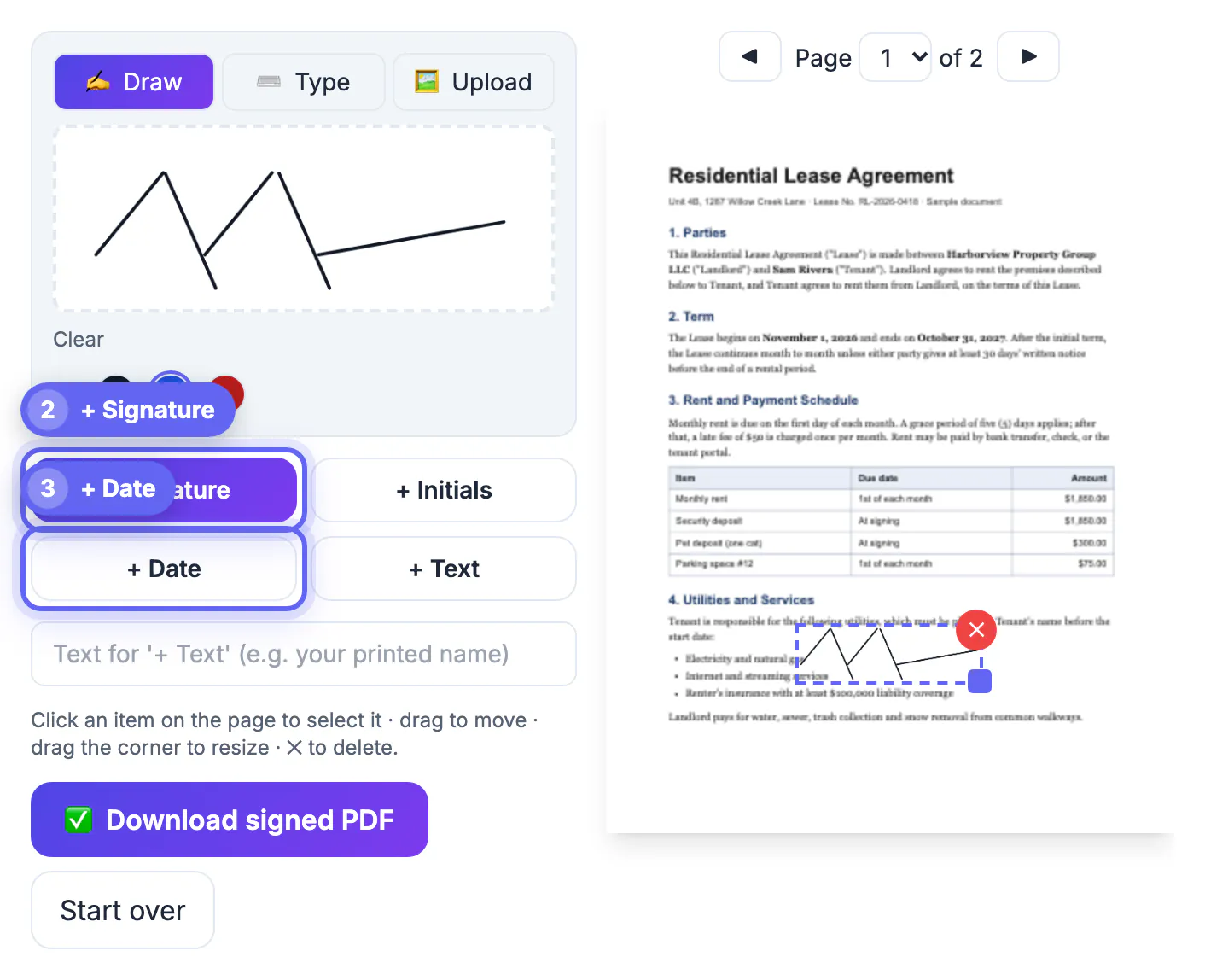
Picking the wrong route costs either money or credibility. Paying a monthly subscription to return one consent form a quarter is wasteful, while sending a six-figure contract back as a stamped image can leave both parties without the evidence trail they expected. The deciding questions are simple: how many people have to act, does anyone need proof of identity or timing, and does a law or policy demand a particular kind of signature. Answer those three and the right tool usually picks itself. Most personal and small-business paperwork, such as permission slips, freelance statements of work, vendor W-9 requests and simple NDAs, falls on the free side.
What the free browser method gives you
GrabCast Sign PDF is a placement tool: it puts your mark exactly where the page asks for it and saves a clean copy.
- Three ways to create the mark: draw with a mouse, trackpad or finger; type your name in one of three handwriting fonts; or upload a photo of your ink with the white background removed.
- Extras for real paperwork: + Initials built from your typed name, + Date in US format, and + Text for a printed name or title.
- Black, blue or red ink, drag to place, corner handle to resize, and any page of the file.
- Privacy by design: the file is opened and saved in the tab, so no copy sits on anyone's server.
What it does not do is equally important. There is no sending to other people, no reminder emails, no identity check and no certificate or audit log. The result is the digital equivalent of signing a printout and scanning it back, only sharper and smaller. For typing into form blanks first, GrabCast's separate Fill PDF Form tool fills the real fields before you add your mark.
What paid platforms add
DocuSign, Adobe Acrobat Sign, Dropbox Sign and similar services are built around workflow and evidence rather than the mark itself.
- Routing: send one envelope to a buyer, a seller and an agent in a set order, with automatic reminders.
- Audit trail: a certificate page listing email addresses, IP addresses and timestamps for each action.
- Tamper evidence: a cryptographic seal that shows if the file changes after completion.
- Identity options: SMS codes, knowledge-based questions or ID document checks for higher-risk deals.
Their free tiers are typically limited to a few envelopes a month, and business plans are priced per user. Those costs are easy to justify for a real-estate office, an HR team onboarding dozens of hires, or a sales team closing contracts weekly. They are hard to justify for a parent returning a field-trip form.
E-signature legal basics in the US and EU (general information)
This is general information, not legal advice. Rules vary by document type and jurisdiction, so check with a lawyer for anything significant.
- United States: the federal ESIGN Act (2000) and state laws based on the Uniform Electronic Transactions Act (UETA, adopted in 49 states; New York uses its own similar statute) give electronic signatures the same legal effect as ink, provided the parties agree to do business electronically.
- US exceptions include wills and testamentary trusts, many family-law matters, court orders, and certain notices such as eviction, foreclosure or utility shut-off.
- European Union: the eIDAS Regulation recognizes simple, advanced and qualified electronic signatures. A simple one, like an image placed on a page, cannot be refused as evidence just for being electronic.
- Only a qualified electronic signature, issued with a certified device and verified identity, automatically carries the same legal weight as a handwritten one across all EU member states.
In practice, what matters in a dispute is proving who signed and that the document was not altered. A free image stamp relies on surrounding evidence, such as your email reply with the attachment, while paid platforms package that evidence for you.
A quick decision checklist
Run through these questions before choosing a route for a document.
- Only you need to act, and the requester just wants a copy back: the free route in the browser is enough.
- Two or more people must act in a set order, or you send the same agreement every week: a paid platform saves time.
- The document is a will, a court filing or a notarized deed: follow the specific formal rules, which often still require ink or a notary.
- An EU counterparty or regulator asks for a qualified electronic signature: use a qualified trust service provider, not an image stamp.
A useful middle ground: when a company sends you a DocuSign or Adobe link, sign inside their envelope rather than downloading and stamping the file yourself, so their audit trail stays complete. Save the free browser method for documents that arrive as plain attachments.
After signing, you can protect the PDF with a password before it goes to the other party.
▶ Watch: How to sign a PDF (0:42)
Video transcript
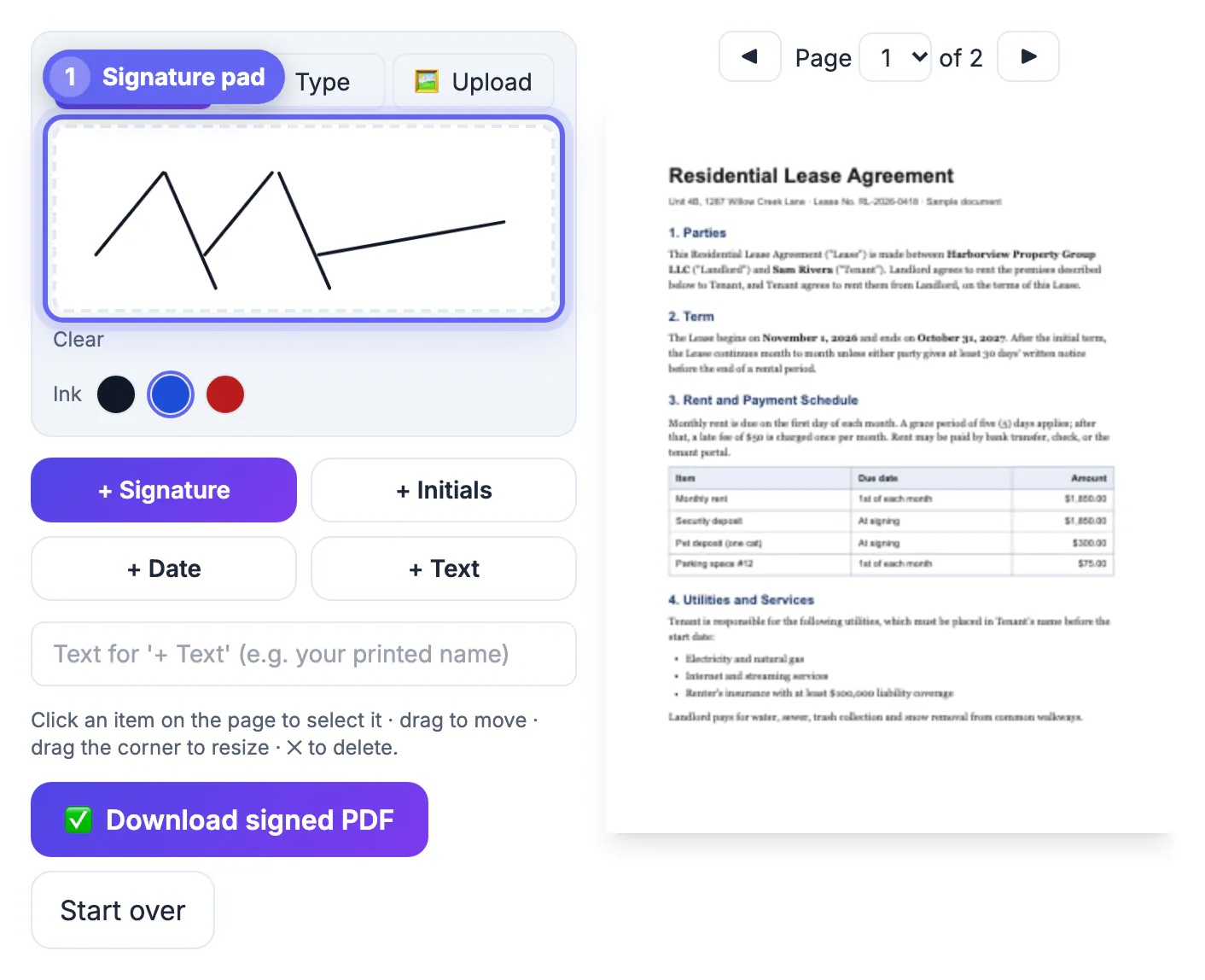
- Open your PDF. Drop the form you need to sign. Its first page opens next to the signature pad.
- Draw your signature. Sign with your mouse, finger or trackpad. You can also type or upload one.
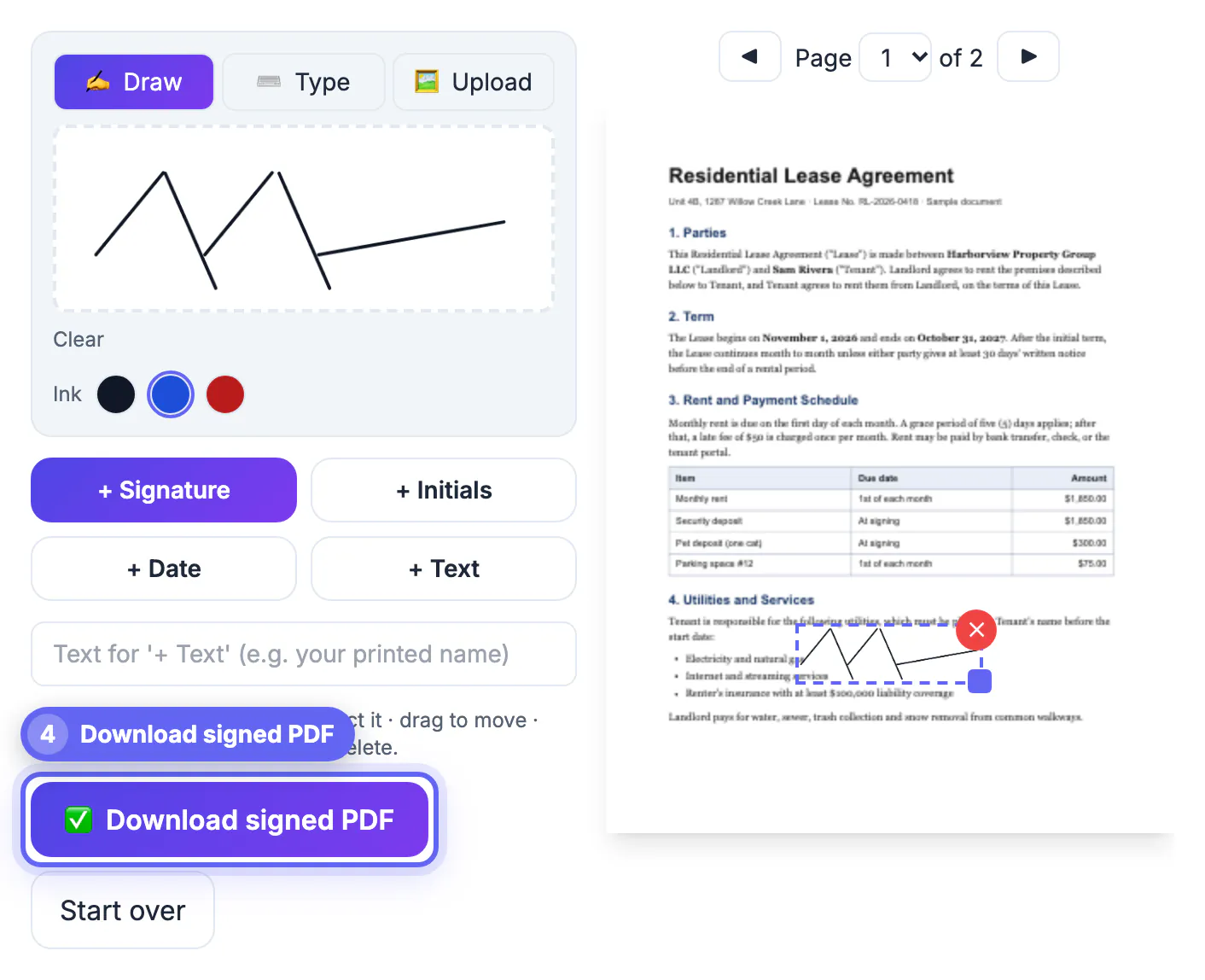
- Place it on the page. Click + Signature to put it on the page. You can drag or resize it there.
- Add your printed name. Type your name and add it as text, plus the date if the form asks for it.
- Download the signed PDF. Everything is added on your device. Send the signed copy by email.
Step-by-step
Common mistakes to avoid
Pro tips
Frequently asked questions
Is a free online signature as valid as DocuSign?
General information, not legal advice: under ESIGN and UETA in the US, both are electronic signatures with legal effect. The difference is evidence. DocuSign records identity and timing, while a placed image relies on other proof, such as your email.
Do I need to create an account?
No. GrabCast Sign PDF works without sign-up, and the file never leaves your browser tab.
Can I send the document to someone else to sign?
Not through GrabCast. Download your completed copy and email it to the next person, who can add their mark the same way. For structured multi-signer routing, a paid platform is the better tool.
What is a qualified electronic signature?
It is the highest level under the EU eIDAS Regulation, created with a certified device after identity verification by a qualified trust service provider. It carries the same weight as a handwritten signature in every EU country.
Does faxing still matter?
Some medical offices and government agencies still accept faxes, but most now take an emailed PDF or a portal upload. Ask the requester; a clean electronic copy is usually preferred.
Use a free in-browser signature when you are the only signer and the other side just wants a completed copy. Choose a paid platform when several people must act, when identity or timing must be proven, or when a regulation names a specific signature level. Either way, you no longer need a printer or a fax machine.
Related guides
Browse more: all PDF guides · the Sign PDF tool