How to Calculate Your Weighted Grade, Step by Step
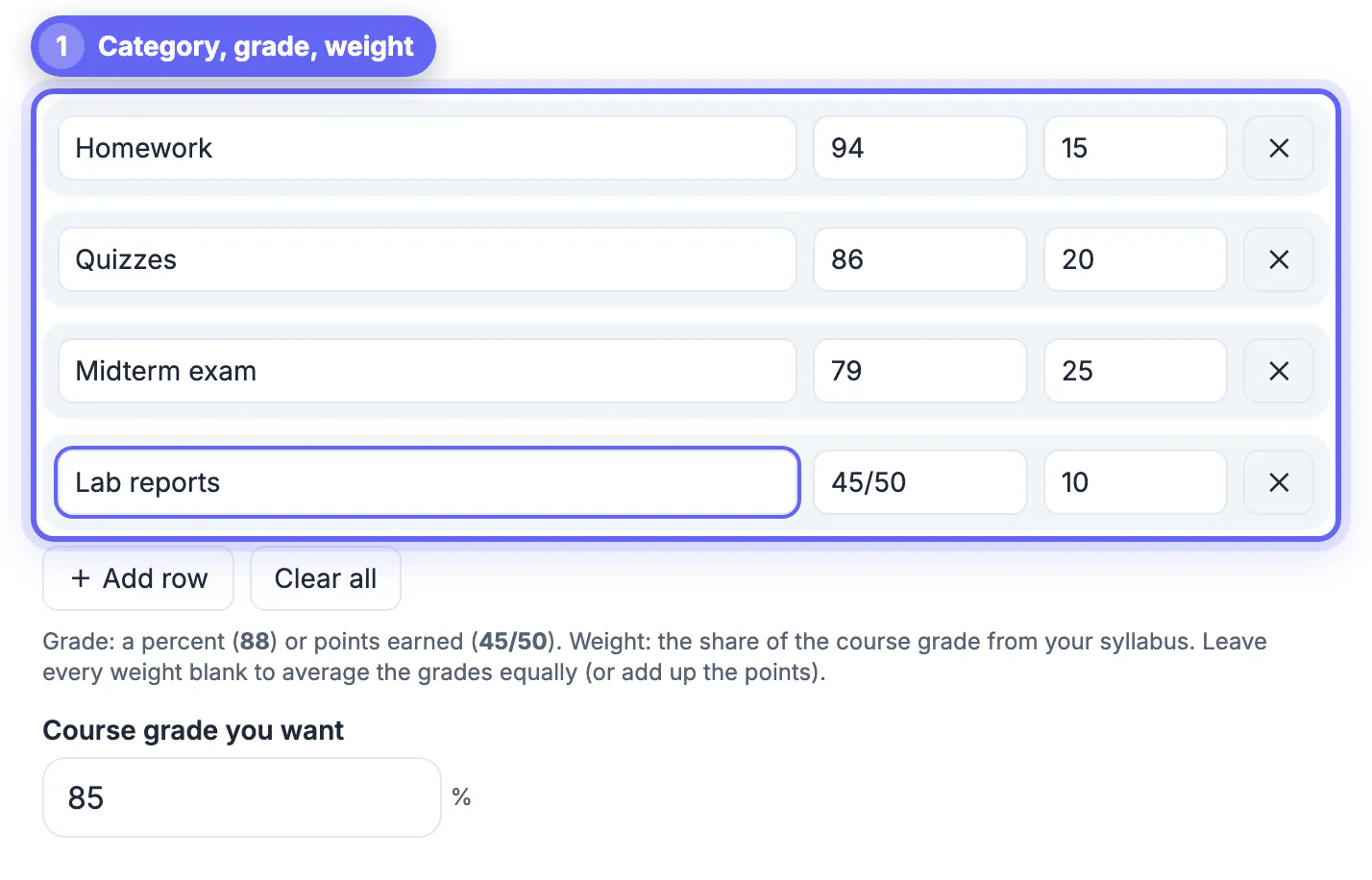
To calculate a weighted grade, multiply each category score by its weight, add those products, and divide by the total weight you have scores for. With homework at 94% (15% of the grade), quizzes at 86% (20%), a midterm at 79% (25%) and lab reports at 45/50 (10%), the math is (94 × 15 + 86 × 20 + 79 × 25 + 90 × 10) ÷ 70 = 85.79%, a B on the common US scale. This guide walks through the formula, the points-versus-percent trap, and how to see what you still need on the part of the course that has not been graded yet.
📝 Try Grade Calculator now — freeOpen →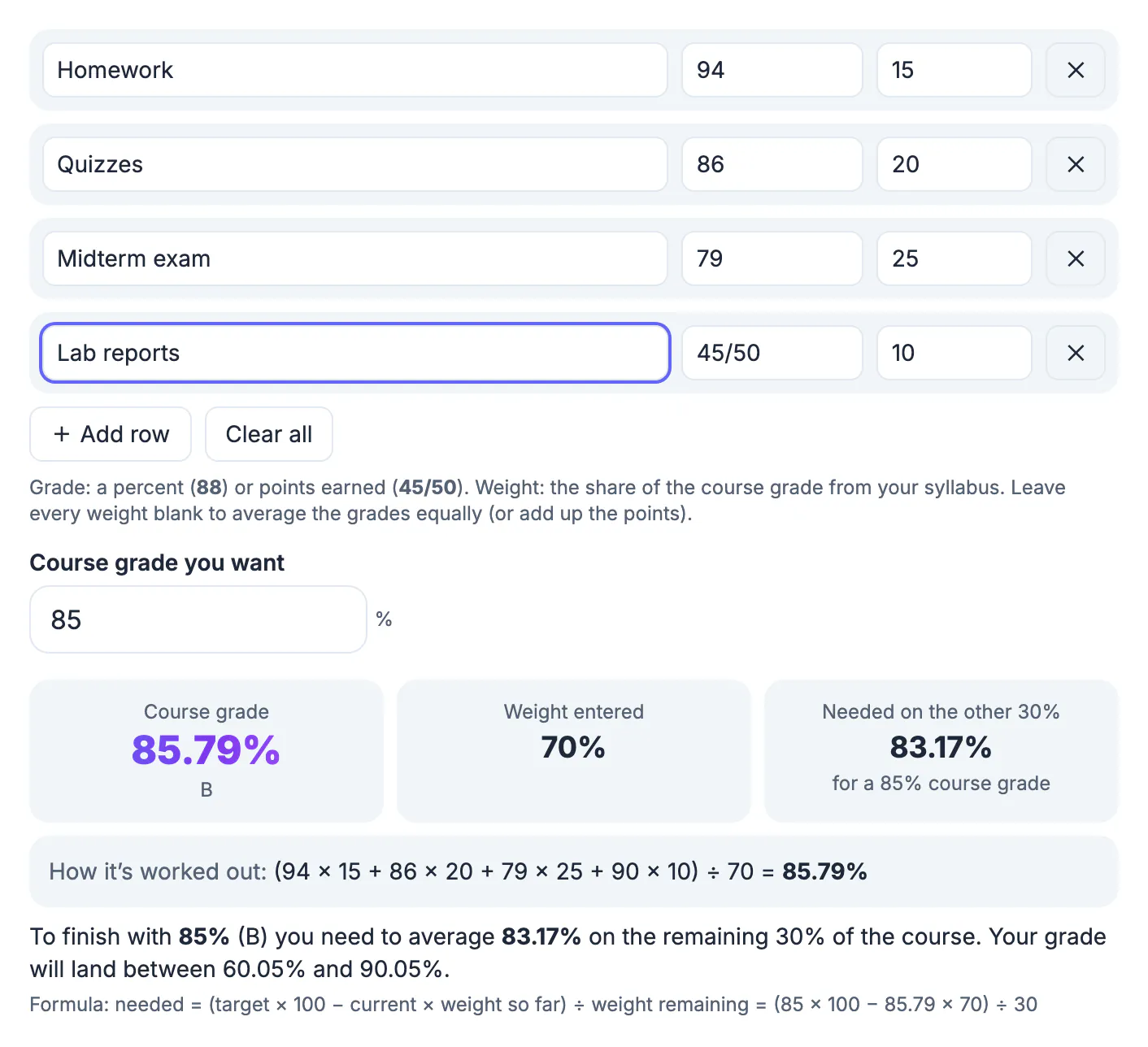
Most syllabi do not treat every assignment equally. A midterm worth 25% of the grade moves your result far more than a quiz category worth 10%. If you simply average your category scores, a strong homework average can hide a weak exam, or the other way round. Weighting fixes that: each score counts in proportion to the share of the course it represents, which is exactly how your teacher's gradebook works. Knowing the real number early tells you where extra effort pays off most. It also helps you spot gradebook mistakes: if your own weighted calculation disagrees with the school portal by more than rounding, ask your teacher which weights or scores are being used.
The weighted grade formula
Weighted grade = (score₁ × weight₁ + score₂ × weight₂ + …) ÷ (weight₁ + weight₂ + …).
Each score is a percent, and each weight is the category's share from the syllabus. You divide by the sum of the weights you actually used, not always by 100. That matters in the middle of a term: if only 70% of the course has been graded, dividing by 100 would make your grade look much lower than it really is.
- Homework 94 × 15 = 1,410
- Quizzes 86 × 20 = 1,720
- Midterm exam 79 × 25 = 1,975
- Lab reports 90 × 10 = 900 (45 out of 50 is 90%)
- Total 6,005 ÷ 70 = 85.79%
Percent or points: convert first
Scores often arrive in different forms. A quiz might be 17/20, a lab 45/50 and a test 88%. Convert each to a percent before weighting: points earned ÷ points possible × 100. The Grade Calculator accepts both forms in the Grade (% or pts) box, so you can type 45/50 directly and it converts for you.
If your class grades purely on total points instead of weights, leave every Weight (%) box blank and enter each item as points. The tool then adds the points earned and divides by the points possible, which is how a points-based gradebook works. With no weights and plain percents, it averages the grades equally.
What you need on the rest of the course
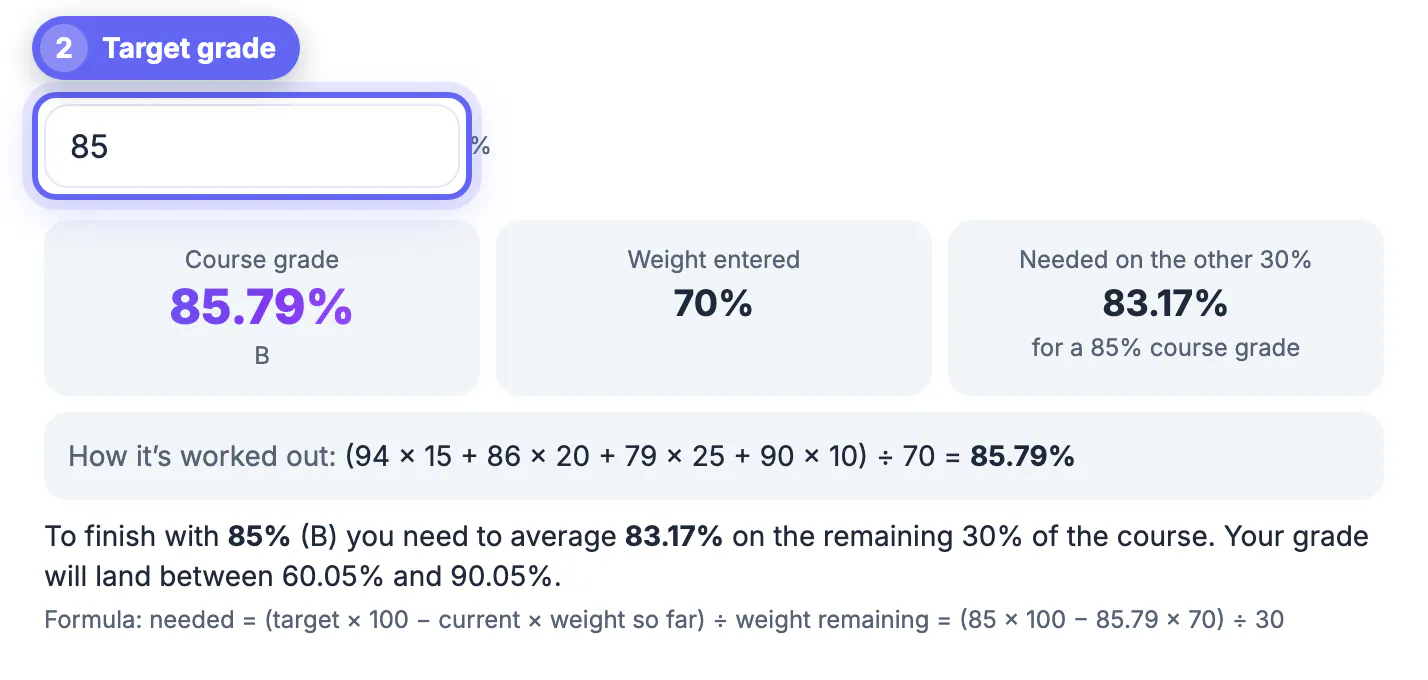
Once you know your current weighted grade, the next question is what you need on the remaining work. The formula is: needed = (target × 100 − current × weight so far) ÷ weight remaining.
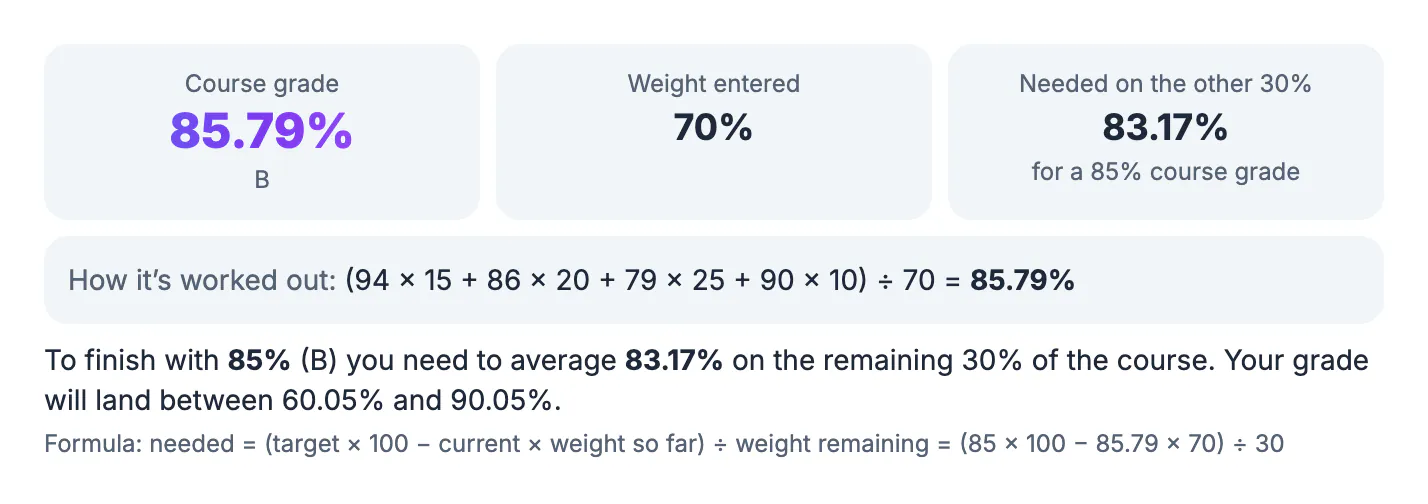
In the example, 70% of the course is graded at 85.79%. To finish with 85%, you need (85 × 100 − 85.79 × 70) ÷ 30 = 83.17% on the remaining 30%. The calculator shows this in the Needed on the other 30% card as soon as you enter a value in Course grade you want, and it also tells you the lowest and highest course grade still possible: 60.05% if you scored zero on everything left, and 90.05% with a perfect score.
Reading the letter grade
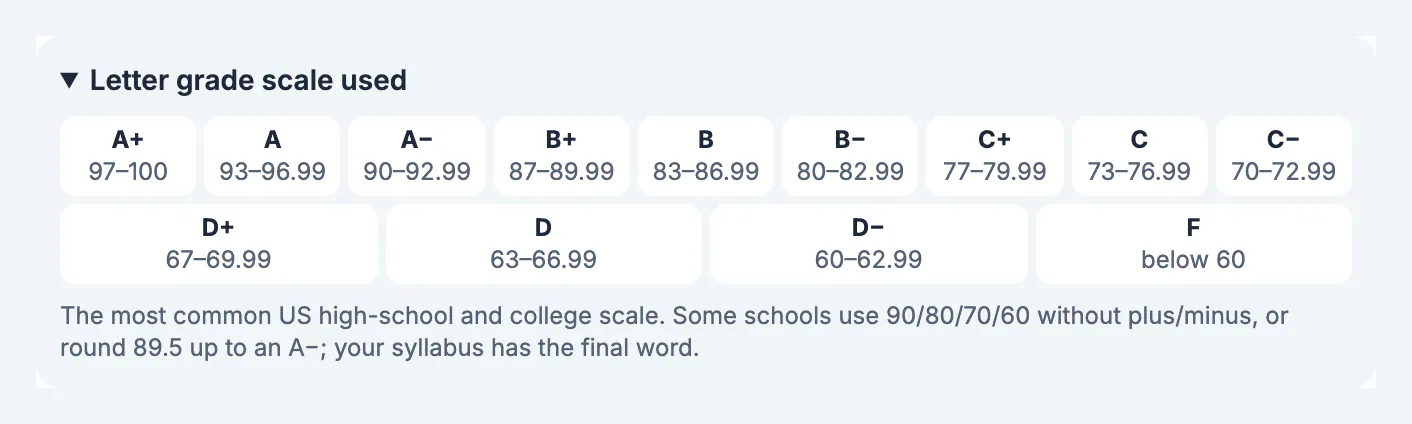
The tool converts the percent to a letter using the scale shown under Letter grade scale used: A from 93, A− from 90, B+ from 87, B from 83, and so on down to F below 60. That is the most common US high-school and college scale, but schools differ. Some use a flat 90/80/70/60 split without plus or minus grades, and some round 89.5 up. Your syllabus decides, so treat the letter as a guide and the percent as the real number.
A full-term example with the final included
Suppose the remaining 30% of the course is a final exam, and you score 88% on it. The completed calculation becomes (94 × 15 + 86 × 20 + 79 × 25 + 90 × 10 + 88 × 30) ÷ 100 = 86.45%. Now the weights add up to 100, so dividing by 100 is correct.
Notice how little the final result moved compared with the mid-term estimate of 85.79%. Once most of a course is graded, each new score shifts the total only in proportion to its weight. That is useful for planning: a category worth 10% can change your grade by at most 10 points, even with a perfect or a zero score, while a 30% exam can swing it by up to 30.
- Big-weight categories deserve the most study time.
- Small categories are worth protecting but rarely decide a letter grade on their own.
- Missing work counts as zero only if your teacher records it that way; check the gradebook policy.
Turn the final grade into GPA with the GPA Calculator, and use the Percentage Calculator for the conversions.
When weights do not add up to 100
If your weights total more than 100%, something was entered twice or copied wrong. The calculator warns you and scales each weight down to fit, but you should double-check against the syllabus. A row with a grade and no weight is left out when other rows have weights, and the tool tells you how many rows it skipped. Dropped-lowest-score policies and extra credit are not applied automatically, so adjust the category score yourself before entering it.
Step-by-step
Common mistakes to avoid
Pro tips
Frequently asked questions
How do I calculate my weighted grade by hand?
Multiply each category percent by its weight, add the results, and divide by the total of the weights you used. For 94 × 15 + 86 × 20 + 79 × 25 + 90 × 10 = 6,005, divide by 70 to get 85.79%.
Do the weights have to add up to 100?
Only at the end of the course. During the term you divide by the weights already graded. If your finished weights add up to more than 100, recheck the syllabus; the calculator warns you and scales them to fit.
Can I enter points instead of percentages?
Yes. Type points as 45/50 in the Grade (% or pts) box and the calculator converts them to a percent. Leave all weights blank for a pure points-based class and it adds up the points.
What grade do I need on the rest of the class?
Use needed = (target × 100 − current × weight so far) ÷ weight remaining. At 85.79% over 70% of the course, you need 83.17% on the last 30% to finish with 85%.
Is a weighted grade the same as a weighted GPA?
No. A weighted grade is one course's percent built from category weights. A weighted GPA adds extra grade points for honors or AP classes across many courses; see our weighted GPA guide for that.
A weighted grade is just each score times its weight, added up and divided by the weight used so far. Enter your categories once, keep them updated after each test, and let the needed-score card tell you where to focus before the term ends.
Related guides
Browse more: all calculator guides · Grade Calculator