What Do I Need on My Final Exam? How to Calculate It
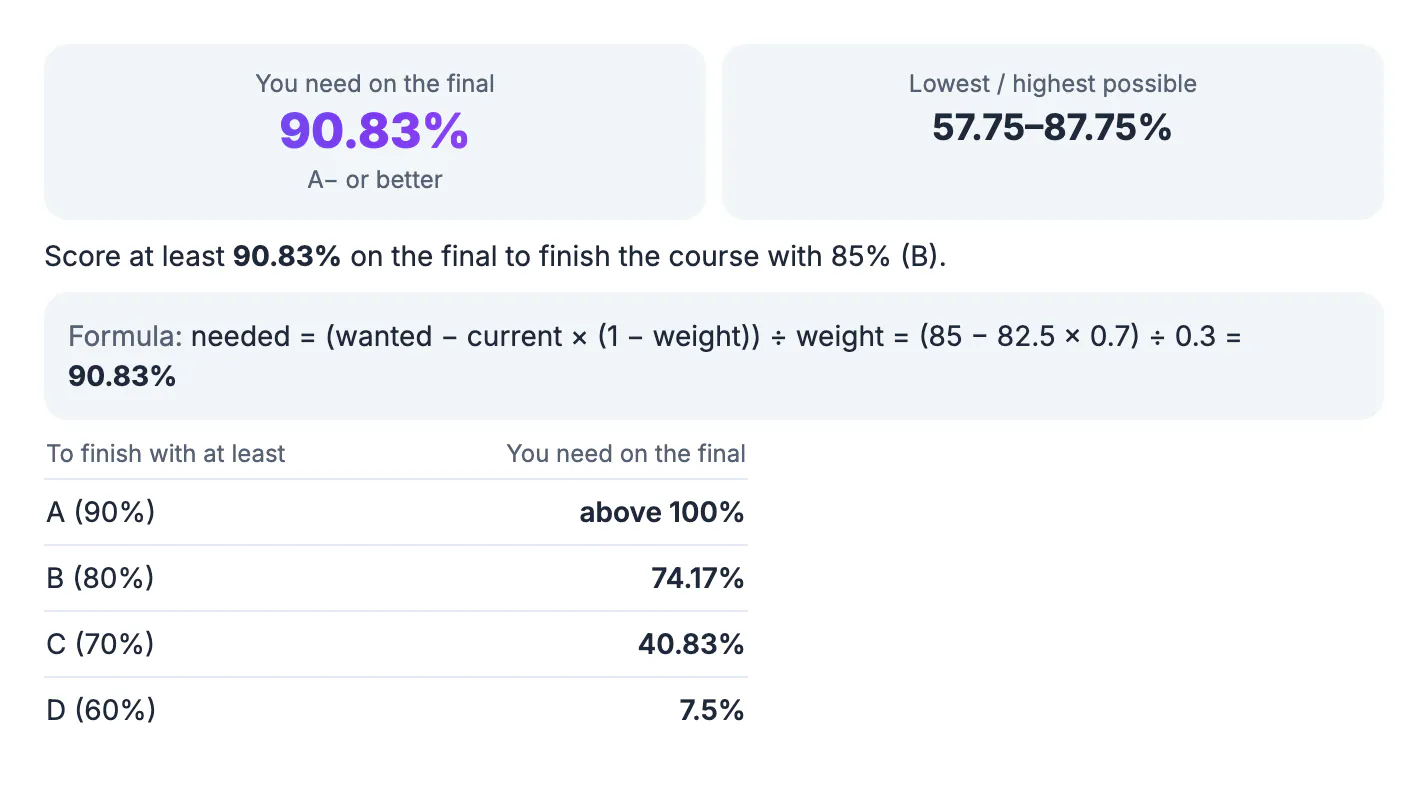
To find the score you need on your final exam, use: needed = (grade you want − current grade × (1 − final weight)) ÷ final weight, with the weight written as a decimal. If you have 82.5% going in, the final is worth 30%, and you want an 85% in the course, you need (85 − 82.5 × 0.7) ÷ 0.3 = 90.83%. Below you will see why the formula works, how to read results above 100%, and how to test what-if scores before exam week.
📝 Try Grade Calculator now — freeOpen →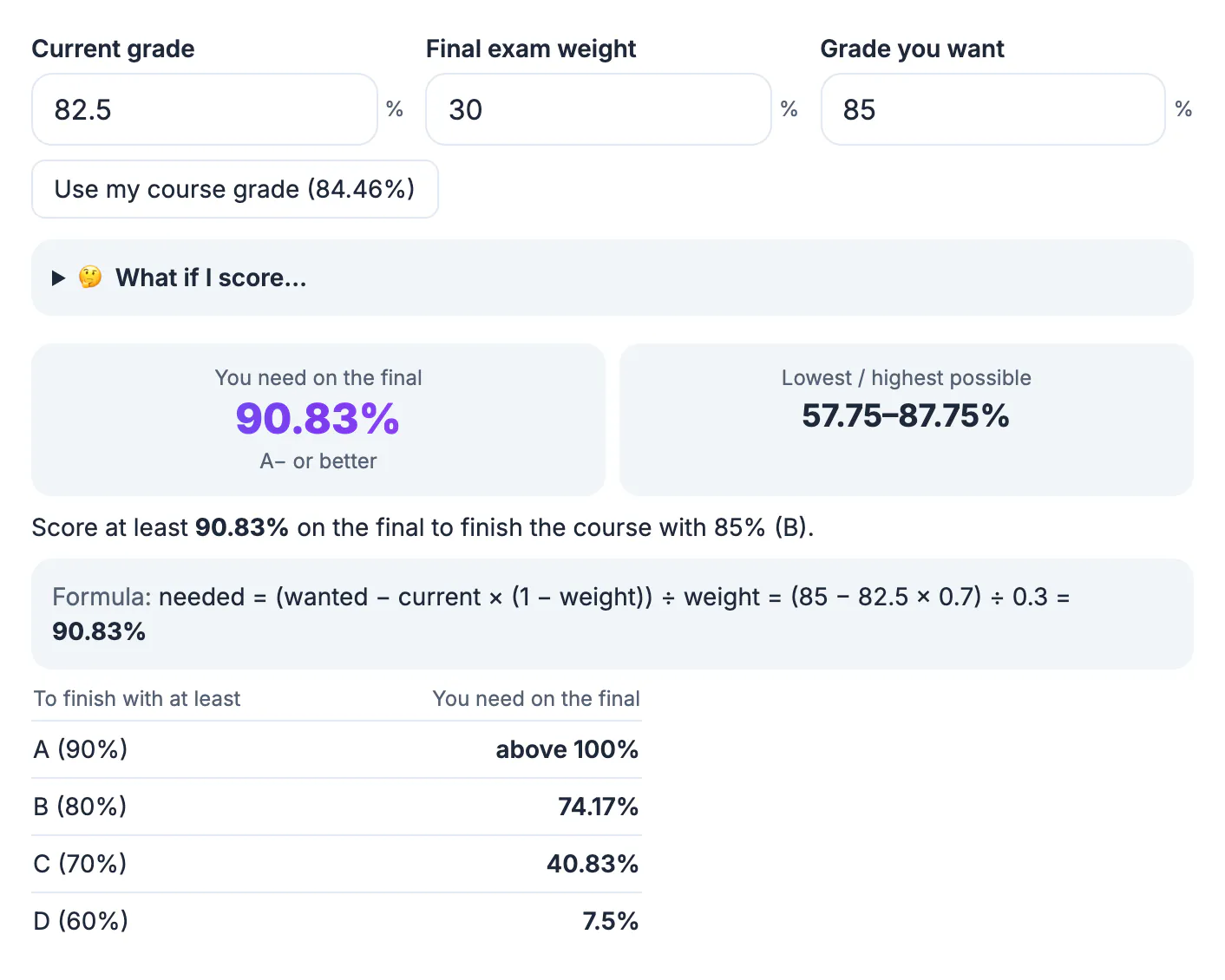
A final exam is often the single largest graded item in a course, so it can move your grade more than anything else. Knowing the exact score you need turns a vague worry into a concrete plan. If you need 74% to keep a B, you can pace your review calmly. If you need more than 100% for an A, you know that goal is gone and you can protect the grade you do have. Either way, the number helps you split study time between courses sensibly. It also stops last-minute panic, because you are reacting to real arithmetic rather than a guess about how bad a weak exam would be.
Why the formula works
Your final course grade is a blend of two parts: the grade you already have, weighted by everything except the final, and the final exam score, weighted by the final's share. As an equation: course grade = current × (1 − w) + final × w.
Solve that for the unknown score and you get the formula above. With a 30% weight, your current 82.5% is locked in at 82.5 × 0.7 = 57.75 points of the course grade. The last test supplies the other 30 points at most, so the highest course grade you can reach is 57.75 + 30 = 87.75%, and the lowest is 57.75% if you scored zero.
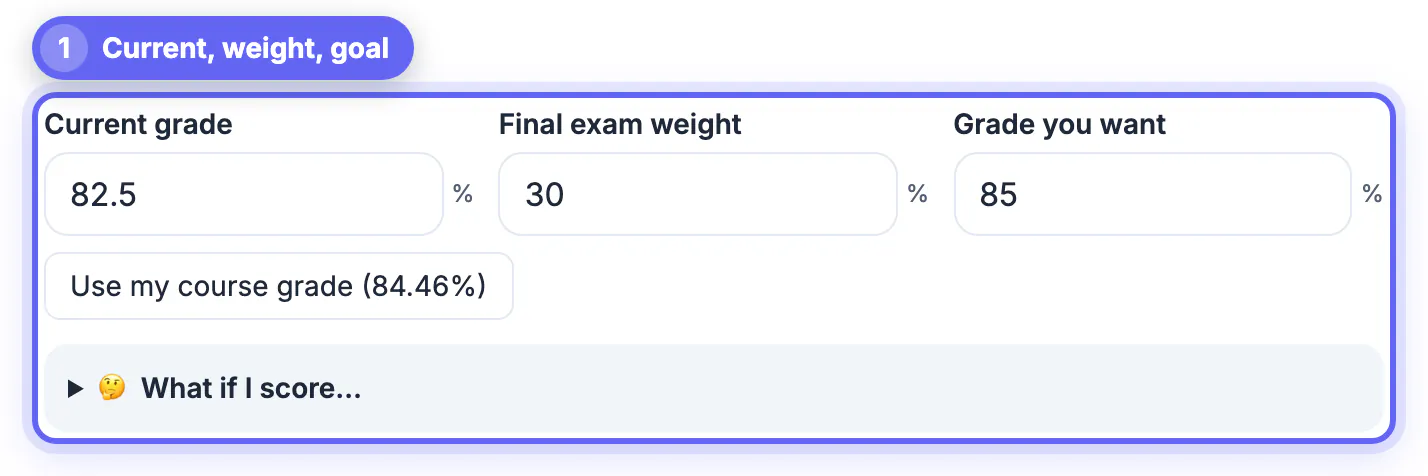
- Current grade: 82.5%
- Final exam weight: 30% (0.3)
- Grade you want: 85%
- Needed: (85 − 57.75) ÷ 0.3 = 90.83%
Targets for an A, B, C or D
The Grade Calculator's Final exam grade tab lists the score you need for each letter threshold. For the example above:
- A (90%): above 100%, so not reachable without extra credit.
- B (80%): 74.17% on the final.
- C (70%): 40.83% on the final.
- D (60%): 7.5% on the final.
Those thresholds use a flat 90/80/70/60 split. If your school uses different cutoffs, type your own number into Grade you want and the main result changes to match.
When the answer is above 100% or below zero
A result above 100% means the target cannot be reached through that one test. The calculator says so and tells you the best case: here, a perfect 100% gives 87.75%, a B+. Ask whether there is extra credit or a replaced exam policy before giving up on the goal.
A result of zero or less means you will keep that grade even with a zero on the final. That is good news, but check that passing it is not a separate course requirement before you skip revision.
Test what-if scores
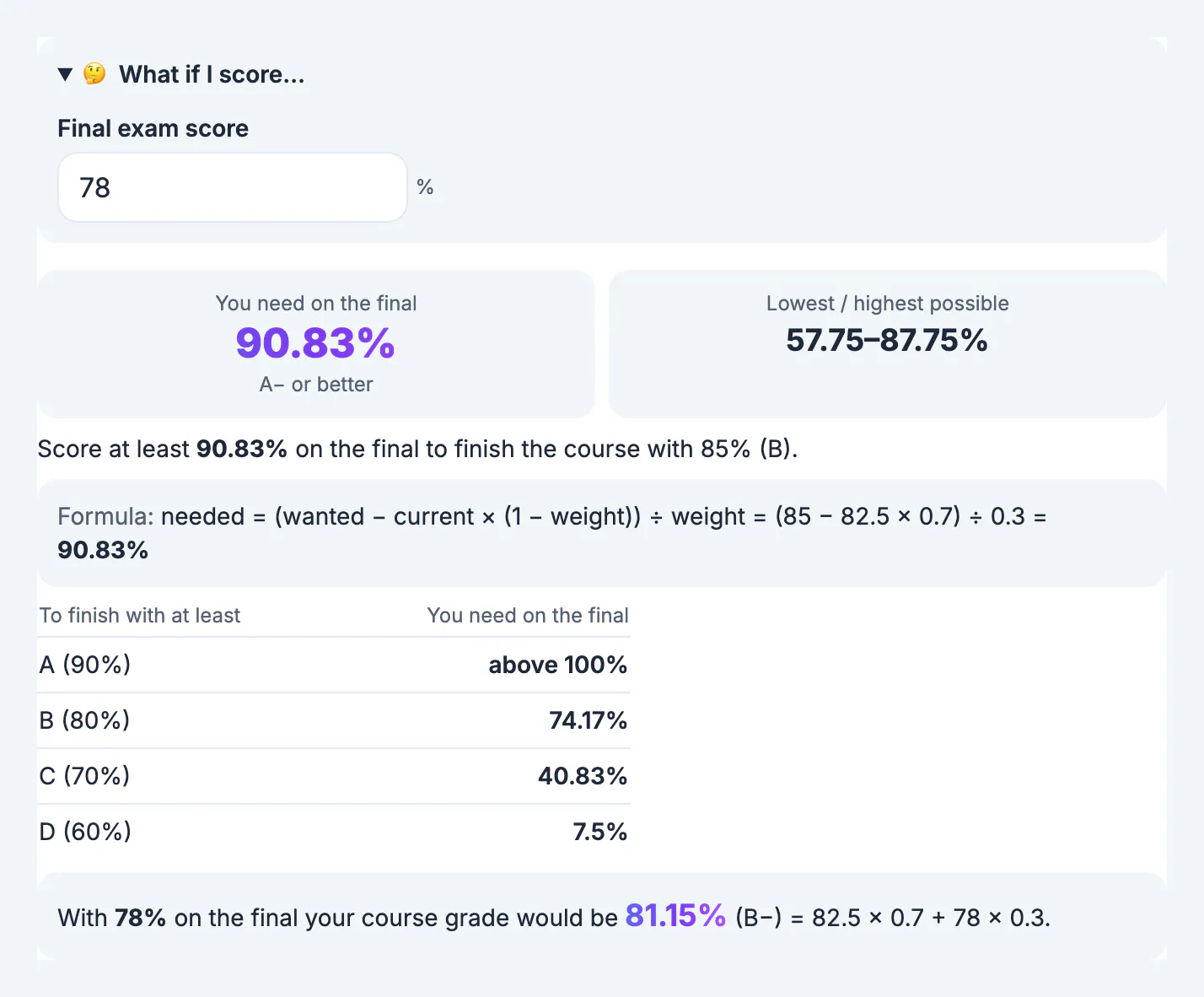
Open What if I score… and enter a realistic score to see the course grade it produces. With 78% on the final, the course grade becomes 82.5 × 0.7 + 78 × 0.3 = 81.15%, a B− on the plus and minus scale. Trying a few numbers such as your practice test score and a cautious lower score shows the range you are likely to land in.
If you already filled in categories on the Course grade tab, the Use my course grade button copies that weighted grade into Current grade, so you do not retype it.
Check your current grade first
The whole calculation depends on the current grade being right. Take it from your school's gradebook, or rebuild it from the syllabus categories. Make sure it excludes the last test: if the portal already counts it as a zero, the displayed grade will be misleadingly low. Also confirm its weight in the syllabus, since 20%, 25% and 30% give very different answers.
Planning study time across several finals
Most students face several big tests in the same week, so the required score is most useful as a way to compare courses. Run the numbers for each class and sort them by the gap between the score you need and the score you usually get. A course where you need 74% and normally score in the low 80s is relatively safe. A course where you need 91% and usually score 85% deserves the most review time.
- Large gap: prioritise practice exams, office hours and past papers.
- Small gap: steady review to keep your usual level.
- Target unreachable: reset the goal to the next letter and protect it.
Repeat the calculation if a late assignment or quiz changes your current grade before the exam, since even a one-point change in the current grade shifts the required score by more than a point when the test is worth less than half the course.
Plan sessions with this Pomodoro study guide, and see how the grade moves your term average with the GPA Calculator.
Step-by-step
Common mistakes to avoid
Pro tips
Frequently asked questions
What is the formula for the grade I need on my final?
Needed = (wanted − current × (1 − weight)) ÷ weight, with the weight as a decimal. With 82.5% now, a 30% final and an 85% goal, that is (85 − 57.75) ÷ 0.3 = 90.83%.
What if the calculator says I need more than 100%?
The target cannot be reached through the final alone. The tool shows your best possible course grade instead, such as 87.75% with a perfect score, so you can set a realistic goal.
How much can my final exam lower my grade?
With a zero on the final your grade drops to current × (1 − weight). At 82.5% with a 30% final, the floor is 57.75%. The calculator shows this as the lowest possible grade.
Can I use my weighted course grade as the current grade?
Yes. Fill in your categories on the Course grade tab, then press Use my course grade on the Final exam grade tab to copy the weighted percent across. That keeps both tabs consistent, and any change you make to a category score flows straight into the required-score calculation after you press the button again.
Does this work if the final is worth 50% or more?
Yes. Any weight above 0% and up to 100% works. A heavier final makes the needed score swing more with small changes in your current grade. With a 50% weight, for example, every point of current grade is worth exactly one point of required score, which makes quick mental checks easy.
The score you need on a final comes from one line of algebra: subtract what your current grade already locks in, then divide by the final's weight. Check your current grade and the weight carefully, run a couple of what-if scores, and plan your study time around the real target. If the number looks out of reach, talk to your teacher early about extra credit, retake policies or how rounding works at your school.
Related guides
Browse more: all calculator guides · Grade Calculator