Fancy Text for Instagram and TikTok Bios That Still Reads
To make fancy text for an Instagram or TikTok bio, type your words into a fancy text generator, pick a style such as bold, script or small caps, press Copy and paste it into the bio field in the app. It works because the styles are not fonts: each letter is swapped for a look-alike Unicode character that every phone can display. That same trick is the catch, because screen readers and search may not read those characters as letters. Here is how to use fancy text in a bio so it looks good and still works for everyone.
✨ Try Fancy Text Generator now — freeOpen →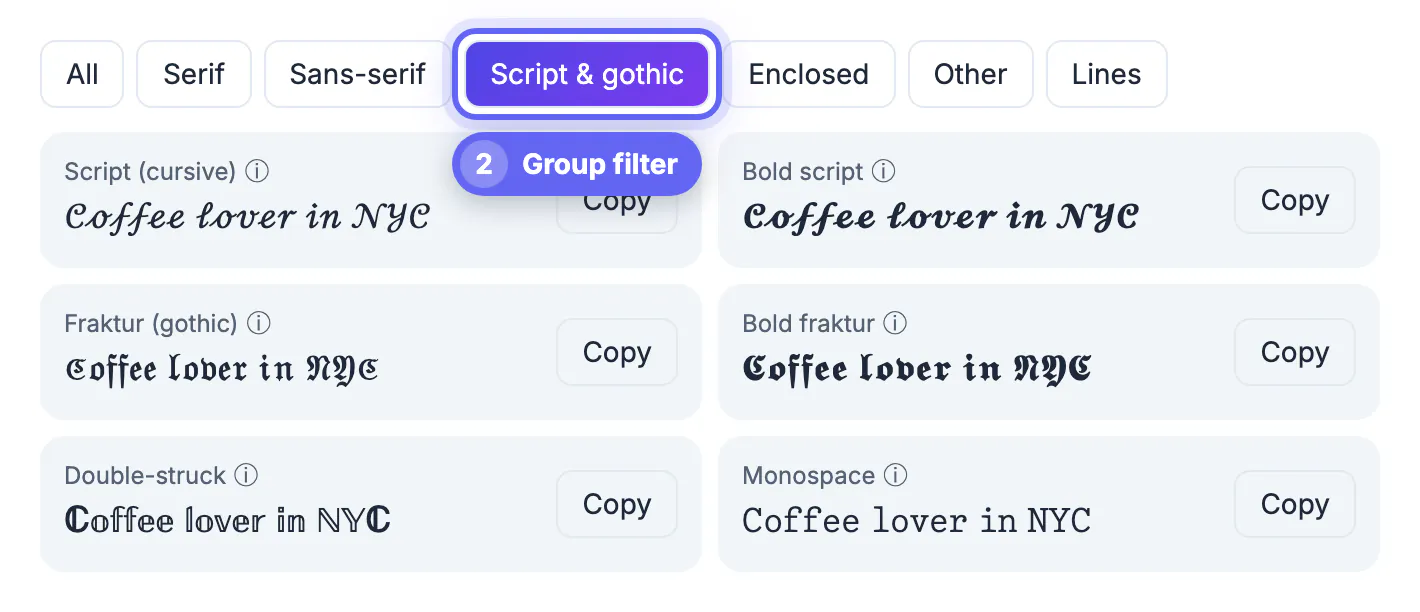
Instagram gives you 150 characters for a bio and TikTok around 80, and people decide in a second whether to follow. A styled word can make a profile stand out. But if your name, your niche or your call to action becomes unreadable to screen readers or invisible to search, the decoration costs you followers instead of winning them.
How fancy text works on Instagram and TikTok
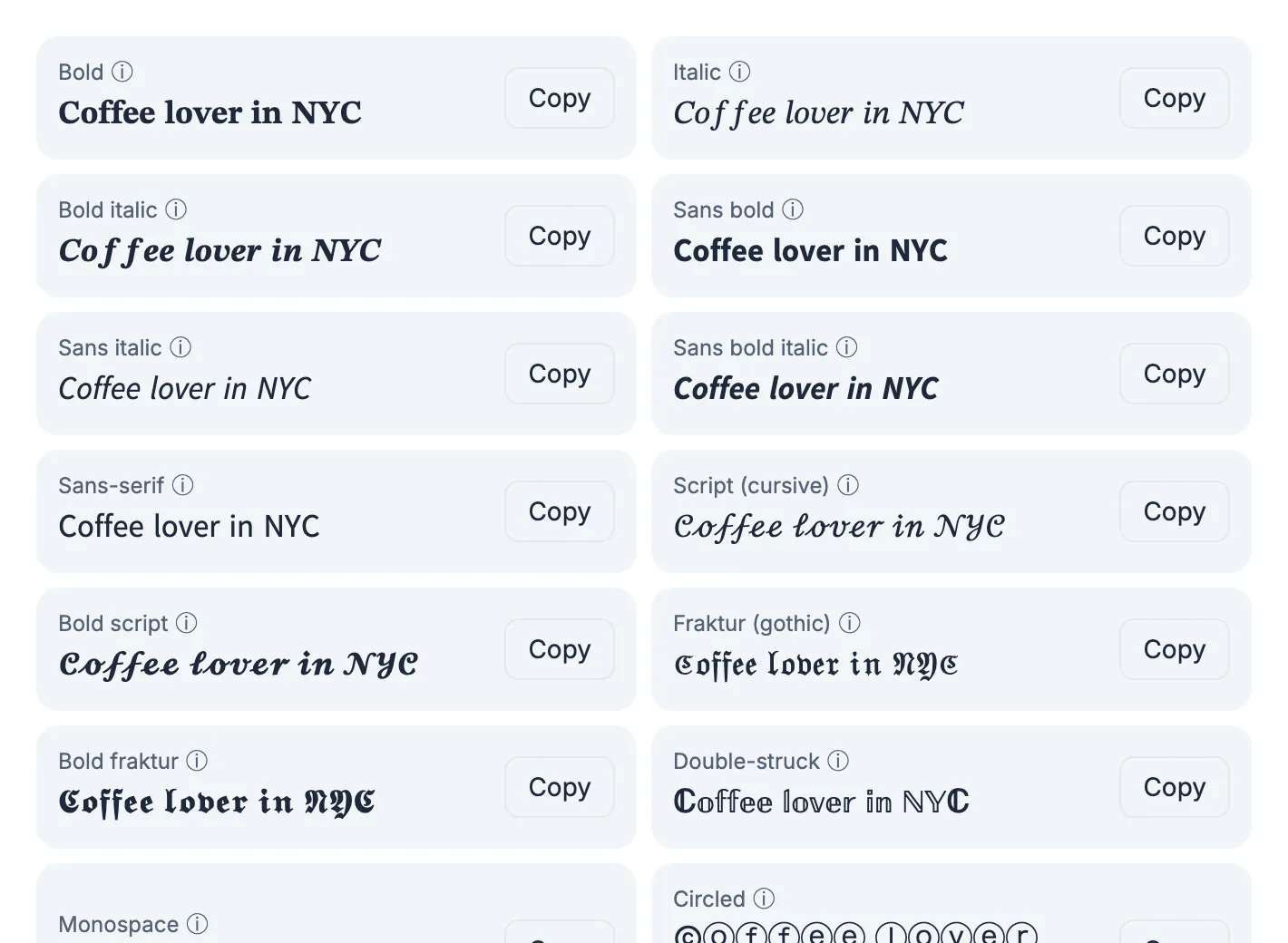
Unicode, the standard every phone uses for text, includes complete alphabets in bold, italic, script, fraktur, double-struck and monospace, originally for writing math. The generator maps each letter you type to its styled twin, plus circled, squared, fullwidth, small caps, superscript, upside-down and line styles, 27 in all.
Because the result is ordinary text, it pastes into any bio, caption, comment or display name field. Letters without a styled version, such as accented letters, emoji and most punctuation, stay as they are, so check the preview before copying.
Pick a style for your bio
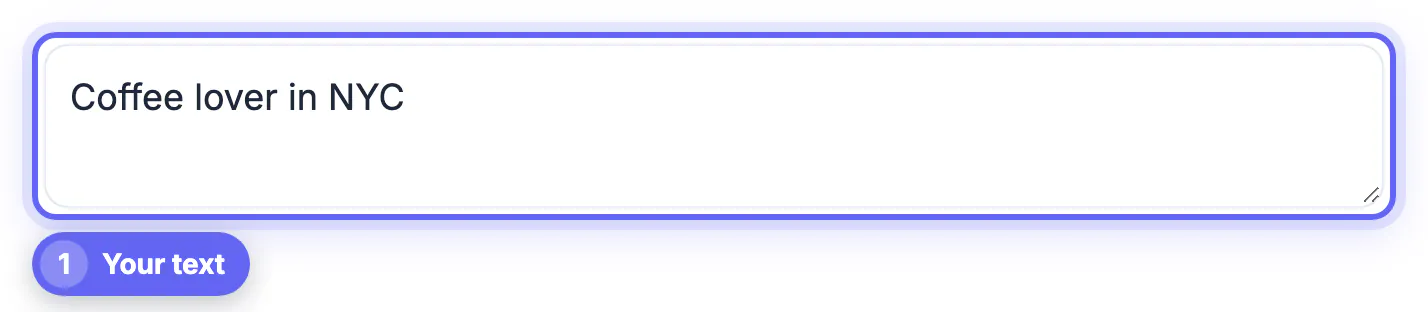
Type your line, for example Coffee lover in NYC, and every style appears at once, each with its own Copy button. The group buttons narrow the list: Serif, Sans-serif, Script & gothic, Enclosed, Other and Lines.
- Bold or Sans bold works like a heading for one word in your bio.
- Script (cursive) suits creators in beauty, weddings and lifestyle.
- Small caps looks tidy in a display name but uses look-alike phonetic letters.
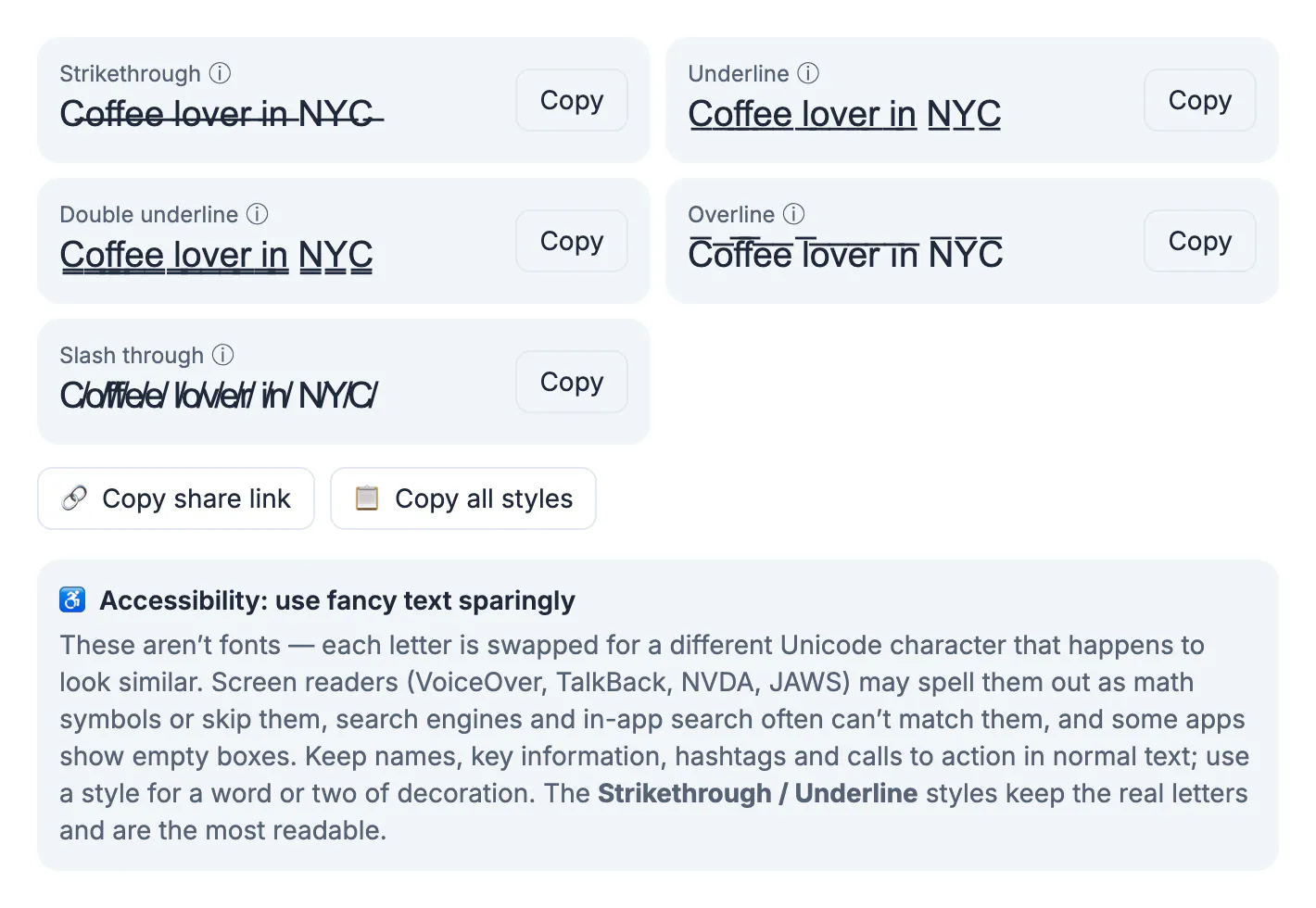
- Strikethrough and Underline add a combining mark to real letters, so the words stay readable.
Copy all styles puts every version on your clipboard if you want to compare them in a notes app first.
Captions and comments work the same way, but the same trade-offs apply: a styled caption can be harder to read aloud and harder to find. Keep styled words for short, decorative moments.
Accessibility: what screen readers do with fancy text
This is the part most guides skip. Screen readers such as VoiceOver, TalkBack, NVDA and JAWS may read math-bold letters one by one as symbols, for example mathematical bold capital H, or skip them entirely. A whole bio in script can become a long string of symbol names or silence for a blind visitor.
- Keep your name, what you do, hashtags and your call to action in normal text.
- Use a style for one or two decorative words, not the whole bio.
- Prefer the Lines styles when you need emphasis; they keep the real letters.
- Avoid Upside down text for anything people need to read; it is reversed and unreadable to screen readers.
Each style in the generator has a small ⓘ note describing how assistive technology tends to handle it, so you can check before you paste.
Search, character limits and display problems
- Search: in-app search and search engines usually cannot match styled letters to normal ones, so someone searching your name may not find a styled version. Keep searchable words plain.
- Length: styled characters can count as more than one character in some apps, so a styled bio may hit the limit sooner.
- Missing glyphs: older phones and some fonts show empty boxes for rarer styles; enclosed letters may appear as colored emoji on some platforms.
- Links and handles: styled @handles and URLs will not work, because they are different characters.
Everything runs in your browser, and Copy share link saves your text so you can reopen the same styles later.
Check length with the Word Counter, and adjust capitalization with the Case Converter.
A bio layout that uses fancy text well
A practical pattern is one styled word per line at most. Line one: a styled niche word followed by a plain description, such as a bold Coffee then lover in NYC. Line two: what people get from following you, in plain text. Line three: a plain call to action and your link.
This keeps the look while leaving everything that matters readable and searchable. When in doubt, turn on your phone's screen reader, open your profile and listen. If the bio sounds like a string of symbol names, move more of it back to plain text.
Step-by-step
Common mistakes to avoid
Pro tips
Frequently asked questions
How do I get fancy text in my Instagram bio?
Type your text into a fancy text generator, press Copy on a style, then paste it into Edit profile, Bio in the Instagram app.
Does fancy text work on TikTok?
Yes. The styles are Unicode characters, so they paste into TikTok bios, names and captions like any other text, though rare styles may show as boxes on some phones.
Can screen readers read fancy text?
Often not well. Styled letters may be read as math symbols or skipped, so keep key information in normal text and use styles sparingly.
Will fancy text hurt my searchability?
It can. Search usually cannot match styled letters to normal ones, so keep your name and keywords in plain text.
Why does fancy text show as boxes?
The device or font lacks those Unicode characters. Choose a more common style, such as bold or the line styles.
Fancy text is Unicode look-alike letters, so it pastes anywhere but can confuse screen readers and search. Use one or two styled words for flair, keep your name, niche, hashtags and links in plain text, and check the result on a real phone.
Related guides
Browse more: all text and developer guides · Fancy Text Generator