Fix ALL CAPS Text With Sentence Case and Title Case
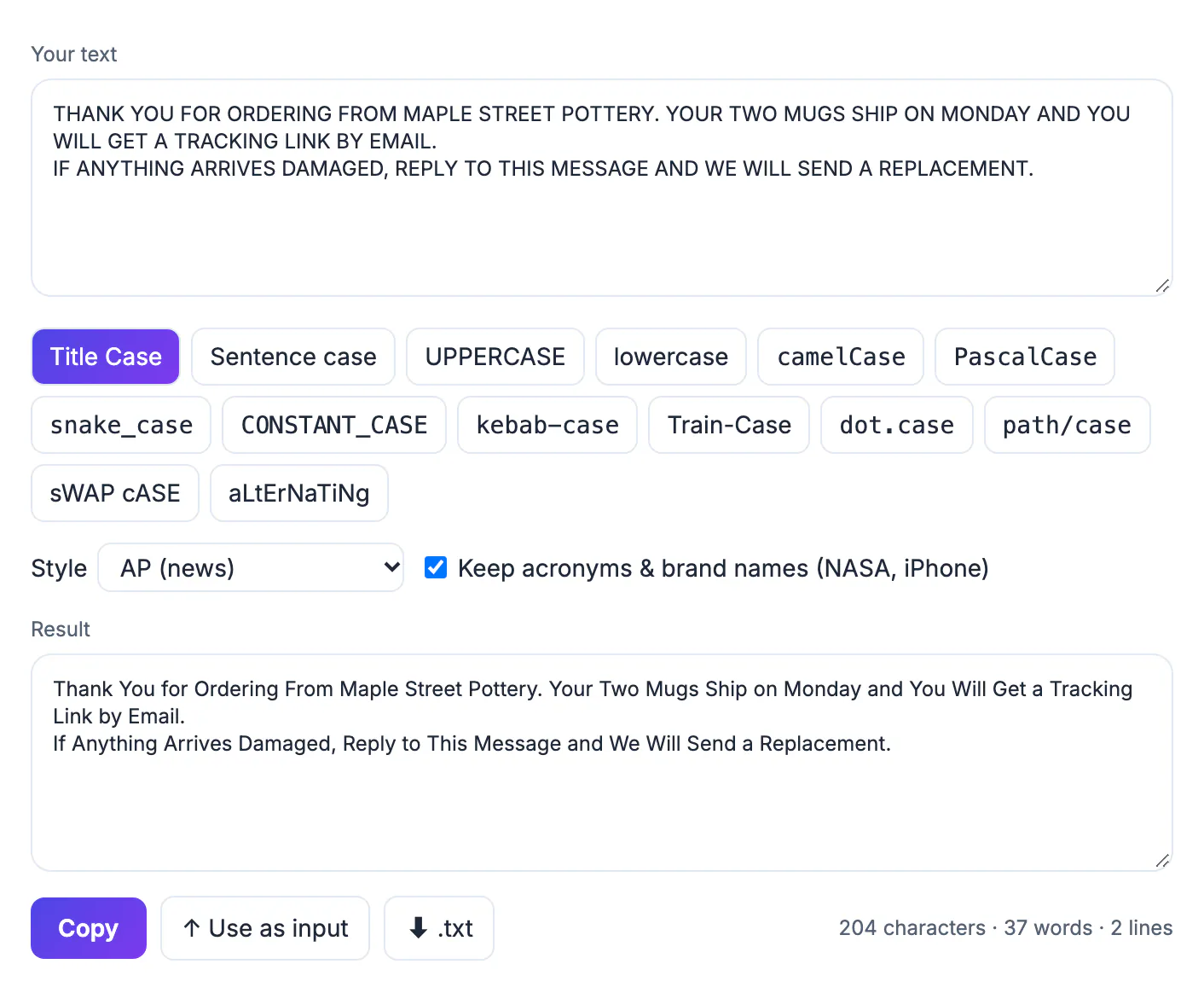
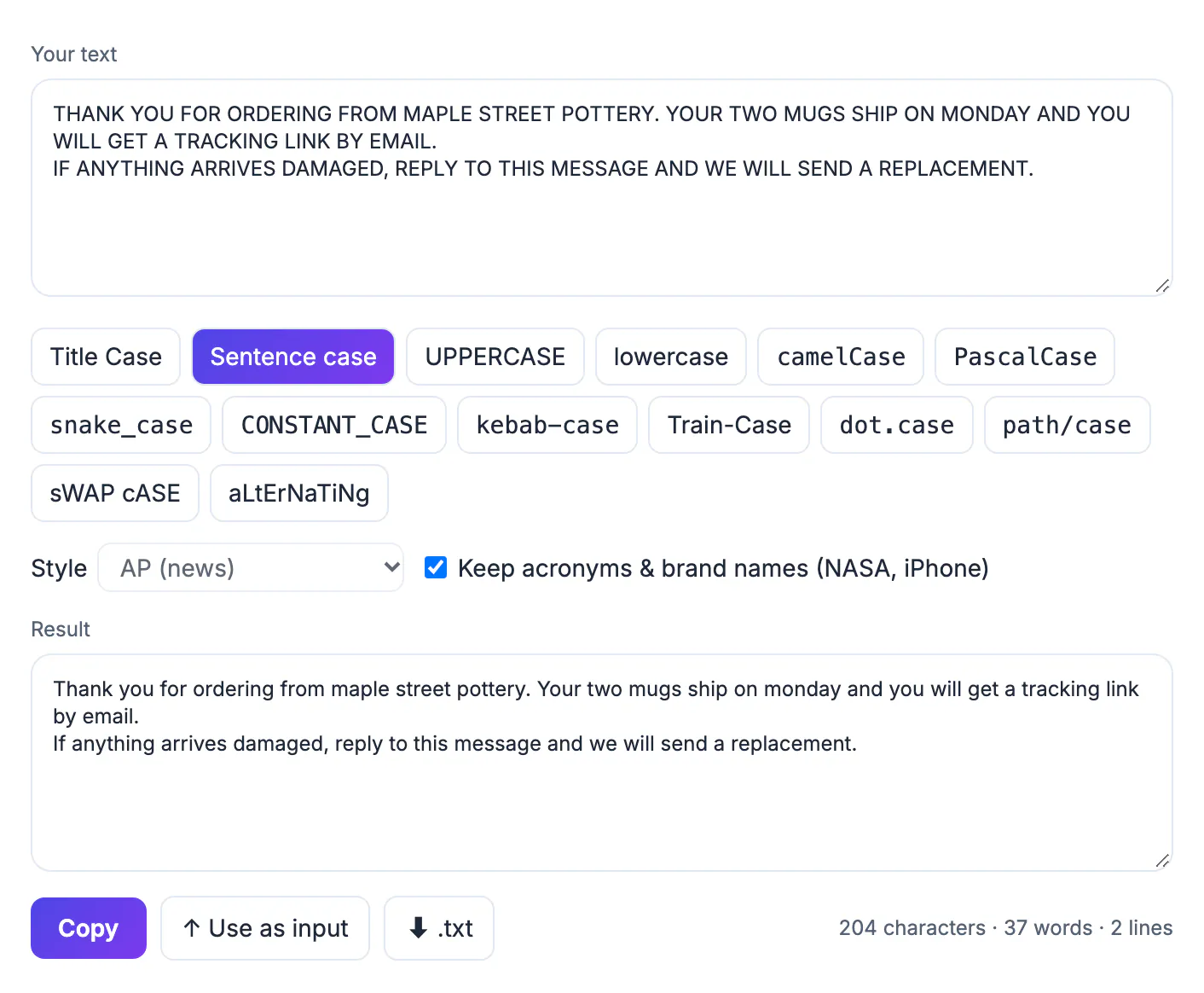
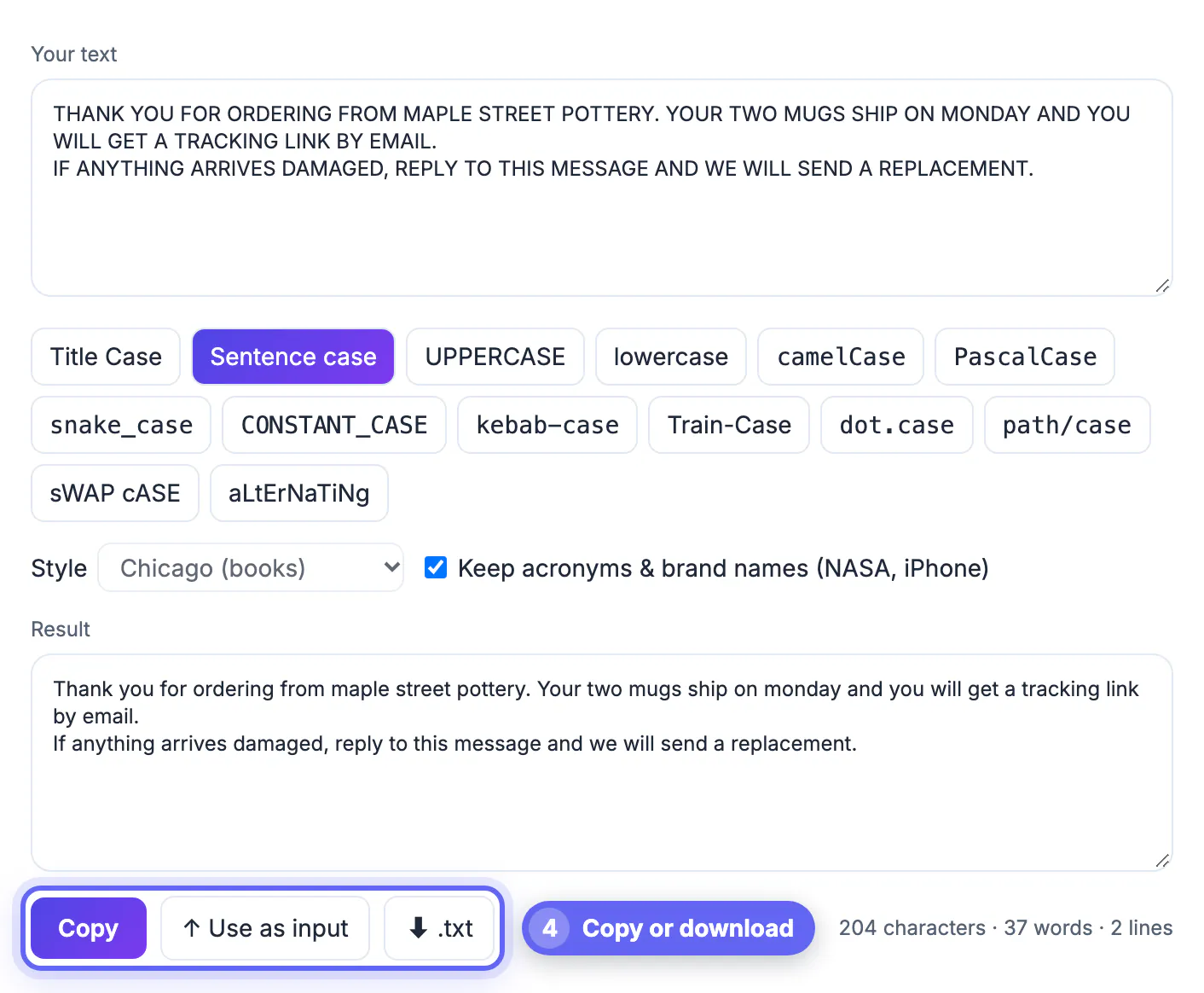
To fix text typed in ALL CAPS, paste it into the GrabCast Case Converter and press Sentence case for emails and paragraphs or Title Case for headlines and product names; the result updates instantly and each line converts separately. The tool notices shouting input and treats every word as ordinary text, so the output is not stuck in capitals. Proper names still need a quick manual pass, and this guide shows where.
🔤 Try Case Converter now — freeOpen →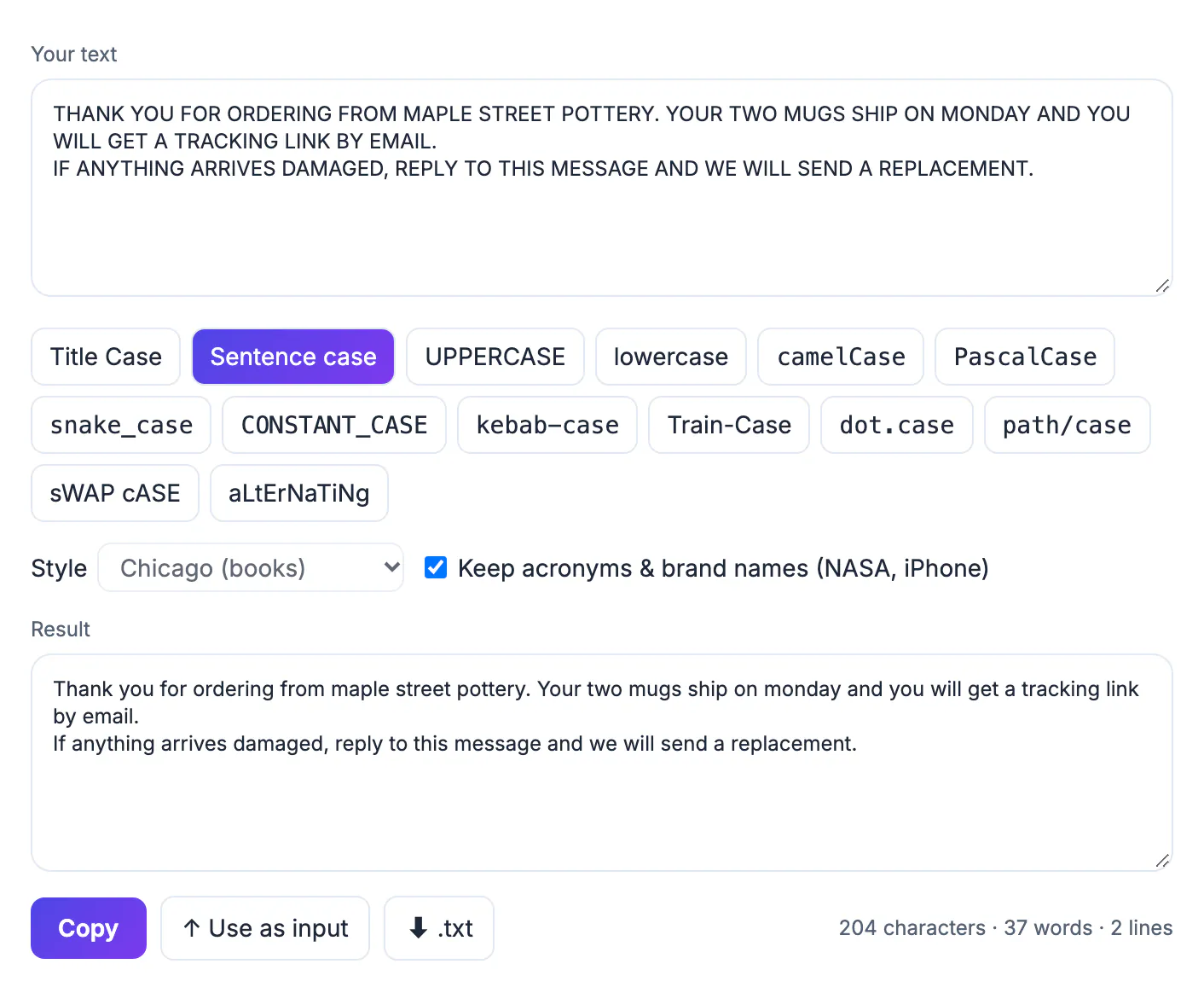
Text arrives in capitals from old mainframe exports, legal boilerplate, customer forms filled in with caps lock on, and subject lines written to grab attention. Readers experience it as shouting, and studies of readability consistently find that mixed text is faster to scan because word shapes differ. A plain lowercase button fixes the volume but leaves you capitalizing every sentence start, every I and every headline word by hand. A converter that knows sentence rules and headline style guides gets you 90 percent of the way in one click.
How the case converter handles shouting input
The converter checks what share of the letters are capitals. When more than 60 percent are, it assumes the text is shouting, not a mix of words and acronyms, and switches off the option that preserves acronyms and brand names. Without that guard, every word would look like an acronym such as NASA and nothing would change.
Here is a typical line from a support inbox and what two modes produce:
- Input: MY ORDER FROM BOSTON ARRIVED DAMAGED AND I NEED A REFUND.
- Sentence case: My order from boston arrived damaged and I need a refund.
- Title Case in AP style: My Order From Boston Arrived Damaged and I Need a Refund.
Sentence case capitalizes the first letter after a period, question mark or exclamation point, the start of each line and the pronoun I. Place names and people, like Boston above, come out lowercase because the tool has no dictionary of names. Scan for them afterward.
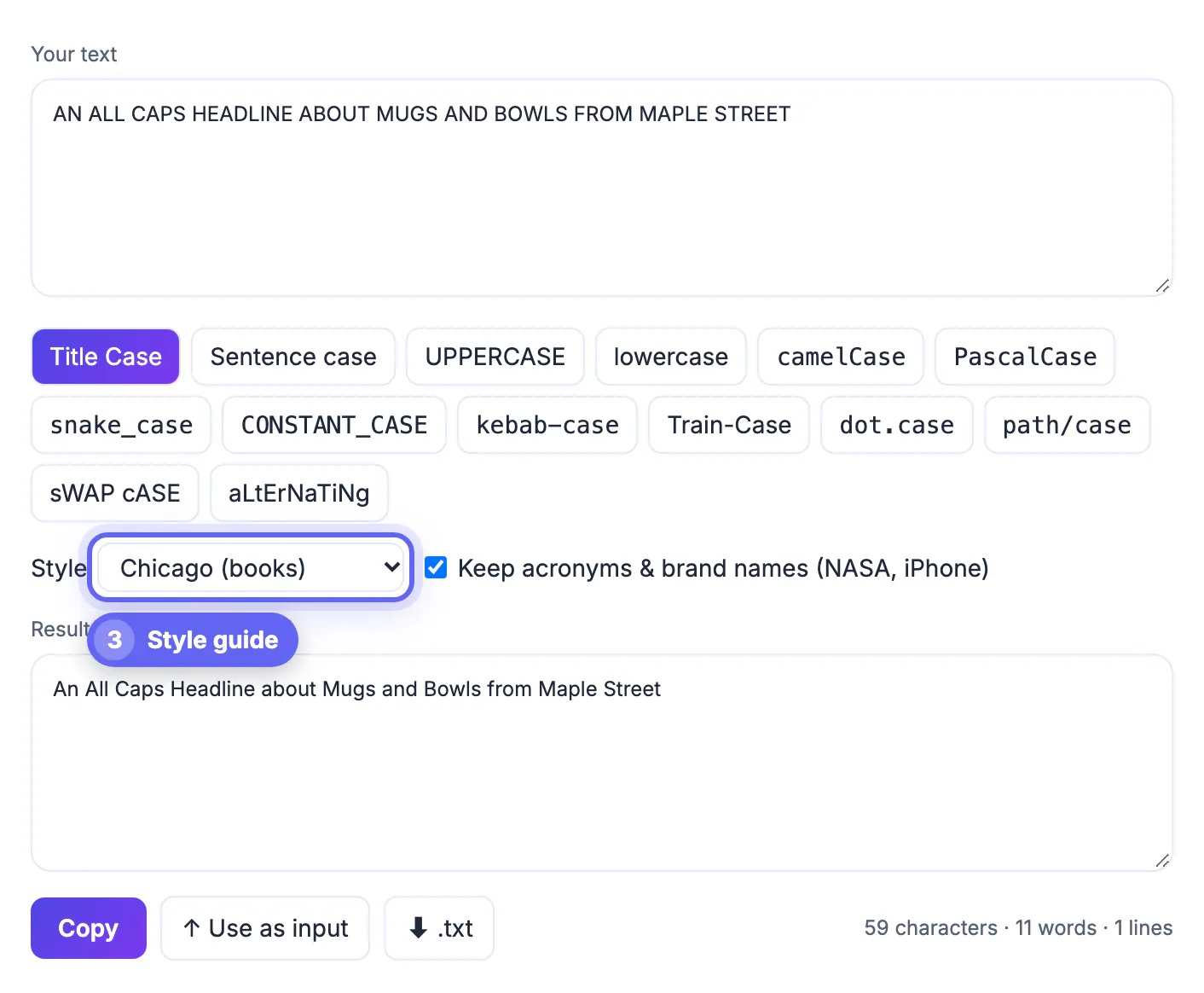
Picking a headline style: AP, Chicago, APA or MLA
Title Case follows the minor word list of the style you choose. Minor words stay uncapitalized unless they are first, last or follow a colon or dash.
- AP (news) keeps articles, conjunctions and prepositions of up to three letters uncapitalized, so with and from are capitalized.
- Chicago (books) leaves every preposition uncapitalized regardless of length, including between and through.
- APA (academic) leaves only short function words uncapitalized and capitalizes words of four letters or more.
- MLA leaves articles, coordinating conjunctions and prepositions of any length uncapitalized.
- Capitalize Every Word ignores the rules for buttons, menus and some product listings.
Hyphenated compounds are handled too, so a heading like STATE-OF-THE-ART TOOLS becomes State-of-the-Art Tools in Chicago style.
Lists, product feeds and spreadsheet columns
Because each line converts independently, you can paste a whole column from a spreadsheet, such as 300 product names exported in capitals from an old inventory system, and copy back a clean column in the same order. Blank lines are kept, so row alignment survives the trip.
For mixed text that is not shouting, leave Keep acronyms and brand names ticked. It protects tokens like FBI, iPhone, eBay, U.S. and URLs, so Sentence case will not turn iPhone into Iphone. A counter under the result shows characters, words and lines, which confirms that no rows went missing. Use as input feeds the result back in if you want to chain conversions, and a .txt download saves the cleaned list.
A realistic example: a nonprofit imports 4,000 donor records from a legacy system where every first name, street and city was typed in capitals. Paste the city column, convert it, spot-check the result for names like McAllen or DeKalb that need an internal capital, then paste it back. The same routine works for CRM exports before a mail merge, where a letter addressed to DEAR MARIA looks automated in the worst way.
Honest limits and a 30 second cleanup routine
No automatic converter knows that jordan is a person and not a country, or that the brand in your catalog is spelled with a lowercase first letter. Plan a short review, which goes faster if you know what to look for.
- Search the result for capitalized words you expect, such as your company name, and fix them once.
- Check the first word after abbreviations like Dr. or approx., which Sentence case may capitalize as a new sentence.
- Watch acronyms that were part of the shouting input, such as USA or FAQ, which come out as ordinary words.
- Keep legal text such as warranty disclaimers in capitals if a lawyer or regulation requires the conspicuous format; many state laws expect disclaimers of implied warranties to stand out on the page.
Developer styles such as camelCase and kebab-case are there too, but for shouting prose Sentence case and Title Case are the two that matter.
After converting, compare the before and after with the Text Diff Checker, and use the Text Cleaner to remove stray spacing in the same pass.
Step-by-step
Common mistakes to avoid
Pro tips
Frequently asked questions
Will it keep people's names capitalized?
Not automatically when the source is in capitals, because the tool cannot tell names from ordinary words. Capitalize names during a quick review.
What is the difference between Sentence case and Title Case?
Sentence case capitalizes only the first word of each sentence and the pronoun I. Title Case capitalizes the major words of a headline following a style guide.
Can I convert a list of product names in one go?
Yes. Put one name per line; each line is converted separately and the order and blank lines are preserved.
Does it change acronyms like NASA?
In normal mixed text they are kept when the option is ticked. In text that is mostly capitals, acronyms become ordinary words and need a manual fix.
Is my text uploaded?
No. Conversion happens in your browser as you type, so customer data or drafts never leave your device.
Paste shouting text, pick Sentence case or a Title Case style, and you have readable copy in seconds. The GrabCast Case Converter detects capitals-only input, converts lists line by line and follows AP, Chicago, APA or MLA rules; spend 30 seconds restoring names and required legal capitals.
Related guides
Browse more: all text and developer guides · Case Converter