Free AI Translator Online: 35 Languages and Subtitles
GrabCast's free AI translator online turns text in any of 35 languages into natural phrasing: paste up to 60,000 characters or load a .txt, .md, .srt or .vtt file, leave the source on Detect language or pick it, choose one of four tones, and copy or download the result. There is no account and no daily quota, and subtitle files come back with every cue number and timestamp untouched. If you simply want to translate text online for a message, a web page paragraph or a manual, that is the whole job; the rest of this guide explains what happens to your text, what each setting really does, and where machine translation stops being good enough.
🌐 Try AI Translator now — freeOpen →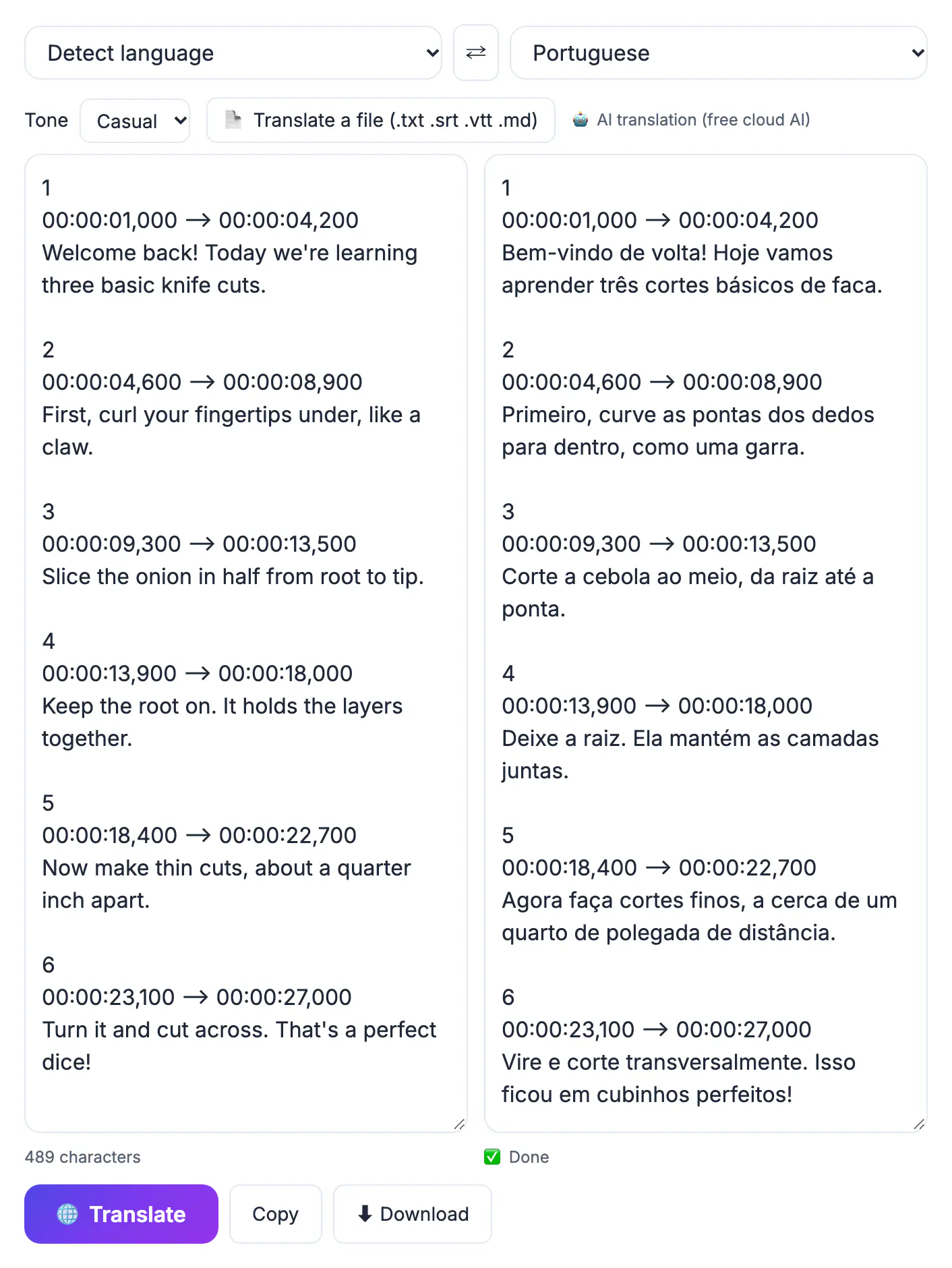
Older phrase-based engines translated a few words at a time, so they missed what a sentence was doing: an idiom came out literally, a pronoun pointed at the wrong person, and formality wobbled from line to line. A language model reads the surrounding passage before it writes, which lets it choose the right sense of an ambiguous word, rebuild an idiom as a local equivalent and hold one register across a whole email. For everyday needs, that closes most of the gap with a human: replying to a supplier in Guadalajara, understanding a letter from a German landlord, or reading a Korean product manual. It does not make machine output a certified translation, and it does not remove the need to read what you send, but it turns translation from a chore into a quick draft-and-check routine.
How to translate text online in four settings
The page has two boxes and four controls, and the defaults suit most people.
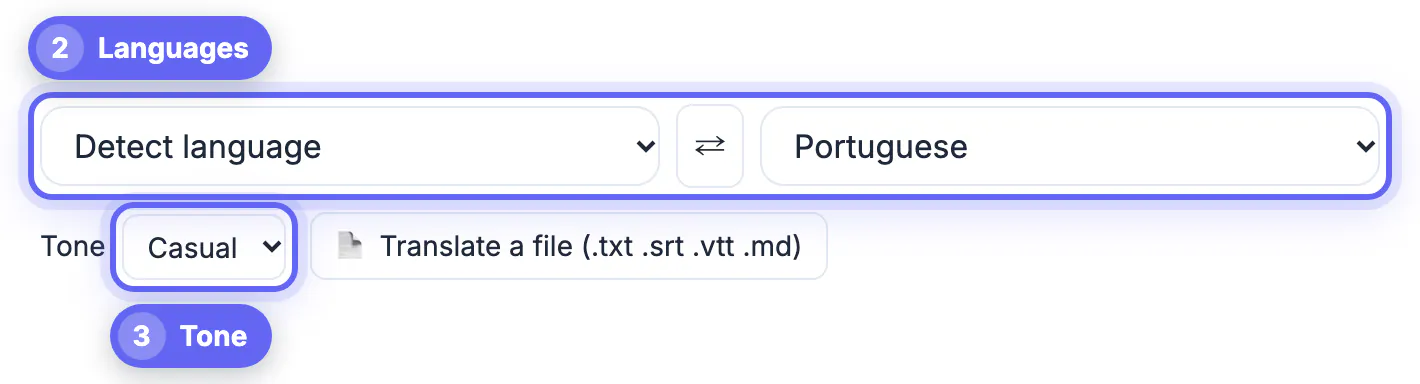
- Source language: Detect language works for a normal paragraph; set it by hand for a two-word label or a name, where there is too little to detect
- Target language: one of 35, including Spanish, French, German, Portuguese, Dutch, Polish, Ukrainian, Arabic, Hebrew, Hindi, Chinese (Simplified and Traditional), Japanese, Korean, Vietnamese, Thai, Indonesian, Filipino and Swahili
- Tone: Natural for fluent idiomatic wording, Formal for polite business language, Casual for friendly messages, Literal for wording that stays close to the source
- Swap: the arrow button reverses both languages and the text, handy for reading a reply and answering it
Press Translate or Ctrl/Cmd+Enter. Long passages are split into chunks with a progress percentage and joined back in order, and the AI is told to keep line breaks, lists, Markdown, URLs, numbers and product names intact whichever tone you choose.
Where your text goes, and what that means for privacy
This is a cloud AI tool most of the time, and it is worth knowing exactly when.
- On-device case: in recent Chrome, if you choose a specific source language with the Natural or Literal tone, Chrome's built-in translator runs locally and nothing leaves your computer
- Everything else: your text goes to GrabCast's AI server and on to an AI provider, Groq or Pollinations, with the MyMemory translation service as a backup
- Nothing requires an account, but that does not make the text private in the cloud case
- Do not paste passwords, card or account numbers, client files under NDA or patient details
For confidential material, translate a version with names and numbers replaced by placeholders, or use a professional service with a signed confidentiality agreement.
Files and subtitles: SRT, VTT, TXT and Markdown
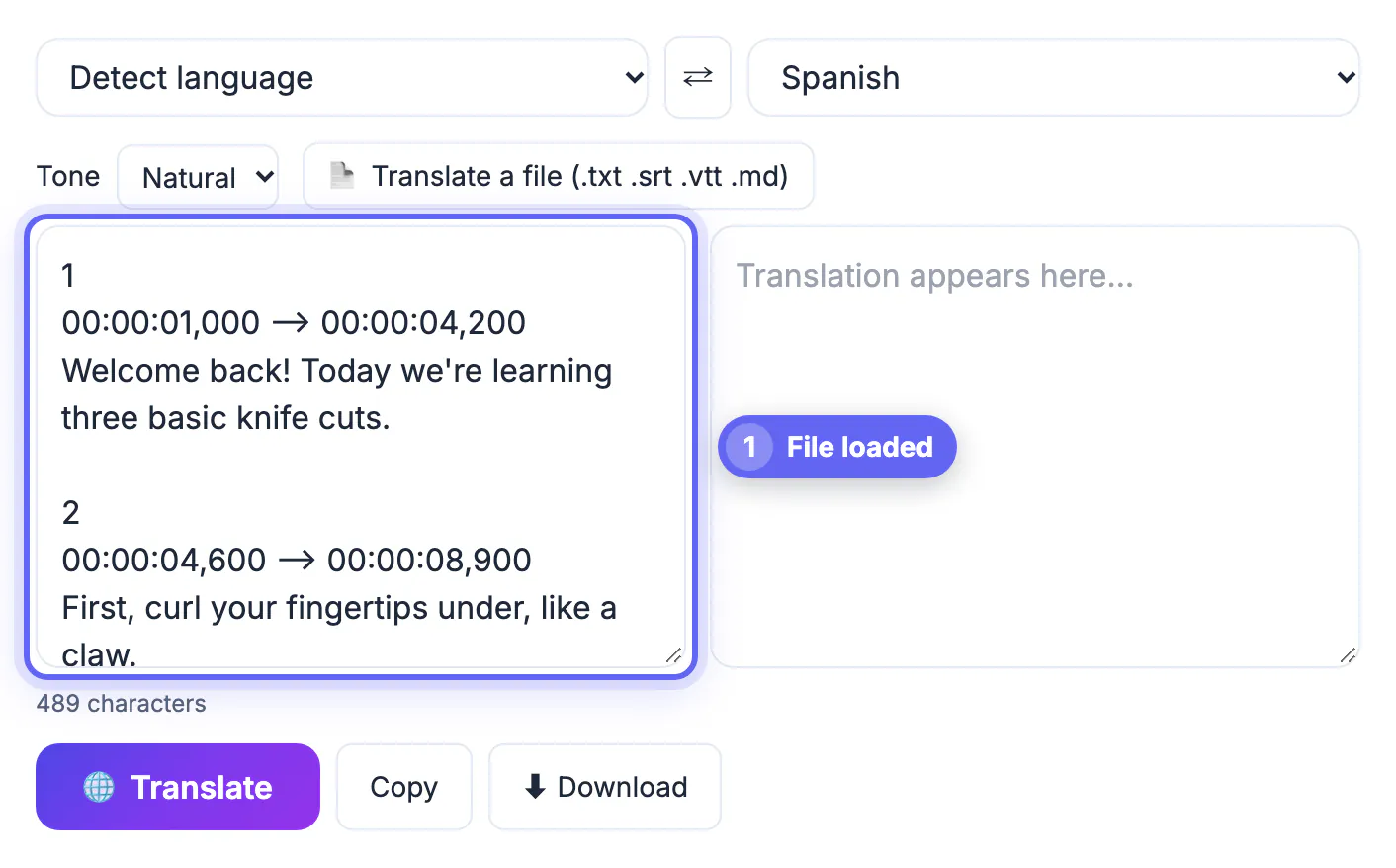
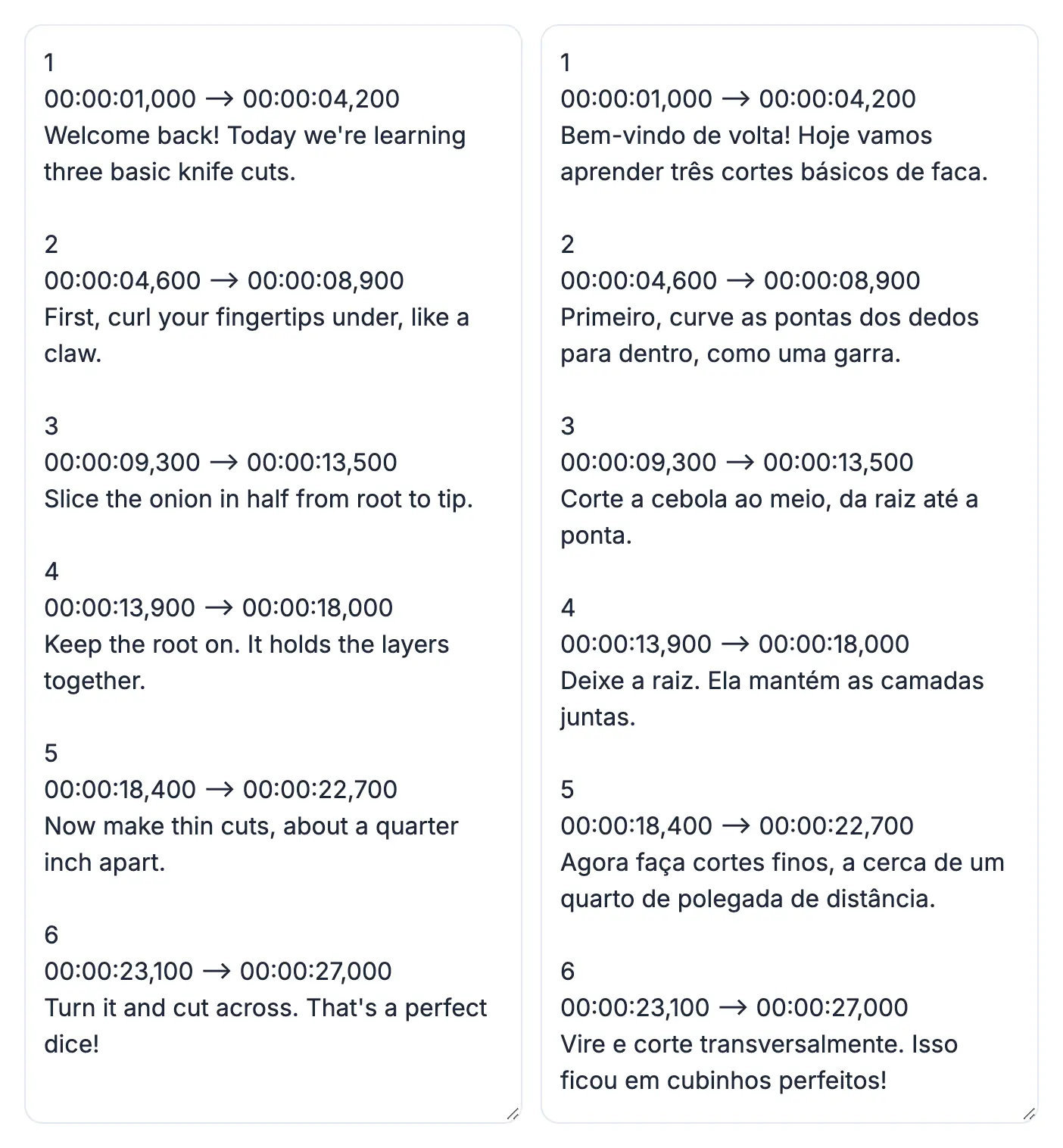
Click Translate a file to load a .txt, .md, .srt or .vtt file up to 2 MB. Subtitle mode is the feature most free translators lack: the tool spots the timing lines, translates only the dialogue in batches, and writes cue numbers and timestamps back byte for byte.
- The downloaded file keeps its extension and gets the target language code added to its name, so lecture.srt becomes a Spanish copy you can tell apart at a glance
- Upload a translated .srt to YouTube Studio as an extra subtitle track so viewers can pick their language
- Markdown keeps headings, bullet lists and links, which makes it the best format for a help article or README
- German and Spanish typically run 15 to 30 percent longer than English, so read the first minute of translated captions on screen; a line past about 42 characters may need splitting
Translate captions only after the English version is final. Fixing a recognition error once in English is far quicker than fixing it in five target languages.
For subtitle files in other languages, the Multilingual Subtitles tool is built for the job, and a free proofreading pass helps polish the result.
When the AI translator is enough, and when to hire a human
Use the AI whenever clear and fast matters more than exact and certified. Bring in a person whenever a mistake would cost money, safety or legal standing.
- Great for AI: emails, chat messages, reviews, product descriptions, travel questions, internal notes and getting the gist of foreign news or manuals
- AI draft, human review: marketing copy for a launch, a website in a new market, anything published under your brand
- Human only: sworn or certified translations for US immigration, courts and many universities, contracts, medical dosing instructions and safety labels
Accuracy also depends on the pair. Major European and East Asian languages paired with English come out strong; less common pairs, and pairs that do not include English, benefit even more from a native reader's check.
Step-by-step
Common mistakes to avoid
Pro tips
Frequently asked questions
How much text can I translate at once?
The text box holds up to 60,000 characters and files can be up to 2 MB of text. Longer input is split into chunks automatically; if the free AI services are busy, try again in a minute or with a shorter passage.
How many languages does it support?
35, including English, Spanish, French, German, Italian, Portuguese, Russian, Ukrainian, Arabic, Hebrew, Hindi, Chinese (Simplified and Traditional), Japanese, Korean, Vietnamese, Thai, Indonesian and Swahili.
Is my text sent to a server?
Usually, yes. Only the Chrome on-device case, with a set source language and Natural or Literal tone, keeps text on your computer. Otherwise it goes to an AI provider, so avoid pasting confidential information.
Can it translate SRT or VTT subtitles without breaking timing?
Yes. It translates only the dialogue and keeps cue numbers and timestamps exactly as they were, then saves the file with the same extension and the target language code in its name.
How accurate is free AI translation?
Very good for everyday text and for understanding foreign material. For legal, medical or published marketing content, treat it as a strong first draft and have a qualified human check it.
For everyday messages, web copy, manuals and subtitle files, a free AI translator online gets you natural wording in 35 languages in seconds. Pick the tone deliberately, feed it complete sentences, keep confidential text out of the cloud, and hand anything certified, contractual or medical to a human translator.
Related guides
Browse more: all AI guides · AI Translator