Translate Text Accurately With AI: Prep, Tone, Checks
To translate text accurately with AI, fix the source before you press the button and verify the meaning after, because most errors come from ambiguous input rather than from the model itself. Short, complete sentences, explicit subjects, and names or figures marked as untouchable remove the guesswork that produces fluent but wrong output. GrabCast's AI Translator adds a tone setting (Natural, Formal, Casual or Literal), keeps line breaks, lists and links in place, and handles subtitle files without disturbing timestamps. This guide walks through the pre-editing habits professional localizers use, how to choose a tone for each kind of document, a four-point verification pass that catches the costly mistakes, and the situations where no machine output should ship without a qualified human reviewer.
🌍 Try the AI Translator tool now — freeOpen →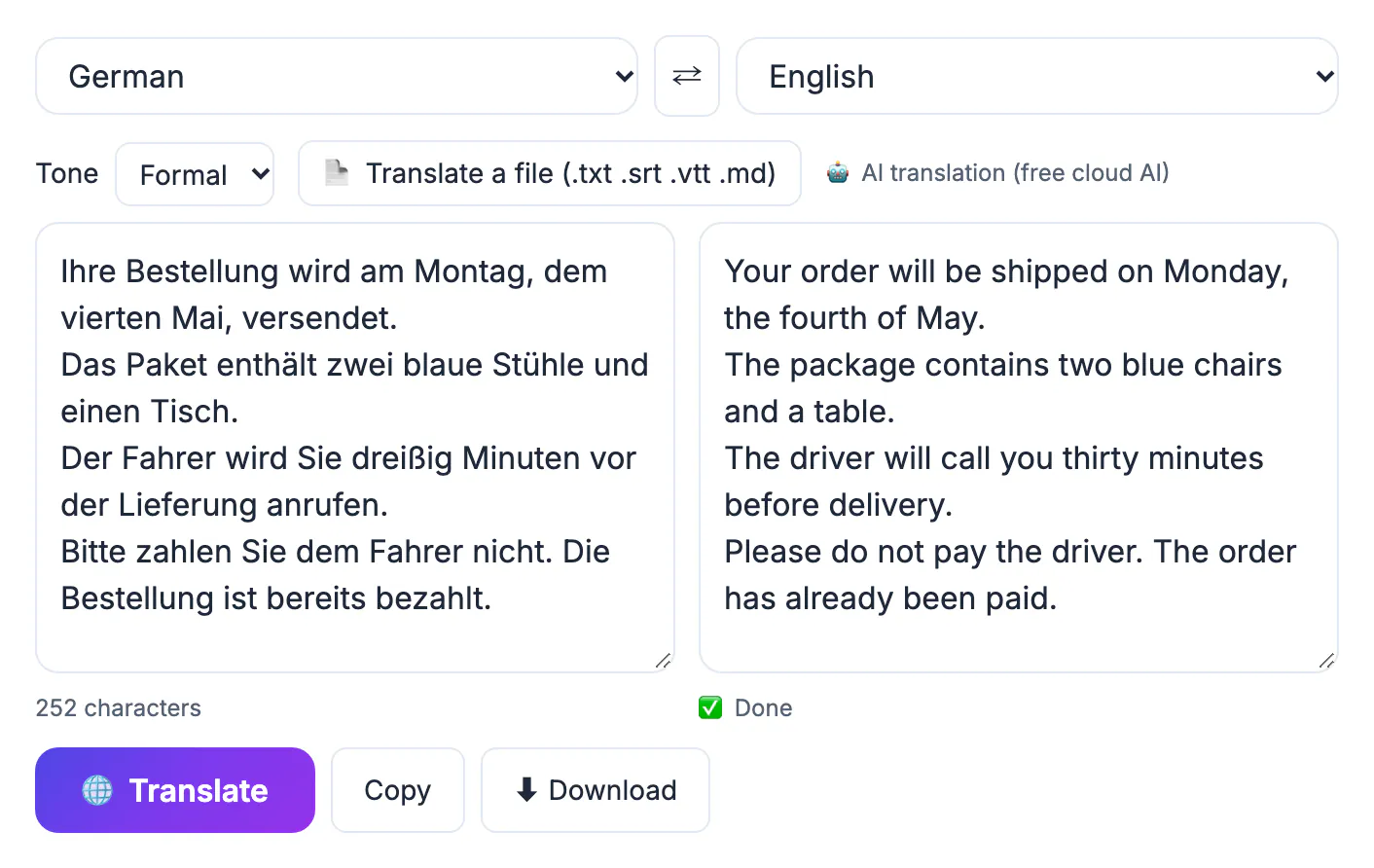
Older machine translation failed loudly: broken grammar told you something was off. Modern language models fail quietly. The sentence reads smoothly in Spanish or Japanese, yet a negation has vanished, a pronoun points to the wrong person, or an idiom has been rendered word for word. Readers trust polished prose, so these errors travel further before anyone notices. Three weak spots show up again and again: ambiguity in the source, where the model has to guess who did what; domain vocabulary, where a common word has a specialist meaning; and numbers, dates and units, which look trivial but flip meaning when a comma and a period swap roles. Knowing those weak spots lets you design around them, spending ten minutes of preparation and checking instead of an afternoon of apologizing to a customer who read the wrong refund deadline.
Pre-edit the source text so AI has nothing to guess
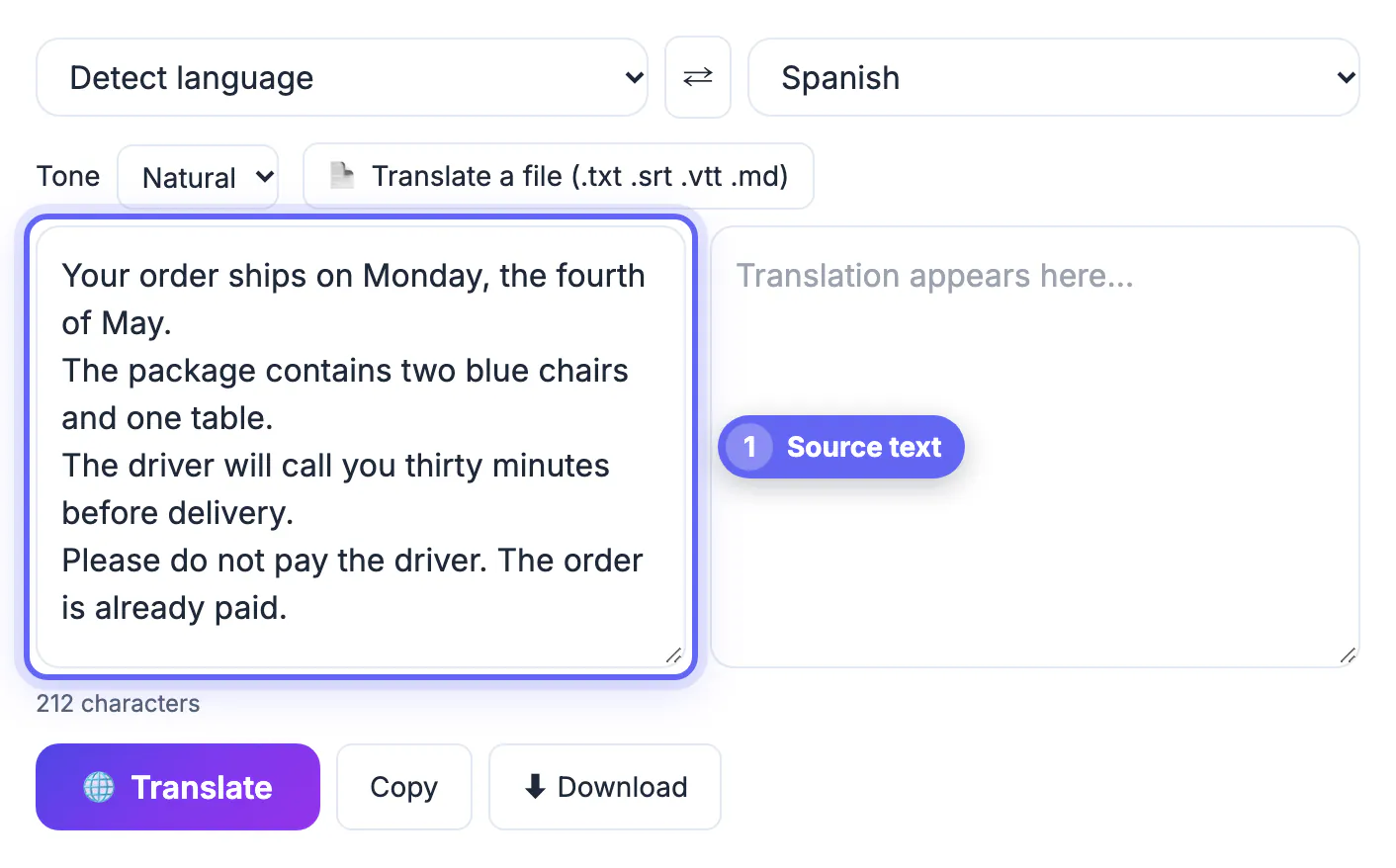
The single biggest accuracy gain happens before any translation runs. Rewrite the original with one idea per sentence and a clear subject in each. Replace it, this and they with the actual noun whenever the reference is more than a sentence away. Spell out abbreviations the first time they appear, and swap slang or idioms for plain statements: our launch was a home run becomes our launch exceeded its sales target.
Watch for English words with several meanings. Charge can be a fee, a battery level or an accusation; a model picks the most common sense unless the sentence rules the others out. Adding three or four words of context is cheaper than fixing the result later.
- One claim per sentence, under about 25 words.
- Named subjects instead of pronouns that reach back across paragraphs.
- Idioms, puns and sports metaphors rewritten as literal statements.
- Consistent terms: pick customer or client and use only that one.
Protect names, numbers and product terms
Brand names, people, file names, codes and figures should come through unchanged. GrabCast's AI engine is instructed to preserve line breaks, lists, markdown, URLs, numbers and product names, and in practice that holds well, but verify every figure anyway. Date formats are a classic trap: 03/04 means March 4 in the United States and 3 April in most of Europe, so write dates as April 3, 2026 before translating.
For a document you revisit often, keep a small glossary: the source term, the approved target term and a note. The tool has no glossary feature of its own, so apply the glossary during your review pass, searching the output for each entry. Currency and units deserve the same care; say 12 US dollars or 5 kilograms rather than trusting symbols.
Choose the tone that fits the reader
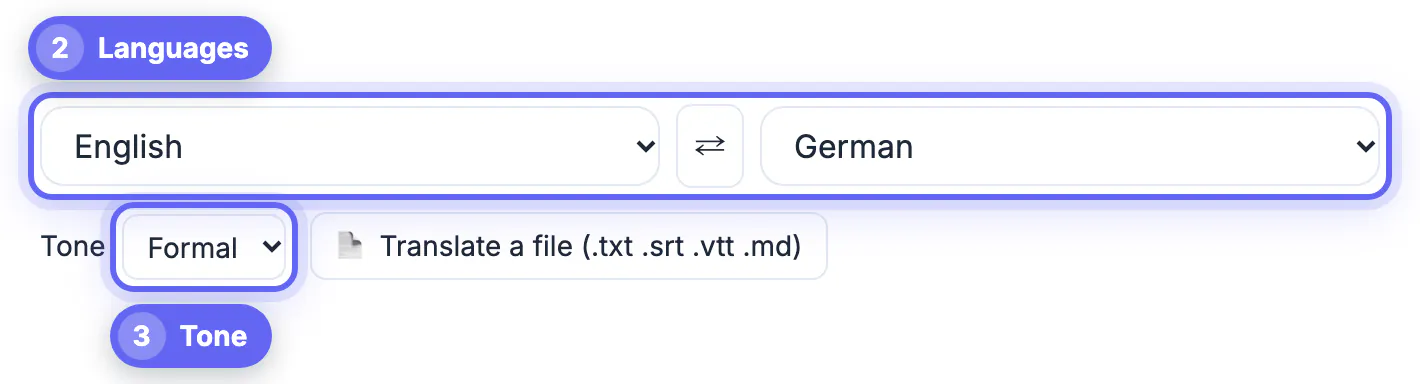
Tone is an accuracy setting, not decoration. Formal suits contracts, customer notices and anything addressed to a stranger in languages with polite forms, such as German Sie or Japanese keigo. Casual suits social posts and messages to friends. Natural aims for fluent, idiomatic prose and is the best default for articles and emails. Literal stays as close to the original structure as grammar allows, which is useful when you want to see exactly what a sentence says, for example when reviewing a supplier's terms.
Where your text goes depends on the setting. If you use Chrome and its built-in translator is ready for your language pair, pick a specific source language and the Natural or Literal tone, and GrabCast runs the job on your computer; the page labels it on-device. Formal, Casual, auto-detect and browsers without that feature use a free cloud AI service instead, with a public backup translator if the AI is busy, so your wording is sent to those servers. Keep confidential material to the on-device path or a reviewed professional workflow.
Verify the meaning before anyone reads it
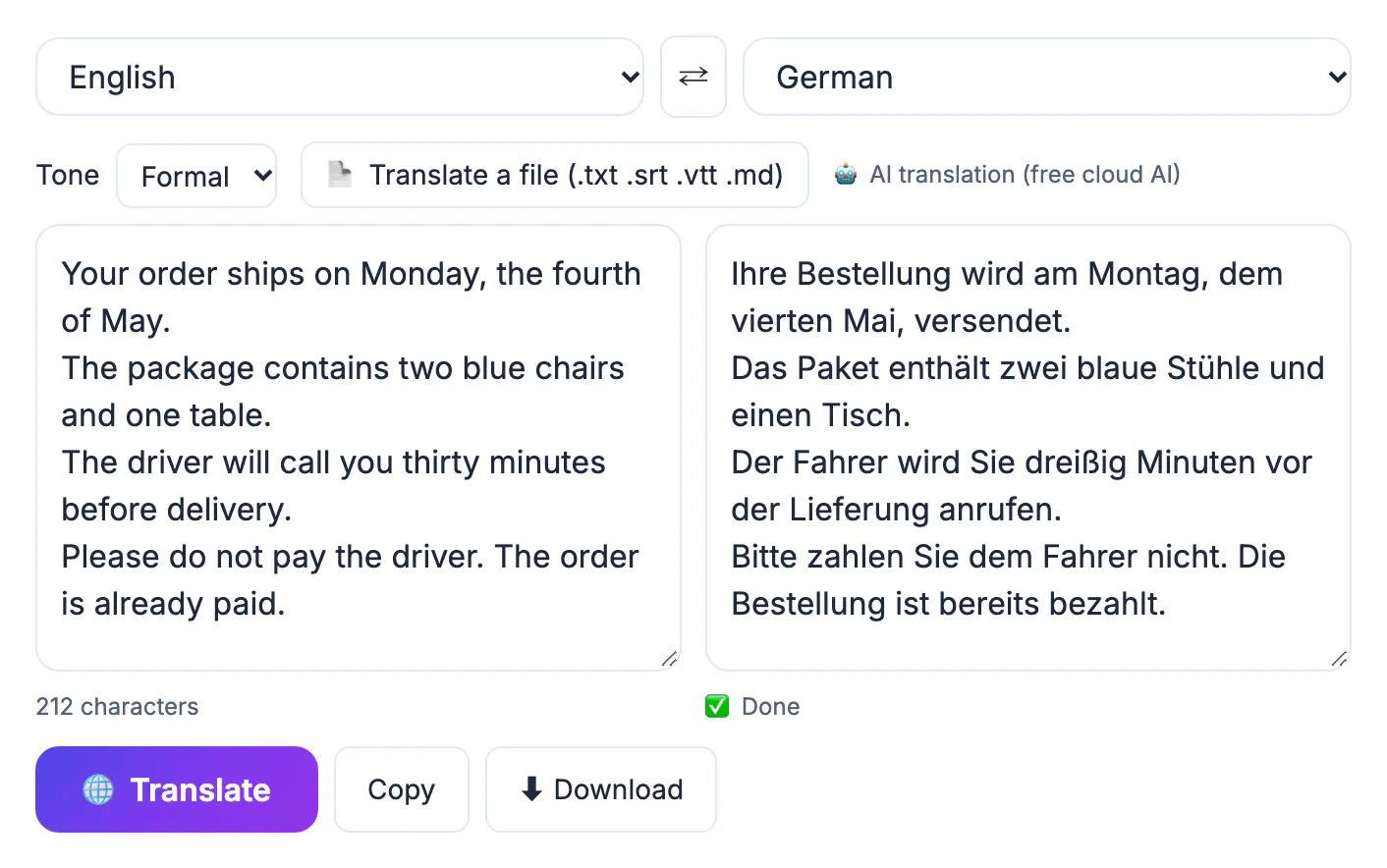
A four-point check catches most costly errors in a few minutes. First, compare every number, date, price and name against the source. Second, find each negation in the original, words like not, never, no longer and except, and confirm it survived. Third, back-translate: swap the languages with the arrow button and run the result back into English; drift in meaning shows up immediately, although a clean round trip does not prove the wording is natural. Fourth, ask a fluent speaker to read anything public-facing, even for five minutes.
Know where AI stops being enough. Legal agreements, medical instructions, immigration paperwork and safety labels need a qualified human translator, and official submissions often require a certified one. Use machine output there as a draft for the professional, never as the final version.
- Numbers and dates match, including decimal separators.
- Every negation and exception is still present.
- The back-translation says the same thing as the original.
- A fluent reader approves wording for anything customers will see.
After you edit the output, the Text Diff Checker shows exactly what changed between versions, and a free proofreading pass catches leftover slips.
Step-by-step
Common mistakes to avoid
Pro tips
Frequently asked questions
How accurate is AI translation today?
For common language pairs and plain prose it is often very good, but it still drops negations, misreads ambiguity and mishandles specialist terms. Accuracy depends more on clear input and a verification pass than on the tool you pick.
Does GrabCast upload my text?
It depends on the engine. With Chrome's built-in translator, a set source language and the Natural or Literal tone, the work happens on your device. Otherwise the text goes to a free cloud AI service, with a public backup translator, so avoid confidential content on that path.
Which tone should I use for business email?
Formal for first contact, customers and anyone senior; Natural for colleagues you already know. Languages with polite forms, such as German, French and Japanese, show the difference most clearly.
Is back-translation a reliable check?
It is a good detector of meaning errors like lost negations or swapped subjects, but a poor judge of style. Pair it with a fluent reader for anything public.
Can I translate subtitles without breaking the timing?
Yes. Load an .srt or .vtt file and GrabCast translates only the caption lines, keeping cue numbers and timestamps exactly as they were. Files up to 2 MB are accepted.
Accuracy is a process, not a button. Pre-edit the source into clear sentences, lock down names, figures and dates, choose a tone that matches the reader, then verify numbers, negations and meaning with a back-translation. GrabCast's free AI Translator handles the drafting across 35 languages and keeps formatting intact, while you keep a human reviewer for legal, medical and public-facing work.
Related guides
Browse more: all AI guides · the AI Translator tool