Write Scroll-Stopping Social Posts With AI in Minutes
Social posts look effortless, which is exactly why they are hard to write. You have one line to stop the scroll, a few more to keep attention, and a call to action that does not feel pushy, all in a voice that fits the platform. Doing that fresh every day drains anyone. AI takes the grind out of it: give it your topic and platform, and get several hooks and captions to choose from in seconds. This guide shows how to create social media posts with AI that sound like you, not a corporate bot. The free GrabCast AI Writer works in any browser with no signup, using a cloud AI service, so you can spin up a week of content in one focused sitting.
📱 Try the AI Writer tool now — freeOpen →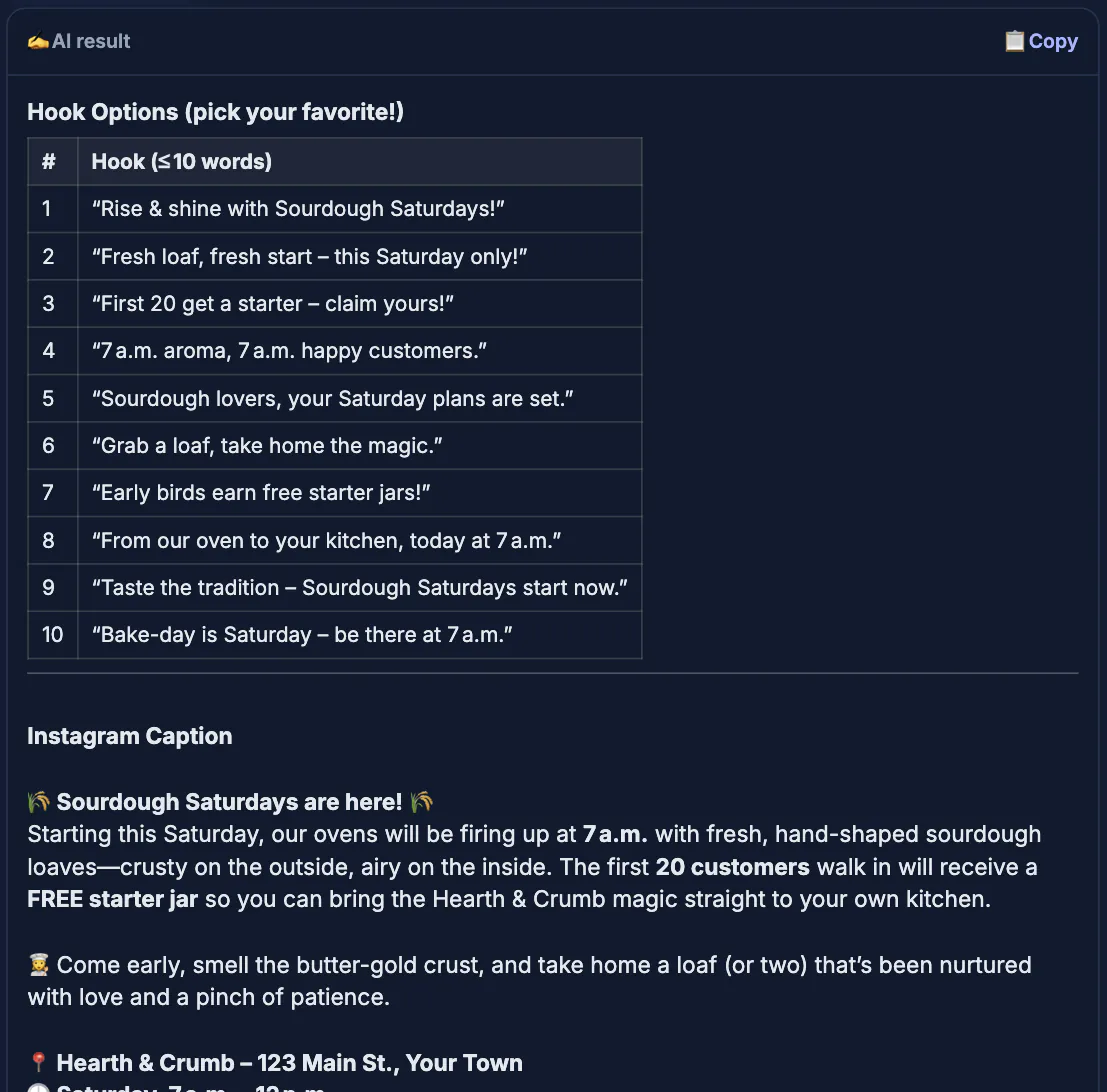
Social media rewards volume and variety, two things that exhaust human writers fast. AI is built for exactly this. It generates ten hook options so you are not married to your first idea, and the best hook often is not the obvious one. It adapts a single idea to each platform, since a punchy line for one feed reads wrong on another. And it keeps you posting on days when inspiration is nowhere to be found. The trade-off is sameness: AI defaults to safe, generic phrasing, so your edit is what gives a post personality and a point of view. Use the tool to beat the blank caption and generate options, then add the specific detail or opinion that makes people stop, and you get consistency without sounding like everyone else.
Match the platform and goal
A caption is not universal. Tell the tool where the post is going and what it should do, because tone, length, and structure change from one feed to the next.
- Name the platform so the length and style fit that audience.
- State the goal: engagement, clicks, saves, or a follow.
- Set the voice, whether that is playful, expert, or blunt.
Generate hooks, then pick one
The first line decides whether anyone reads the rest. Ask for many hook options and choose the one that creates curiosity or names a real problem, not the safest phrasing.
- Request ten hooks so you can compare angles quickly.
- Favor hooks that ask a question or make a bold, specific claim.
- Drop any opener that could sit on a hundred other accounts.
Use the AI Writer's modes as a posting workflow
The AI Writer has no platform picker or saved brand voice, and every click of Generate starts fresh with no memory of the last request. So write the platform, audience, tone and goal into each prompt, then move through the modes in the menu:
- Brainstorm ideas for angles and openers, for example: ten first lines for an Instagram post about our Saturday pop-up, playful tone, goal is saves.
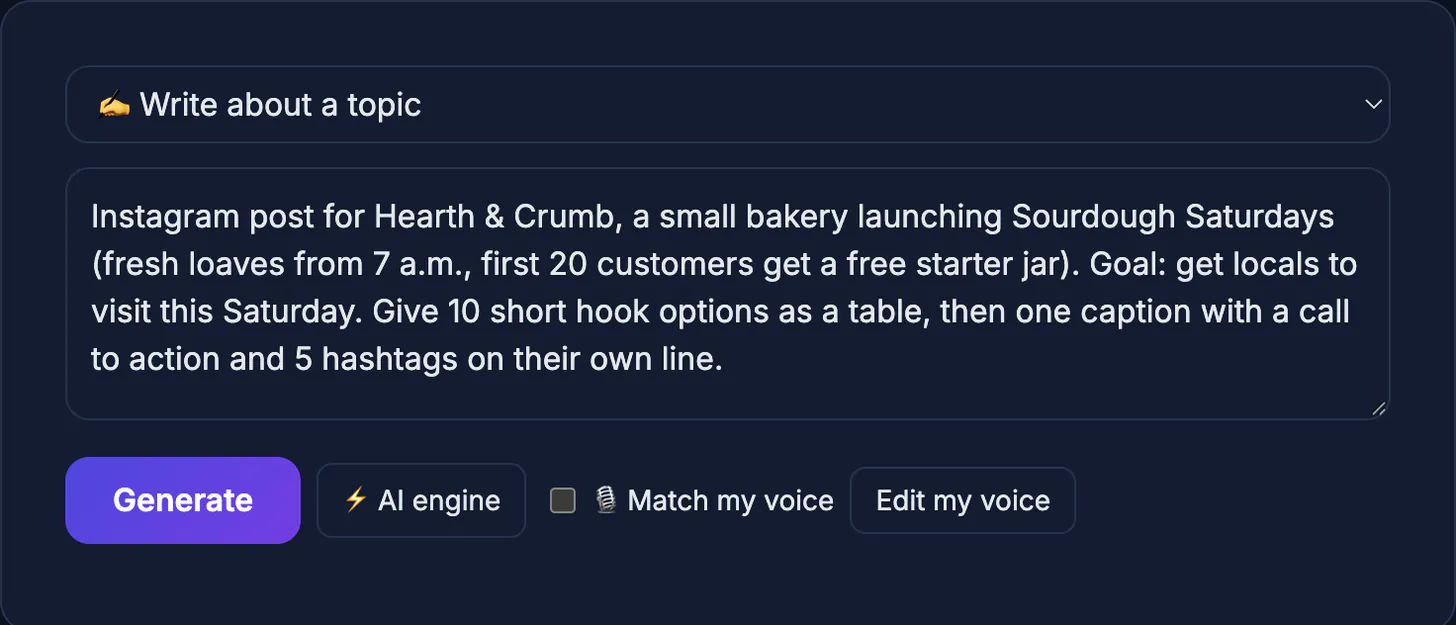
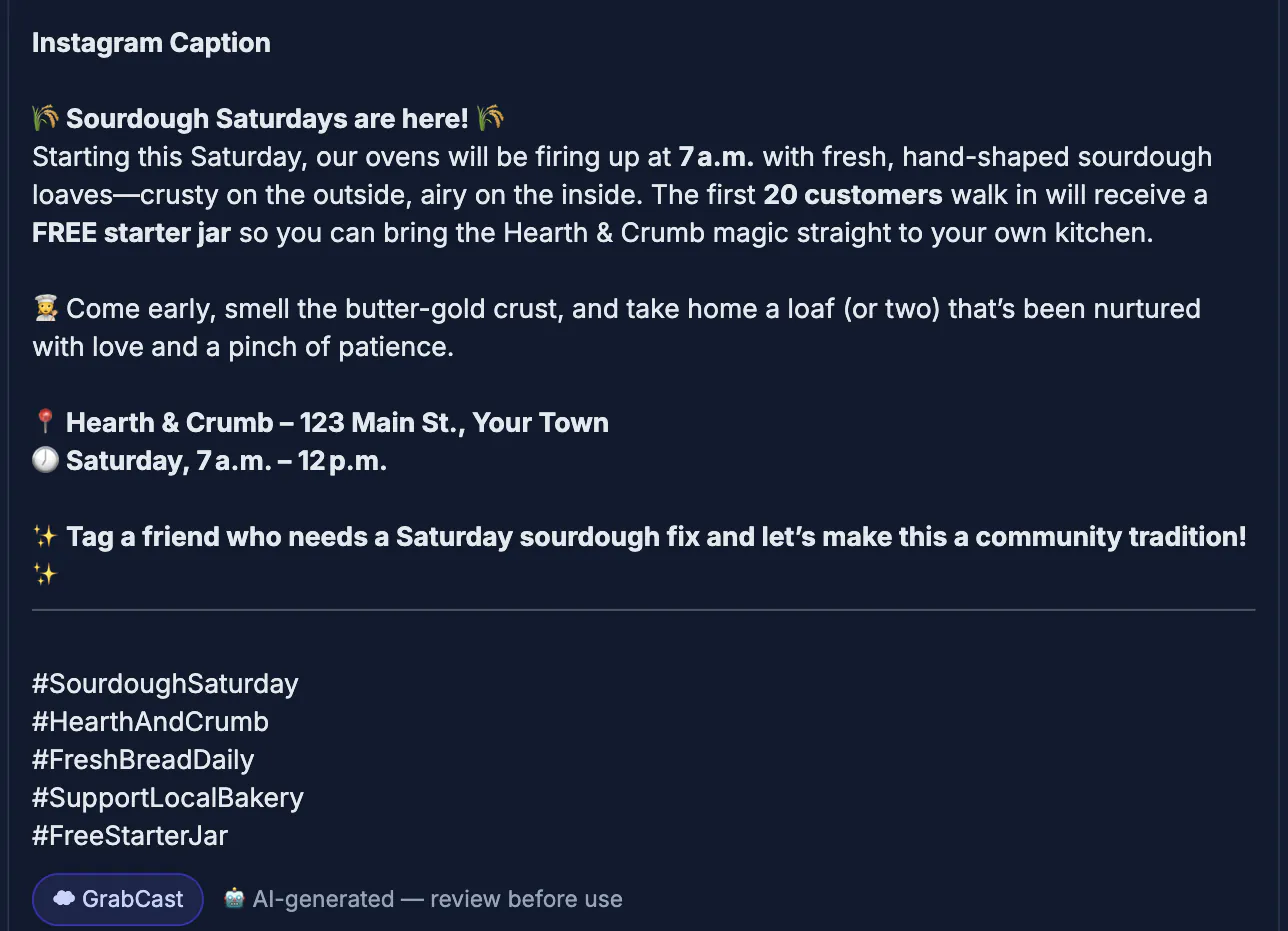
- Write about a topic for the full caption once you have chosen a hook; paste that hook in so the draft builds from it, and name the platform again.
- Write about a topic again to adapt it: paste the finished caption and ask for a shorter X version or a more measured LinkedIn one.
- Paraphrase / reword to refresh a caption you reshare months later, so repeat posts do not read word for word the same.
- Improve & fix grammar as the final pass after you add your own details, since it keeps your meaning and returns only the corrected text.
Keep each prompt under roughly 8,000 characters and press Copy on the result card to move the text into your scheduler. The output is plain text, so check line breaks and emoji after pasting, because each app displays them a little differently.
Add a personal detail
Generic posts vanish. The fix is a detail only you have: a number, a mistake, a small story. Prompt the AI for the frame, then drop your reality into it.
- Swap a vague claim for a real result or figure from your work.
- Add one honest opinion the algorithm-safe draft would never risk.
- Keep the call to action simple and specific, not a wall of asks.
Plan a week of posts from one idea
Instead of starting fresh every day, take one idea and cut it into several angles. A single tip can become a question post, a short how-to, a myth-versus-fact post and a personal story.
- Monday: a question that invites replies.
- Wednesday: a three-step how-to or checklist.
- Friday: a behind-the-scenes detail or result.
- Weekend: a light, casual post that shows personality.
When you are ready to schedule, finding your own best posting hours helps you choose times, and the social media image size cheat sheet makes sure your graphics fit each network.
Keep posts accurate and on-brand
Always read the post before it goes out. Remove claims you cannot back up, check names and links and make sure the language matches how you normally talk to your audience. Saved examples of your best posts help you keep a consistent voice when you prompt the tool.
Step-by-step

Common mistakes to avoid
Pro tips
Frequently asked questions
Will my posts sound generic?
Only if you skip editing. Use AI to generate hooks and structure, then add a specific detail or opinion that no template could produce, and the post reads as yours.
Can it write for any platform?
Yes. Tell it the platform and it will adjust length and tone. You still choose the final wording so the post fits that feed's culture.
How many posts can I make?
As many as you want. The tool is free and browser-based, so batching a full week or month of content in one sitting is easy.
Should I let AI pick my hashtags?
Use its suggestions as a starting point, then trim to a handful that are genuinely relevant. Quality and fit beat sheer quantity every time.
Is the AI Writer free?
Yes. It works in any browser with no signup, no downloads and no cost, within a daily fair-use cap. Your text is processed by a cloud AI service, so keep confidential details out of it.
Social posts get easier when AI handles the blank caption and the hook options while you handle the personality. Match the platform, generate many hooks, pick the sharpest, and add a real detail or opinion. With the free AI Writer you can batch a week of posts that sound like you in one sitting, instead of dreading the caption box every day.
Related guides
Browse more: all AI guides · the AI Writer tool