How to Remember Strong Passwords Without Reusing Them
To remember strong passwords, stop trying to remember all of them. Memorize only the three or four you type from your head, such as your phone passcode, your main email and the master key to a password manager, and make each one a passphrase of five or more truly random words. Your brain is good at pictures and stories, not at strings like 7q#Lm2!x, so the trick is to let a generator pick the words and then give them a scene. Everything else goes into a manager that remembers for you. Disclosure: this guide includes affiliate links to NordPass. If you buy through them, GrabCast may earn a commission at no extra cost to you. Every step here also works with free tools. How we handle affiliate links.
🔑 Try Password Generator now — freeOpen →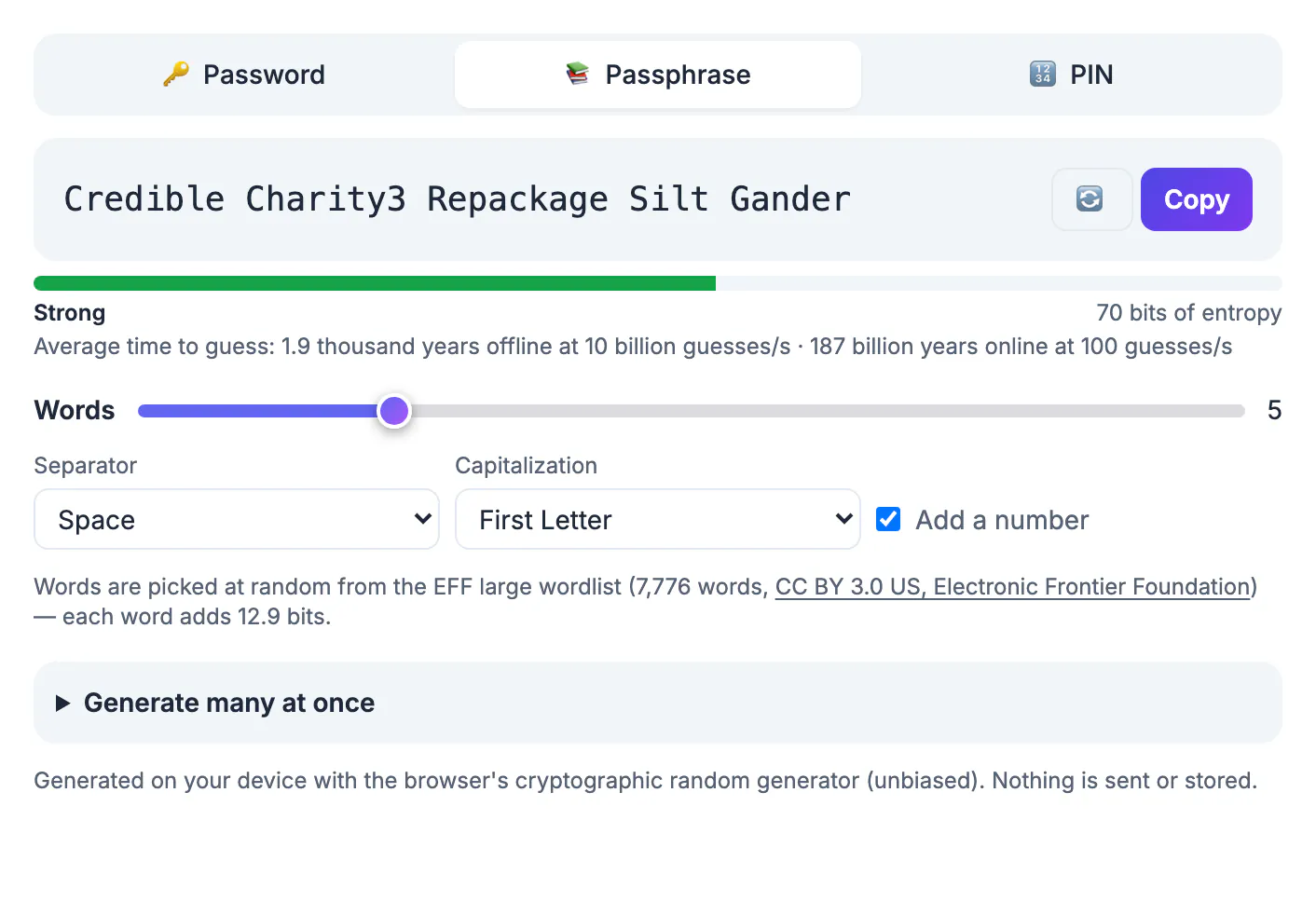
When people must invent many passwords, they fall back on patterns: a pet's name plus a year, the same base word with a different ending for each site, a season that gets bumped every quarter. Attackers know these patterns and put them first in their guessing lists, and a single reused password that leaks in one breach unlocks every account that shares it. Randomness is what makes a secret strong, and randomness is hard to invent in your head. A generator solves the randomness; a few memory techniques solve the recall.
Which passwords you actually need to remember
Make a short list. For most people it has three to five entries, and everything else can be generated and stored.
- Your device unlock. Phone passcode and computer login. These protect everything saved on the device.
- Your primary email. It resets every other account, so it deserves a unique passphrase and two-step verification.
- Your password manager's master password. The one key to the vault. Many managers cannot reset it for you, by design.
- Possibly a work login you type at a shared terminal, if your employer's single sign-on requires it.
Everything else, from the pizza site to the utility company, should be a long random string you never see twice. You will not remember those, and that is the point.
Build a passphrase your brain can hold
A passphrase is a handful of words picked at random from a large list. GrabCast's generator draws from the EFF large wordlist of 7,776 words, and each randomly chosen word adds about 12.9 bits of strength. Five words land around 65 bits; add a capital letter and a digit and the meter shows about 70. That is strong for a login protected by rate limits and two-step verification; for a manager's master key, six or seven words give more margin.
The critical rule: let the generator choose. Phrases you pick yourself, such as song lines, quotes or correct horse battery staple, are in every cracking dictionary. If you dislike a word, regenerate the whole phrase rather than swapping one word for a favorite, which quietly reintroduces your own bias.
Spaces between words are easier to type on a phone than hyphens, and most sites accept them. If a site insists on a number or symbol, the generator can add one for you, and you will remember it as part of the story.
For accounts you do need random strings, the Password Generator makes them.
Memory techniques that work
Random words are memorable because they are concrete. Use that.
- Picture a scene. For words like Credible, Charity, Repackage, Silt, Gander, imagine a credible-looking charity volunteer repackaging bags of silt while a gander honks at them. Absurd images stick far better than lists.
- Walk a route. Place each word at a spot on a path you know well, such as your front door, hallway, kitchen, window and couch. This is the classic memory palace, and it keeps the word order straight.
- Space the practice. Type the passphrase from memory several times on the first day, then once a day for a week, then weekly for a month. Recall that is tested at growing intervals lasts; rereading it does not.
- Use a paper crutch, briefly. Writing a new master passphrase on paper kept at home is safer than choosing a weak one. Once you type it reliably, move the paper into your emergency kit or shred it.
Let a manager remember everything else
Once your few memorized passphrases are in place, a password manager holds the rest. Your browser's built-in manager is a reasonable free start, and dedicated apps add cross-platform sync, sharing and breach alerts. We compare both in a separate guide.
NordPass. NordPass has a free plan with unlimited password storage plus autosave and autofill, and the free plan is limited to one active device at a time. Premium adds Password Health, a Data Breach Scanner and a built-in authenticator for two-step codes. Vault items are encrypted with XChaCha20.
See NordPass plans →Whichever manager you choose, the master passphrase is the one to practice hardest, because it protects every other secret.
Step-by-step
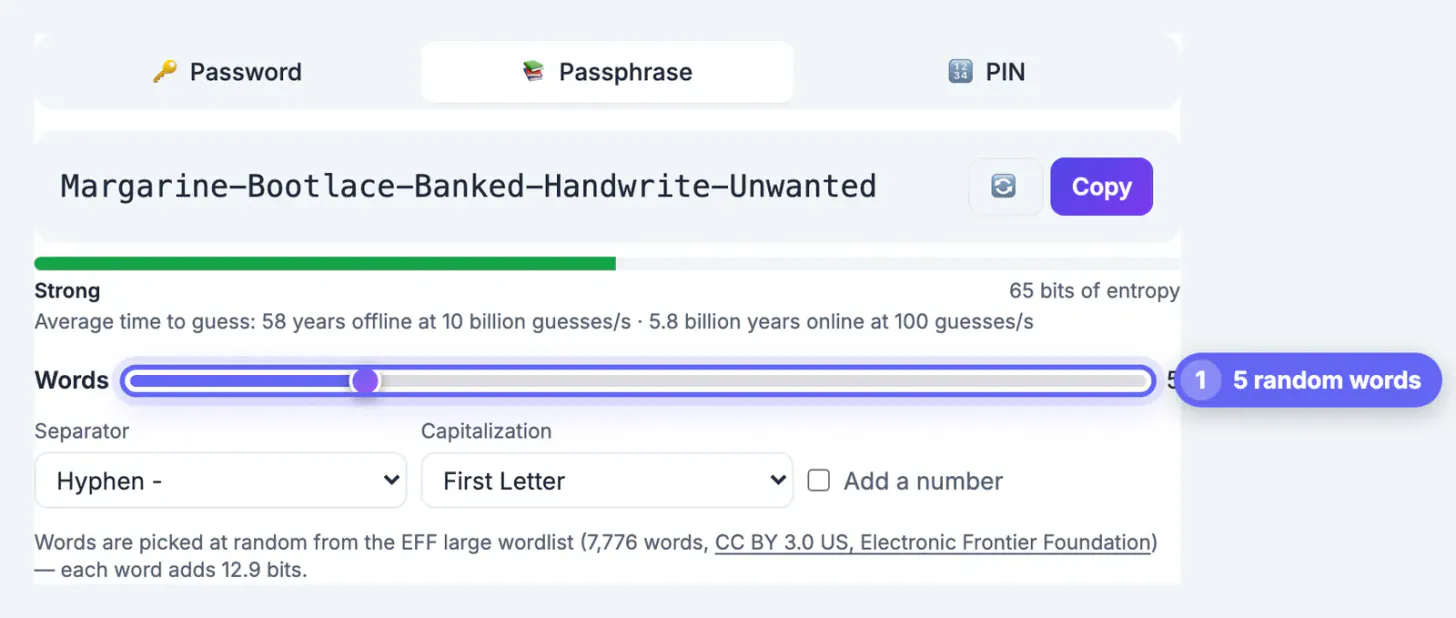
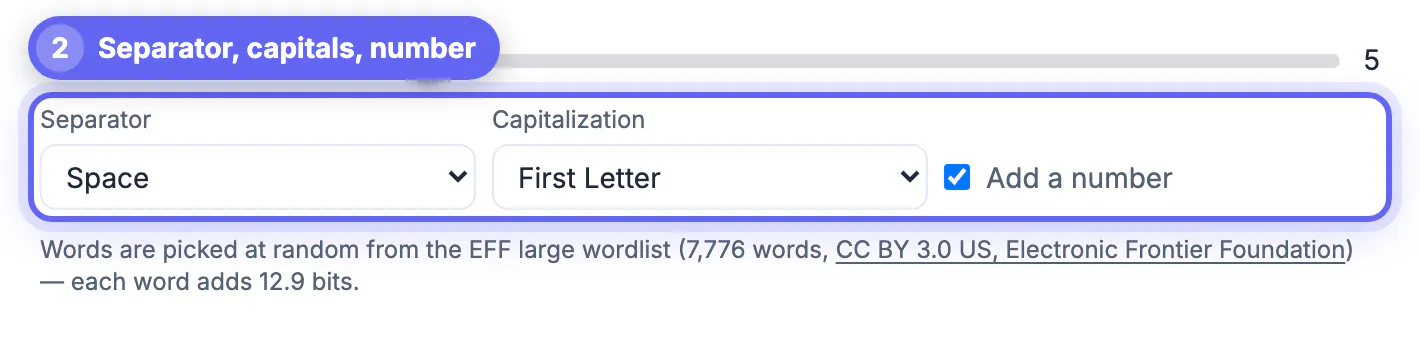
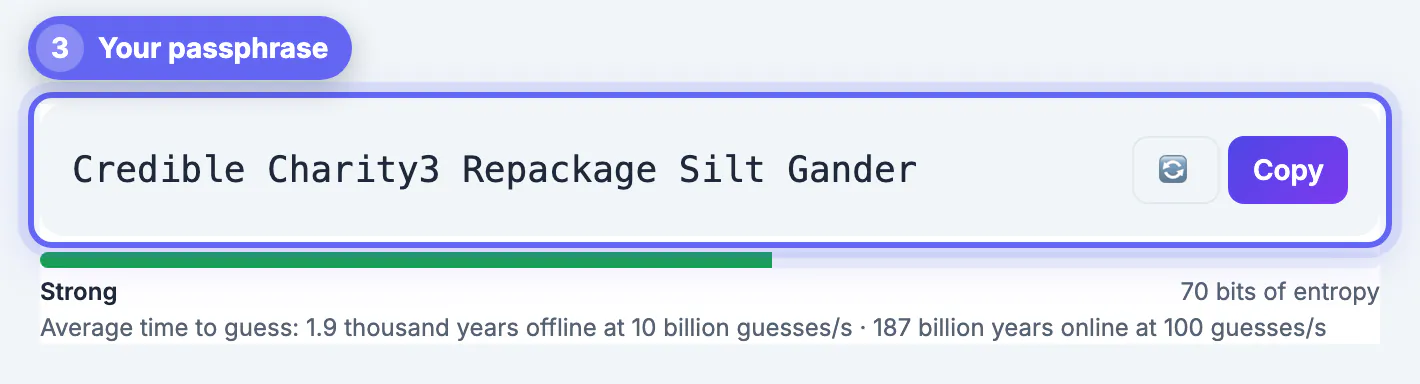
Common mistakes to avoid
Pro tips
Frequently asked questions
How many words should a passphrase have?
Use at least five randomly generated words for everyday accounts protected by two-step verification, and six or seven for a password manager or device encryption key. Each random word from a 7,776-word list adds about 12.9 bits of strength.
Is a passphrase really as strong as a random password?
It can be, if the words are chosen at random. Five random words give about 65 bits, similar to an 11-character random password with mixed characters, and adding a word raises it further. Phrases you choose yourself are much weaker.
Should I change my passwords every few months?
Not on a schedule. Current NIST guidance advises against forced periodic changes because they push people toward predictable patterns. Change a password when there is a reason: a breach, a shared device or a suspicious login.
What if I forget my password manager's master password?
Many managers cannot reset it because they never see it. Set up whatever recovery option your manager offers before you need it, and keep recovery codes on paper in a safe place.
Is it safe to write a password down?
A written passphrase kept at home is safer than a weak one reused everywhere, because most attacks come over the internet, not through your drawer. Keep it away from your computer and remove it once you have memorized it.
Memorize only the few passwords you truly type from memory, make each one a generated passphrase of five or more random words, and anchor it with a scene and spaced practice. A password manager, free or paid, carries every other login.
Related guides
Browse more: all all guides · Password Generator