Password Manager vs Browser: Where to Save Logins
Should you use a password manager or just let your browser save logins? For many people the browser is a perfectly good start: Chrome, Safari, Edge and Firefox all encrypt saved credentials, sync them to your account and warn you about known leaks, for free. A dedicated manager earns its place when you mix ecosystems, such as an iPhone with a Windows laptop, share logins with family or a team, or want one vault that follows you across every browser. This guide compares the two honestly, so you can decide without a sales pitch. Disclosure: this guide includes affiliate links to NordPass. If you buy through them, GrabCast may earn a commission at no extra cost to you. Every step here also works with free tools. How we handle affiliate links.
🔑 Try Password Generator now — freeOpen →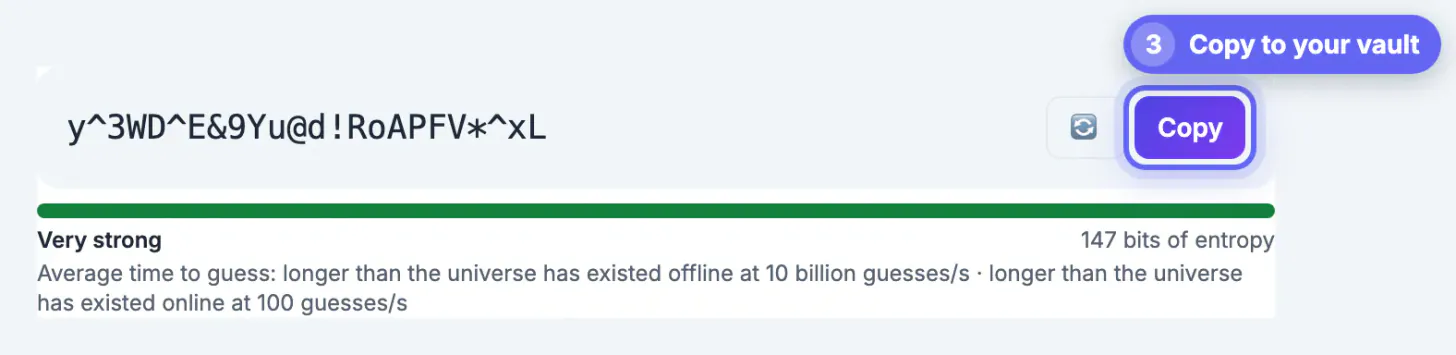
The biggest security gain does not come from which tool you pick; it comes from never reusing a login. Credential-stuffing attacks take leaked email and password pairs from one breach and try them everywhere else, automatically. Any saved-credential tool that makes a unique random string per site easy, and fills it in only on the right domain, defeats that attack. Browser tools and dedicated apps both do this. The differences are convenience, reach across devices and the extras around the vault.
What browser password saving does well
Built-in managers have improved a lot, and they have one huge advantage: they are already there.
- Zero setup. Chrome's Google Password Manager, Apple's Passwords app and iCloud Keychain, Microsoft Edge and Firefox all offer to save and fill logins with no install.
- Phishing resistance. Autofill only offers a saved login on the domain where you saved it, so a look-alike site gets nothing. That is a real protection people forget.
- Leak warnings. Chrome, Edge, Safari and Firefox can flag saved credentials that show up in known breaches or are reused.
- Passkeys. The big platforms store and sync passkeys, which replace secrets entirely on sites that support them.
- Cost. Free, with sync included through your Google, Apple, Microsoft or Mozilla account.
Where browser-based saving falls short
The limits show up at the edges of one company's ecosystem.
- Mixed devices. Safari logins live most naturally on Apple devices, and Chrome's on Chrome. Crossing over, for example an iPhone plus Firefox on Windows, works through extra apps and extensions but gets clunky.
- The account is the key. Whoever controls your Google or Apple account, or sits at your unlocked computer profile, may be able to view saved entries. Protect that account with two-step verification and a strong device lock.
- Sharing and structure. Family sharing exists on some platforms but is basic next to shared folders, time-limited access or emergency access in dedicated apps.
- Beyond logins. Storing card details, secure files or two-step setup keys ranges from limited to absent.
What a dedicated manager adds
A standalone manager is an app plus browser extensions that works the same way in every browser and on every operating system. Typical additions are cross-platform autofill, shared vaults, password health reports, breach monitoring for your email addresses and built-in two-step code generation. Good ones use zero-knowledge encryption, meaning the company stores your vault but cannot read it.
NordPass. NordPass works across major browsers, desktop and mobile. Its free plan stores unlimited items with autosave and autofill but is limited to one active device at a time; Premium and Family add multi-device access, Password Health, a Data Breach Scanner that watches your email addresses and card numbers, file attachments, secure sharing and an authenticator that can autofill two-step codes. Vault data is encrypted with XChaCha20.
Compare NordPass plans →Free alternatives are worth knowing too: Bitwarden's free plan syncs across unlimited devices, and KeePass-style apps keep the vault in a file you control. The best choice is the one you will actually use every day.
How to switch without losing a login
Moving is less scary than it sounds, because every major browser can export its saved entries as a CSV file and most managers import that format.
- Export from the browser, import into the new app, then check that a few important logins fill correctly.
- Delete the CSV immediately afterwards and empty the trash. It is an unencrypted list of every secret you own.
- Turn off the browser's offer to save, so new logins do not split between two places.
- Use the move as a cleanup: the new vault's health report shows reused or weak entries, and a generator replaces them one at a time.
If you stay with the browser, do the same cleanup there. Either way, generated 20-plus character strings are free once something else remembers them.
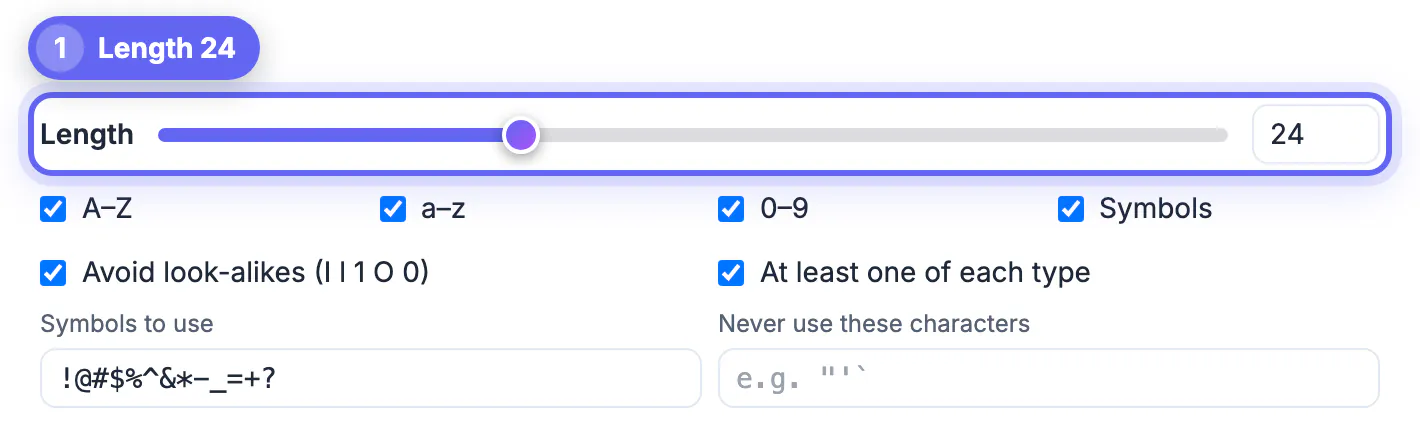
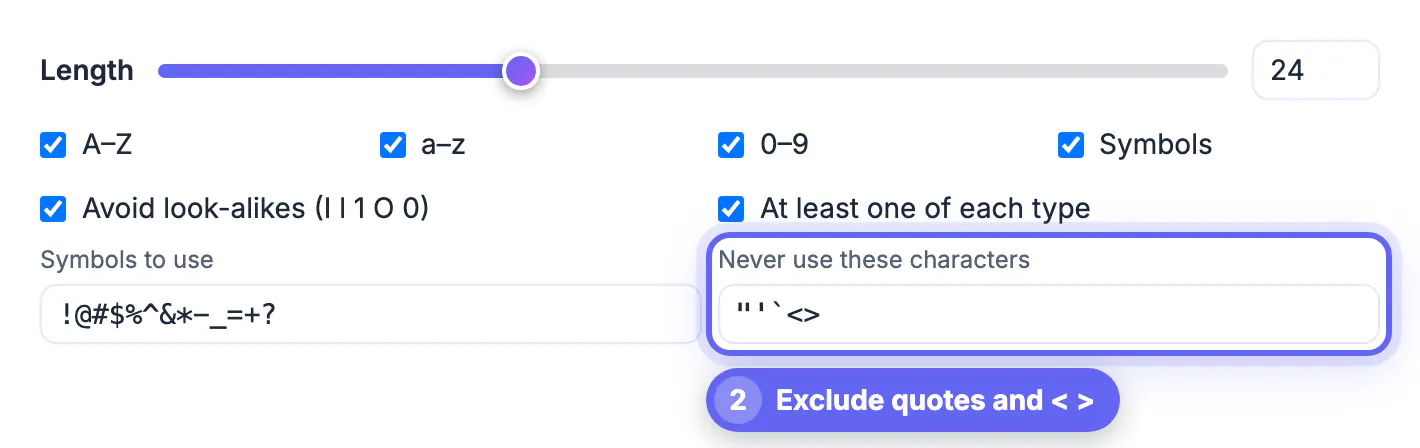
After importing, replace weak passwords with fresh ones from the Password Generator.
Step-by-step
Common mistakes to avoid
Pro tips
Frequently asked questions
Is it safe to save passwords in Chrome or Safari?
Yes for most people, provided your Google or Apple account uses two-step verification and your devices have a screen lock. Saved entries are encrypted and synced, autofill resists phishing, and both browsers warn about breached or reused credentials.
Why pay for a password manager if the browser is free?
You pay for reach and extras: one vault across every browser and operating system, richer sharing for families or teams, breach monitoring, file storage and built-in two-step codes. If you live inside one ecosystem and share nothing, the browser may be all you need.
Are there good free password managers?
Yes. Browser managers are free, Bitwarden has a free plan that syncs across devices, and NordPass has a free plan limited to one active device at a time. KeePass-style apps are free and keep the vault in a file you control.
Can I use both the browser and a manager?
You can, but it causes confusion because new logins end up in one or the other. Pick one as the source of truth and turn off saving prompts in the other.
What happens if the password manager company is breached?
With zero-knowledge encryption, stolen vault files are encrypted with a key derived from your master password, which the company never has. A long, unique master passphrase is what keeps that data unreadable, so make it strong.
Browser password saving is a solid free choice if you stay within one ecosystem and protect that account well. A dedicated manager is worth it once you mix devices, share logins or want monitoring and two-step codes in one place. In both cases, a unique generated login for every site is what really protects you.
Related guides
Browse more: all all guides · Password Generator