Passphrases vs Random Strings: Which Password Wins Where
Both are strong when they are truly random: six words picked at random from a 7,776-word list give about 77 bits of entropy, and 16 characters drawn from 70 symbols give about 98 bits. The real question is where you will use it. Machine-made random strings win for the hundreds of logins a password manager fills in for you; passphrases win for the few secrets you must remember or type by hand, like the manager's master secret or a Wi-Fi key entered on a TV remote. This guide shows the math, the situations that favor each, and how to make both in GrabCast's free Password Generator, which has separate Password, Passphrase and PIN tabs.
🔑 Try the Password Generator tool now — freeOpen →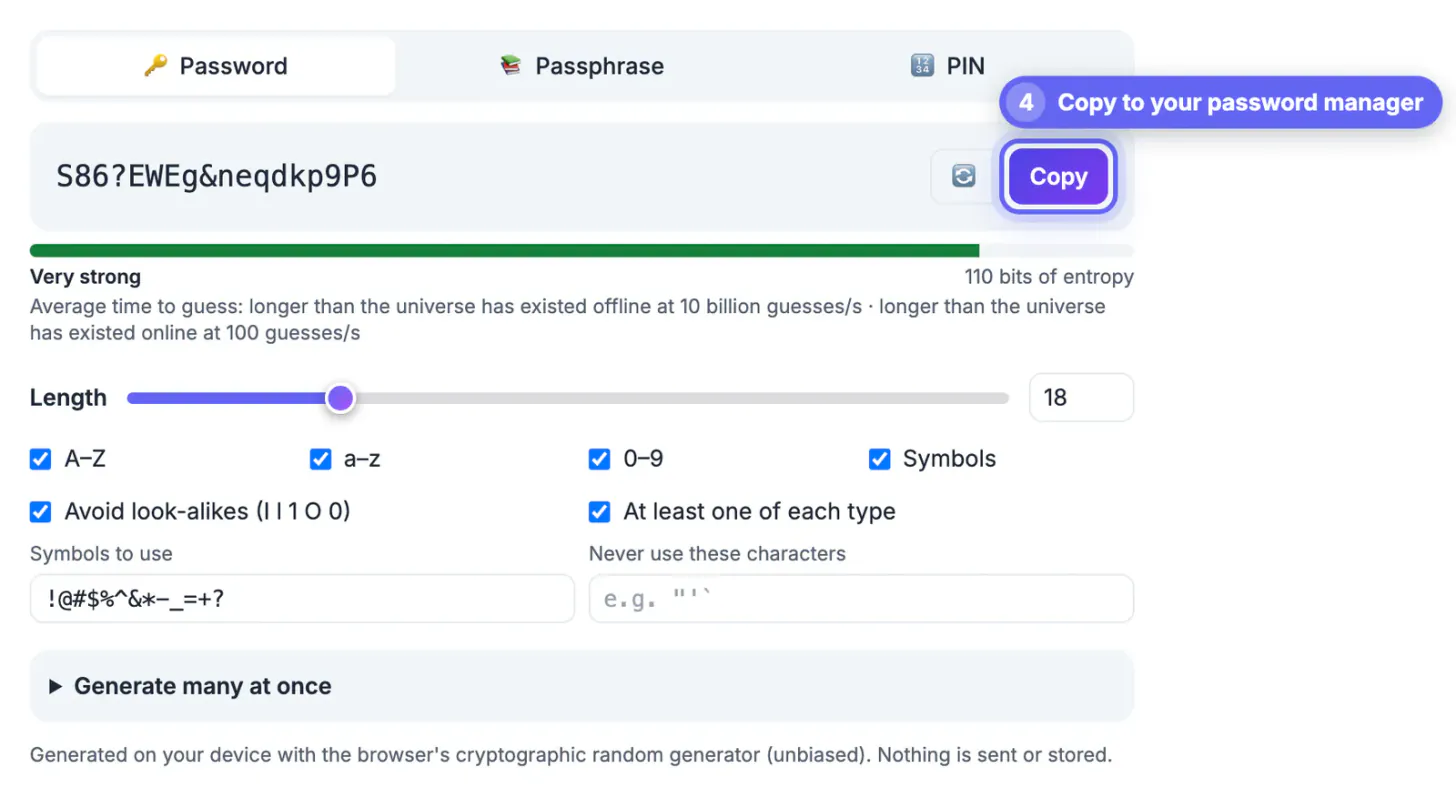
Attackers who steal a database of hashed passwords do not guess one character at a time. They run huge lists of leaked passwords, dictionary words, names and common substitutions first, because people are predictable. That is why P@ssw0rd2026! is weak despite ticking every complexity box, and why a phrase you invented yourself, like a favorite song lyric, is far weaker than it looks. Strength comes from randomness chosen by a machine or by dice, never by your brain. Once randomness is guaranteed, the remaining trade-off is purely practical: how often you type it, on what device, and whether you need to remember it at all. A secret typed once a year on a laptop and one typed ten times a day on a phone keyboard deserve different formats, even when both carry the same number of bits.
The entropy math behind passphrases and random strings
Entropy measures how many guesses an attacker needs, in powers of two. Each extra bit doubles the work. The formula is length times log2 of the pool size, and it only holds when every element is picked by chance, not by taste.
- Strings built with all four character sets in GrabCast's tool, with look-alikes avoided, draw from 70 symbols, about 6.1 bits each. 12 characters give about 74 bits; 16 give about 98; 20, the default, give about 123.
- Lowercase letters only (25 symbols) give about 4.6 bits each, so you need roughly 20 characters to pass 90 bits.
- Passphrases from the EFF large wordlist (7,776 words) give about 12.9 bits per word: 5 words is about 65 bits, 6 words about 77, 7 words about 90.
- For an account protected by a slow hashing scheme and two-factor authentication, 70 to 80 bits is far beyond practical cracking. For a manager's master secret, many security folks aim for 80 or more.
Where each one wins
Think about the moment you will type it, not just the number of bits.
- Character strings for everything your password manager fills: shopping sites, streaming, utilities, forums. You never see or type them, so unreadability costs nothing, and a unique 16 to 20 character string per site stops one breach from spreading.
- Word phrases for the master secret of 1Password, Bitwarden or your browser's manager, and for your computer's login. You type these daily, often from memory.
- Passphrases for anything entered on awkward keyboards: Wi-Fi keys typed on smart TVs and game consoles, or a disk-encryption key typed at boot.
- Character strings when a site imposes a short maximum length, such as 16 or 20 characters, since a passphrase would not fit.
Make random strings and passphrases in the password generator
GrabCast's generator has three tabs, and every result is drawn with the browser's cryptographic randomness using rejection sampling, so no character or word is favored. Nothing is sent to a server or stored.
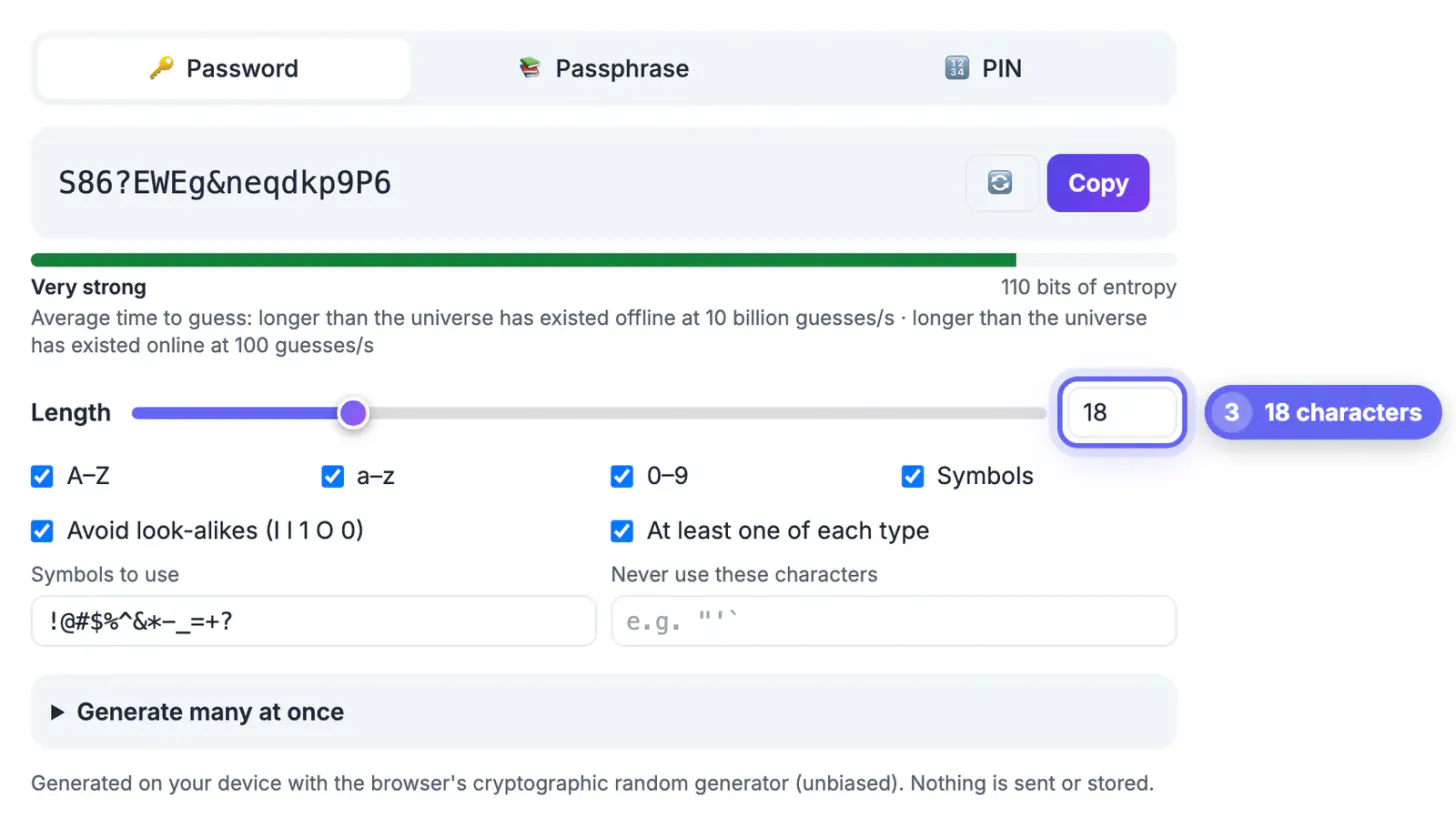
- Password tab: length from 4 to 128 characters (slider up to 64, type larger values in the number box), default 20. Toggle uppercase, lowercase, digits and symbols, edit the symbol set to match a site's rules, and list characters it must never use.
- Two helpful switches, both on by default: Avoid look-alikes drops I, l, 1, O and 0, and At least one of each type guarantees every selected set appears, which satisfies fussy sign-up forms.
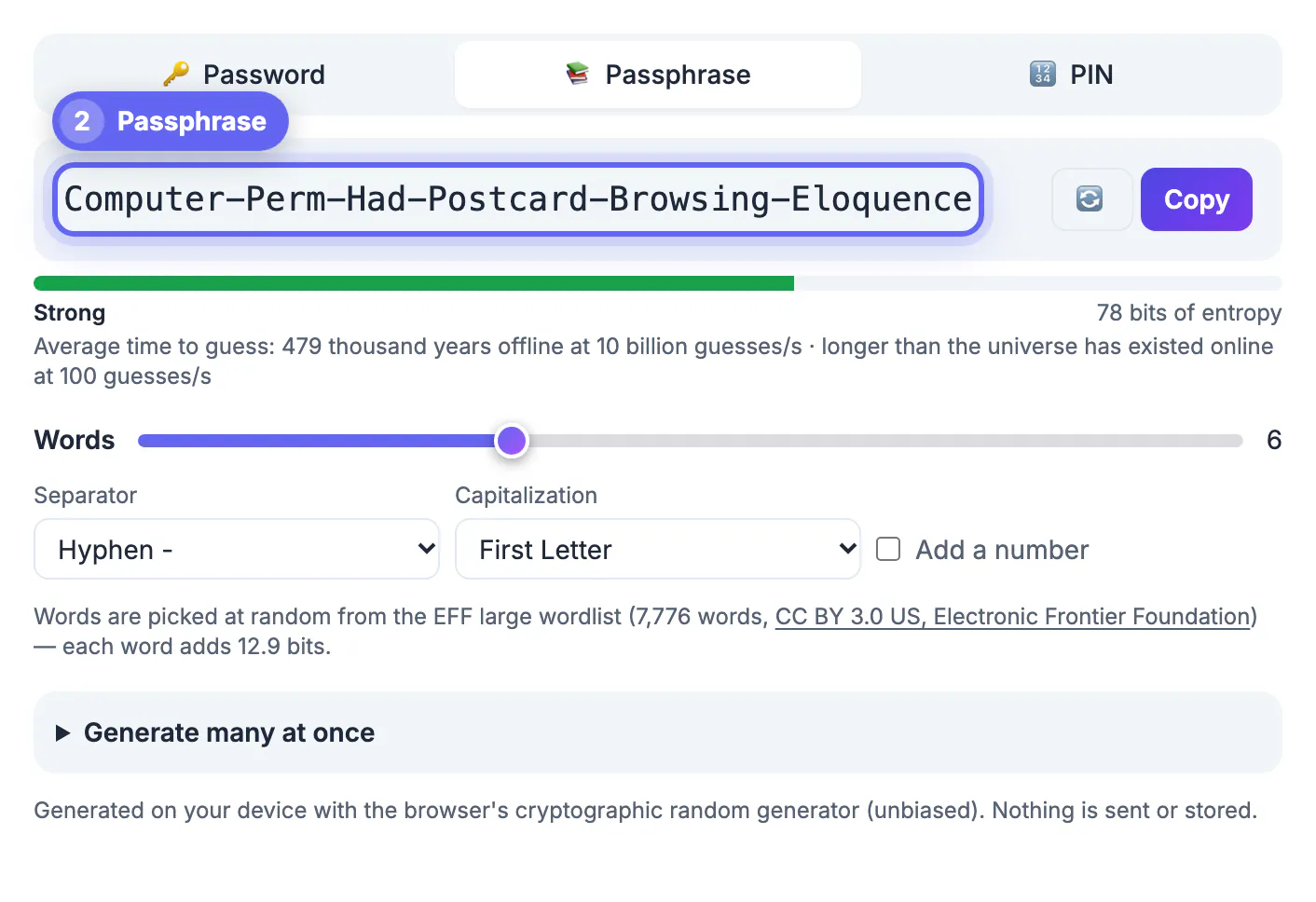
- Passphrase tab: 3 to 12 words, default 6, drawn from the EFF large wordlist (7,776 words, 12.9 bits each, used under CC BY 3.0 US). Choose a hyphen, space, dot, underscore or no separator, lowercase or First Letter capitals or One WORD in caps, and optionally add a number.
- PIN tab: 4 to 12 digits, with a clear note that PINs are only safe on devices that lock after a few wrong tries, such as phones, cards and safes.
A meter shows the entropy in bits, a label from Very weak to Very strong, and the average time to guess at two speeds: 10 billion guesses per second offline, after a database leak, and 100 per second online. A six-word phrase lands in the hundreds of thousands of years offline. Need a batch, say for a family or a classroom? Generate up to 500 at once, copy them all or save a .txt file.
Getting a passphrase right, with or without dice
A passphrase is only as strong as the randomness behind each word. Letting the Passphrase tab pick the words is the simplest way to keep it honest.
- Accept the words in the order generated. Do not regenerate until you get a phrase you like; every cherry-pick leaks a little predictability. If one is truly unpronounceable, regenerate the whole phrase instead.
- Use six words for a manager's master secret, or seven for extra margin. Adding a number or one capitalized word adds only a few bits; length does the real work.
- Prefer spaces or hyphens as separators if a site allows them; most modern sites accept long inputs, and NIST guidance tells services to allow at least 64 characters.
- Offline option: roll five ordinary dice per word against the printed EFF list, reading the digits in order, such as 4-1-6-3-2, to look up each word. The result has the same strength and never touches a screen until you type it.
Whichever style you choose, check old passwords with the Password Breach Checker, and see what to do after an email data breach if one has leaked.
Step-by-step
Common mistakes to avoid
Pro tips
Frequently asked questions
Is a passphrase really as strong as a random password?
Yes, if the words are chosen randomly and there are enough of them. Six random words give about 77 bits, comparable to a 13-character random string using all character types. Four words, the length many people pick, drops to about 52 bits, which is too low for a master secret.
Can GrabCast generate a word-based passphrase?
Yes. The Passphrase tab picks 3 to 12 words (default 6) from the EFF large wordlist, with your choice of separator, capitalization and an optional number. Password managers such as Bitwarden and 1Password offer similar options inside their apps.
Are generated passwords sent or saved anywhere?
No. They are created in your browser with its cryptographic random number generator, using unbiased rejection sampling, and are not transmitted or stored. Copy each one into your manager before closing the page.
Why are some letters and numbers missing?
The Avoid look-alikes option, on by default, leaves out I, l, 1, O and 0 so passwords you read or type are less error-prone. Untick it to use the full alphabet; the entropy estimate follows whichever pool you choose.
Do I still need two-factor authentication?
Yes. A strong password protects against guessing, while two-factor authentication also protects you when a password is phished or leaked by a breached site.
Use random strings for everything your password manager types, and a randomly generated passphrase for the handful of secrets you must remember. Randomness, not cleverness, is what makes either one strong.
Related guides
Browse more: all text and developer guides · the Password Generator tool