How to Schedule Bluesky Posts and Threads for Free
The official Bluesky app does not offer scheduled posts at the time of writing, so to schedule Bluesky posts you need a third-party tool that signs in with an app password. GrabCast's free Social Media Scheduler handles Bluesky's specific rules: the 300-character limit counted in graphemes, up to four images or one video, alt text, link cards, reply settings and multi-post threads. This guide shows how to plan a Bluesky post and a short thread, how the app password works and why you should never hand a tool your main password, and what to check before a post goes out. The example is a fictional bookshop, Paper Moon Books, announcing a Saturday reading with a photo and a two-post thread.
📅 Try the Social Media Scheduler now — freeOpen →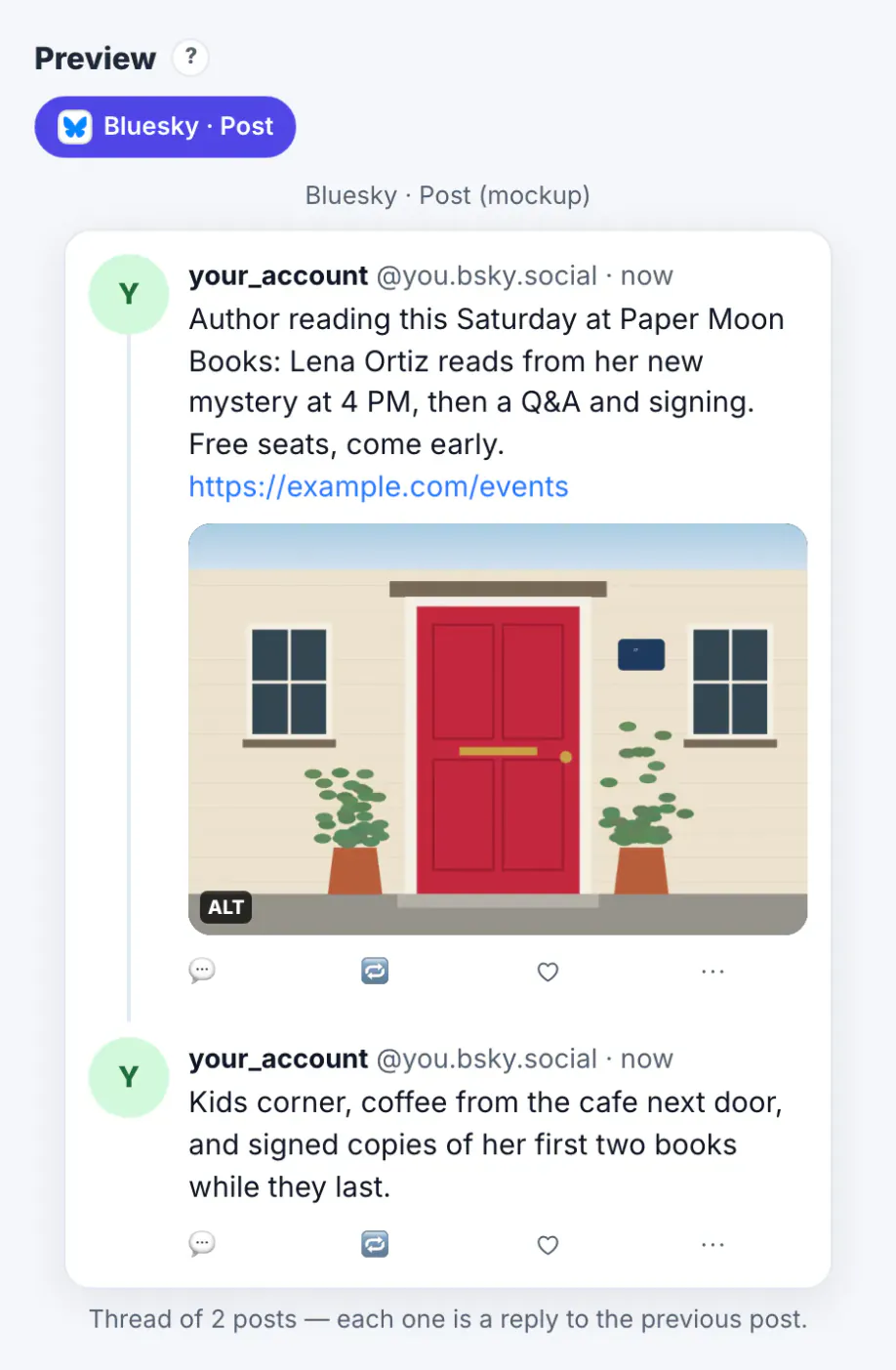
Bluesky's Following feed is chronological. A post appears in your followers' timelines in the order it was made, so a post published at 3 AM is buried by morning. Custom feeds and Discover add some reach beyond that, but for most small accounts, being there when followers look is still the biggest lever. That makes scheduling useful: you can write when you have time and publish when your readers are online. The platform's short 300-character limit also encourages threads, and a thread is easier to write calmly the day before than on a phone. Finally, Bluesky users care about alt text and clear labels, and a planner that asks for them every time turns a good habit into the default.
How to schedule Bluesky posts safely with an app password
Tools connect to Bluesky with an app password, a separate password you create in Bluesky under Settings, Privacy and security, App passwords. It looks like four groups of four characters and can be revoked at any time without changing your main password.
- Never give a scheduling tool your main Bluesky password. GrabCast's connect dialog refuses anything that does not look like an app password.
- Name each app password after the tool, so you know which one to revoke.
- Revoke it in the same menu if you stop using the tool.
In GrabCast the Bluesky connection is in beta. Where the Post to list shows Bluesky with a plan only badge, you can still write, check and time the post; the scheduler then reminds you and copies the text so you post it in Bluesky yourself.
Write within Bluesky's limits
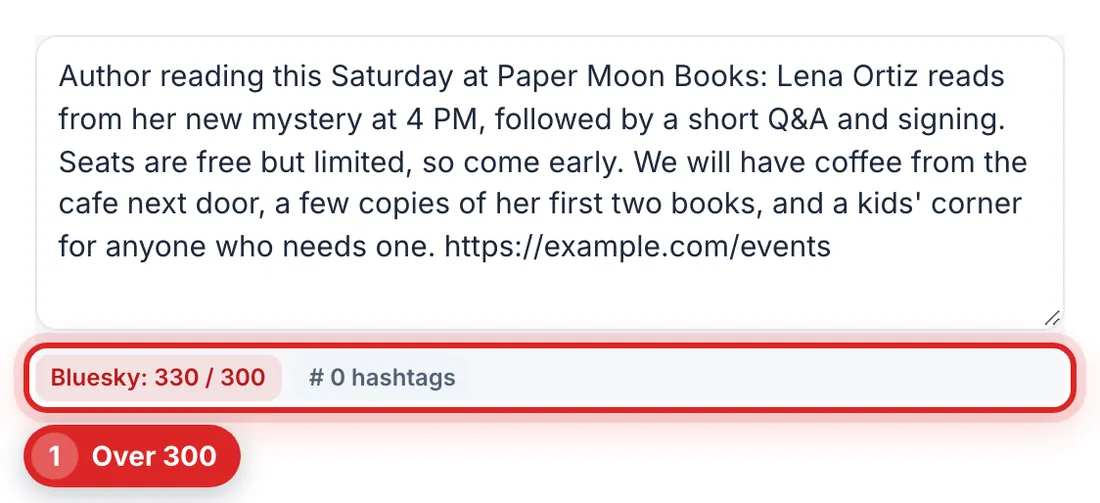
Tick Bluesky under Post to and the counter switches to Bluesky's rules. The scheduler mirrors the checks its server enforces.
- 300 graphemes per post. An emoji or an accented letter counts as one, which is how Bluesky counts too.
- Up to 4 images of at most 1 MB each, or one video up to 100 MB and 3 minutes.
- Links become clickable, and the first link can show as a link card with the page's title and image.
- Hashtags and mentions are detected and linked automatically.
- Post languages help people filter feeds; add them if you post in more than one language.
Paper Moon's first draft ran to 330 characters, so the counter turned red. Rather than cutting details, the second half moved into a reply in the thread.
Threads, alt text and reply settings
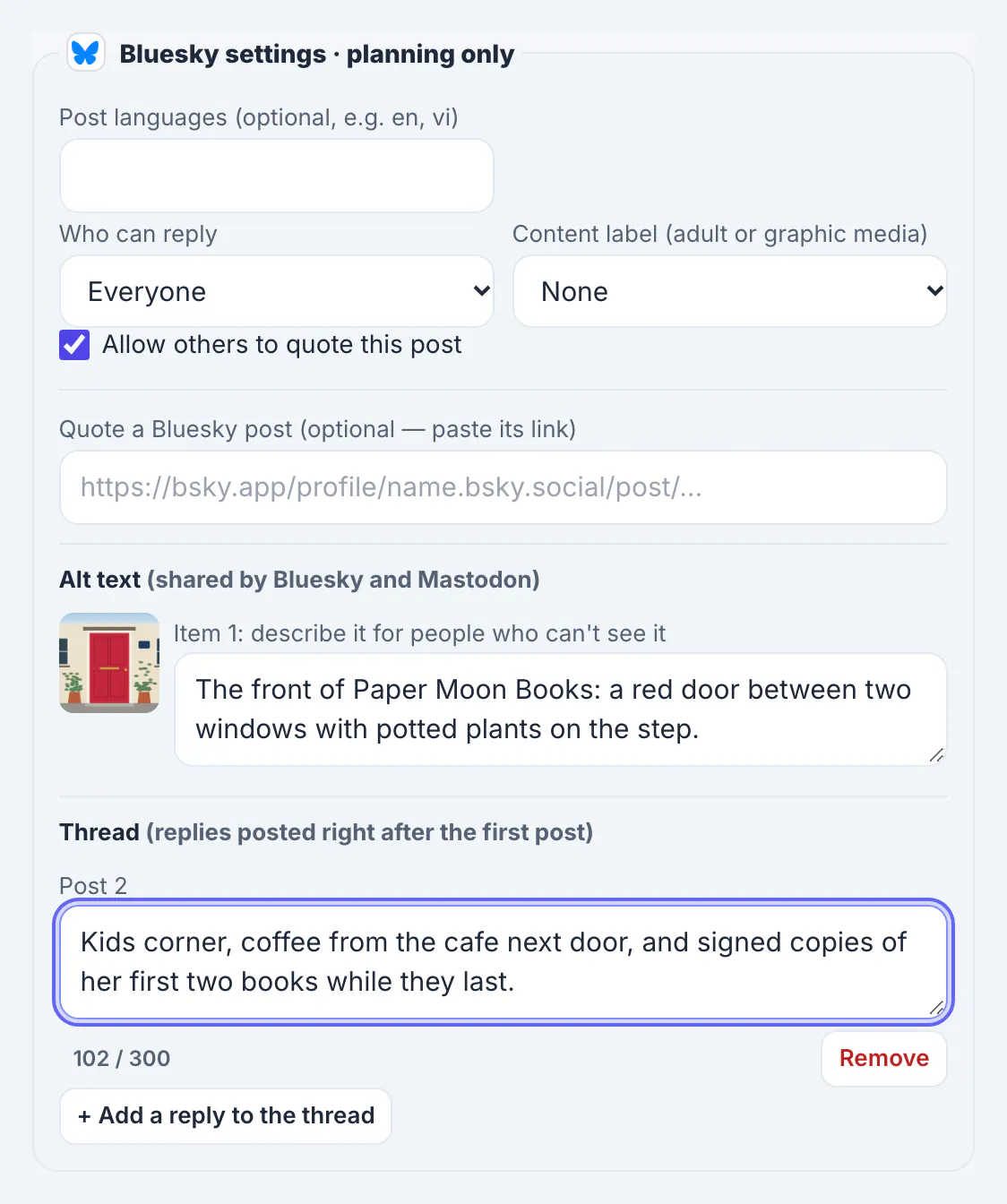
The Bluesky settings panel appears under the network list once Bluesky is ticked.
- Thread: + Add a reply to the thread adds a post that is published as a reply right after the first one.
- Alt text: describe each image for people who cannot see it; the same text is used for Mastodon. The AI alt text generator can draft one for you to edit.
- Who can reply: everyone, nobody, people you mention, people you follow, your followers, or combinations.
- Allow others to quote this post: switch it off for announcements you do not want quoted.
- Content label: mark adult or graphic media when it applies.
For the reading announcement, the bookshop allowed replies from everyone, added alt text describing the red door of the shop, and left quoting on so local accounts could share it.
Pick a time your followers are online
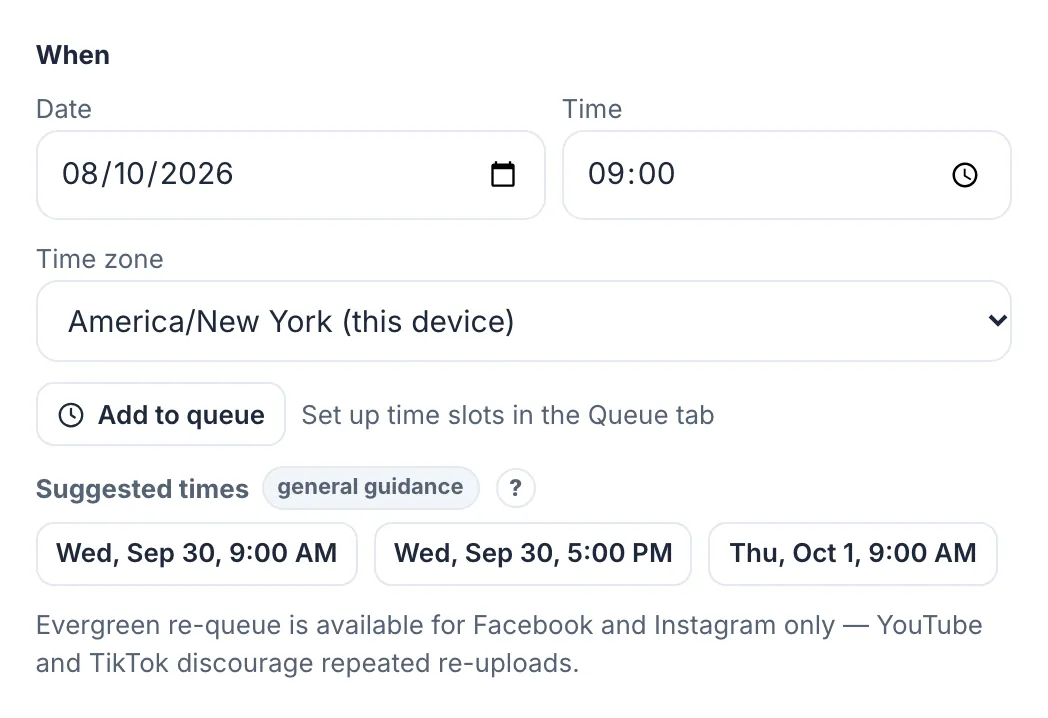
Under When, the suggested times for Bluesky point to weekday mornings and late afternoons as general guidance. The real answer depends on your followers, so watch which posts earn replies and reposts and adjust.
- Post announcements a day or two before the event, then a short reminder on the day.
- Space thread posts from other posts by at least an hour so they do not crowd your own timeline.
- Use Add to queue with time slots for regular posts such as a weekly new-arrivals list.
- Export .ics or turn on reminders if you post yourself.
If you also post on Threads or Mastodon, the same composer handles them with their own limits. See the business guides for scheduling on other networks.
Step-by-step
Common mistakes to avoid
Pro tips
Frequently asked questions
Can you schedule posts on Bluesky?
Not in the official app at the time of writing. Third-party tools schedule Bluesky posts by connecting with an app password, and GrabCast's free scheduler plans them with Bluesky's limits checked.
Is it safe to connect Bluesky to a scheduler?
Use an app password, never your main password. It can only be used for posting and can be revoked in Bluesky's settings at any time.
What is Bluesky's character limit?
300 graphemes per post. Longer text should become a thread of replies.
Can I schedule a Bluesky thread?
Yes. Add replies to the thread in the Bluesky settings; they are posted right after the first post, in order.
How many images can a Bluesky post have?
Up to four images of at most 1 MB each, or one video up to 100 MB and 3 minutes long.
Bluesky has no built-in scheduler, but its chronological feed makes timing worth planning. Connect tools only with an app password, write within 300 characters and use threads for the rest, add alt text to every image, and choose who can reply before you publish. Plan the post in a calendar, and let a reminder or the connection carry it out at the right hour.
Related guides
Browse more: all business guides · the Social Media Scheduler