Test a Regular Expression Before It Breaks Production
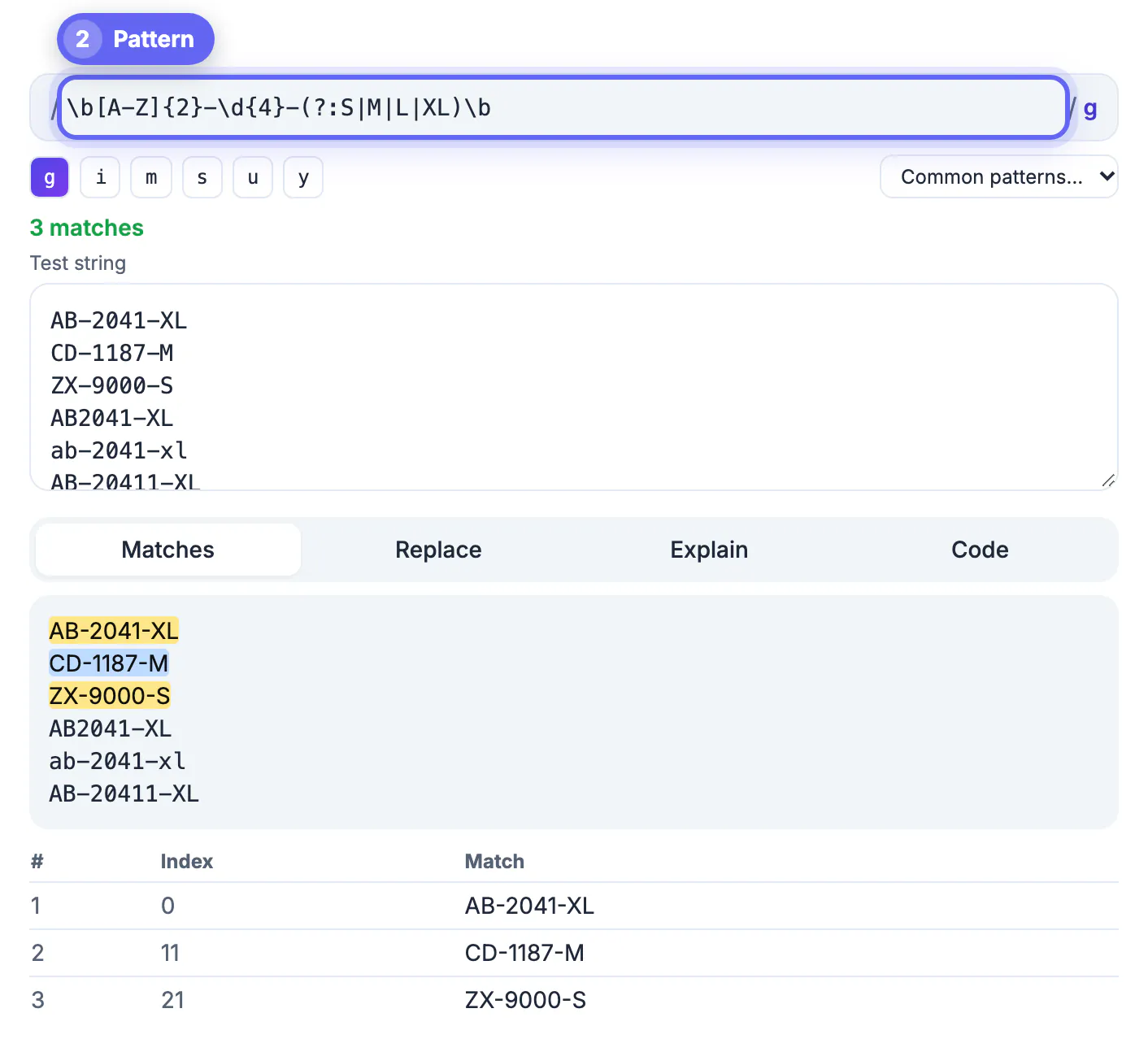
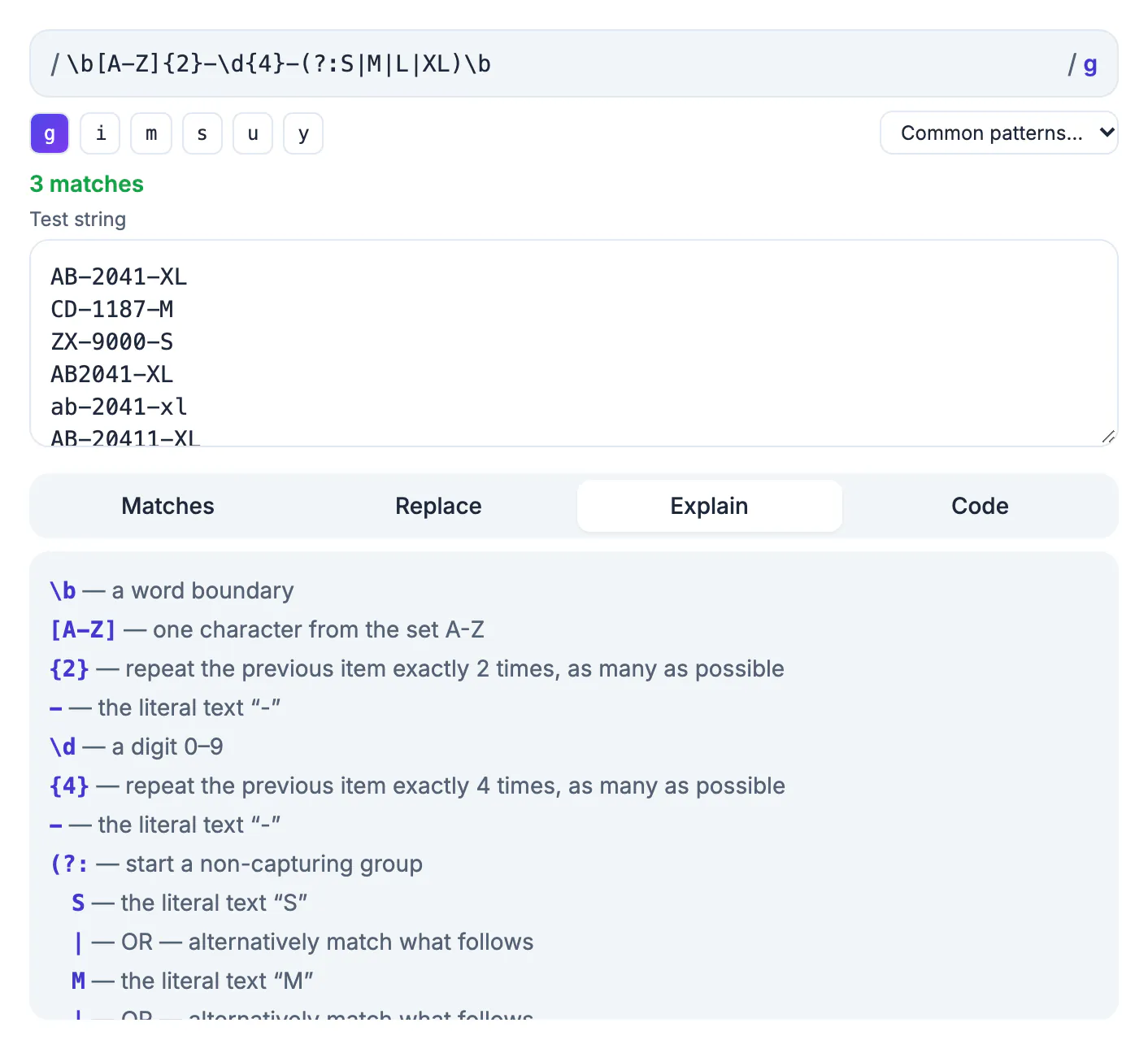
To test a regular expression properly, paste it into GrabCast's Regex Tester together with a sample that contains lines it must match and lines it must reject, then read the highlighted matches and the match table before you ship it. A pattern that finds what you expected in one friendly example proves very little; the bugs live in the near misses, the flags you forgot, and inputs that make the engine backtrack for seconds. This guide walks through a checking routine that working developers use: building a sample that can prove you wrong, seeing how each flag changes the answer, catching catastrophic backtracking before it takes down a server, and moving the pattern into Python, PHP or JavaScript without flavor surprises. The examples use real patterns for ZIP codes, line anchors and nested quantifiers.
🧪 Try the Regex Tester tool now — freeOpen →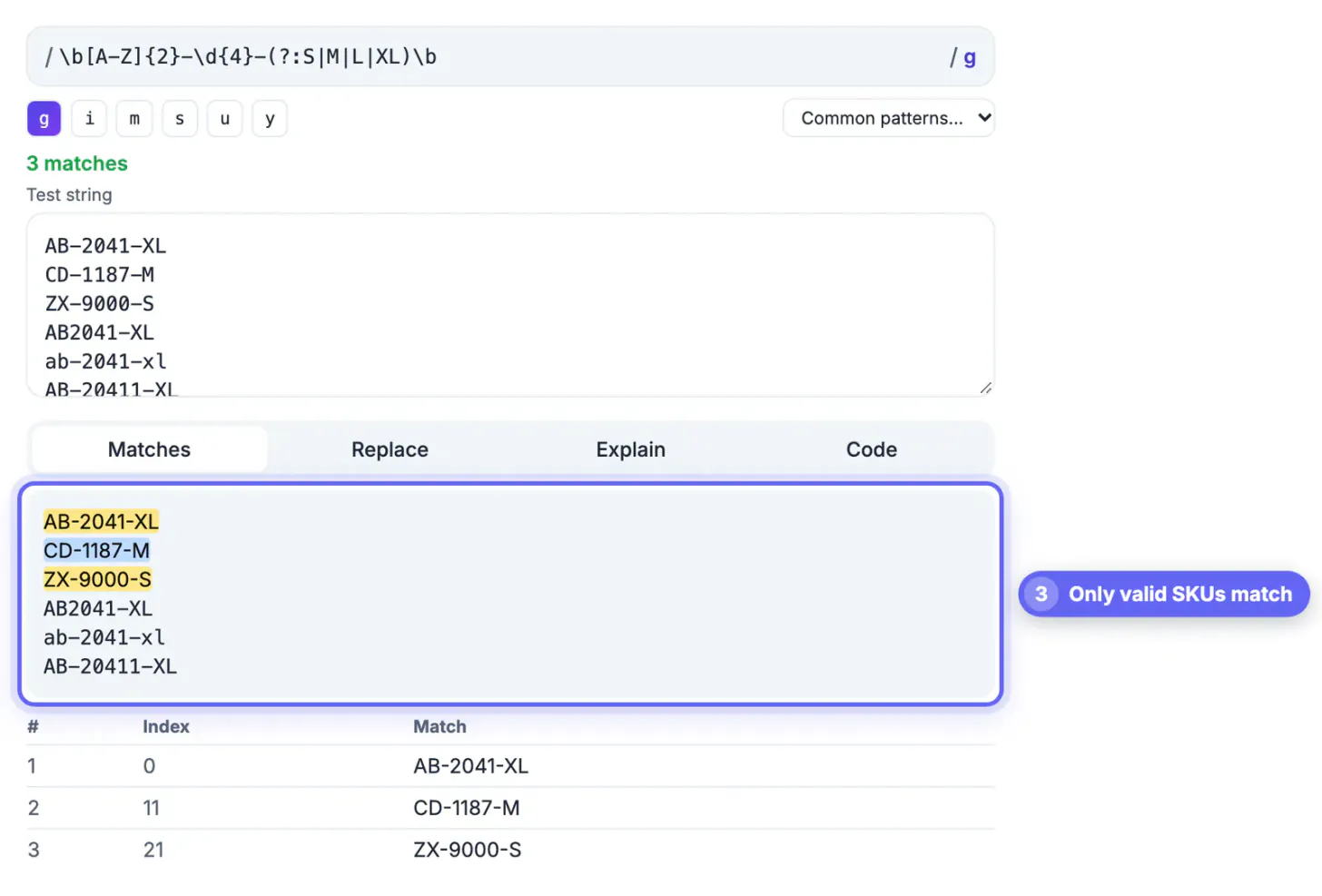
Regular expressions fail quietly. A validator that accepts one bad value per thousand lets junk into a database for months, and a log parser that skips a line format under-reports errors without warning. Worse, a pattern with nested quantifiers can freeze a process on a crafted input; both Stack Overflow in 2016 and Cloudflare in 2019 suffered outages traced to a single runaway pattern. A repeatable routine with positive cases, negative cases, flag checks and a backtracking probe takes ten minutes and catches most of these problems before code review even starts.
Build a sample that can prove your regex wrong
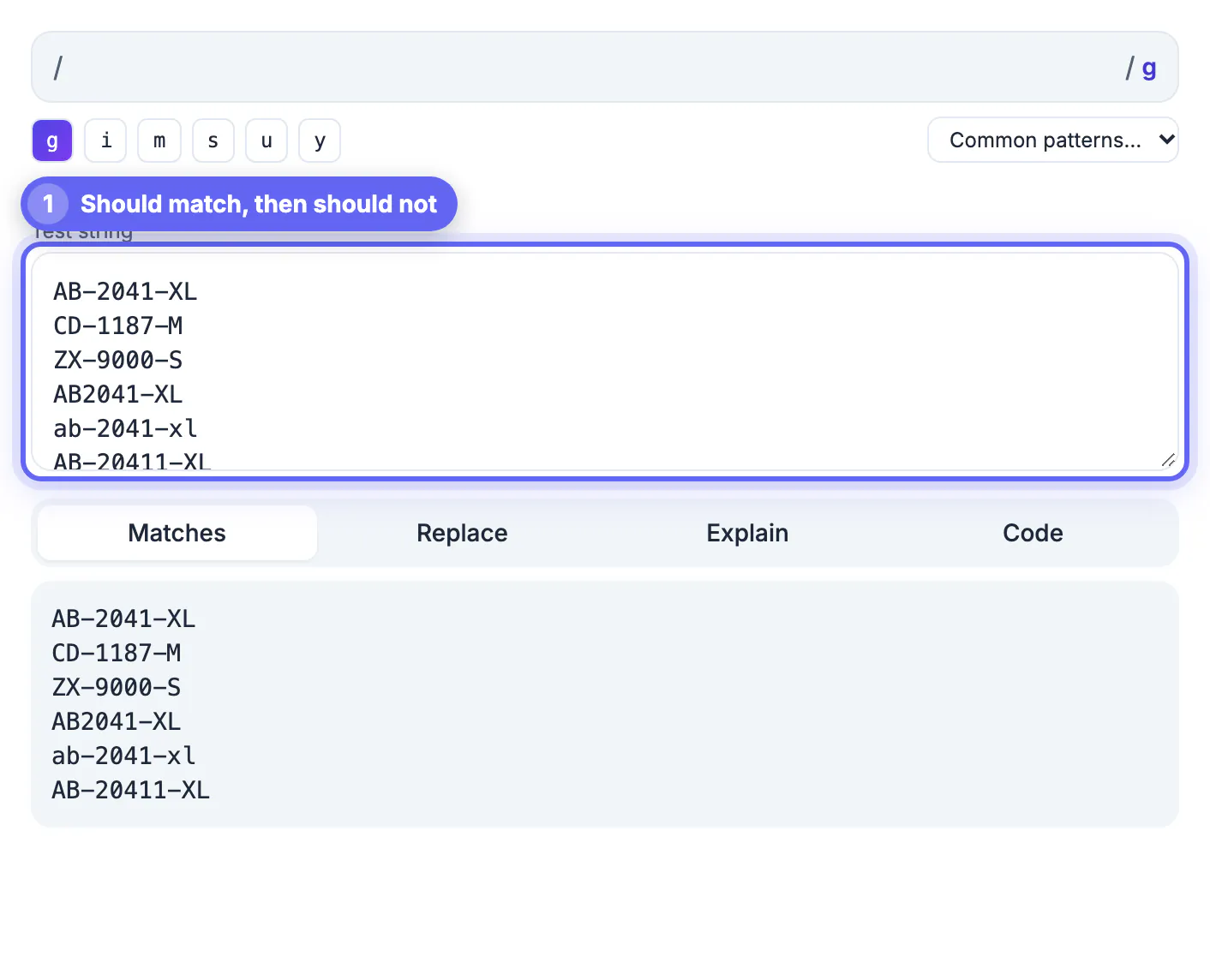
Write the sample before the pattern. Put every value that must match on its own line, then add the values that must not. Take the US ZIP pattern \b\d{5}(?:-\d{4})?\b from the tool's Common patterns menu. It should match 90210 and 10001-1234, and it should reject 1234 and 123456.
- Include near misses: four digits, six digits, a ZIP+4 with the wrong length after the hyphen, and a ZIP glued to letters.
- Include realistic noise. An order number like #45210 also matches the ZIP pattern, which is a false positive you would never see with clean inputs.
- Add empty lines, trailing spaces and Windows line endings if the real input comes from files or spreadsheets.
- Keep the sample in your repository next to the pattern; it becomes the unit-test table later.
Messy sample data makes a regex look worse than it is, so run it through the Text Cleaner first, then use the Text Diff Checker to compare before and after a replace.
How each flag changes what a regular expression matches
Flags change results more than most people expect. The tool shows them as toggles, g i m s u y, and the status line reminds you when only the first match is shown because g is off.
- g finds every match; without it you see only the first, which hides problems further down the sample.
- m makes ^ and $ match at each line break. The pattern ^\d+$ finds nothing in a three-line sample without m, and every all-digit line with it.
- s lets the dot match newlines, which matters when a match can span lines, such as a multi-line log entry.
- i ignores capitals, u enables full Unicode handling such as \p{L} for letters in any language, and y anchors each match to the position where the previous one ended.
Catch catastrophic backtracking before your users do
Some patterns take exponential time on inputs that almost match. The classic example is (a+)+$ run against thirty a characters followed by an exclamation mark: the engine tries every way of splitting the run between the inner and outer quantifier before giving up.
- The Regex Tester runs each pattern in a separate Web Worker and stops it after 2 seconds, showing a warning instead of freezing your browser tab.
- Probe every pattern with a long near-miss input, such as 5,000 repetitions of the allowed characters plus one forbidden character at the end.
- Remove nested quantifiers, make alternatives mutually exclusive, and prefer specific classes like [^,]* over .* where possible.
- Server-side, add input length limits before running any pattern supplied by or applied to untrusted input.
Move the pattern into code without flavor surprises
The tester uses the JavaScript engine, which is what browsers and Node.js run. Other languages share most syntax but differ in the details, so check before you paste.
- The Code tab writes JavaScript, Python and PHP snippets; for Python it converts named groups to the (?P<name>...) syntax that the re module expects.
- Python's built-in re module does not support \p{L} Unicode classes; you need the third-party regex package for those.
- PHP wraps patterns in delimiters and has no g flag; preg_match_all already returns every match.
- The share link stores the pattern, flags and replacement in the URL, but not the sample, so paste your sample into the ticket or pull request separately.
Step-by-step
Common mistakes to avoid
Pro tips
Frequently asked questions
Which regex flavor does the GrabCast Regex Tester use?
JavaScript, the engine built into browsers and Node.js. Most syntax carries over to Python, PHP and Java, and the Code tab converts named groups for Python, but check features like Unicode property classes and lookbehind in your target language.
Why do I only see one match?
The g flag is off. Without it, a JavaScript regex stops after the first match, and the tool notes this beside the match count. Click g to see every match in the sample.
What happens if my pattern hangs?
The tester runs each pattern in a Web Worker and terminates it after 2 seconds, then explains that the pattern likely causes catastrophic backtracking. Your tab stays responsive, and you can edit the pattern straight away.
Can I share a pattern with a teammate?
Yes. The Copy share link button on the Code tab puts the pattern, flags and replacement into the URL. The test string is not included, so send your sample separately.
Is my sample sent to a server?
No. Matching, replacing and explaining all happen in your browser. That makes it reasonable to test against real log excerpts, though you should still redact personal data you do not need.
Treat every pattern like code: write the should-match and should-not-match cases first, check each flag, probe with a long near miss, and confirm the target language supports every feature you used. The Regex Tester's highlights, match table, Explain tab and 2-second safety stop make that routine fast.
Related guides
Browse more: all text and developer guides · the Regex Tester tool