Transcribe Audio Privately: On-Device Whisper Guide
If you need to transcribe audio privately, run the speech model on your own device so the recording never leaves your computer. AI Studio does exactly that: it downloads an open-source Whisper model once, caches it, and converts speech to text inside the browser tab, with no account and no upload. That matters for anyone holding recordings they cannot share, such as a therapist's session notes, an HR investigation interview, a journalist's source call or a lawyer's client meeting. Below is how to pick a model, prove to yourself that the file stays local, and know which extra features do use the internet.
🔒 Try AI Studio now — freeOpen →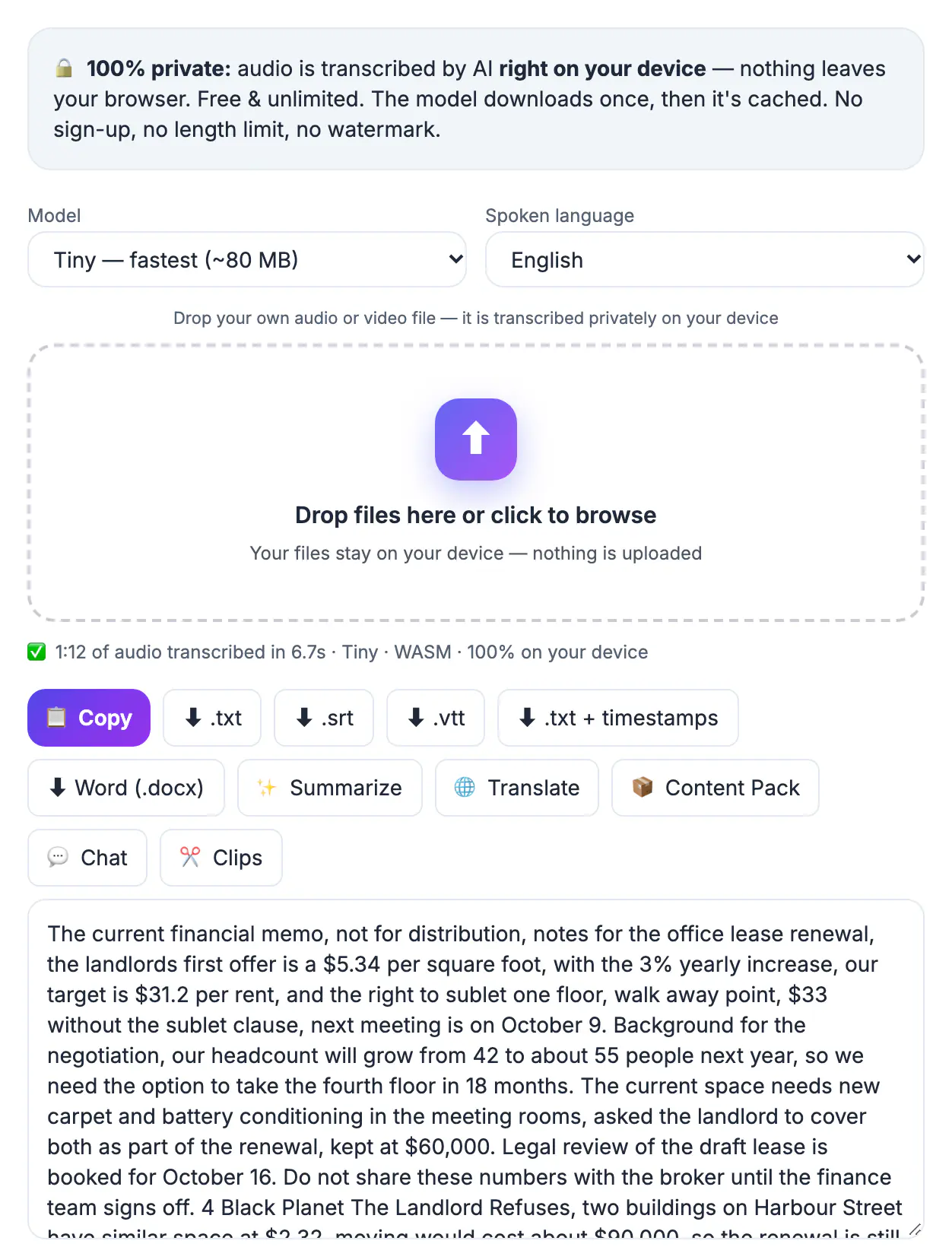
Most online transcription services upload your file to their servers, process it there, and keep a copy for some period set by their retention policy. Even with a good policy, that creates a second location where sensitive audio exists, a vendor you now have to vet, and in regulated work a data processing agreement you may not have signed. Running the model locally removes the question entirely. There is no server copy to leak, subpoena or use for training. The trade-off is that your own hardware does the work, so a laptop takes longer than a data center, and the first run needs a model download of 80 to 560 megabytes.
Choose the right Whisper model for your hardware
AI Studio offers four model sizes. Bigger models make fewer mistakes with accents, jargon and crosstalk, but they take longer to download and run. The sizes shown in the tool are:
- Tiny, about 80 MB: fastest, fine for clear dictation on older laptops and phones
- Base, about 210 MB: the default, a good balance for meetings and voice memos
- Small, about 300 MB: noticeably better with names, accents and technical terms
- Large-v3 Turbo, about 560 MB: best accuracy, but it needs WebGPU with 16-bit float support, which in practice means a recent Chrome or Edge on a modern GPU
Start with Base. If the draft has too many errors on names or specialist words, rerun the same file with Small. Pick the spoken language in the dropdown when you know it; auto-detect works, but setting it avoids a wrong guess on the first few seconds.
Confirm your audio never uploads
You should not have to take a privacy claim on trust, and with an in-browser tool you can check it. After the model has downloaded once, it is stored in the browser cache, so you can test the claim in two minutes.
- Open the page, run one short test file so the model is cached, then reload
- Open your browser developer tools, switch to the Network tab and clear it
- Drop your real recording in and watch: you should see no request carrying the audio file
- For extra certainty, turn on airplane mode after the model is cached and transcribe offline
If transcription completes with the network off, the audio could not have gone anywhere. This is a useful habit to document if your organization asks how you handled a confidential recording. A one-line note such as model Base, processed locally in Chrome, network verified offline, dated and initialed, is usually enough for an internal audit trail.
Browser extensions are the one blind spot worth checking. An extension with permission to read every site could, in principle, see page content, so run confidential sessions in a clean browser profile or a private window with extensions disabled.
Know which features do use the internet
Privacy depends on which button you press. The core job, turning a dropped audio or video file into text, runs on your device. Several optional extras do not, and it is worth being precise about them:
- The first use of each model fetches the Whisper model files from the internet, but that download sends nothing about your recording
- The Translate button sends the transcript text to the AI Translator, which uses a cloud AI engine
- Summarize and the clip-finding shortcut send transcript text to a cloud AI model
- Downloading TXT, SRT, VTT or DOCX happens locally and creates the file straight on your device
For sensitive work, the rule is simple: transcribe and export locally, then review the text yourself. Only send it to an AI feature if the content would be acceptable to share with an outside service.
Get accurate text on a laptop without a data center
Local speed depends on your hardware. On a recent laptop with WebGPU, the Base model typically handles an hour of clear speech in a matter of minutes; on an older machine using the WASM fallback, expect it to run slower than real time for the larger models. The tool splits long audio into segments and keeps the timestamps aligned, so there is no hard length limit.
Audio quality matters more than model size. A lapel or headset mic a few inches from the mouth beats a laptop mic across a conference room. If you control the recording, capture at a normal level with minimal background noise, and ask people not to talk over each other.
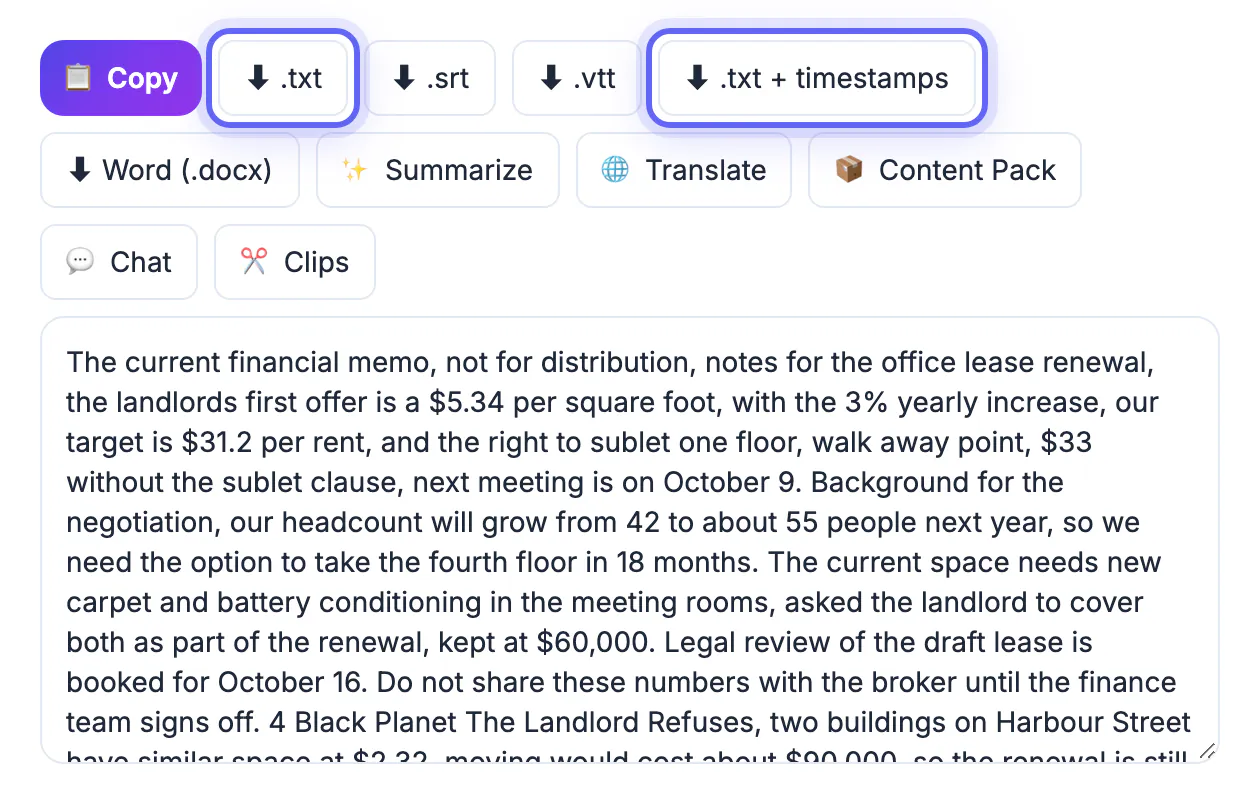
When the draft is ready, export the format that fits the job: TXT for reading, TXT with timestamps for quoting, SRT or VTT for subtitles, and Word DOCX for editing and sharing with colleagues.
If a recording is noisy, the Audio Noise Reduction tool is a quick pass to try before you transcribe.
▶ Watch: How to transcribe audio to text (0:38)
Video transcript
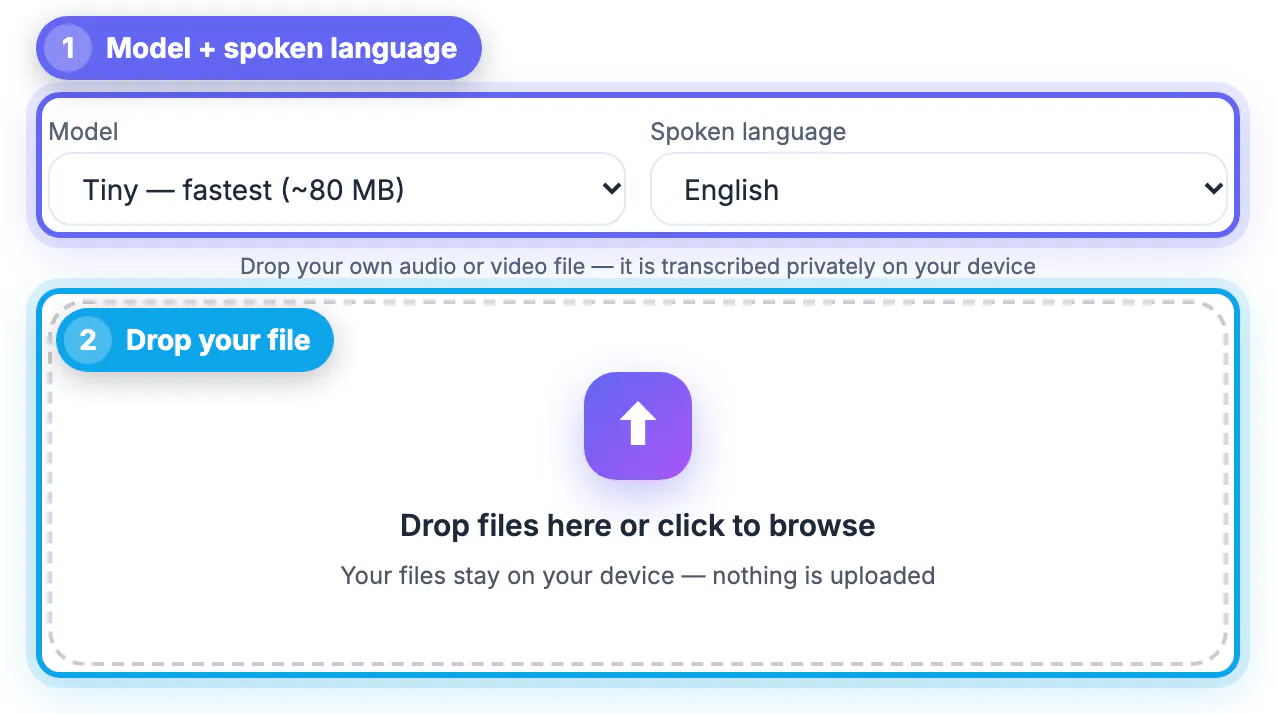
- Pick a model. Base is a good balance of speed and accuracy. Small is more accurate but slower.
- Set the language. Choose the spoken language, or leave it on Auto-detect.
- Add your recording. Drop an audio or video file. The AI model runs in your browser, nothing is uploaded.
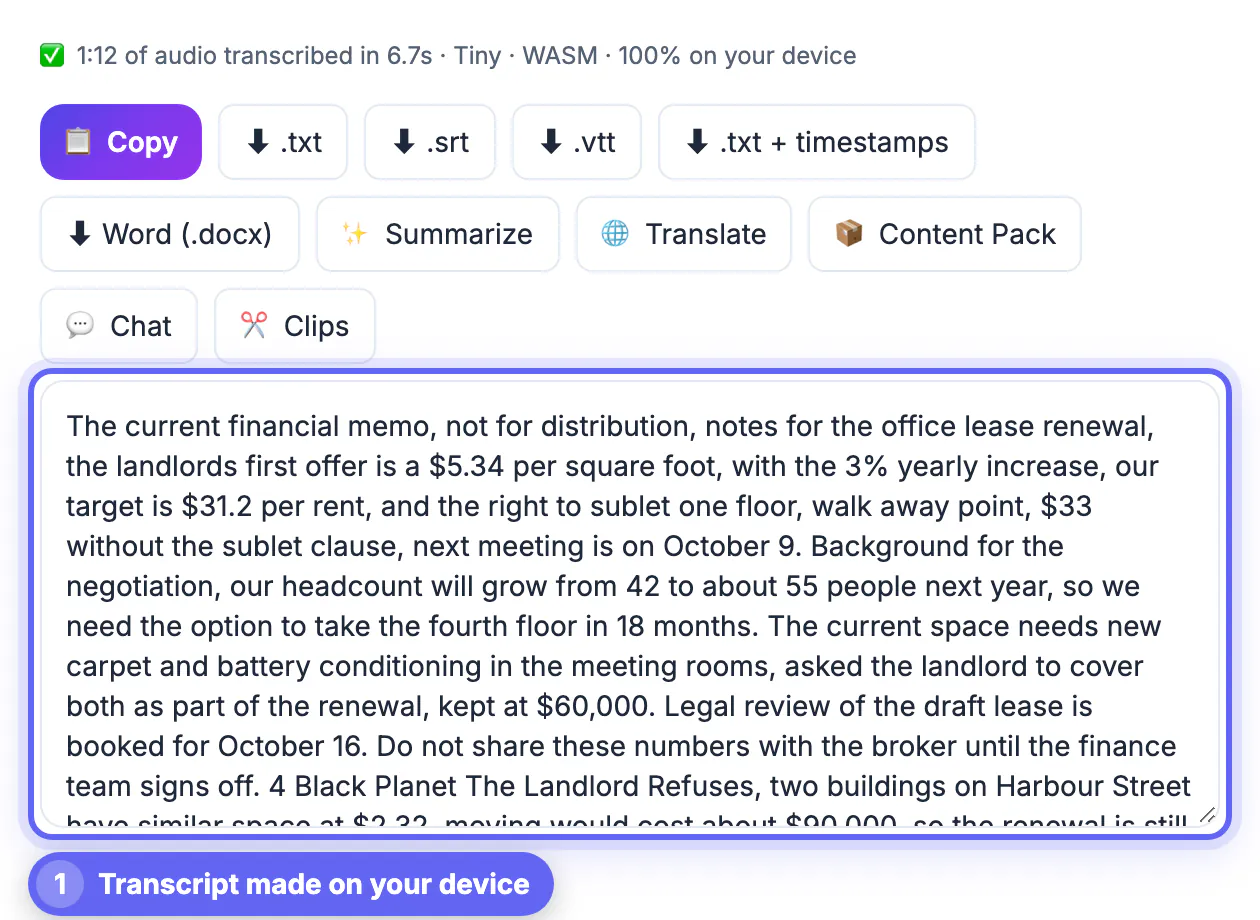
- Check the transcript. Read it through and fix any names right in the text box.
- Download subtitles. Save an SRT for YouTube captions, or plain text, VTT or Word.
Step-by-step
Common mistakes to avoid
Pro tips
Frequently asked questions
Is AI Studio really private?
The transcription itself runs in your browser on your own device, and the audio file is not uploaded. You can verify this with the Network tab or by transcribing in airplane mode once the model is cached. Optional extras such as Translate and Summarize send text to a cloud AI.
How big is the download?
Between about 80 MB for Tiny and 560 MB for Large-v3 Turbo. It downloads the first time you use a model and is then cached by the browser, so later sessions start quickly.
Does it work on a phone?
Tiny and Base can run on recent phones, but a laptop or desktop is faster and more reliable for recordings longer than a few minutes, especially with the larger models.
Is there a length limit?
There is no fixed limit in AI Studio. Long files are processed in segments. Very long recordings on slower hardware simply take longer, so start with Base and leave the tab open.
Can I use this for medical or legal records?
Local processing removes the vendor upload, which is often the main concern, but your organization's rules still apply to how you store and share the resulting text. Check with your compliance lead before relying on any tool.
Private transcription means the model comes to the audio, not the other way round: cache a Whisper model once, transcribe locally, verify with the Network tab or airplane mode, and keep sensitive transcripts away from the cloud AI extras.
Related guides
Browse more: all video and audio guides · AI Studio