Is Public Wi-Fi Safe? Café, Airport and Hotel Rules
Is public Wi-Fi safe? For reading news, checking maps and streaming a show, usually yes: almost every major site now encrypts its traffic with HTTPS, so the person at the next table cannot read your pages. The real risks are quieter. A fake network with a convincing name, a sign-in page that asks for more than it should, a laptop that shares files with the whole room, or an old app that still sends data unencrypted. This guide shows how to judge a café, airport or hotel network in a minute, and when to switch to your own phone hotspot or a VPN instead. Disclosure: this guide includes affiliate links to NordVPN. If you buy through them, GrabCast may earn a commission at no extra cost to you. Every step here also works with free tools. How we handle affiliate links.
📶 Try Wi-Fi QR Code Generator now — freeOpen →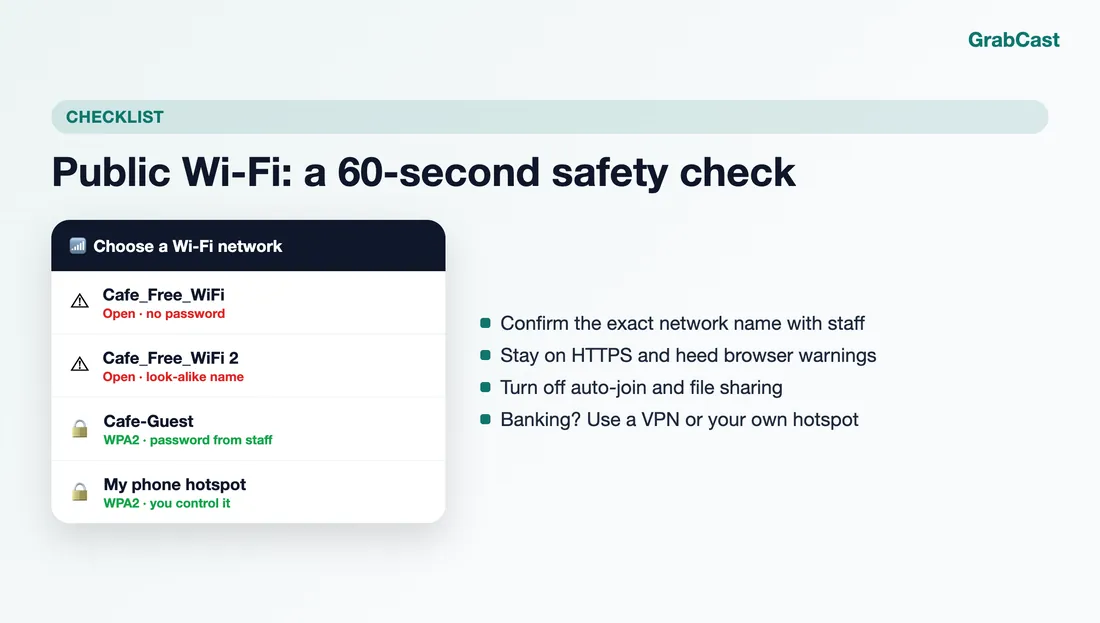
Ten years ago, open Wi-Fi was a genuine free-for-all because many logins and pages traveled in plain text. HTTPS by default, HSTS and modern apps closed most of that gap, which is why security agencies now describe the risk more carefully. What public networks still reveal is metadata: which sites you connect to, your device name and sometimes your DNS lookups. And they remain a perfect stage for tricks, because you have no idea who runs the access point. The goal is not fear of every café; it is a short routine so sensitive tasks never ride on a network you cannot vouch for.
What can actually go wrong on public Wi-Fi
Most attacks on shared networks need you to make one small mistake, so it helps to know the shapes they take.
- Evil twin networks. Anyone can broadcast a network called Airport_Free_WiFi. If your phone joins it, the owner sits between you and the internet and can present fake sign-in pages or push you toward downloads.
- Rogue captive portals. The page that says accept terms to connect is a web form. A legitimate one asks for a room number or an email at most; one that asks for a card number, a social login or an app install deserves suspicion.
- Plain-text leftovers. Old websites, some smart-device apps and misconfigured email clients still send data without encryption. On a shared network those bytes are readable.
- Your own device. File sharing, AirDrop set to Everyone, network discovery and open developer servers are all visible to strangers on the same network.
- Metadata. Even with HTTPS, the network operator can usually see which domains you visit and when.
A password on the network does not fix all of this. A café that prints Guest / coffee2024 on the counter protects you from people outside, not from other customers who know the same password.
A 60-second safety check before you join
Run through this whenever you connect somewhere new. It takes less time than ordering a drink.
- Ask staff for the exact network name. If you see two near-identical names, or one with no password where staff said there is one, pick neither until you are sure.
- Watch the browser address bar. Stay on HTTPS pages, and treat a certificate warning on a well-known site as a stop sign, not an annoyance to click through.
- Switch the connection to a public profile. Windows asks whether a network is Public or Private; choose Public, which turns off discovery and sharing. On a Mac, turn off File Sharing and set AirDrop to Contacts Only.
- Turn off auto-join for networks you only use once, and use the private or randomized Wi-Fi address that iPhone, Android and Windows offer, so your device is harder to track between hotspots.
- Keep the operating system and browser updated. Many of the scariest public Wi-Fi demonstrations rely on software that was patched years ago.
Banking, work and shopping: use your hotspot or a VPN
Your bank's app almost certainly uses strong encryption, so a single login over café Wi-Fi is rarely a disaster. The problem is that you cannot verify the network, so the cautious habit is simple: anything involving money, health, work systems or account recovery goes over a connection you control.
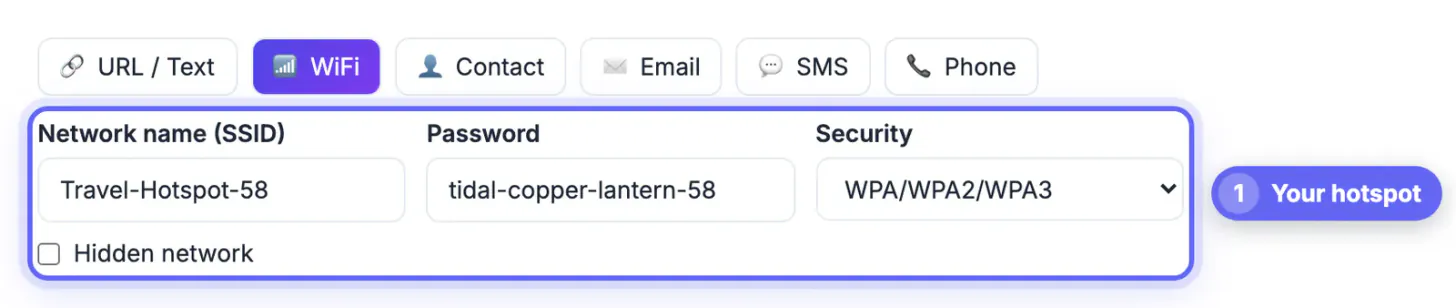
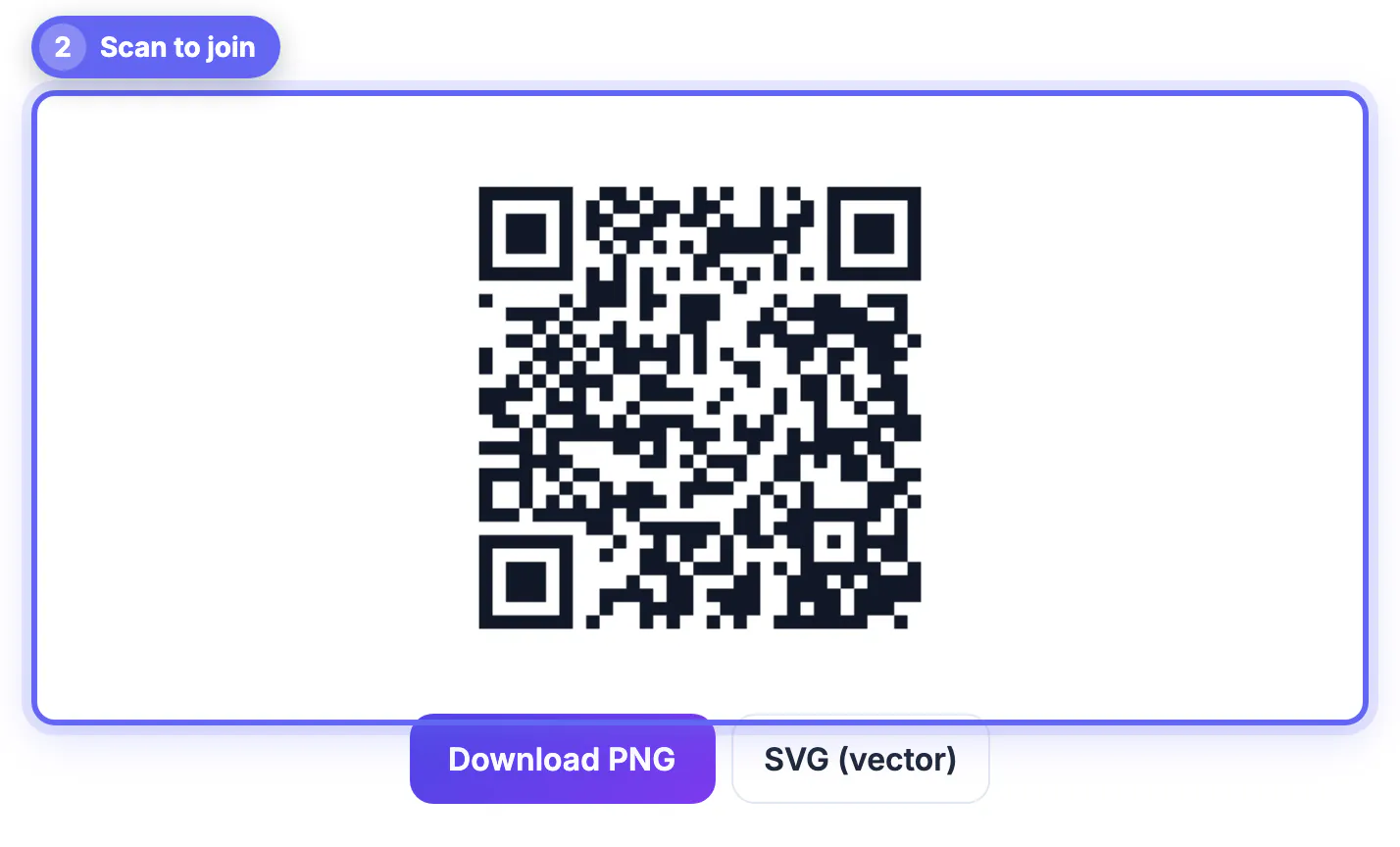
Option 1: your phone's hotspot. Mobile data is encrypted between your phone and the carrier, and you decide who joins. Give the hotspot a WPA2 or WPA3 password, and if a friend or colleague needs it, make a Wi-Fi QR code so they can join by scanning instead of reading the password aloud across the room. This costs nothing beyond your data plan.
Option 2: a VPN. A VPN wraps all your traffic in an encrypted tunnel to the VPN provider, so the café, hotel or airport network only sees that you are connected to a VPN server. That also hides which sites you visit from the local operator. The trade-off is that you are now trusting the VPN company with that view, which is why independent audits and a clear no-logs policy matter more than server counts.
NordVPN. If you often work from cafés, hotels or airports, NordVPN can switch on automatically whenever you join a network you have not marked as trusted, and its Kill Switch cuts traffic if the VPN connection drops. Its no-logs policy has been checked in several independent reviews, the recent ones by Deloitte, and one subscription covers up to 10 devices.
See NordVPN →Free alternatives exist too: Proton VPN has a free tier, and your phone hotspot covers most short sessions. What matters is the habit, not the brand.
A leaked password is easier to survive with good habits; see how to create a strong password.
Hotel and airport networks: special cases
Hotels often use one password for every room, so other guests are effectively on your network. Treat hotel Wi-Fi exactly like café Wi-Fi, and never scan a QR code taped to a room door or lamp that promises faster internet; the front desk can confirm what is official.
Airports are the favorite place for look-alike networks because thousands of tired people connect in a hurry. Check the official network name on the airport's signs or website, and be wary of portals that ask you to install a profile or an app just to get online.
Captive portals and VPNs do not always mix: many VPNs cannot connect until you have accepted the portal. Sign in to the portal first, then turn the VPN on and wait for it to show connected before you open anything sensitive.
Step-by-step
Common mistakes to avoid
Pro tips
Frequently asked questions
Is public Wi-Fi safe if the website uses HTTPS?
HTTPS protects the content of the page and what you type into it, so a login on a correctly padlocked site is well protected. The network can still see which sites you visit, and HTTPS does not help if a fake network steers you to a look-alike site. Check the address carefully and never ignore certificate warnings.
Is a password-protected café network safer than an open one?
A little. It keeps out people who do not know the password, but every customer who does know it shares the same network. Treat it as public. Newer WPA3 networks and Wi-Fi Enhanced Open encrypt each device's connection separately, which helps, but you usually cannot tell which one a café uses.
Do I need a VPN on public Wi-Fi?
Not for everything. For reading, maps and streaming, HTTPS is usually enough. A VPN is worth it for banking, work systems and long sessions on networks you cannot vouch for, or you can use your phone's hotspot instead. Both approaches keep the local network out of your traffic.
Can someone hack my phone just because I joined public Wi-Fi?
It is rare on an up-to-date phone. Most real-world problems come from fake sign-in pages, malicious downloads or shared files, not from silent attacks. Keep the phone updated, avoid installing anything a portal asks for and turn off sharing features.
How do I share my hotspot safely with a friend?
Set a strong WPA2 or WPA3 password on the hotspot, then create a Wi-Fi QR code with the exact network name and password. Your friend scans it and joins without anyone reading the password aloud, and you can change the password afterwards if you want.
Public Wi-Fi is fine for everyday browsing once you confirm the network name, stay on HTTPS and switch off sharing. For money, work and account recovery, move to a connection you control: your phone hotspot for free, or a VPN if you connect from cafés, hotels and airports often.
Related guides
Browse more: all all guides · Wi-Fi QR Code Generator