Config and Code Snippet Diff: Find the One Changed Line
To find why two configs behave differently, paste both versions into a text diff checker: it lines them up, marks removed lines in red and added lines in green, and highlights the exact words that changed inside each edited line. GrabCast's free Text Diff Checker does this live as you type, in your browser, with options to ignore case and whitespace. It is built for the everyday snippets that never make it into a Git repository: a .env pasted by a teammate in Slack, two nginx server blocks, a YAML file from a support ticket, or the output of the same command on two servers. Below are the workflows, the traps like invisible line endings, and the cases where Git or an IDE is the better tool.
🔀 Try the Text Diff tool now — freeOpen →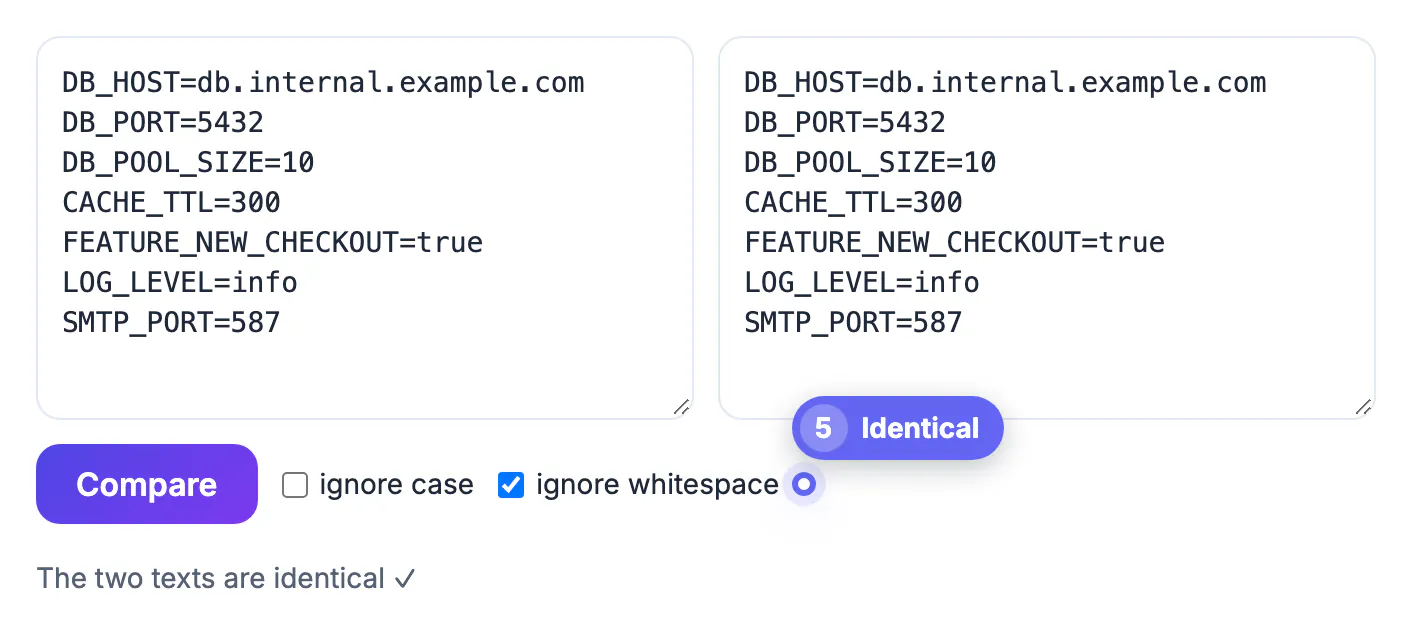
Configuration bugs are rarely dramatic. They are a port of 5432 versus 5433, a trailing slash on a URL, a feature flag set to True in one place and true in another, or a tab where YAML expected spaces. Human eyes skim past those because the lines look almost the same, and the longer the file, the worse we get. A diff tool compares every line mechanically and never gets tired. For code under version control, Git already does this. But a surprising amount of debugging happens with fragments copied out of dashboards, chat threads, emails and terminal sessions, where there is no repository and no history. That is the gap a quick paste-and-compare page fills.
How the text diff checker compares two versions
Understanding the method helps you read the output correctly.
- It aligns the two inputs line by line using a longest-common-subsequence match, so a few inserted or deleted lines do not throw off everything below them; a block moved elsewhere shows up as one deletion plus one addition.
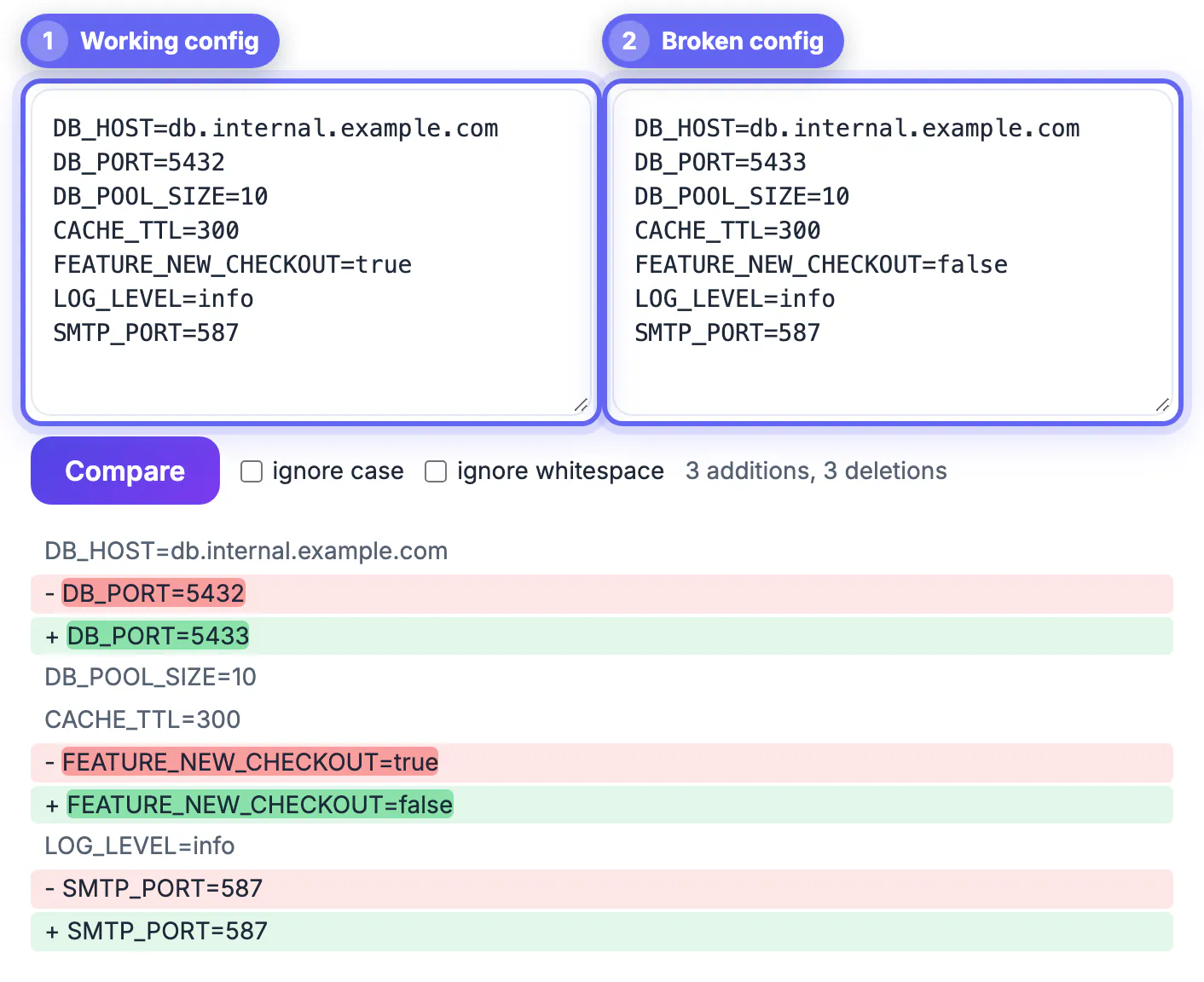
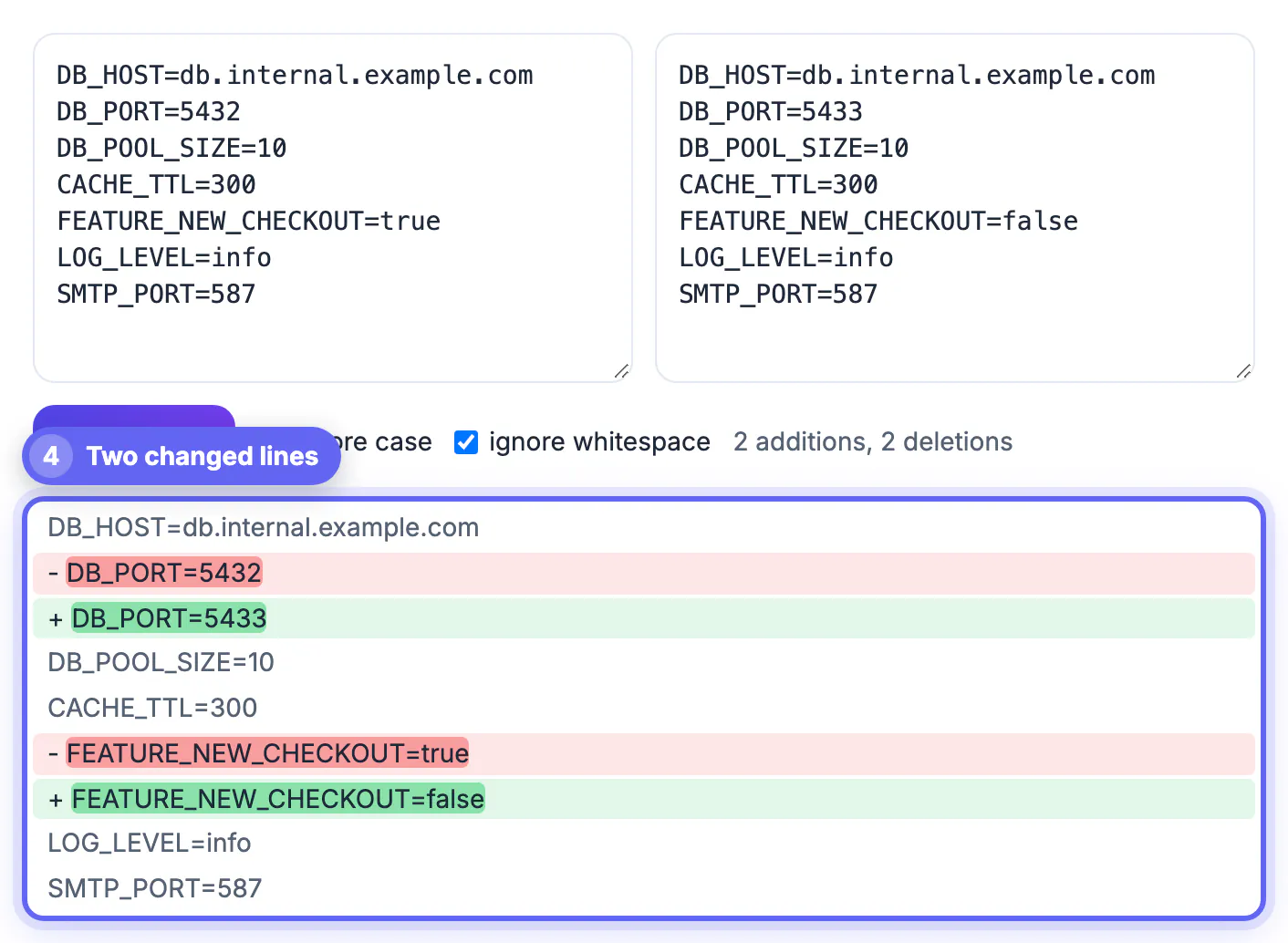
- When a removed line is paired with an added one, it runs a second, word-level comparison and highlights only the words that changed, so DB_PORT=5432 versus DB_PORT=5433 lights up just the number.
- A summary shows the count of additions and deletions, and the view updates about a quarter-second after you stop typing.
- Very large inputs, roughly when the line counts multiplied together pass four million (two files of about 2,000 lines each), fall back to a simple list of removed lines to keep the tab responsive.
Hidden changes: whitespace, case and line endings
The most frustrating result is a screen full of red and green lines that look identical. That almost always means an invisible change.
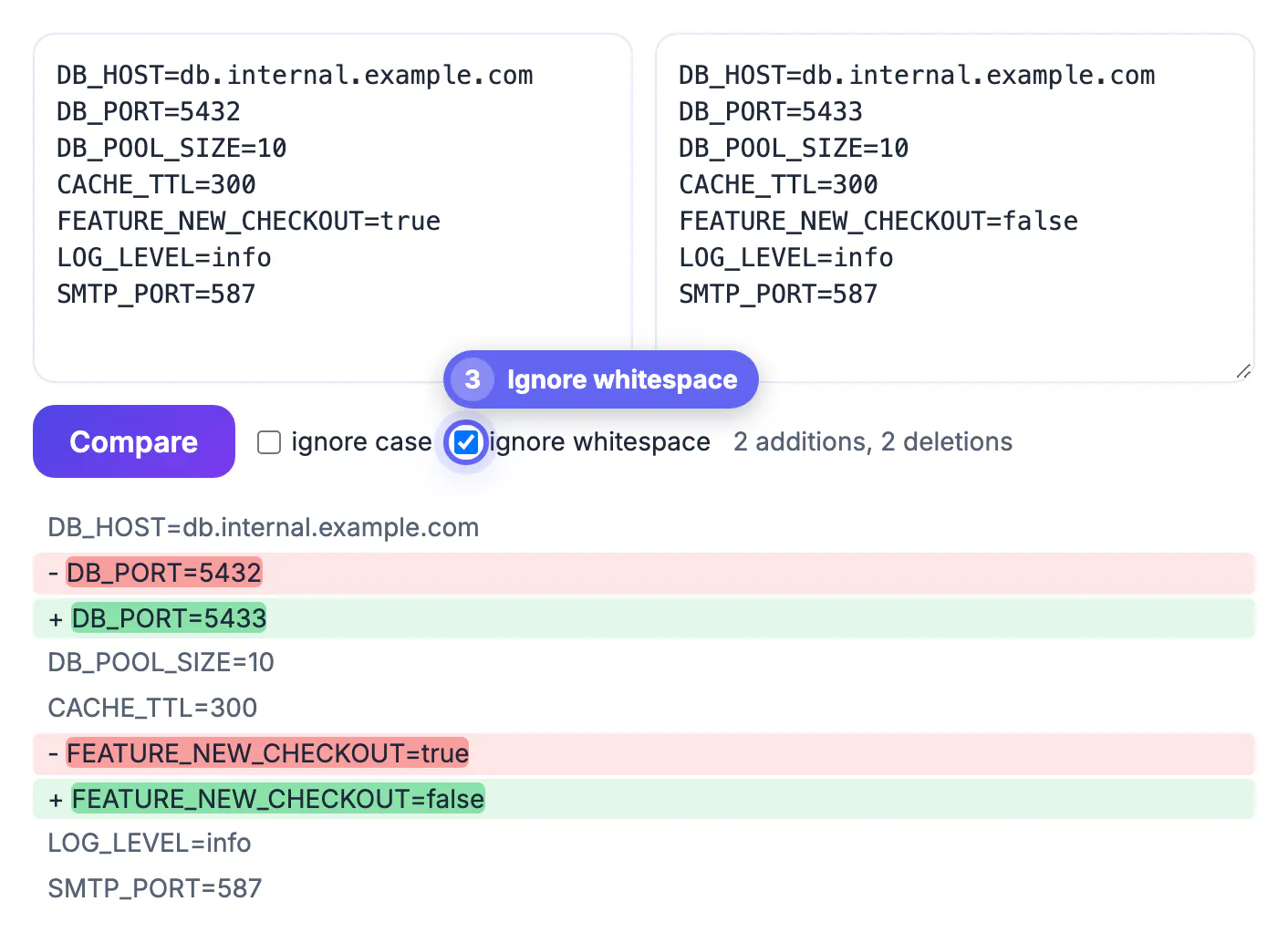
- Windows vs Unix line endings. A file saved on Windows ends each line with a carriage return plus newline; a Linux copy uses newline only. Every line then counts as changed. Tick Ignore whitespace: if the highlight disappears, line endings were the culprit.
- Tabs versus spaces and trailing spaces. Ignore whitespace collapses runs of spaces and tabs and trims line ends, which exposes the real edits.
- Case. Environment names like Production and production, or TRUE and true, can matter to one program and not another. Use Ignore case to hide them only when you know the program is case-insensitive.
- A warning for YAML and Python: indentation is meaningful there, so leave Ignore whitespace off when checking those, or you may hide the very bug you are hunting.
Practical workflows for snippets and config files
A few patterns cover most real debugging sessions.
- Environment drift: paste the staging .env on the left and production on the right. Sort both alphabetically first, since key order often differs, so the tool matches like with like.
- JSON settings: run both through the JSON Formatter with Sort keys enabled and the same indentation, then compare. Formatting noise disappears and only value changes remain.
- Command output: compare pip freeze, npm ls or a package list from two machines to find the library version that differs.
- Code review in chat: when someone pastes a revised function in Slack, drop the old and new versions in to see exactly what they touched before you approve.
If the changed lines are patterns rather than exact text, the Regex Tester helps you search for them.
Privacy, limits and when to use Git instead
The comparison runs entirely in your browser with JavaScript; nothing you paste is sent to a server. Still, treat secrets carefully: replace real API keys, passwords and tokens with placeholders before pasting anywhere, and never share a screen with credentials visible.
- No syntax highlighting, file upload, side-by-side columns or merge button. It shows a single unified view with minus and plus rows.
- For code in a repository, git diff, a pull request view or your editor's compare feature are better: they know history, handle big files and let you stage or revert changes.
- For multi-thousand-line logs, a command-line tool such as diff or a desktop app like Meld or Beyond Compare scales further.
- For quick, one-off comparisons of snippets under a few hundred lines, a paste box beats opening an IDE.
Step-by-step
Common mistakes to avoid
Pro tips
Frequently asked questions
Does the diff checker upload my code?
No. The comparison runs in your browser with JavaScript, so pasted content stays on your device. Remove secrets anyway as a habit.
Why does every line show as changed?
Usually line endings (Windows CRLF versus Unix LF) or tabs versus spaces. Turn on Ignore whitespace; if the highlights vanish, the content is the same.
Can it compare two files directly?
Not by upload. Open each file, copy its contents and paste them into the two boxes. For large files, a command-line diff or a desktop compare app is faster.
Does it highlight syntax or show side by side?
No. It shows one unified view with minus and plus rows and word-level highlights inside changed lines. That keeps it fast and readable on phones too.
How large can the inputs be?
Hundreds of lines compare instantly. When line counts multiplied together exceed about four million, it switches to a simplified list of removed lines to keep the page responsive.
Paste both versions, normalize order and formatting, and let word-level highlights point at the changed value. Watch for line endings and indentation, strip secrets first, and move to Git or a desktop tool for big files.
Related guides
Browse more: all text and developer guides · the Text Diff tool