Redlining a Contract When You're Not a Lawyer or a Coder
A vendor sends back the contract 'with a few small tweaks,' and now you're squinting at two nearly identical PDFs trying to find what actually moved. Copy both versions into a text diff and the changed clauses light up instantly. GrabCast runs the comparison in your browser, so a confidential agreement or an unsigned lease never gets uploaded anywhere.
🔀 Try the Text Diff tool now — freeOpen →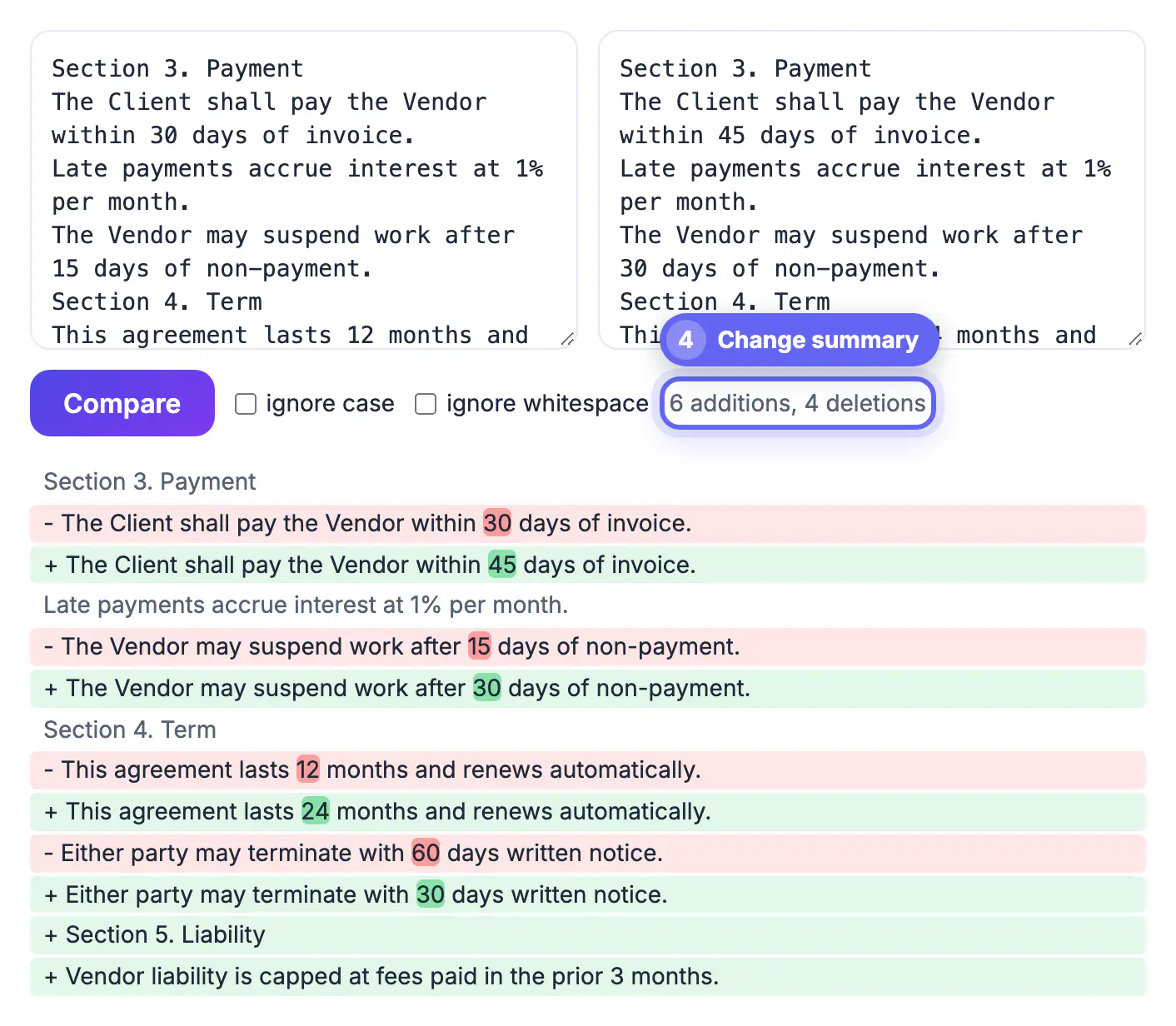
The human eye is terrible at spotting a single altered word inside a wall of legal boilerplate. A negotiated 'net 30' quietly becoming 'net 15,' or 'may terminate' shifting to 'shall terminate,' changes your obligations while looking almost identical. Word's Track Changes helps only when the other party actually used it — and counterparties routinely send a 'clean' copy that hides their edits. A text diff makes no assumptions: it compares the two versions line by line, then word by word inside each changed line, and highlights every insertion and deletion. That means you review what changed rather than re-reading paragraphs you already approved, and you catch the substituted number or flipped modal verb that would otherwise slip through into a signed agreement.
Getting clean text out of contracts
Diffs work on text, so extraction quality matters:
- Copy directly from the editable source (Google Doc, Word) when you can — it's cleanest.
- From a PDF, select and copy the text; watch for column breaks and page headers that scramble order.
- Paste the older version on the left and the newer one on the right to read edits as forward changes.
- Strip page numbers and footers first so they don't register as false differences.
Reading the highlights like a reviewer
Once the diff runs, focus your attention where it counts:
- Numbers and dates: payment terms, notice periods, and dollar amounts are the most consequential edits.
- Modal verbs: may vs. shall, will vs. must — small words with large legal weight.
- Defined terms: a changed definition ripples through every clause that uses it.
- Deletions: a removed sentence can quietly strip a protection you relied on.
When the formatting fights you
Reflowed paragraphs and different line wrapping can make a diff look busier than the real changes warrant. If a whole paragraph lights up because line breaks moved, don't panic — read the words, not the layout. Pasting text with consistent paragraph breaks, and removing manual line breaks mid-sentence, gives a far more honest comparison of the substance.
Confirming the signature copy matches what you approved
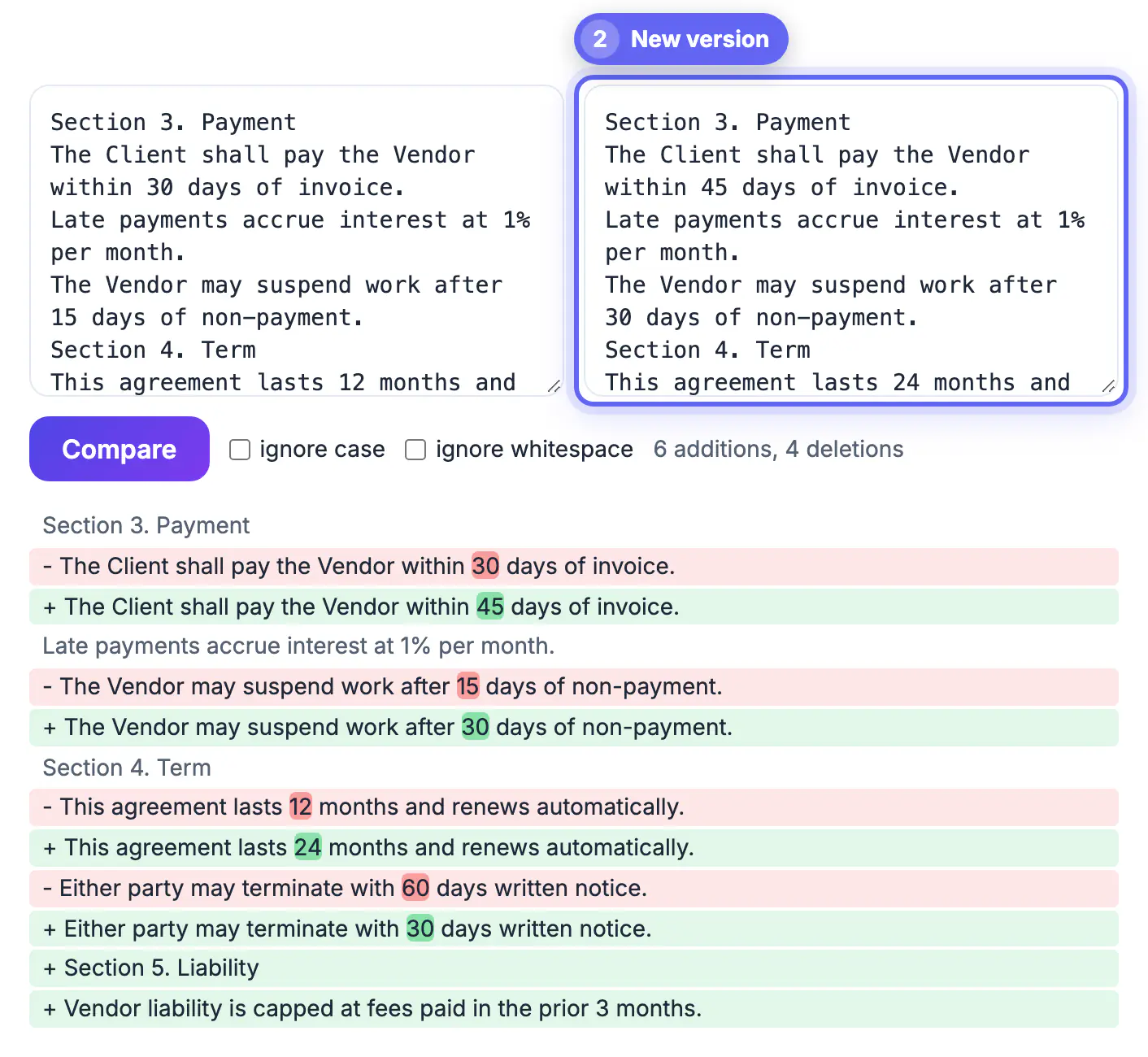
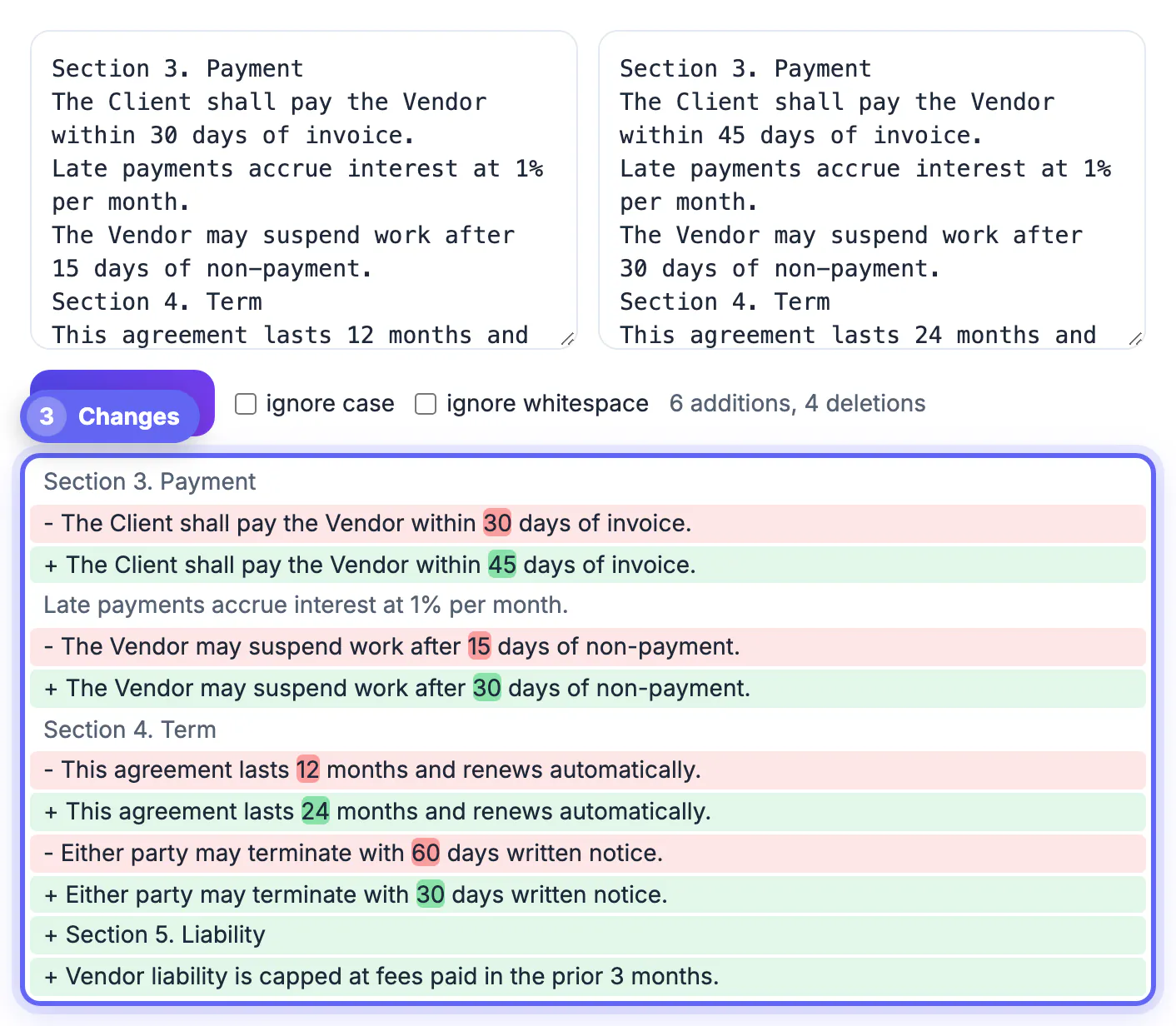
The most valuable diff in a deal often happens at the very end. Before anyone signs, paste the text you approved into the Original box and the execution copy into the Changed box. If the counter stays empty and the tool reports that the two texts are identical, nothing moved between approval and signature. If anything did, it appears as a red line starting with a minus and a green line starting with a plus, with the altered words shaded more strongly inside them.
- Leave ignore case off for legal text. Capitalized defined terms carry meaning, and a clause that switches from Services to services may have stepped outside the definition.
- Turn ignore whitespace on only after a first pass, to hide double spaces and tab indents that PDF export introduces, then check the result again with it off.
- Read the counter as rough scope: one edited line counts as one addition and one deletion, so three of each on a twenty-page agreement means a small, reviewable set of edits.
- Very long agreements, roughly beyond 2,000 lines per side, fall back to a simple list of removed lines, so compare those one section at a time.
Save the confirmed text with the signed PDF so you can prove later which wording both sides agreed to.
What a diff cannot tell you
A text comparison shows which words changed, not what they mean for you. It also cannot see changes in images, tables rendered as pictures, tracked comments, or text stored in headers and footers that you did not copy. Treat it as a way to focus your reading, never as legal advice.
- Ask the other party for a written list of changes and compare it against the diff.
- If a deleted clause matters, read the sentences around it to see what replaced it.
- For important agreements, have a lawyer review the final version.
To compare whole documents rather than pasted text, comparing two texts and finding differences covers the basics, and for scans or PDFs the Compare PDF tool checks page content. Redact sensitive details with a PDF redaction tool before sharing drafts.
A short routine for each new draft
Keep the previous approved text in a saved file, paste it next to the new one and run the comparison the same day you receive the revision. Note each change in a short log with the clause number, the old wording and the new wording, then ask about anything you do not understand. Over time this log becomes a useful record of how the negotiation moved.
Step-by-step
Common mistakes to avoid
Pro tips
Frequently asked questions
Do I need Microsoft Word to compare contract versions?
No. Paste the text of both versions into the diff tool and every change is highlighted, regardless of the original file format.
Is my contract text uploaded to a server?
No. The comparison runs entirely in your browser, so confidential agreements stay on your device.
Why does a whole paragraph show as changed when only a word moved?
Different line wrapping can shift text. Read the highlighted words rather than the block, and normalize line breaks for a cleaner diff.
Can this replace a lawyer's review?
It finds what changed, not whether the change is acceptable. Use it to surface edits, then get legal advice on anything material.
Should I turn on ignore case or ignore whitespace when comparing contracts?
Start with both off so every change shows. Then switch on ignore whitespace to clear spacing noise from PDF copies. Keep ignore case off, because capitalized defined terms can change the meaning of a clause.
A text diff turns 'find the hidden edit' into a two-minute scan, so a substituted number or flipped clause never makes it into a document you sign.
Related guides
Browse more: all text and developer guides · the Text Diff tool