Base64 Encode and Decode a String or File Online
To Base64 encode a string, paste it into the text box and press Encode; to decode, paste the encoded value and press Decode, and the readable text appears instantly. For a file, switch to the File tab to turn an image, PDF or font into a data URL, or paste an encoded blob and download it back as a real file. Everything happens in your browser, which matters when the payload is an API token, a customer export or a private certificate. The rest of this guide covers what developers usually trip over: emoji and accented characters, the URL-safe alphabet used by JWTs, missing padding, data URL prefixes, the places you will actually meet encoded values, and why the output is always about a third larger than the input.
🔡 Try Base64 now — freeOpen →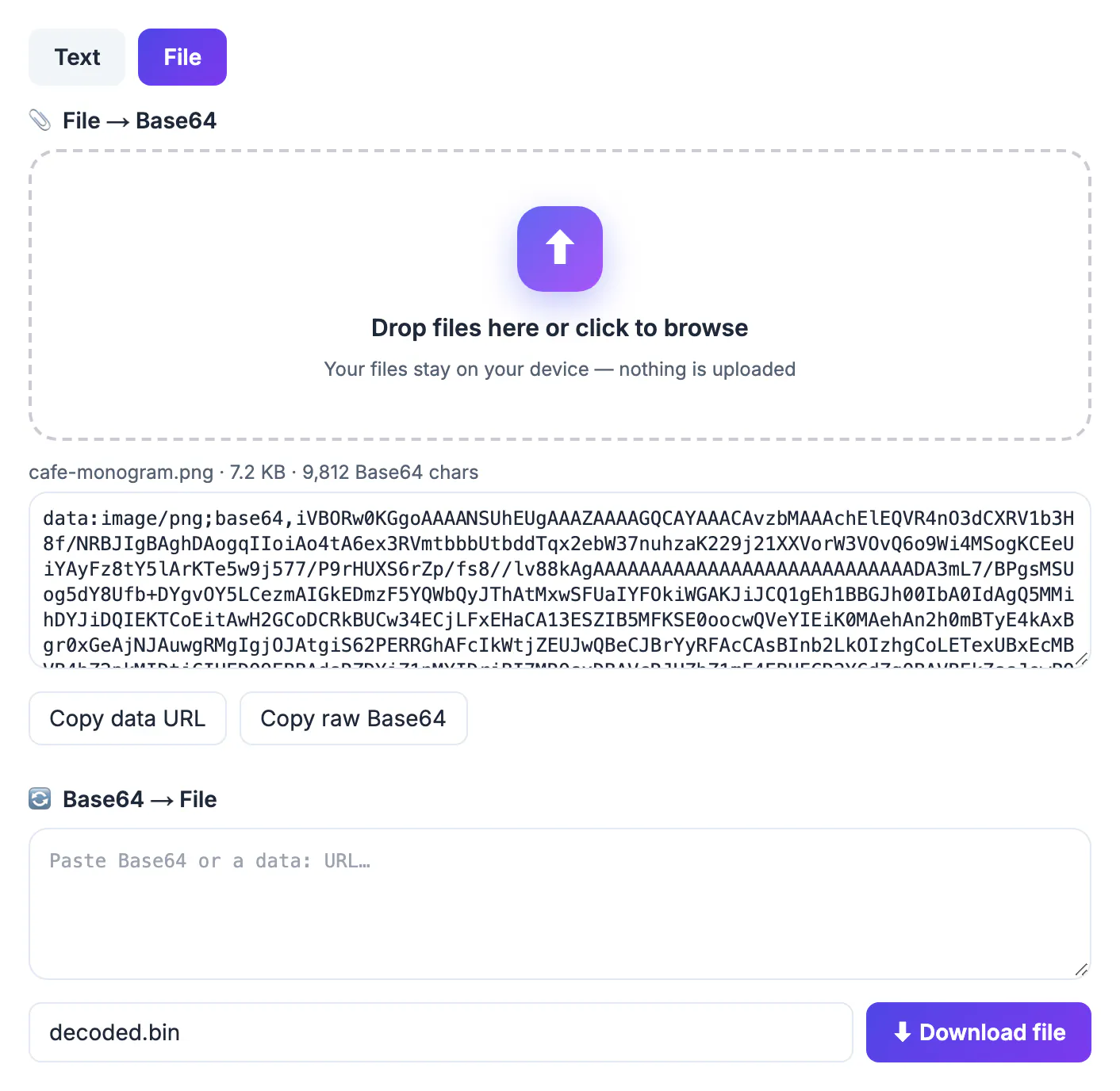
Many systems were built to carry text, not raw bytes. Email bodies, JSON fields, HTTP headers, XML attributes and environment variables can mangle binary data by stripping null bytes or changing line endings. Base64 solves that by mapping every 3 bytes to 4 characters from a safe 64-symbol alphabet of A to Z, a to z, 0 to 9, plus and slash, so any file can pass through a text-only channel and come out identical. The cost is size: output grows by roughly 33 percent, plus padding. It is also an encoding, not encryption. Anyone can reverse it in a second, so a Base64 password in a config file is exactly as exposed as the plain password, and hiding secrets this way offers no protection at all.
Encode and decode text, including emoji
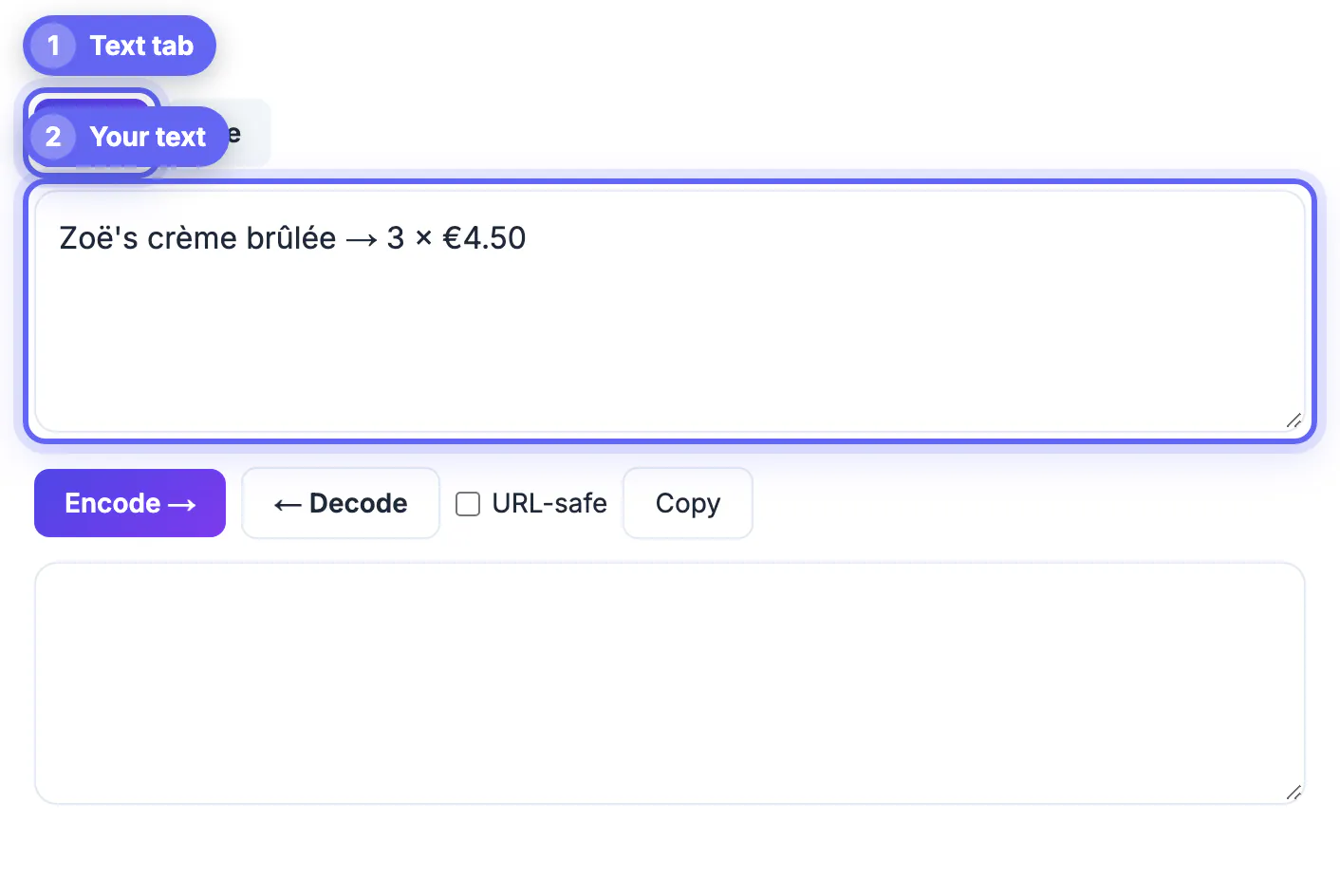
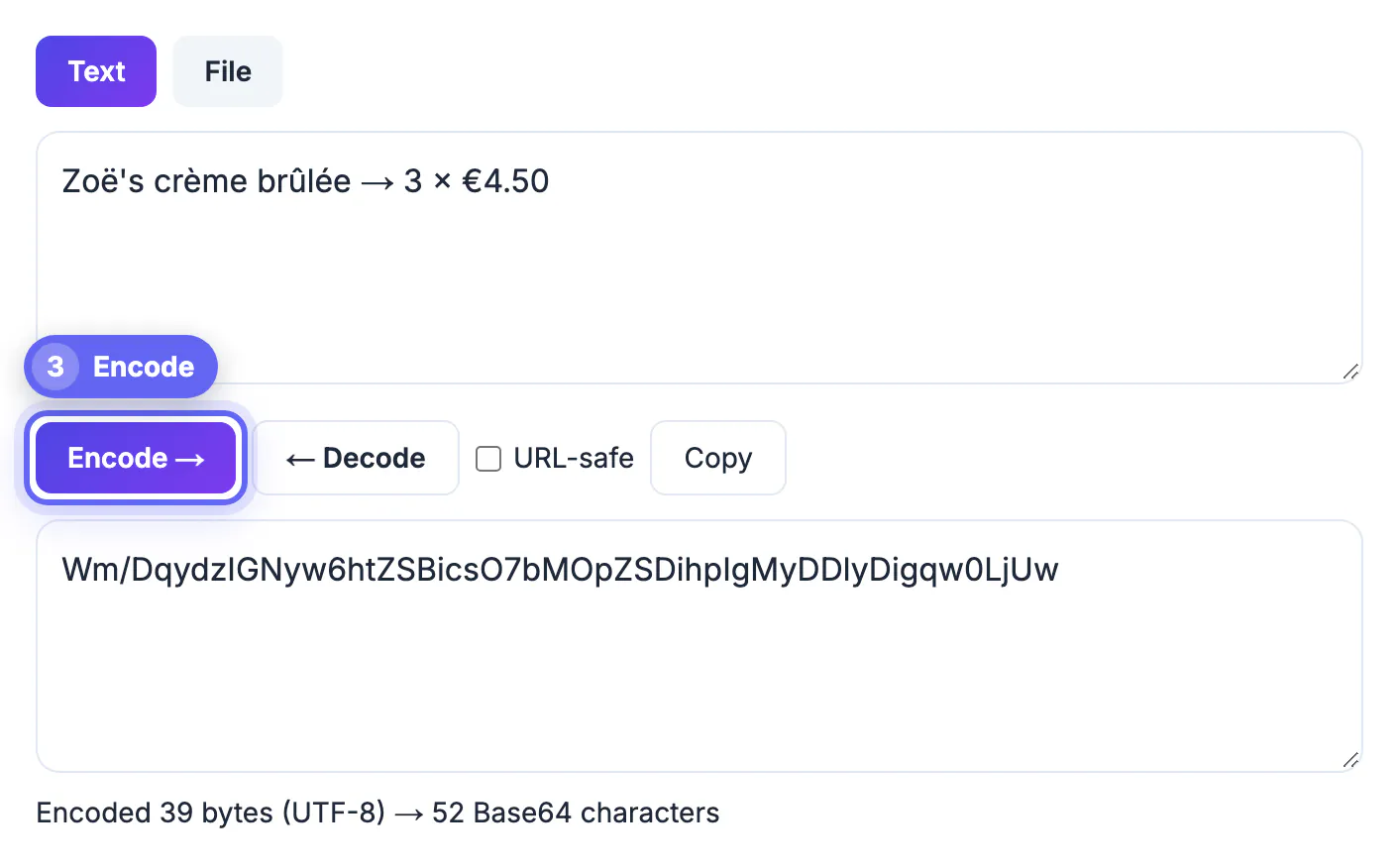
Many quick converters call the browser function btoa directly, which throws an error the moment your input contains a character outside Latin-1, such as an em dash, a curly quote, Chinese text or an emoji. This tool turns the text into UTF-8 bytes first, so the result matches what Python, Node.js or the command line utility on macOS and Linux produce for the same input.
- To convert: paste the text, press Encode, then Copy to grab the result.
- To reverse: paste the converted value into the same box and press Decode.
- Leading and trailing spaces are trimmed first, which helps with values copied out of server logs.
- An Invalid message means stray characters, a truncated value or a different format such as hex.
Example: the word café with an accent becomes Y2Fmw6k= because the accented letter takes two bytes in UTF-8.
Use the URL-safe option for tokens and query strings
Standard output uses plus and slash, which have special meaning in URLs and filenames. The URL-safe variant, defined in RFC 4648, swaps them for minus and underscore and usually drops the trailing equals signs. JSON Web Tokens, many OAuth flows and signed URLs use this form.
- Tick URL-safe before converting when the result goes into a URL, a cookie or a filename.
- The reverse direction accepts both alphabets automatically, so you never need to swap characters by hand.
- Missing padding is restored for you, which is why a JWT segment reads back without edits.
- Each JWT has three dot-separated parts; convert the first two separately, never the whole token at once.
If a server rejects your value, compare alphabets first. A plus sign that became a space in a query string is one of the most common bugs in this area.
Turn a file into a data URL and back
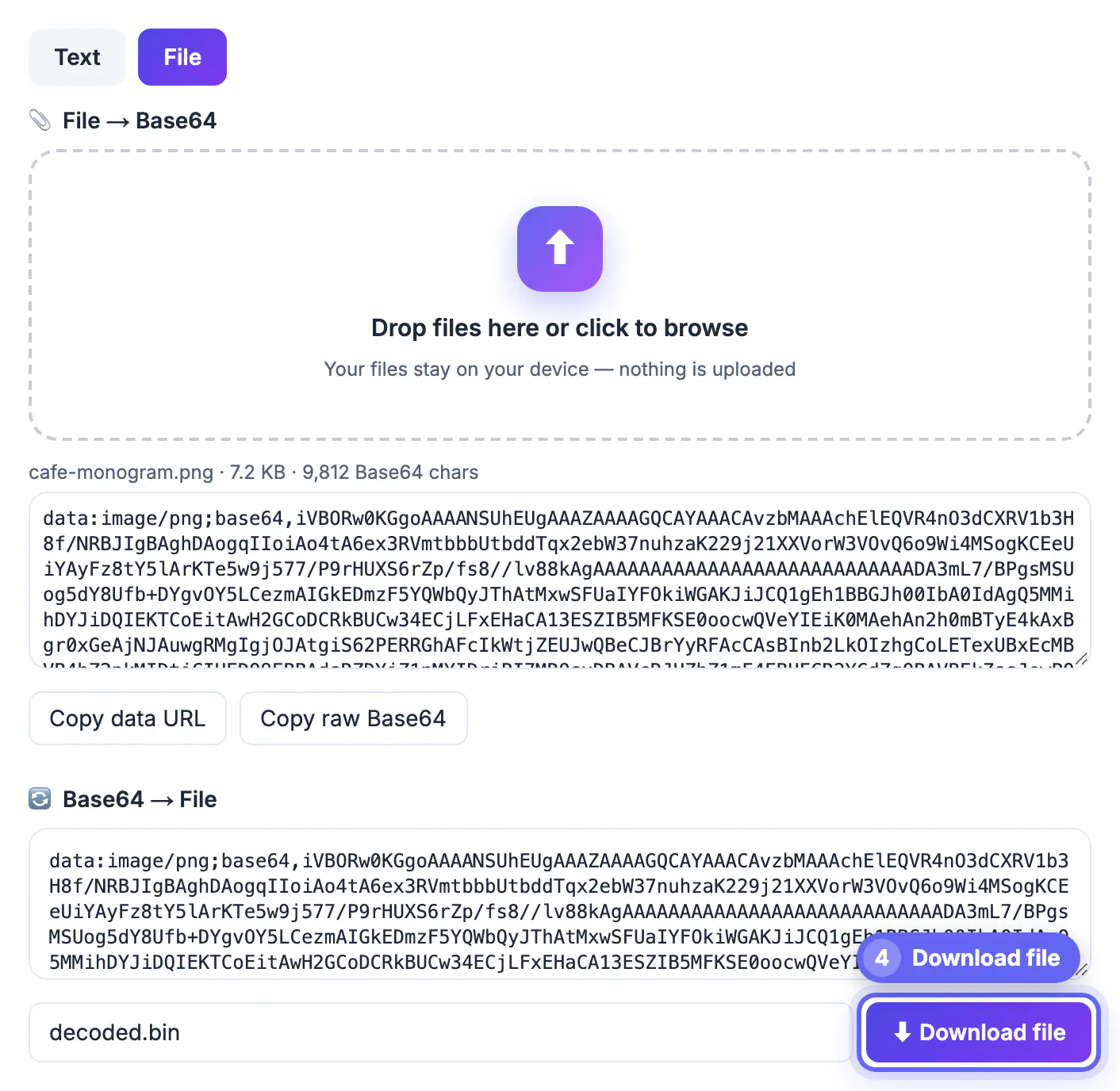
The second tab reads a document, image or font of up to 8 MB and shows two outputs: a complete data URL, which starts with data, the MIME type and a format marker, and the raw text on its own. It also reports the original size and the character count, so you can see the overhead before pasting it anywhere.
- Inline a small icon or font in CSS or HTML using the data URL version.
- Send an attachment through a JSON API using the raw version in a text field.
- Paste a data URL into the lower box and the MIME type is detected from its prefix.
- Name the output with the right extension, such as logo.png, so your system opens it correctly.
Inlining makes sense for assets under roughly 10 KB. Beyond that the extra third in size, plus losing browser caching, usually costs more than the saved request.
Base64 makes a file about a third larger, so shrink images first with the Compress Image tool, and use the Hash Generator to confirm a file did not change in transit.
Where encoded strings show up, and how to fix a failed decode
Recognizing the context tells you which options to use before you press a button.
- HTTP Basic authentication sends username:password encoded in the Authorization header. Decoding it reveals the password, which is why the scheme is only acceptable over HTTPS.
- Email attachments travel as MIME parts wrapped every 76 characters; the file converter strips those line breaks for you.
- Kubernetes Secrets and many CI variables store values encoded, not encrypted, so anyone with read access can recover them.
- JWT segments, OAuth state values and signed links use the URL-safe alphabet without padding.
When the output looks wrong, the cause is usually predictable. Odd accented symbols mean the source text was not UTF-8, often Windows-1252 from an older system. Binary gibberish means the payload was an image or document, so rebuild it in the File tab instead of reading it as text. A value that still looks encoded after one pass was probably encoded twice; run Decode again. Because both directions run locally, secrets pasted here are not logged by any server, but clear the box when you finish on a shared machine.
Step-by-step
Common mistakes to avoid
Pro tips
Frequently asked questions
How do I Base64 encode a string with special characters?
Paste it and press Encode. The tool converts text to UTF-8 bytes first, so emoji, accents and non-Latin scripts encode correctly and match other languages and command line tools.
What is URL-safe Base64?
A variant that replaces plus with minus and slash with underscore, and usually drops padding, so the value can sit in URLs, cookies and filenames. JWTs use it.
Why is my encoded output bigger than the original?
Every 3 bytes become 4 characters, so output is about 33 percent larger, with up to two equals signs of padding at the end.
Is Base64 a form of encryption?
No. It only changes representation and can be reversed by anyone. Use real encryption or a secrets manager for sensitive values.
What is the largest file I can convert here?
Files up to 8 MB. Text has no fixed limit. Larger files produce very long strings that browsers handle poorly, so a command line tool is the better choice.
Base64 is a transport format for moving bytes through text-only systems, not a security layer. Encode strings with proper UTF-8 handling, switch to the URL-safe alphabet for tokens and links, use data URLs only for small assets, and decode files back to files rather than text. With everything running in your browser, you can do all of it without pasting secrets into someone else's server.
Related guides
Browse more: all text and developer guides · Base64