Free Text to Speech Voiceover for Videos, MP3 Download
To make a free text to speech voiceover for a video, paste your script into GrabCast's Text to Speech tool, choose one of 16 natural US or UK English voices, set the speed, and download the narration as MP3 or lossless WAV. The voices come from Kokoro-82M, an open model that runs on your own device after a one-time download of about 90 MB, so your script is not uploaded and there is no account or usage meter. This guide covers the video side of the job: sizing a script to the edit, choosing a voice for the content, fixing pronunciation, and dropping the file into CapCut, Premiere Pro or DaVinci Resolve.
🗣️ Try Text to Speech now — freeOpen →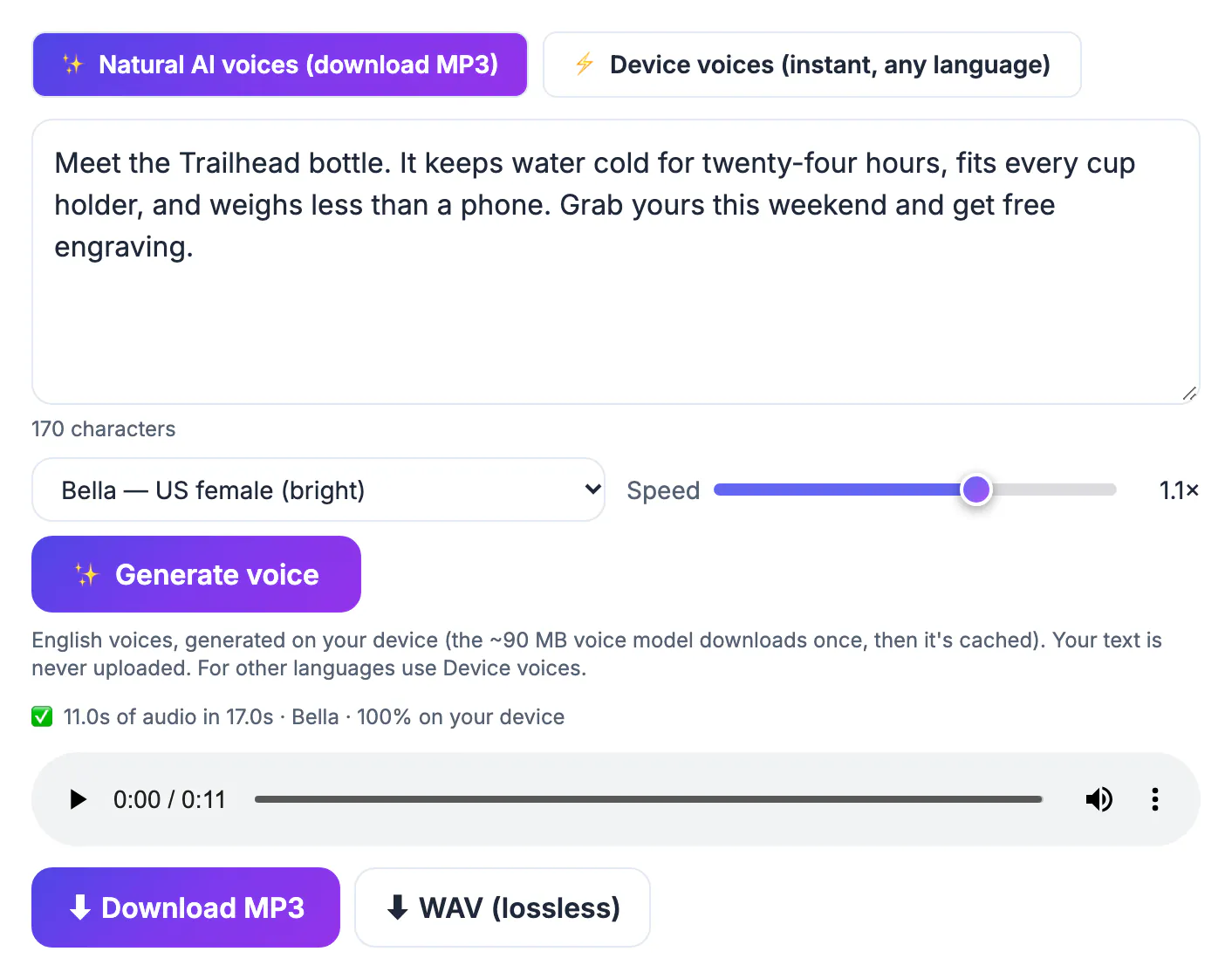
A human read is still the gold standard for emotion, but it is slow to change. Fix one sentence in a recorded narration and you are back at the mic, trying to match your tone from last Tuesday. A synthetic voice regenerates that line in seconds and sounds identical across fifty videos, which matters for faceless channels, product walkthroughs and training libraries that update often. It also removes practical barriers: no quiet room, no mic budget, no discomfort about accent or confidence. The honest limits are real too. The AI voices here are English only, their emotional range is narrower than a trained actor's, and a long script read in a single flat pass can tire listeners, so the craft moves into the writing. Treat the generated read like a draft you direct: tighten sentences, move emphasis words to the end of a line, and split long paragraphs, then regenerate until it sounds like someone talking to one viewer rather than reading to a room.
Size the script to the edit before you generate
Narration drives the timing of the whole video, so decide its length first. At 1.0 times speed, most narration lands near 150 words per minute.
- A 60 second Short fits about 140 to 160 words; an eight minute explainer needs roughly 1,200.
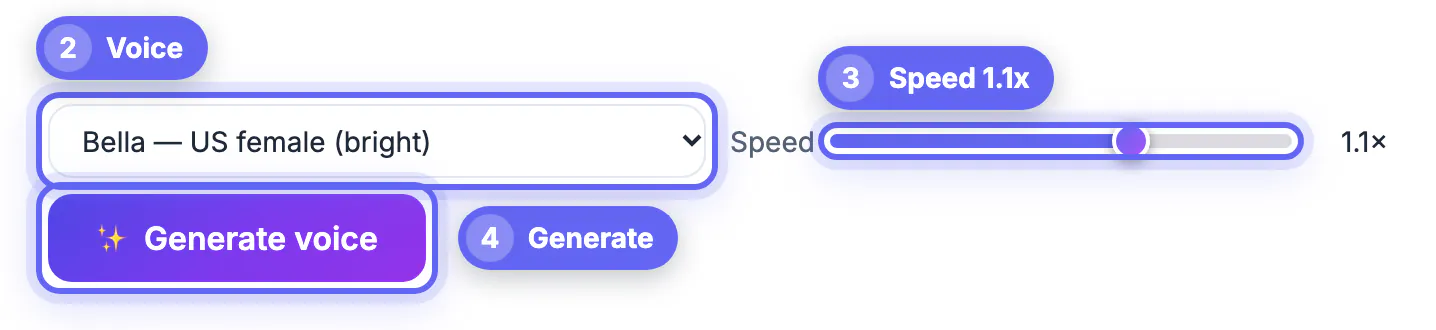
- The speed slider runs from 0.7 to 1.3 times; stay between 0.95 and 1.1 for natural pacing.
- One run accepts up to 20,000 characters, around 3,000 words or 20 minutes of audio.
- Generate scene by scene rather than the whole script at once, so a fix means regenerating 30 seconds, not ten minutes.
- The tool splits text at sentence ends and adds a short pause between chunks, so full stops shape the rhythm.
Pick a voice that fits the content
All 16 voices are English: ten American and six British. Test the same paragraph in three candidates before committing to a series.
- US female: Heart (warm), Bella (bright), Nicole (soft), Sarah and Sky.
- US male: Michael, Adam, Eric, Liam and Onyx, the deepest option for documentary-style reads.
- UK female Emma, Isabella and Alice, and UK male George, Daniel and Lewis suit history topics or British audiences.
- Tutorials usually suit a neutral, mid-pitch voice; lifestyle and storytelling content benefits from warmer tones.
- For other languages, the Device voices mode plays your system's voices instantly but cannot be downloaded.
Fix pronunciation and pacing in the text
The voice reads exactly what you write, so the script is your only control panel. A few habits solve most problems.
- Write numbers the way they should be spoken, such as twenty twenty-six instead of 2026 when the year matters.
- Spell tricky brand names phonetically in the narration copy, and keep the correct spelling for on-screen captions.
- Spell out acronyms you want read letter by letter, such as S Q L, and write the word form for ones spoken as words.
- Use commas for short breaths and a new paragraph for a longer pause between ideas.
- Read the draft aloud once yourself; any line that trips your tongue will sound awkward in a synthetic read too.
Export the voiceover and sync it in your editor
When the audio sounds right, choose the file type based on what happens next.
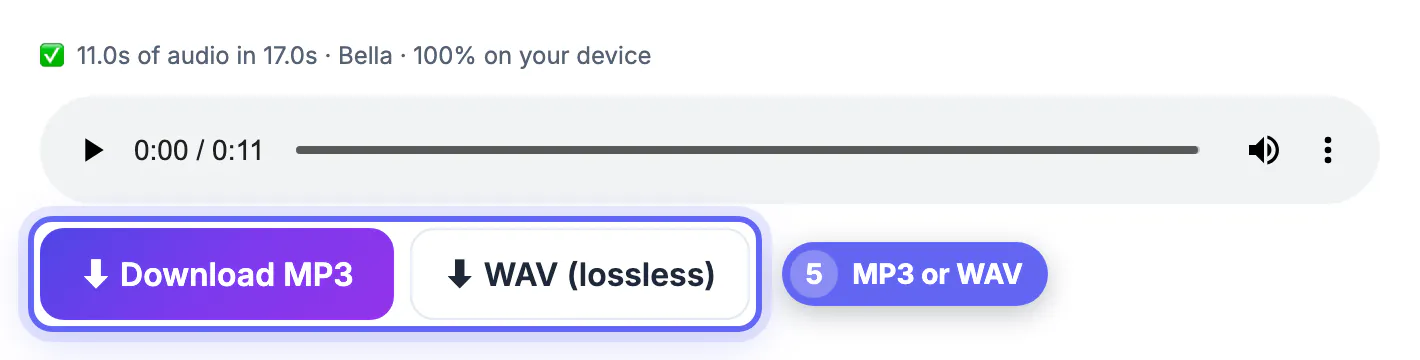
- MP3 is a compact 128 kbps mono file, fine for quick social videos and drafts.
- WAV is lossless 24 kHz, 16-bit mono, better when you will process, compress or master the audio in an editor.
- Place the narration on its own track and duck background music about 15 to 20 dB beneath it during speech.
- Cut visuals to the voice rather than stretching the voice to the visuals; audio gaps are far more noticeable than a held frame.
- For captions, load the finished video into the Video Trimmer's Auto Subtitles tab and export an SRT or burn styled text.
To add background music under the voiceover, try the Add Music to Video tool when you assemble the final cut.
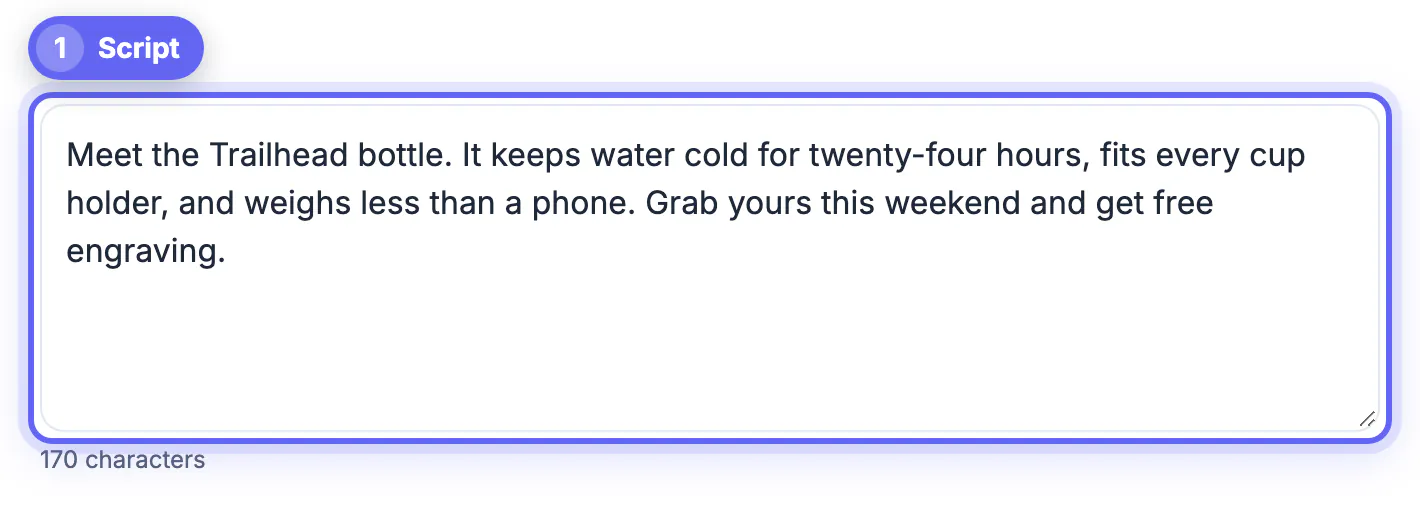
Step-by-step
Common mistakes to avoid
Pro tips
Frequently asked questions
Is it really free, with no limit?
Yes. The AI voices run on your device, so there is no account, credit counter or watermark. Each run takes up to 20,000 characters, and you can generate as many runs as you like.
Can I use the voiceover in monetized YouTube videos?
The Kokoro-82M model is released under the Apache 2.0 license, which permits commercial use. YouTube judges the video's originality and value, and asks creators to disclose realistic synthetic content, so review its current policies for your case.
Is my script uploaded?
No. The voice model downloads once, then speech is generated in your browser. Your text stays on your device, which suits unreleased scripts and client work.
Why can't I download the device voices?
Those voices belong to your operating system, and browsers do not allow a page to record them. Use the Natural AI voices, which offer MP3 and WAV downloads, for English narration.
What if the AI voice will not load?
The model needs a modern browser, about 90 MB for the first download, and some free memory. Try the latest Chrome, Edge or Safari, close heavy tabs, or use Device voices on older hardware for instant playback.
A free text to speech voiceover works best when you treat the script as the performance. Size it at about 150 words per minute, pick one of the 16 voices and stick with it, fix pronunciation in the text, and export WAV or MP3 straight into your editor, all without uploading a word.
Related guides
Browse more: all AI guides · Text to Speech