Timezone for a Meeting: Book a Two-City Call Right
To convert a timezone for a meeting with one person abroad, look up both cities' UTC offsets for the actual meeting date, work out their local hour, and put both clock readings in the invite, for example 10:00 AM ET / 4:00 PM CET, Tue Oct 13. That single line prevents nearly every no-show. This guide covers two-person calls: a client in Berlin, a job candidate in Manila, a telehealth appointment across state lines.
🕒 Try Time Zone Converter now — freeOpen →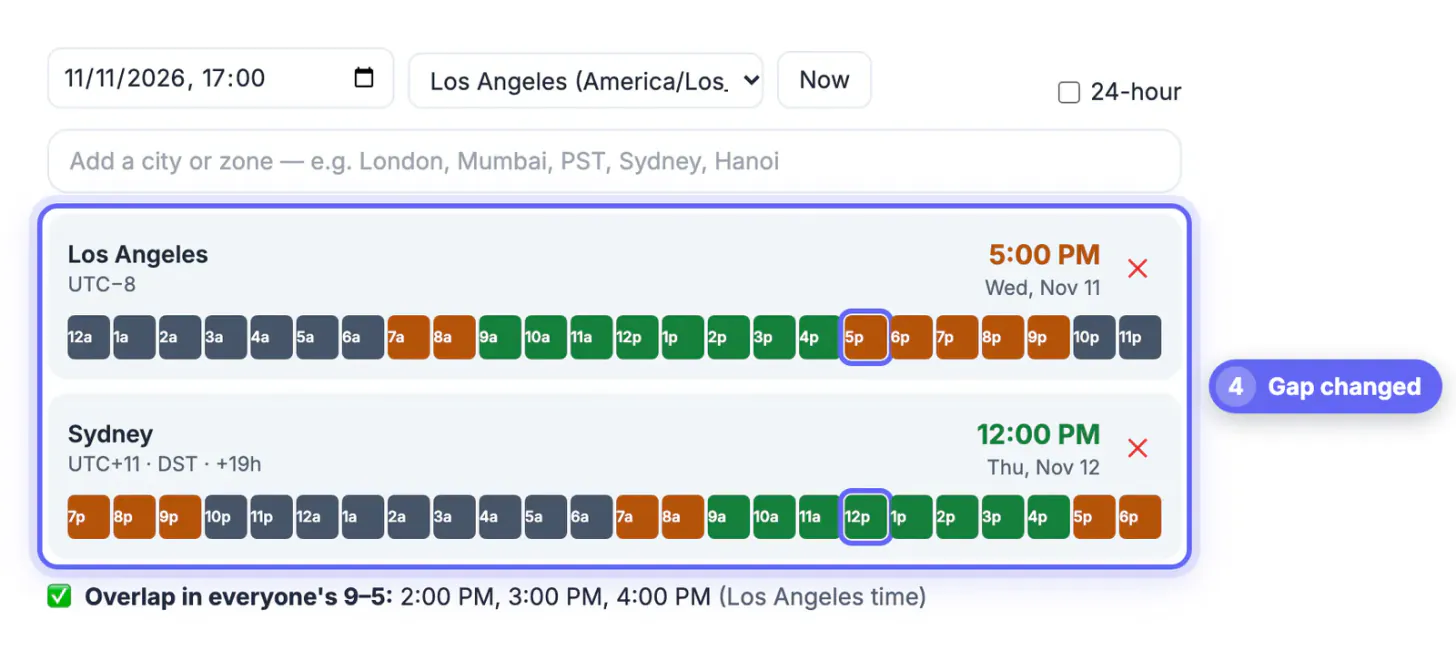
Big team meetings get checked by several people; a quick call between two people often does not. A freelancer in Denver proposes 3 PM, the client in London accepts, and each assumes the other's clock. A recruiter sends a calendar invite created in the wrong zone and the candidate joins an hour late, looking unreliable through no fault of their own. The fix is cheap: confirm the date, the two offsets and the wording, and send the hour in both zones.
Offsets first: the math behind a meeting timezone
Every region is a fixed number of hours ahead of or behind UTC for a given date. Subtract the two offsets to get the gap, then shift the hour. Suppose you are in New York (UTC−4 in October) and your client is in Berlin (UTC+2 until October 25). The gap is six hours, so your 10:00 AM is their 4:00 PM.
Now move the call to October 27. Berlin has fallen back to UTC+1 but New York stays on UTC−4 until November 1, so the gap is five hours and 10:00 AM becomes 3:00 PM in Berlin. The same invite, one week later, lands at a different local hour. That is why the date matters as much as the hour.
- US Eastern to UK: usually 5 hours, but 4 from March 8 to 28 and from October 25 to 31, 2026.
- US Pacific to India: 12 hours 30 minutes in summer, 13 hours 30 minutes in winter.
- US Central to the Philippines: 13 hours in summer, 14 in winter, because Manila never changes its clocks.
- UK to Australia’s east coast: anywhere from 9 to 11 hours depending on the month.
Choosing an hour that works for both people
With only two participants, fairness is easy to judge. Aim for an hour inside both people’s normal working day, and if that is impossible, let the person who asked for the call take the less convenient end.
- US East Coast and Western Europe: 9:00 to 11:00 AM Eastern lands at 3:00 to 5:00 PM in Paris, a natural overlap.
- US West Coast and Europe: the overlap is thin; 8:00 AM Pacific is 5:00 PM in Berlin. Early for one, late for the other.
- US and India: early morning in the US meets evening in India, for example 8:30 AM ET in summer is 6:00 PM in Bengaluru.
- US and Australia: late afternoon in the US is early the next morning in Sydney, so check the weekday twice.
For an interview or a first sales call, offer two or three slots written in the other person’s zone first. It shows care, and it lets them pick without doing any conversion themselves.
Writing the invite so nobody misreads it
Calendar apps such as Google Calendar and Outlook store events in UTC and display them in each viewer’s own zone, which is great when both calendars are configured correctly. Problems start when a laptop still shows the zone from a recent trip, or when the time is only written in an email body.
- State both zones in the title or first line: Intro call, 10:00 AM ET / 4:00 PM CET, Tue Oct 13.
- Use city names or region labels (ET, Berlin) rather than EST or EDT, which people often mix up.
- Include the weekday; it catches date-line errors with Asia and Australia.
- Before sending, check your calendar’s own zone setting under its settings menu, especially after travel.
- For phone calls with no calendar invite, send the hour in their zone only, with yours in brackets.
A one-line confirmation the day before, such as looking forward to 4 PM your time tomorrow, gives the other person a last chance to flag a mismatch.
If the call will be recorded, here is how to get a text version of a Google Meet recording or a Teams meeting afterwards.
Checking the hour in GrabCast's converter
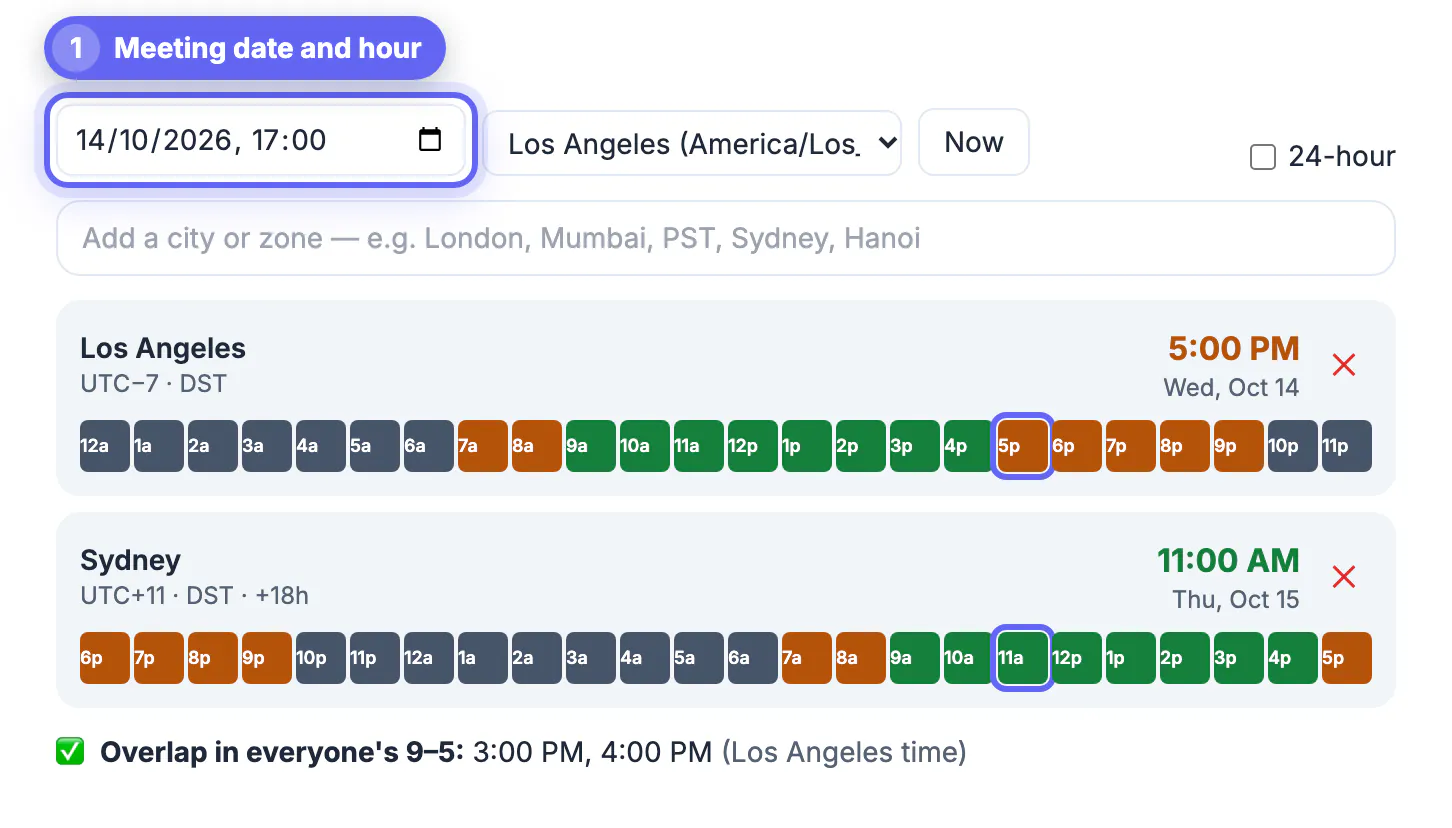
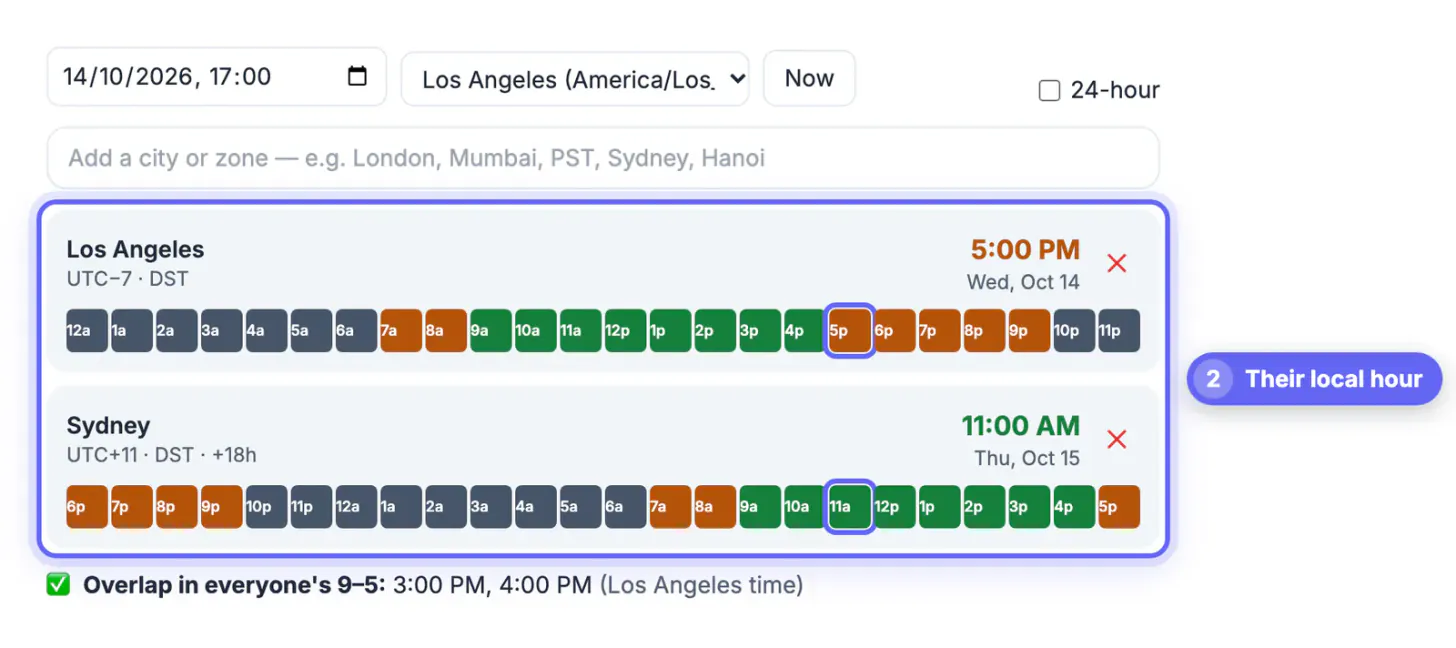
GrabCast’s Time Zone Converter & Meeting Planner makes a two-person check take seconds. Pick the date and hour in your base zone, then type the other person’s city or an abbreviation such as CET, IST or AEST. Their row shows the local hour, weekday, UTC offset, a DST badge when summer rules apply, and the hour difference from you.
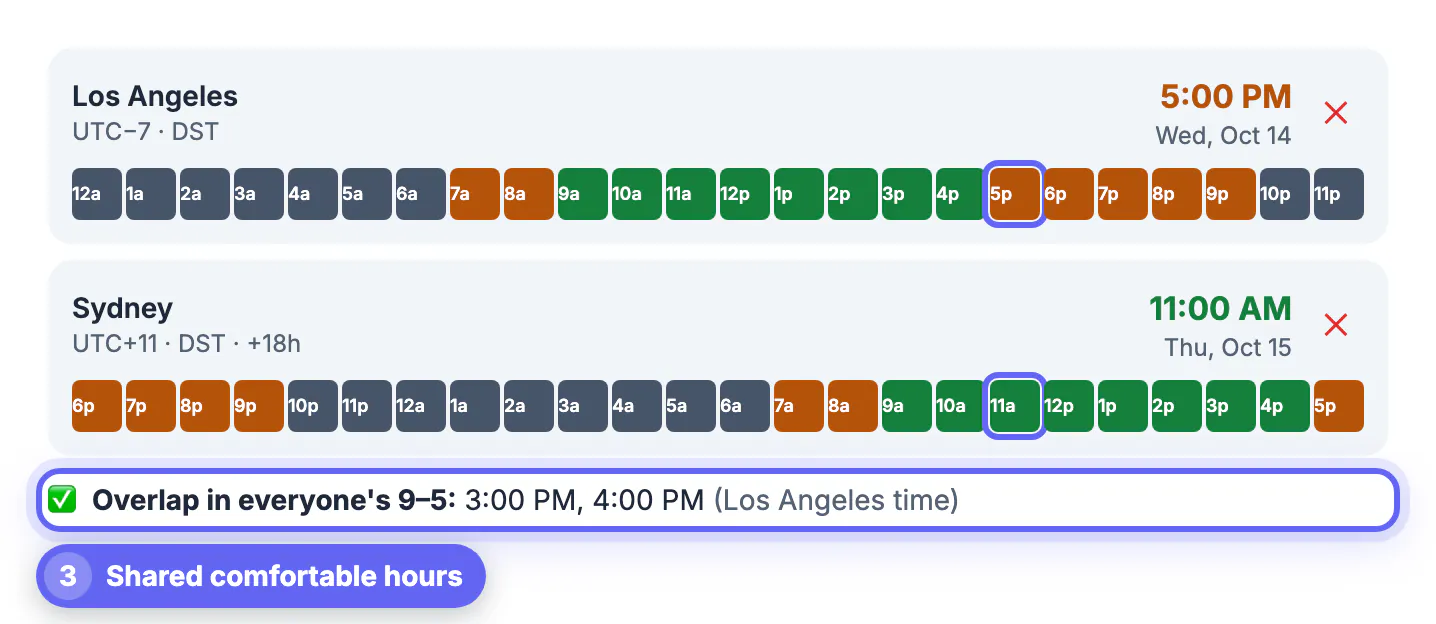
- Each row has a 24-hour strip colored green for 9 to 5, amber for early mornings and evenings, and gray for night. Click any hour to move the meeting there and every clock updates.
- When both people have a green hour in common, the tool lists those hours as the best overlap.
- Copy meeting times puts a ready-made line for each city on your clipboard to paste into the invite.
- Copy link shares the exact setup, so the other person can open it and see their own local hour.
It assumes a standard 9-to-5 day and does not know about weekends, holidays or someone’s personal schedule, so treat the green hours as a starting point, not a promise of availability.
Step-by-step
Common mistakes to avoid
Pro tips
Frequently asked questions
How do I convert a meeting timezone for someone abroad?
Find both cities' UTC offsets for the meeting date, subtract to get the gap, and shift your hour by that amount. Or enter your hour and their city in the Time Zone Converter, which shows their local hour, weekday and offset.
Should I use EST or ET in an invite?
Use ET, or the city name. EST means standard (winter) time only; in summer the correct label is EDT. ET covers both, so it is always right.
Will Google Calendar convert the meeting automatically?
Yes, if both calendars are set to the correct zone. It stores the event in UTC and displays it locally. Trouble comes when a device still uses an old zone, so write both hours in the title too.
What is a good hour for a US and UK call?
Mid-morning on the US East Coast, 9:00 to 11:00 AM ET, lands in the London afternoon. From the West Coast the overlap is small, usually 8:00 to 9:00 AM Pacific.
Why did my regular call move by an hour?
One of you changed clocks and the other did not yet. The US changes on the second Sunday in March and the first Sunday in November, Europe on the last Sundays of March and October, so the gap shrinks by an hour for a few weeks each spring and autumn.
For a two-person call, the date, the two offsets and a clear invite line are all you need. Check the hour for the specific date, pick a slot inside both working days, write both local hours with the weekday, and send a short confirmation the day before.
Related guides
Browse more: all calculator guides · Time Zone Converter