Convert Meeting Time Across Time Zones for a Whole Team
To convert a meeting time across time zones for a whole team, put every attendee's city into one planner, look for the hour that falls inside everyone's working day, and send a single link so each person sees their own clock. GrabCast's free Time Zone Converter & Meeting Planner does that on one screen: a 24-hour grid per city, the shared 9-to-5 overlap highlighted, and daylight saving applied for the date you pick.
🕑 Try Time Zone Converter now — freeOpen →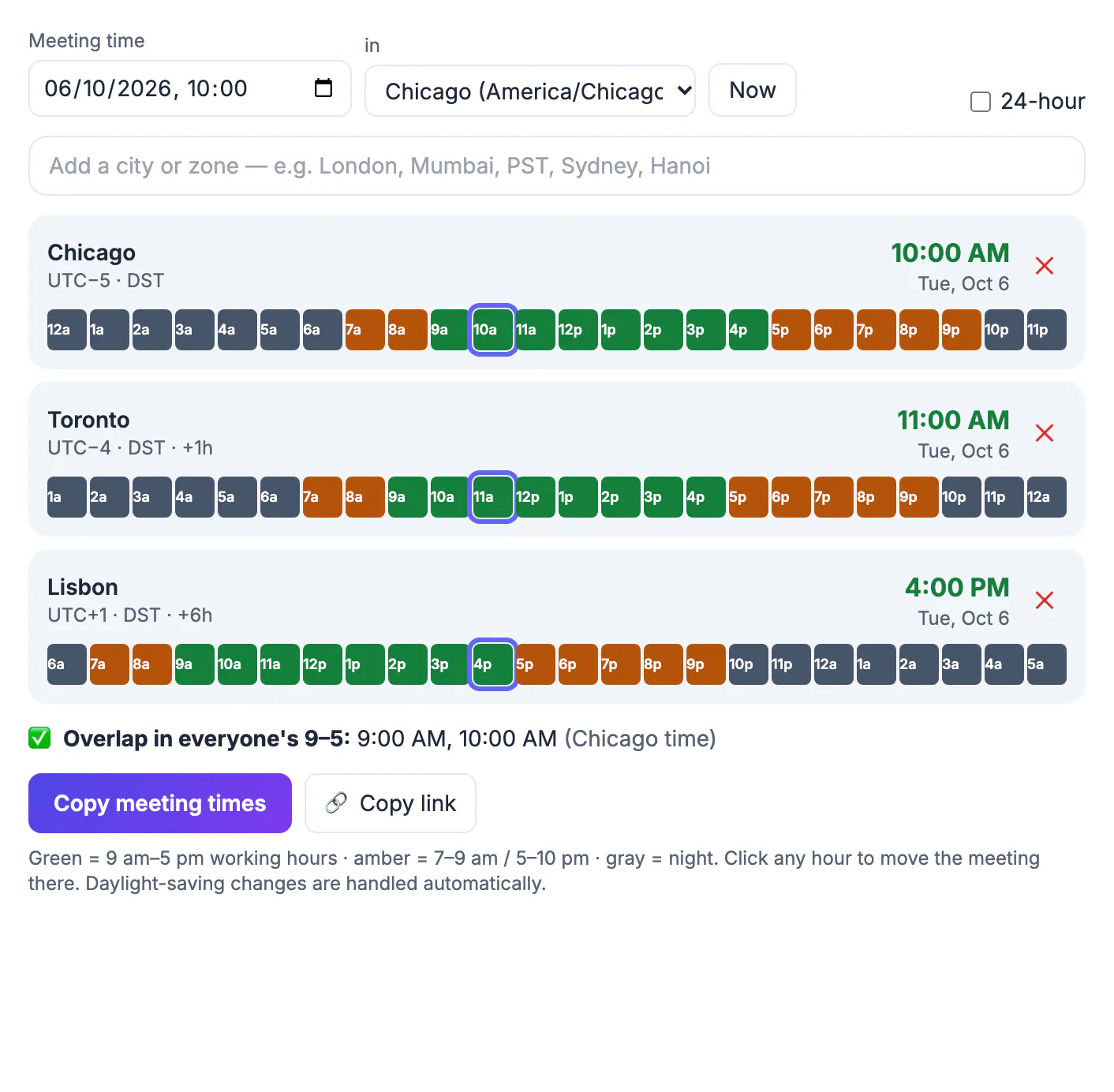
Two people can sort out a call by email. Five people in San Francisco, Chicago, London, Bengaluru and Singapore cannot, because every proposed slot is someone's midnight. Threads fill with who is free when, organizers default to their own mornings, and the same colleagues end up joining at 10 PM every week. Recurring series make it worse: an invite built in February quietly moves for half the team when the US and Europe change clocks on different Sundays in March.
Build the team board in about a minute
The planner opens with your own zone, detected from the browser, plus New York, London and Tokyo. Replace those with your real attendees:
- Set the meeting date and hour with the picker, then choose the base zone you are thinking in; it defaults to yours.
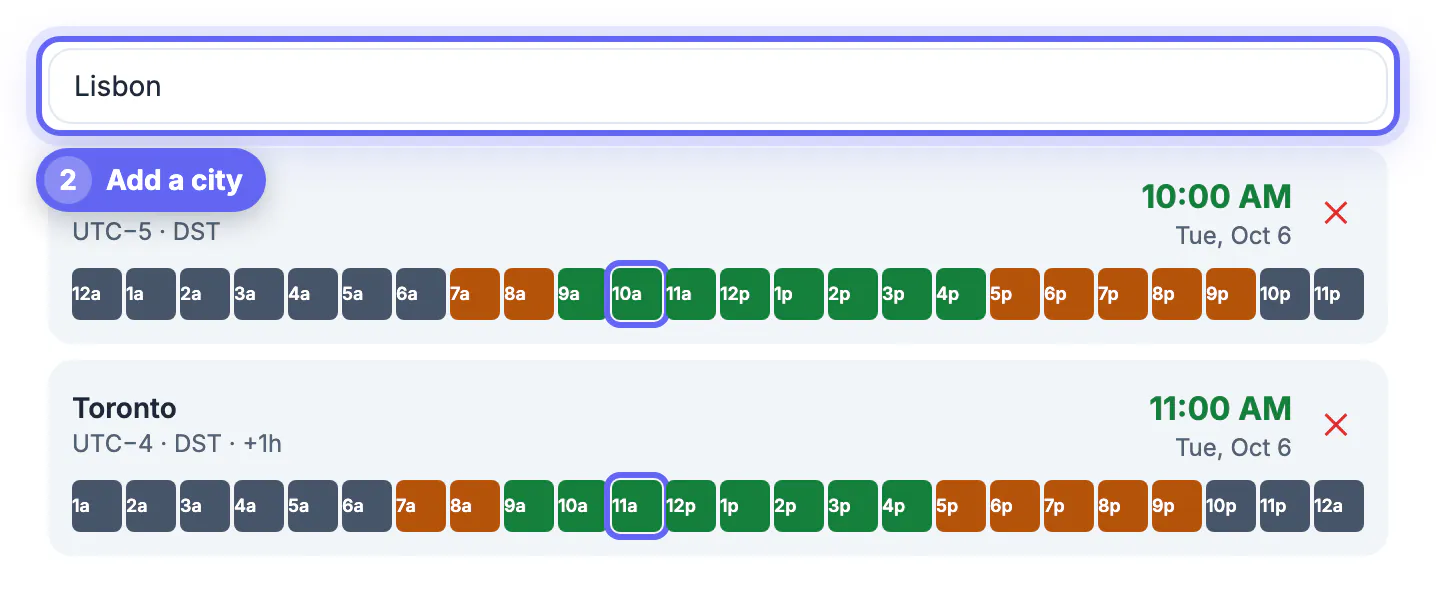
- Type each attendee’s city in the search box: Austin, Toronto, Lisbon, Lagos, Dubai, Hanoi, Manila. About 150 city names and common abbreviations such as PST, CET, IST and AEST are recognized, and any official IANA name works too.
- Remove a row with its cross button; duplicates are ignored automatically.
- Flip the 24-hour switch if your team is mostly outside the US.
Each row then shows the local clock and weekday, the UTC offset, a DST badge when that place is on summer rules, and how many hours it sits ahead of or behind the base. A row for Kolkata reads +10.5h from Chicago in October, which is the kind of half-hour detail that trips people up in their heads.
Read the working-hours grid and find the overlap
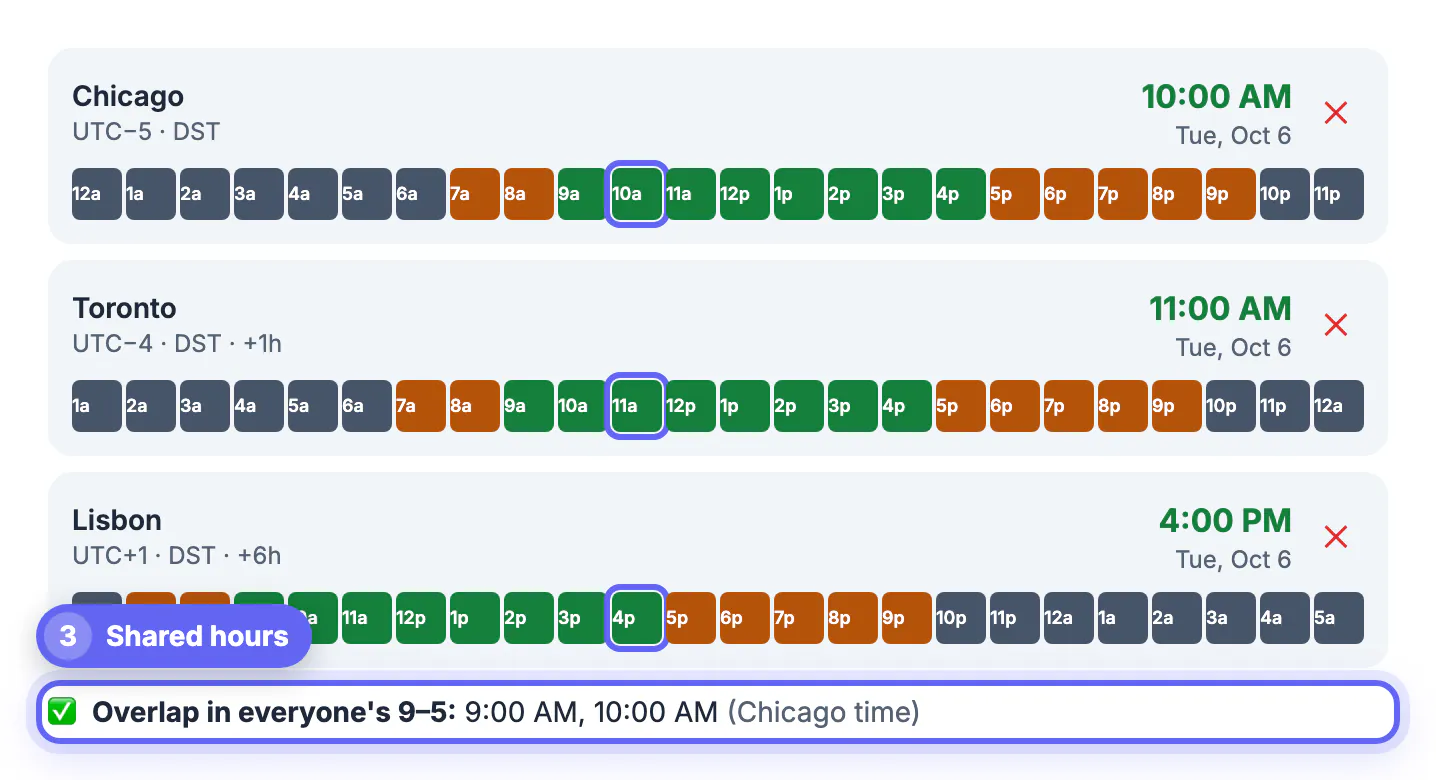
Under every city is a strip of 24 hourly cells covering the base zone’s day. Green cells are 9 AM to 5 PM there, amber cells are 7 to 9 AM and 5 to 10 PM, and gray cells are night. The selected hour is outlined in every row, so you see at a glance who is fresh and who is on the sofa.
Below the rows, the planner lists every hour that is green for all attendees, labeled in the base zone. If there is none, it says so and points you to the amber hours as the next choice. Click any cell and the whole board jumps to that hour.
- US East and Western Europe: several shared green hours, typically 9 to 11 AM Eastern.
- US and India: usually no shared green hour; 8 to 9 AM Eastern lands in the Indian evening, amber for both.
- Europe and East Asia: early European mornings meet late Asian afternoons, often one or two green hours.
- Americas plus Asia plus Europe: rarely any green overlap; plan to rotate.
The grid uses a fixed 9-to-5 day and whole-hour steps. It does not know about lunch breaks, part-time schedules, weekends or public holidays, so check those yourself before committing.
Keep recurring meetings fair across the year
When no hour is comfortable for everyone, share the cost instead of always asking the same region to stretch. Common patterns that teams use:
- Alternate weekly between an early slot for one side and a late slot for the other.
- Record the call and share notes, so the region that skips the inconvenient week still keeps up.
- Hold two shorter sessions, one for the Americas and Europe and one for Europe and Asia-Pacific, with a European lead attending both.
- Move status updates to written async threads and keep live calls for decisions.
Recurring series also drift with daylight saving. The US and Canada change on the second Sunday in March and the first Sunday in November, the UK and EU on the last Sundays of March and October, and southeastern Australia on the first Sundays of April and October. India, Japan, China, Singapore, Arizona and most of Mexico do not change at all. Set the planner to a date inside each of those windows before you send a series, and you will see exactly whose hour moves.
Share one link instead of a list of hours
Once you have a slot, there are two ways to hand it over:
- Copy meeting times puts one line per city on your clipboard, such as London: Tue, Oct 6, 3:00 PM (UTC+1), ready to paste into an invite or chat.
- Copy link creates a URL that reopens the planner with the same moment, the same cities and the same base zone, so a colleague can open it and look at their own row.
For the calendar event itself, let Google Calendar or Outlook handle local display, but still put the anchor hour and zone in the title, for example Weekly sync 15:00 UTC. Everything runs in the browser using its built-in zone database; the only thing in the shared link is the moment and the list of cities, nothing about who is attending.
If the meeting will be recorded, see how to get a text copy from a Google Meet recording or a Teams meeting for people who could not attend.
Step-by-step

Common mistakes to avoid
Pro tips
Frequently asked questions
How many cities can I add?
There is no fixed limit. Add each attendee's city by name or abbreviation and remove rows with the cross button; a board of six to eight rows stays readable on a laptop.
What does the green and amber coloring mean?
Green is 9 AM to 5 PM local, amber is 7 to 9 AM and 5 to 10 PM, and gray is night. The planner lists every hour that is green for all rows as the best overlap.
Does the planner handle daylight saving?
Yes. It converts using your browser's built-in zone rules for the chosen date, with a two-pass calculation around clock changes, and shows a DST badge on rows that are on summer rules.
What does the shared link contain?
Only the chosen moment, the list of zones and the base zone, stored in the address after a hash sign. Anyone opening it sees the same board in their own browser.
Why does one row show a different day?
When a place is far enough ahead or behind, the same moment falls on the previous or next calendar day there. The weekday is shown on every row so you can spot it, most often between the Americas and Asia-Pacific.
Put every attendee on one board, choose from the hours that are green for all, and rotate when no such hour exists. Recheck recurring series around the March and October-November clock changes, and share the planner link so each person confirms the slot on their own clock.
Related guides
Browse more: all calculator guides · Time Zone Converter