Convert Binary to Decimal and Back, Step by Step
To convert binary to decimal, multiply each bit by its power of 2, starting with 1 on the right and doubling as you move left, then add up the results. The binary number 101101 has ones in the 32, 8, 4 and 1 places, so it equals 45. To go from decimal back to binary, divide by 2 repeatedly and read the remainders from bottom to top: 200 becomes 11001000. This guide covers both directions, the hexadecimal shortcut and negative numbers.
🔢 Try Binary, Hex & Decimal Converter now — freeOpen →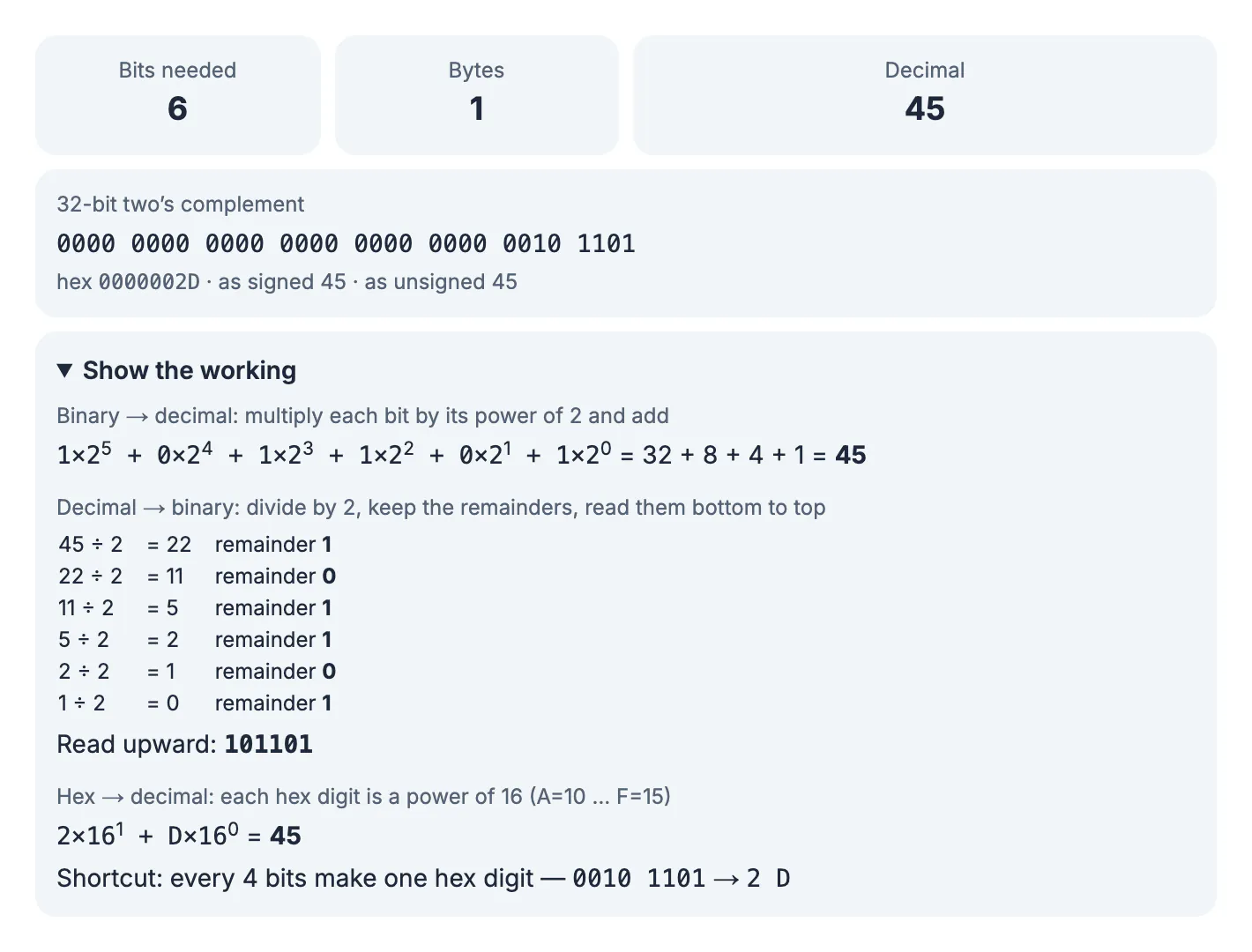
Computer science classes, networking exams, file permissions, color codes and low-level debugging all involve reading numbers in base 2 or base 16. Doing a conversion by hand once or twice builds the intuition that makes subnet masks, bit flags and byte sizes easy to read. A converter is then useful for checking your work and for numbers too long to do on paper.
Binary to decimal: add the place values
Each position in a binary number is worth twice the one to its right. For eight bits the place values are 128, 64, 32, 16, 8, 4, 2 and 1.
- Write 101101 and label its six places from the right: 32, 16, 8, 4, 2, 1.
- Keep the places that hold a 1: 32, 8, 4 and 1.
- Add them: 32 + 8 + 4 + 1 = 45.
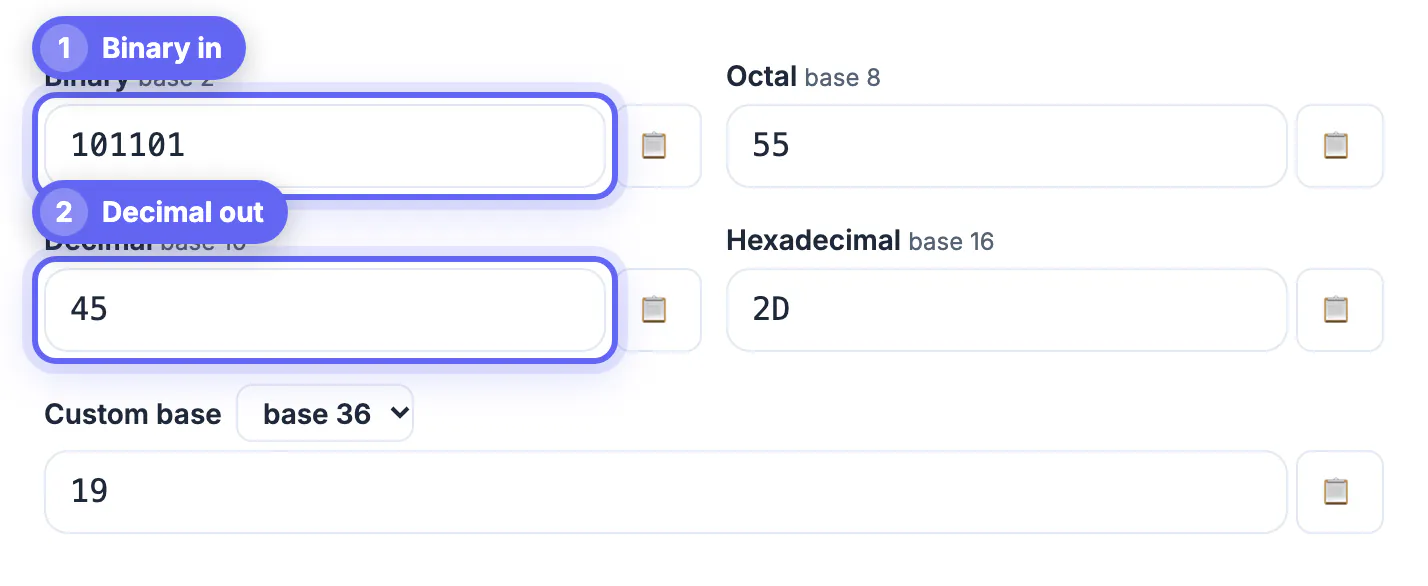
The converter shows the same working under Show the working: 1×25 + 0×24 + 1×23 + 1×22 + 0×21 + 1×20 = 45. Type in the Binary box and the Decimal, Octal and Hexadecimal boxes update as you type; here they read 45, 55 and 2D.
Decimal to binary: divide by 2 and keep the remainders
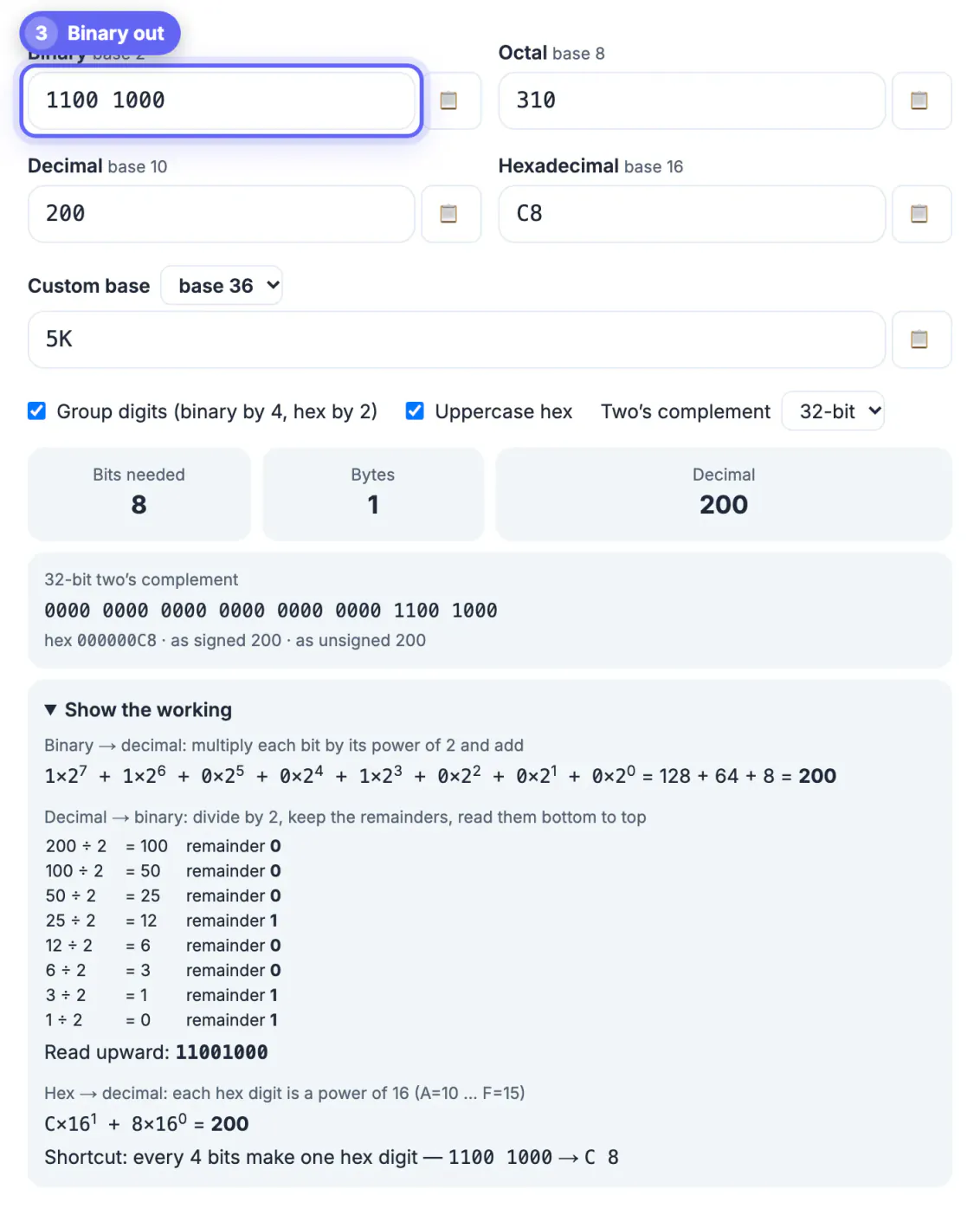
To convert decimal to binary, divide by 2, write down the remainder, and repeat with the quotient until you reach 0. For 200:
- 200 ÷ 2 = 100, remainder 0; 100 ÷ 2 = 50, remainder 0; 50 ÷ 2 = 25, remainder 0
- 25 ÷ 2 = 12, remainder 1; 12 ÷ 2 = 6, remainder 0; 6 ÷ 2 = 3, remainder 0
- 3 ÷ 2 = 1, remainder 1; 1 ÷ 2 = 0, remainder 1
Reading the remainders from the last one up gives 11001000. Check it with place values: 128 + 64 + 8 = 200. The working panel prints this table for any number up to 1,048,575, and the Group digits option spaces binary into blocks of four, 1100 1000, which are easier to read.
The hex shortcut: four bits per digit
Hexadecimal is base 16, with digits 0 to 9 and A to F for 10 to 15. Because 16 is 24, every four bits map to exactly one hex digit, so binary to hex needs no arithmetic beyond small groups.
- Split 11001000 into 1100 and 1000.
- 1100 is 8 + 4 = 12, which is C; 1000 is 8.
- So 200 in decimal is C8 in hex, and 101101 (padded to 0010 1101) is 2D.
The converter also handles octal, which groups bits in threes, and a custom base from 2 to 36. There is no 64-bit size limit, and prefixes such as 0b, 0o and 0x are accepted.
Negative numbers, two's complement and text to binary
Computers usually store negative integers in two's complement. To write −45 in 8 bits, take 45 as 00101101, invert every bit to get 11010010, then add 1: 11010011. Read as an unsigned byte that is 211, which is 256 − 45. The Two's complement menu shows 8, 16, 32 and 64-bit versions for any value that fits.
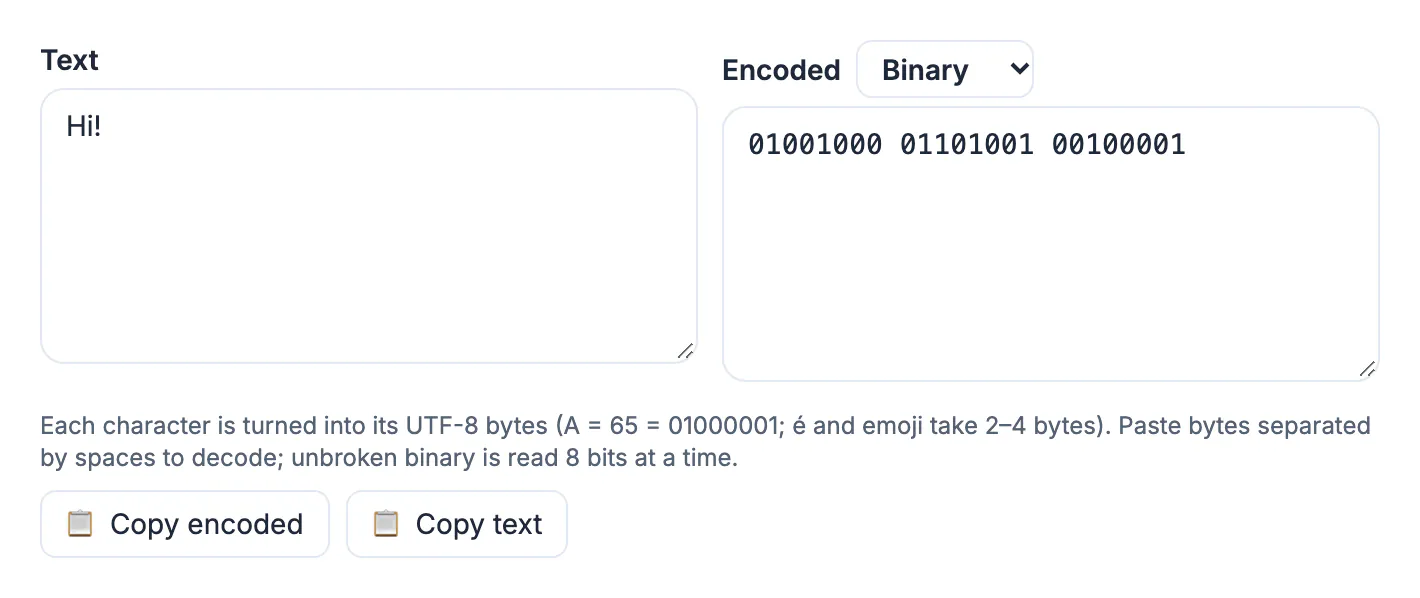
Text is binary too. In the Text to binary tab, Hi! becomes 01001000 01101001 00100001, the UTF-8 bytes 72, 105 and 33. Accented letters and emoji take two to four bytes each, and pasting bytes back in decodes them to text.
Where binary and hex show up in real work
- Networking: an IPv4 subnet mask such as 255.255.255.0 is four bytes; 255 is 11111111, so the mask is 24 ones followed by 8 zeros, written /24.
- File permissions: Unix permissions such as 755 are octal. Each digit is three bits for read, write and execute, so 7 is 111 and 5 is 101.
- Colors: the web color #C8102E is three hex bytes, and C8 is 200 red, the same 11001000 as in the example above.
- Bit flags: settings stored as a number, such as 45 = 101101, switch on options 1, 3, 4 and 6 counting from the right.
Reading these values becomes much faster once you can picture the bits behind them. Hex is simply a compact way to write binary for humans, which is why debuggers, memory dumps and color pickers use it everywhere. Octal survives mainly in file permissions, while decimal stays the language of people. When a value looks strange, convert it to binary and the pattern usually becomes obvious, for example a mask of 240 is 11110000, four ones followed by four zeros, and 15 is 00001111, the opposite half of the byte.
File permissions are a real example, and the Chmod Calculator shows them as binary. The Color Converter turns hex colors into other formats.
Practice binary conversions you can check
A few quick drills make the method automatic. Cover the answers, work each one by hand, then type it into the converter to check.
- 1010 in binary: 8 + 2 = 10.
- 1111 in binary: 8 + 4 + 2 + 1 = 15, the largest value four bits can hold, which is F in hex.
- 11111111 in binary: 255, the largest unsigned byte, FF in hex.
- 100 in decimal: 64 + 32 + 4, so 1100100 in binary and 64 in hex.
- 1024 in decimal: 210, a 1 followed by ten zeros, which is why a kibibyte is 1,024 bytes.
For larger values, the Bits needed and Bytes cards tell you how much storage a number takes: 45 needs 6 bits and fits in 1 byte, while 200 needs 8 bits and still fits in 1 byte. Knowing this helps with data types in programming, where an 8-bit unsigned integer holds 0 to 255 and a signed one holds −128 to 127.
If you mistype a digit, the converter explains the error, for example that 2 is not a binary digit and only 0 and 1 are allowed, instead of silently returning a wrong answer.
Step-by-step
Common mistakes to avoid
Pro tips
Frequently asked questions
How do you convert binary to decimal?
Multiply each bit by its power of 2, starting with 1 on the right, and add the results. 101101 is 32 + 8 + 4 + 1 = 45. Check the answer by converting back: 45 divided by 2 repeatedly gives remainders that read 101101 from the bottom up.
How do you convert decimal to binary?
Divide by 2 repeatedly and note each remainder, then read the remainders from bottom to top. 200 gives 11001000.
What is 11111111 in decimal?
It is 255, the largest value one unsigned byte can hold: 128 + 64 + 32 + 16 + 8 + 4 + 2 + 1. In hex it is FF, and adding 1 more would need a ninth bit.
How do I convert binary to hex?
Group the bits in fours from the right and convert each group to one hex digit. 1100 1000 becomes C8.
How are negative numbers written in binary?
Usually with two's complement: invert the bits of the positive number and add 1. In 8 bits, −45 is 11010011.
Binary to decimal is just adding place values, and decimal to binary is repeated division by 2 read from the bottom up. Learn the powers of 2 up to 128, use four-bit groups for hex, and check longer numbers with the converter's working panel.
Related guides
Browse more: all text and developer guides · Binary, Hex & Decimal Converter