Convert a Unix Timestamp to Local Time, DST Included
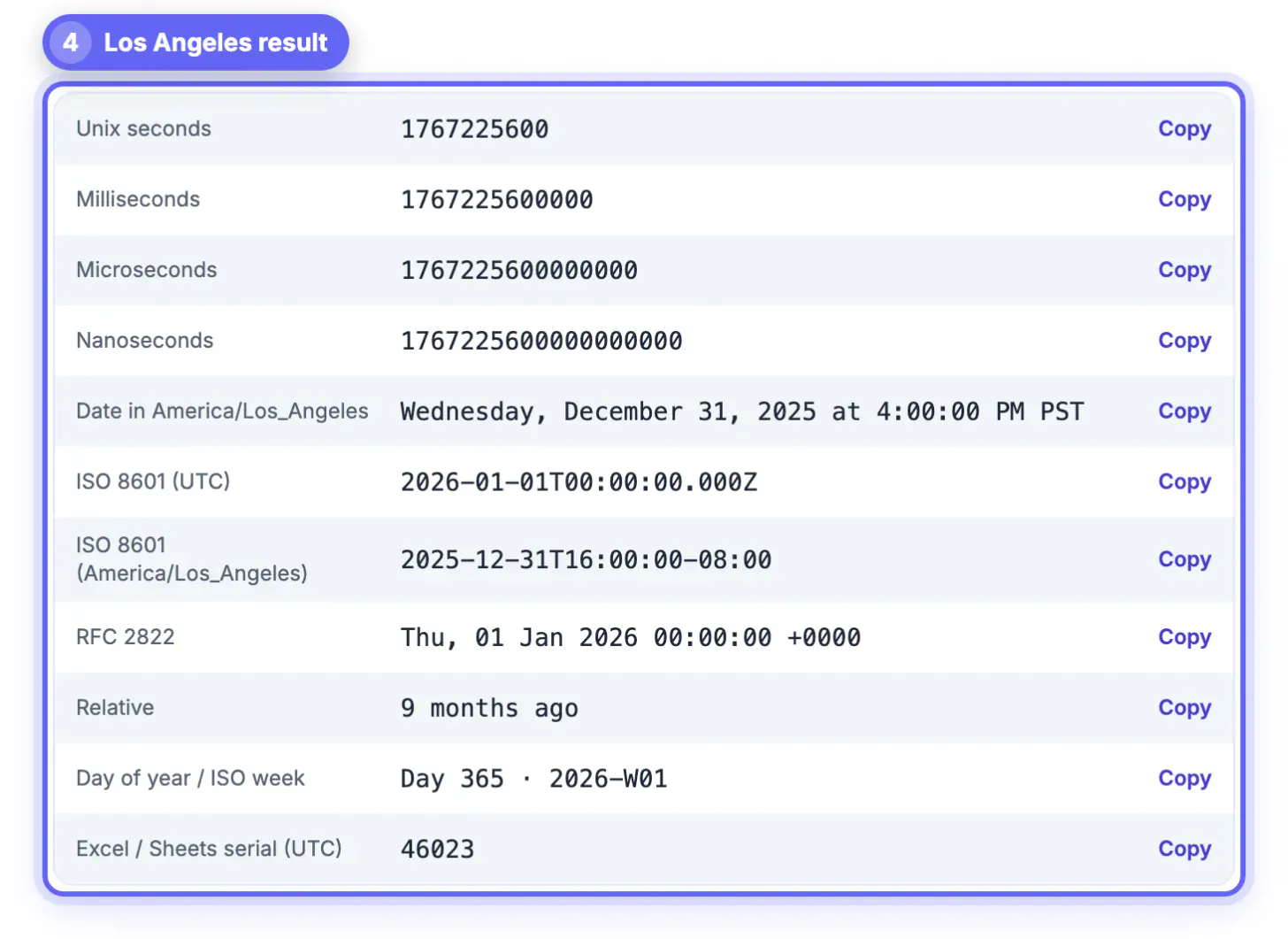
To convert a Unix timestamp, paste the number into GrabCast's converter and choose the city you care about: 1767225600, for example, is midnight on January 1, 2026 in UTC but still 7:00 PM on December 31 in New York and 4:00 PM in Los Angeles. The number itself never changes; only the wall clock you read it on does. This guide explains that idea in plain terms, shows how daylight saving time shifts the answer twice a year, and covers the reverse trip from a local date to an epoch value.
⏱️ Try Unix Timestamp Converter now — freeOpen →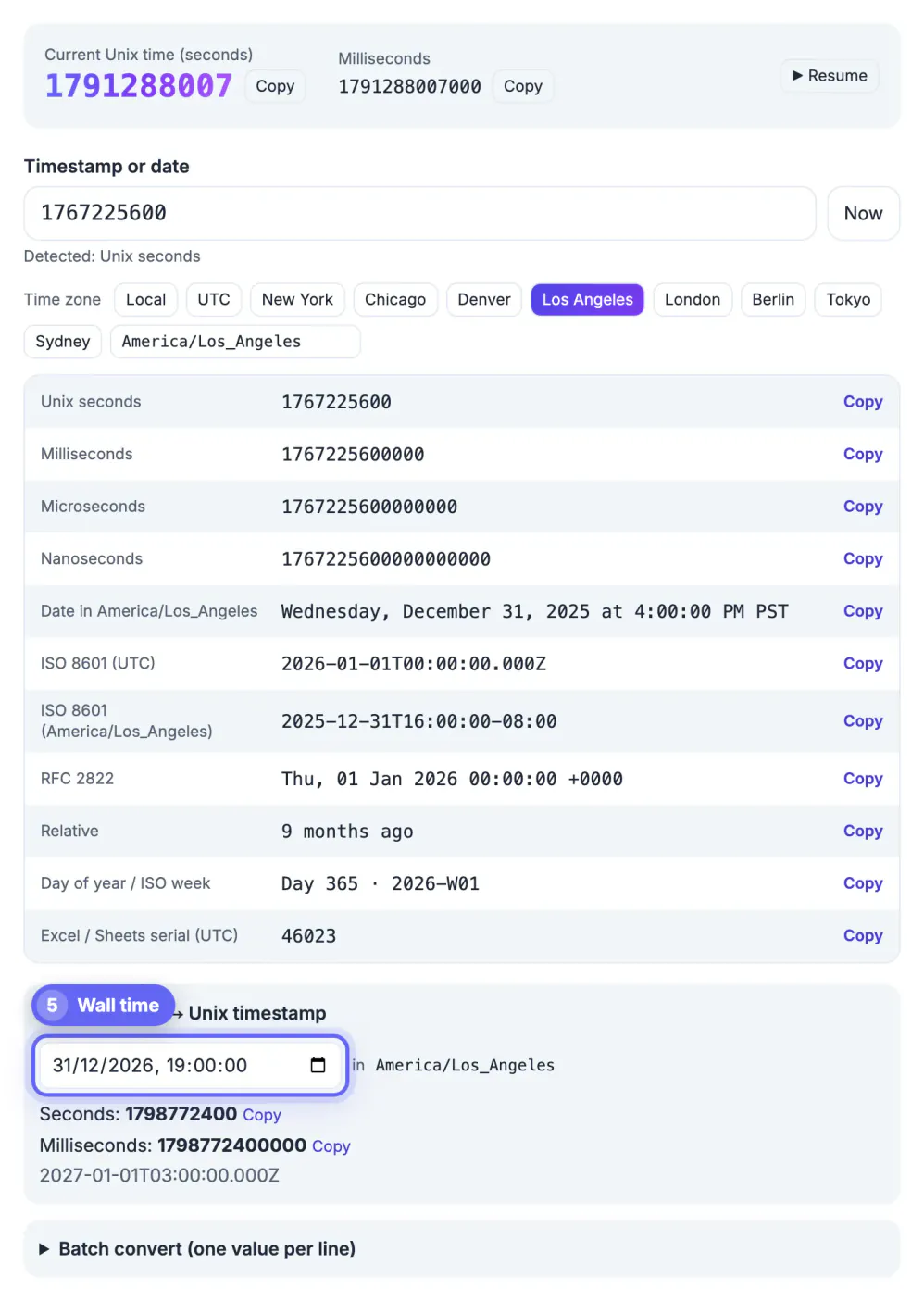
A Unix timestamp counts seconds since 00:00:00 UTC on January 1, 1970. It describes one instant for the whole planet, the same way a photo of a clock in London would. What people disagree about is the label: a New Yorker, a Londoner and someone in Tokyo would each write that instant with a different hour and sometimes a different date. Most confusion comes from forgetting which label is on the screen. A log viewer may show UTC, a laptop shows local time, and a colleague abroad sees a third answer. Once you treat the number as the truth and every readable date as a translation of it, mismatches stop looking like bugs and start looking like what they are: two correct translations for two different places.
What you are converting, in plain numbers
Think of the value as an odometer that started at zero on New Year's Day 1970 in Greenwich. Every second adds one, every day adds exactly 86,400, and a year adds about 31.5 million. A few landmarks make it easy to sanity-check a result without any tool:
- 1,000,000,000 was reached on September 9, 2001, so any 10-digit value starting with 1 is from this century.
- 1,700,000,000 fell on November 14, 2023, and 1,800,000,000 arrives in January 2027.
- 0 is the epoch itself, and negative values are earlier: -86400 is the last day of 1969.
- A 13-digit value is the same count in milliseconds; divide by 1,000 before reasoning about it.
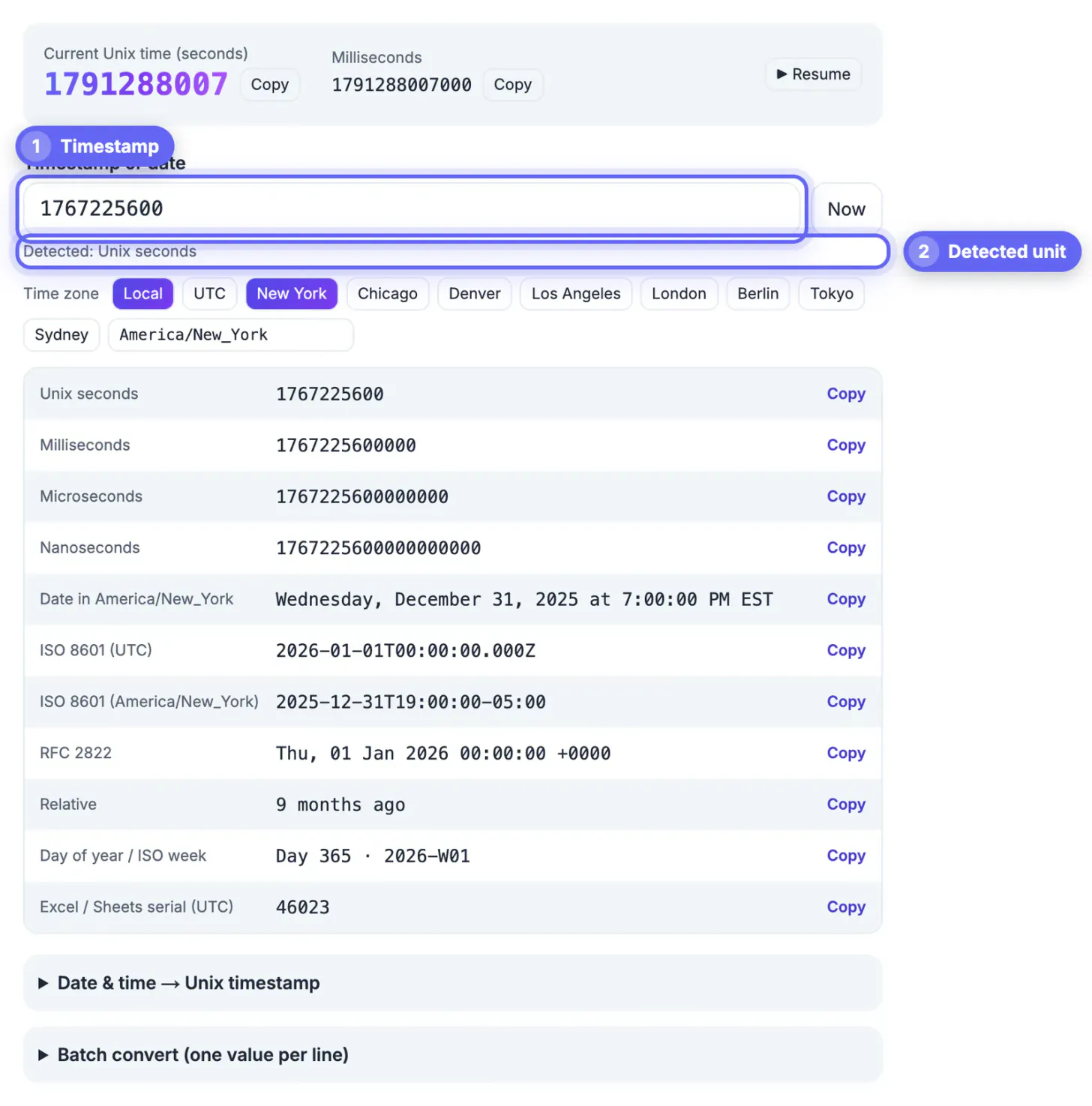
GrabCast's converter detects the unit from the digit count, so seconds, milliseconds, microseconds and nanoseconds all land on the correct date, and a small label under the input tells you which unit it assumed.
Converting a Unix timestamp into a specific city's time
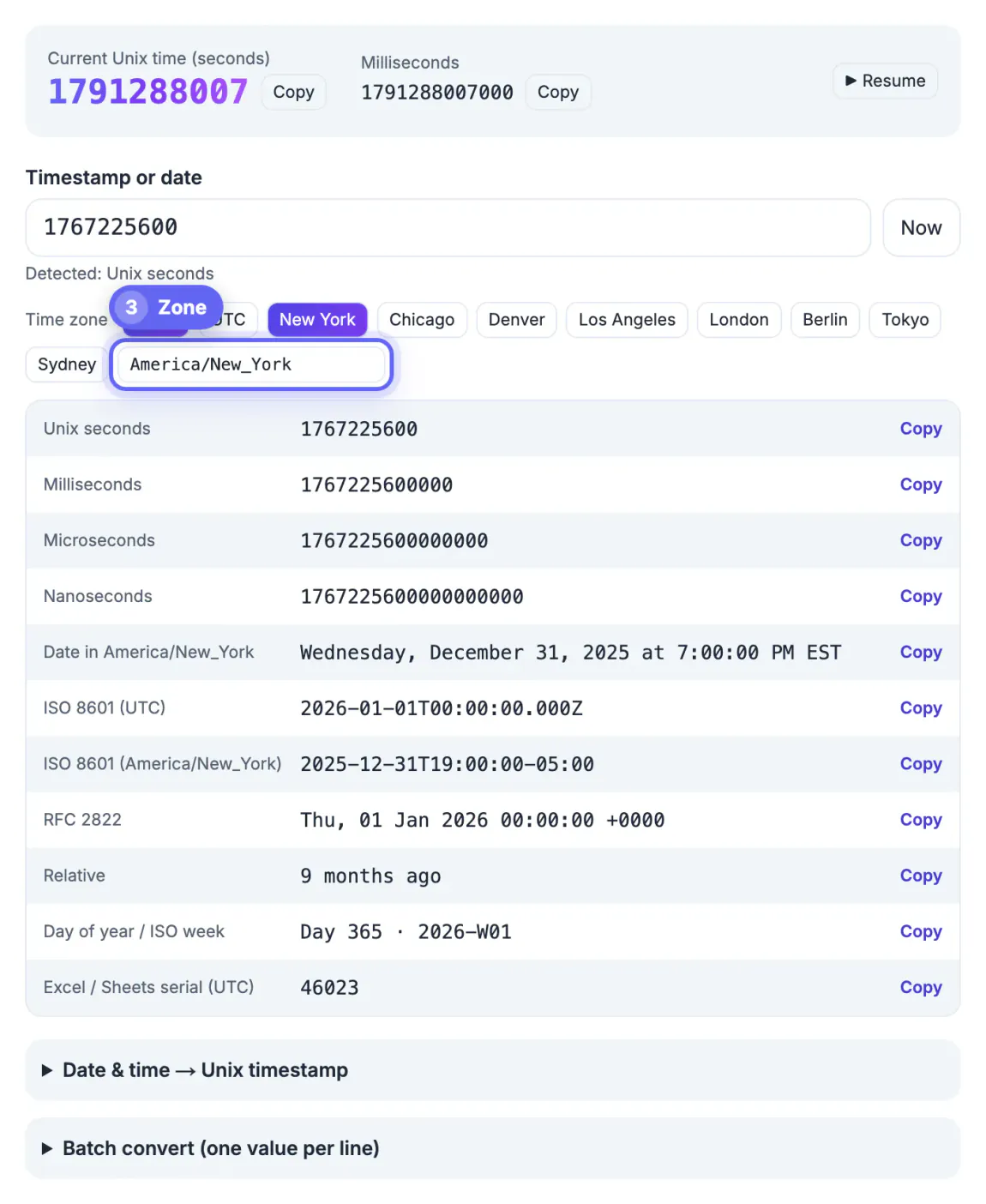
A readable date needs two things: the instant and a place. Paste the value, then tap one of the quick zone buttons (Local, UTC, New York, Chicago, Denver, Los Angeles, London, Berlin, Tokyo or Sydney) or search for any IANA name such as America/Phoenix, Europe/Madrid or Asia/Kolkata. All 11 outputs update together, including a full date with the zone abbreviation and an ISO 8601 string carrying the exact offset.
- Use UTC when you compare against server logs, cloud dashboards or anything written by a machine.
- Use the reader's city when you tell a customer when something happened, such as a refund processed at 9:14 AM Central.
- Use a named zone, not a fixed offset like -05:00, whenever the date could fall on the other side of a clock change.
- Remember Arizona (America/Phoenix) stays on standard time all year, which catches many US schedules.
Because offsets come from your browser's built-in time zone database, a July instant in Chicago shows -05:00 and a January one -06:00 automatically. You do not have to know when the clocks change; you only have to pick the right place.
Daylight saving: the gap hour and the repeated hour
Twice a year the local clock jumps, and two strange things happen that no amount of arithmetic fixes by itself. In the US, clocks spring forward on the second Sunday of March and fall back on the first Sunday of November; the UK and EU change on the last Sundays of March and October, so for a few weeks the transatlantic gap is four hours instead of five.
- The gap: on March 8, 2026 in New York, 2:00 to 2:59 AM never happens. A time in that window is not a real local moment, so pick a time outside it.
- The repeat: on November 1, 2026, 1:00 to 1:59 AM happens twice, first in EDT and then in EST, one hour apart in epoch terms.
- The converter's date panel resolves a repeated hour to its first occurrence, the daylight time version, so add 3,600 seconds if you meant the second one.
- Recurring jobs set for 2:30 AM local time may run twice or not at all on those nights; schedule them in UTC instead.
If you are converting a single past event, none of this matters: the number already encodes which hour it was, and the converter will label it EDT or EST correctly.
JWT expiry claims are Unix timestamps too, so this guide to reading a JWT's exp value pairs well with the conversion above. For a plain clock-to-clock check, see how to convert PST to EST.
Going the other way: a local date to epoch
Open the Date and time to Unix panel, choose the date and time down to the second, and the result is calculated in the zone you selected above, not your laptop's zone. Say a flash sale ends at 11:59 PM Pacific on November 30, 2026. With Los Angeles selected, the panel returns 1796111940 seconds, which the ISO line confirms as 07:59 UTC on December 1. The same wall time in July would be 06:59 UTC, one hour different because of daylight saving.
- Copy seconds for most APIs, databases and cron-style schedulers.
- Copy milliseconds for JavaScript, Firebase and many analytics SDKs.
- Paste a typed date such as 2026-11-30T23:59:00-08:00 into the main box instead if you already know the offset.
- A date typed without Z or an offset in the main box is read in your device's zone, so add one to avoid ambiguity.
Everything is computed in the browser tab, so the dates you plan, like an unannounced launch time, stay on your computer.
Step-by-step
Common mistakes to avoid
Pro tips
Frequently asked questions
Does a Unix timestamp include a time zone?
No. It always counts from midnight UTC on January 1, 1970. Time zones only affect how the instant is written as a readable date.
Why does my converted time differ from a colleague's?
You are probably each viewing a different zone. Switch the converter to UTC, or to the same city, and the dates will match.
How do I handle daylight saving time?
Choose a named zone such as America/New_York rather than a fixed offset. The converter applies the correct offset for that exact date.
Can I convert a local date into a timestamp for another city?
Yes. Select that city's zone, then enter the wall-clock date and time in the Date and time panel; the epoch value is calculated for that zone.
Is the conversion private?
Yes. It uses the date and Intl functions in your browser, so nothing you paste or plan is uploaded.
A Unix timestamp is one instant for the whole world; converting it just means choosing whose clock to read it on. Pick a named zone rather than a fixed offset, let the converter apply daylight saving for the exact date, avoid scheduling in the missing or repeated hour, and use the Date and time panel to turn a local plan into the right epoch value.
Related guides
Browse more: all text and developer guides · Unix Timestamp Converter