Faster Email Replies With AI: Triage, Draft, Edit, Send
To reply to emails faster with AI, sort your inbox first, send only the routine messages to an AI drafter such as GrabCast's free AI Email Reply Writer, tell it in one line what you want to say, and spend 30 seconds checking facts before sending. The time saved comes from skipping the blank-page moment, not from letting software run your correspondence. Used this way, a response that took four or five minutes to compose often takes one, and the tone is consistent even at the end of a long day.
💬 Try the AI Email Reply tool now — freeOpen →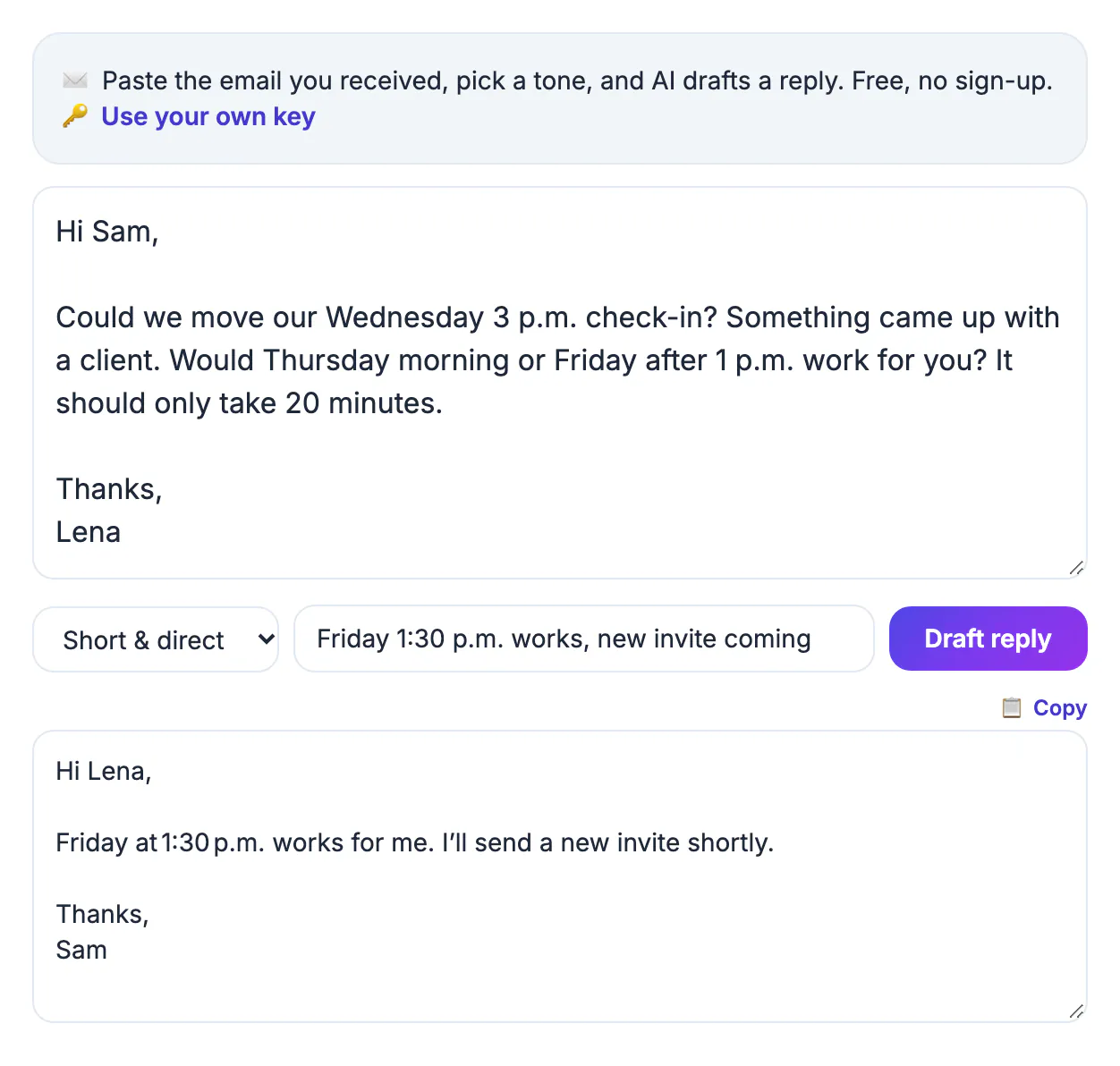
For most messages you already know the answer within seconds: yes, no, Thursday works, the file is attached. What eats the time is phrasing it politely, at the right length, in a register that suits the person on the other end. That is exactly the part a language model handles well. The decision stays with you; the model handles the sentences. Keeping that division clear is what makes AI drafting a real time-saver instead of a source of awkward, generic answers that need rewriting anyway. Think of the tool as a fast assistant who drafts from your notes: useful when the notes are clear, and a liability when you hand over a decision you have not made yet or facts you have not confirmed.
Triage before you draft anything
Speed starts with deciding what deserves a reply at all. Work through the inbox top to bottom and put every message into one of four piles.
- Delete or archive: newsletters, notifications and threads where you were only copied.
- Do now: anything answerable in under two minutes, such as a yes, a link or a quick confirmation.
- Delegate: requests someone else should handle, forwarded with one line of context.
- Defer: messages needing research or a decision, scheduled into a specific time slot.
The Do now pile is where AI drafting pays off, because those responses are predictable in content but still need courteous wording. Checking mail at two or three set times rather than constantly also helps; each switch back into the inbox costs focus, and batching lets you answer a dozen routine messages in one sitting.
What to hand to AI and what to write yourself
Drafting tools are good at routine correspondence and weak at anything where nuance, facts or relationships carry real weight.
- Good fits: scheduling, confirming receipt, polite declines, status updates, and asking for missing information.
- Good fits: chasing an unpaid invoice, answering a common customer question, or thanking someone for an introduction.
- Write yourself: condolences, performance feedback, apologies for serious mistakes, and anything emotional.
- Write yourself: legal disputes, salary or contract negotiation, and anything a lawyer or HR team should review.
A useful test: if the message could damage a relationship or create an obligation when phrased slightly wrong, write it personally. If the worst case of a slightly generic phrase is a mild shrug from the reader, let the tool draft it. In a typical work inbox, most messages are the second kind, which is why the savings add up quickly over a week.
Reply to emails faster with a one-line instruction
The AI Email Reply Writer needs only three inputs, and the second field is where most people leave time on the table.
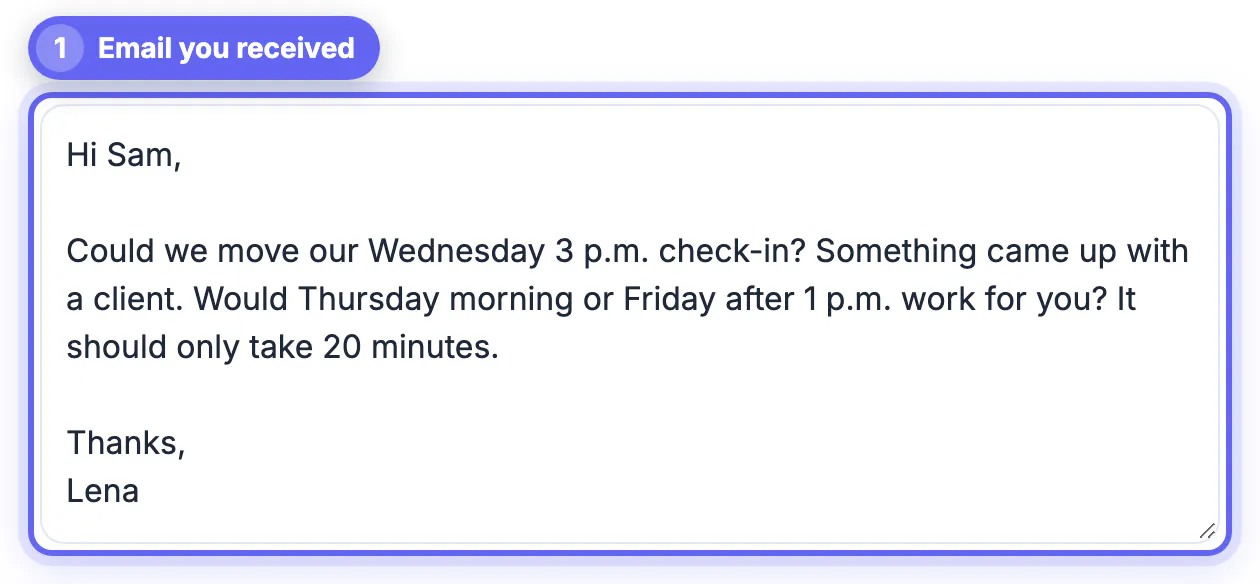
- Paste the message you received into the large box; the first 3,500 characters are used, so for long threads paste just the latest note.
- Pick one of six tones: Friendly, Professional, Short and direct, Apologetic, Enthusiastic, or Firm but polite.
- In the optional field, state your intent in a few words, such as decline but suggest Thursday at 2 pm Eastern.
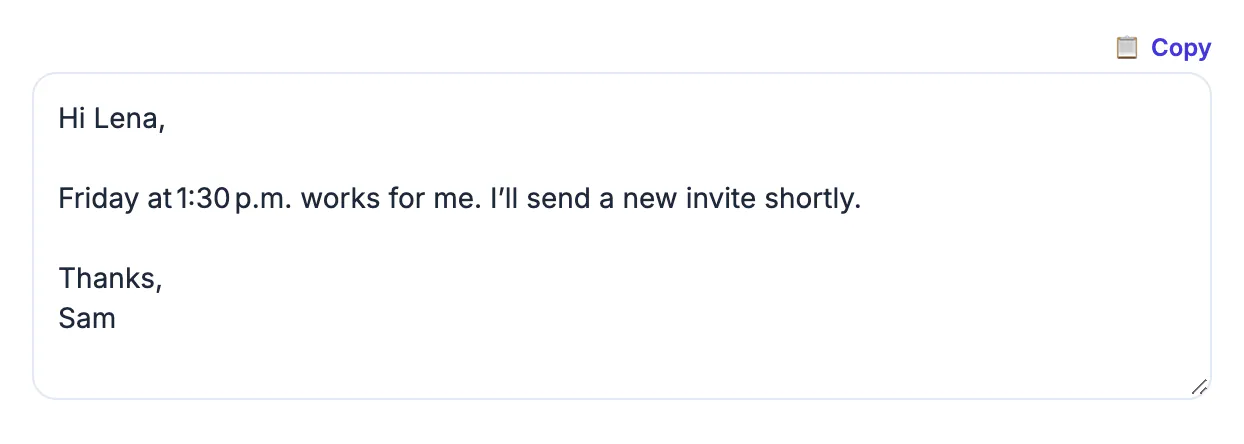
- Click Draft reply, then edit the result in the box or copy it straight into your mail app.
Without an instruction, a model can only guess whether you mean yes or no, and it tends to produce a vague, noncommittal answer. With one clear line, the draft carries your decision in the right tone. The reply comes back in the language of the original message, which helps with international clients. Drafting runs through a cloud AI service, so what you paste leaves your device; remove account numbers, health details and anything confidential before pasting. There is no sign-up, and you can connect your own API key if you prefer a specific provider.
The 30-second check before sending
A model writes fluently whether or not the content is right, so a short, consistent review is not optional.
- Facts: dates, times with time zones, prices, order numbers and attachment references.
- Names: the recipient's name and company spelled exactly as they wrote them.
- Promises: delete any commitment the draft invented, such as a deadline you never agreed to.
- Length: cut stock openers like I hope this finds you well, and aim for three to five sentences.
Read the draft once as if you were the recipient. If a line sounds like it could have been sent to anyone, replace it with a specific detail from the thread. That habit keeps AI-assisted messages from sounding templated, which colleagues and customers notice quickly. Over a few weeks you will also spot which instructions produce drafts that need almost no editing, and those become your personal shortcuts.
Before you send, run the draft through a free proofreading pass, and keep a consistent sign-off with the Email Signature Generator.
Step-by-step

Common mistakes to avoid
Pro tips
Frequently asked questions
Is the AI Email Reply Writer free?
Yes. It is free to use without an account. If you prefer a specific AI provider, you can connect your own API key from the tool.
Is my message private?
The text you paste is sent to a cloud AI service to generate the draft, so remove sensitive information such as account numbers or medical details before pasting.
Which tones are available?
Six: Friendly, Professional, Short and direct, Apologetic, Enthusiastic, and Firm but polite. The optional instruction field adds what you actually want to say.
Does it work in other languages?
Yes. The draft is written in the same language as the message you paste, which is useful for clients who write in Spanish, French, German or other languages.
Should I send drafts without editing?
No. Always check dates, names and commitments. Models write fluently but can invent details, so a quick review is part of the routine.
AI saves the most time on the routine middle of your inbox. Triage first, give the drafter a tone and a one-line instruction, strip sensitive details before pasting, and spend 30 seconds on facts and promises before sending. Keep sensitive, emotional or legal messages in your own words.
Related guides
Browse more: all AI guides · the AI Email Reply tool