Truncated PDF Recovery: What Survives a Cut-Off File
A truncated PDF is one whose last part never arrived, so the end-of-file marker and the index that viewers rely on are missing and the file will not open. Truncated PDF recovery means rescuing every complete object that did arrive: GrabCast's Repair PDF found all four pages of a fictional field trip guide cut off at 58% of its size, even though no viewer could open it before. It also warned, correctly, that some text would show the wrong characters because font data was lost.
🩹 Try Repair PDF now — freeOpen →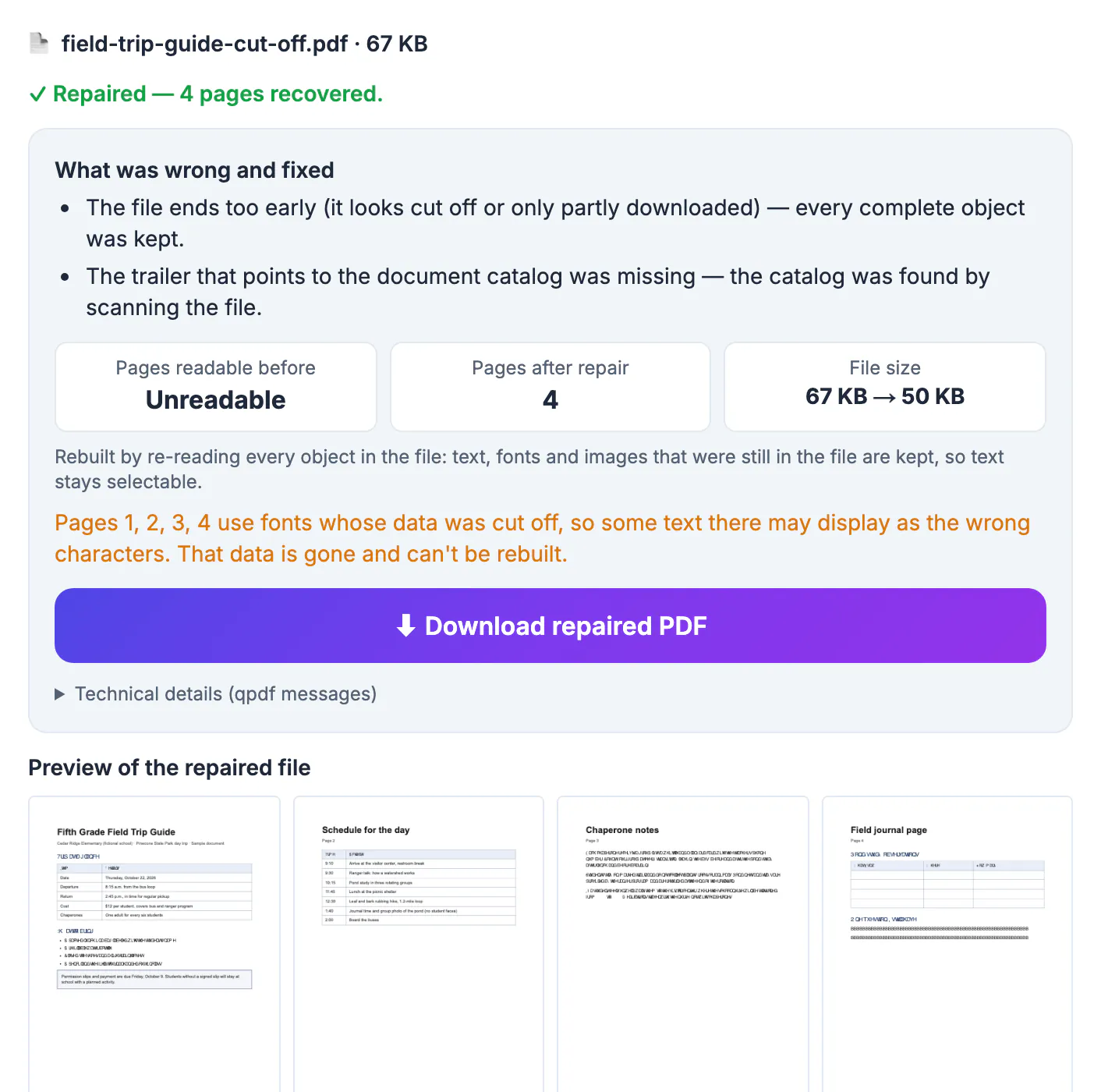
A PDF is written front to back, but its table of contents lives at the very end. Anything that stops the transfer early, a dropped Wi-Fi connection, a mail server size limit, a phone going to sleep during a save, a full disk or a sync conflict, produces a file whose beginning looks perfect and whose ending is simply missing. Because the index is gone, strict viewers show an error even when most pages are physically present in the bytes that did arrive.
What truncated PDF recovery can and cannot bring back
Think of the file as a stack of numbered boxes with a packing list taped to the last one. When the stack is cut off, the packing list is lost, but every complete box before the cut is still intact and can be found by opening them one by one.
- Recoverable: page descriptions, text streams and images that were fully written before the cut.
- Partly recoverable: pages whose text survived but whose fonts were stored after the cut; the layout is there, but characters can come out scrambled.
- Not recoverable: anything written entirely after the cut, often later pages, large images or embedded fonts.
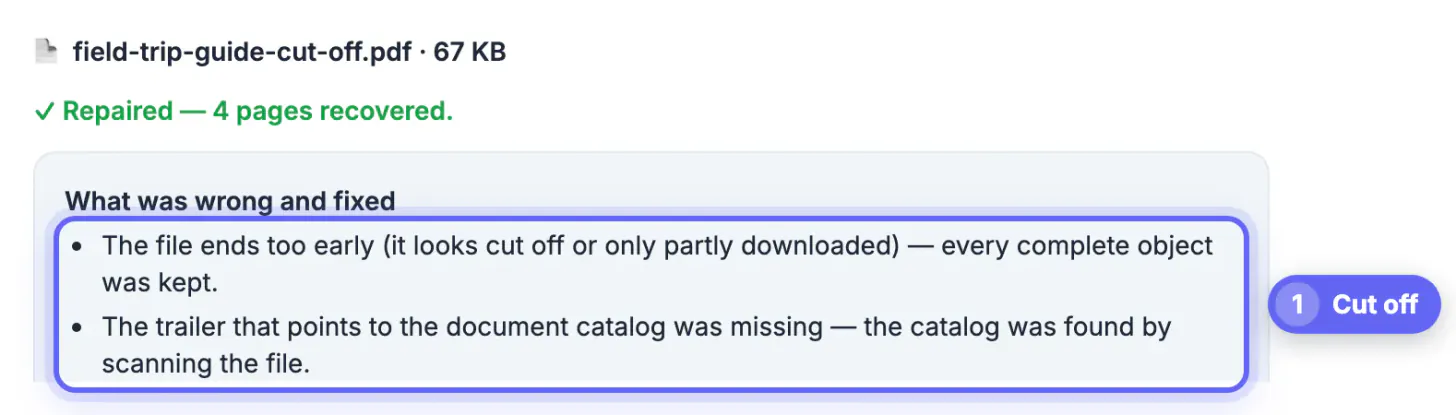
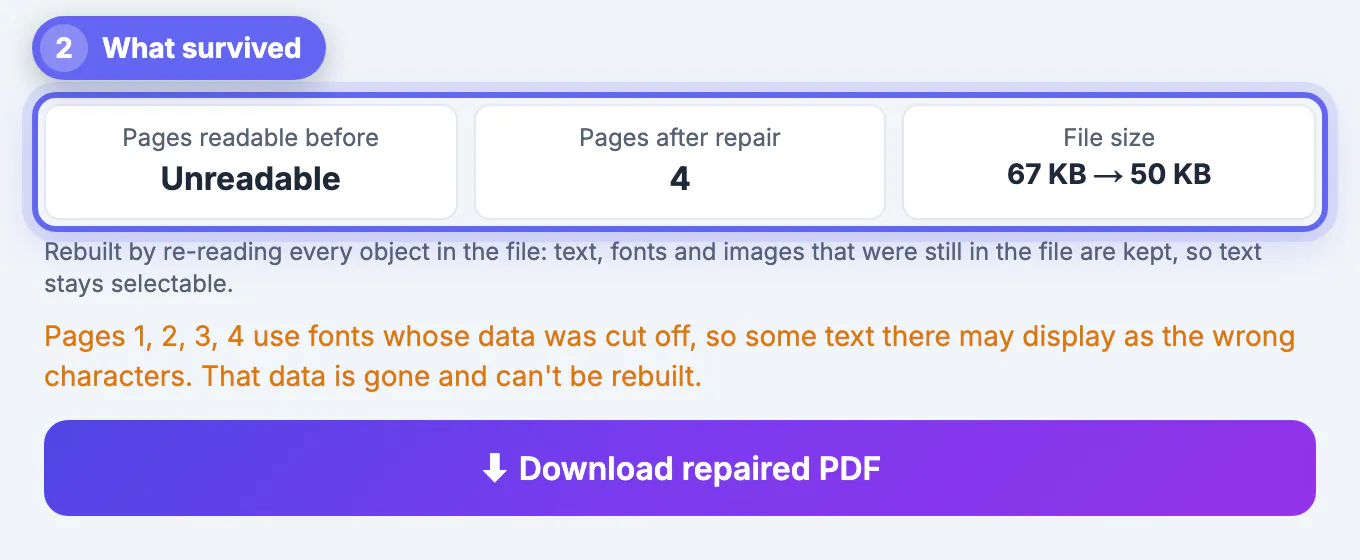
In our test the report read Pages readable before: Unreadable, Pages after repair: 4, and the file went from 67 KB to 50 KB, since incomplete fragments at the cut are left out. The fixes listed were a file that ends too early and a missing trailer, the pointer to the document catalog, which was found by scanning the file.
Why recovered text can look scrambled
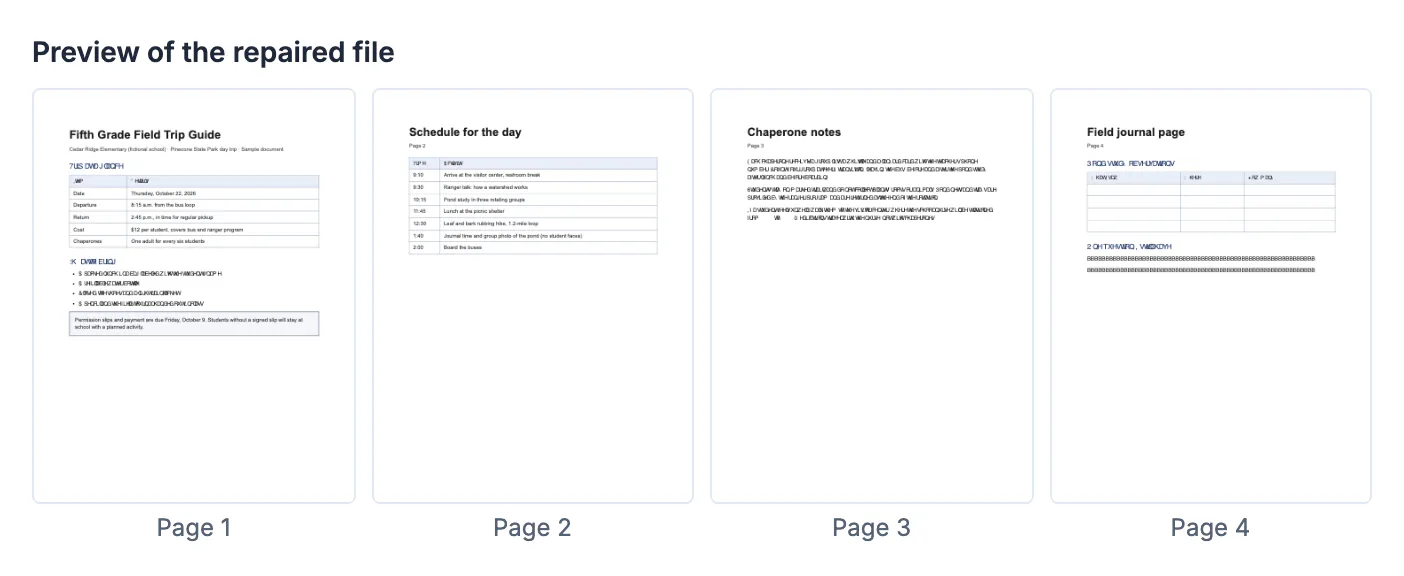
PDFs often store each font once and reuse it on every page. In our field trip guide, the fonts sat near the end of the file, beyond the cut. The page instructions survived, so headings, tables and line positions were drawn correctly, but some lines rendered as random-looking letters.
- The tool detects this and names the affected pages, here pages 1, 2, 3 and 4, with a warning that the font data is gone and cannot be rebuilt.
- Headings and table text that used a different, intact font stayed readable, such as Schedule for the day and the trip timetable.
- Page content that was fully written keeps its layout, which is why tables and headings still line up even where individual letters are wrong.
If the scrambled lines matter, the real fix is a complete copy of the file. Use the recovered one to confirm what the document is and which pages exist, then ask for the original again. Mention the page numbers the tool flagged, so the sender knows the problem is the transfer and not their document.
How to tell a PDF was cut off
- The file is noticeably smaller than expected; a 12-page brochure that should be around 2 MB arrives at 700 KB.
- The viewer opens nothing, or shows the first pages and then stops with an error.
- Error messages mention a missing startxref, an unexpected end of file or a missing trailer; in our test, qpdf reported that it could not find startxref.
- The file was saved while the transfer was still running, or the sender's email service warned about attachment size.
Repair PDF checks the bytes directly: when the end-of-file marker is missing, the first item in its report is that the file ends too early and every complete object was kept.
After recovering a truncated PDF
Treat the recovered copy as a rescue, not a replacement, until you have compared it with the source. A cut-off lease or report can look complete at a glance while an appendix, a signature page or the final table of figures is simply missing from the end.
- Check the page count in the report against the page count the document should have; the tool also warns when the file declares more pages than it could recover.
- Look at every preview thumbnail for scrambled lines, blank areas or missing images.
- Ask the sender for a fresh copy, or save it again from the original app, if anything important is missing.
- For large files sent by email, a compressed version is less likely to hit size limits and be cut off again.
The repair runs in your browser with qpdf, pdf.js and pdf-lib, so a half-transferred contract or medical letter never has to be uploaded to a stranger's server to be rescued.
Pull out the pages you can read with this extraction guide, or grab the words with the PDF to Text tool.
Step-by-step
Common mistakes to avoid
Pro tips
Frequently asked questions
Can a truncated PDF be fully restored?
Only the parts that were written before the cut. Missing pages, images or fonts stored after that point are gone and can only come from a complete copy.
Why does the repaired file show strange characters?
The page kept its text positions, but the font it uses was stored in the missing part. The tool lists the affected pages and warns that this data cannot be rebuilt.
How do I know how many pages were lost?
The report compares pages readable before and after repair, and warns when the file declares more pages than could be recovered.
Does the tool upload the partial file?
No. Repair runs locally with qpdf compiled to WebAssembly, pdf.js and pdf-lib; only those engines download the first time.
Is a repaired truncated PDF safe to send on?
It is a valid PDF, but it may be incomplete. Tell the recipient it was recovered, or wait for the full original.
A cut-off PDF usually still holds most of its pages; only the index and whatever came after the cut are gone. Recover what arrived, read the page counts and font warnings honestly, check every preview, and get a complete copy for anything that matters.
Related guides
Browse more: all PDF guides · Repair PDF