Form Validation Regex for ZIP Codes, Phones and Passwords
A good form validation regex is anchored with ^ and $, checks one rule at a time, and rejects only what is truly invalid, because every false rejection is a customer who gives up on your checkout or sign-up page. Build it in GrabCast's Regex Tester with a list of real inputs, turn on the m flag so each line is validated separately, and watch which lines match. This guide builds the fields that US web forms ask for most often: five-digit and ZIP+4 codes, ten-digit phone numbers typed a dozen different ways, password rules written with lookaheads, and email addresses. For each one you get a working pattern, the inputs it should accept and reject, and the honest limit where a regex stops being the right tool.
🧪 Try the Regex Tester tool now — freeOpen →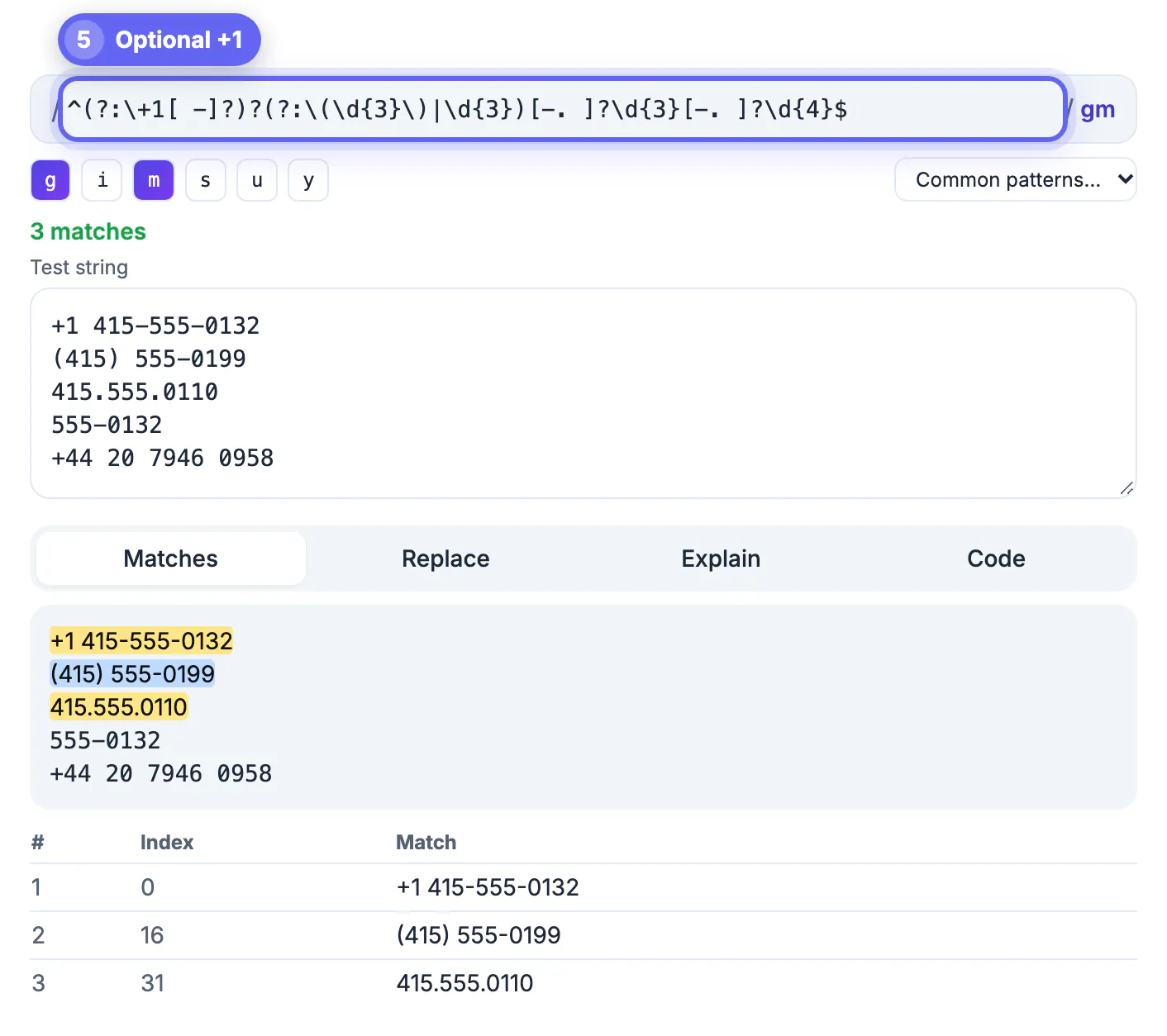
Validation sits directly in the path of revenue. Baymard Institute's checkout research repeatedly finds that overly strict fields, such as phone inputs that reject parentheses or name fields that reject apostrophes, cause abandoned orders. Loose rules have the opposite cost: unusable addresses, bounced emails and support tickets. Regular expressions are the natural tool for format checks, but they are also easy to over-tighten. Building each rule separately and running it against a realistic list keeps both failure modes visible.
Anchor every validation regex
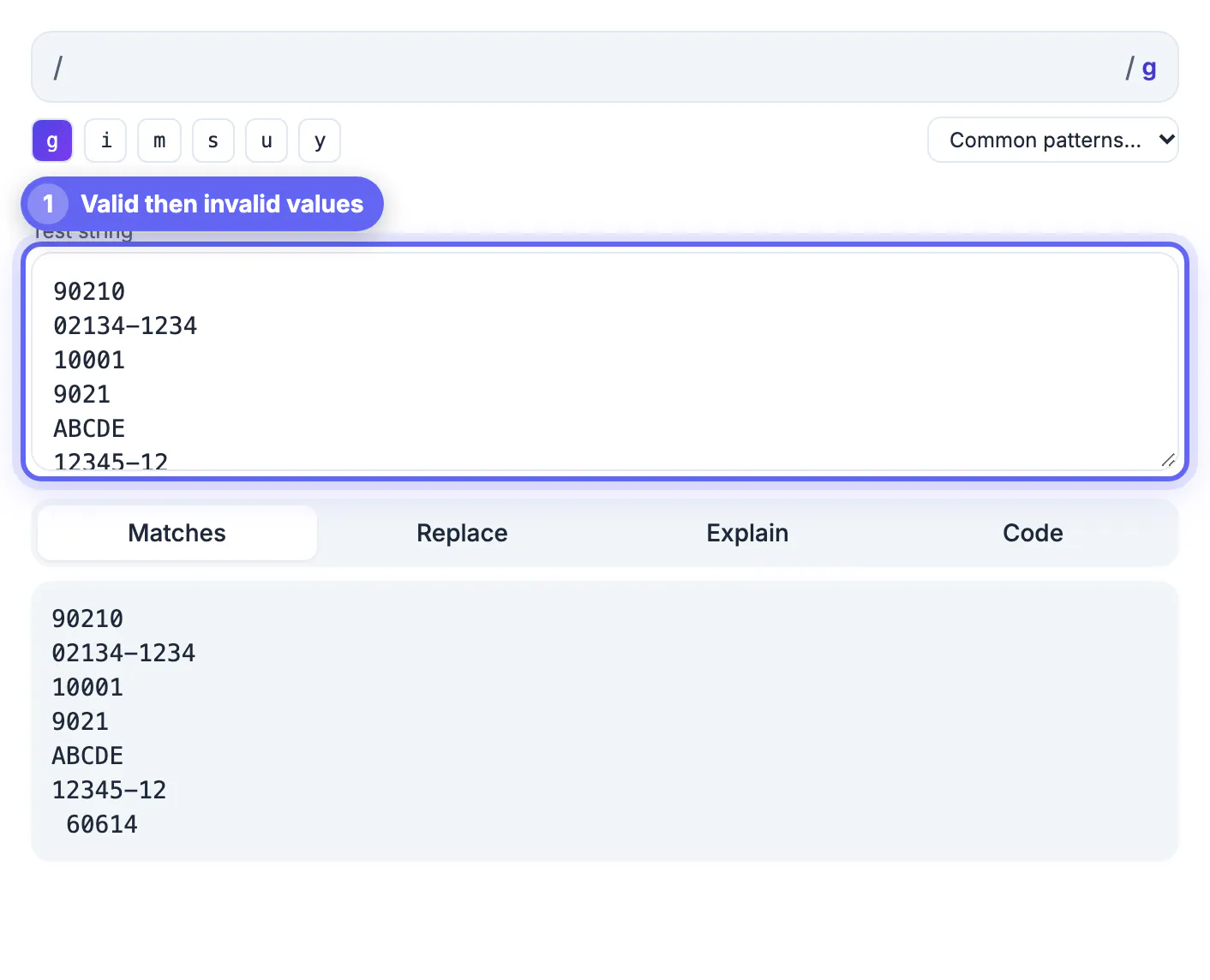
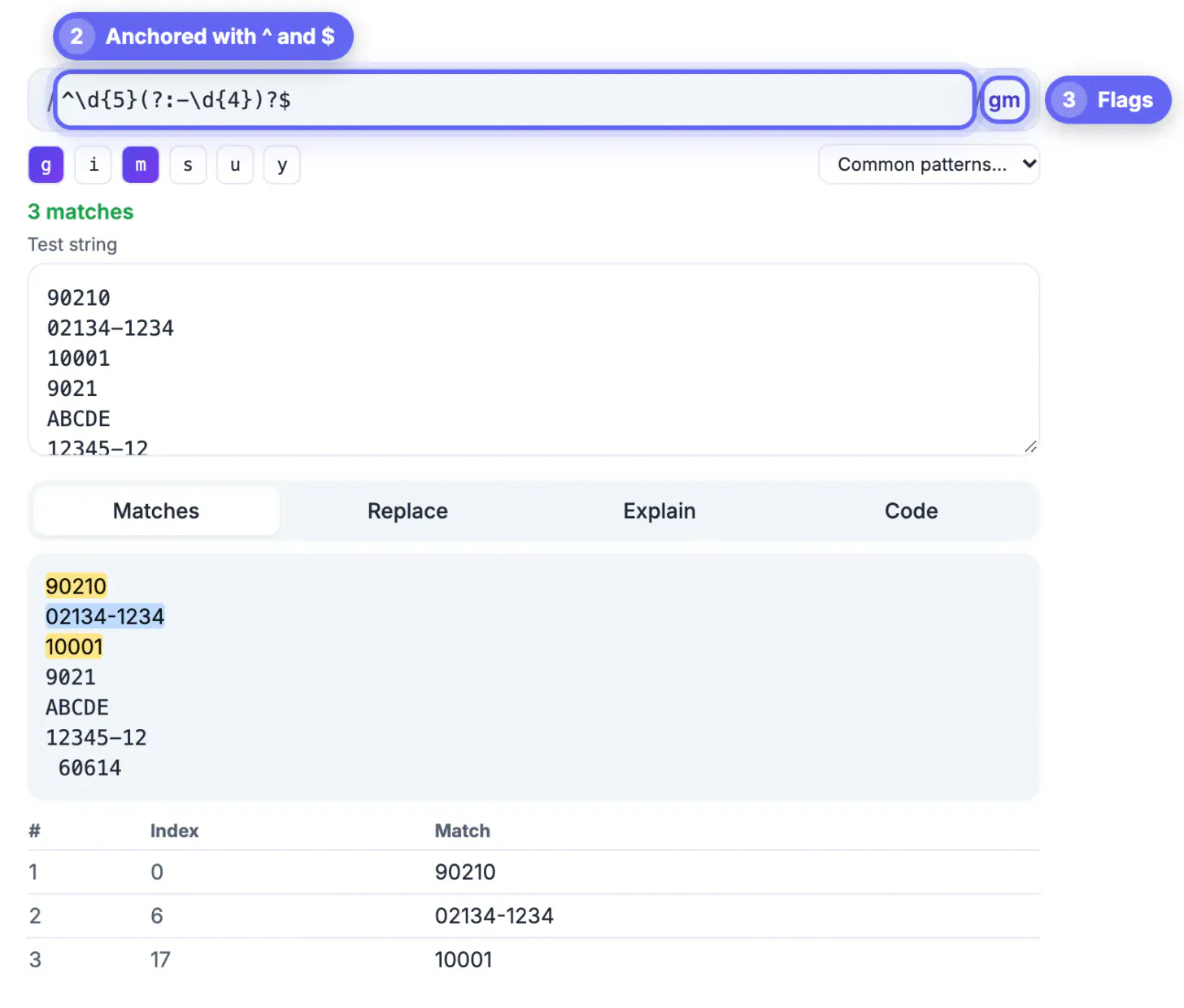
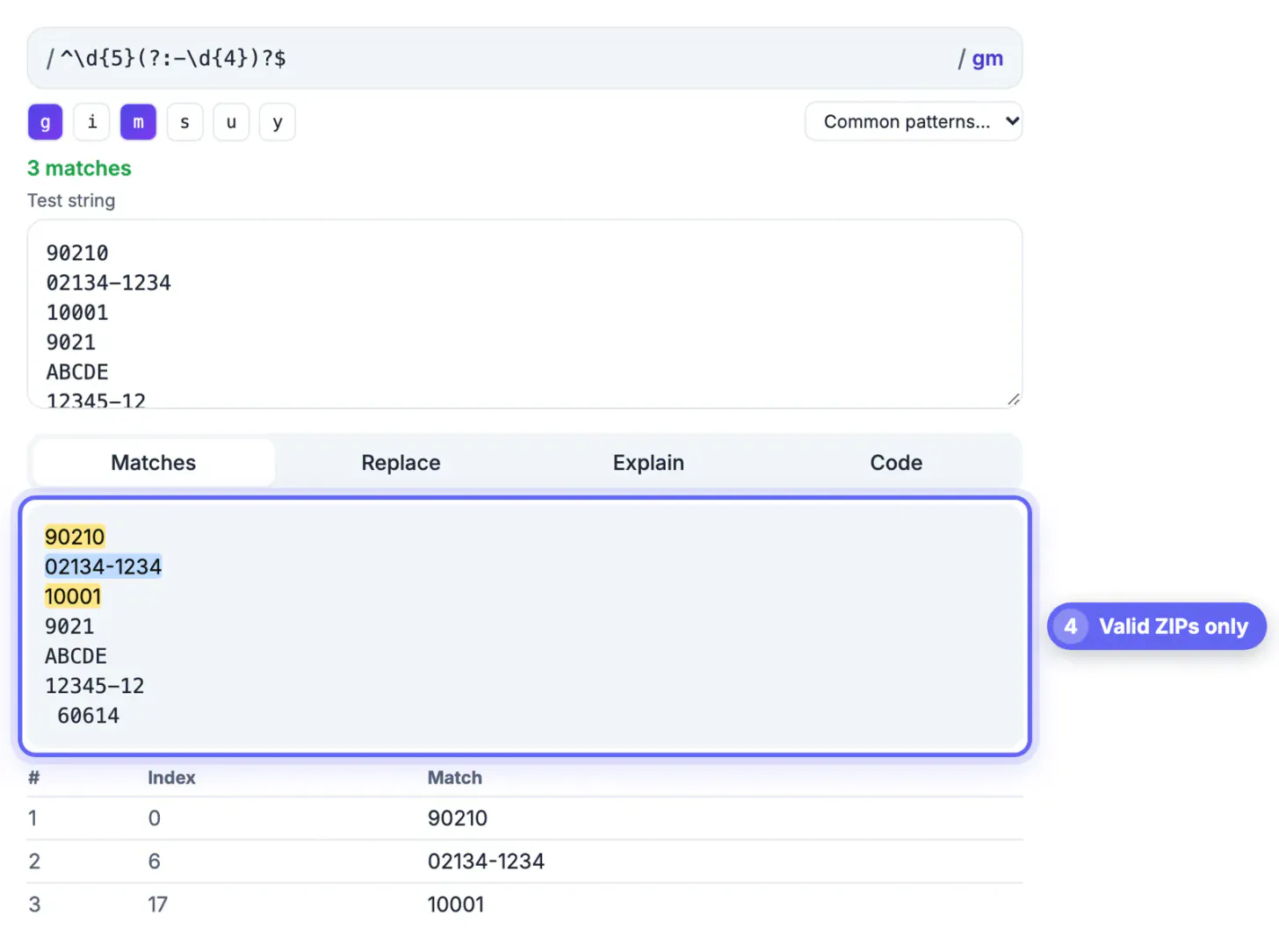
A search pattern finds a match anywhere; a validator must match the whole value. The ZIP pattern in the tool's Common patterns menu uses word boundaries, \b\d{5}(?:-\d{4})?\b, which is right for finding ZIP codes inside an address block. For a form input, swap the boundaries for anchors: ^\d{5}(?:-\d{4})?$.
- Without anchors, abc12345xyz passes a digits-only check because the engine finds 12345 in the middle.
- Put one candidate value per line in the sample and enable the m flag, so ^ and $ apply to each line separately.
- The HTML pattern attribute is anchored automatically, so drop the ^ and $ when you copy the rule there.
- Trim leading and trailing spaces before checking; users paste values with a trailing space far more often than you would think.
US phone numbers and ZIP codes, rule by rule
Phone fields attract the widest range of input: (415) 555-0132, 415.555.0132, 415 555 0132, 4155550132 and +1 415-555-0132 are all the same number. The library's US phone pattern accepts the first four, and adding an optional country code handles the fifth: ^(?:\+?1[-.\s]?)?\(?\d{3}\)?[-.\s]?\d{3}[-.\s]?\d{4}$.
- That pattern also accepts unbalanced input such as (415-555-0132. A sturdier approach strips everything except digits first, then checks for exactly ten digits, or eleven starting with 1.
- North American area codes and exchanges never start with 0 or 1, so ^[2-9]\d{2}[2-9]\d{6}$ on the stripped digits rejects obvious fakes.
- Store the normalized digits, and format them for display separately; searching and deduplication become trivial.
- For ZIP codes, a valid format does not mean the ZIP exists; use an address API if deliverability matters.
Password rules with lookaheads
Lookaheads let one expression check several independent conditions. The rule ^(?=.*[a-z])(?=.*[A-Z])(?=.*\d).{12,64}$ requires a small letter, a capital, a digit and a length between 12 and 64. The Explain tab lists each lookahead in plain English, which is handy when a teammate asks what the rule enforces.
- NIST SP 800-63B recommends favoring length over composition rules and allowing long passphrases, so consider a pattern that checks length only.
- Always allow spaces and symbols; blocking characters reduces the number of possible secrets.
- Show each requirement as a live checklist next to the field rather than one cryptic error after submission.
- Never cap length below 64 characters, and remember bcrypt only reads the first 72 bytes if that is what you store with.
For testing, create sample passwords with the Password Generator, and see the Password Breach Checker for why a rule alone does not make a password safe.
Emails and names: validate lightly
Some fields should barely be validated. The library's email pattern, [\w.+-]+@[\w-]+\.[\w.-]+, checks for something, an at sign, a domain and a dot, which catches typos without rejecting real addresses. The only reliable proof that an address works is a confirmation message.
- Allow plus addressing such as jane+orders@example.com; many people use it to filter mail.
- Do not restrict names to A to Z. O'Brien, Nguyễn, José and Smith-Jones are all real; with the u flag, \p{L} matches letters in any alphabet.
- Use input type email in HTML for the mobile keyboard and basic checks, then apply your own rule on top.
- Repeat every check on the server. Browser rules help people correct mistakes; they do not stop someone who submits requests directly.
Step-by-step
Common mistakes to avoid
Pro tips
Frequently asked questions
What regex validates a US ZIP code?
For a form field, use ^\d{5}(?:-\d{4})?$, which accepts 90210 and 90210-1234 and rejects everything else. Drop the ^ and $ inside an HTML pattern attribute, which anchors automatically.
Should I validate email addresses with a strict regex?
No. Strict patterns reject valid addresses. Check for a basic shape, something at a domain with a dot, and confirm the address with a verification email.
How do I require a digit and a capital in a password?
Use lookaheads: ^(?=.*[A-Z])(?=.*\d).{12,64}$. Each (?=...) checks one condition without consuming characters. Consider whether length alone serves your users better, as NIST guidance suggests.
Why does my pattern work in the tester but not in the HTML pattern attribute?
Browsers compile the pattern attribute with Unicode-aware flags, which reject some escapes that plain JavaScript tolerates, such as an escaped hyphen in the wrong place. Remove unnecessary backslashes and check the browser console for errors.
Can a regex check whether a phone number or ZIP really exists?
No. A regex only checks format. Use an address verification or phone lookup service when you need to know a value is real and reachable.
Anchor the pattern, add one rule at a time, and check it against real inputs, especially the awkward ones from your support inbox. Keep phone and name rules forgiving, keep email checks light, and repeat every rule on the server. The Regex Tester's Common patterns, Explain tab and Code tab get you there quickly.
Related guides
Browse more: all text and developer guides · the Regex Tester tool