Resize Product Photos for Etsy: Size, Ratio and Zoom
To resize product photos for Etsy, crop each shot to the same shape, usually the 4:3 frame Etsy uses for listing thumbnails, and export them at least 2,000 pixels on the shortest side so the zoom view stays crisp. Doing that to every photo, every time, is what turns a scrappy search grid into a storefront that looks like a real business. This guide is for sellers who photograph their own stock: the numbers to aim for, a crop-then-resize workflow that takes a few minutes per product, and the mistakes that make thumbnails look uneven.
📐 Try Resize Image now — freeOpen →
Buyers judge a shop in the search grid long before they read a description. When every thumbnail has the same shape and the product sits at the same scale, the storefront looks curated and trustworthy, and shoppers keep browsing. Mixed shapes and scales make the grid feel chaotic and hint at a hobby rather than a business. Sizing is the cheapest lever a seller has: it costs nothing, takes seconds per image once you settle on a target, and applies to every photo you will ever list. Doing it in the browser also keeps unreleased designs on your own computer until the listing goes live.
The numbers to resize product photos for Etsy
Etsy publishes photo guidance in its Help Center and Seller Handbook, and it changes from time to time, so treat these as working targets and check the current page before a big reshoot.
- Shape: listing thumbnails have been shown in a 4:3 landscape frame on most views, with a crop you can adjust per listing
- Minimum size: Etsy has recommended at least 2,000 pixels on the shortest side so shoppers can zoom
- A practical target: 3000×2250 pixels, which is 4:3 and comfortably above that minimum
- The first photo becomes the thumbnail in search, so it deserves the most careful crop
Most phone cameras shoot 4:3 already, for example 4032×3024, which means your originals often need no cropping at all, just a consistent resize. DSLRs and many mirrorless cameras shoot 3:2, so those shots need a crop to 4:3 first or the thumbnail will be trimmed for you.
Crop first, then resize the whole set
Resizing alone cannot change a photo's shape without stretching it, so do the two steps in order.
- Crop Image: pick the 4:3 ratio, frame the product with even margins and the same scale as your other listings
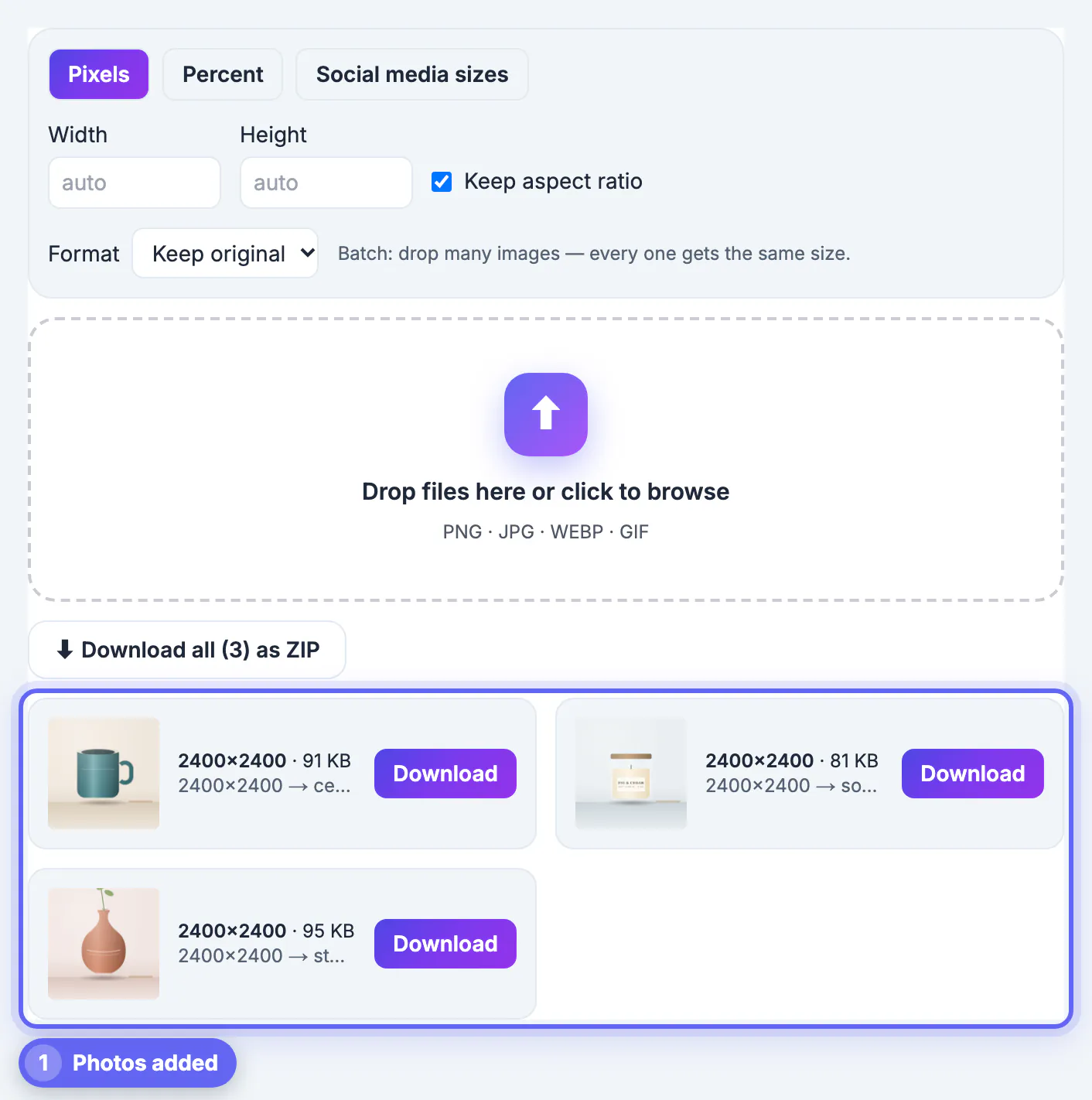
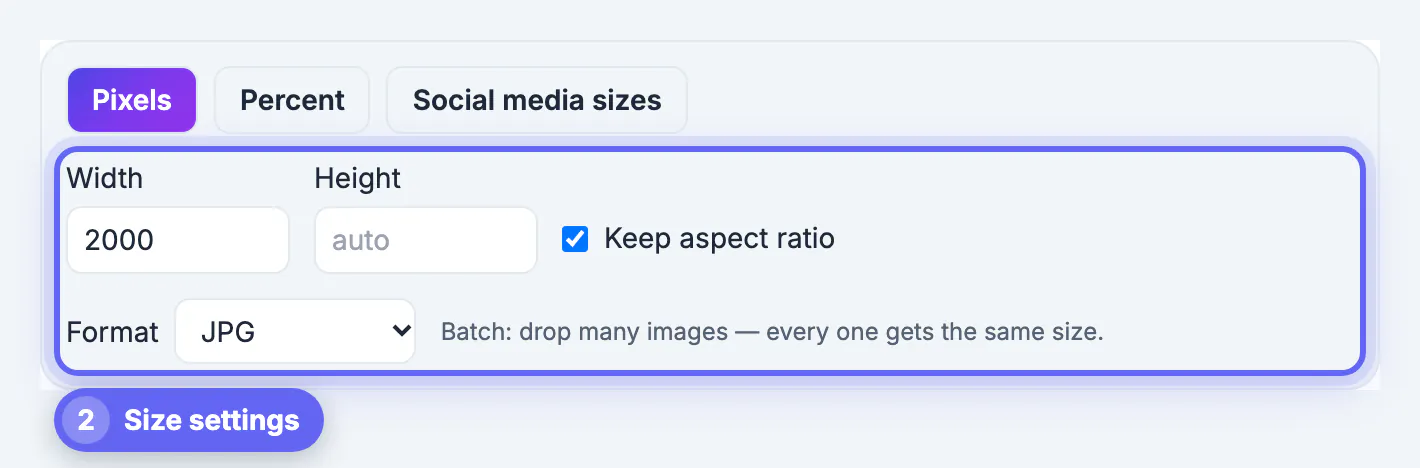
- Resize Image in Pixels mode: type 3000 as the width with Keep aspect ratio checked, and a 4:3 crop comes out at 3000×2250
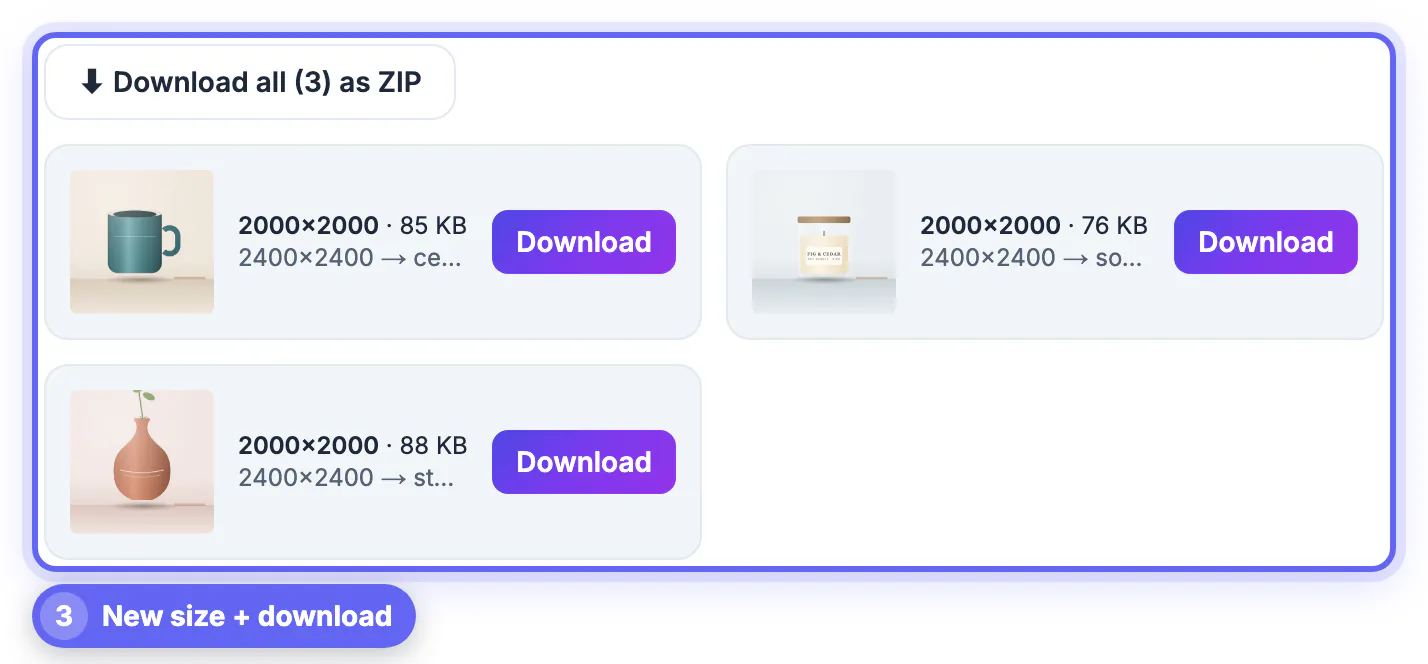
- Drop all of a product's angles in one batch so they get identical dimensions, then use Download all as ZIP
- Set Format to JPG for photos; keep PNG only for graphics with transparency, which listings rarely need
Resize Image has no Etsy preset, and that is fine; the Pixels mode with a locked ratio is exactly what you want. If you fill in both width and height with the ratio locked, a photo that is not 4:3 will fit inside the box rather than fill it, which is a useful warning that the crop was skipped.
Keep zoom sharp and the grid even
The detail view lets buyers inspect texture, stitching and finish, and that is often what closes the sale.
- Shrink from your camera original, never from a screenshot, a messaging-app copy or an old listing download
- Do not enlarge past the original size; if an older photo is too small, the AI Image Upscaler can double it more convincingly than a plain resize
- Keep the product filling roughly 70 to 80 percent of the frame so it reads clearly in a small thumbnail
- Shoot every product on the same backdrop and at the same distance so the set looks like one collection
Check the result on a phone. A large share of Etsy shoppers browse on mobile, where a thumbnail is a few hundred pixels wide, and a cluttered or off-center shot is obvious at that size. Then open the listing preview on a laptop and zoom into the detail photo; if you can count the stitches or read the maker's stamp, the size is doing its job.
A five-minute routine for every new listing
Once the targets are set, the routine is the same for every product, which is how you keep a large shop consistent.
- Photograph each product with space around it so there is room to crop to 4:3
- Crop the hero shot and the detail angles to 4:3 at the same product scale
- Batch resize to 3000 pixels wide as JPG and download the ZIP
- Name files with the product and angle, such as walnut-board-front.jpg, before uploading
- Upload, then use the thumbnail adjustment in the listing editor to fine-tune the search crop
Keep the full-resolution originals in a folder per product. If Etsy changes its recommendations or you start selling on another marketplace, you can re-export the whole catalog without reshooting a thing.
Step-by-step
Common mistakes to avoid
Pro tips
Frequently asked questions
What size should Etsy product photos be?
Etsy has recommended at least 2,000 pixels on the shortest side, and a 3000×2250 JPG in the 4:3 thumbnail shape works well. Check Etsy's current Help Center guidance, since specs occasionally change.
Should Etsy photos be square or 4:3?
Search thumbnails have used a 4:3 landscape frame on most views, so 4:3 photos line up best. You can adjust the thumbnail crop per listing if a product needs different framing.
Should I crop or resize first?
Crop first so the product sits well in the frame, then resize the cropped photo to your target. Resizing cannot change the shape without stretching.
Will resizing hurt my zoom quality?
Not if you shrink from a high-resolution original. Zoom only looks soft when the source was small or was enlarged past its real detail.
Are my product photos uploaded to resize them?
No. Resize Image works on a canvas in your browser, so unreleased designs stay on your device until you list them. There is no watermark or account.
Crop every product photo to Etsy's 4:3 thumbnail shape, batch resize to about 3000×2250, and always shrink from your sharpest originals so zoom stays crisp. A consistent set of sizes makes the whole shop look professional, and doing it in your browser keeps it free and private.
Related guides
Browse more: all image guides · Resize Image