1080x1080 Instagram Square: Resize Without Losing Edges
To resize a photo to 1080x1080 for Instagram, choose a 1:1 square preset, decide whether to crop the sides or fit the whole picture on a blurred or solid background, and export a high-quality JPG. The decision that matters is the second one, because a landscape phone photo loses a quarter of its width on each side when it is cropped to a square. This guide covers that choice, how to batch a whole carousel so every slide matches, and why the profile grid Instagram introduced in 2025 now trims the edges of square posts, which changes where you should put anything important.
📐 Try Resize Image now — freeOpen →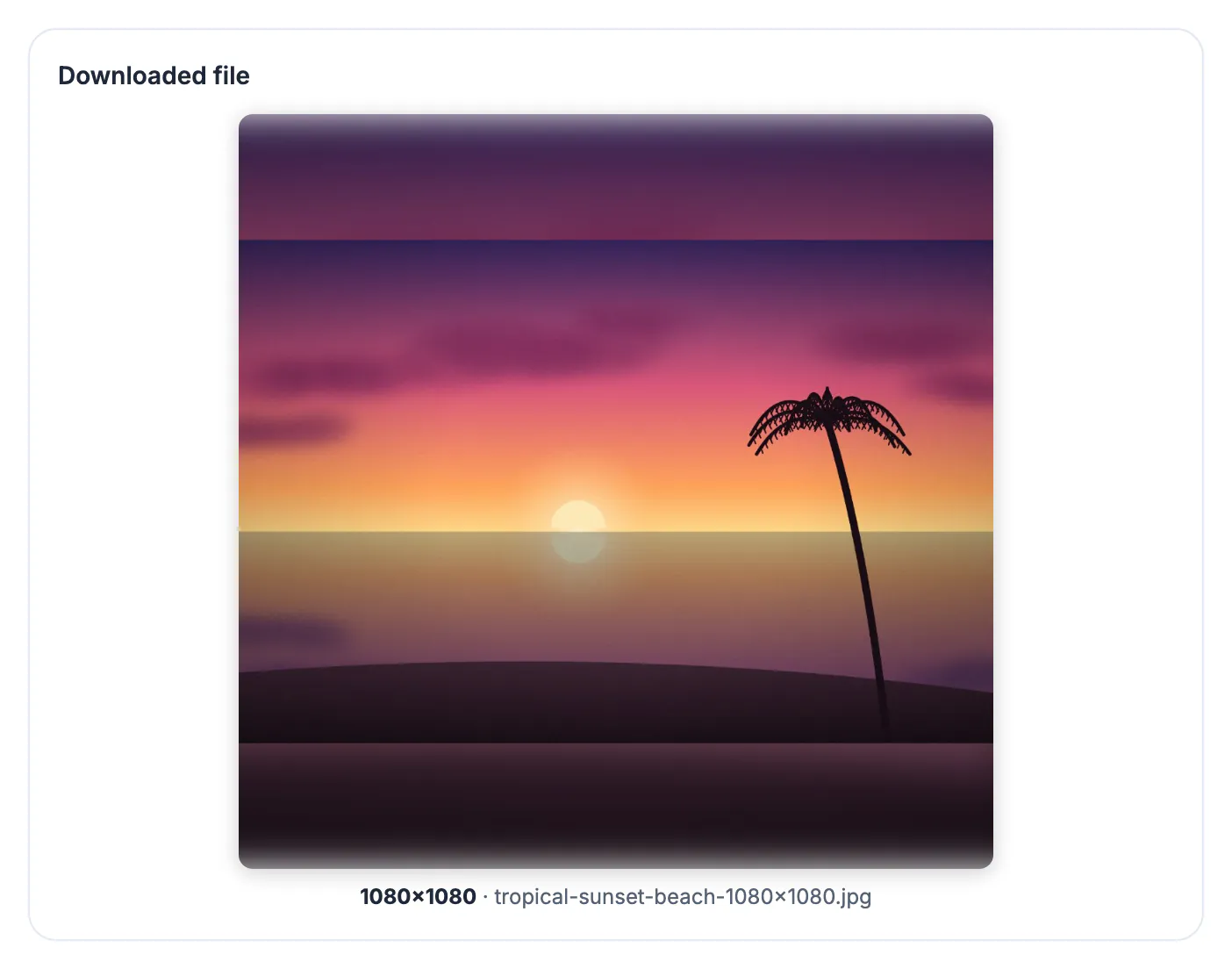
Instagram has historically stored feed photos at up to 1080 pixels wide and resizes anything else, larger or smaller, on its own servers with little care for sharpness. Uploading a file that is already 1080 pixels square leaves it only one recompression to do, which is the best defense against the smeary look many posts get. Choosing the crop yourself also means you decide what gets cut, instead of the app's pinch-to-fit screen deciding while you are in a hurry. For carousels it matters twice, because every slide has to share one shape.
Crop, blur or pad: turning a rectangle into a 1080x1080 square
A typical phone photo is 4:3, for example 4032 by 3024 pixels. Squeezing that into a square means either cutting 504 pixels from each side before scaling, or keeping everything and filling the empty space. GrabCast's Instagram post 1:1 preset gives you three ways to do it.
- Crop to fill: keeps the center square and discards the sides. Best for portraits, food and products that sit in the middle of the frame.
- Fit + blurred background: the whole picture sits in the middle over a softened, slightly darkened copy of itself. Best for group shots and wide landscapes where cropping would cut people off.
- Fit + solid background: the whole picture on a color you choose, such as brand white or a flat pastel. Best for product cutouts, screenshots and quotes.
- If the subject is not in the center, crop first with a 1:1 box you can drag, then resize; the preset always crops from the middle.
The 3:4 profile grid changes where the edges go
In early 2025 Instagram switched profile grids from square tiles to taller 3:4 thumbnails. A 1080 by 1080 post still appears as a full square in the feed, but on your profile it is shown through a narrower window that trims roughly 135 pixels from the left and right edges.
- Keep faces, logos and text inside the central 810 pixels of width so they survive in both views.
- If your account lives on its grid, such as an artist or shop portfolio, consider 1080 by 1350 (4:5) instead; it fills more of the feed, and the grid trims less of it.
- For a perfectly matched grid, some creators now post at 1080 by 1440 (3:4); you can type that in Pixels mode after cropping to 3:4.
- Instagram lets you adjust the grid thumbnail after posting, but the trimmed width stays the same.
Platforms change these layouts without notice, so check a fresh post on your own profile once in a while rather than trusting any guide, this one included.
Batch a matching carousel in one pass
Carousels now take up to 20 slides, and Instagram applies a single shape to the whole set based on how you frame the first one. Mixed originals get cropped unpredictably unless you size them all beforehand.
- Number your files 01, 02, 03 before you start, so the order is obvious when you upload.
- Drop them all into Resize Image, choose the Instagram post 1:1 preset and one fit mode; every file gets exactly 1080 by 1080.
- Use Download all as ZIP. Each file keeps its name with -1080x1080 added, so the numbering survives.
- If a slide needs a different crop, redo that single file; the rest of the batch is unaffected.
- For slides with text, the solid background mode keeps a clean edge that matches designed title cards.
Keep a 1080x1080 post sharp after upload
Instagram recompresses every upload, so start with the best file you can give it and avoid double compression.
- Start from the original camera file or a full-size export, never a screenshot of a photo or an image saved from a chat app.
- Pick JPG as the output format; GrabCast saves it at 90 percent quality, which usually lands between 300 KB and 1 MB for a square photo.
- If the original is smaller than 1080 pixels on its short side, run it through a 2x AI upscaler first; plain resizing only enlarges the blur.
- Upload over WiFi when possible; on weak connections the app has been known to send a lower-quality version.
- Check the post at full size on your phone and in the grid before sharing it widely.
For stories, see the 1080x1920 story size guide, and use the Compress Image tool to keep files small.
Step-by-step
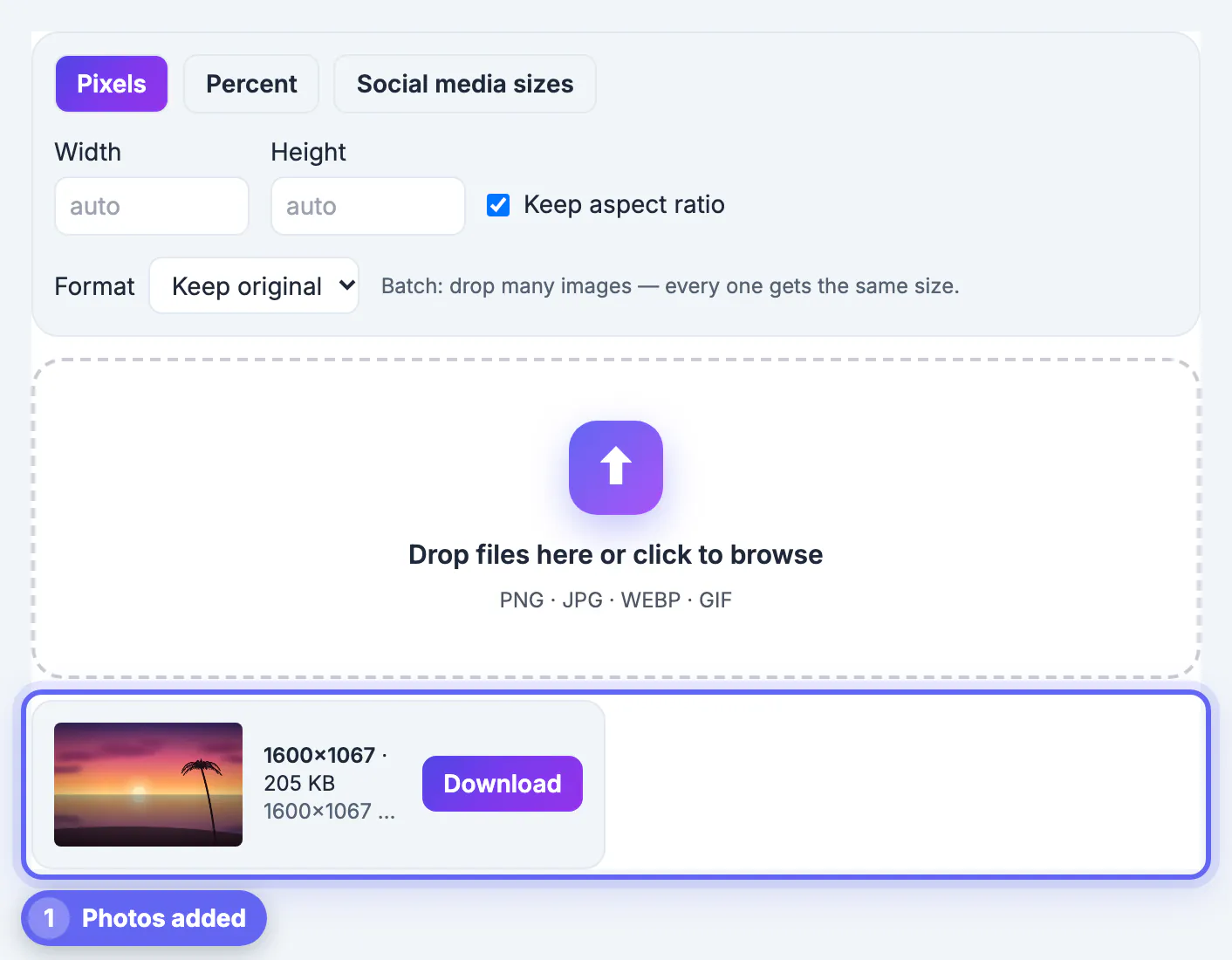
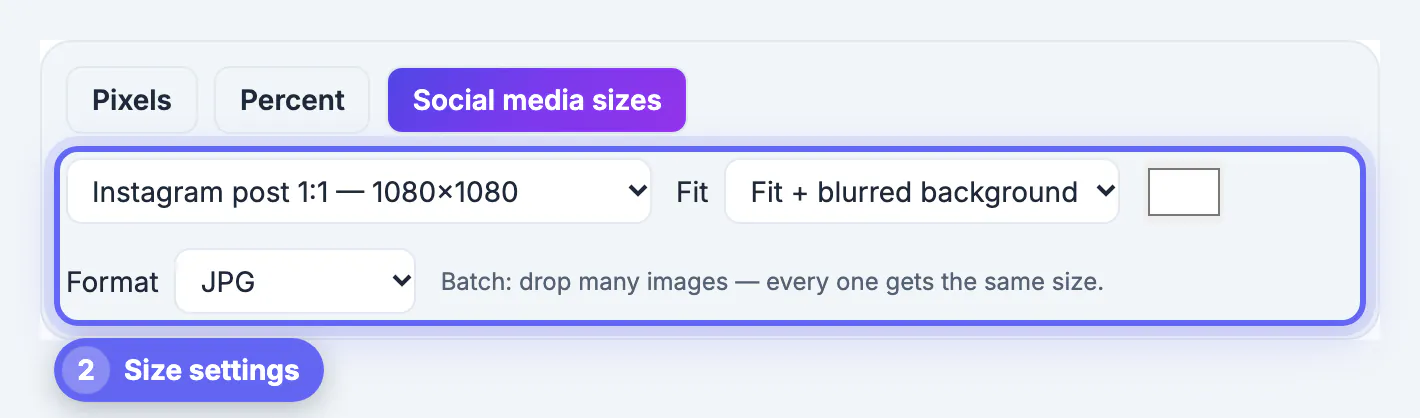
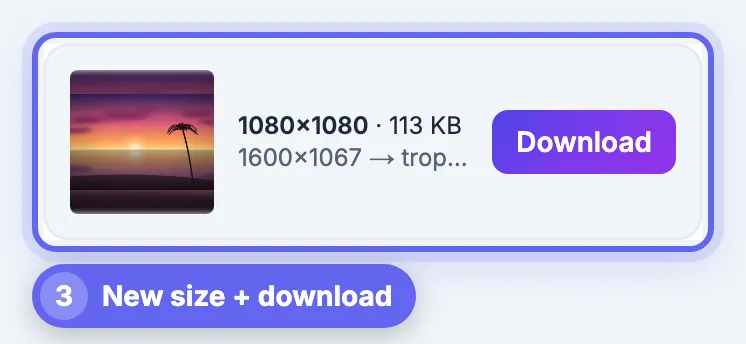
Common mistakes to avoid
Pro tips
Frequently asked questions
Is 1080x1080 still the right size for Instagram?
Yes, it remains the standard square for feed posts. Instagram also supports 4:5 and 3:4 portrait posts, which take more screen space, and it may change its preferred sizes, so treat 1080 by 1080 as the safe square choice rather than the only option.
Why does my square post look cropped on my profile?
Since 2025 the profile grid shows 3:4 thumbnails, so a square post is trimmed at the left and right in the grid view. The full square still shows in the feed and when someone opens the post.
Should I upload a bigger square for better quality?
It rarely helps, because Instagram resizes large uploads down on its side anyway. Uploading exactly 1080 by 1080 from a sharp original gives you control over how the downsizing is done.
How do I make every carousel slide the same size?
Resize all slides together with the same preset and fit mode. GrabCast applies identical dimensions to every file in a batch and lets you download them as one ZIP.
Are my photos uploaded to resize them?
No. GrabCast resizes pictures in your browser; the files are processed on your device and the results download straight from the page.
A 1080x1080 Instagram square is easy to make and easy to get slightly wrong. Choose between crop, blurred fit and solid fit on purpose, keep important details inside the central 810 pixels for the 3:4 grid, batch carousel slides together, and export a high-quality JPG from a sharp original. GrabCast does it free in your browser.
Related guides
Browse more: all image guides · Resize Image