Trim Audio Online Free: Cut Dead Air Off a Voice Memo
To trim audio online free, drop the recording into GrabCast's Audio Cutter, set a start and an end on the waveform, and click Cut & save; a 70-second voice memo becomes a tidy 52-second MP3 in well under a minute. The cut happens inside your browser tab, so a personal memo, a lecture you recorded or a rehearsal take is never sent to a server.
✂️ Try the Audio Cutter & Ringtone Maker now — freeOpen →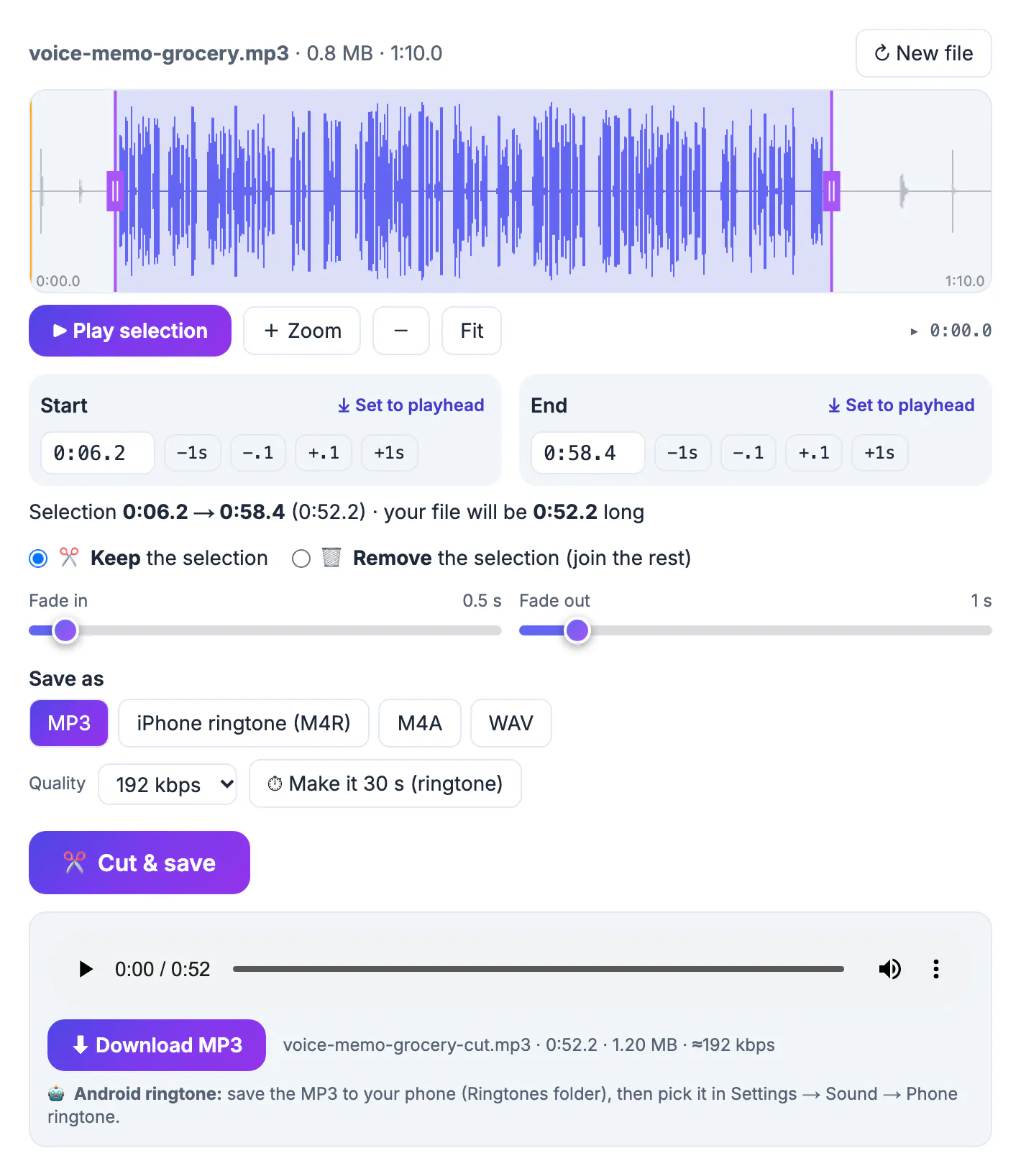
Almost every phone recording starts the same way: a second of fumbling, the thump of the phone being set down, a breath, then speech. It ends with a pause, a rustle and the tap on the stop button. Listeners notice those five or ten seconds more than any mid-sentence stumble, and they add bulk to every copy you share. Trimming them is the single cheapest improvement you can make to a memo, an interview clip or a spoken note for a colleague. A dedicated editor such as Audacity can do it, but for a single cut a waveform in the browser is faster: you see the silence as flat lines, place two handles, and save.
Trim audio in the browser: what the Audio Cutter does
The Audio Cutter opens common audio and video files, draws the waveform and lets you keep or remove one selection. Everything below comes straight from the tool page, not from a feature wish list.
- Opens MP3, M4A, WAV, FLAC, OGG and the sound of MP4, MOV, WebM or MKV videos; for a video, the first audio track is used and the picture is dropped
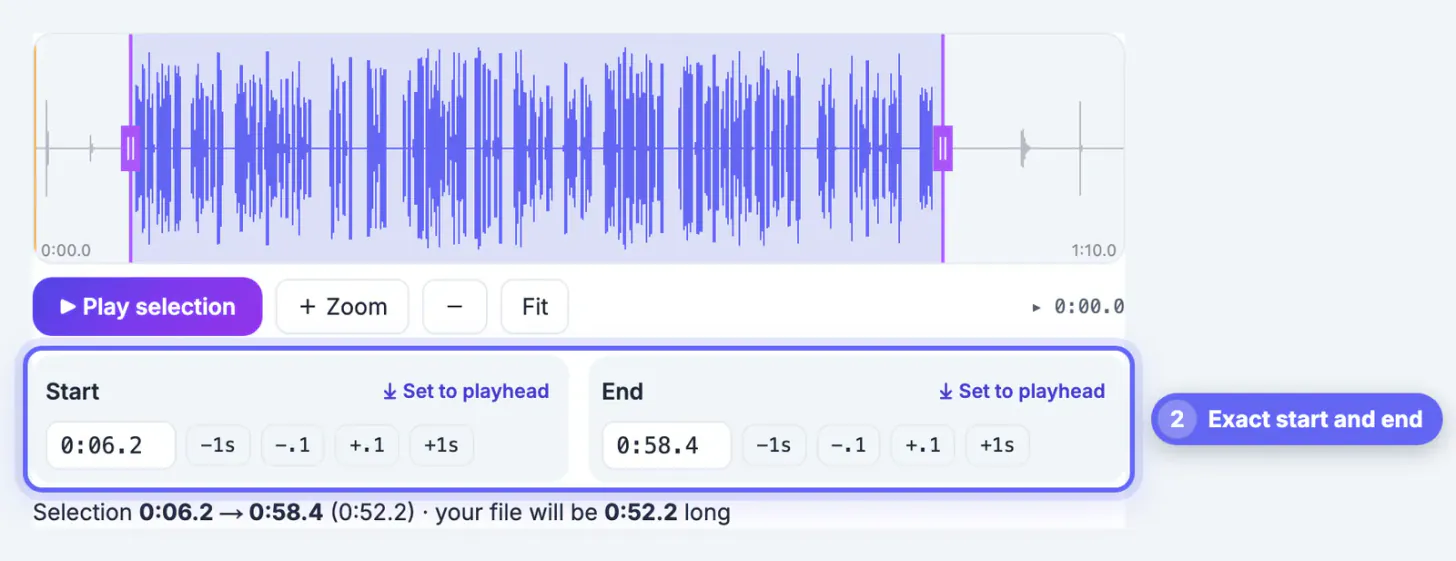
- Start and End boxes accept minutes and seconds such as 0:06.2, and the cut lands to a hundredth of a second
- Nudge buttons move either edge by 1 second or 0.1 second, and Set to playhead snaps an edge to where you clicked on the waveform
- Zoom, minus and Fit change how much of the file the waveform shows; a scroll bar appears when you are zoomed in
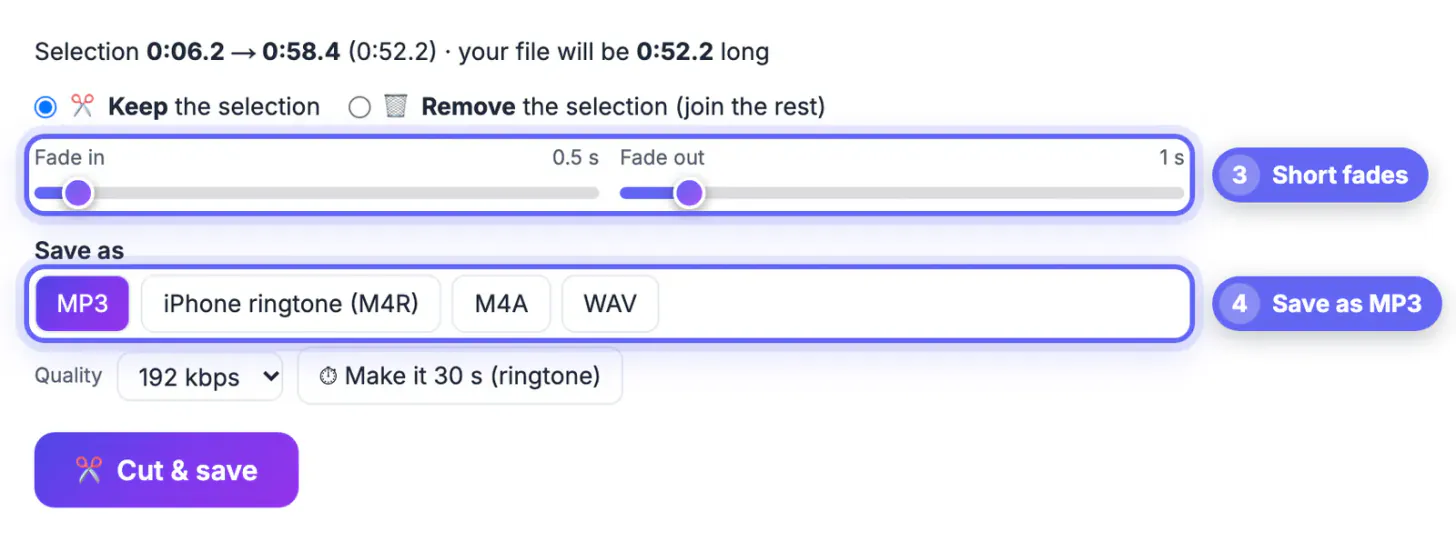
- Fade in and fade out sliders run from 0 to 10 seconds in half-second steps
- Output is MP3, M4A or lossless 16-bit WAV (plus an iPhone ringtone format), with 128, 192, 256 or 320 kbps for the compressed formats
There is no fixed length limit. Because the whole job runs in your browser's memory, the page notes that very large files, roughly over 300 MB on a phone or 1.5 GB on a computer, may fail; a typical one-hour voice memo is far below that.
A worked example: 70-second memo to 52 seconds
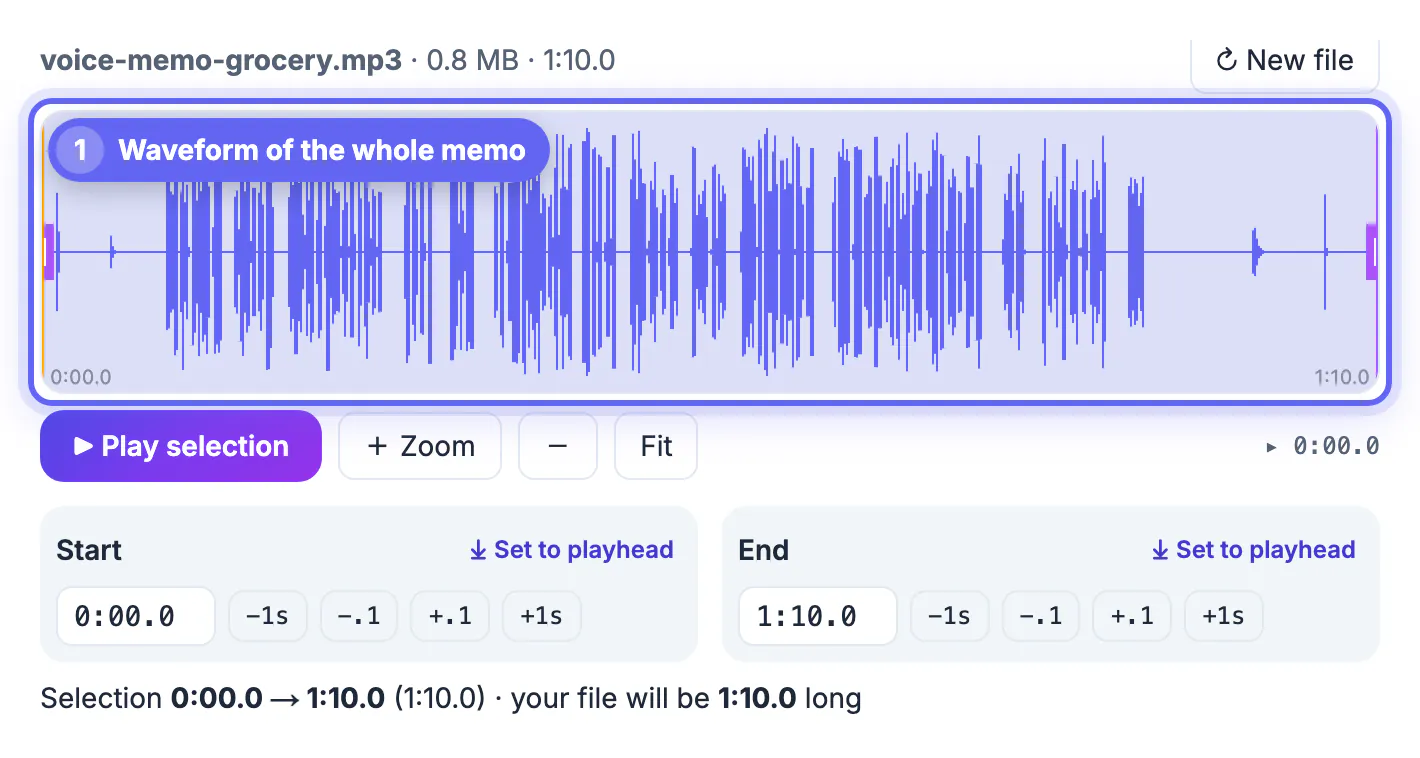
The screenshots in this guide use a synthetic test recording called voice-memo-grocery.mp3. It lasts 1:10.0 and behaves like a real phone memo: about six seconds of near silence with a handling click at the start, speech from roughly 0:06 to 0:58, then twelve seconds of room noise and a rustle.
- On load the waveform shows flat lines at both ends and dense peaks in the middle, which is exactly the part to keep
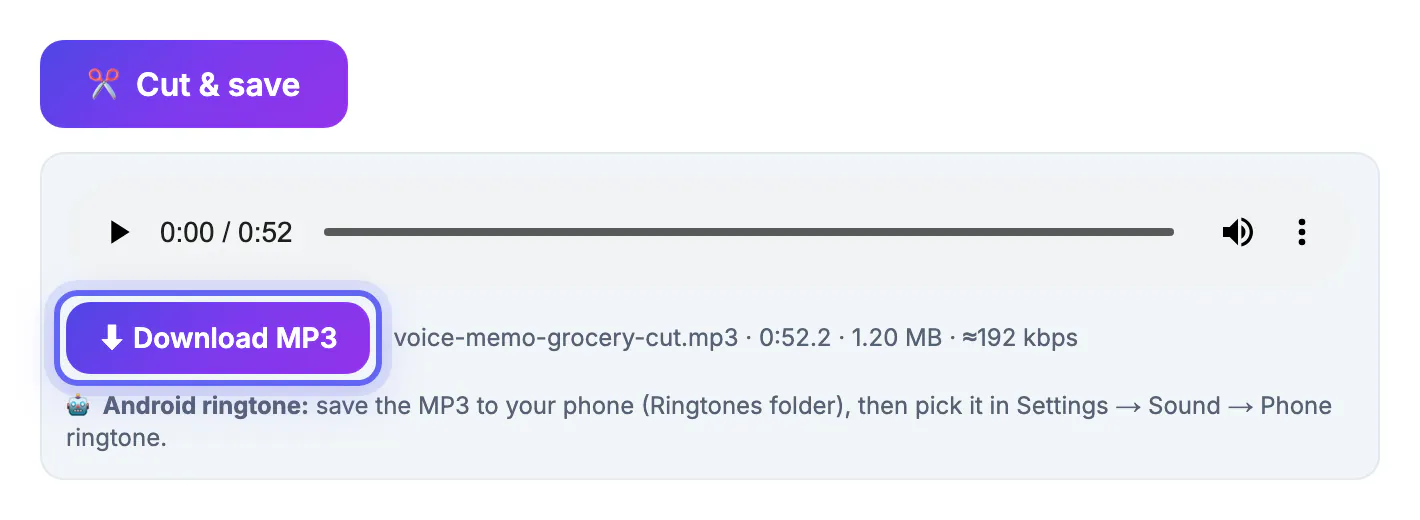
- Typing 0:06.2 as the start and 0:58.4 as the end leaves a 0:52.2 selection; the summary line under the times confirms the new length
- A 0.5-second fade in and a 1-second fade out soften the first and last syllables, so the memo does not begin or end with a hard edge
- Saved as MP3 at 192 kbps, the result was voice-memo-grocery-cut.mp3, 0:52.2 long and 1.20 MB
Notice that the output is larger than the 0.8 MB input even though it is shorter. The source was encoded at 96 kbps and the cutter re-encoded it at the default 192 kbps. For a voice memo, 128 kbps is plenty and keeps the file small; save 256 or 320 kbps for music or when you will edit the file again.
Choosing precise start and end points
Dragging the purple handles is quick, but the typed times are what make a clean cut repeatable. A few habits help you land in the silence between words instead of clipping a consonant.
- Play selection and listen to the first second; if the first word sounds chopped, press the minus 0.1 button on Start once or twice
- Zoom in before fine-tuning so one screen covers a few seconds instead of the whole file, then drag or nudge the handle into a flat stretch
- Click anywhere on the waveform to move the playhead, then use Set to playhead to put an edge exactly where you heard the pause
- Leave about a quarter of a second of quiet before the first word and after the last one; a cut that touches speech sounds abrupt even with a fade
- If the memo has a false start, use Remove mode on that stretch instead of moving the start point past useful speech
The preview applies your fades with a volume ramp, so what you hear while playing the selection is close to the saved file. Keep Play selection and Cut & save separate in your head: previewing never changes anything until you save.
File size, formats and keeping the original
Trimming does not have to cost quality, but it does re-encode the audio, so the format and bitrate you pick decide the result.
- MP3 at 128 kbps is roughly 1 MB per minute and plays everywhere, from email previews to car stereos
- M4A (AAC) sounds a little better than MP3 at the same bitrate and suits iPhones, Macs and most chat apps
- WAV is uncompressed 16-bit audio, about 10 MB per stereo minute; choose it when another editor will process the file
- Title and artist tags are normally carried over, but embedded cover art is not; sample rate and mono or stereo stay the same as the source
- The download gets a -cut suffix, so your original memo stays untouched on your device
For a spoken memo that is only being shared, MP3 or M4A at 128 kbps is the sensible default. If you want the smallest possible file for a long recording, lowering the bitrate matters far more than trimming a few seconds.
A noisy memo? The Audio Noise Reduction tool cleans it up, and the Volume Booster raises a quiet voice.
Step-by-step
Common mistakes to avoid
Pro tips
Frequently asked questions
Can I trim audio online without uploading it?
Yes. The waveform is drawn by your browser's Web Audio engine and the cut is made by ffmpeg compiled to WebAssembly, which downloads once (about 32 MB) and is cached. The recording itself never leaves your device.
Which file types can I trim?
MP3, M4A, WAV, FLAC, OGG and more, plus the audio track of MP4, MOV, WebM or MKV videos. You can save the trimmed part as MP3, M4A, WAV or an iPhone ringtone.
How exact is the cut?
The times you type are applied to a hundredth of a second. The nudge buttons move an edge by 0.1 second or 1 second so you can fine-tune by ear.
Does trimming lower the quality?
The kept part is re-encoded once in the format you choose. At 192 kbps or higher, or as WAV, the difference from the original is hard to hear for speech.
Is there a length limit?
No fixed limit. The file is processed in your browser's memory, so extremely large files, roughly over 300 MB on a phone or 1.5 GB on a computer, may fail.
Trimming the dead air off a recording is a thirty-second job: load it, type a start and an end, add half-second fades and save a 128 or 192 kbps MP3. Keep the original, name the export clearly, and your memo sounds deliberate instead of accidental.
Related guides
Browse more: all video and audio guides · the Audio Cutter & Ringtone Maker