Tweet Character Count: How X Really Tallies 280
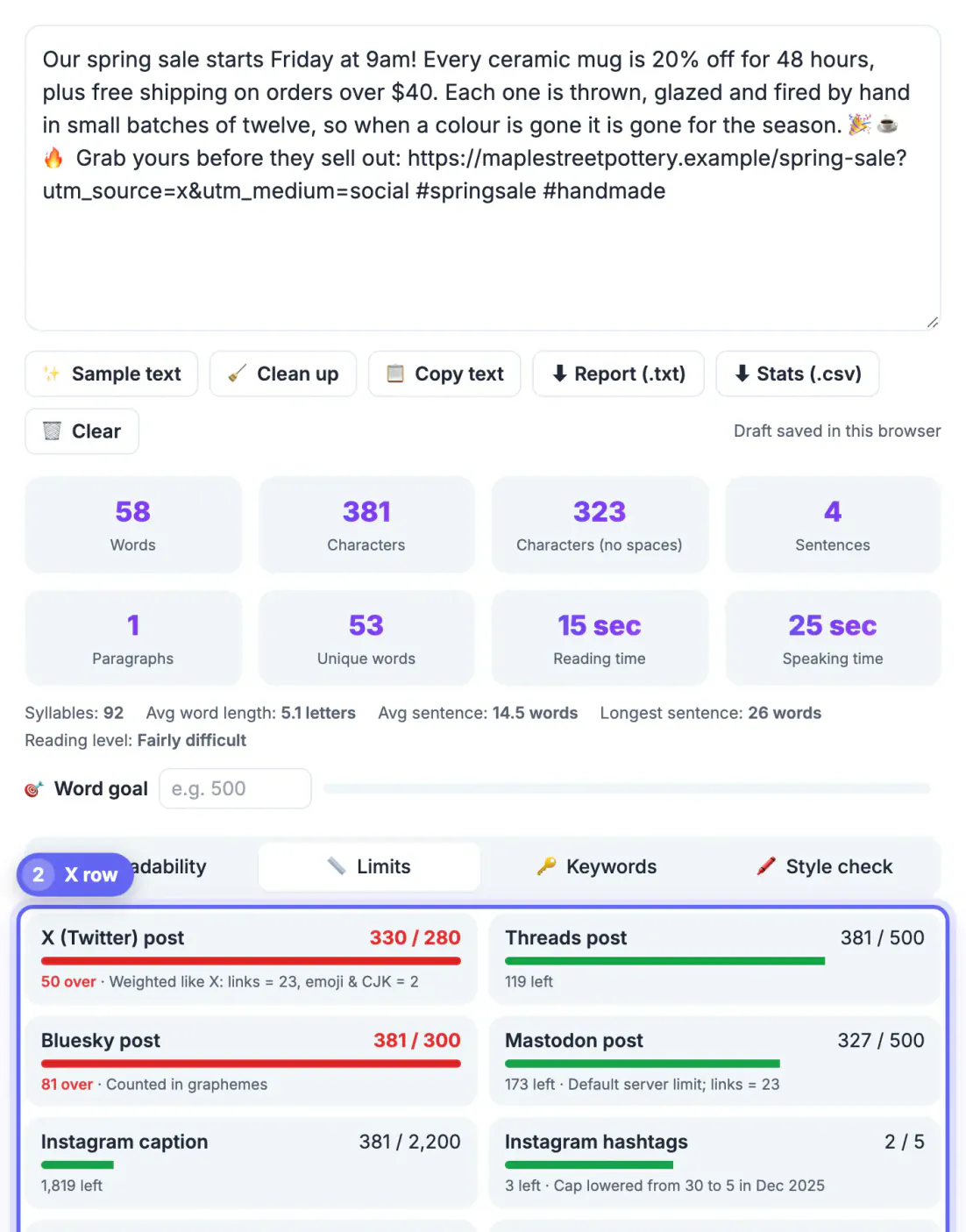
To count characters for a tweet, paste your draft into GrabCast's free Word Counter, open the Limits tab and read the X row, which already applies the two things X weighs differently: every link weighs exactly 23, and each emoji or Chinese, Japanese or Korean character counts as 2. That weighted figure is what X measures against its 280 limit for standard users. This guide explains the weighting rules, what is free, and how to trim a draft without losing its point.
🔤 Try the Word Counter tool now — freeOpen →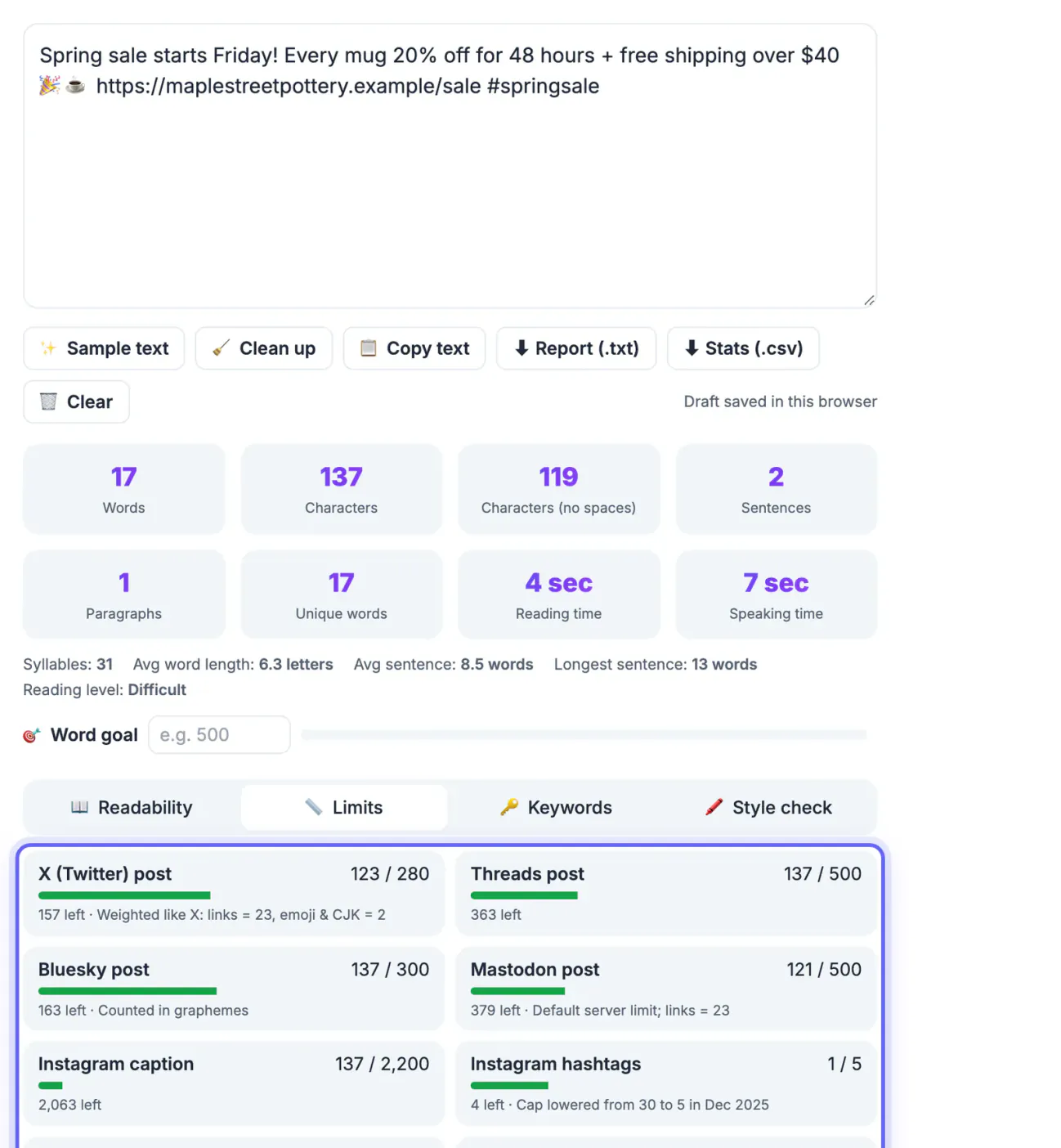
Most text editors show a raw length: one letter, one space or one line break is one unit. X uses weighted rules defined in its open-source twitter-text library. A long tracking link that looks like 90 letters in your draft costs only 23, while a row of five emoji that looks like five symbols costs 10. That is why a post can be rejected even though your editor says 276, or can fit comfortably when it looks too long. Knowing the rules lets you write right up to the line on the first try. It also changes how you edit: instead of shaving adjectives from a sentence that was never the problem, you can see at once whether a link, an emoji string or a pasted mention is what pushed the draft over, and fix that single thing in seconds.
How X weighs what you type
Every symbol in a post has a weight, and the total weighted length must stay at or under 280 unless you subscribe to X Premium, which allows long posts of up to 25,000.
- Latin letters, digits, punctuation, spaces and line breaks weigh 1 each, including accented letters such as e with an acute accent.
- Every URL weighs 23, whether it is a short domain or a 200-letter tracking link, because X wraps it in a t.co link.
- Each emoji weighs 2, including emoji with skin tones and combined family or flag sequences.
- Chinese, Japanese and Korean characters weigh 2 each, which gives those languages an effective limit of 140.
Those weights explain almost every surprise. A post in English with one link has 257 left for words. A post that ends with three hearts and a sparkle has lost 8 to decoration. A Japanese post that would be 200 symbols long in a notes app is 400 weighted, well over the line. Premium long posts still show only the first 280 or so in the timeline before a Show more cut, so the opening needs to work on its own.
What does not count toward 280
Several parts of a post are free, and using them well gives you room to breathe.
- Photos, videos and GIFs you attach, up to four images per post.
- The usernames X adds automatically at the start of a reply when you respond in a thread.
- A quoted post attached with the Quote button, rather than pasted as a link.
- Alt text on images, which has its own separate 1,000 limit.
Moving details out of the text and into those free slots is the cleanest way to trim. Put the chart in an image with descriptive alt text, reply in the thread rather than typing names manually, and quote a source post instead of pasting its address. Mentions you type into the body, such as thanks to a colleague, do cost 1 per letter plus the at sign.
Count characters for a tweet with the Word Counter
The tool gives you raw figures instantly as you type or paste, and its Limits tab turns them into X's weighted total for you.
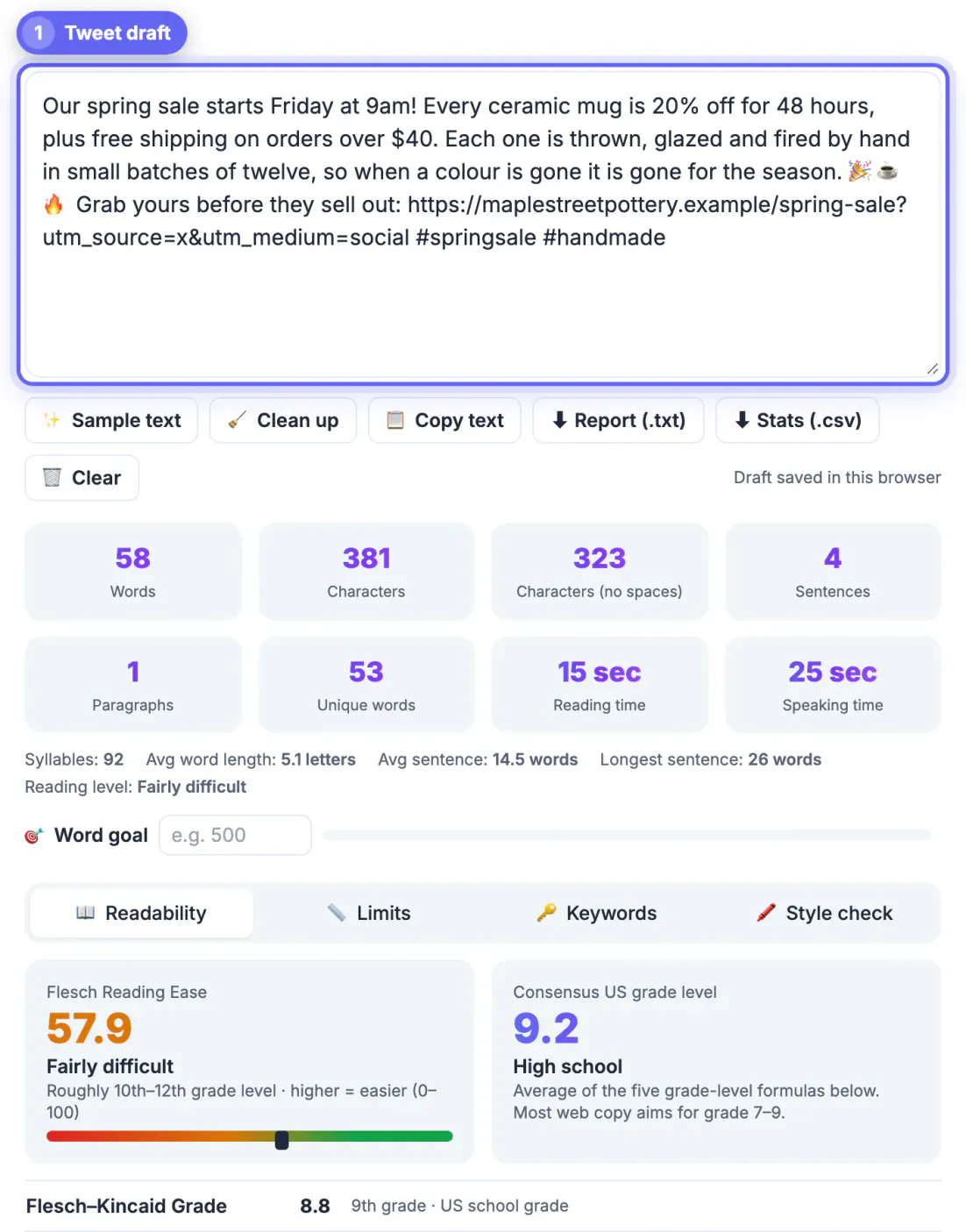
- Characters shows the raw length including spaces and line breaks; the no-spaces figure shows the same text without them.
- The X row on the Limits tab counts every link as 23 and each emoji or CJK character as 2, so you read the weighted total directly.
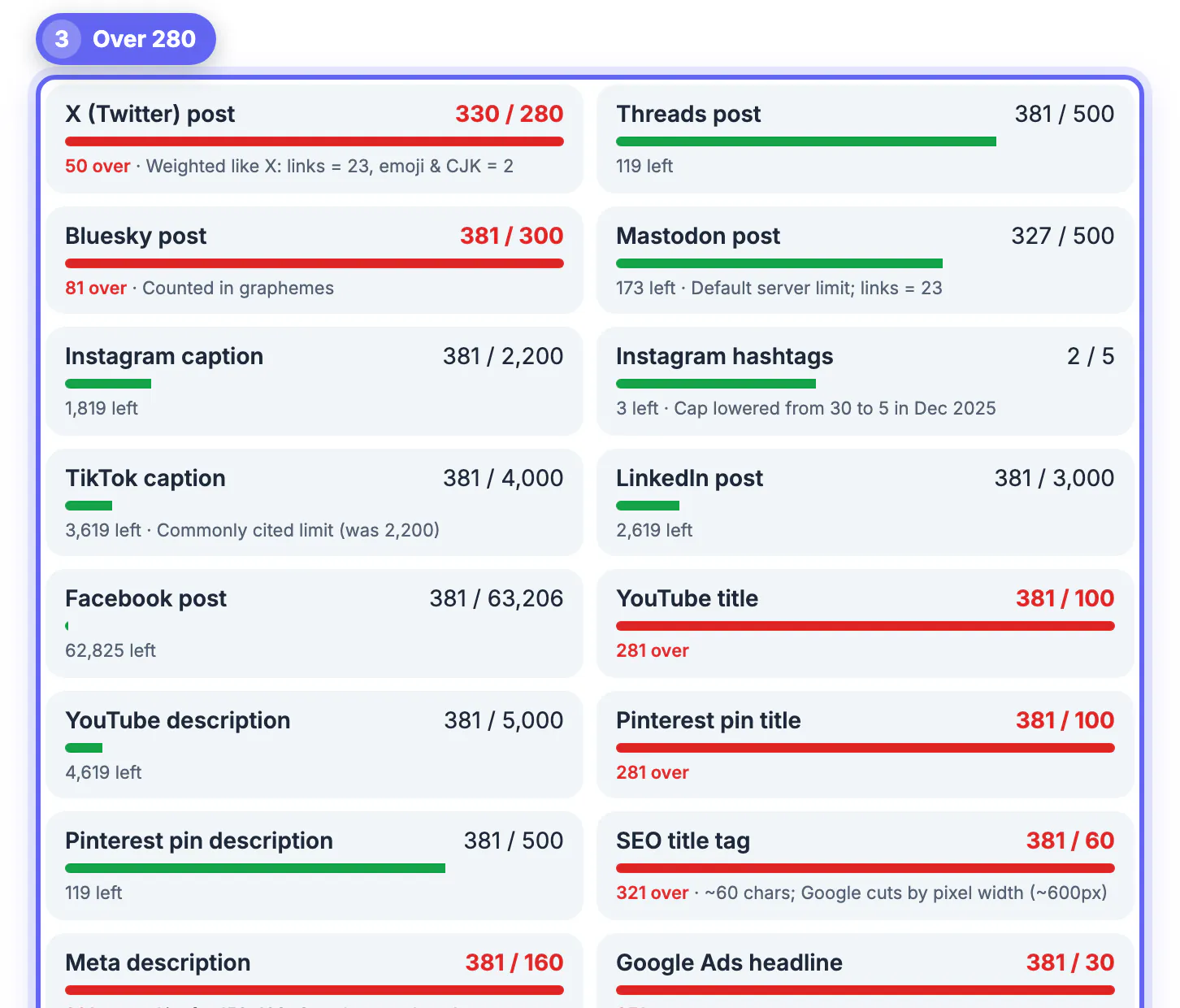
- The same tab lists other platforms, such as Threads, Instagram, TikTok, LinkedIn and SMS, which helps when you cross-post.
- For a final check on unusual emoji sequences, paste the draft into the X composer and watch the ring.
The counter also shows words, sentences, paragraphs, reading time at 238 words per minute and speaking time at 140, plus a Keywords tab with word and phrase density that is handy for spotting a term you repeated three times in 40. Nothing you paste is sent anywhere; the figures are calculated by script running in your tab, and the draft is kept only in this browser's local storage until you press Clear, so drafts about unreleased products or client news stay private.
Trimming a post without losing the point
When a draft runs 20 over, cut in this order and you will rarely need to touch the core message.
- Remove filler openers such as Just wanted to say or I think that, which often save 15 to 20.
- Swap long terms for short ones: use instead of utilize, help instead of facilitate, about instead of approximately.
- Replace and with an ampersand only where it still reads naturally, and use numerals instead of spelled numbers.
- Move the link or a secondary detail into a reply, turning one crowded post into a two-part thread.
Other networks use different ceilings, so a draft that fits one may not fit another. Bluesky allows 300, Threads and a default Mastodon server allow 500, LinkedIn posts run to 3,000 and Instagram captions to 2,200. When cross-posting, write for the strictest limit first, then add detail for the roomier platforms, rather than cutting a long caption down at the last minute.
Posting with a picture? The social media image sizes cheat sheet covers dimensions, and this guide to posting times helps you choose a slot.
Step-by-step
Common mistakes to avoid
Pro tips
Frequently asked questions
What is the limit on X?
280 weighted for standard accounts. X Premium subscribers can write long posts of up to 25,000, though the timeline shows only the opening before a Show more link.
Do links count toward the limit?
Yes, but every link counts as exactly 23 no matter how long the address is, because X shortens it with its t.co service.
How much does an emoji cost?
Each emoji weighs 2, including skin-tone and combined sequences such as family or flag emoji.
Do photos or replies to usernames count?
Attached photos, videos and GIFs do not count, and neither do usernames X adds automatically at the start of a reply. Mentions you type in the body do count.
Is my draft saved or uploaded?
Nothing is uploaded. The figures are computed by JavaScript in your browser tab, and the draft is saved only in this browser's local storage so a refresh does not lose it; press Clear to delete it.
X measures posts by weight, not raw length: links are always 23, emoji and CJK are 2, media and automatic reply names are free. Paste the draft into a counter that applies those weights, trim filler first, and you can write right up to 280 without a rejected post.
Related guides
Browse more: all text and developer guides · the Word Counter tool