Edit a Video by Editing Its Transcript: A Beginner Guide
Text-based video editing means you edit a video by editing its transcript: delete a sentence in the text and that part of the video disappears, the way you would delete a sentence in a document. It works because a speech model writes down every word with its start and end time, so every word is also a position in the video. For talking videos such as demos, lessons, podcasts and interviews, it is often the fastest way to do a rough cut. This guide explains how it works, what it is good and bad at, and shows a complete edit of a 24-second product demo in GrabCast's free Text-Based Video Editor, which runs in your browser without uploading the video.
📝 Try the Text-Based Video Editor now — freeOpen →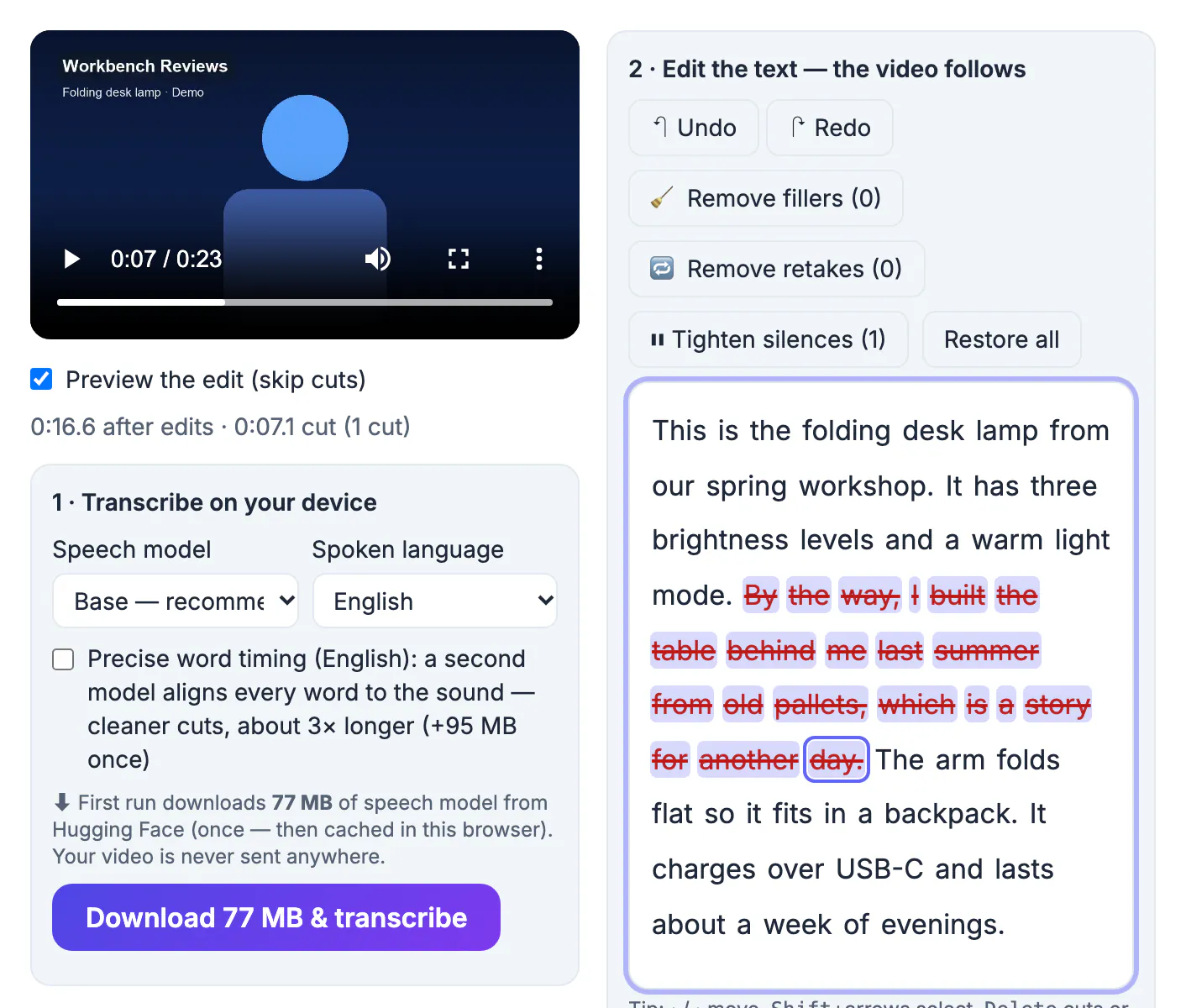
On a timeline, speech is a waveform: to find the sentence where you went off topic you scrub and listen. In a transcript, you read. A ten-minute talk is about 1,400 words, which you can skim in a few minutes, and the parts to remove are easy to spot because they read badly: a tangent, a repeated sentence, a long um before an answer. Text editing is also easier for people who are not video editors: selecting and deleting words is a skill everyone has. The trade-off is that text only knows about speech. B-roll, music cues, colour and graphics still belong in a timeline editor, so many people use text editing for the rough cut and a timeline for the finishing touches.
How text-based video editing works
Behind the page there are three steps:
- Transcription with word times. A speech model (Whisper, in the browser) turns the audio into words, each with a start and end time.
- A keep list. Every word you delete marks a stretch of time to skip. The editor merges neighbouring cuts and snaps each edge to the quietest moment nearby so words are not clipped.
- Rendering. On export, only the kept stretches are joined into a new video, with a short audio crossfade at every join.
Nothing is destroyed along the way. Deleted words stay visible, struck through, and pressing Delete on them again, Undo, or Restore all brings them back.
Accuracy of the timing matters more than accuracy of the spelling here. A misspelled name still marks the right moment in the clip, so a cut lands correctly even if the transcript has a typo; you only need to fix spelling if you plan to use the captions or the text afterwards.
Edit a video by editing the transcript, step by step
In the Text-Based Video Editor:
- Drop the video. It opens on your device; nothing is uploaded.
- Press Transcribe. The first run downloads the speech model once (about 77 MB for the recommended Base model).
- Read the transcript and click any word to jump there and hear it.
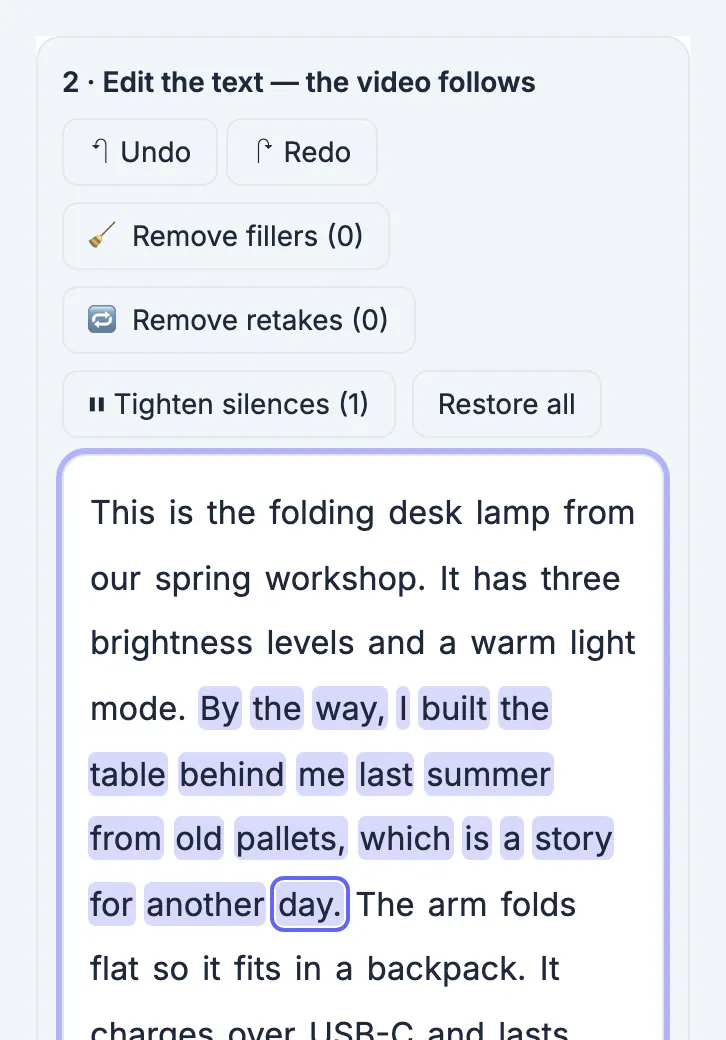
- Select the words to remove, with the mouse or with Shift and the arrow keys, and press Delete.
- Keep Preview the edit (skip cuts) ticked and play the video: the player jumps over everything you deleted.
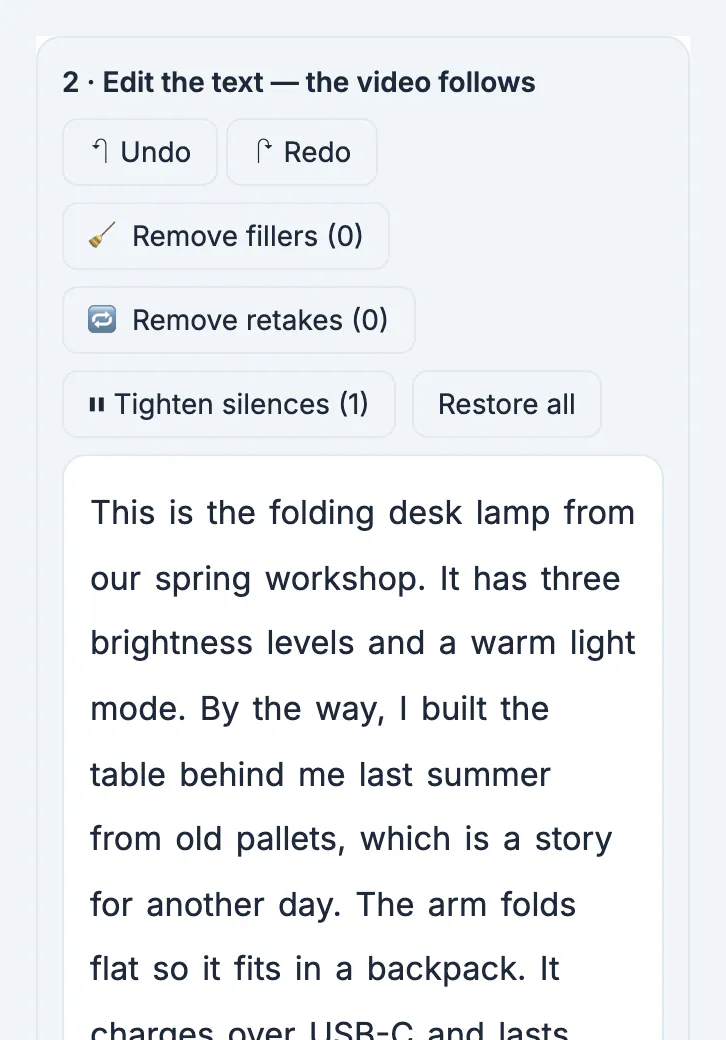
In the example, the demo of a folding desk lamp contained an off-topic aside: By the way, I built the table behind me last summer from old pallets, which is a story for another day. Selecting that sentence and pressing Delete took the video from 0:23.6 to 0:16.6, a 7.1-second cut, and the next sentence, The arm folds flat, followed straight on.
Where text editing beats a timeline, and where it does not
Text editing shines when the words are the content:
- Removing tangents, repeated explanations and dead air from a talk.
- Cutting fillers and false starts in one pass (see filler words in transcripts).
- Pulling the one good answer out of a long interview.
It is the wrong tool when the words are not the point:
- Videos with music and no speech, or long silent demonstrations.
- Cuts that must land on a visual moment, such as a product reveal, rather than on a word.
- Multi-track work: overlays, picture-in-picture, colour grading.
A practical split: rough cut in the transcript, then, if needed, finish in a timeline editor. For picking highlight moments out of long recordings, making short clips from a long video is a related workflow.
A useful habit is to read the whole transcript once before cutting anything. Mark the parts you are sure about first, such as an off-topic story or a sentence you repeated, and leave the borderline ones for a second pass. Speakers often circle back to a point later and say it better, and you only notice that with the full text in front of you.
Export the edited video and keep the transcript
When the preview plays cleanly, open Export.
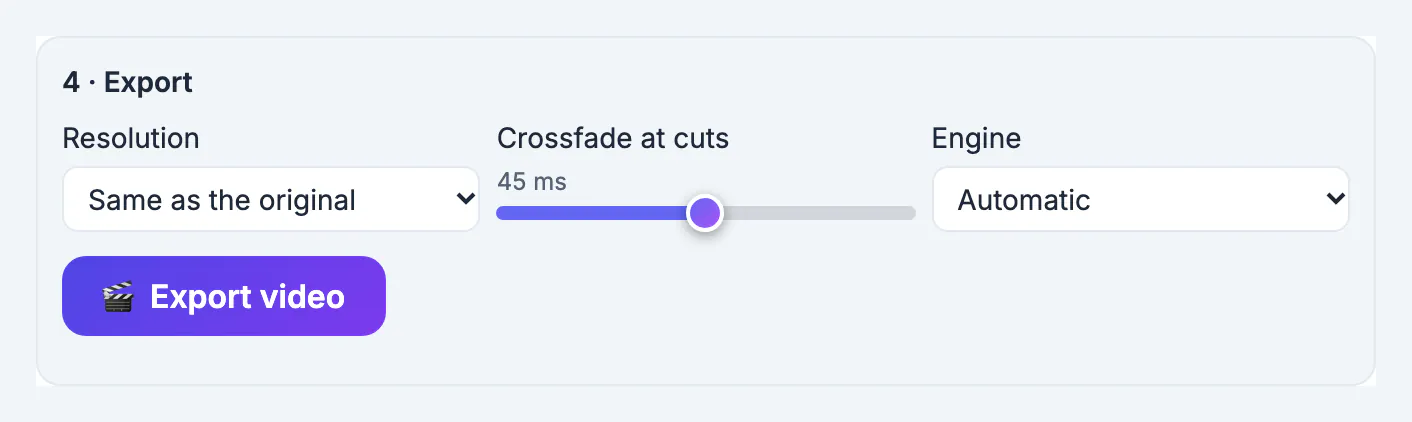
- Resolution: keep Same as the original, or choose 1080p or 720p.
- Crossfade at cuts: 45 milliseconds by default; raise it towards 60 if a join still clicks.
- Engine: Automatic uses your browser's hardware video encoder when it can, and ffmpeg (slower, any format) otherwise.
- Download the edited transcript as a .txt and the captions as SRT or VTT; they match the cut video.
Your edits are saved in the browser for that file, so reopening the same video later restores the transcript and every cut. There is no watermark and no minute limit; the only limit is your device's memory.
Step-by-step
Common mistakes to avoid
Pro tips
Frequently asked questions
What is text-based video editing?
Editing a video by editing its transcript: deleting words or sentences in the text removes the matching part of the video.
Is there a free text-based video editor?
Yes. GrabCast's Text-Based Video Editor is free, needs no sign-up, adds no watermark and runs in your browser.
Is my video uploaded?
No. Transcription, editing and rendering happen on your device. Only the speech model and the video libraries are downloaded, once.
Can I undo a deletion?
Yes. Deleted words stay in the transcript, struck through. Press Delete on them again, use Undo, or Restore all.
How long can the video be?
There is no minute cap. On a computer, videos up to about an hour and a half usually work; phones handle shorter clips. The page warns if a file looks too big for the device.
Text-based video editing turns a rough cut into reading and deleting. It is at its best on talking videos, and it leaves every cut reversible until you export. Transcribe, delete what reads badly, preview, and export an MP4 from your browser.
Related guides
Browse more: all video and audio guides · the Text-Based Video Editor